
Doku - The Ultimate Disk Space Monitoring Tool for Microservices
What is Doku?
Doku is an ultra-lightweight web application specifically designed for monitoring Docker disk usage. It monitors the disk usage of images, containers, volumes, build cache, Overlay2 storage, container logs, and mounted directories, giving you a clear overview of which components are "eating" your hard drive space.
Most importantly, it only performs monitoring and does not actively delete any files, making it very safe.
https://appstore.lazycat.cloud/#/shop/detail/xyz.mxue.doku
User Experience
After installing the application, I accessed the page via a browser but no data appeared, although it worked fine in the client.
Upon opening the homepage, you need to understand the meaning of each page.
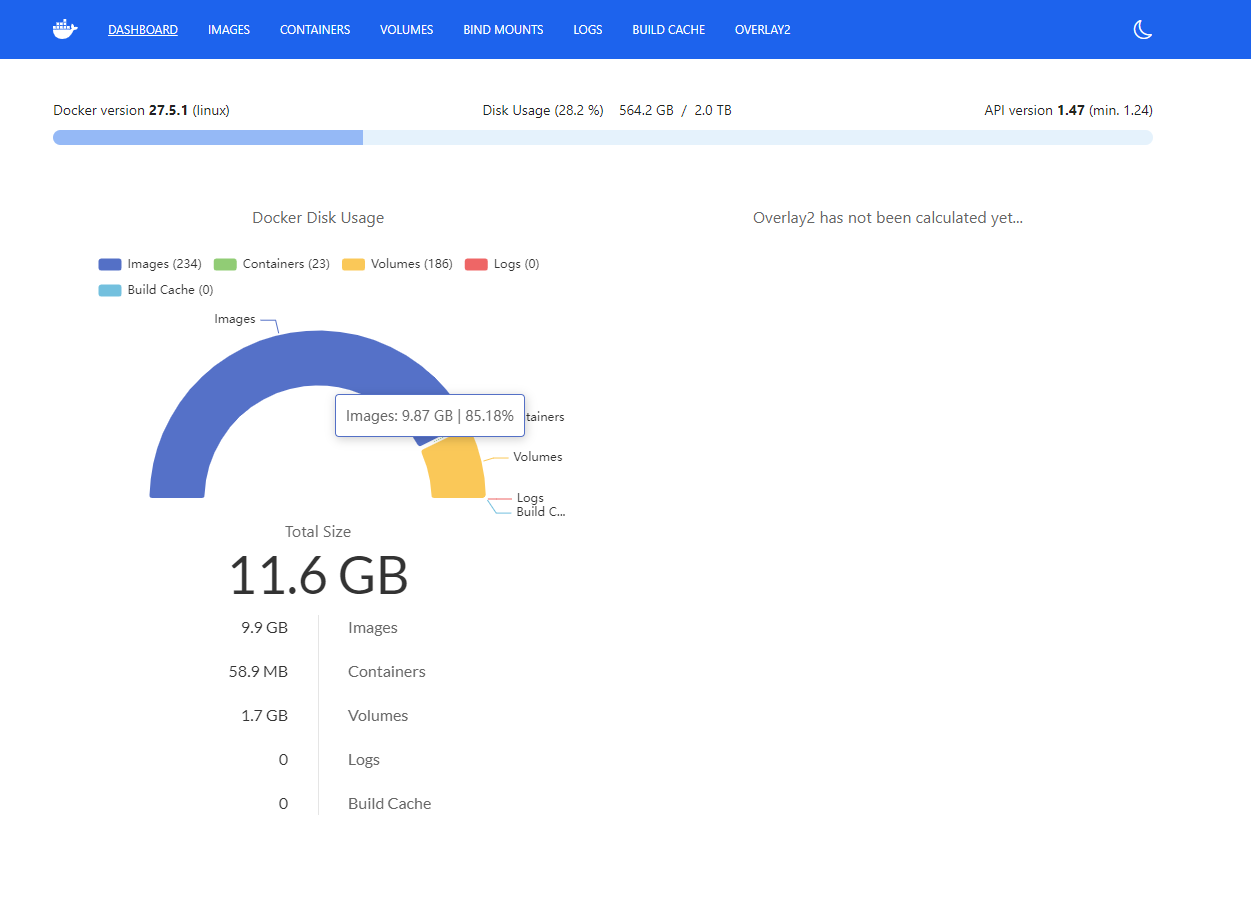
Dashboard provides you with an overview of your Docker disk usage.
DASHBOARD: This page you are currently viewing is the overview.IMAGES: Click here to display a list of all your Docker images and the specific space each one occupies.CONTAINERS: Click here to display a list of all your Docker containers (both running and stopped), and the space they each occupy.VOLUMES: Click here to display a list of all your Docker data volumes and the space they each occupy.
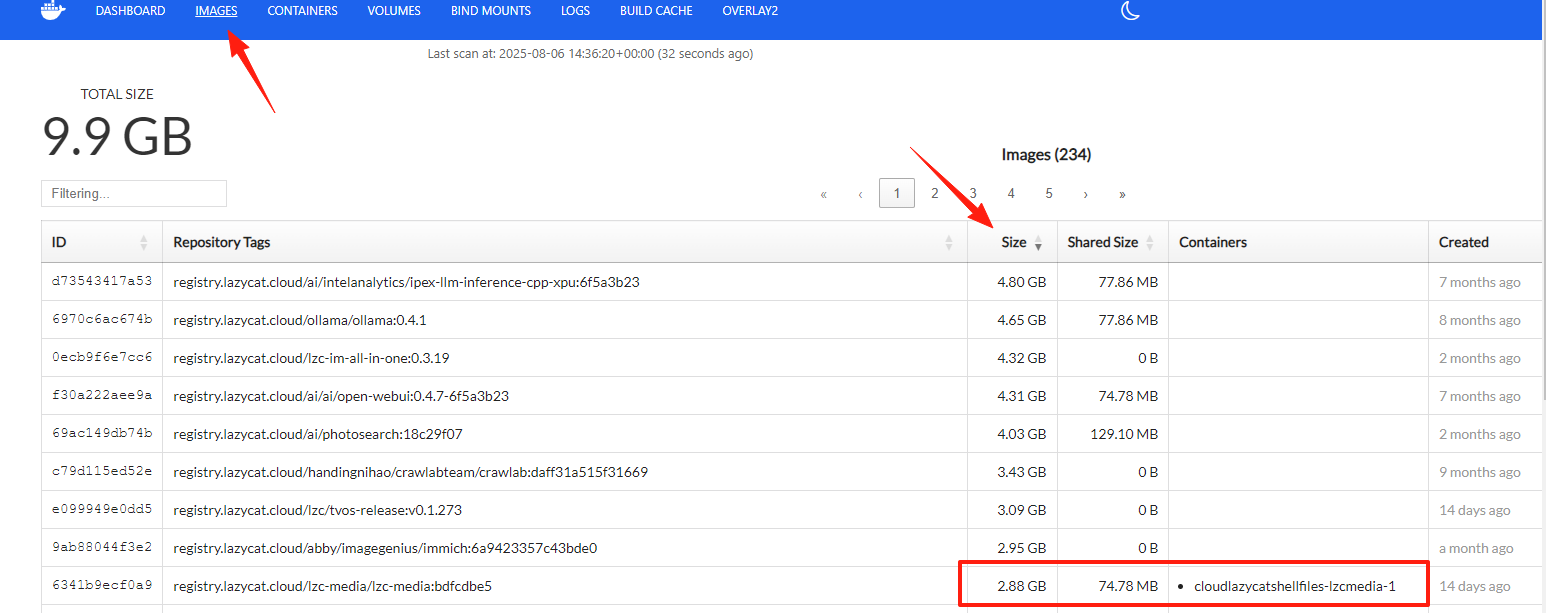
Click on the Images page. Click the up/down arrows next to the Size column header to sort the images by size, from largest to smallest.
Prioritize cleaning up those images that have a large Size and where the Containers column is empty (indicating no container is using it).
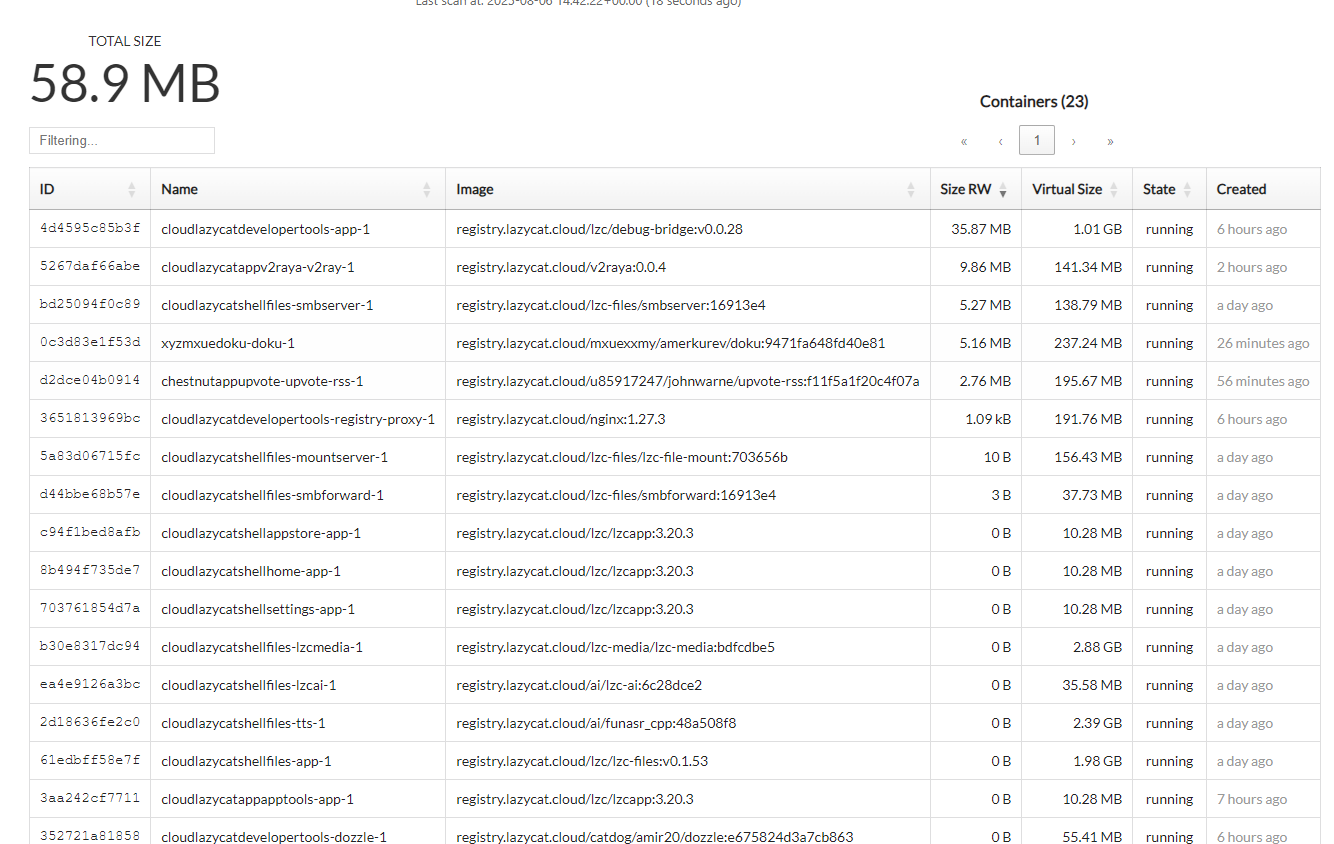
Click on the CONTAINERS page.
- Name: The most intuitive way to identify what a container is for. For example,
cloudylazycatdevelopertools-app-1,doku, etc. - Image: Which Docker image this container was created from. The format is usually
repository/image:tag. - Size RW (Read/Write Layer Size): This column is key to identifying which container has generated a large amount of data during runtime, leading to hard drive space growth.
- Virtual Size: This number does not directly represent the actual additional space occupied on the hard drive; it's more of a conceptual total.
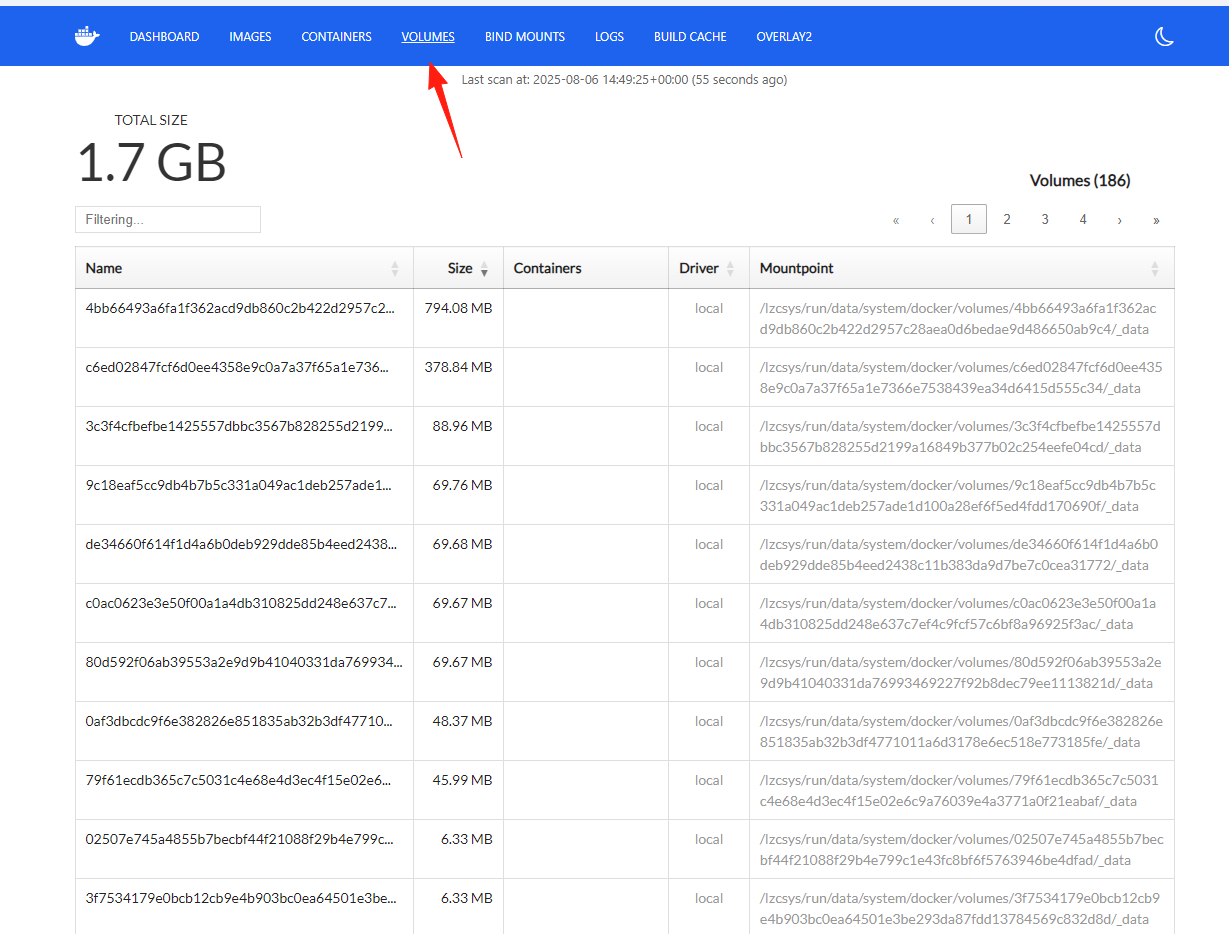
Click on the VOLUMES page.
- TOTAL SIZE 1.7 GB is the total disk space currently occupied by all Docker data volumes.
- Containers: If a container name is displayed here, it means this data volume is in use. You need to stop and delete the container using it before you can delete this volume.
- If this column is empty, it usually indicates that the data volume is "dangling" (i.e., not used by any container) and can be considered for cleanup.
Summary
Doku is the kind of tool that's "useful right after installation," especially suitable for:
- Quickly locating disk issues and formulating cleanup strategies.
- Understanding your container resource consumption.
It won't make you a Docker expert, but it will give you a thorough understanding of your Docker disk usage.
The simple interface design lets you see at a glance which components are occupying space, eliminating the need for guesswork and blind cleanup.