
FileBrowser Quantum: A Powerful Web File Browser
Are you also frustrated by the slow speeds and subscription fees of various cloud storage services? Looking for a solution that allows you to access files anytime, anywhere, without worrying about privacy leaks?
Today's recommended open-source project—FileBrowser Quantum, a powerful web file browser supporting multiple data sources, real-time search, and a modern UI.
Simply put, this tool can turn your computer or server into a personal cloud storage system, and it's even better than many commercial alternatives.
https://appstore.lazycat.cloud/#/shop/detail/xyz.xmue.filebrowserquantum
User Experience
After installing the application, open the login page. The default credentials are: admin / admin

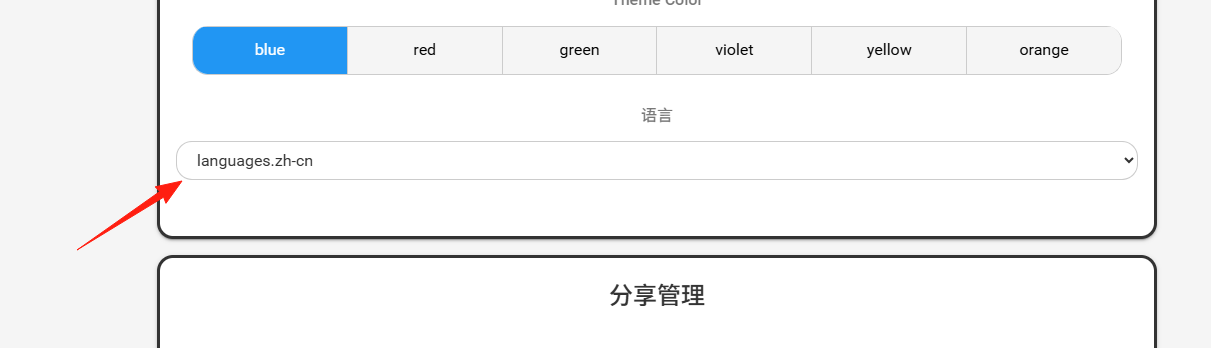
Go to Settings to change the language to Chinese
To upload files, you can simply drag and drop them directly
 Alternatively, right-click to upload files or create new folders

Right-clicking a file reveals more operations

To view file details by clicking, first click the button on the left

Click the file again to view it, and you can navigate between files using the left/right buttons Supports preview for various formats including Office documents and videos

- Real-time Search: Search as you type, with lightning-fast speed

Want to share files with others? Right-click the file and select "Share"
 Generate shareable links with configurable expiration time and download limits

- User Permission Management:
If you want to share files with family or friends but don't want them to see your private files:
Set different access permissions for different users Create individual accounts for each person with separate root directories This ensures everyone only sees their own folders

Summary
FileBrowser Quantum is a powerful and flexible open-source solution that helps users completely break free from the constraints of traditional cloud storage.
Unlike some cloud drives where file downloads are slower than a snail's pace, this tool is completely free and has no usage restrictions.