
TiddlyWiki Practical Guide: Your Personal Knowledge Management Powerhouse
What is TiddlyWiki?
Imagine having a notebook where every page can be infinitely linked to other pages, arbitrarily tagged and categorized, and can automatically generate various views. This is TiddlyWiki5—a completely free personal knowledge management system.
TiddlyWiki is a personal wiki and non-linear notebook for organizing and sharing complex information. Sounds fancy? It's essentially a super flexible note-taking tool, but far more powerful than ordinary notes.
https://appstore.lazycat.cloud/#/shop/detail/in.zhaoj.tiddlywiki
Traditional notes are one page after another; TiddlyWiki lets your ideas connect like a spider's web. A reading note written today can directly link to thoughts from last month or plans for next week. This non-linear recording method aligns better with how the brain thinks.
Quick Start
After the application is installed, the functional page opens.
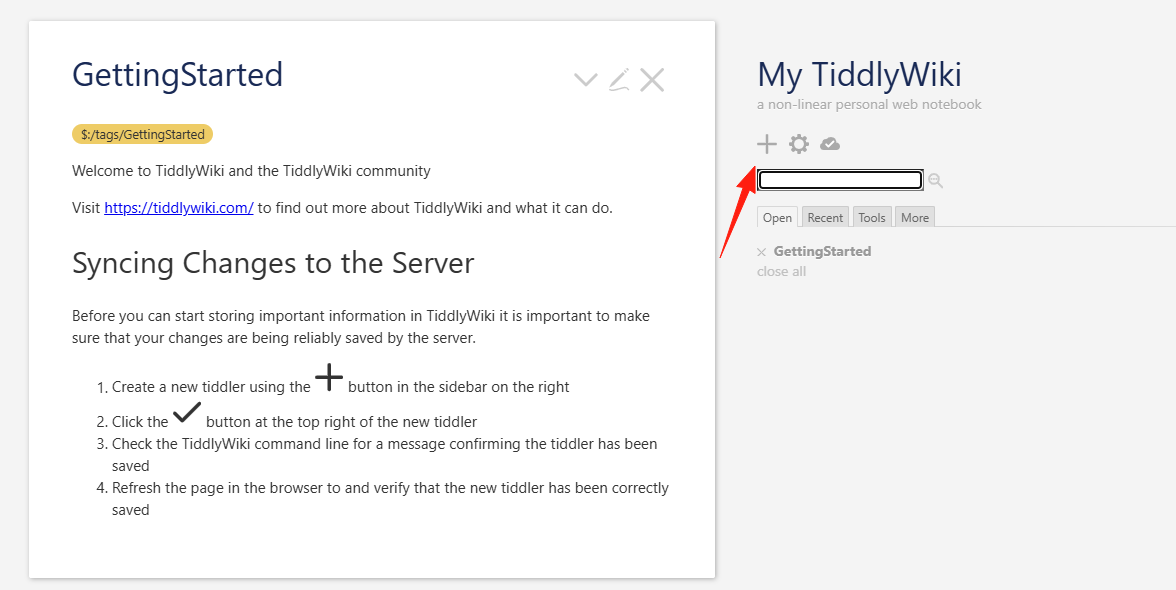
Since the default language is English, if you want to display Chinese, you need to install a plugin. Go to Application Data and edit this file.
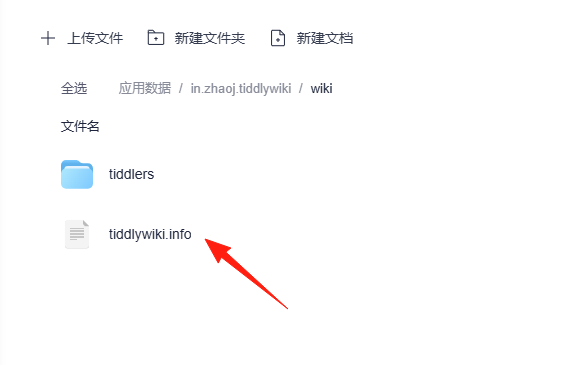
Add this code snippet here:
"languages": [ "zh-Hans" ],
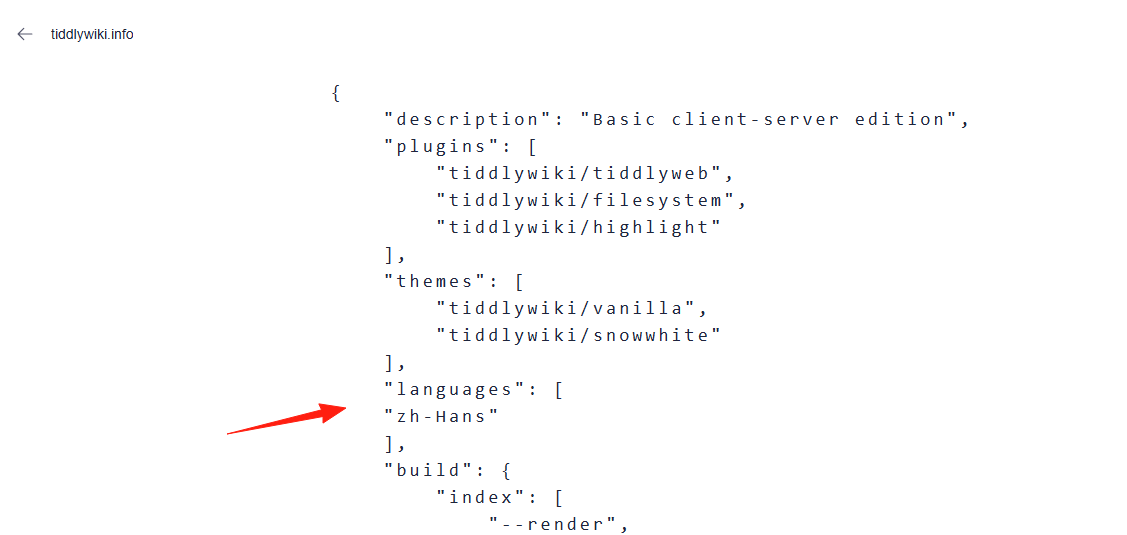
After saving, restart the application (Application Management -> Stop Running, then reopen it).
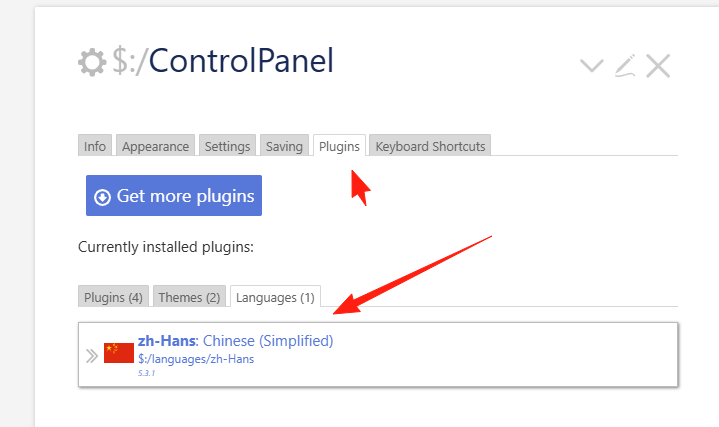
Click the Settings button.
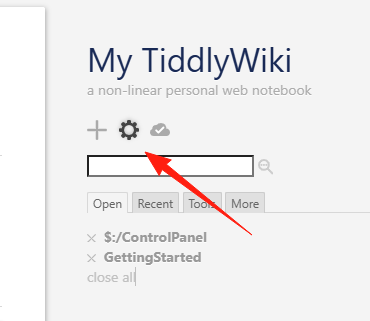
Under Plugins on the left, in the Language section, you will see an additional Chinese plugin.
Click Tools, and check the 'language' option.
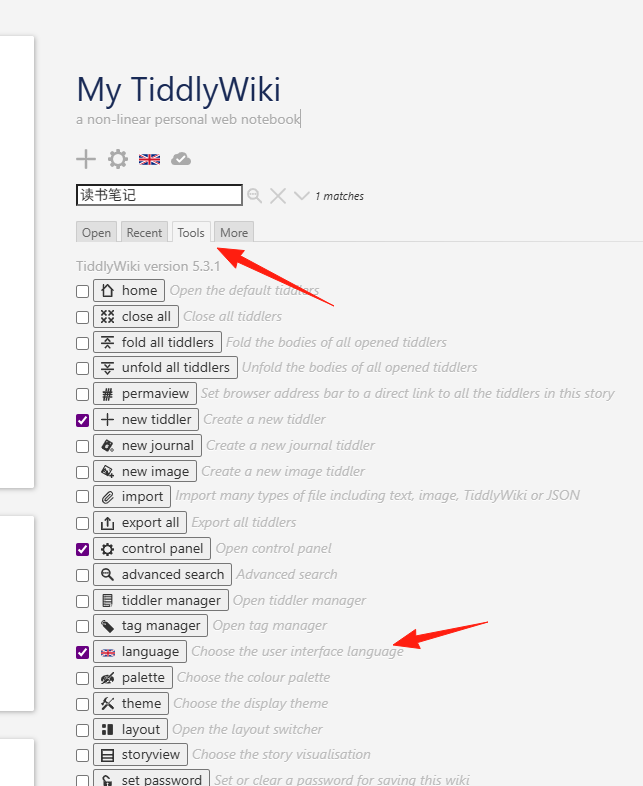
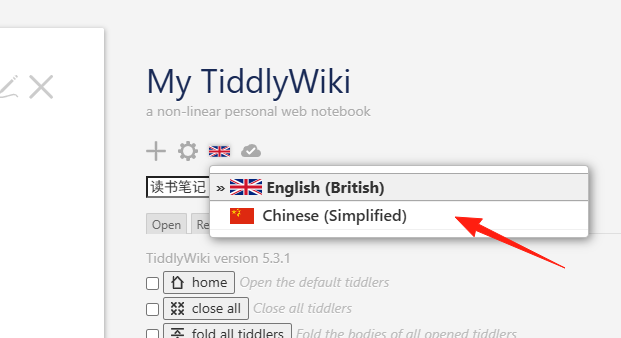
You will notice a language icon appearing at the top; select Chinese.
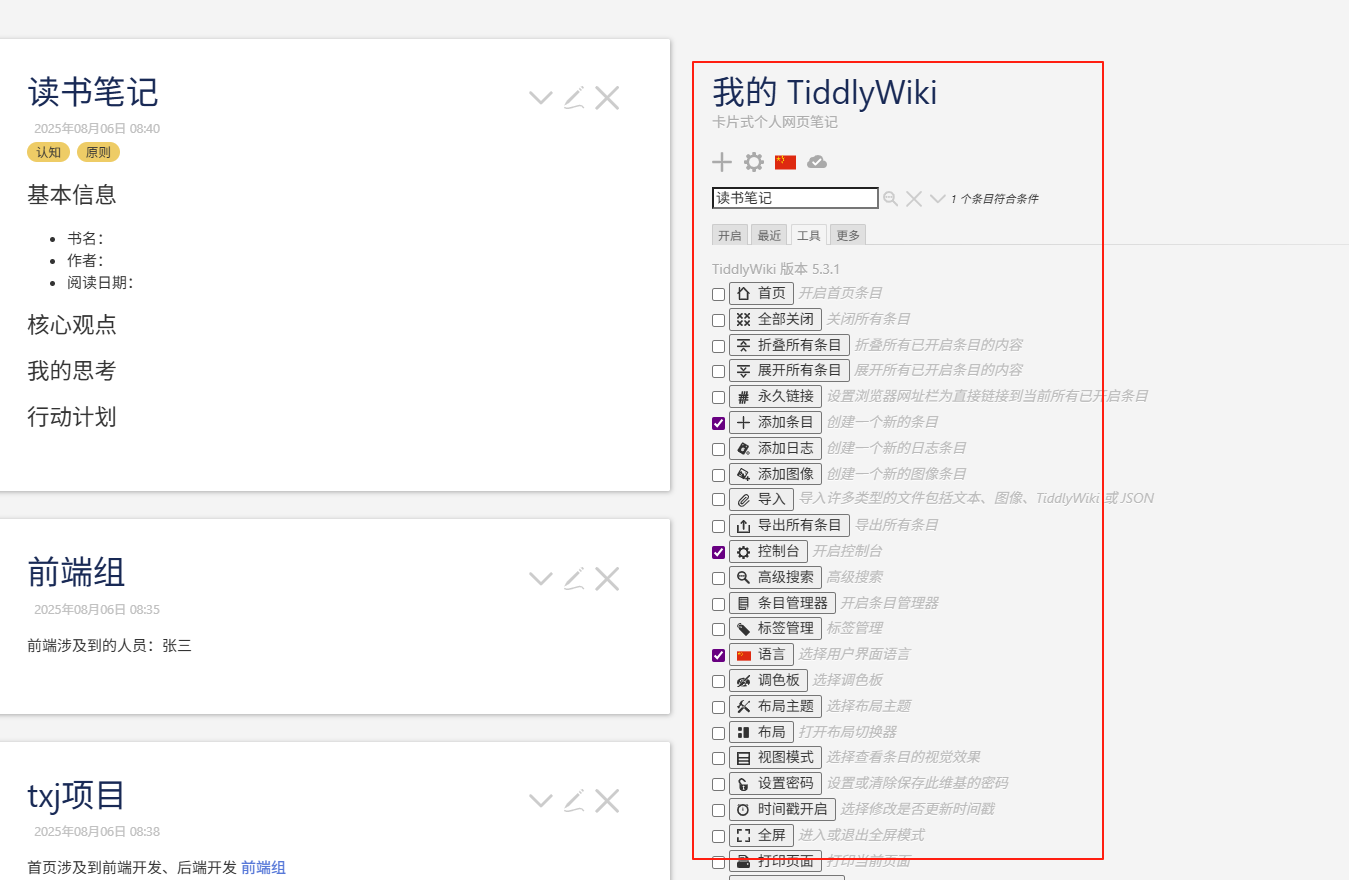
You can see everything has changed to Chinese.
Click the + button to start writing your first "Tiddler" (called a Tiddler in TiddlyWiki).
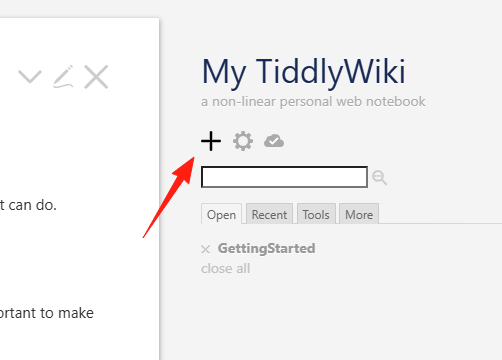
Understanding the "Tiddler" Concept
Treat every idea, every note as a small card (a Tiddler). For example:
- Notes from reading a book is one Tiddler
- Thoughts on a project is one Tiddler
- An inspirational idea is also a Tiddler
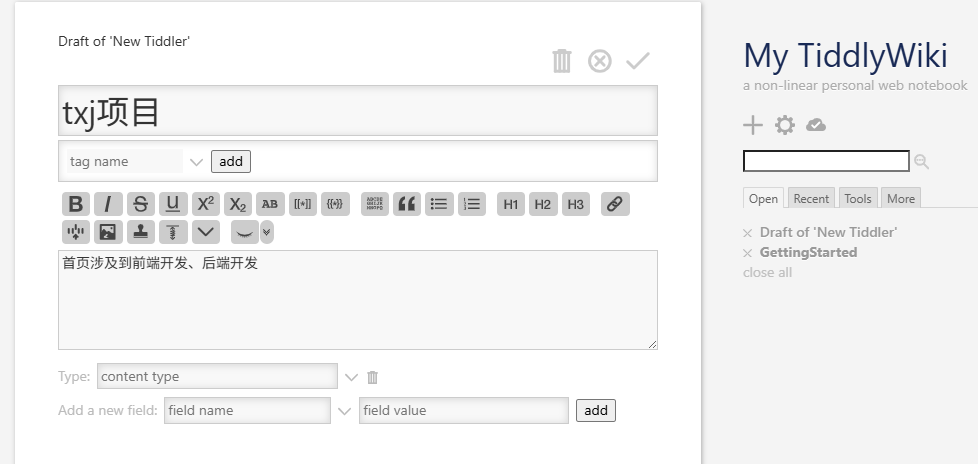
Learning to Link
Write [[Another Tiddler's Title]] within a Tiddler to create a link. For example, writing [[Reading Notes - Principles]] will create a clickable link to that Tiddler; if it doesn't exist, it will be created automatically.
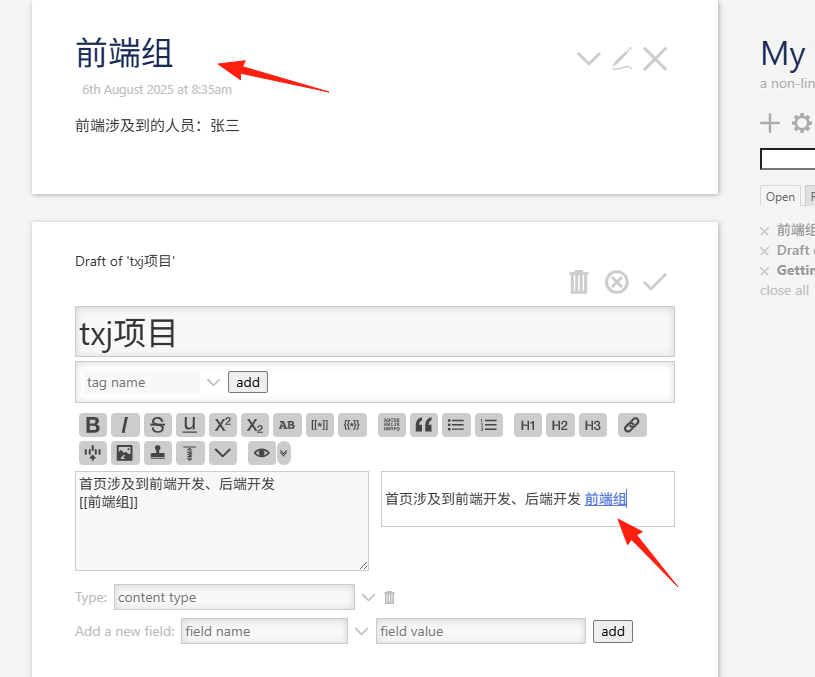
Using the Tag System
Tag your Tiddlers, for example #ReadingNotes #Work #Inspiration. Later, you can view all related content by tag, which is super convenient.
Title: Thoughts on the book Principles
Tags: ReadingNotes Management PersonalGrowth
Save Time with Templates
Often write the same type of notes? Create a template! For example, a reading notes template:
!! Basic Info
* Book Title:
* Author:
* Reading Date:

!! Core Ideas

!! My Thoughts

!! Action Plan
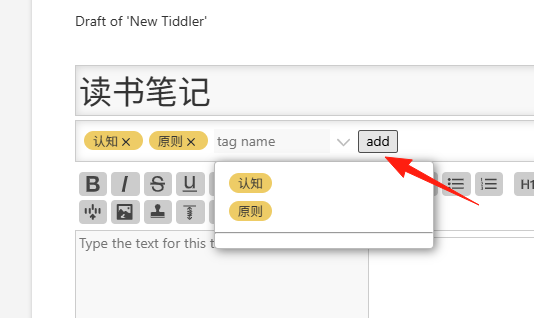
Click this small eye icon to preview on the right side.
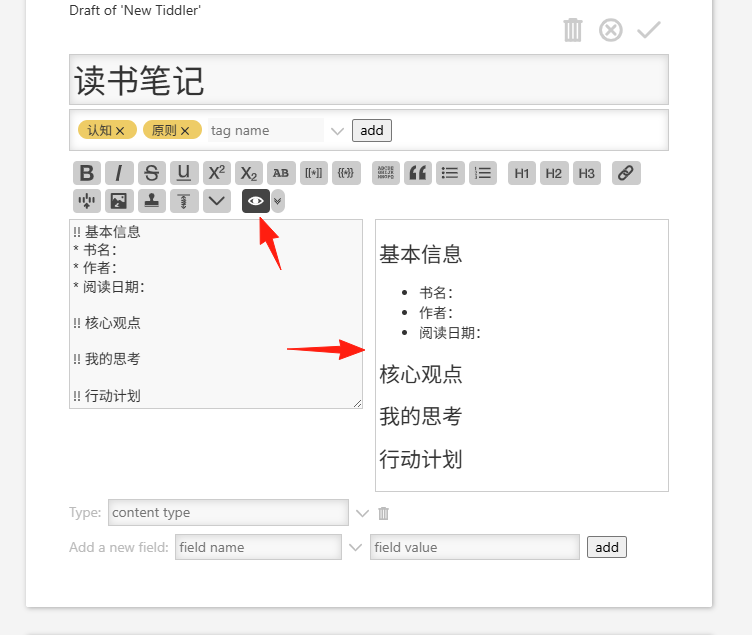 When creating a new reading notes Tiddler, select this template to instantly have a structure.
Utilizing Search and Filtering
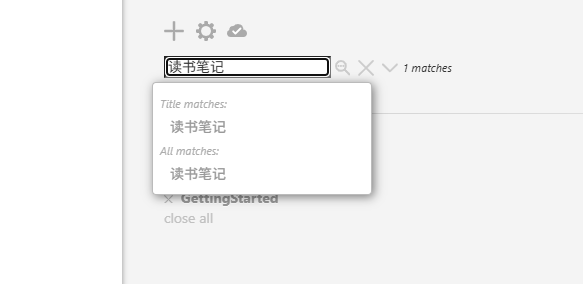
TiddlyWiki's search is powerful:
- Search text content directly
- Filter by tag: Click the tag button
- Advanced filtering: Combine multiple conditions
Summary
You can start with a simple idea, create your first Tiddler, and then gradually add more content.
As you use it over time, you'll discover the growing power of this tool.
Regarding personal knowledge management, it involves thinking frameworks. TiddlyWiki is not just a tool; it's a way of thinking. It encourages you to break down and reorganize knowledge, build connections, and ultimately form your own knowledge system.
Final reminder: This guide is just a starting point. TiddlyWiki's features are far richer than what's introduced here. It's recommended to learn while using, discovering more possibilities through practice.