
svnWebUI - The Ultimate SVN Management Tool That Eliminates the Command Line
When it comes to SVN server configuration, I believe many people have experienced the dread of being dominated by configuration files. A pile of user permission settings, manually writing various conf files, and when an error occurs, you don't even know where it went wrong.
svnWebUI is a web-based SVN server management tool. Simply put: No more manual configuration file writing! You can manage your SVN server through a browser. Adding users, creating repositories, setting permissions – everything can be done with just a few clicks on the webpage.
https://appstore.lazycat.cloud/#/shop/detail/cloud.lazycat.app.svnwebui
Quick Start
After the application is installed, the first access will require you to register an administrator account. Just fill in a username and password.

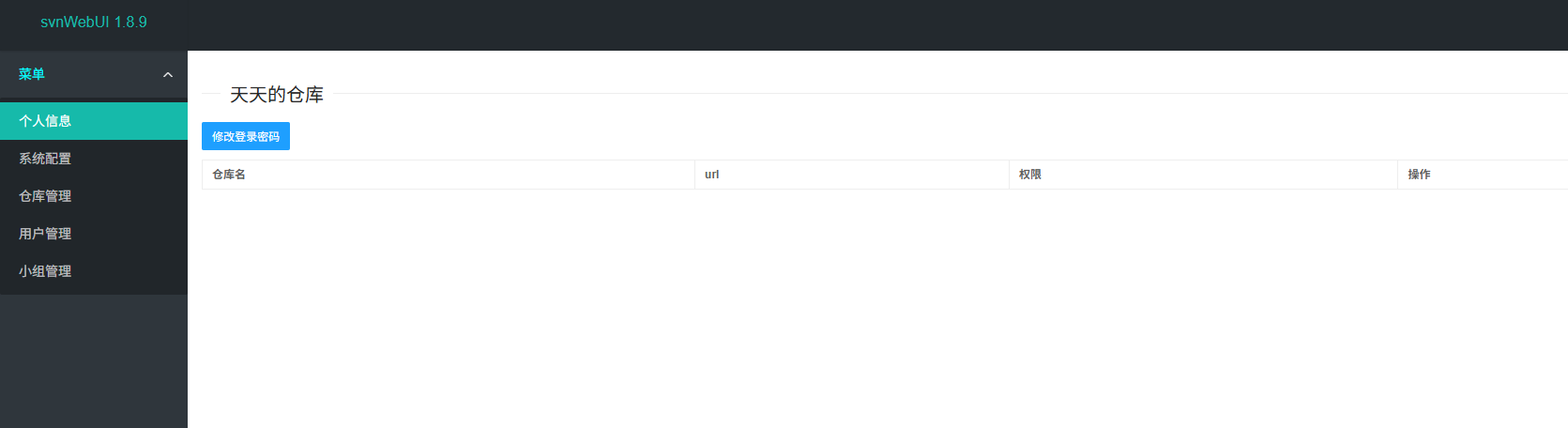
After logging in, you will enter the home page.
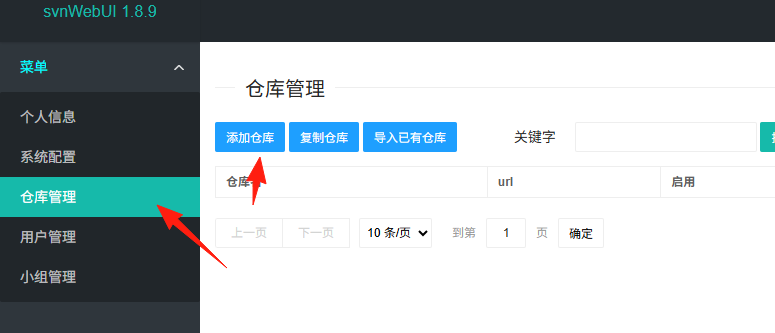
Click "Repository Management" -> "Add Repository"
Fill in the repository name, for example, myproject
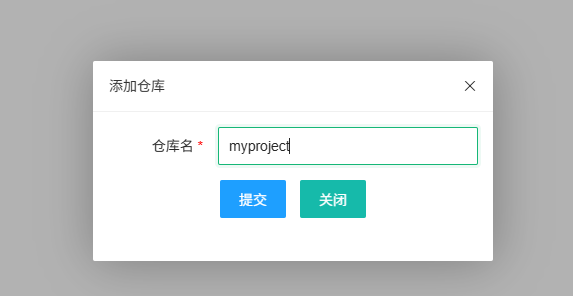
Click OK. The system will automatically create the repository and display the SVN address.

Go to "User Management", click "Add User"

Fill in the username, password, and select the user type (Administrator/Regular User)

Setting Permissions
Go back to "Repository Management", find your repository, and click "User Authorization"

Select a user, set permissions (Read/Read-Write), which can even be specified down to the directory level.
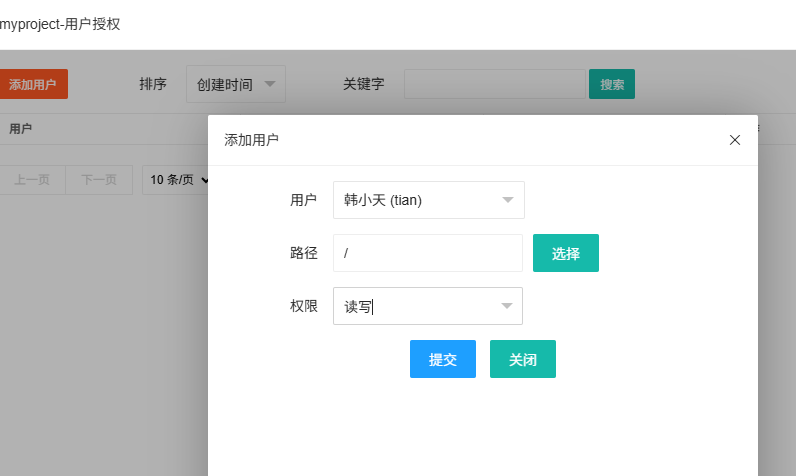
If there are many users, you can first create "Groups" and then authorize the group, making management more convenient. Create a group in "Group Management", add relevant users to it, and then authorize the entire group.
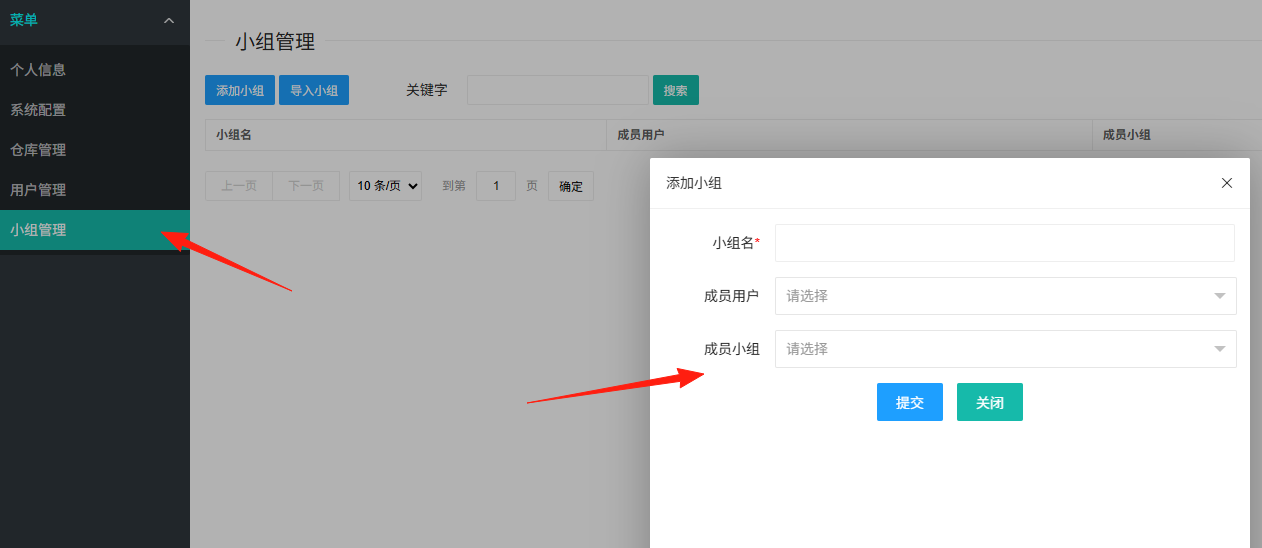
Permissions can be specified down to the directory level. For example, if your project is divided into frontend and backend directories, you can grant frontend developers permissions only for the /frontend directory, and backend developers access only to the /backend directory.
The above covers the server-side creation process. To use it, you need a client. On my computer, I installed SVN and checked out the project.
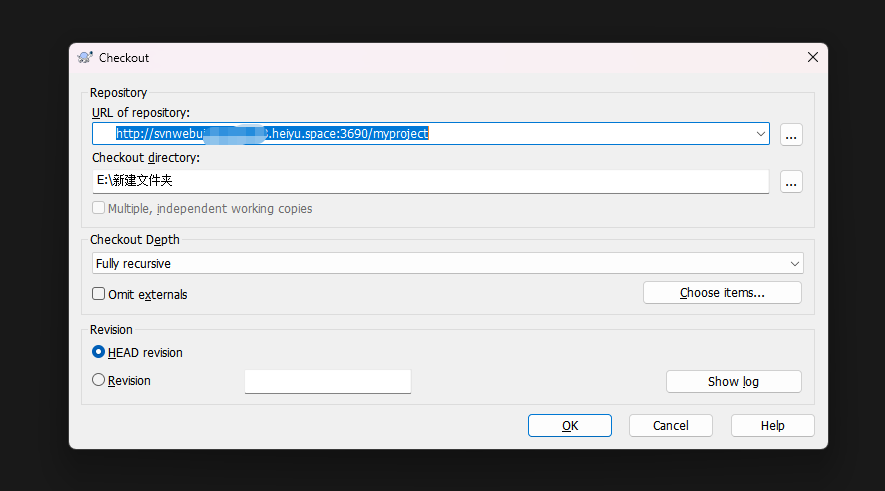
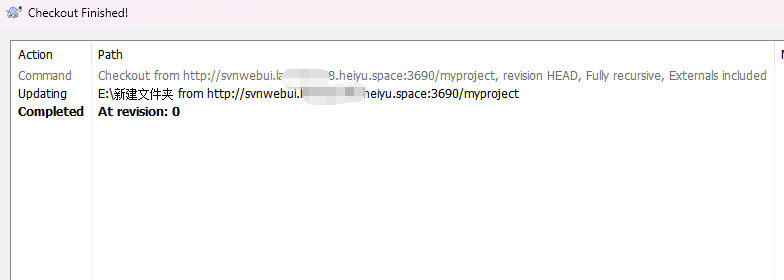
Enter the username and password. You can see it was successful.
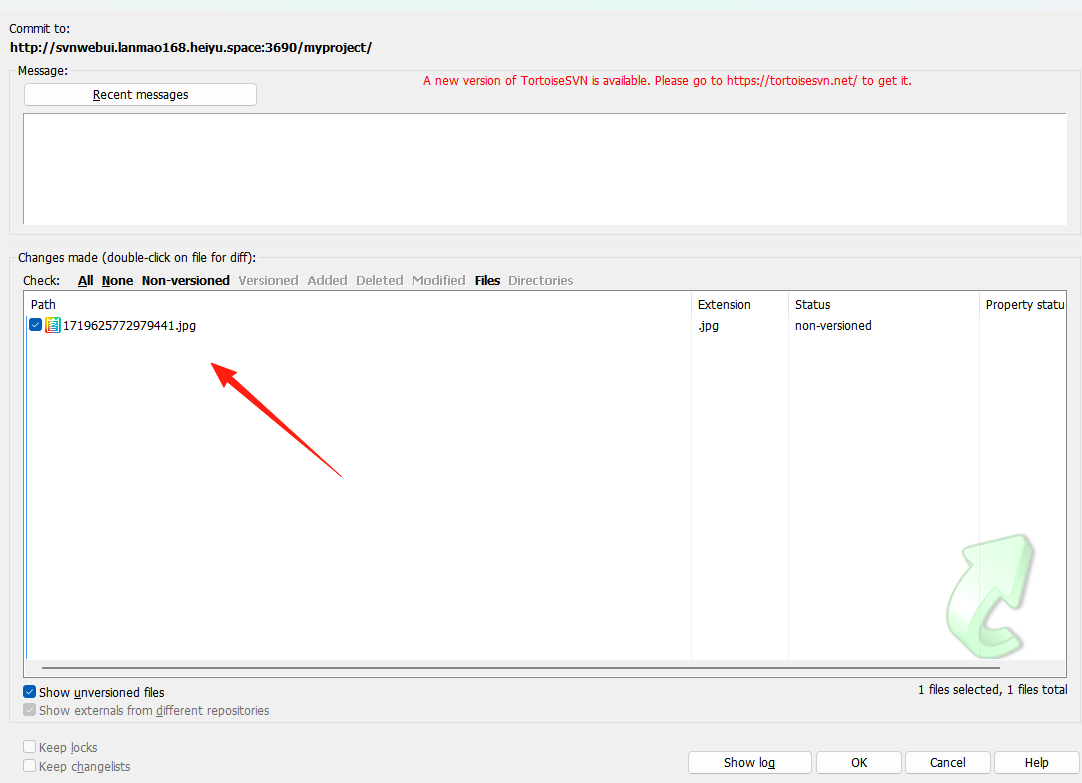
Add a file to the project and commit it.
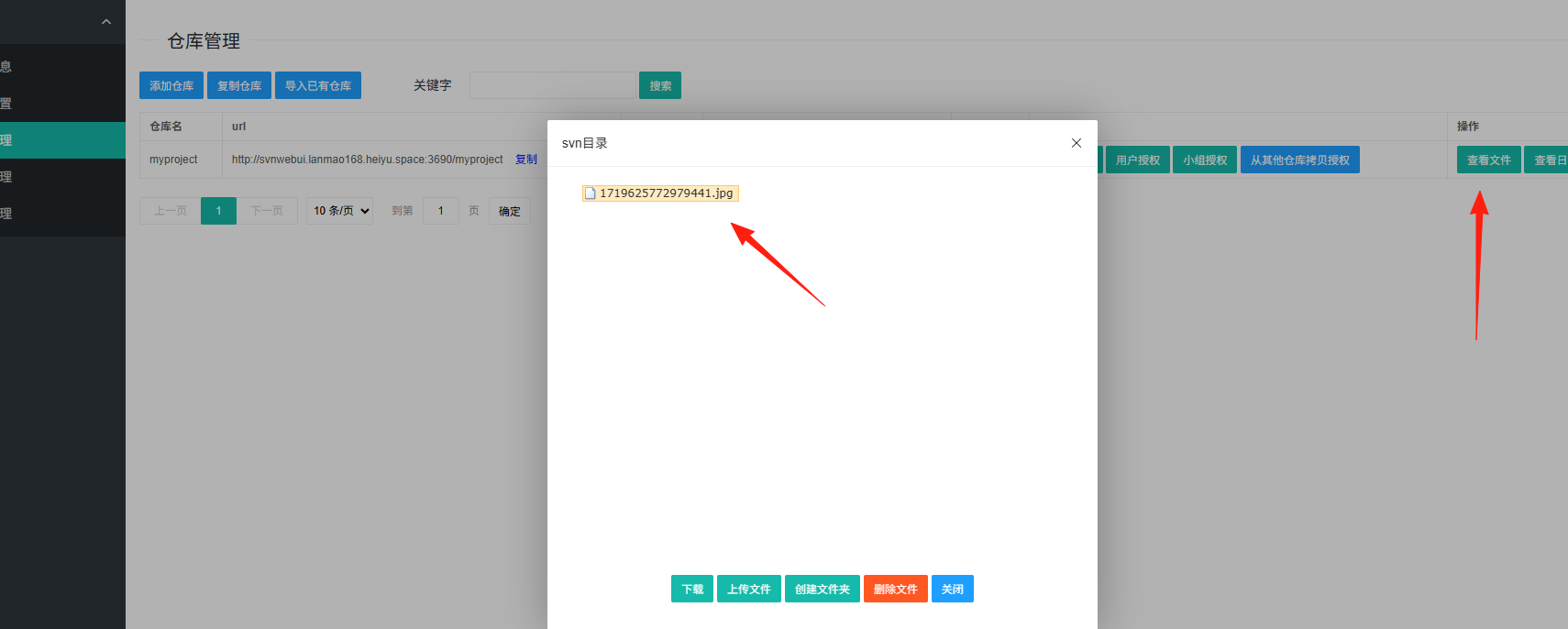
Return to the SVN server side. You can see the file has been uploaded.
Summary
svnWebUI is a really practical tool, especially for teams still using SVN.
It solves the pain points of complex SVN server configuration and difficult management, turning tasks that originally required command-line operations into simple tasks achievable with a few mouse clicks.
Although Git is very popular nowadays, SVN still has its advantages in certain scenarios, such as:
- Simpler concepts, more suitable for non-programmers
- Centralized management, easier permission control
- Better support for large files
If your team still uses SVN, or is considering setting up an SVN server, I highly recommend trying svnWebUI.