
AntNote: The Ultimate Note-Taking Tool for Programmers, Easy Enough for Beginners
When it comes to note-taking apps, you might have used Evernote, Youdao Cloud Notes, or Notion. But if you are a programmer or frequently need to record code snippets, then Leanote is definitely worth a try.
Its biggest advantages are: Open source and free + Perfect Markdown support + Code syntax highlighting. The author originally created it because they couldn't stand Evernote messing up pasted code.
https://appstore.lazycat.cloud/#/shop/detail/cloud.lazycat.app.leanote
Quick Start
After installing the app, open the login page. It's already integrated with Lazycat accounts, so you can log in directly with your Lazycat account.
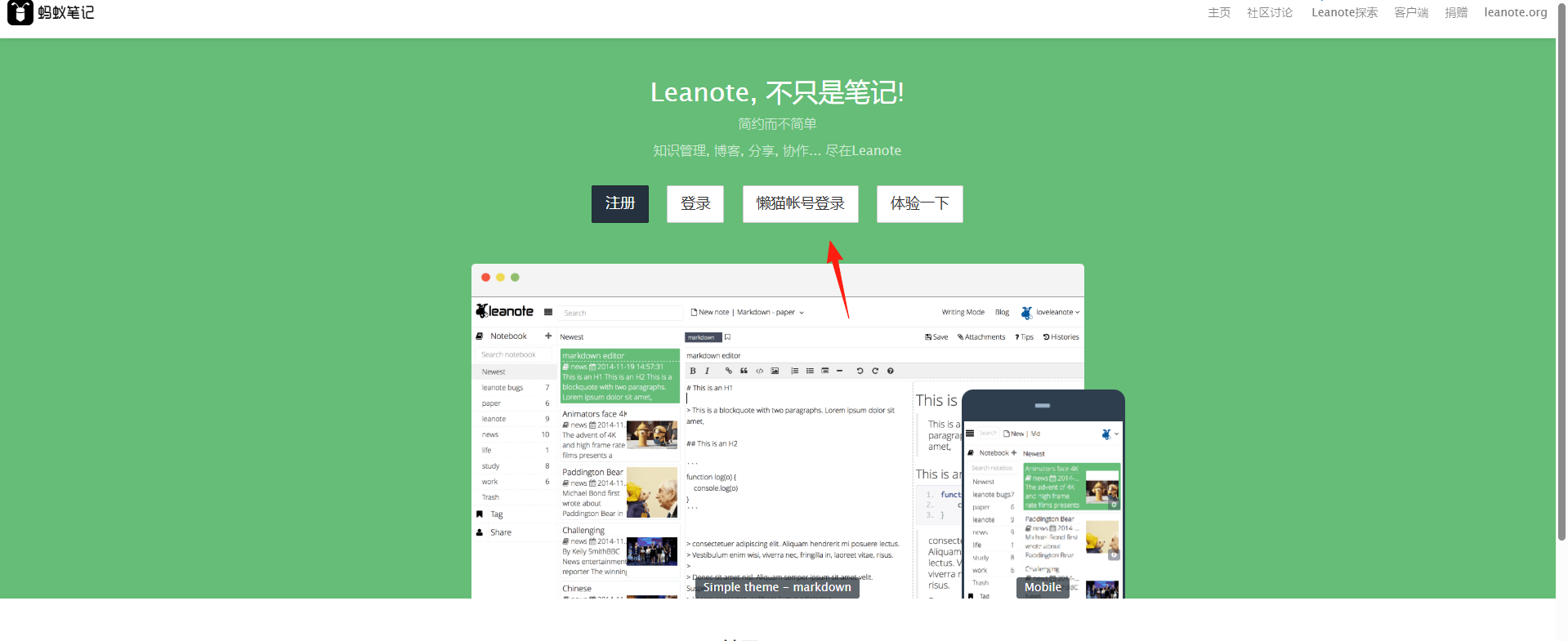
After logging in, you'll enter the home page.
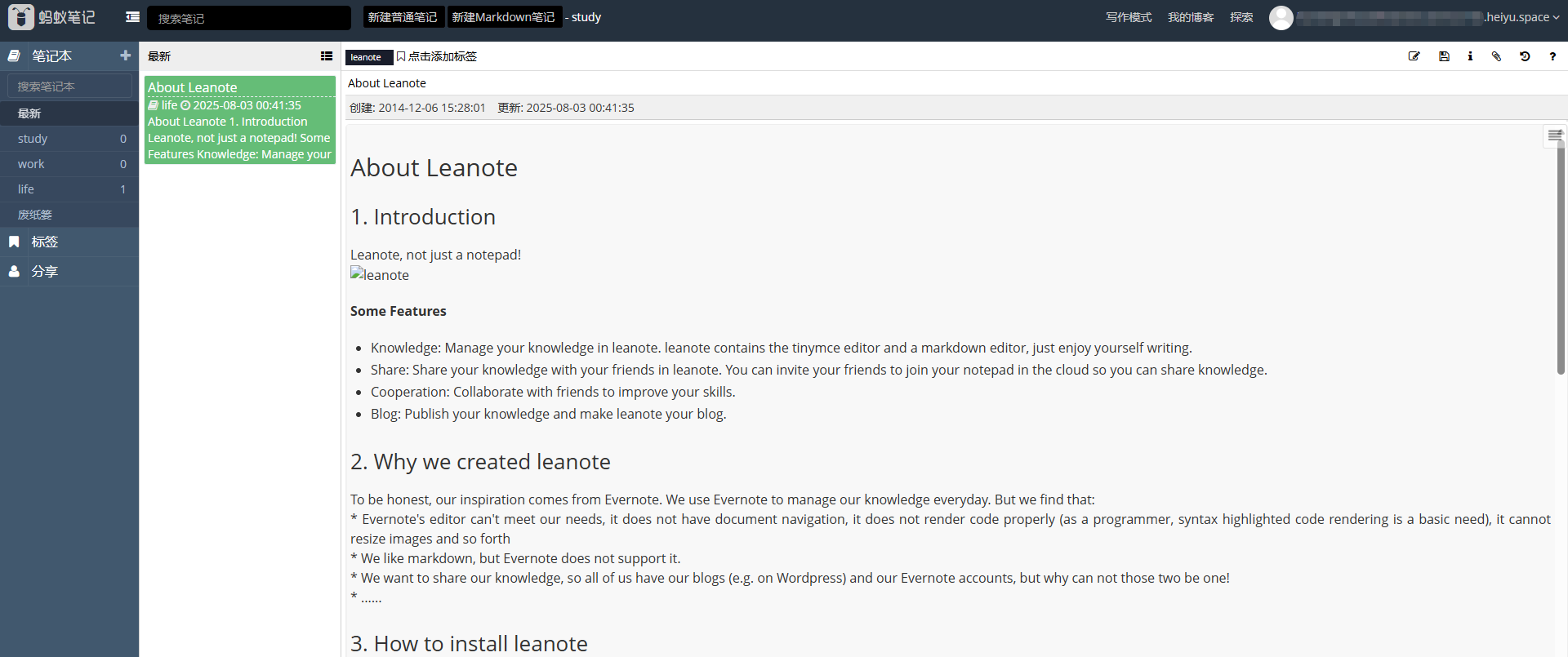
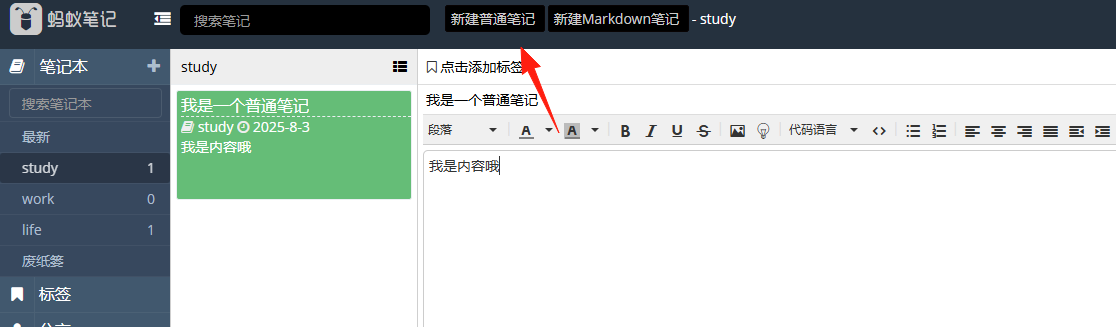
Leanote provides three editing modes:
- Rich Text Mode: Works like Word, suitable for users unfamiliar with Markdown.
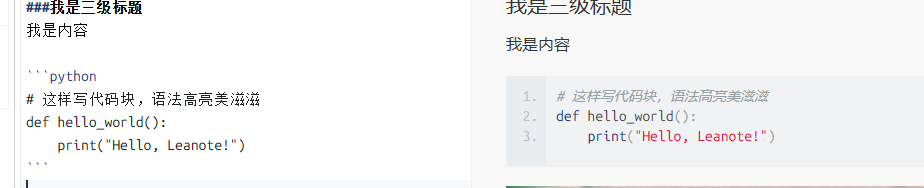
- Markdown Mode: Write code on the left, see the preview on the right.

- Vim/Emacs Mode: Designed for power users, allowing for very fast writing.
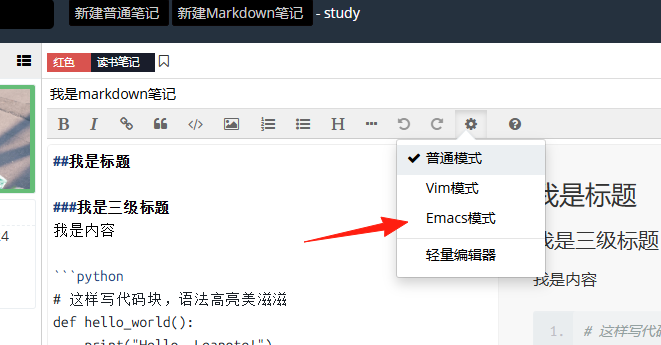
The Right Way to Use Code Blocks
# Write code blocks like this for beautiful syntax highlighting
def hello_world():
    print("Hello, Leanote!")
In Markdown mode, surround your code with triple backticks and specify the language type for automatic highlighting.
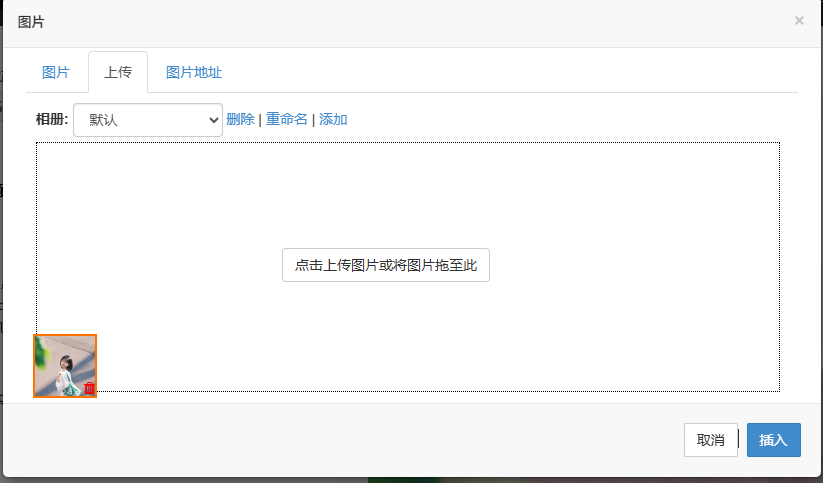
 You can insert images by dragging and dropping them directly into the editor.
- Organize by Notebooks/Projects: For example, "Python Learning", "Frontend Development", "Reading Notes".
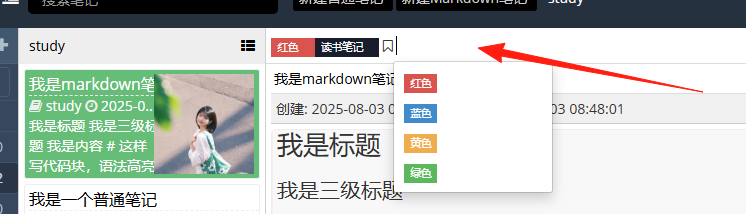
- Make Good Use of Tags: A single note can have multiple tags for easy retrieval.
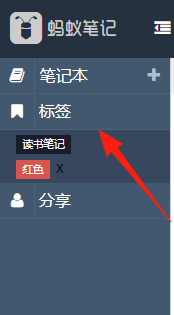
You can see all tags on the left sidebar.
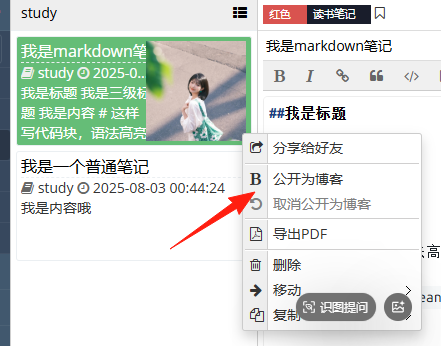
For any note, you can publish it to a blog.
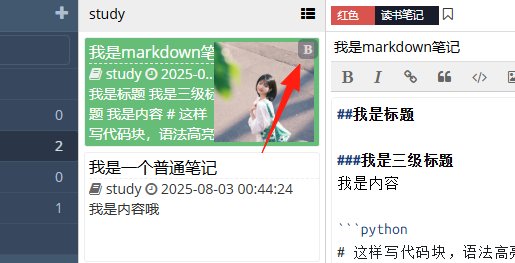
Blog posts are marked with a 'B' in the upper right corner.
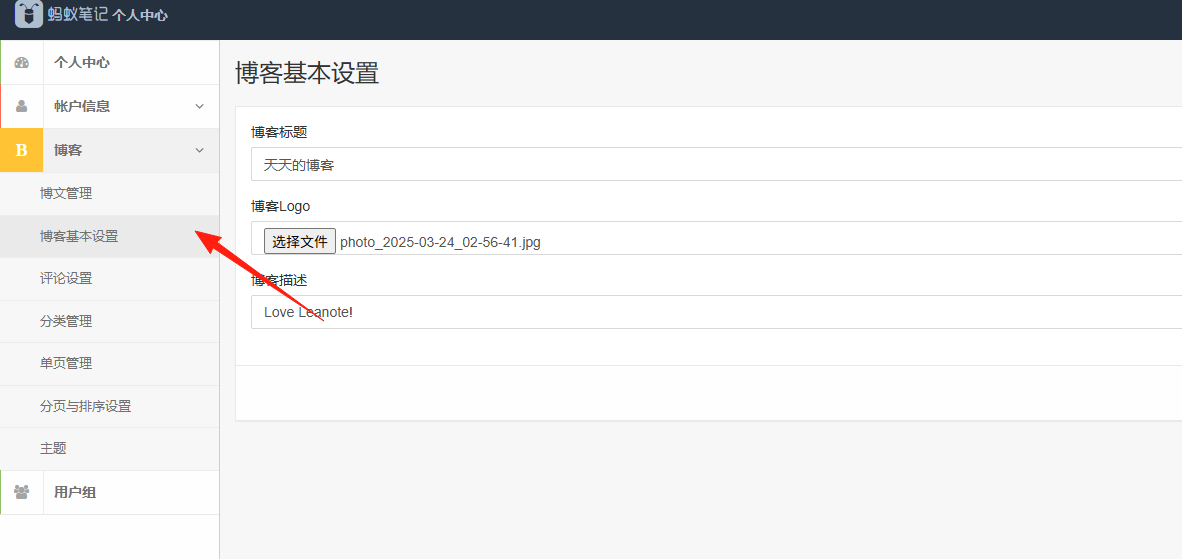
In the blog settings, you can manage your blog theme and content.
Click "My Blog" in the top right corner to view your blog.

After writing your notes, you can convert them into blog posts with one click for easy sharing.
Final Thoughts
If you are a programmer or frequently need to record code, Leanote is definitely worth a try.
Especially if you are looking for an alternative to Evernote, this choice won't disappoint you.
Final Note: No note-taking app is perfect; the key is to find the one that suits you. Leanote might not be the most powerful overall, but for friends who need to record code and technical documentation, it's certainly an excellent choice.