
RedisInsight: Making Redis Management Effortless and Enjoyable
What is RedisInsight?
To be honest, managing Redis used to be quite a headache. You either had to type commands in the terminal, staring at a dark interface that was tiring on the eyes, or use third-party tools that often lacked features or had compatibility issues.
RedisInsight is the official Redis GUI management tool, designed for building, optimizing, and managing your Redis applications. It supports both dark and light themes and features a very sleek interface.
It supports management of various data types like String, Hash, Set, List, and JSON, and also offers powerful features like a built-in CLI for remote use.
https://appstore.lazycat.cloud/#/shop/detail/dev.beiyu.redisinsight
Quick Start Guide
After installing the application, open the main interface.
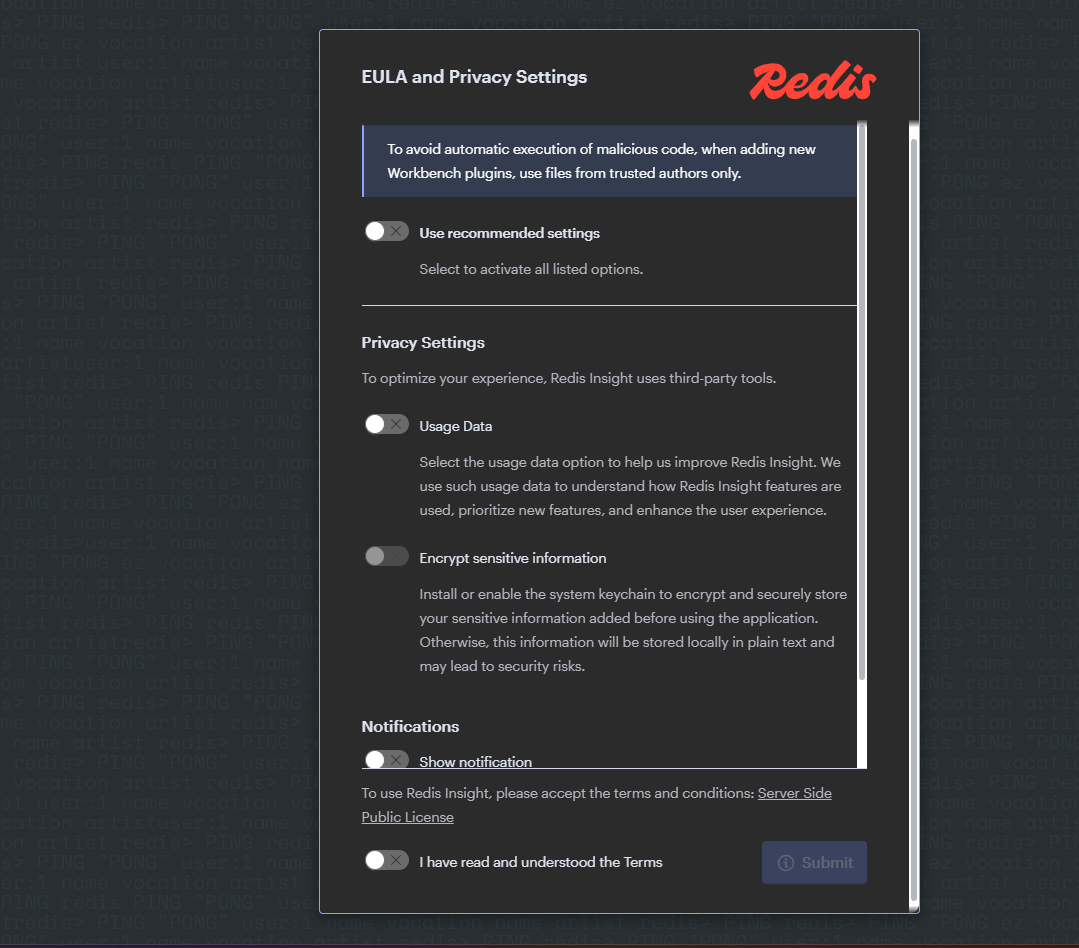 Check "I accept the EULA", then click Submit.
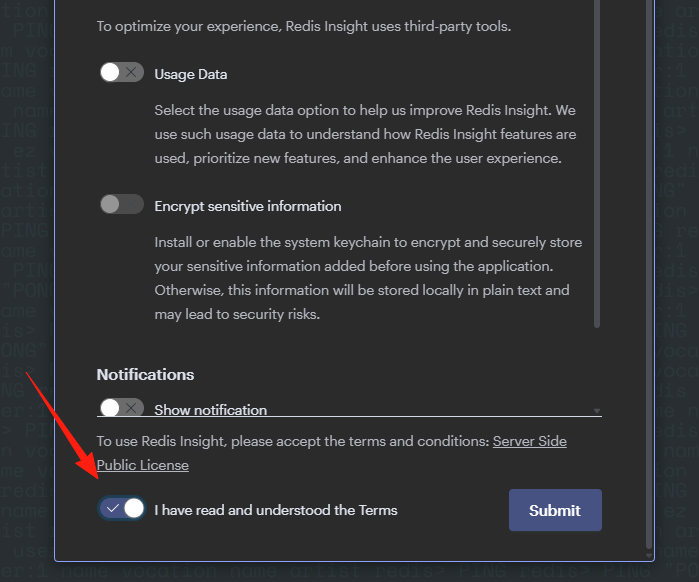
You will enter the main interface. The design is truly beautiful, supporting both dark and light themes. For those of us who often code late into the night, the dark theme is a lifesaver for the eyes.
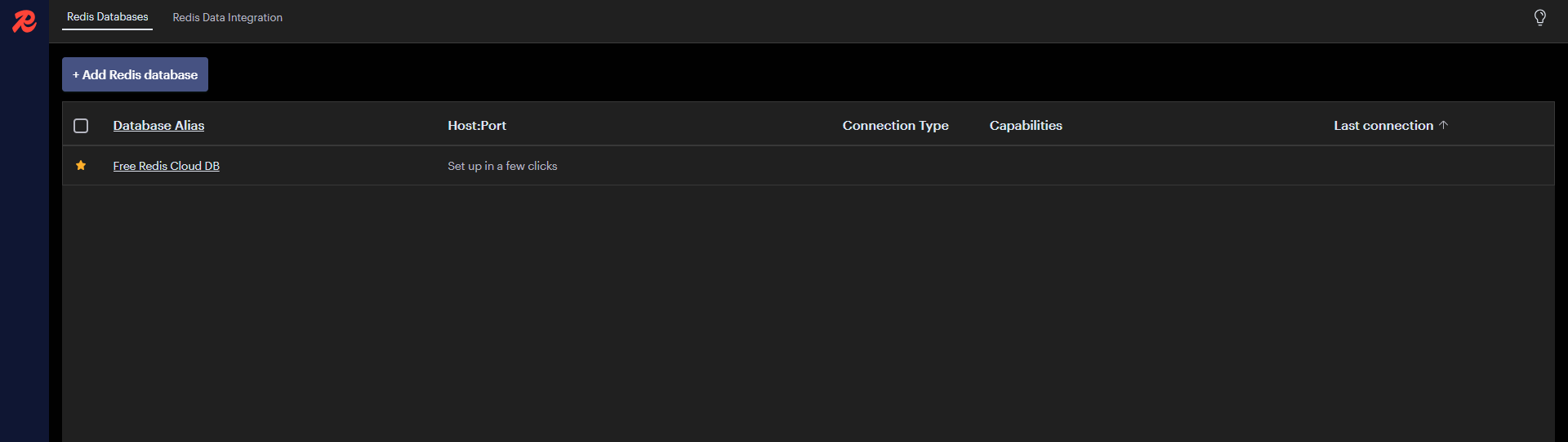
Add a database connection by filling in your Redis server information:
- Host: Your server IP
- Port: 6379 (default port)
- Password: Enter if authentication is enabled
If you cannot connect to Redis, you can check the following items:
- Check if Redis is running normally.
- Confirm the port is correct (default is 6379).
- For remote connections, check the firewall settings.
- Confirm the Redis configuration allows external connections (
bind 0.0.0.0).
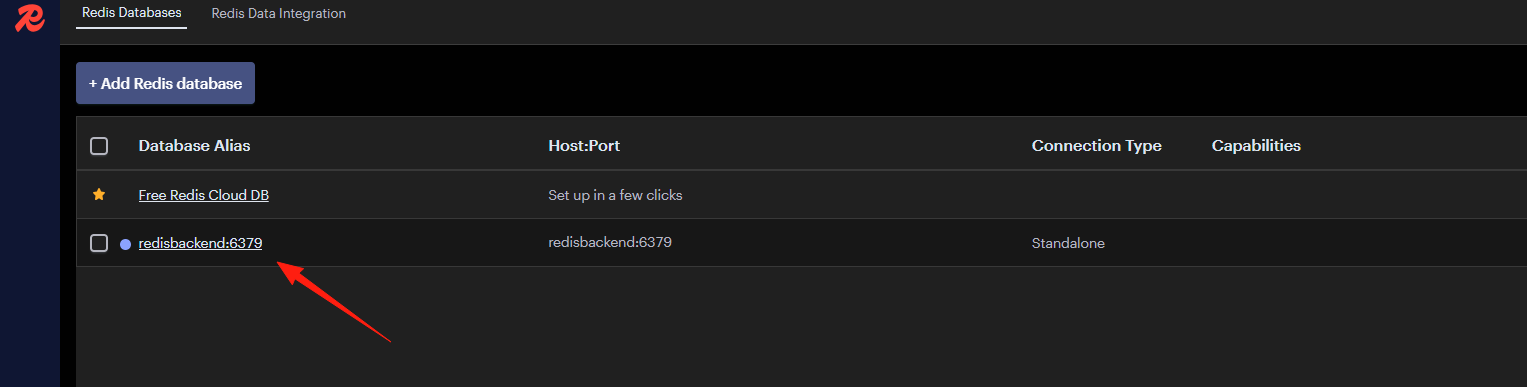
The software comes with a built-in test Redis server. I used redis://redisbackend:6379.
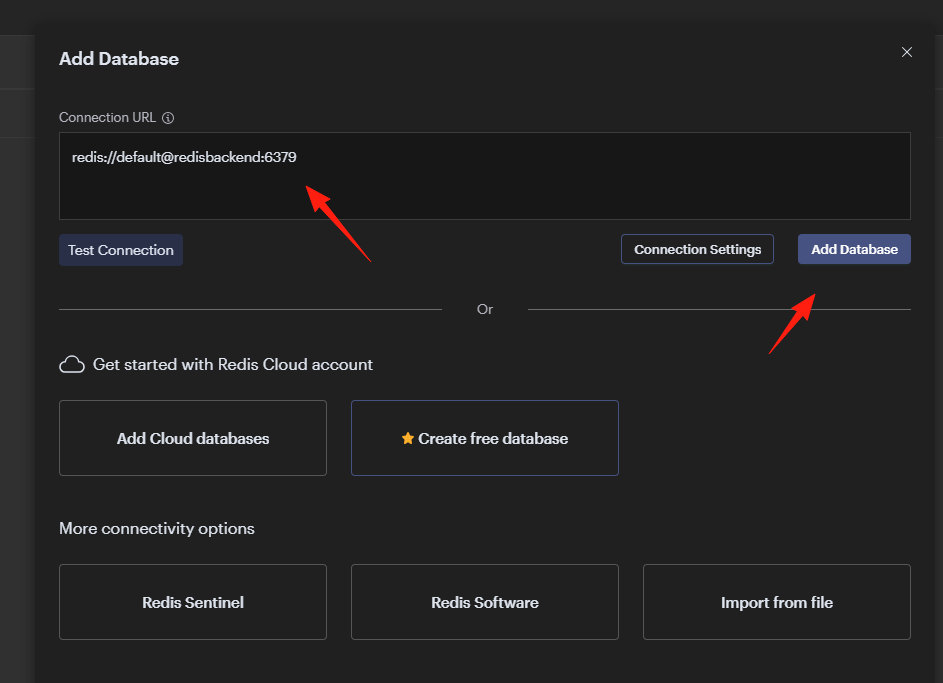
Successfully added.
Detailed Practical Features
1. Browser - The Most Commonly Used Feature
This feature is like a file manager for Redis. You can:
- Filter by data type (String, Hash, List, etc.)
- Search for specific keys
- Perform batch operations on data
- Set TTL (expiry times)
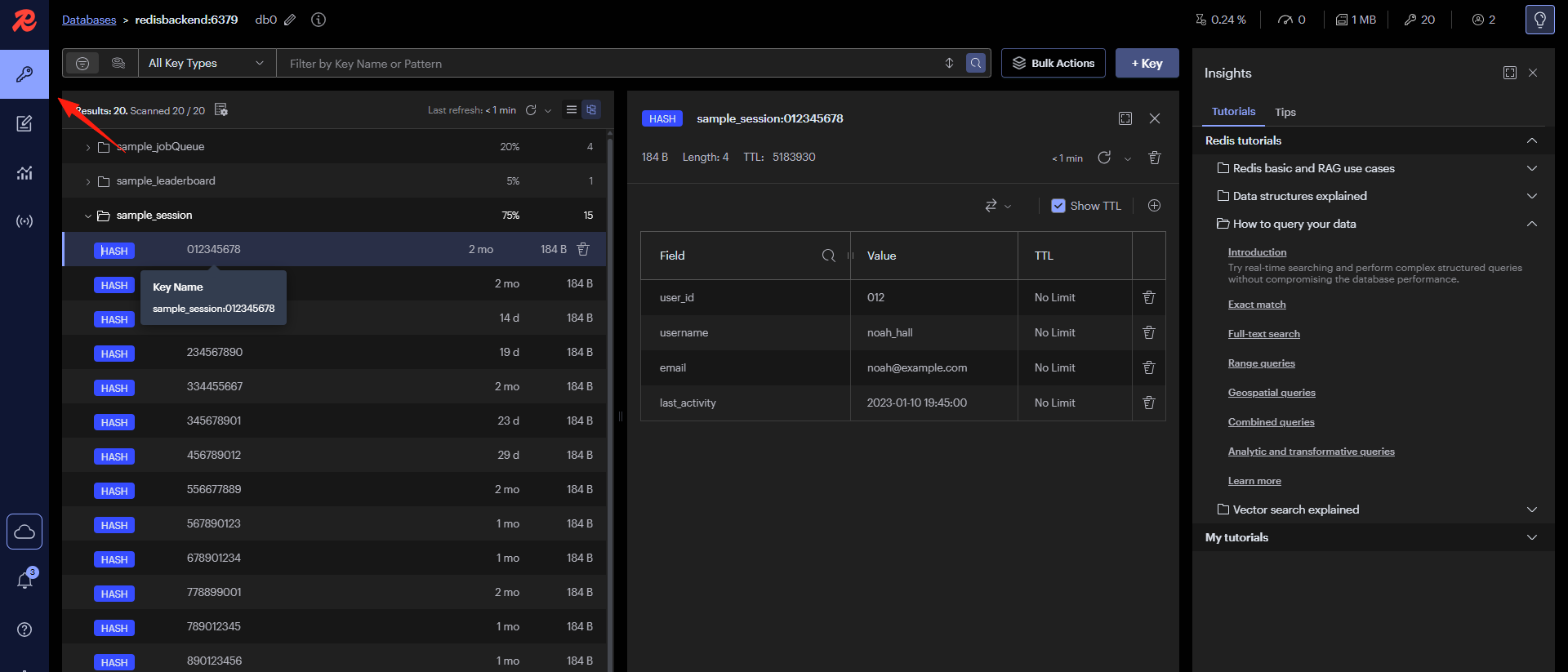 Pro Tip: Use wildcards for searching. For example, searching for
 user:* will find all keys starting with "user:".
2. CLI Tool
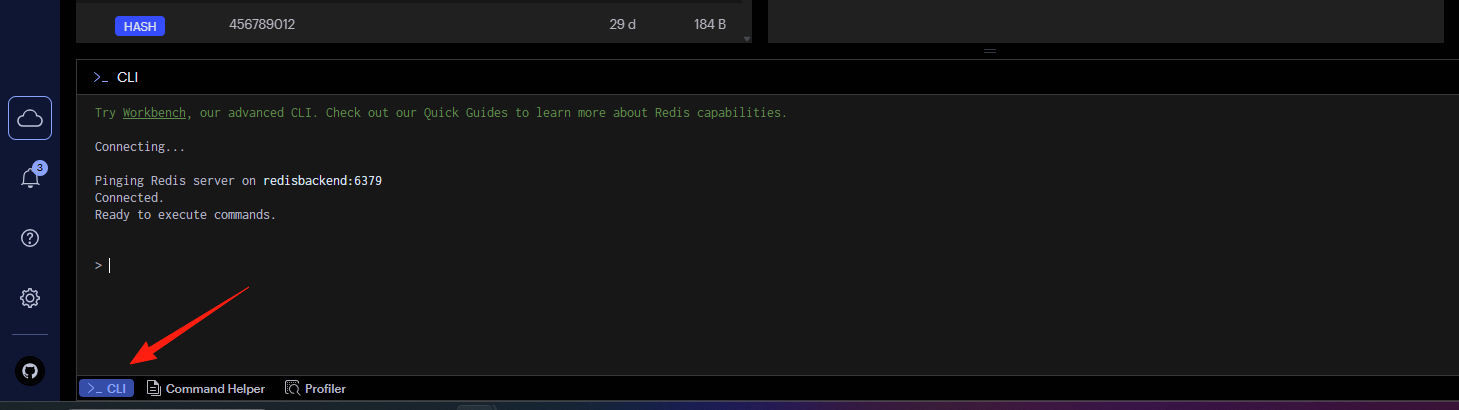
There's a CLI at the bottom of the interface where you can directly execute Redis commands. This eliminates the need to switch back and forth between the GUI and a command line, making it perfect for users who prefer commands but also want the benefits of a visual interface.
3. Performance Monitoring - Understand Redis Status
RedisInsight is an intuitive and efficient Redis GUI management tool that can monitor Redis memory usage, number of connections, hit rate, and uptime.
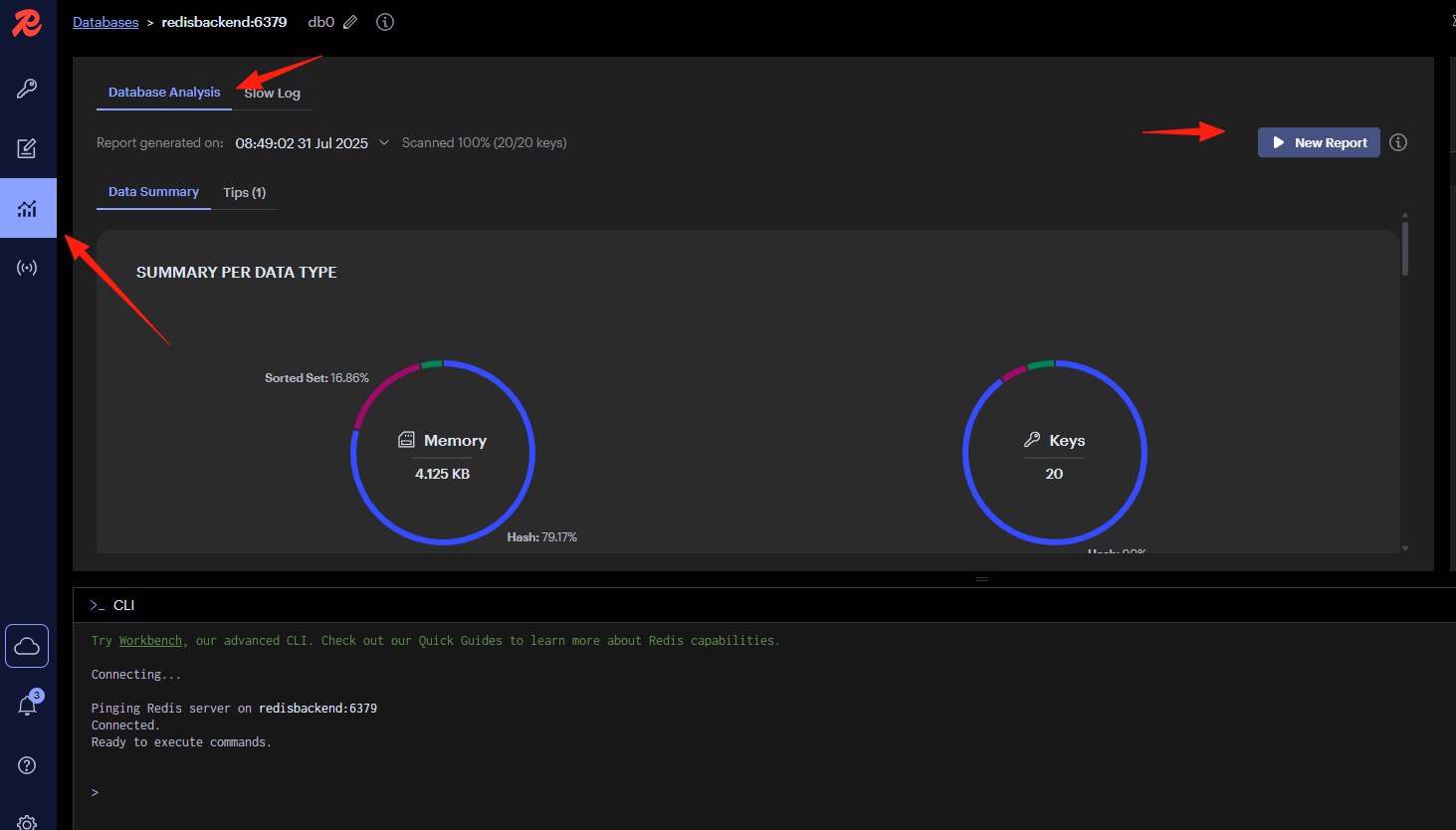 You can view:
- Memory usage
- Connection statistics
- Command statistics
- Keyspace hit rate
This data is particularly useful for optimizing Redis performance.
4. Profiler - Identify Performance Bottlenecks
This feature displays the commands being executed by Redis in real-time, helping you identify which commands are slow. It's ideal for performance tuning.

Summary
RedisInsight is an excellent tool, especially for developers who frequently work with Redis.
Its support for new features like RedisJSON is something third-party tools can't match.
The advantage of an official tool is that it supports new Redis features as soon as they are available, so you don't have to worry about compatibility issues.