
BiliNote Practical Guide: The Ultimate Tool for AI-Powered Video Notes
I recently discovered an incredibly practical tool—BiliNote. Simply put, it's an AI assistant that automatically converts videos into notes for you.
Whether it's learning videos from Bilibili, tutorials from YouTube, or knowledge-sharing content from Douyin, it can organize them all into well-structured Markdown notes.
To put it bluntly, it's a blessing for lazy people! No more frantically taking screenshots and notes while watching videos.
https://appstore.lazycat.cloud/#/shop/detail/xyz.mxue.bilinote
Core Features
- Multi-platform support: Handles Bilibili, YouTube, Douyin, and local videos
- Automatic transcription: Converts video speech into text
- AI summarization: Extracts key points and generates structured notes
- Screenshot insertion: Automatically captures key frames and inserts them into notes
- Jump links: Click to return to the corresponding position in the video
- Multiple formats: Supports different note styles and formats
Getting Started Guide
After installing the app, open the main page.
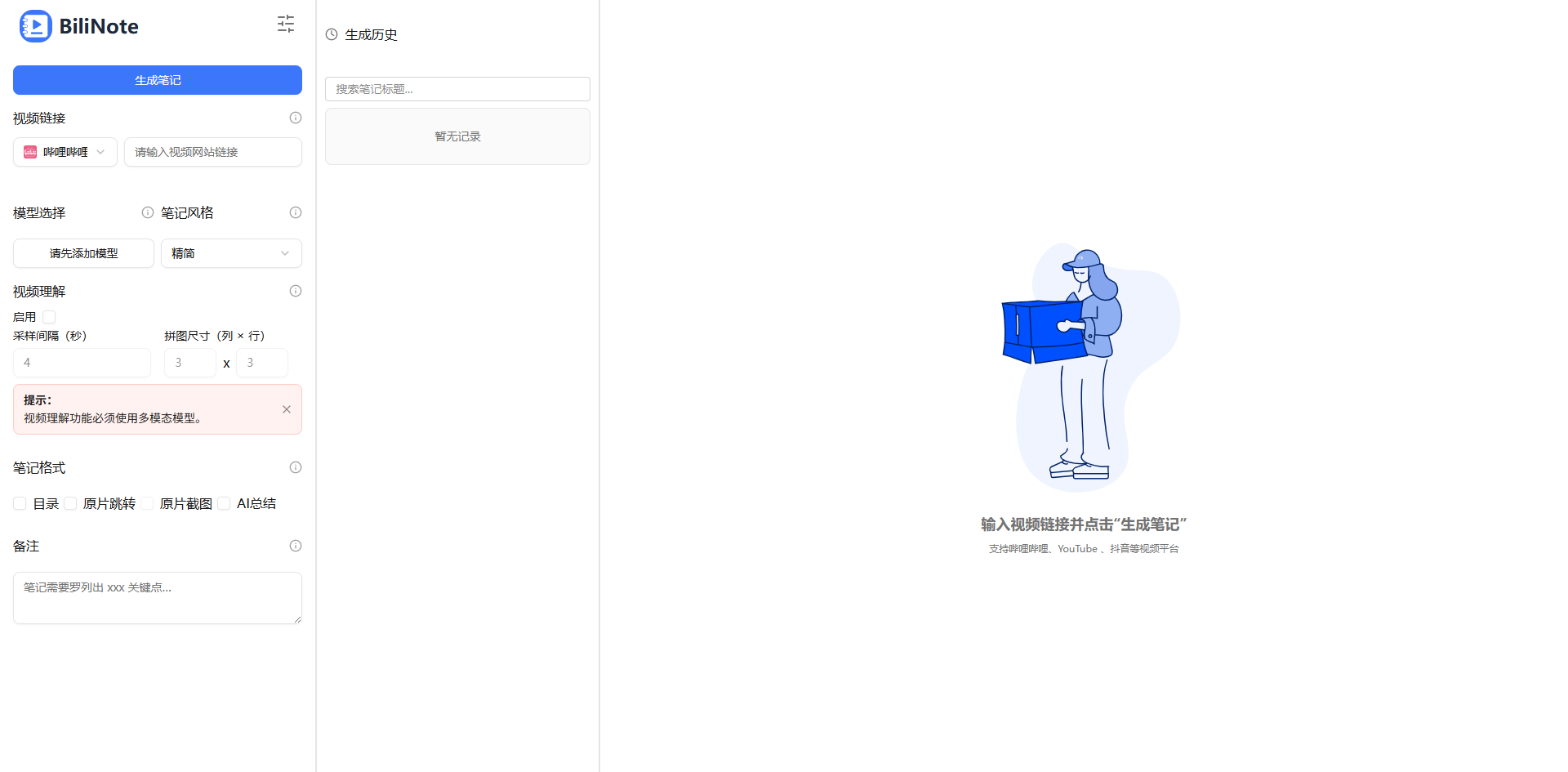
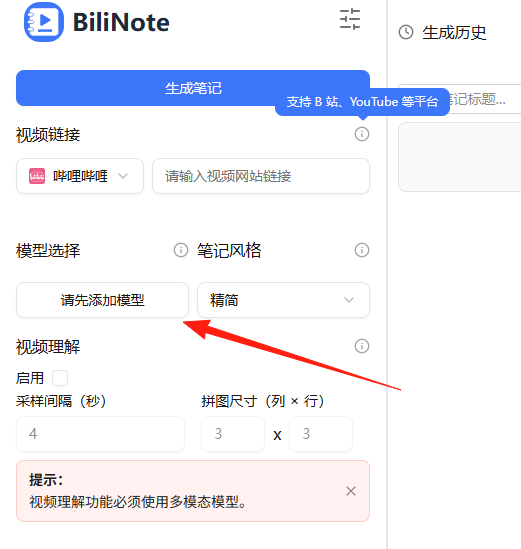
To get this application running, you must configure an API model.
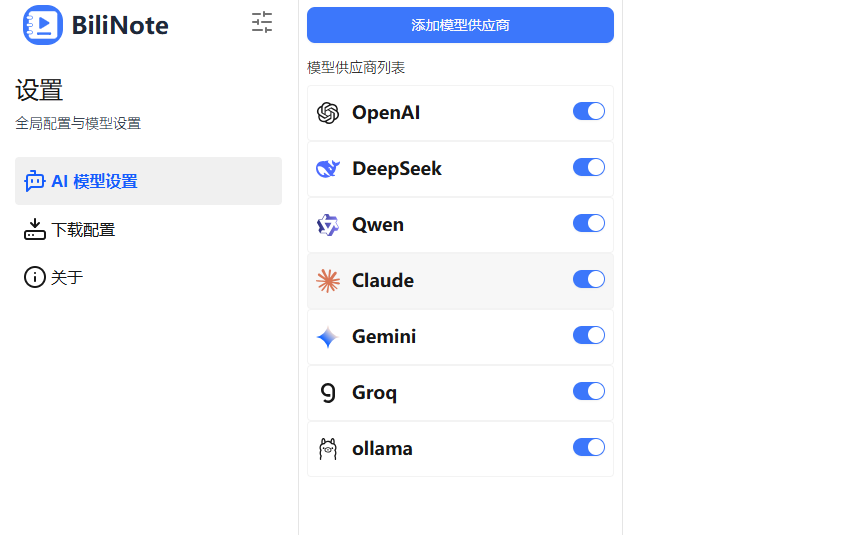
It supports all the mainstream ones.
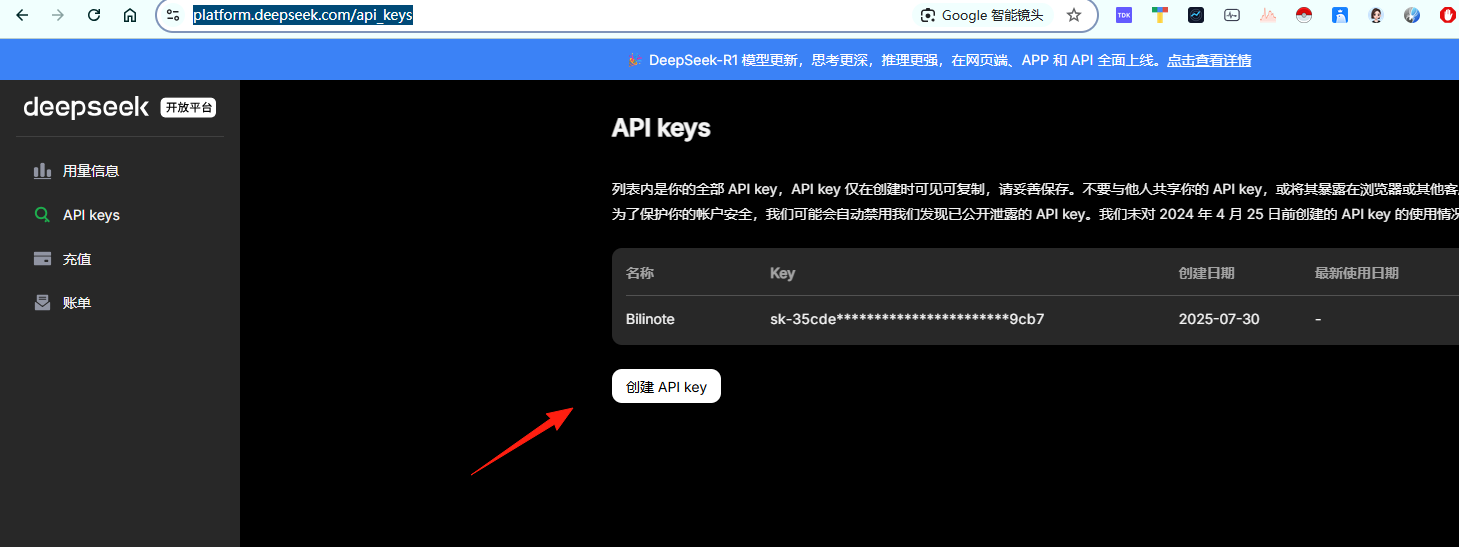
I'll use DeepSeek as an example. First, go to the open platform https://platform.deepseek.com/api_keys and create a new API key.
After obtaining the key, return to BiliNote and click on DeepSeek. Fill in the API address: https://api.deepseek.com/v1
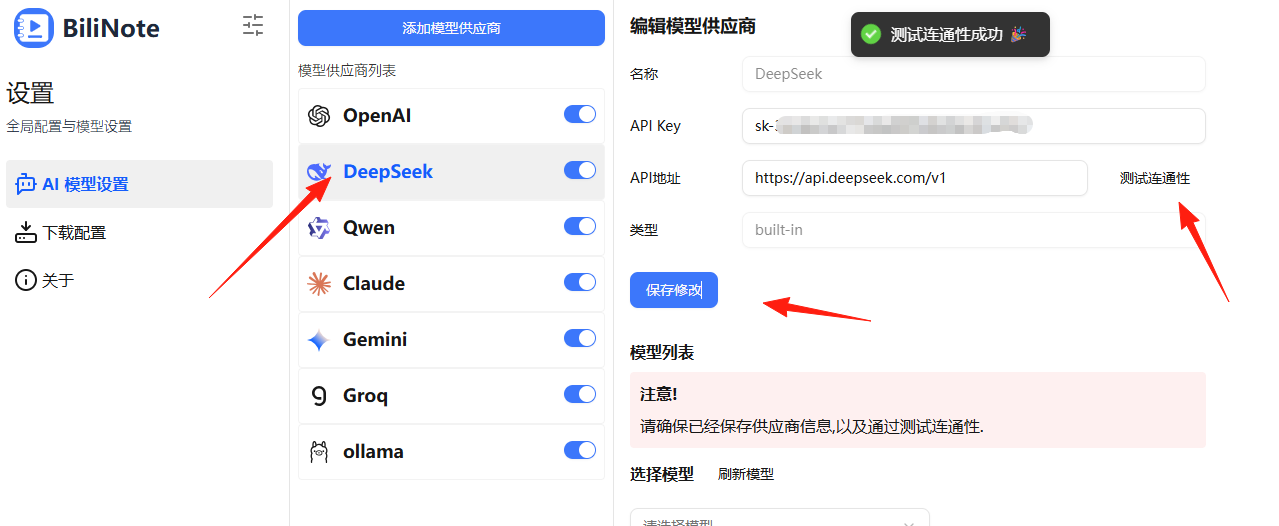
After saving, test the connection. I'll select the second model for inference.
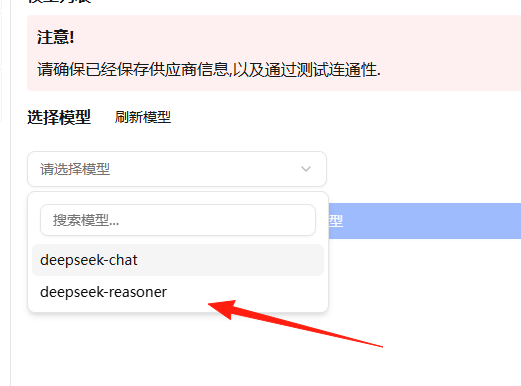
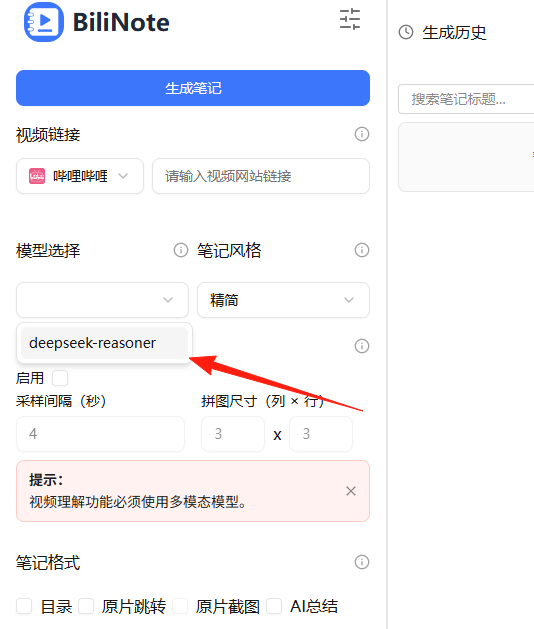
Return to the main page, and the model should now appear.
Find a Bilibili link. I really like this video by Teacher Banfo, so let's use this one. https://www.bilibili.com/video/BV1Xt4y1Q7ZA/?share_source=copy_web&vd_source=b129583e5a82973f9ac6db66c91a14b8
Leave other options unselected for now, and generate a note to see the result.
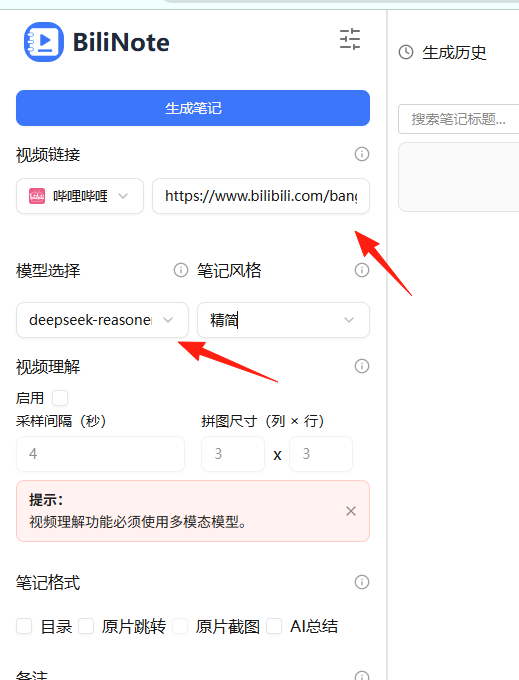
You can see the generation process happening on the right side.
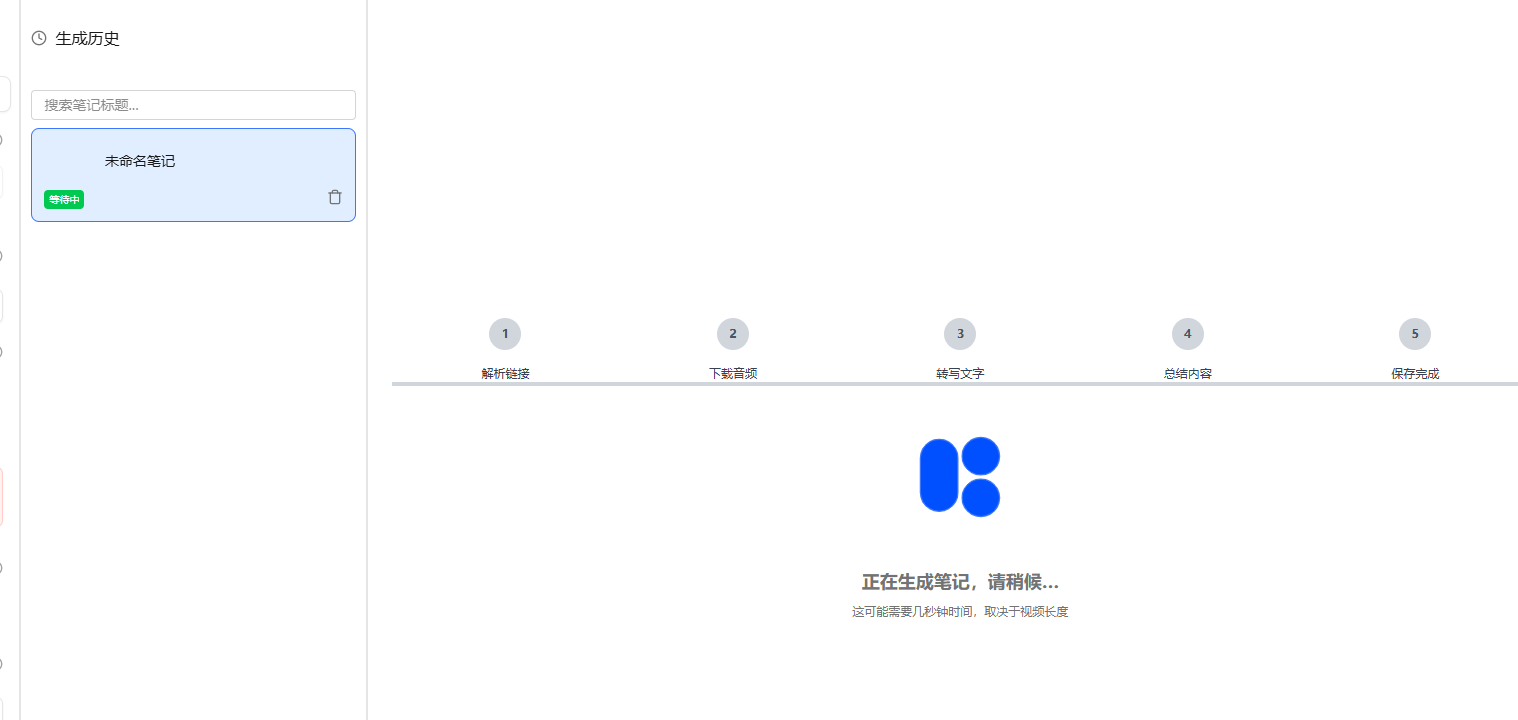
This video is about 13 minutes long. I waited about 5 minutes for the result.
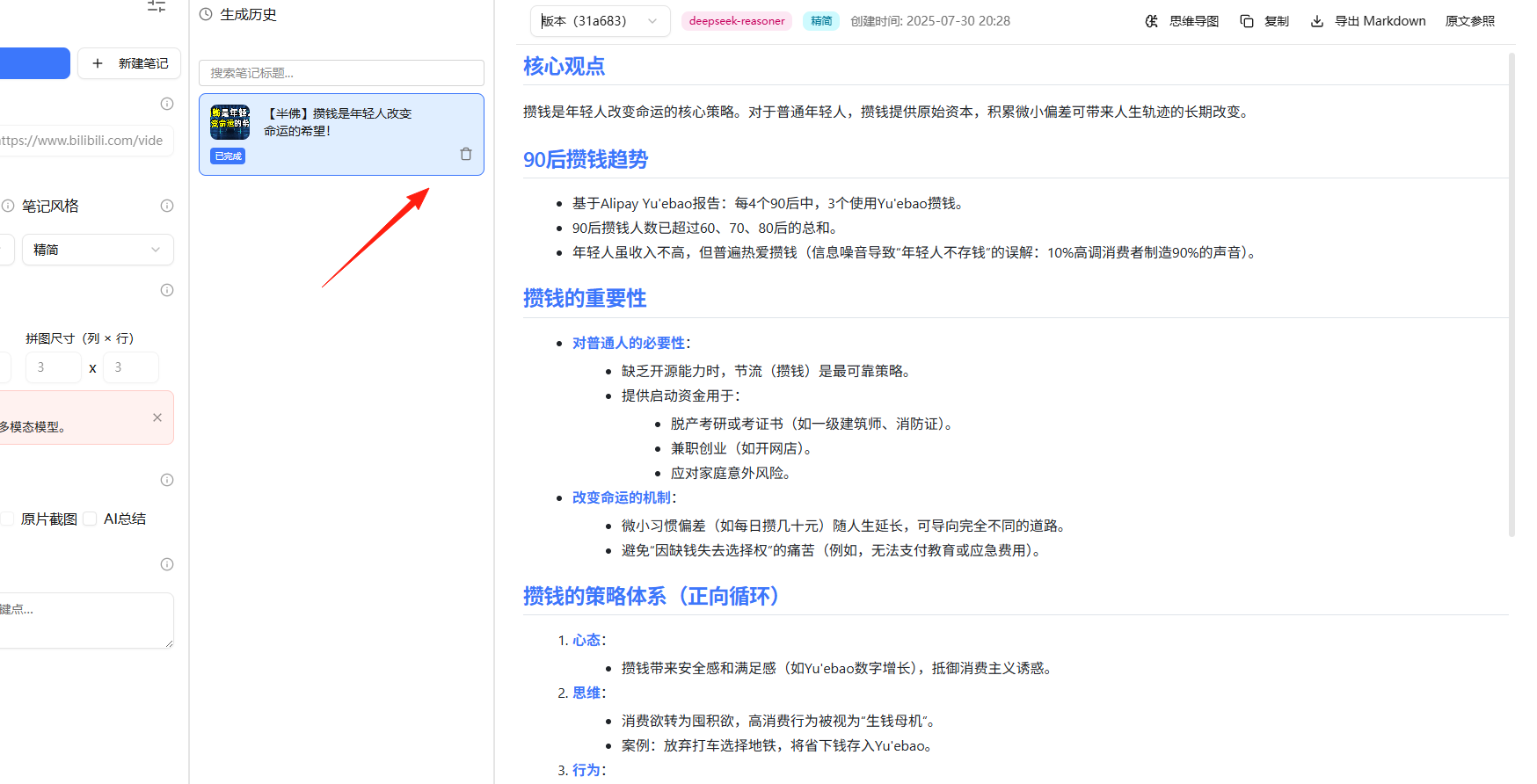
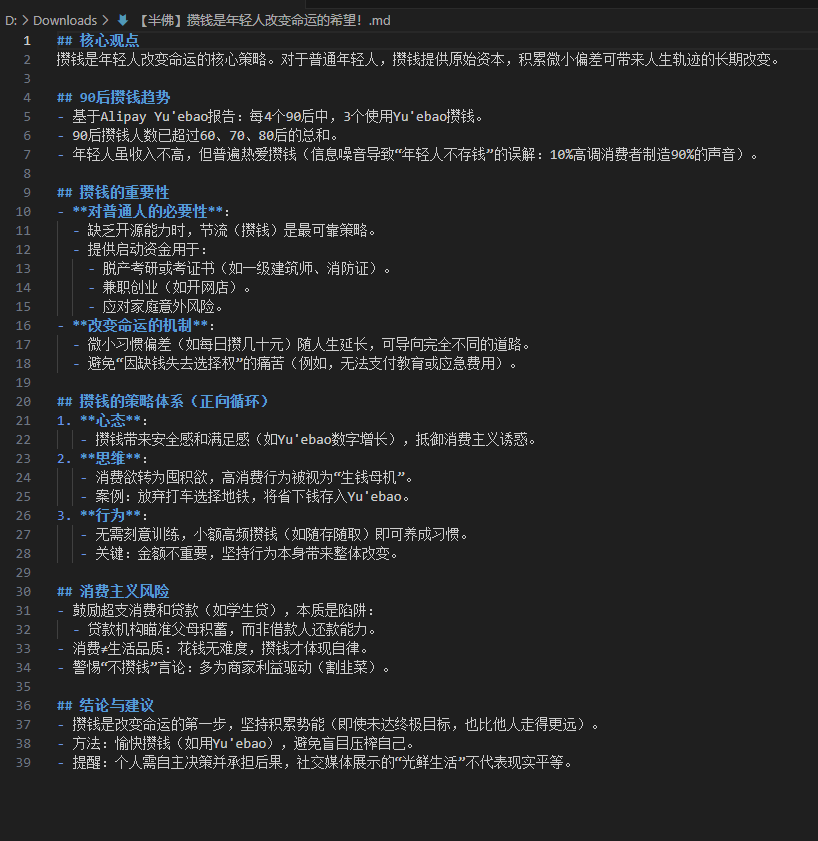
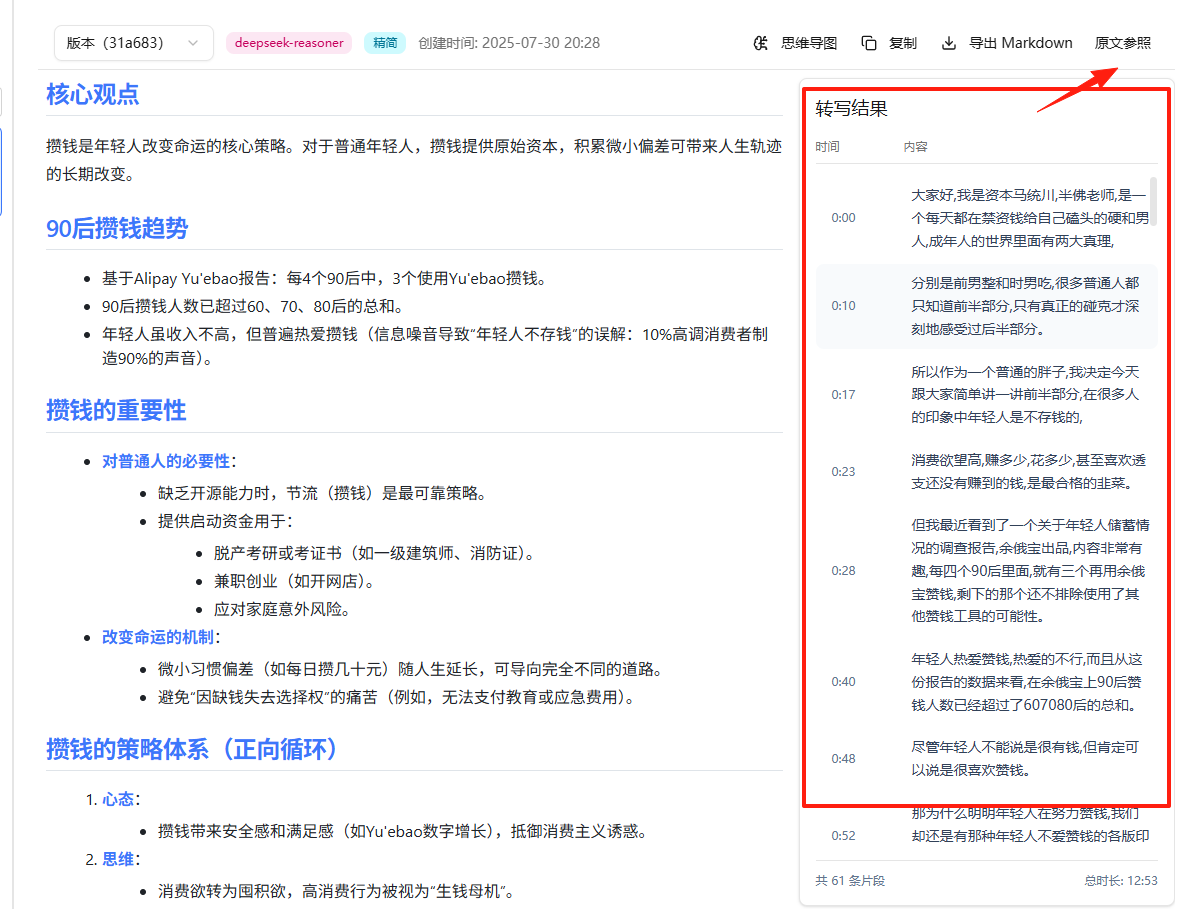
The summary looks pretty good. You can export it as Markdown and import it into your note-taking software.
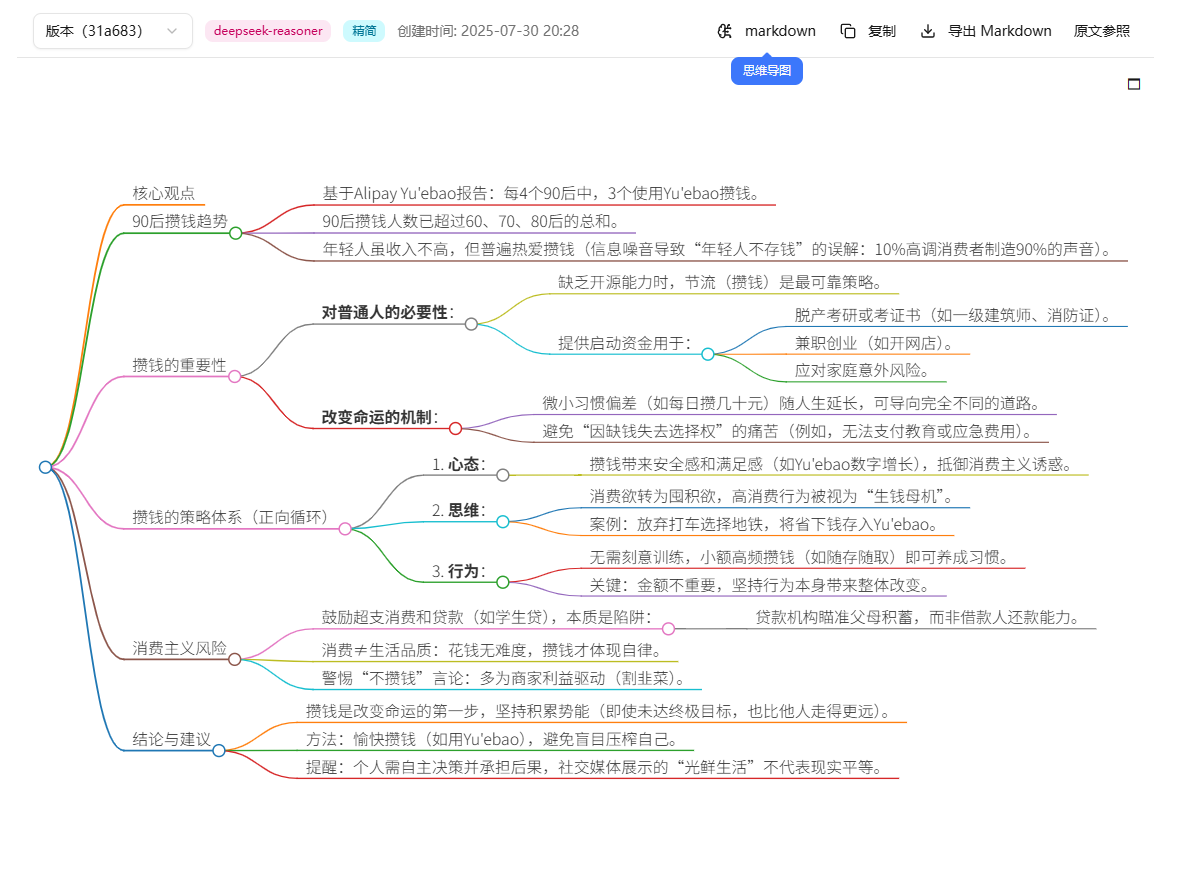
The mind map feature is also nice.
Click on 'Original Reference' to see the subtitles from the original video.
The main cost of using BiliNote is the API fees for the AI models:
- GPT-3.5-turbo: Approximately 0.5-1 RMB per hour of video
- GPT-4: Approximately 3-5 RMB per hour of video
- Domestic models: Usually cheaper, 0.2-0.8 RMB per hour of video
The previous 13-minute video cost me 4 cents.
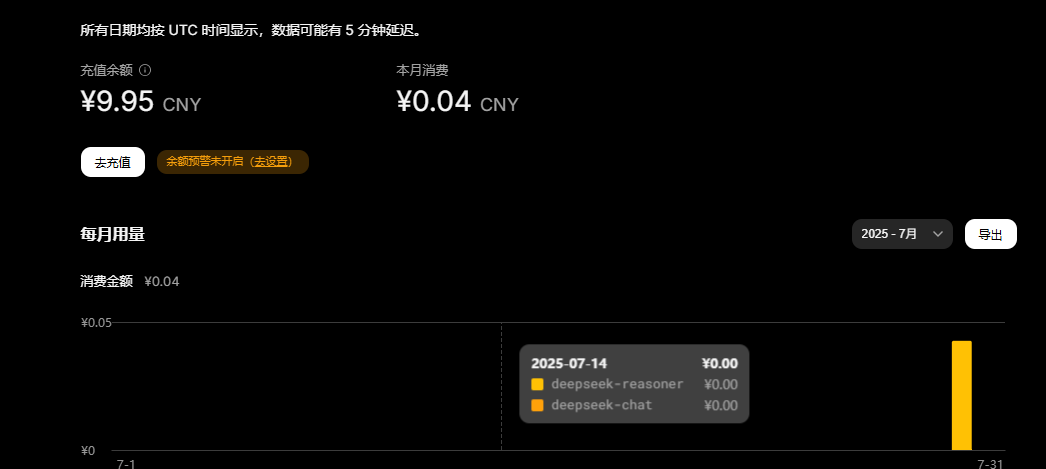
Compared to the time cost of manual note-taking, this price is very cost-effective.
Summary
BiliNote is indeed a very practical tool, especially suitable for people who need to process a large amount of video learning material. Although it requires a slight technical threshold, following the tutorial should be no problem.
If you frequently watch Bilibili for learning, browse YouTube tutorials, or need to organize large amounts of video material, I highly recommend trying this tool. It's free, open-source, powerful, and can save you a lot of time.
Finally, a reminder: although notes generated by such AI tools are very convenient, it's recommended to combine them with your own understanding and thinking—don't rely entirely on AI!
Project Address: https://github.com/JefferyHcool/BiliNote
If you find it useful, remember to give the author a Star⭐