
morss Guide: Transforming Partial RSS Feeds into Full Content
Have you ever encountered this situation: you finally find an RSS feed from a website you're interested in, only to discover it contains just the title and the first few sentences. To read the full content, you still need to click a link and jump to the original website.
This kind of "truncated" RSS is really frustrating, especially when using an RSS reader, as it offers a particularly poor experience.
The tool I'm recommending today, morss, is specifically designed to solve this pain point.
It can automatically fetch the full article content from those RSS feeds that only provide summaries and repackage them into full-text RSS feeds.
Simply put, it transforms your RSS reading experience from "unfinished" to "complete."
It belongs to the same category of applications as the previously mentioned "full text rss."
https://appstore.lazycat.cloud/#/shop/detail/wcloud.gblw.app.morss
How to Use
After installing the application, the functional page opens directly.
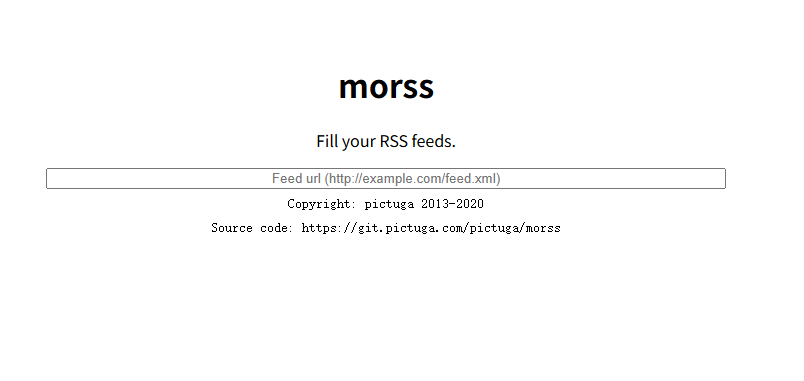
Enter https://manateelazycat.github.io/feed.xml and press Enter.
You will be redirected to the page.
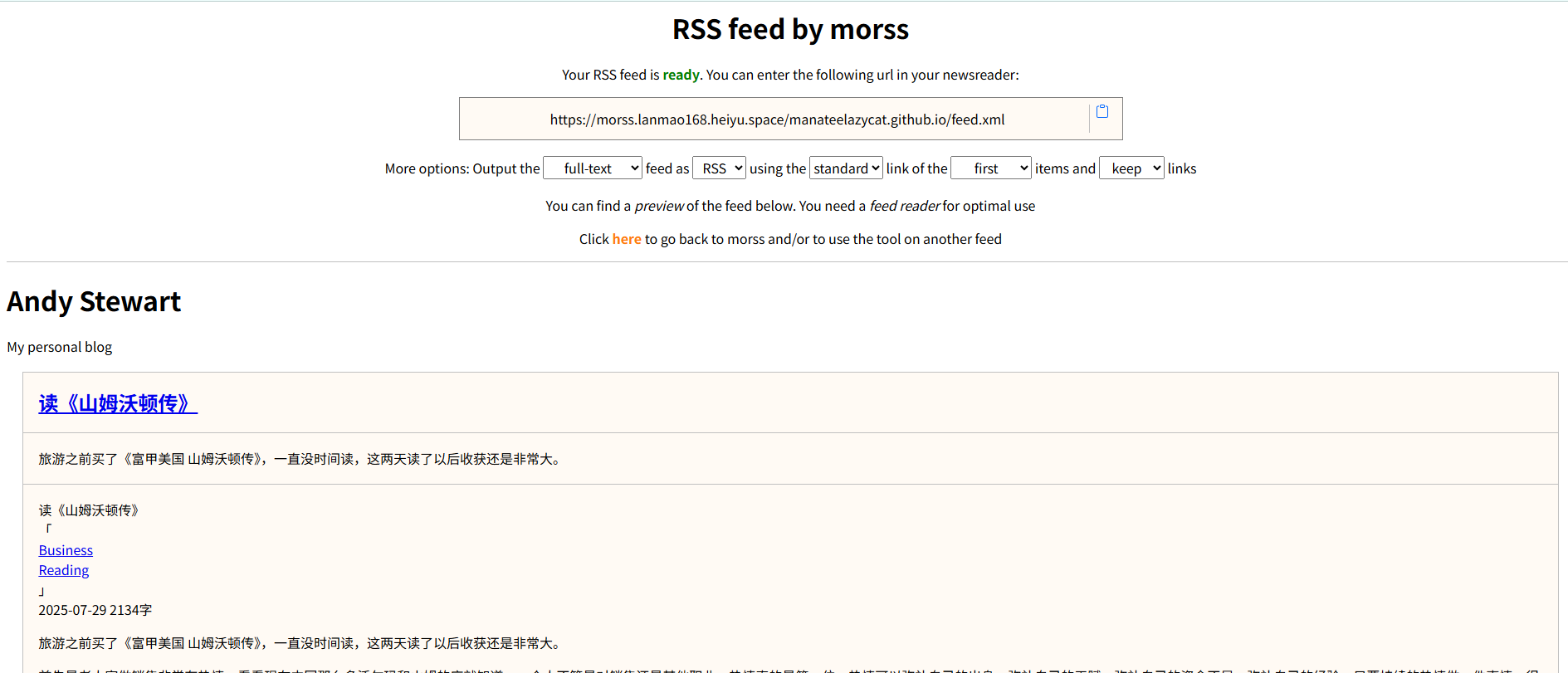
Copy the generated address https://morss.lanmao168.heiyu.space/manateelazycat.github.io/feed.xml.
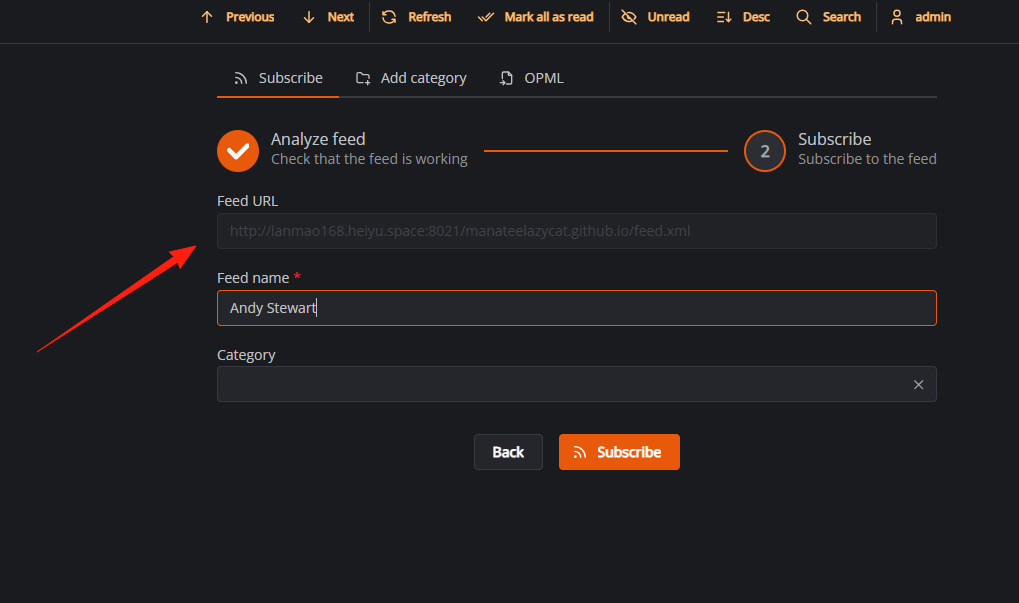
Open your CommaFeed reader and add a subscription.
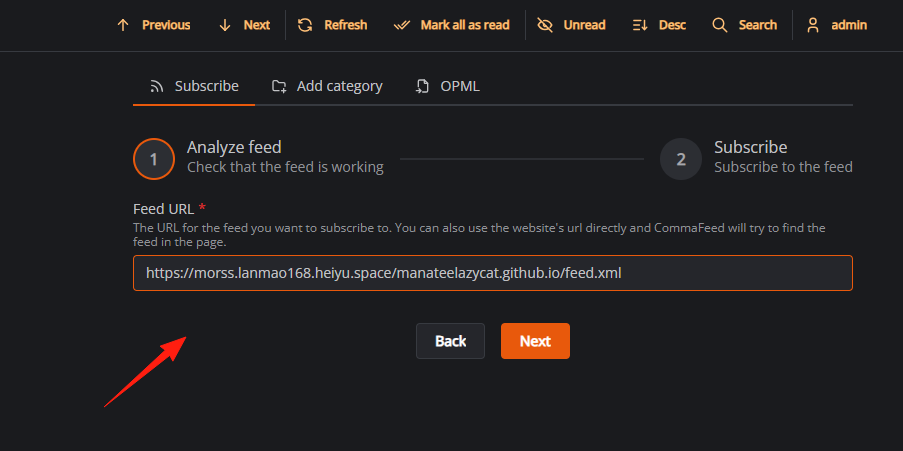
At this point, an error may occur:
This URL does not point to an RSS feed or a website with an RSS feed.
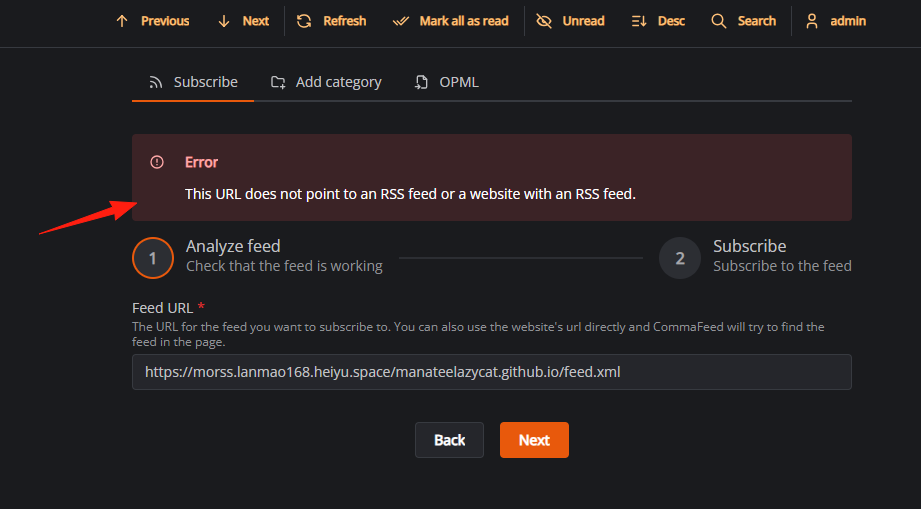
This is due to the isolation mechanism of the Lazycat application. Within CommaFeed, it cannot access the data inside morss. Therefore, you must use a port forwarding tool to proxy the connection.
https://appstore.lazycat.cloud/#/shop/detail/cloud.lazycat.app.forward
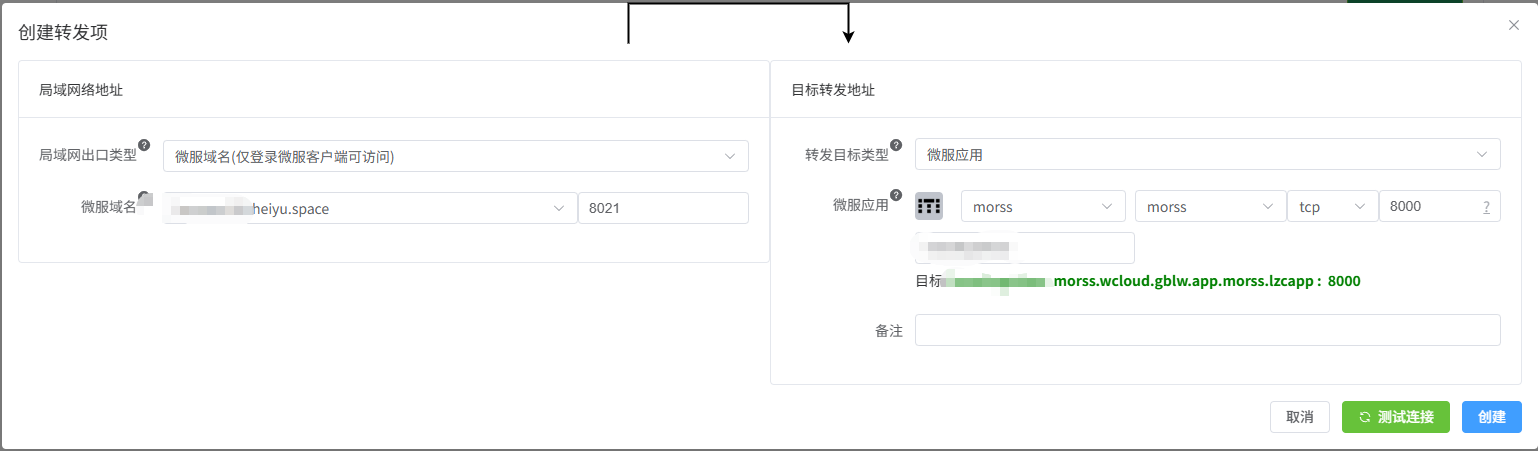
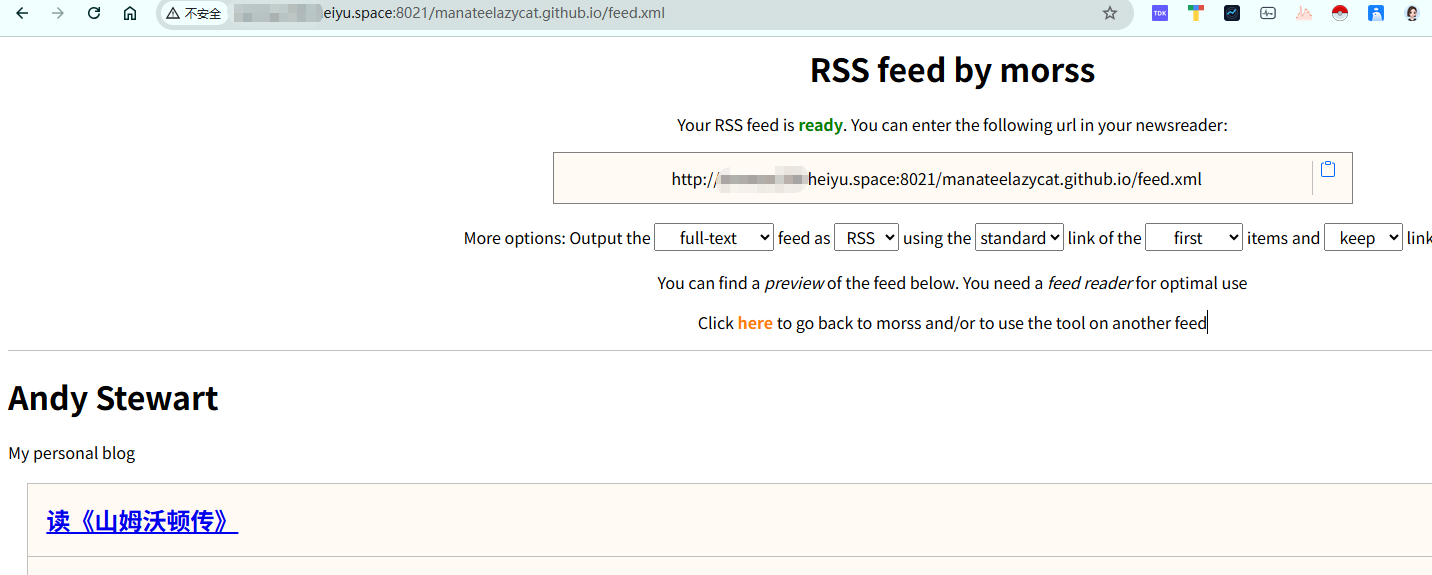
After configuration, directly access the domain name provided by the forwarder.
In CommaFeed, add the domain name from above. This time, it should succeed.
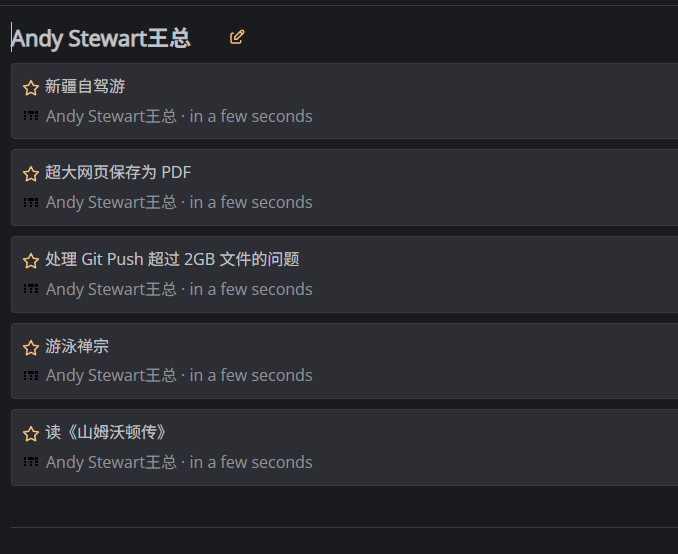
The data will also appear.
Special thanks to the Lazycat technical team for their assistance with the steps above.
morss offers many practical parameters that allow you to control the output more precisely:
Common Parameters
# Fetch only the summary, not the full content (saves time)
https://morss.it/:proxy/https://example.com/feed.xml

# Sort in chronological order (instead of the website's original order)
https://morss.it/:newest/https://example.com/feed.xml

# Keep only the first 5 articles
https://morss.it/:5/https://example.com/feed.xml

# Force a re-fetch (ignore cache)
https://morss.it/:force/https://example.com/feed.xml

# Combine parameters
https://morss.it/:newest:5/https://example.com/feed.xml
morss works well with various RSS readers:
- Feedly/Inoreader: Add the link processed by morss directly.
- Local Readers (e.g., FreshRSS, Miniflux): You can run morss simultaneously on your server.
- Mobile Apps (e.g., Reeder, ReadYou): The reading experience is much better using the full-text RSS processed by morss.
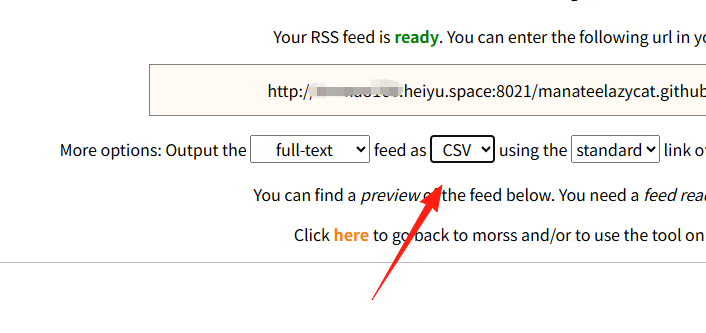
Besides RSS, it can also export to CSV and JSON formats, which is convenient for data analysis or backups.
Summary
morss is a very practical tool, especially suited for heavy RSS users. If you:
- Frequently encounter RSS feeds that only provide summaries
- Want a better RSS reading experience
Then morss is definitely worth trying.