
Zentao Practical Guide: Making Project Management Headache-Free
What is ZenTao?
ZenTao is a domestically developed open-source project management software.
It integrates product management, project management, quality management, document management, organizational management, and task management. It is a professional R&D project management software that comprehensively covers the core processes of R&D project management.
ZenTao's management philosophy focuses on practical results. It features complete and rich functionality, simple and efficient operation, an elegant and user-friendly interface, powerful search capabilities, diverse statistical reports, a reasonable software architecture, flexible extensibility, and a comprehensive API for integration.
https://appstore.lazycat.cloud/#/shop/detail/zentao
Quick Start Guide
Step 1: Understand the Basic Concepts
ZenTao's core logic is as follows:
- Product = What you are building (e.g., an App, a website)
- Project = A specific development plan (e.g., v1.0 version of this App)
- Requirement = Functionality the product needs to implement
- Task = Specific work items to be done
- Bug = Issues discovered
Once you grasp this logical chain, using the system becomes much more straightforward.
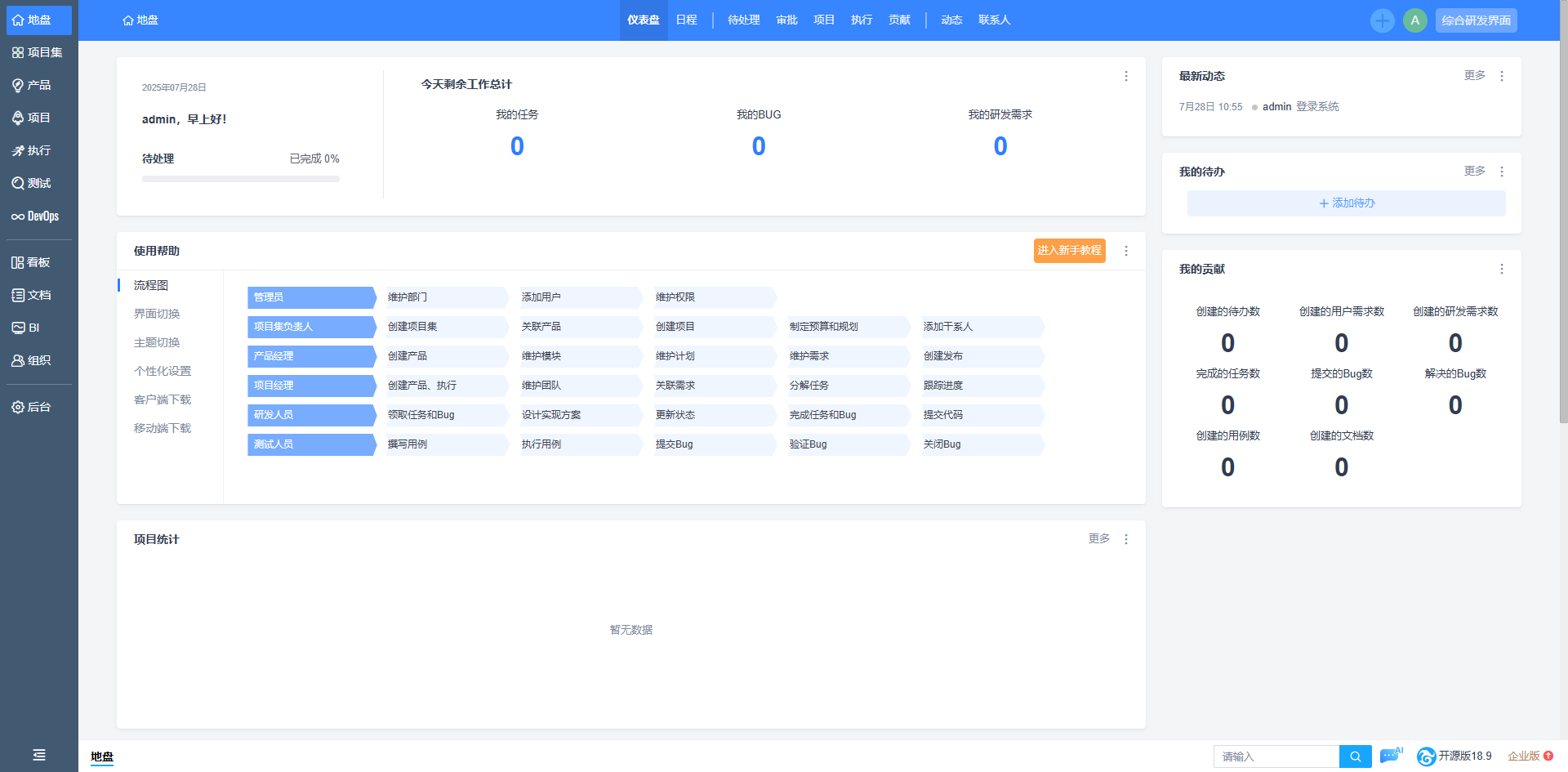
After the application is installed, open the login page. The default credentials are username admin and password 123456.
 After logging in, change the weak password first, then you can access the homepage.
Step 2: Create Your First Product
After entering the system, don't click around randomly. Follow this order:
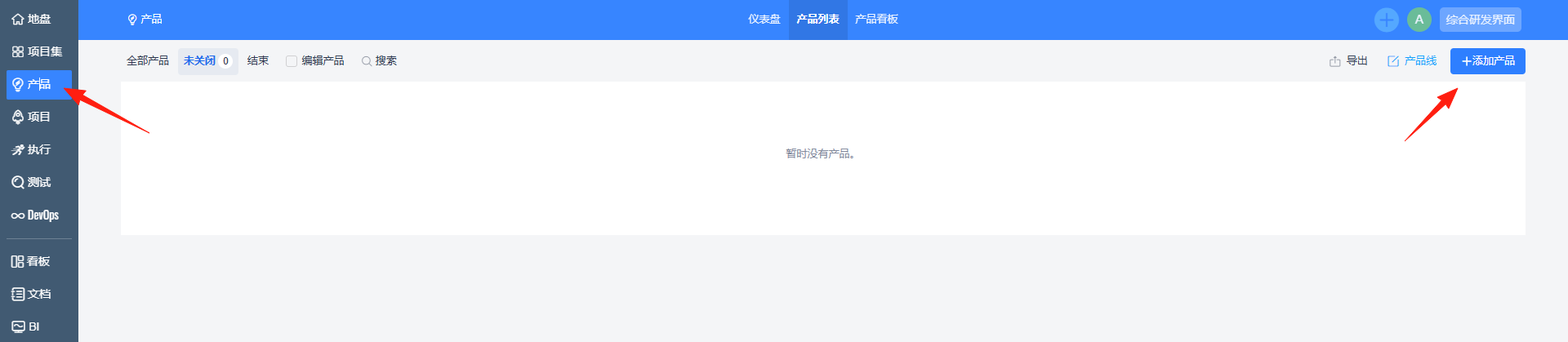
- Create a Product
- Click "Product" -> "Add Product"
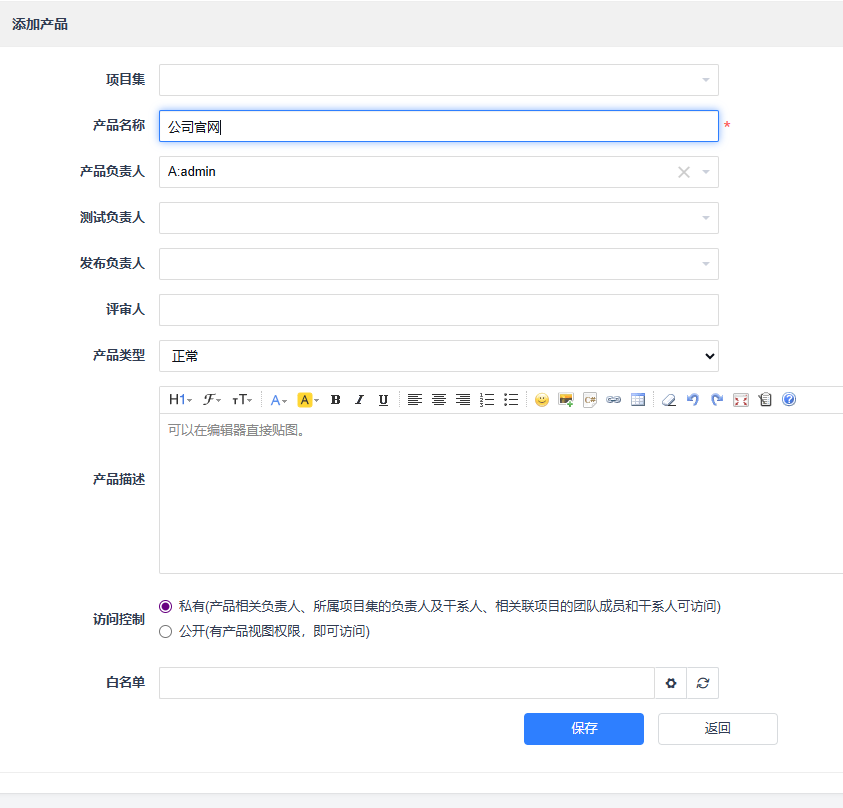
- Fill in a product name, e.g., "Company Website"
- Select yourself as the Product Owner
- Leave other settings as default for now, and save
 2. Add Product Modules
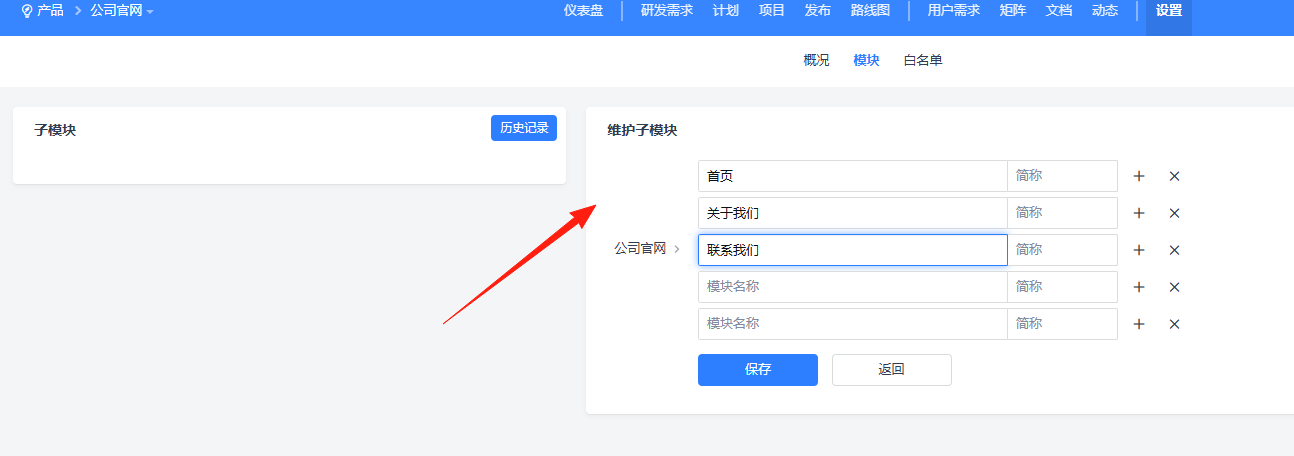
- Enter the product you just created
- Click "Settings" -> "Modules"
- Break down the product into major sections, e.g., "Homepage", "About Us", "Contact Us"
- This helps categorize requirements later
Step 3: Write Requirements (This step is crucial)
Requirements define what functionalities you need to build. Clear requirements prevent confusion during execution.
Practical Tips:
- Use concise and clear titles, e.g., "Homepage Carousel Functionality"
- Use the "As a..., I want..., so that..." format for the description
- Make acceptance criteria specific, e.g., "Supports up to 5 images, each under 2MB"
Title: User Registration Function
Description: As a website visitor, I want to be able to register an account so that I can access member services.
Acceptance Criteria:
1. Registration page includes username, email, and password fields
2. Username must be unique
3. Email format validation
4. Password must be at least 8 characters long
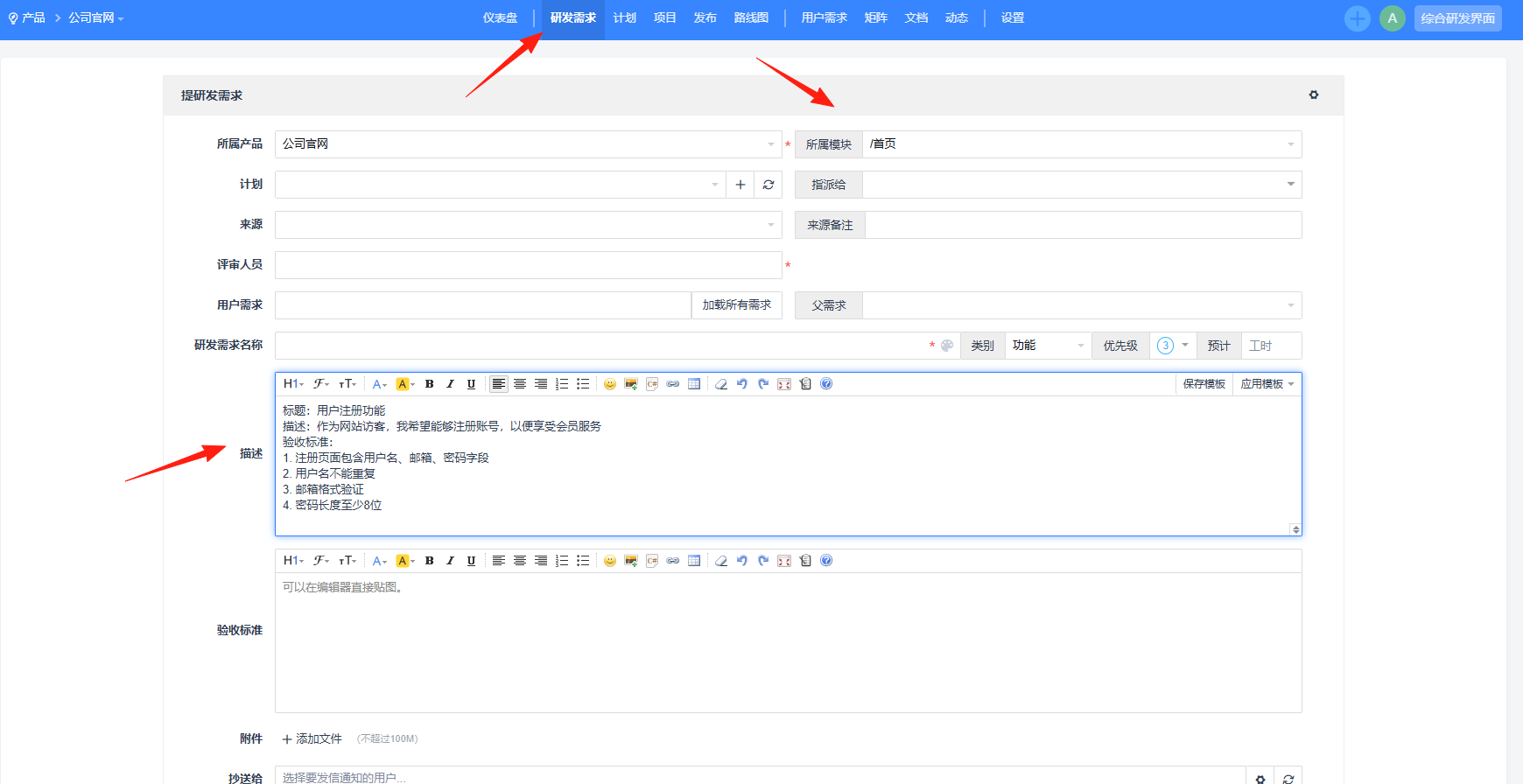
After creation, you can view them:

Step 4: Create a Project and Break Down Tasks
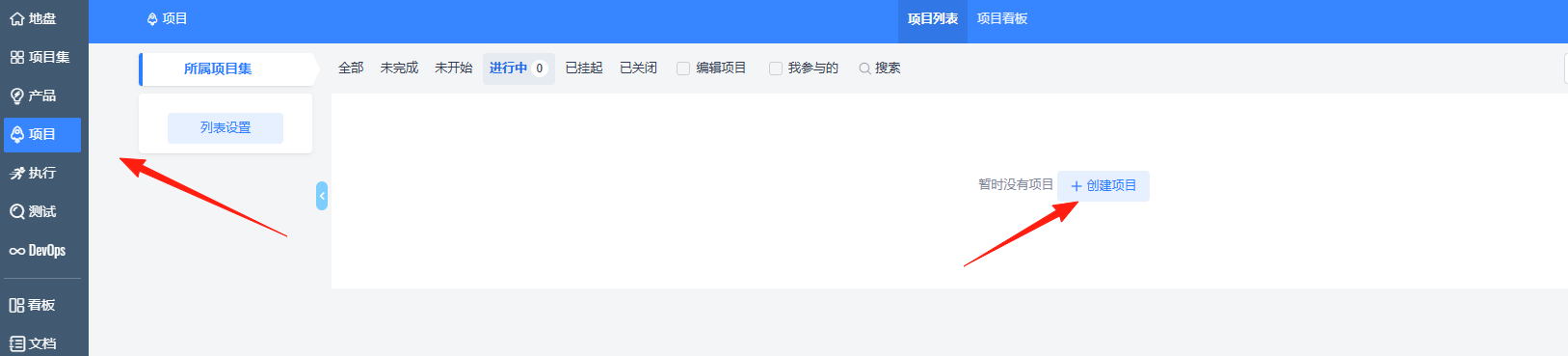
With requirements defined, you can now create a project:
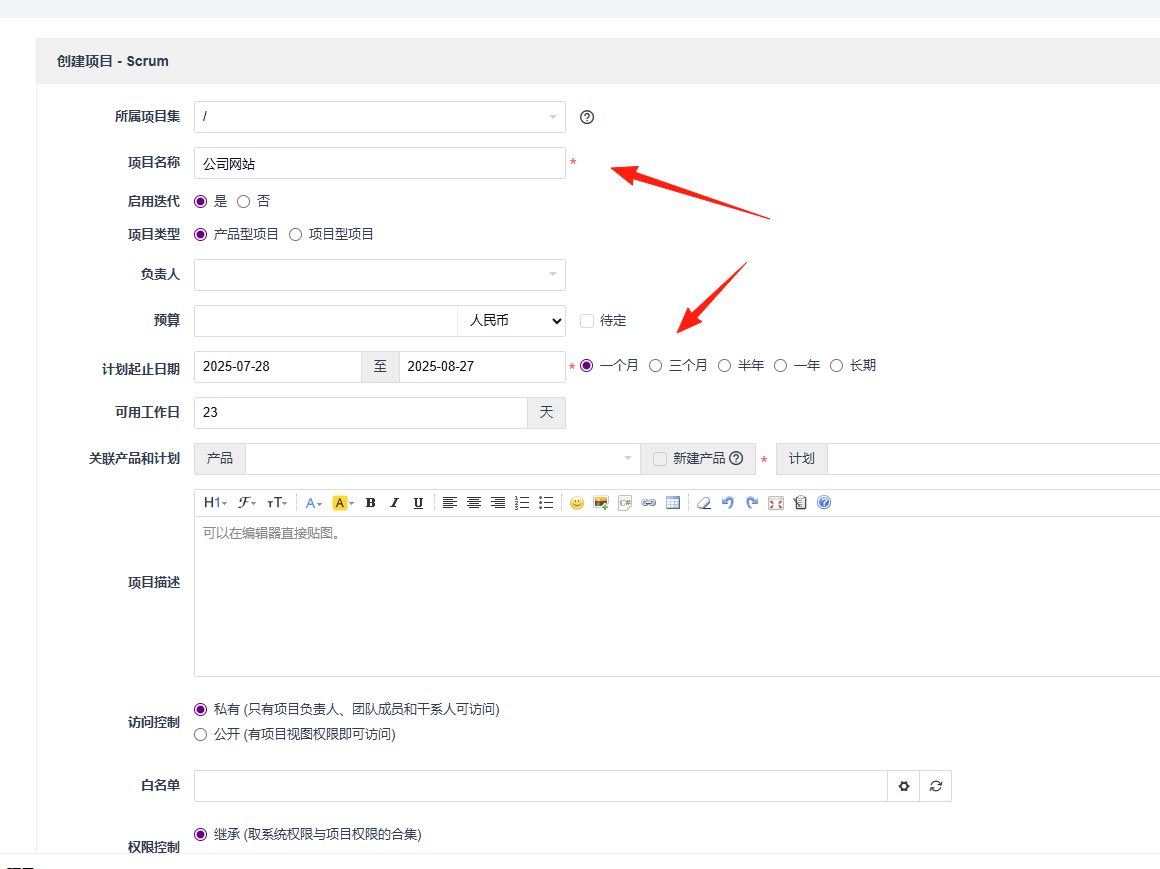
- Create a Project
- Click "Project" -> "Add Project"
- Select the product you created earlier
- Set the start and end dates
 2. Link Requirements
- Click "Requirements" within the project
- Link the relevant requirements to the project
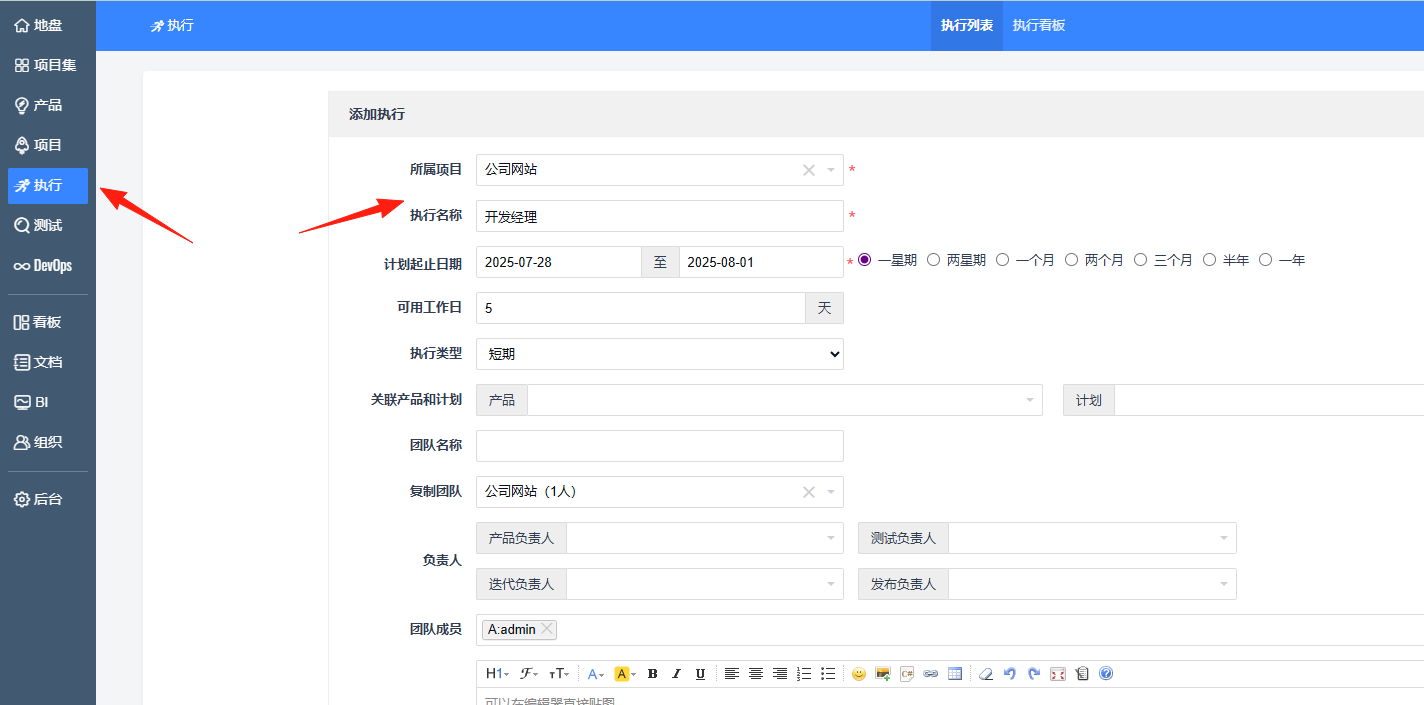
 3. Break Down Tasks
- Decompose requirements into specific development tasks
- Assign each task to a specific person
- Set estimated hours (Be realistic, include some buffer)
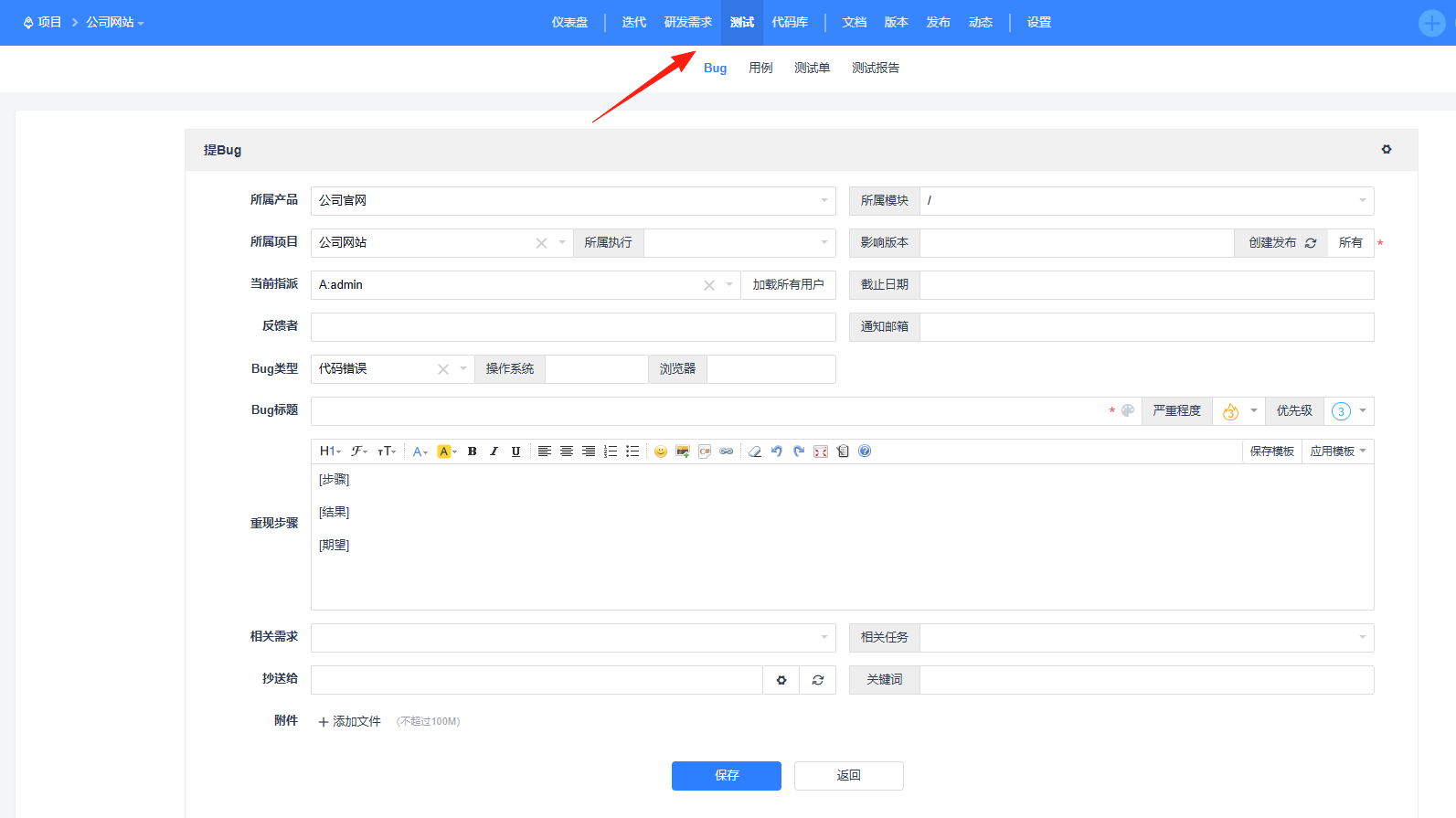
Record Bugs in the system as soon as they are found:
- Describe the reproduction steps in detail
- Attach screenshots
- Don't mislabel the severity level (Not all bugs are critical)
Final Words
ZenTao has many features, but you don't need to use every single one. Choose the functionalities that suit your team's actual situation. Simple and effective is more important than complex and comprehensive.
The interface is in Chinese, and the operational logic aligns well with our thinking habits. Don't worry about language barriers; the team can get up to speed quickly.
If your team is looking for a project management tool, why not give ZenTao a try?