
Folder2Podcast: Instantly Transform Local Audio into a Private Podcast
What is Folder2Podcast?
Simply put, Folder2Podcast is a small tool that converts audio folders on your computer directly into podcast feeds. It allows you to easily transform local audio folders into private podcast RSS feeds, giving you access to all the advanced features of professional podcast clients.
Imagine having a collection of audiobooks, English listening materials, meeting recordings, or your own reading notes—now you can listen to them on your phone just like a regular podcast, complete with progress tracking so it remembers where you left off.
How to Use
After installing the app, there is initially no data, and the page is blank.

Step 1: Prepare Audio Files
📁 My Audio
├── 📁 Audiobooks
│   ├── 🎵 The Three-Body Problem 1 - Chapter 01.mp3
│   ├── 🎵 The Three-Body Problem 1 - Chapter 02.mp3
│   └── ...
├── 📁 English Learning
│   ├── 🎵 New Concept English Lesson 1.mp3
│   ├── 🎵 New Concept English Lesson 2.mp3
│   └── ...
└── 📁 Meeting Recordings
    ├── 🎵 2024 Annual Summary.mp3
    └── ...
Open the application data directory and place your prepared audio files inside.
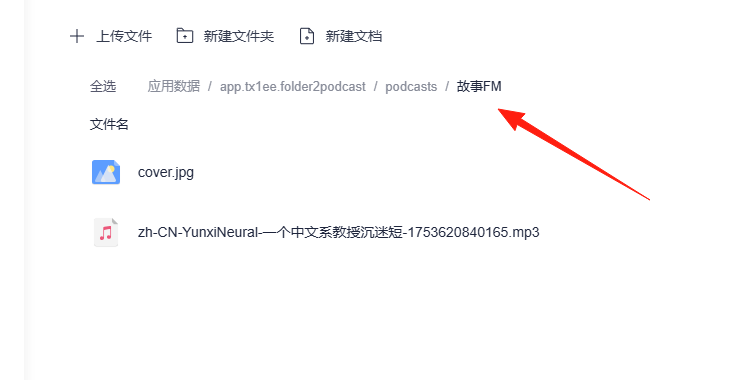
You can upload your own image for the cover by naming it cover.jpg.
Recommended Folder Structure
📁 Podcasts
├── 📁 [Complete] The Three-Body Problem Series     # Use tags to indicate status
├── 📁 [Updating] Tech Podcasts   # For continuously added content
└── 📁 [Archive] Old Recordings      # Archived items you don't listen to often
Return to the app's home page and refresh; the data will appear.
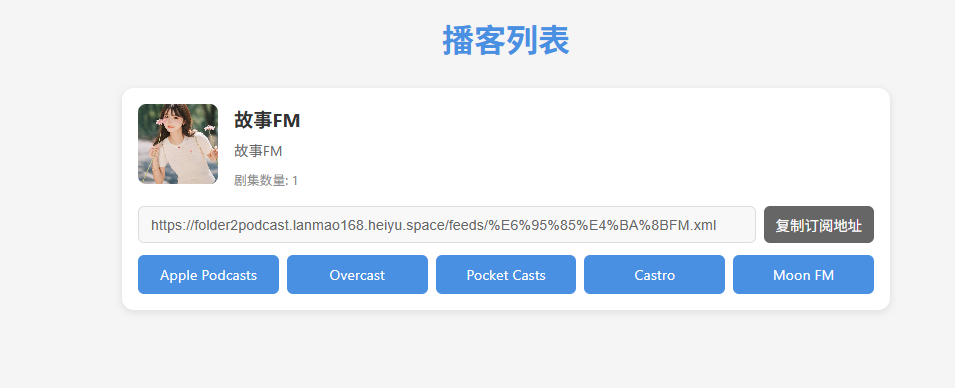
Recommended Podcast Apps
- Apple Podcasts: The top choice for iPhone users, best synchronization experience
- Pocket Casts: Cross-platform support, powerful features
- Xiao Yu Zhou (Little Universe): User-friendly for domestic users, clean interface
- Podcast Addict: Most feature-rich on Android
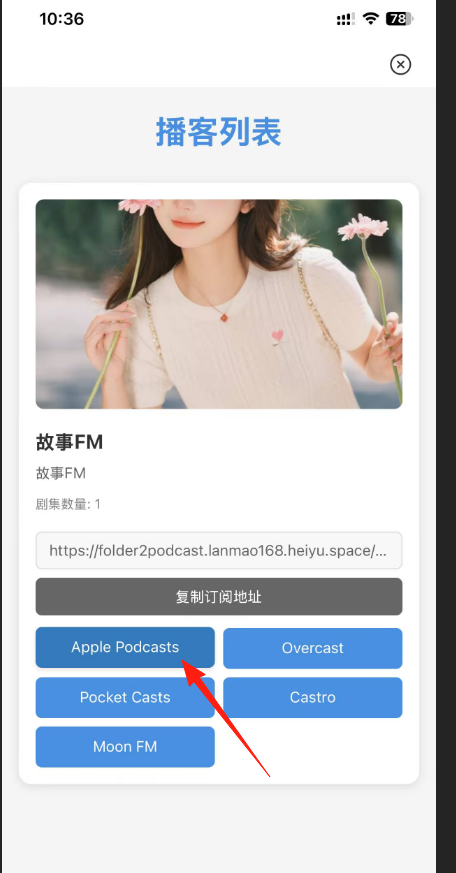
Next, instead of using the web client, open the Lazy Cat app on your mobile phone and launch Folder2Podcast. I'm using an iPhone, so I tap the first button.
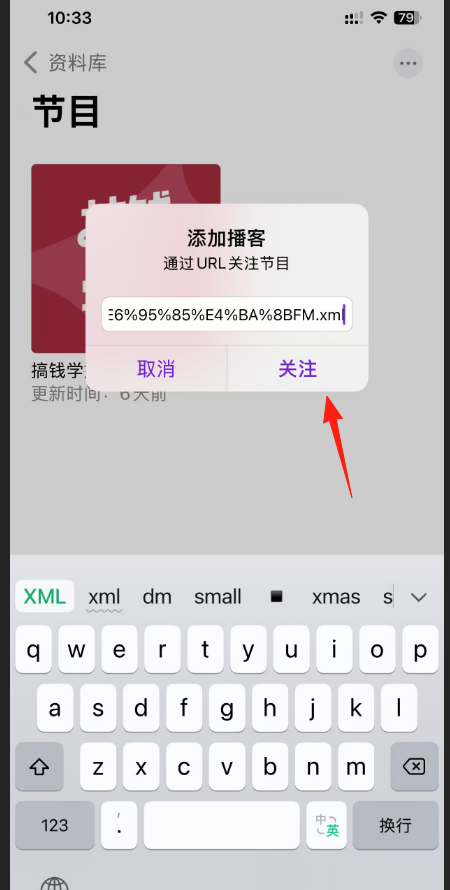
It will automatically jump to your podcast application. Click 'Follow' or 'Subscribe'.
You'll see the main page has loaded.

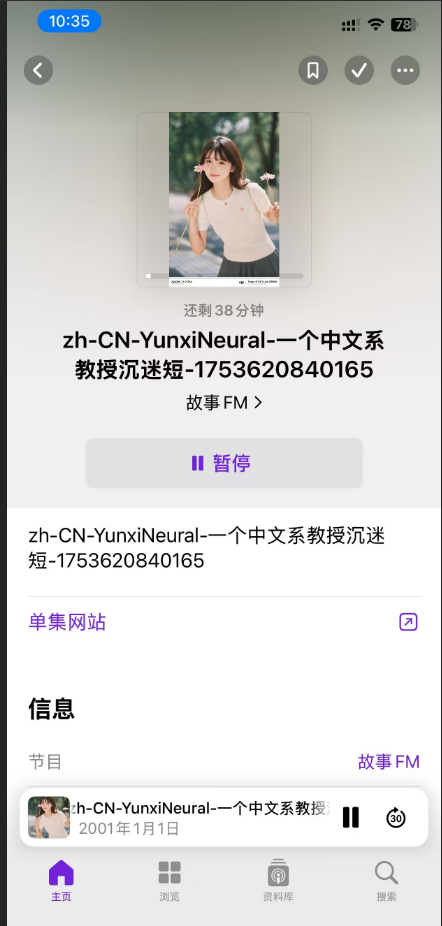
Click to start playing.
File Naming is Important
- Use numeric prefixes:
01-Chapter Name.mp3,02-Chapter Name.mp3 - This ensures the correct playback order
- Avoid special Chinese characters, as they might cause compatibility issues
Summary
Although the Folder2Podcast project is niche, it effectively solves a practical problem.
If you have a large collection of local audio files to manage or want a better playback experience, this tool is worth trying.
Most importantly, it elevates your local audio files to a "podcast-level" user experience—a feeling you won't want to give up once you've tried it. And it's completely private, so you don't have to worry about others seeing your content.