
Heimdallr: A Stateless Password Manager
What is Heimdallr?
Heimdallr is a stateless password manager/generator.
Users only need to remember one master password to generate independent and secure passwords for different websites and services. It eliminates the need for password synchronization or storage, significantly enhancing both security and convenience.
It dynamically generates passwords by hashing a key derived from the master password with the website name. To retrieve a password, you simply need to remember your master password and the exact name used for that specific website.
https://appstore.lazycat.cloud/#/shop/detail/cloud.lazycat.app.heimdallr
How to Use
After installing the application, you can proceed to the main function page.
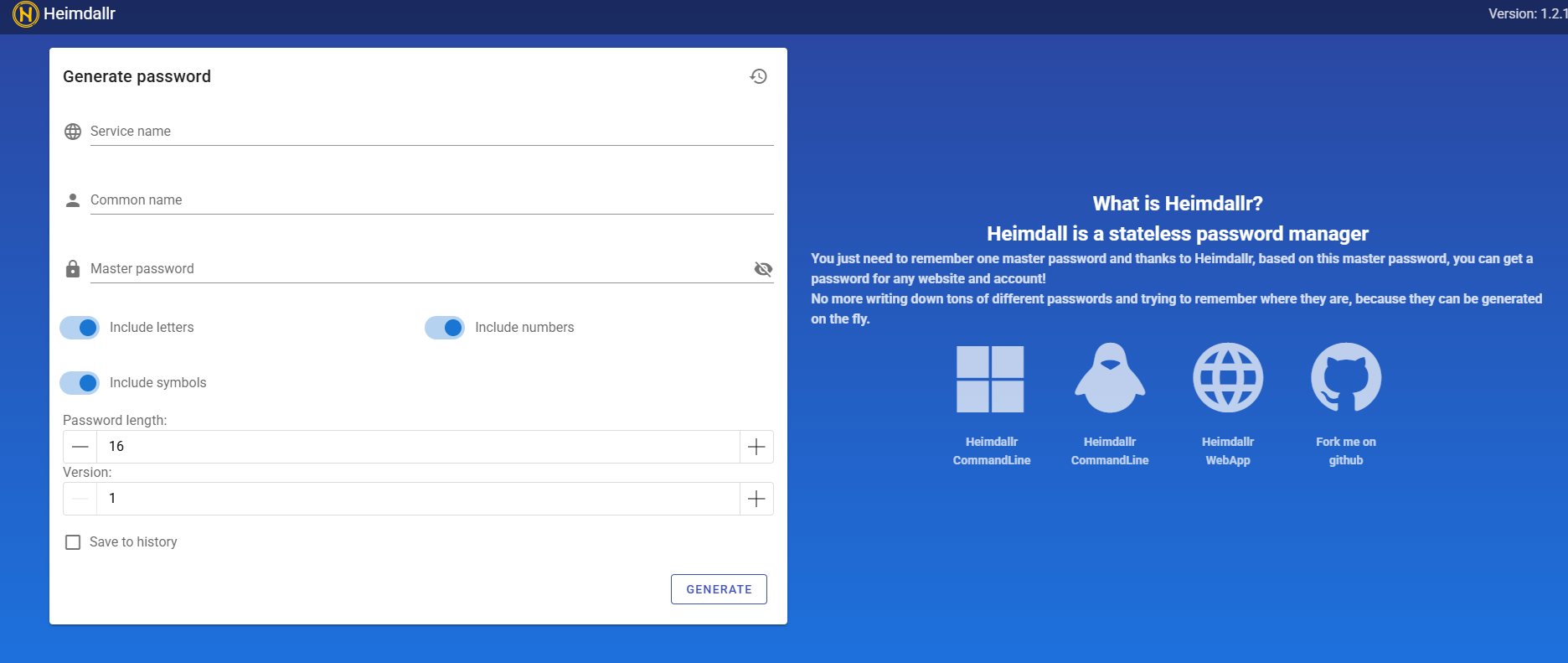
- Service name: This is a required field. It is the name of the service for which the password is generated. For example, use
Googleto identify the websitehttps://www.google.com. - Common name: This is a required field. It is typically an account name or password ID, for example, the account
tiantian. - Master password: Required. The master password used to generate the idempotent password based on the service name, common name, and the dictionary used.
- Include letters: Include letters in the password. Enabled by default.
- Include numbers: Include numbers in the password. Enabled by default.
- Include symbols: Include symbols in the password. Enabled by default.
- Password length: The length of the generated password.
- Version: Version information.
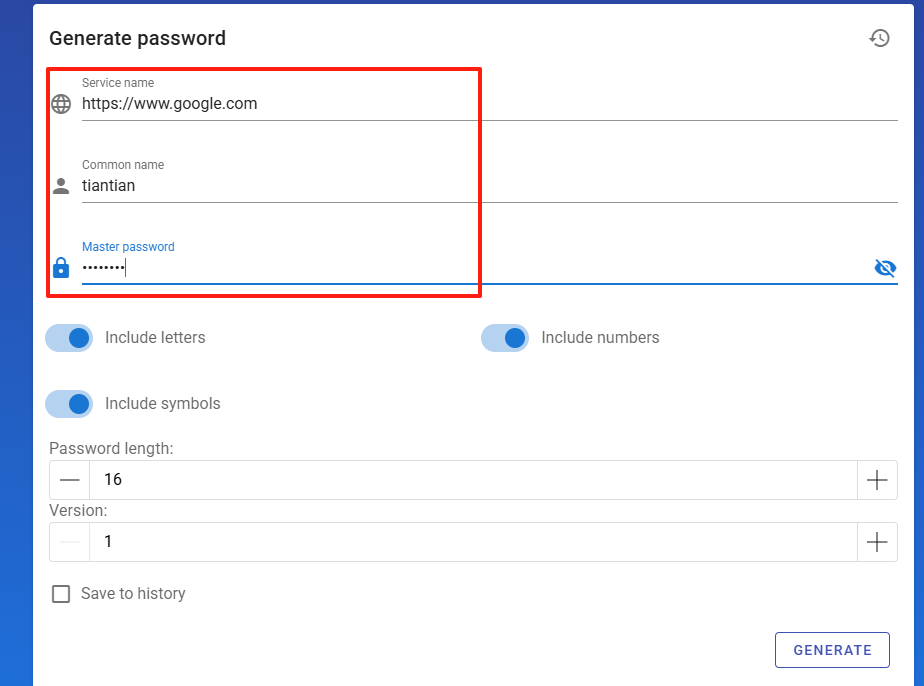
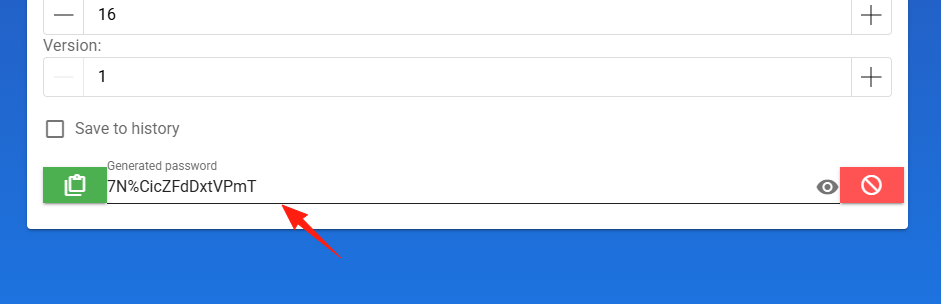
For the generated password, you can click the copy icon on the left to use it.
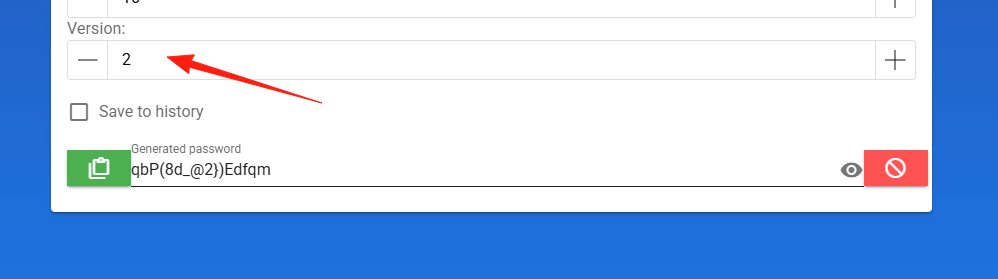
If you need to generate a new password for Google, you can set the Version to 2 and then click generate again. This will produce a new password.
If you are concerned about forgetting the main parameters, you can check the option to save to history. You can view the history by clicking the clock icon in the upper right corner.
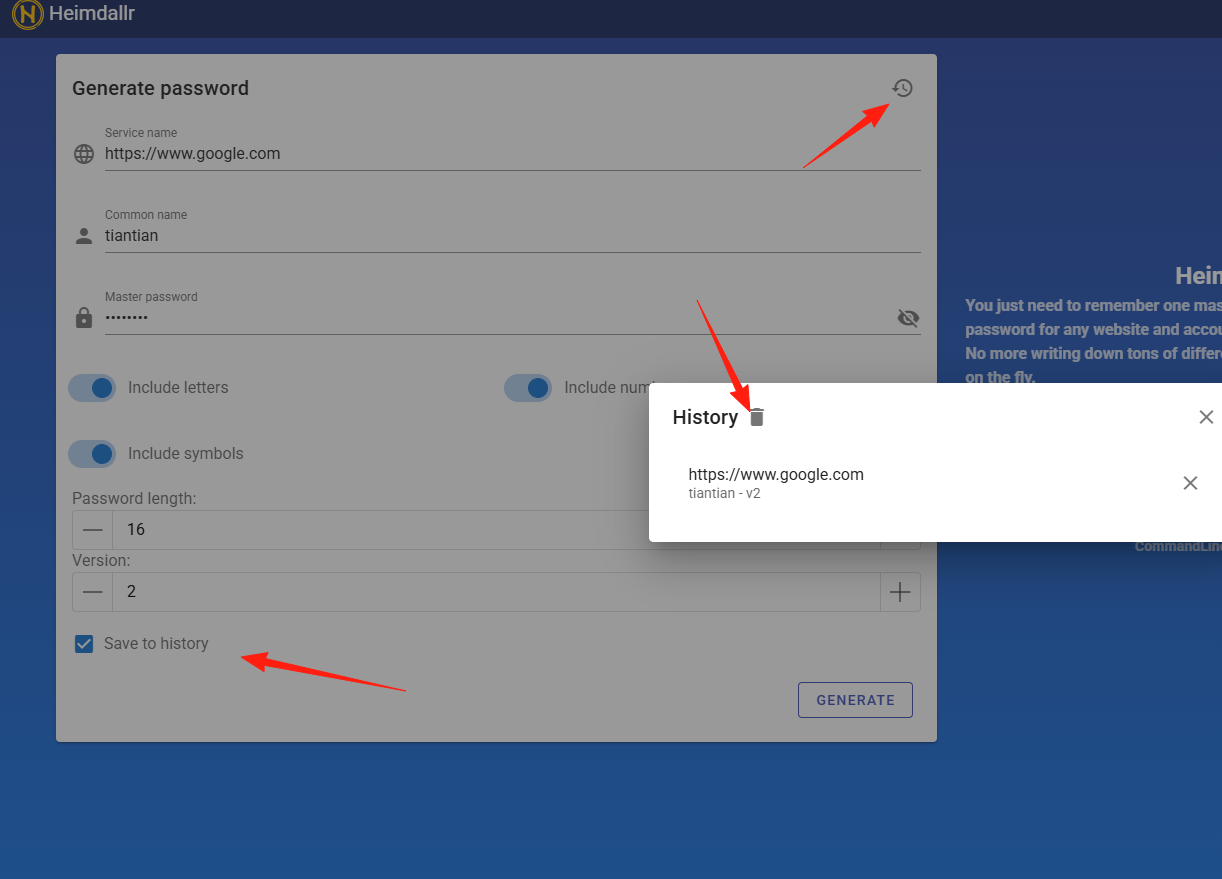
As long as all the above parameters remain unchanged, the generated password will be absolutely identical each time. However, if any single parameter changes—like when we changed the Version from 1 to 2 in our example—the password will change.
This solves problems that existed when stateless password managers first emerged, such as:
- For the same website, if you wanted to save multiple passwords for a single site, you had to include the username in the website name.
- Many websites still require periodic password changes, forcing users to remember not just the website name but also the password iteration.
Once you understand the principle, you can use it with confidence.