
beancount-gs: Making Double-Entry Bookkeeping Simple and User-Friendly
Let's be honest: everyone knows bookkeeping is important, but few people stick with it consistently. It's not because of laziness, but because existing bookkeeping tools are either too simplistic (only recording income and expenses) or too complex (with a high learning curve).
beancount-gs might just be the solution you're looking for.
What is beancount-gs?
In simple terms, beancount-gs puts a pretty face on Beancount, giving it a web interface and mobile support.
What is Beancount? It's a powerful double-entry bookkeeping tool, so professional that even banks and accountants use it. The problem is it only has a command-line interface, which isn't very user-friendly for the average person.
What does beancount-gs do? It wraps Beancount into a web application, allowing you to manage your books with simple clicks in a browser, even on your phone.
What is Double-Entry Bookkeeping?
In accounting, double-entry bookkeeping is the standard system for recording financial transactions in businesses and other organizations. The system is called "double-entry" because each transaction is recorded in at least two different accounts. The result of each transaction is recorded in at least one debit account and one credit account, and the total debits must always equal the total credits for each transaction, following the principle that "for every debit, there must be a corresponding and equal credit."
https://appstore.lazycat.cloud/#/shop/detail/wcloud.gblw.app.beancount-gs
How to Use
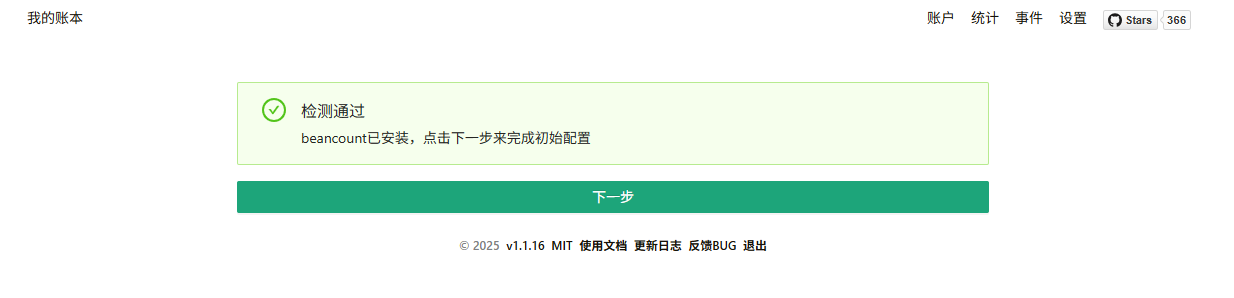
After installing the application, you need to perform initial setup.
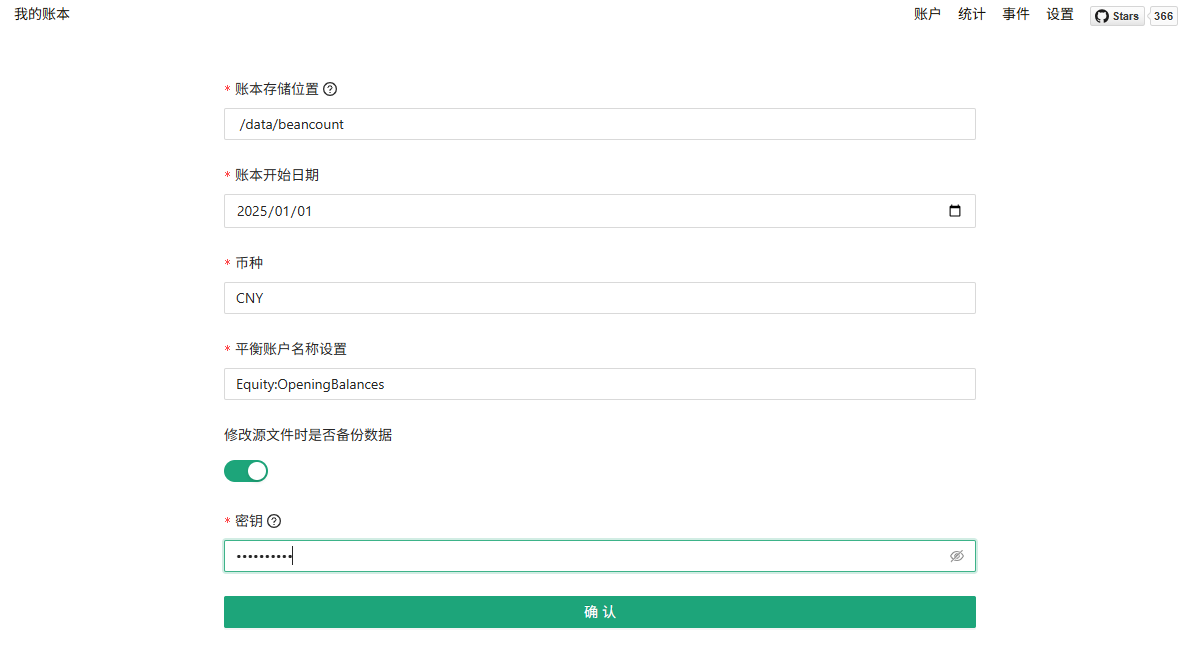
- Ledger Storage Location: The disk storage path for ledger data and configuration:
/data/beancount - Ledger Start Date: The default start date for accounts. (It's fine to set the default to
1970-01-01) - Currency: (Set the default to
CNYfor Chinese Yuan) - Equity Account Name: The account used to initialize account balances or to balance other accounts.
- Enable Data Backup: When enabled by default, previous versions are backed up to the
/bakfolder when the source file is modified. - Secret Key: Configuration setup is only allowed if the service's secret key matches. Use
lazycat123
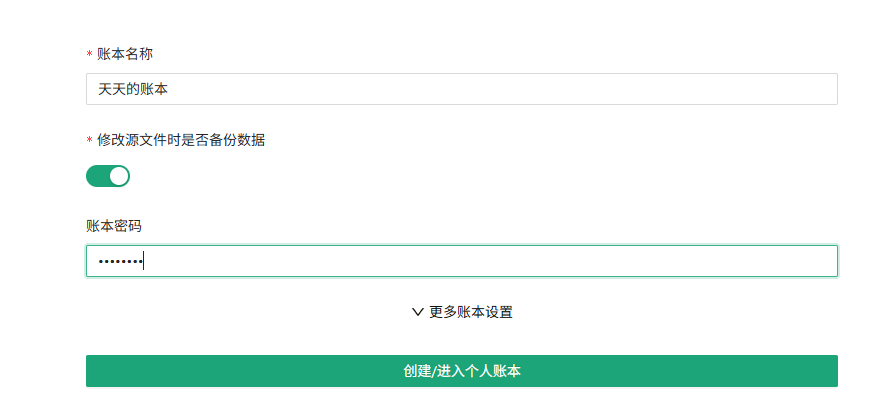
Set the Ledger Name and Ledger Password.
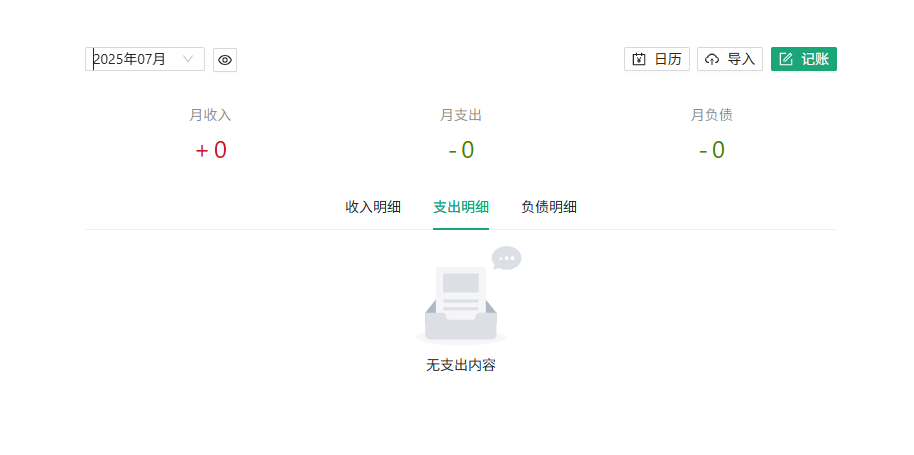
After entering the ledger, there is no data by default.
Start Bookkeeping
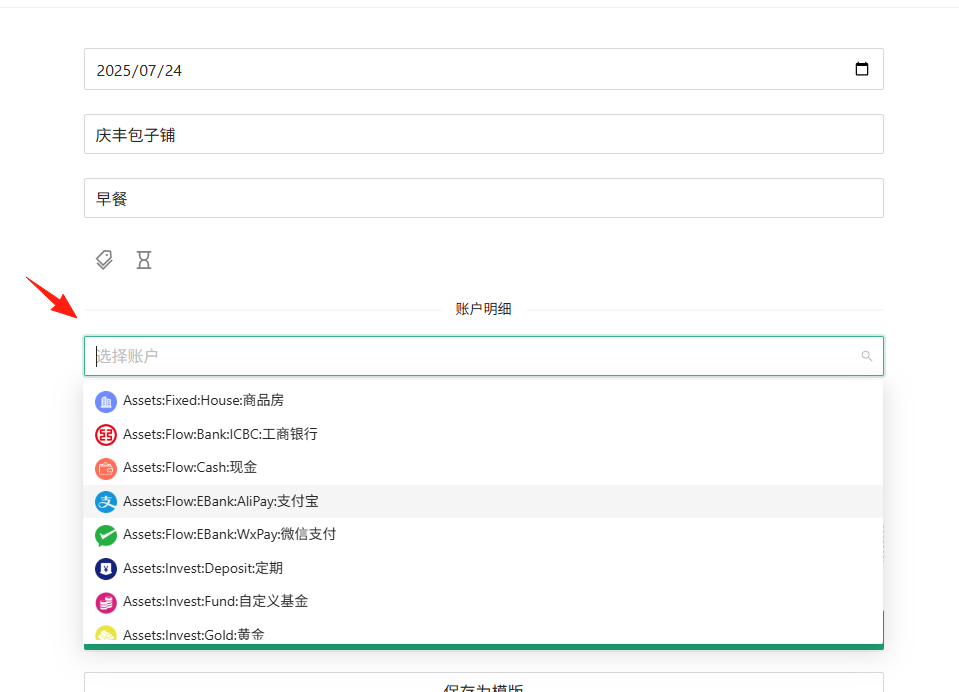
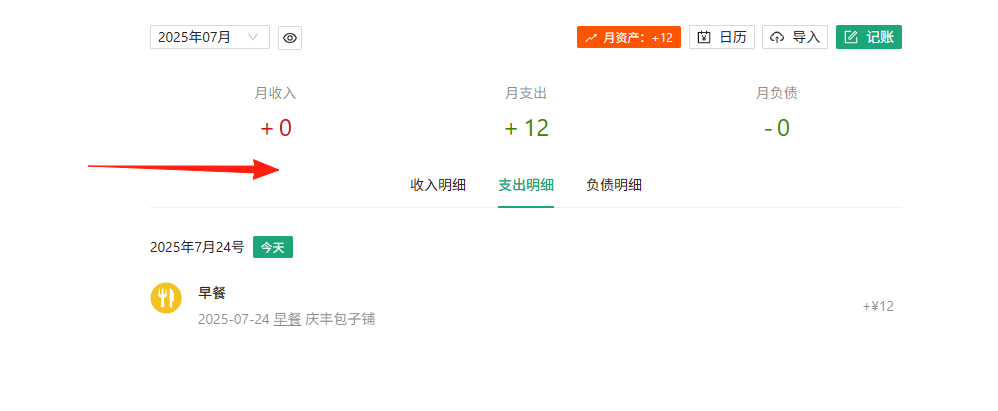
The basic logic of bookkeeping is: Where does the money come from, and where does it go?
Daily Expense Example:
- Bought a 30 yuan lunch using Alipay.
- Record: Alipay account decreases by 30 yuan, Food expense increases by 30 yuan.
Income Example:
- 8000 yuan salary deposited into your bank card.
- Record: Bank account increases by 8000 yuan, Salary income increases by 8000 yuan.
Transfer Example:
- Transfer 1000 yuan from your bank card to Alipay.
- Record: Bank account decreases by 1000 yuan, Alipay account increases by 1000 yuan.
Utilize the Auto-Import Feature
This is the most convenient feature, avoiding manual entry for every transaction:
-
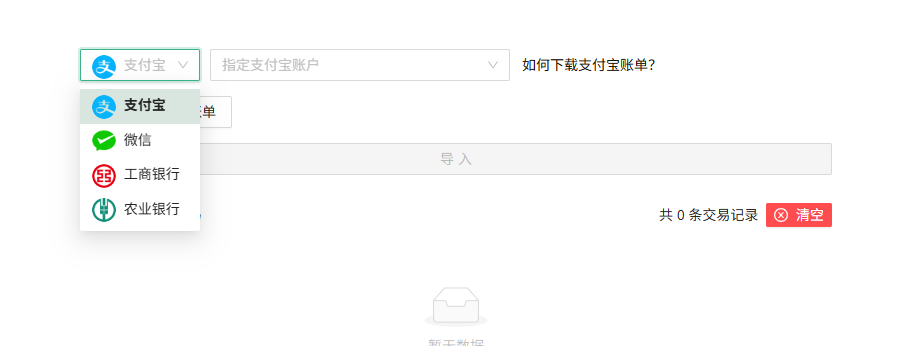
Alipay Bill Import:
- Alipay App → My → Bills → Download Bill
- Upload the CSV file in beancount-gs
- The system automatically parses and generates bookkeeping entries.
-
WeChat Bill Import:
- WeChat → Me → Services → Wallet → Bills → Download Bill
- Similarly, upload to the system for automatic processing.
-
Bank Statements:
- Currently supports importing electronic statements from Industrial and Commercial Bank of China (ICBC) and Agricultural Bank of China.
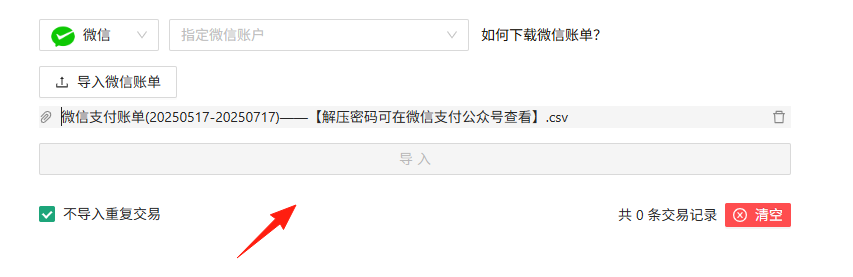
However, during testing, it prompted successful parsing, but the button remained greyed out and couldn't be imported. (Bug reported)
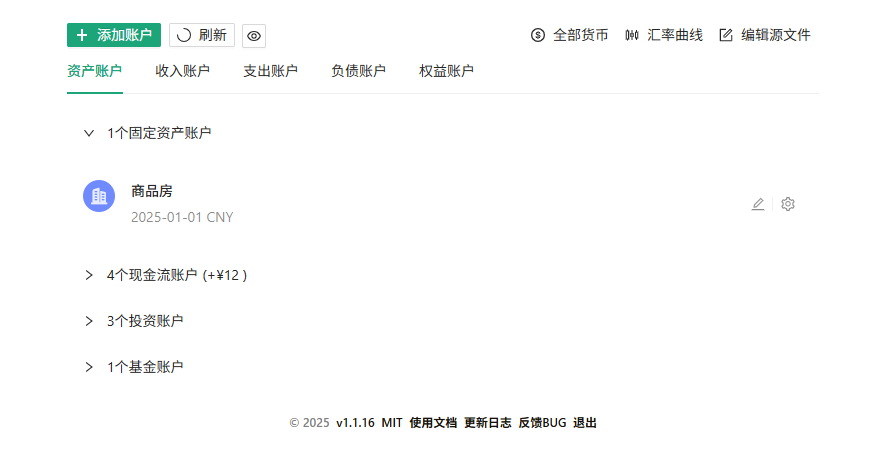
When adding accounts, it's recommended to set them up like this:
Example Account Structure:
Assets
├── Cash
├── Bank:ICBC
├── Bank:Alipay
├── Bank:WeChat
└── Investment

Liabilities
├── CreditCard:ICBC
└── Huabei

Income
├── Salary
└── Bonus

Expenses
├── Food
├── Transport
├── Shopping
└── Entertainment
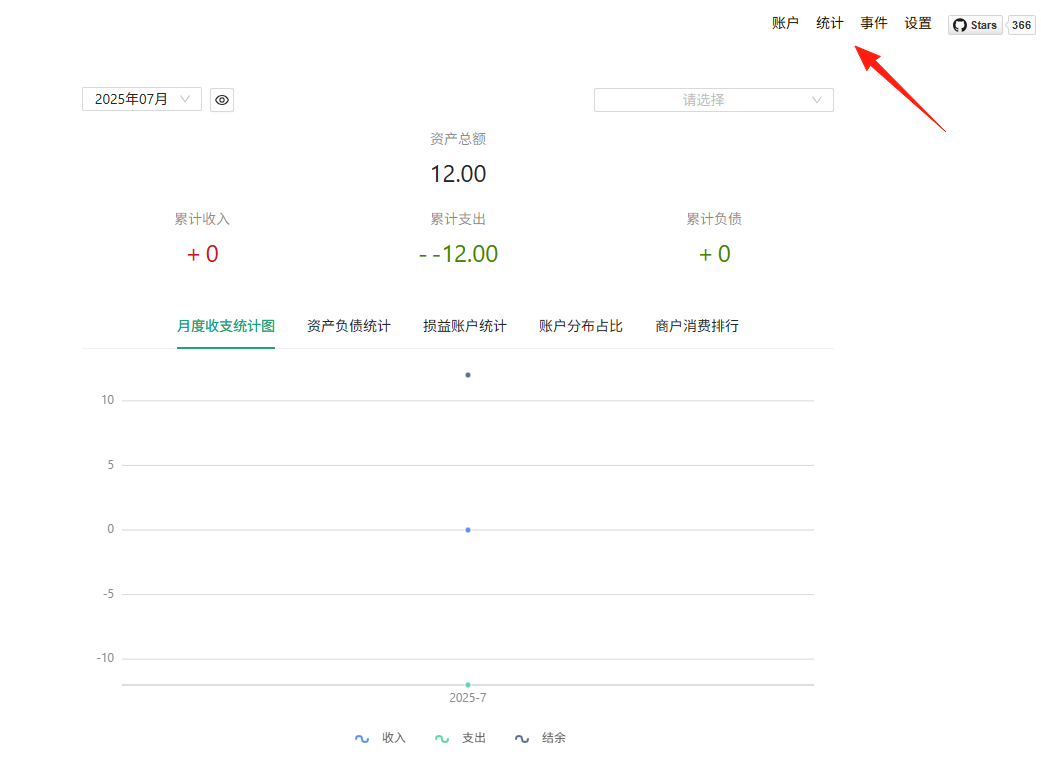
View Statistical Charts
Regularly check statistical data to understand your spending habits:
- Monthly Expense Trends: See if your monthly spending is stable.
- Expense Breakdown by Category: Identify where most of your money goes.
- Asset Change Curve: Track your wealth accumulation.
- Income vs. Expense Comparison: Check if you have a surplus each month.
Summary
beancount-gs solves the high barrier-to-entry problem of Beancount, allowing average users to enjoy professional-grade double-entry bookkeeping features.
No matter how good the bookkeeping tool is, the key is consistency.
Choose a tool that suits you and use it consistently to truly help improve your financial situation.