
neno: An open-source note-taking app inspired by flomo
What is neno?
neno is a PWA application built with Svelte + TailwindCSS, modeled after flomo.
It uses GitHub or Gitee to store notes, including text and images.
https://appstore.lazycat.cloud/#/shop/detail/wcloud.gblw.app.neno
How to Use
After installing the application, open the home page.
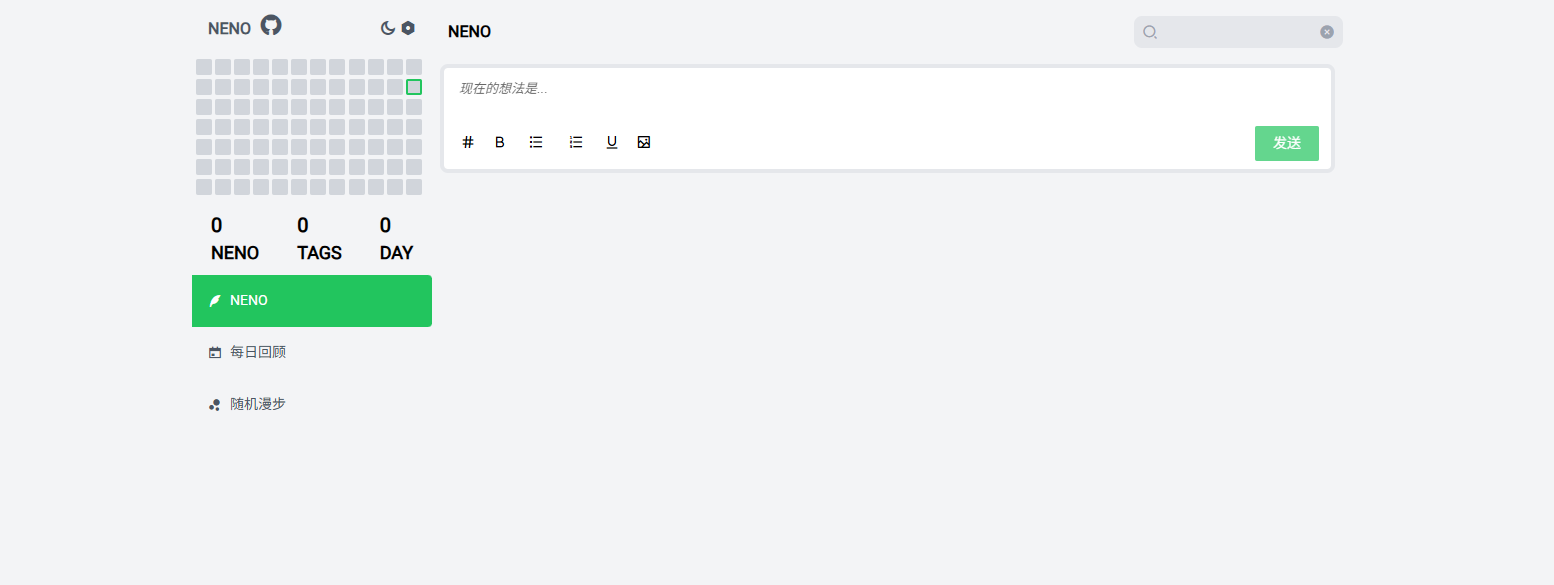
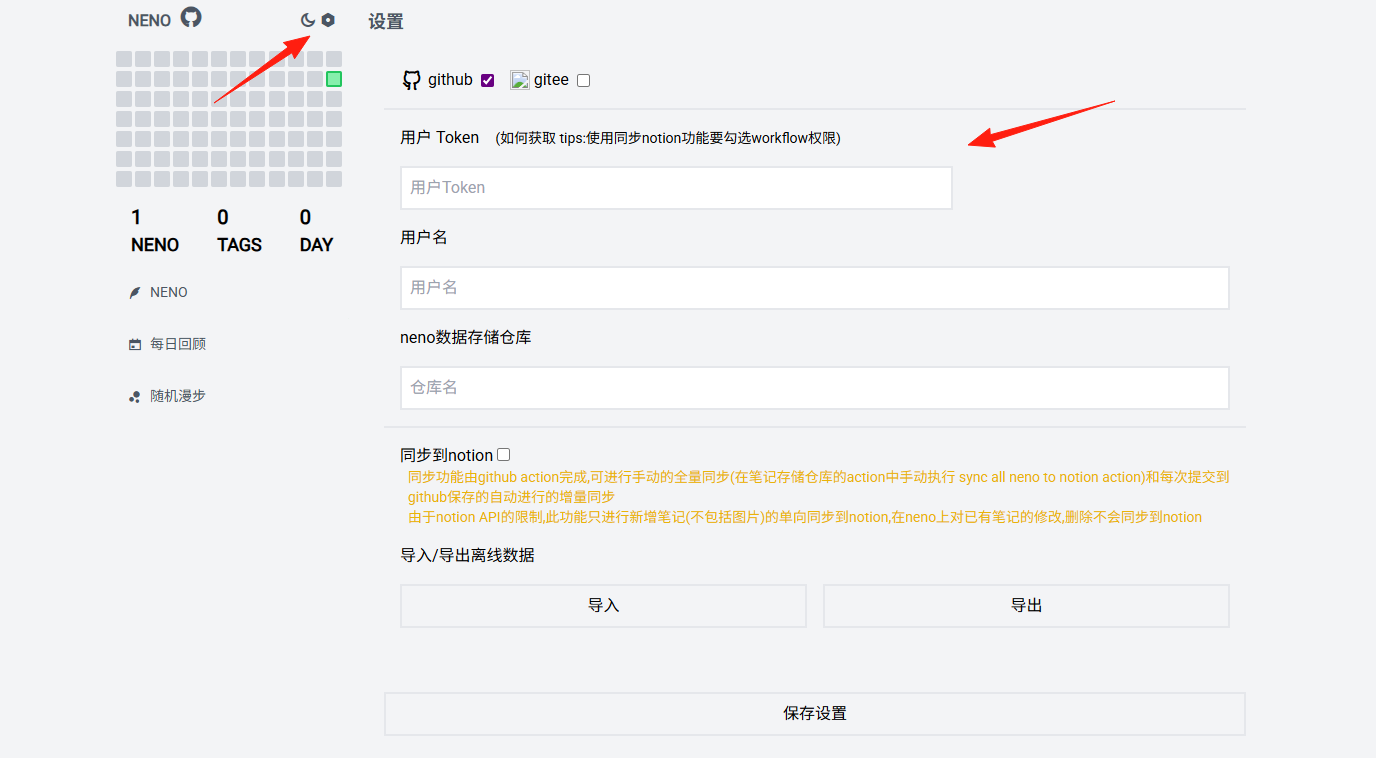
At this point, it's in offline mode. To use it normally, you need to configure the token in the settings.
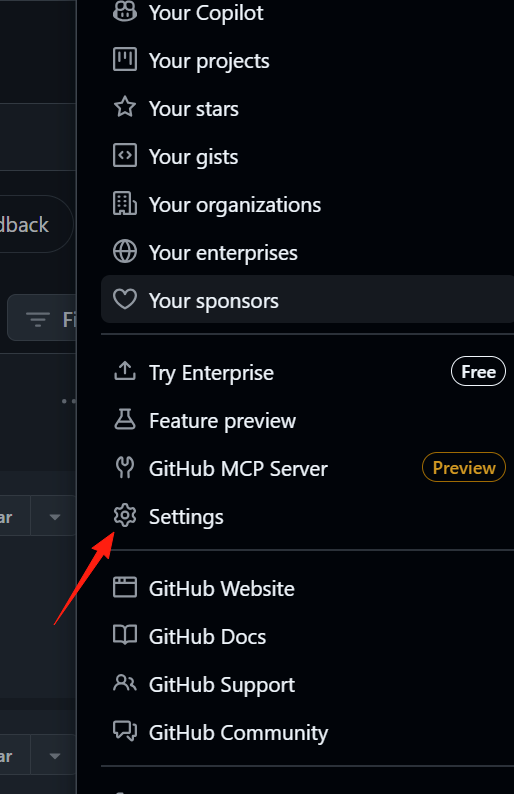
Log in to GitHub and go to Settings from the top-right corner.
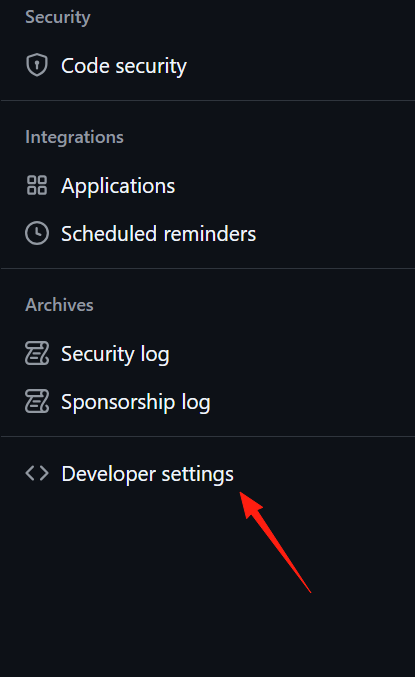
Scroll to the bottom of the left-hand menu and find Developer settings.
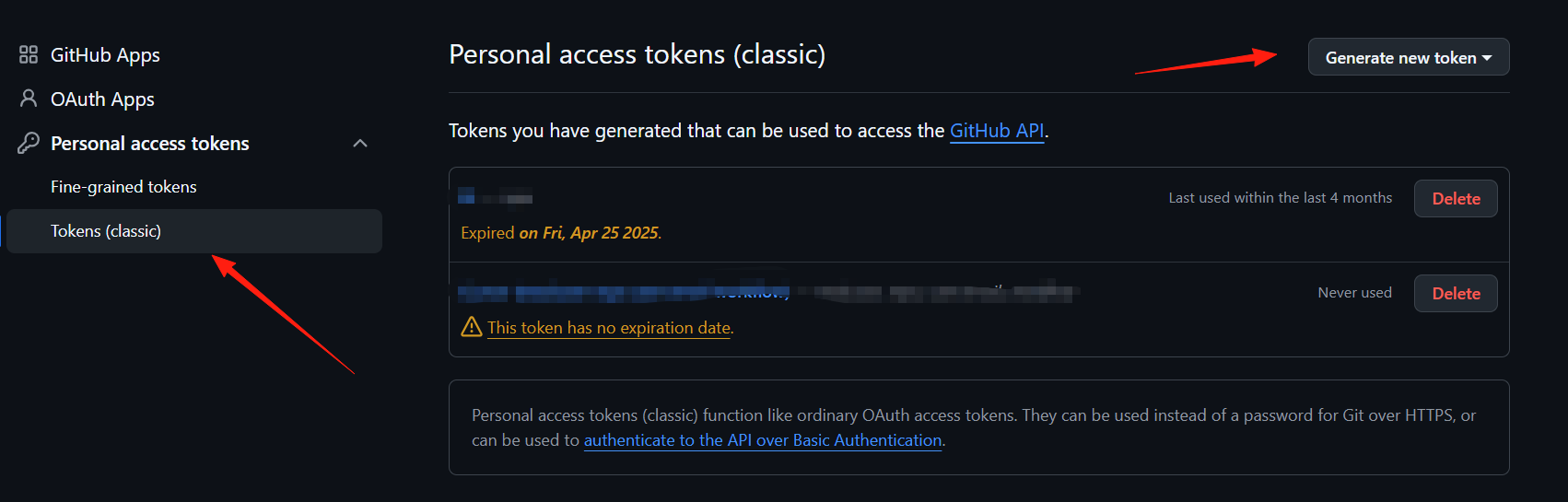
Go to Personal access tokens and click Generate new token to create a new token.
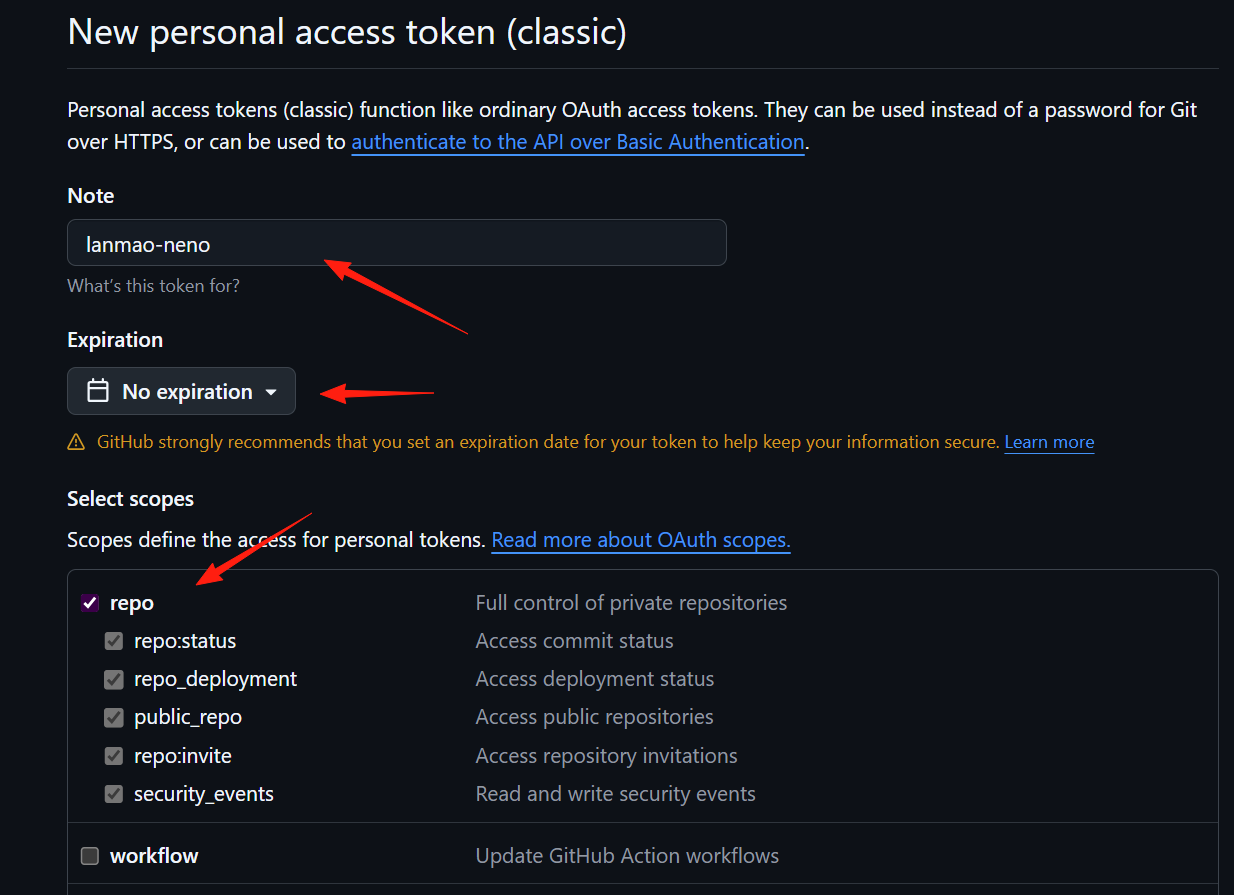
Note: Used for identification, to know which application this token is for. Expiration: Set the expiration time; generally, it is not recommended to set it to never expire. Select scopes: Only permissions to operate repositories are needed.
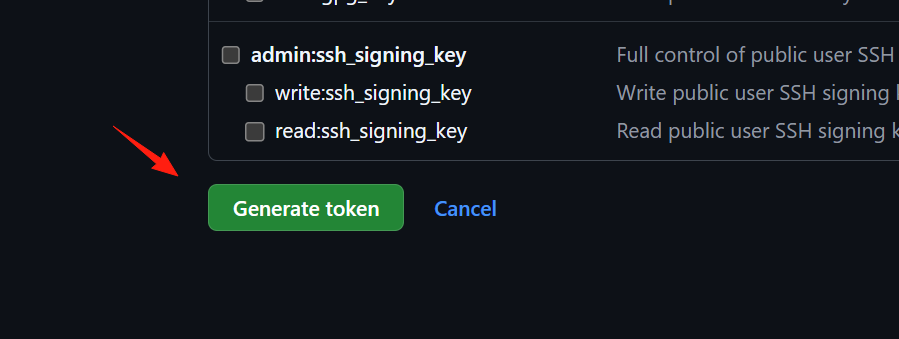
After completion, click the Generate token button at the bottom.
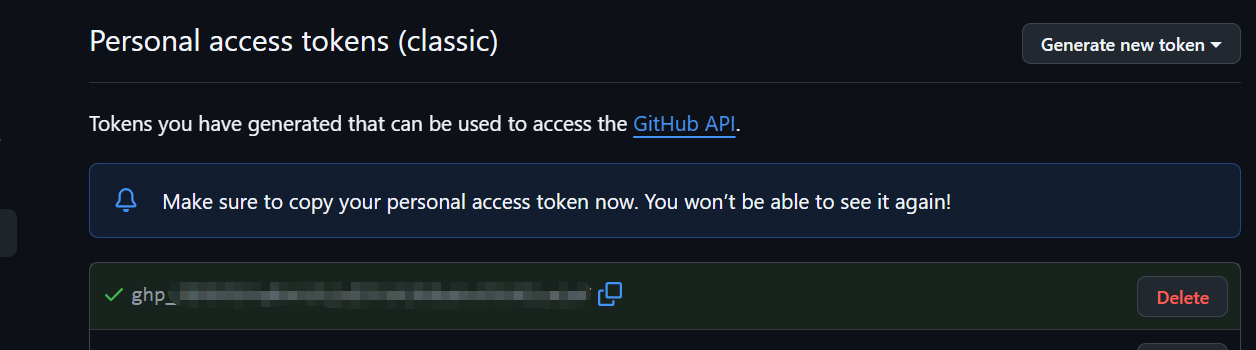
Save it properly; it will only appear once.
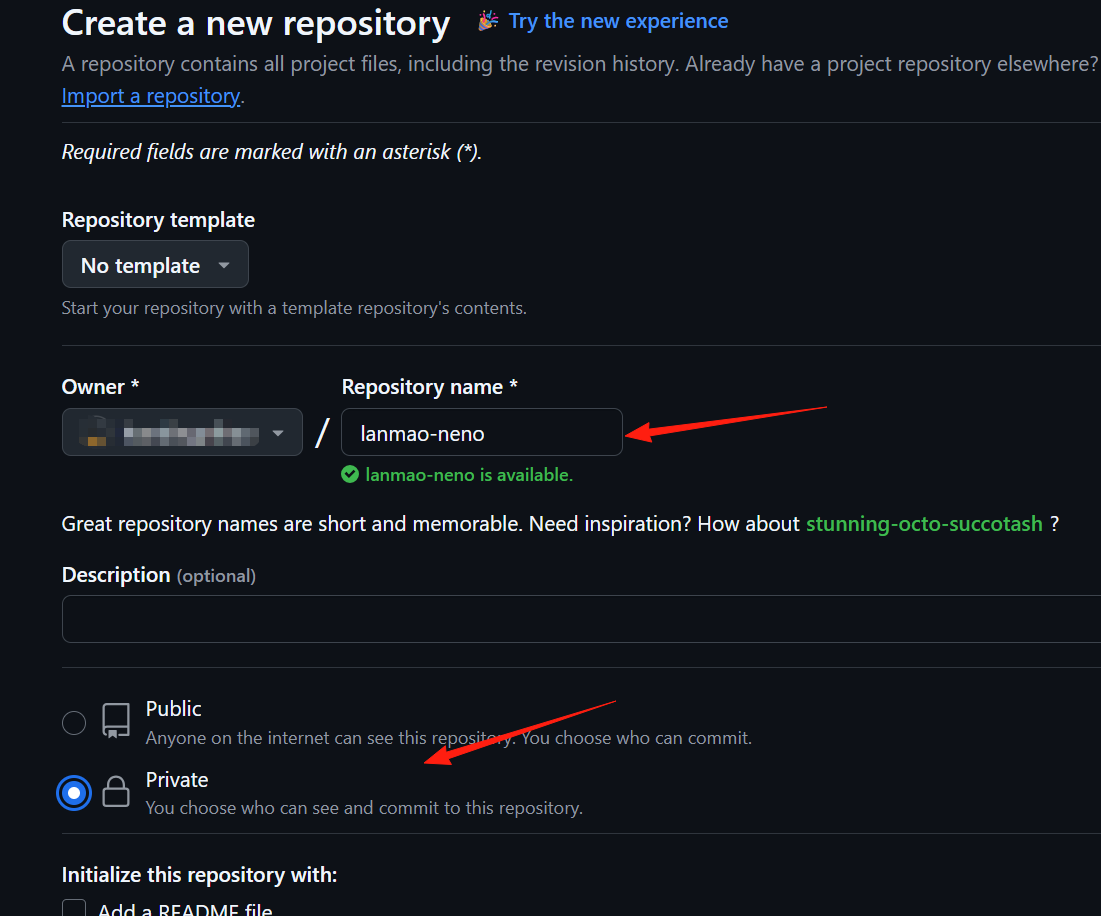
Click new repository in the top-right corner to create a new repository, set the type to Private.
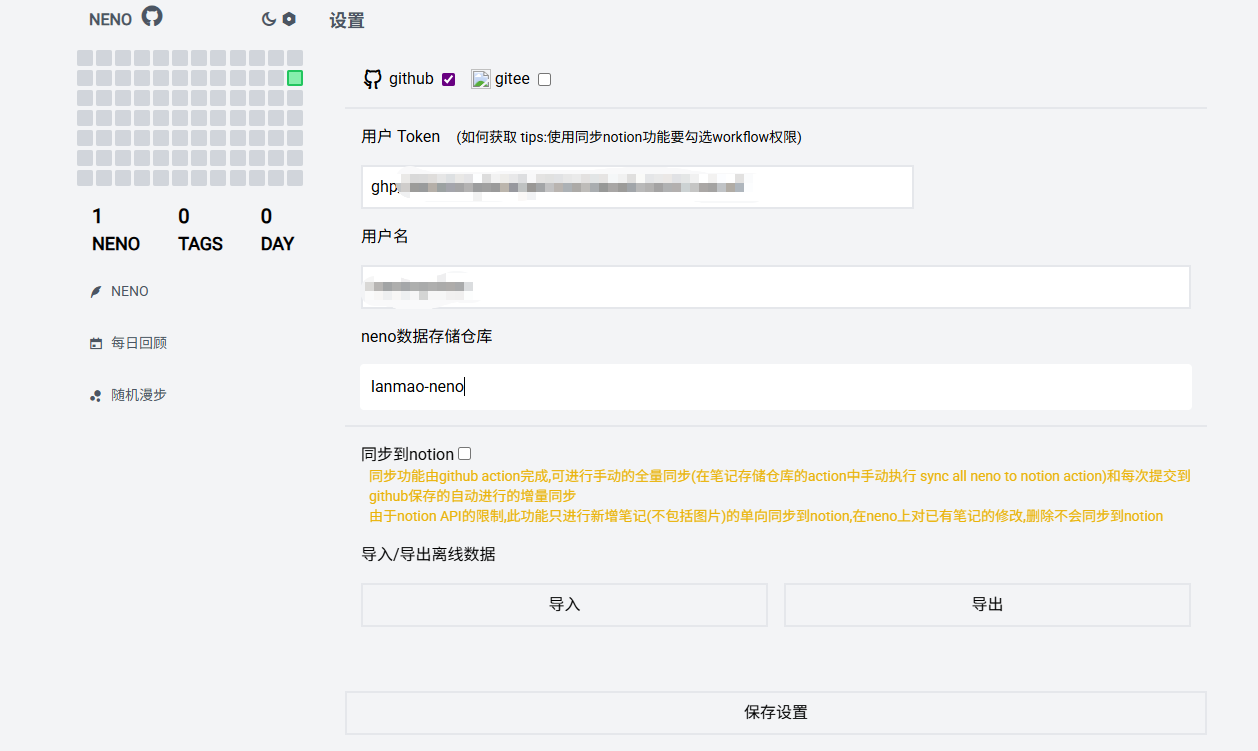
Return to the neno application settings:
- User Token: Enter the obtained Personal access tokens.
- Username: Your GitHub username.
- neno Data Storage Repository: The new private repository created in the previous step.
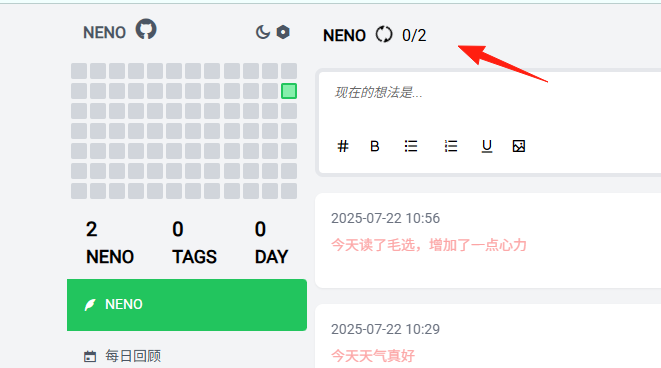
Here you can see the synchronization progress, which will eventually be committed to the repository.
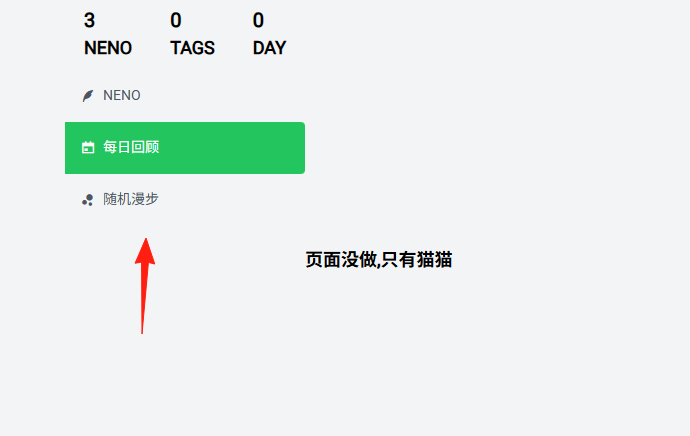
These two pages are likely not yet developed.
Overall, it can serve as an application for quickly recording ideas, and its basic functions are usable.