
WatchYourLAN: Get a Clear Overview of Your Home Network
What is WatchYourLAN?
Have you ever wondered how many devices are actually connected to your home WiFi? Are you always worried about someone stealing your bandwidth? Or do you want to know if a specific device suddenly goes offline?
The small tool I'm recommending today, WatchYourLAN, is specifically designed to solve these problems.
Simply put, WatchYourLAN is a lightweight network scanning tool that can monitor all devices on your local area network in real-time.
It features a user-friendly web interface, so you don't need to use the command line; you can manage everything with just a few clicks.
https://appstore.lazycat.cloud/#/shop/detail/dev.beiyu.wyl
Core Features:
- Automatically scans all devices on the network
- Notifies you immediately when a new device connects
- Logs device connection/disconnection history
- Supports multiple notification methods (WeChat, Telegram, Email, etc.)
- Data can be exported to InfluxDB or Prometheus
Quick Start Guide
After installing the application, you will see the main interface.
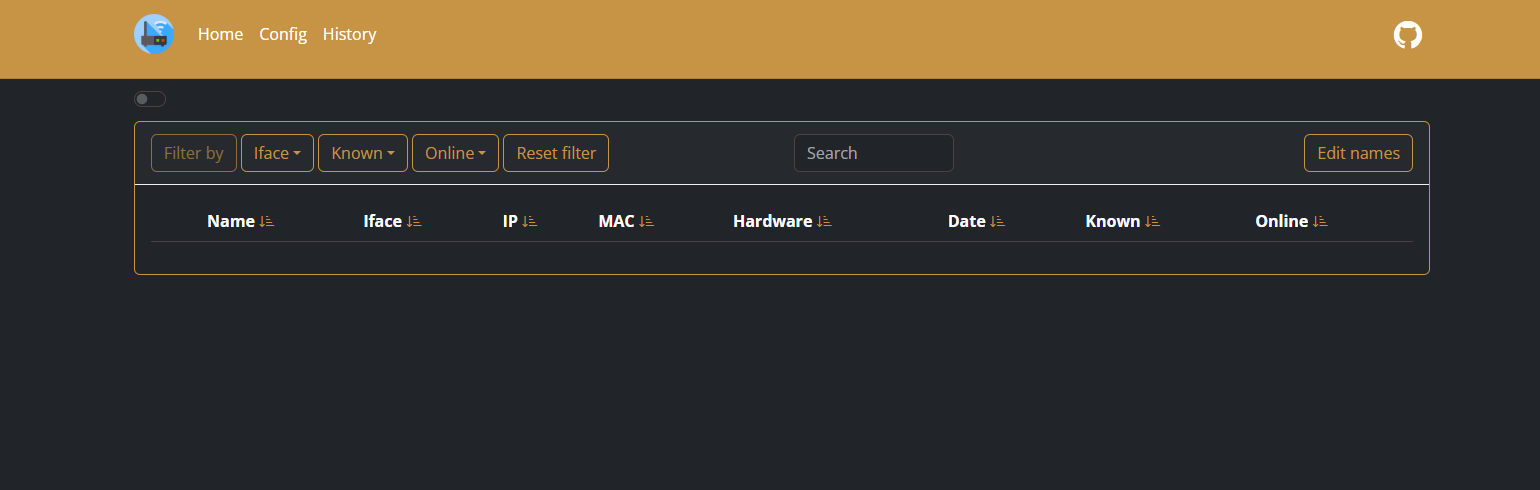
For first-time use, you need to perform the initial configuration.
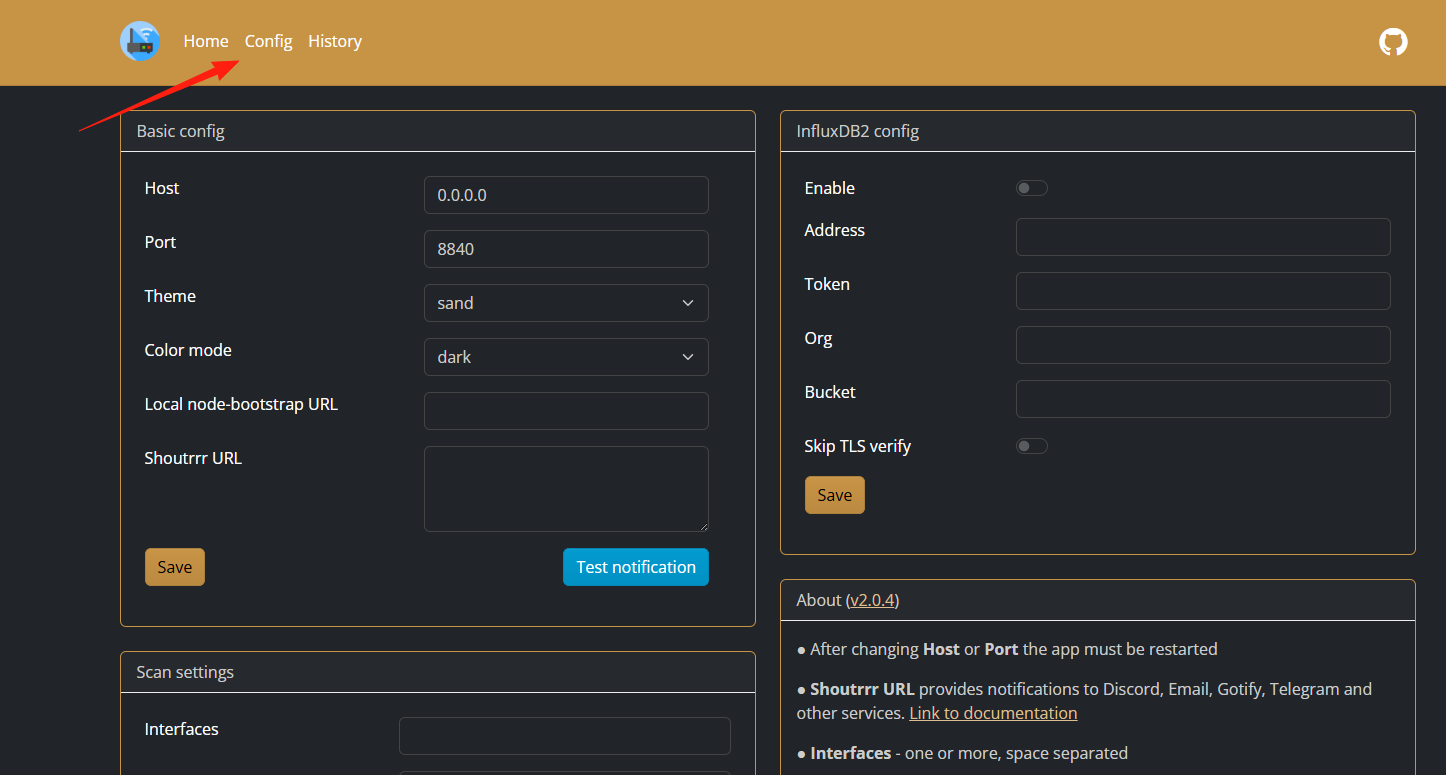
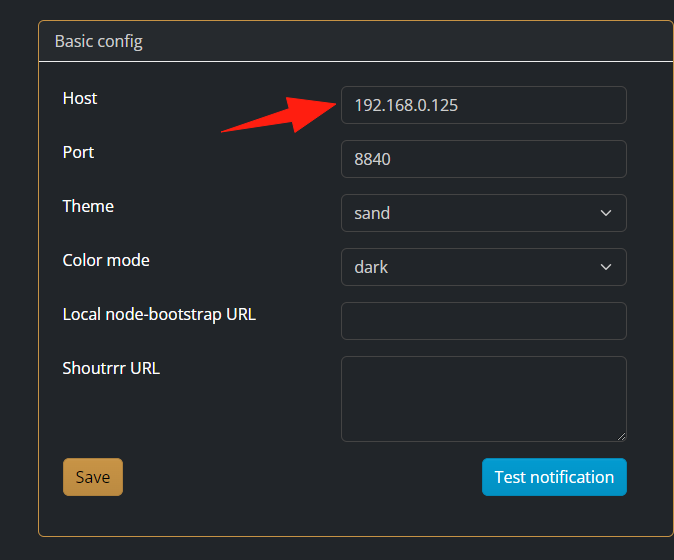
The "Host" field here should be filled with the IP of your microserver. Check your network settings to find it.
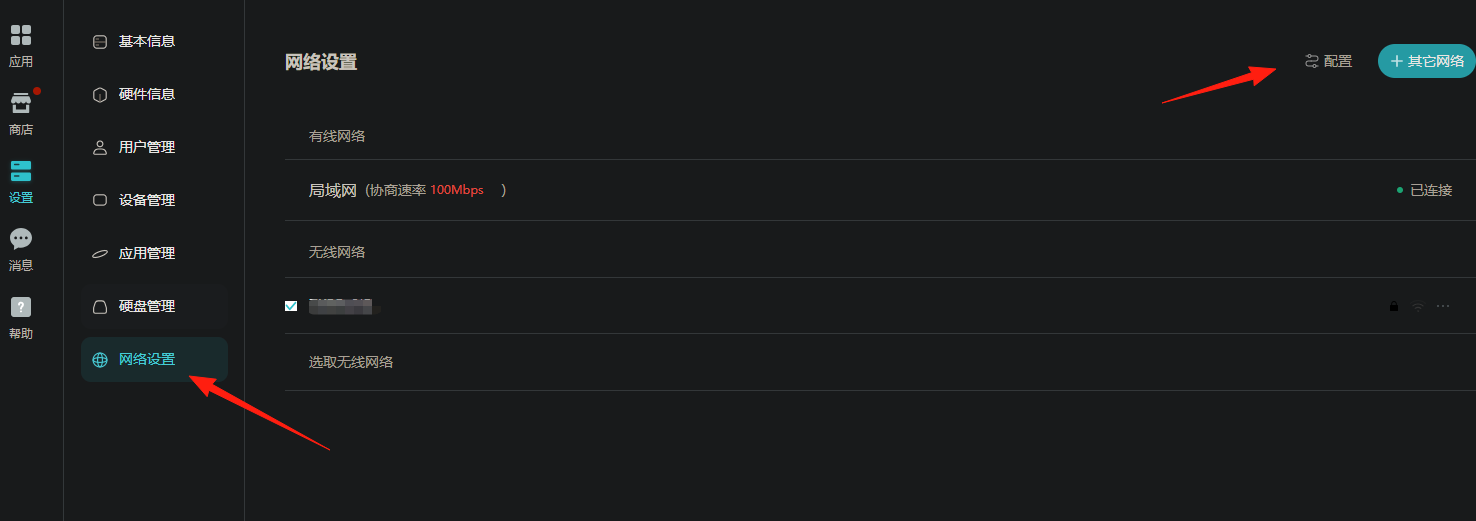
Click [Configure]. I am using a wireless connection, so I use the address shown at the top. If your microserver uses a wired connection, use the address at the bottom.
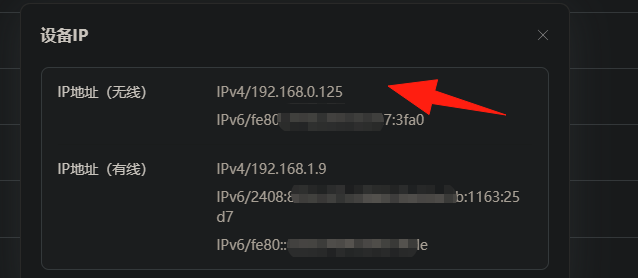
Enter the address from above into this field.
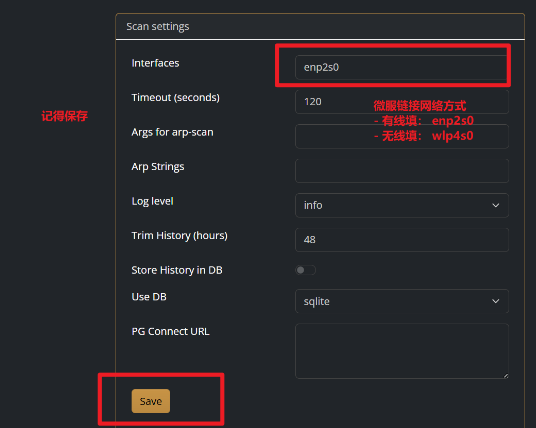
Next, enter the scan address.
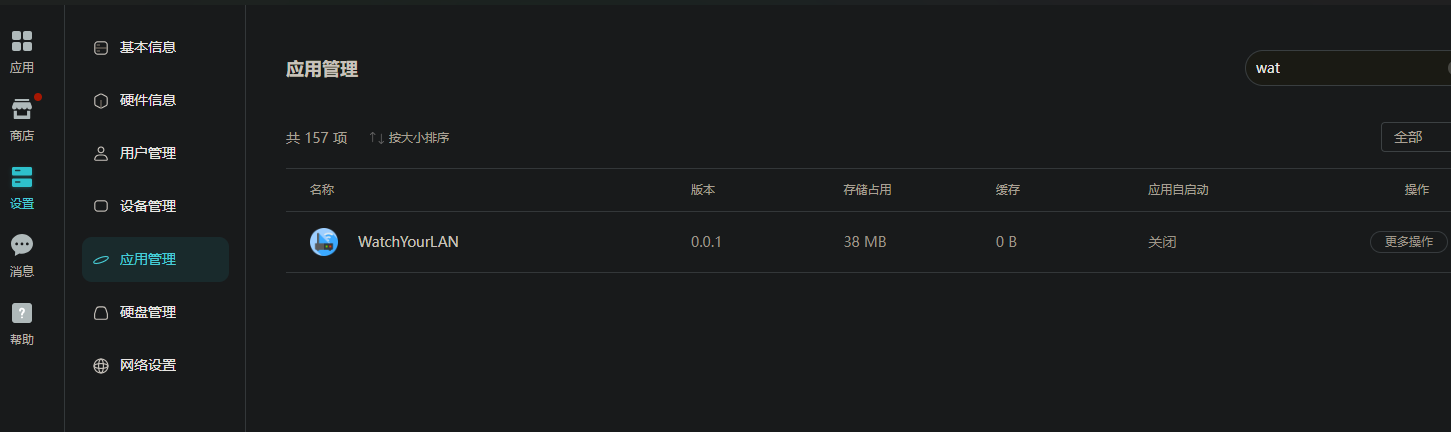
After saving, if it doesn't work, try restarting the application. Go to Application Management, stop the application, and then open it again.
Return to the Home page, and you will see that the data is now populated.
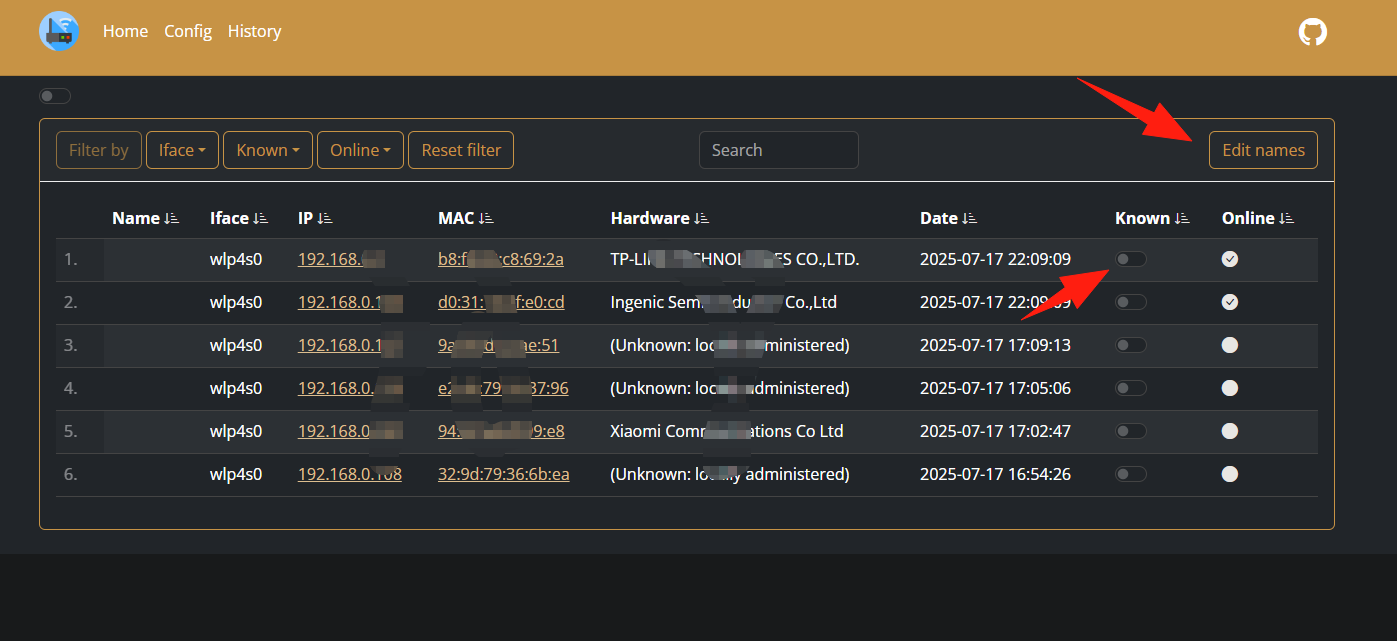
By default, it displays MAC addresses, which can look messy. You can click on a device to rename it, for example:
iPhone-XiaoMingXiaomi-TVPS5
This way, you can tell at a glance what each device is.
Summary
Unlike bloated enterprise-grade monitoring software, WatchYourLAN does one thing only: scan IPs.
It won't replace professional enterprise monitoring solutions, but for home and small office environments, it's more than adequate. Most importantly, it's really simple. Just follow the steps above, and you can get it set up in 10 minutes.