
Markopolis: A Web Application for Markdown Files
What is Markopolis?
Markopolis is a web application and API server designed for hosting Markdown files. It allows you to share your Markdown notes as a website and use APIs to interact with and manipulate the Markdown files. It's similar to Obsidian Publish, but without locking you into the Obsidian ecosystem.
Software Features:
REST API Interface: Provides a REST API to interact with different elements within your notes. Customizable UI: Supports "Bring Your Own UI" by using Markopolis as the backend. Obsidian Markdown Style: Close to Obsidian Markdown flavor, supporting backlinks, todos, and LaTeX equations. Instant Rendering: Push Markdown notes to the server with a single command and have them instantly rendered into simple web pages. Full-Text Search: Implements full-text search. Dark and Light Mode: Supports both dark and light modes. Code Formatting and Todos: Supports code formatting and todo items. Low Maintenance: Requires almost no maintenance. API Documentation: Built-in API documentation generated using FastAPI.
https://appstore.lazycat.cloud/#/shop/detail/wcloud.gblw.app.markopolis
How to Use
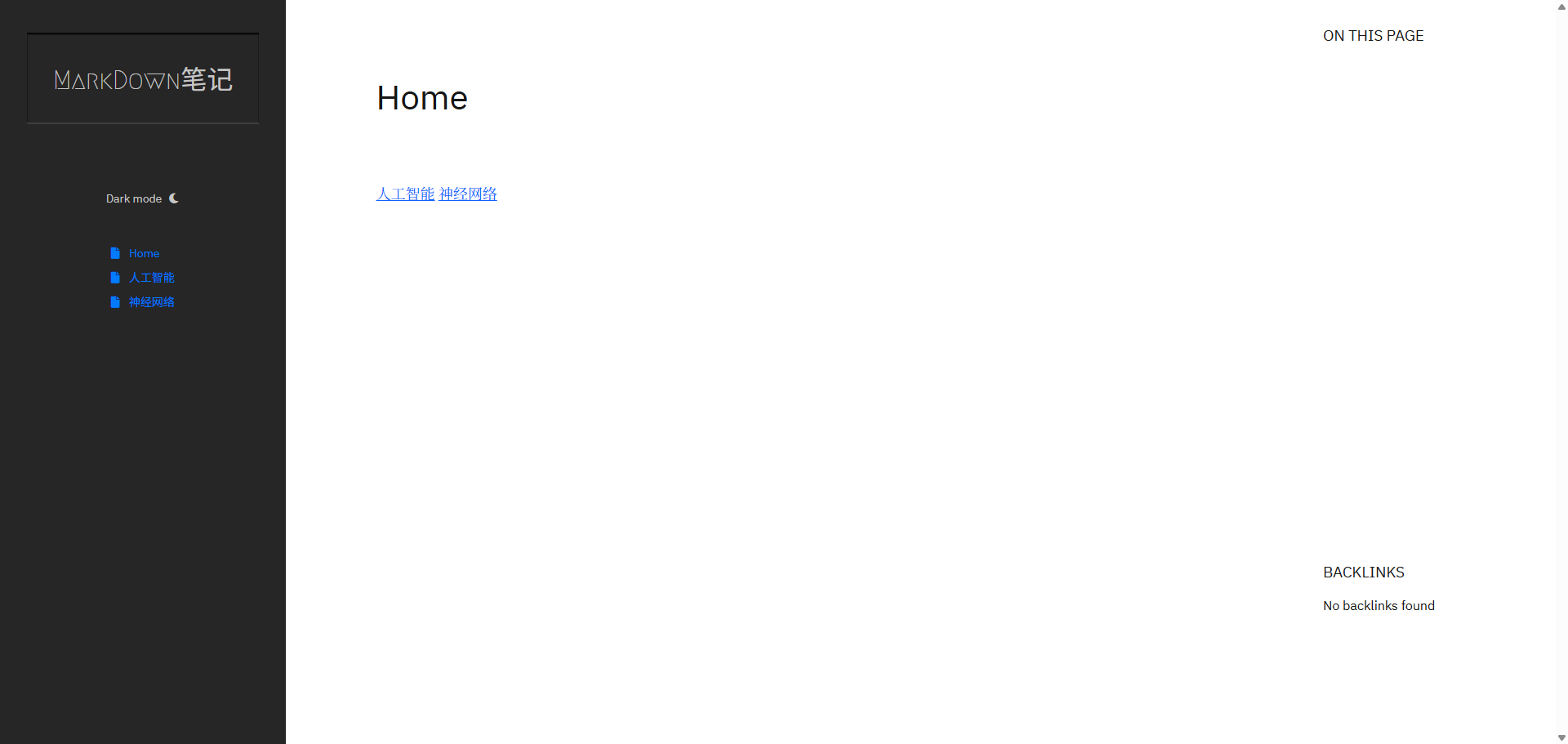
After the application is installed, the homepage opens by default, which includes several built-in files.
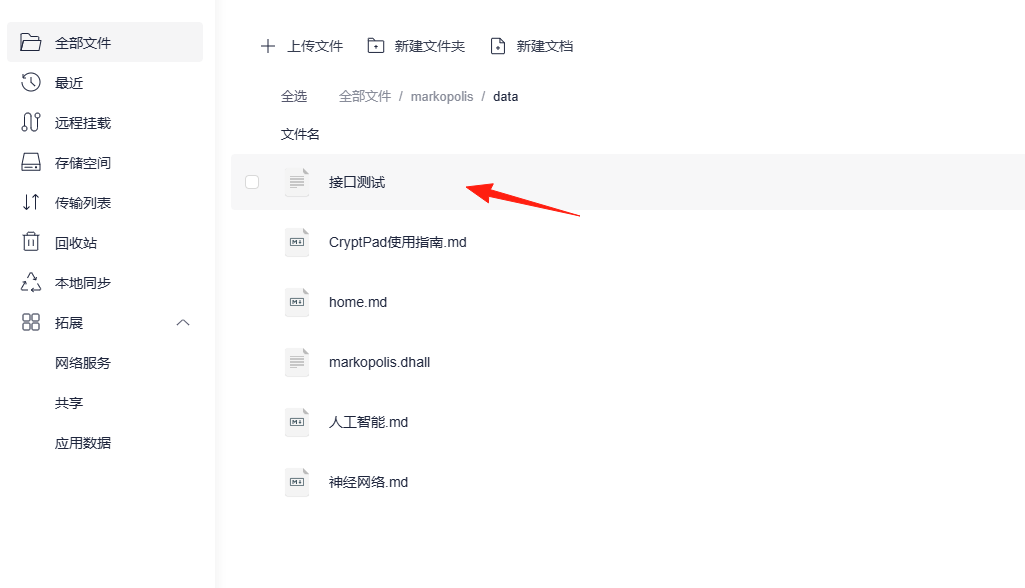
From the Lazycat Cloud Drive, you can see an additional markopolis/data folder; all documents are stored here.
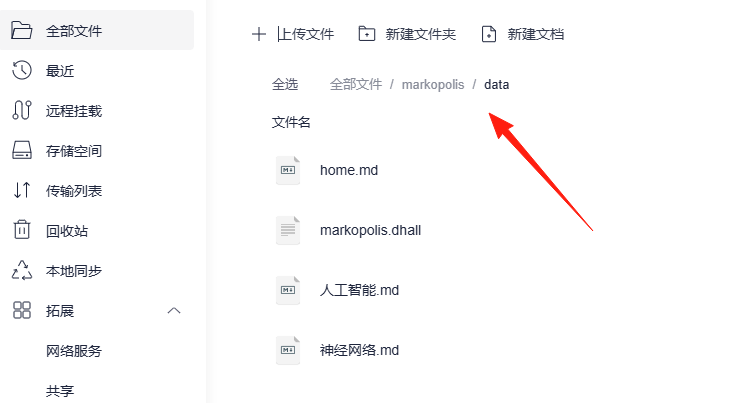
Simply place files into this directory, and the data will become visible.
However, please note: the names of the .md files must not contain special symbols, such as -. If they do, the data will not load and an error will occur.
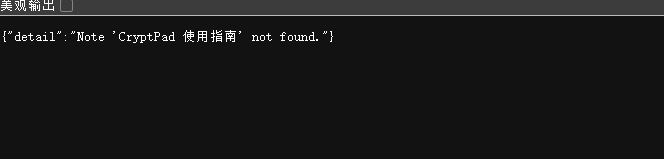
Markdown files must start with the following header. Otherwise, the file will not be read correctly. The ID, Title, and Tags fields are mandatory, but their specific values can be customized.
ID: 1c Title: Introduction to Deep Learning Tags: #AI #MachineLearning
Example:
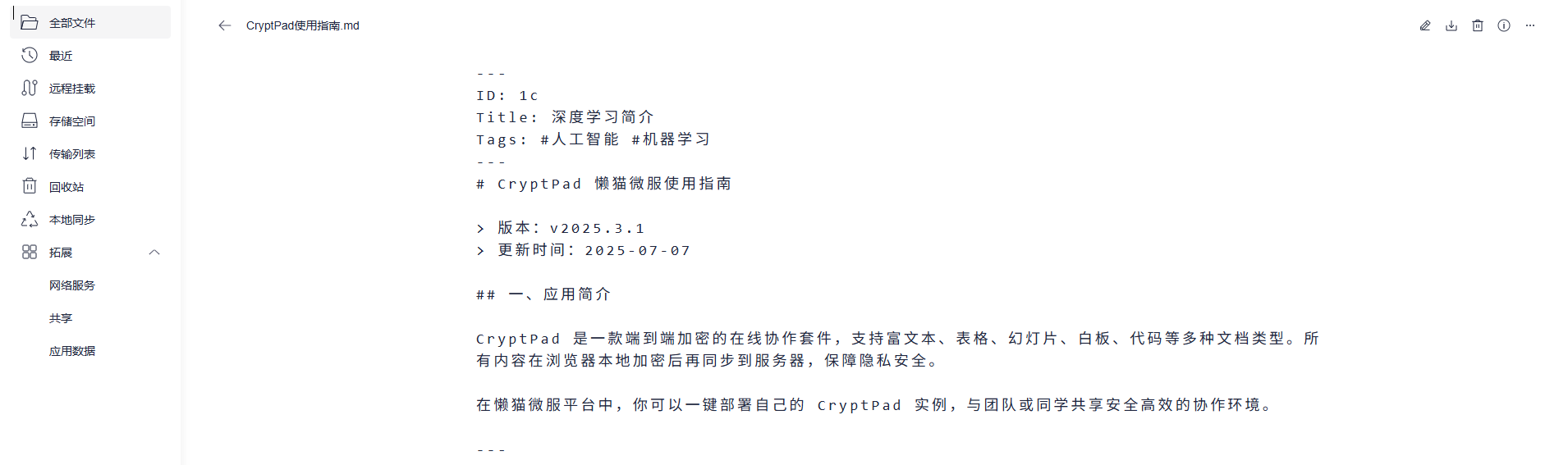
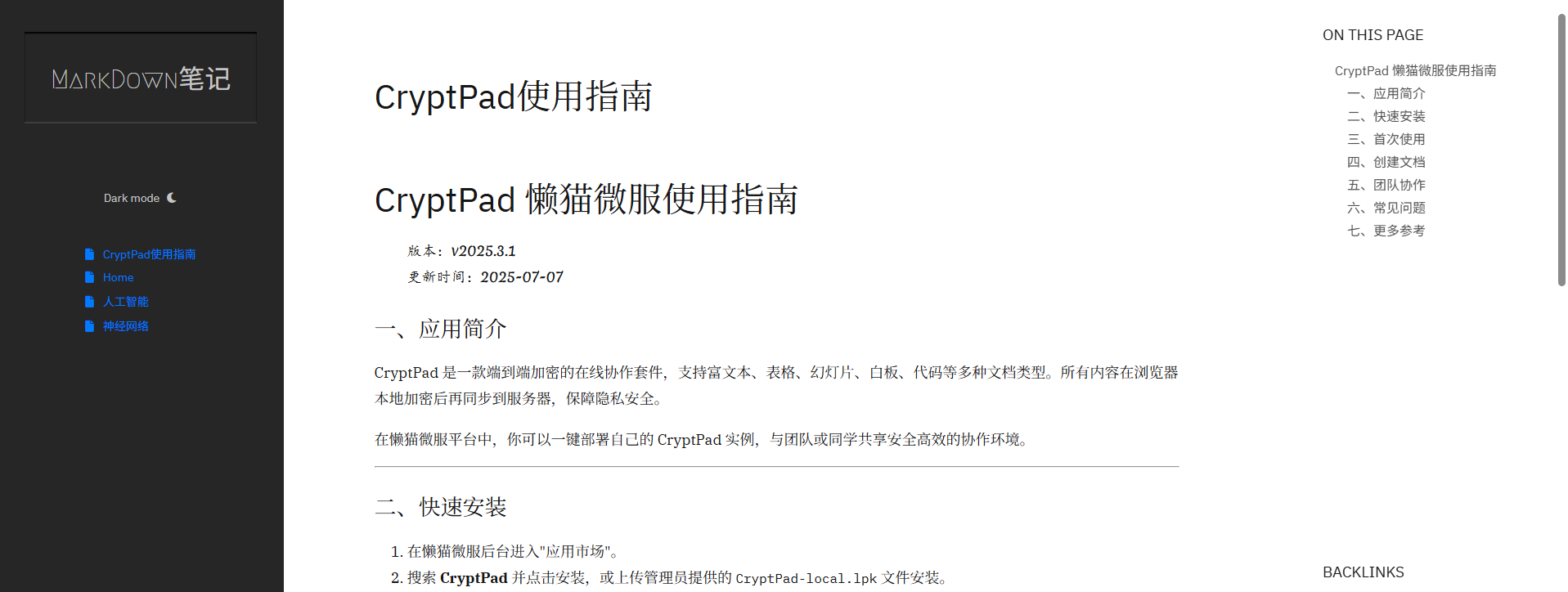
The displayed result will look like this:
If you want to develop your own application and connect to the server, you can access the API documentation by appending /docs to your domain.
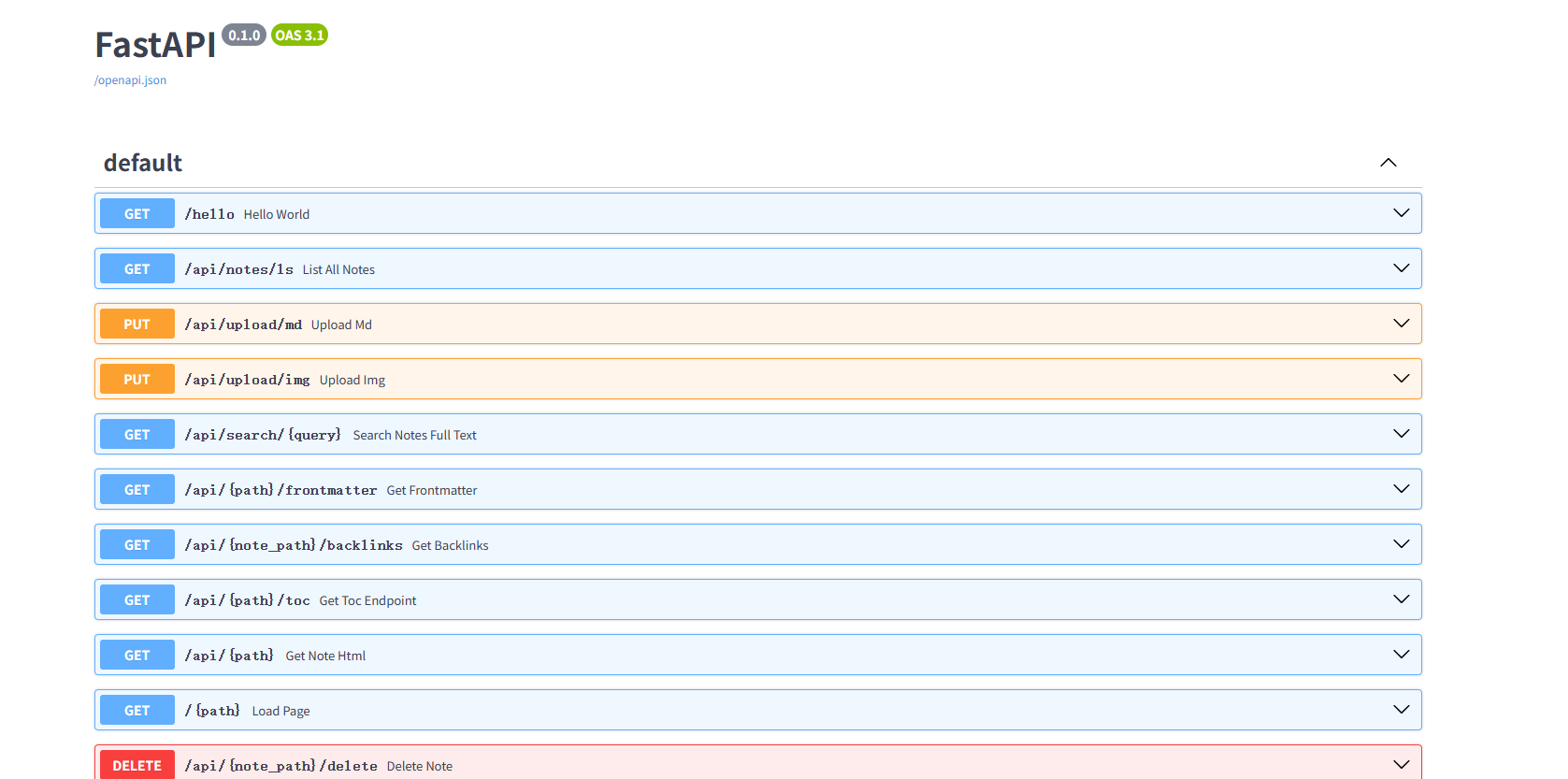
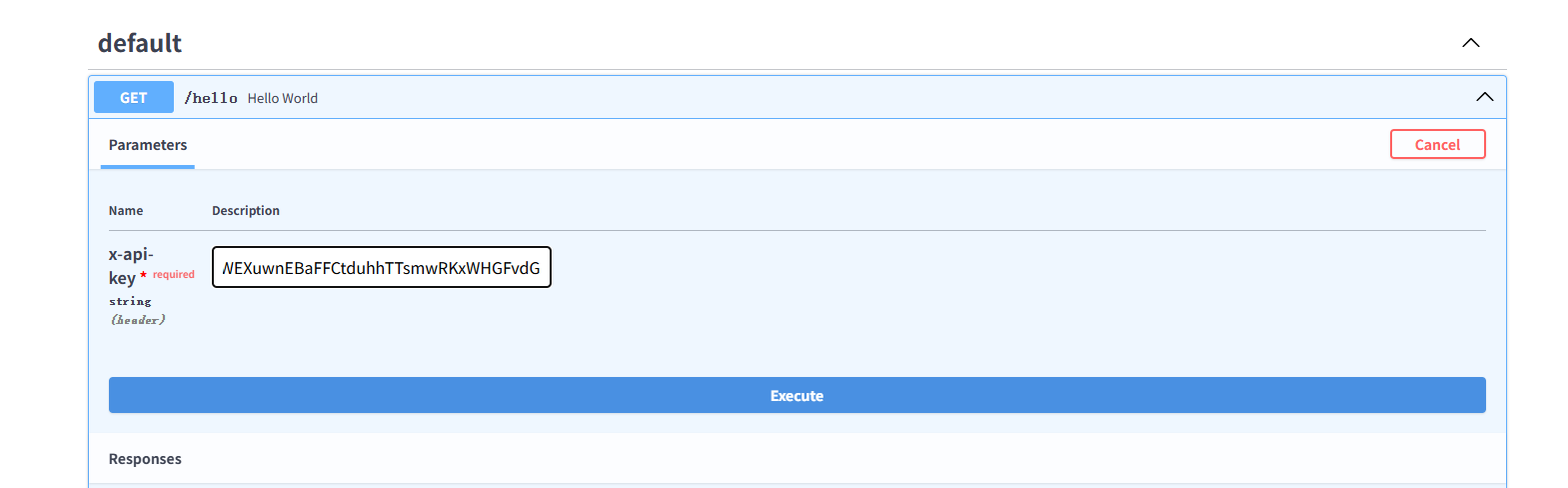
For example, the first endpoint is "hello world".
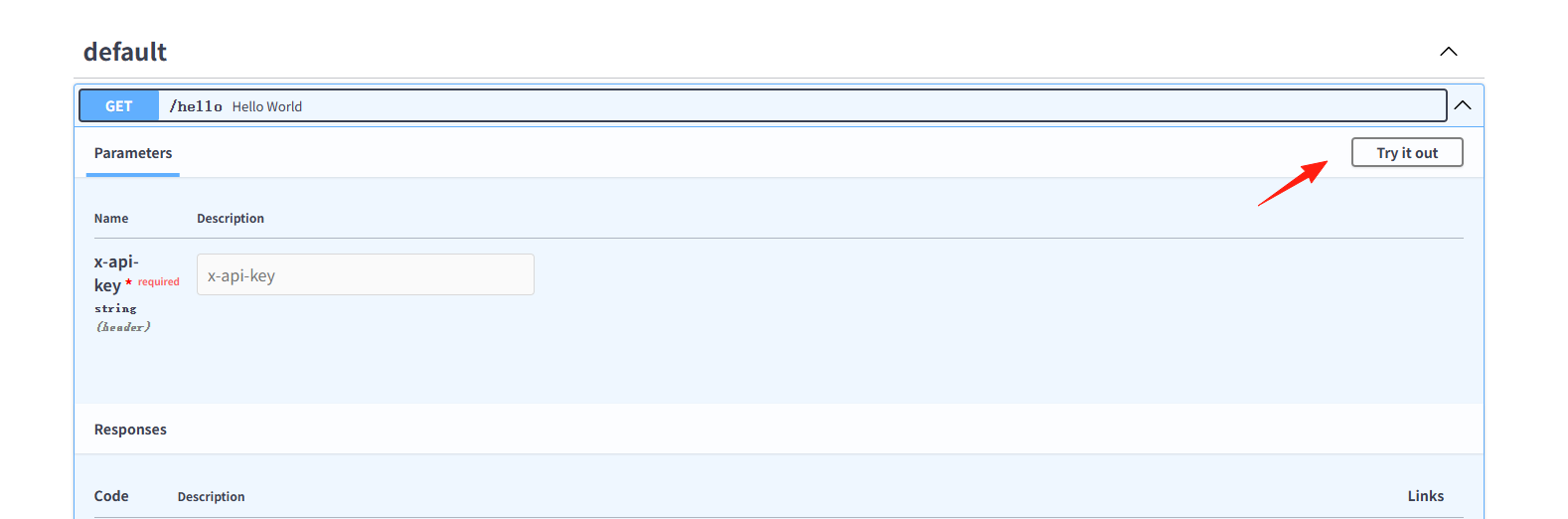
Use an App Inspector to obtain the value of the key.
https://appstore.lazycat.cloud/#/shop/detail/top.j0k3r.lpk-inspector
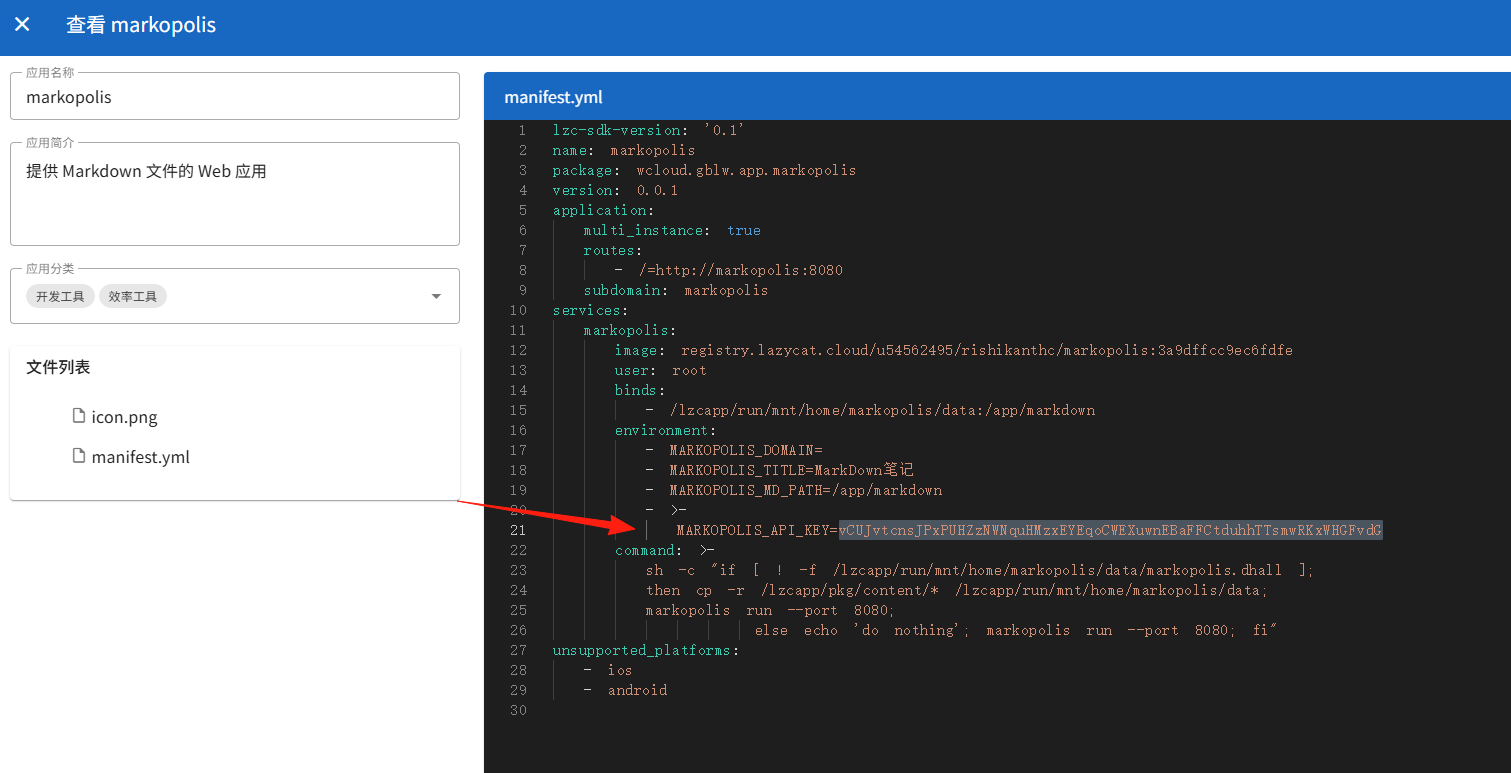
Enter this value vCUJvtcnsJPxPUHZzNWNquHMzxEYEqoCWEXuwnEBaFFCtduhhTTsmwRKxWHGFvdG and click "Execute".
You will see a status of 200 and the returned result "hello world", indicating the API endpoint is accessible.
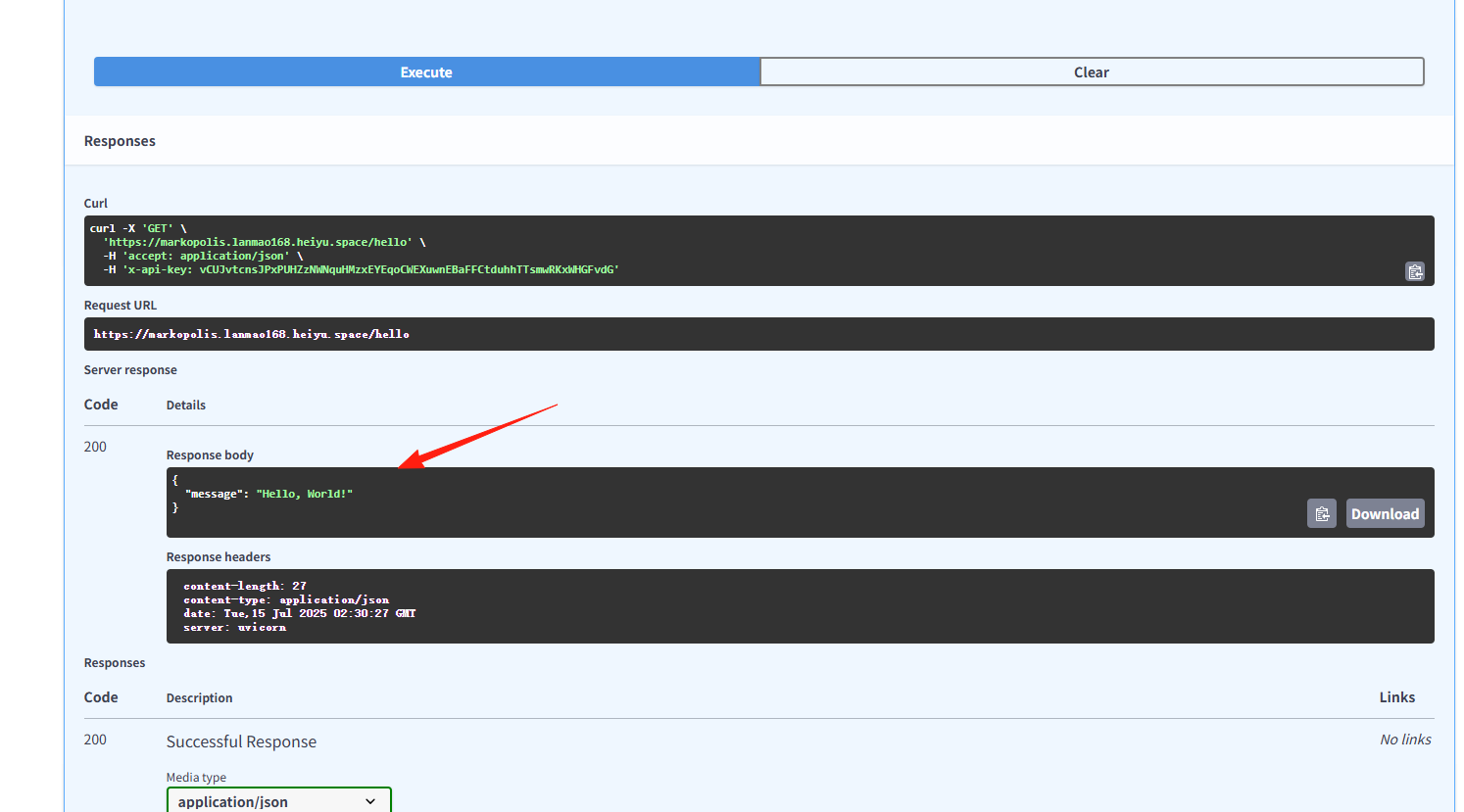
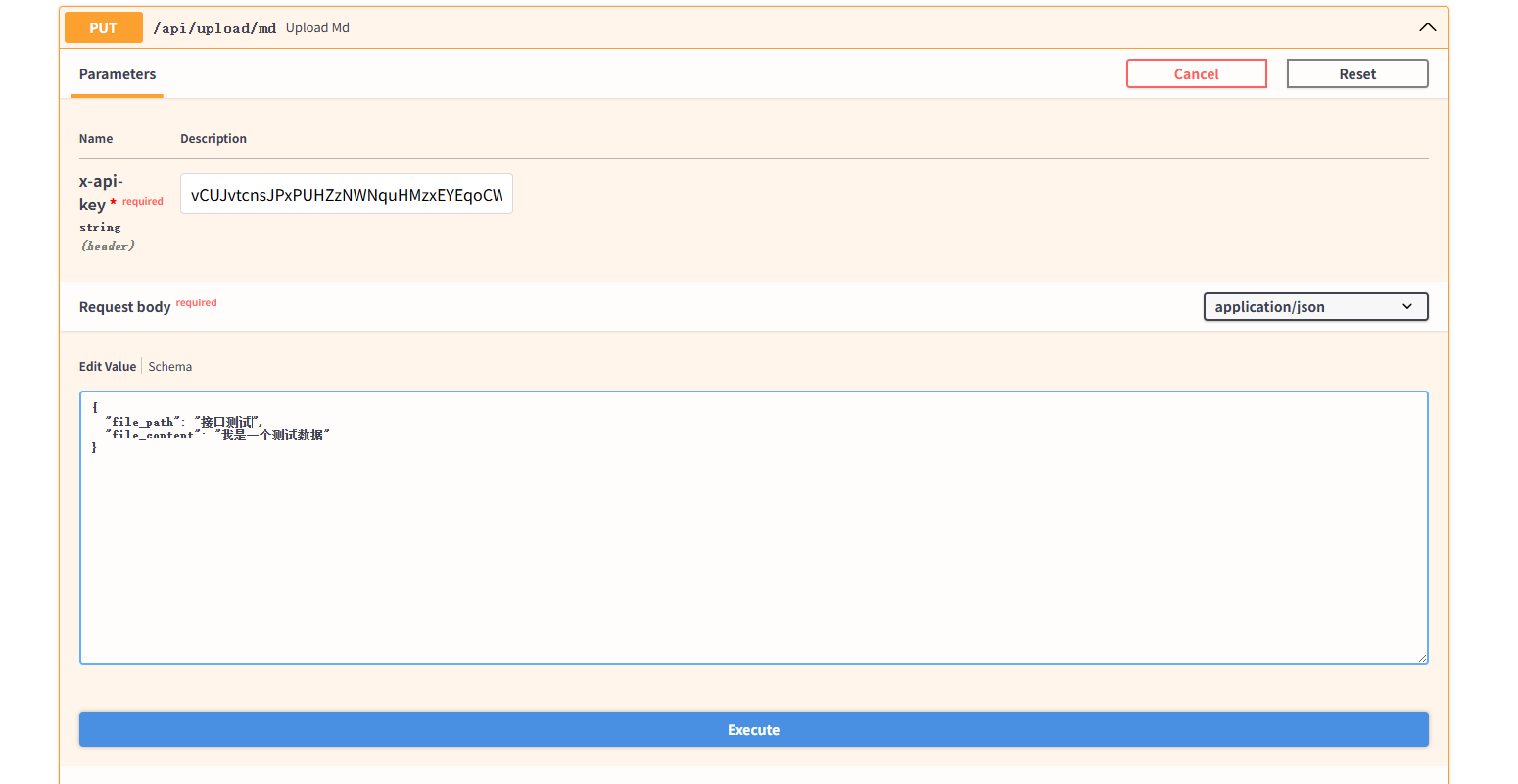
This allows you to write your own interface, call the API, and push data directly to the server.
The file will be visible directly in the Cloud Drive.
Similarly, Markdown files created via the API must also adhere to the content rules; otherwise, parsing will fail.
The above covers the basic usage of Markopolis, which serves as a capable Markdown viewer.