
Getting Started with TriliumNext: A Powerful Tool for Building Your Personal Knowledge Base
What is TriliumNext Notes?
TriliumNext is an open-source note management application based on Trilium Notes, designed to provide a powerful tool for knowledge management and note organization.
Simply put, it's a fantastic tool for building your personal knowledge base.
https://appstore.lazycat.cloud/#/shop/detail/in.zhaoj.triliumnext
User Experience
After the initial installation, this is the page you see:

Since it was my first time using it, I selected the first option, next Set a password

After logging in, the homepage looks like this:
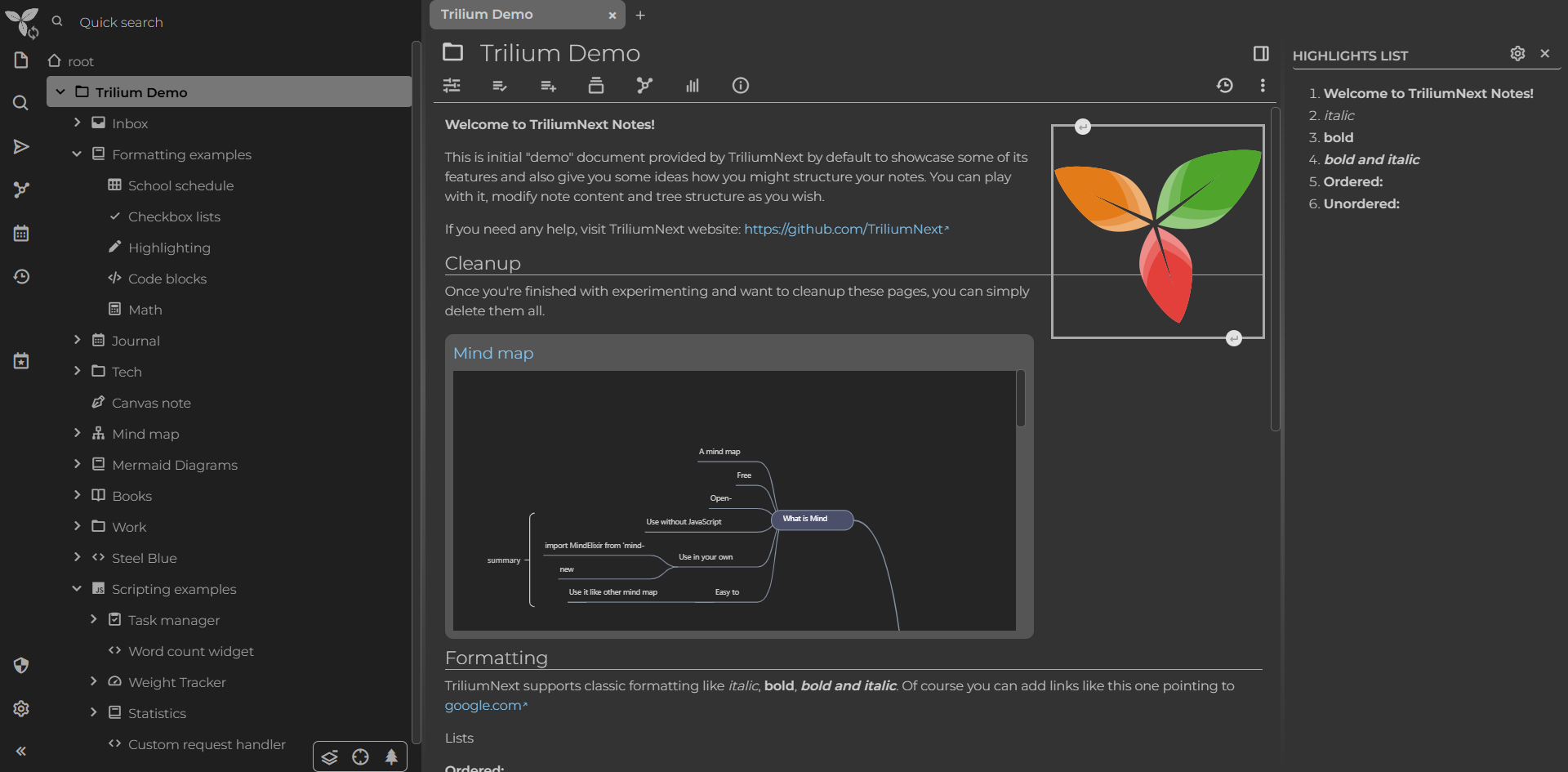
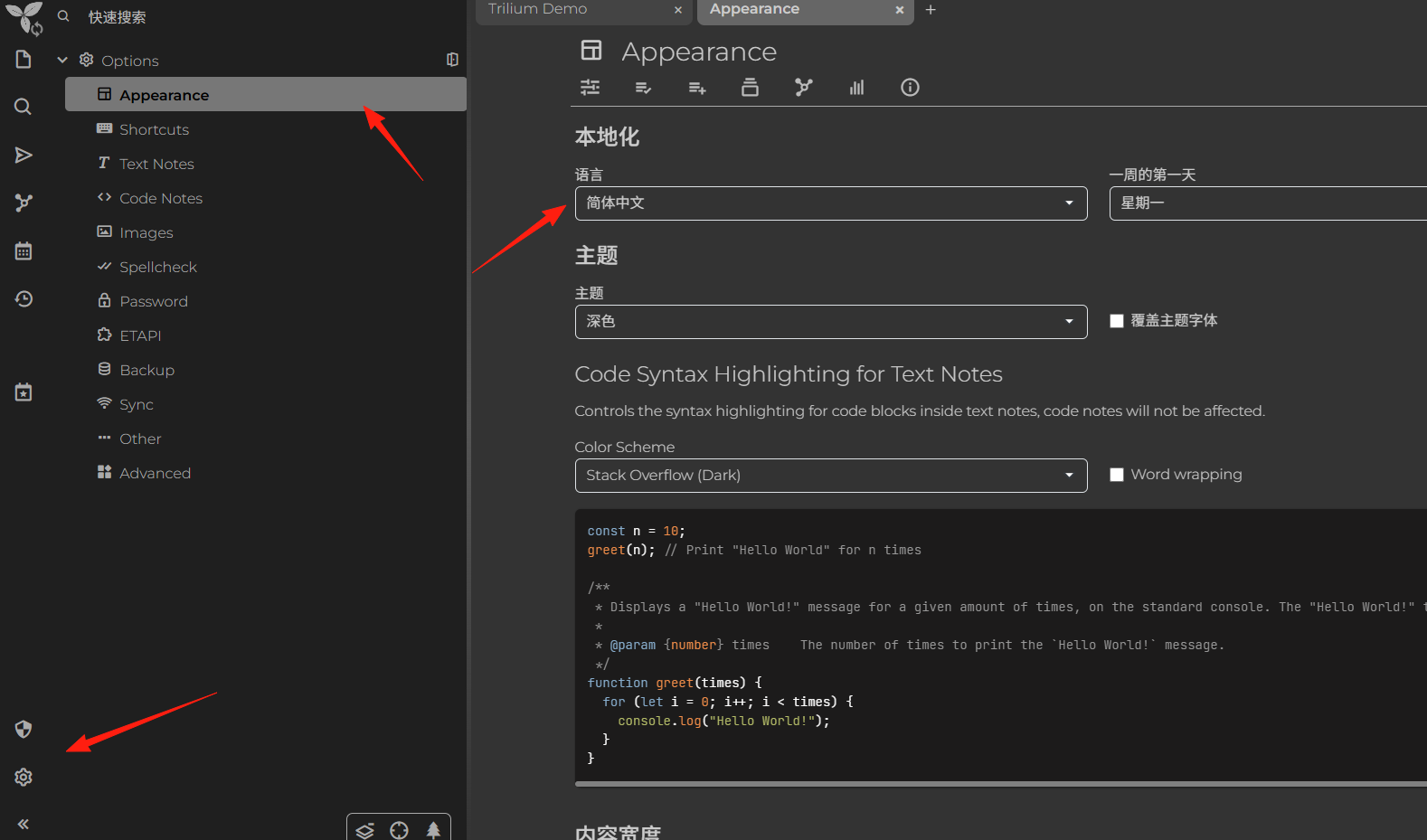
It's recommended to change the language to Chinese first, which can be found in the settings.
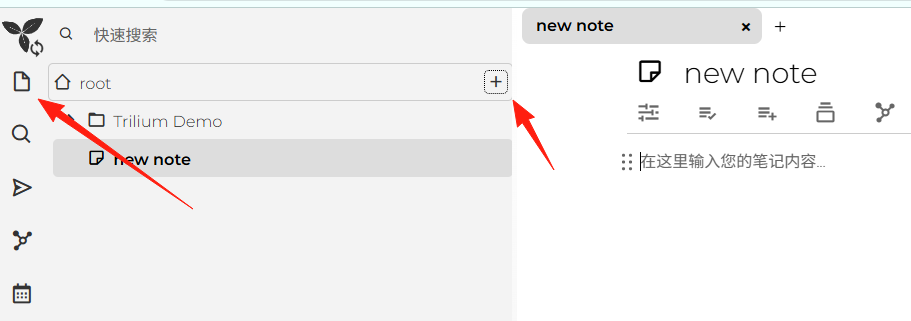
Create a new note
Here's a note structure I use, you can use it for reference:
🏠 Homepage
├── 📝 Daily Notes
│   ├── 2024
│   │   ├── January
│   │   └── February
│   └── To-Do List
├── 💼 Work Related
│   ├── Project A
│   ├── Project B
│   └── Meeting Notes
├── 📚 Learning Materials
│   ├── Programming
│   ├── Language Learning
│   └── Reading Notes
└── 🔧 Useful Tools
    ├── Frequently Used Websites
    └── Software Recommendations
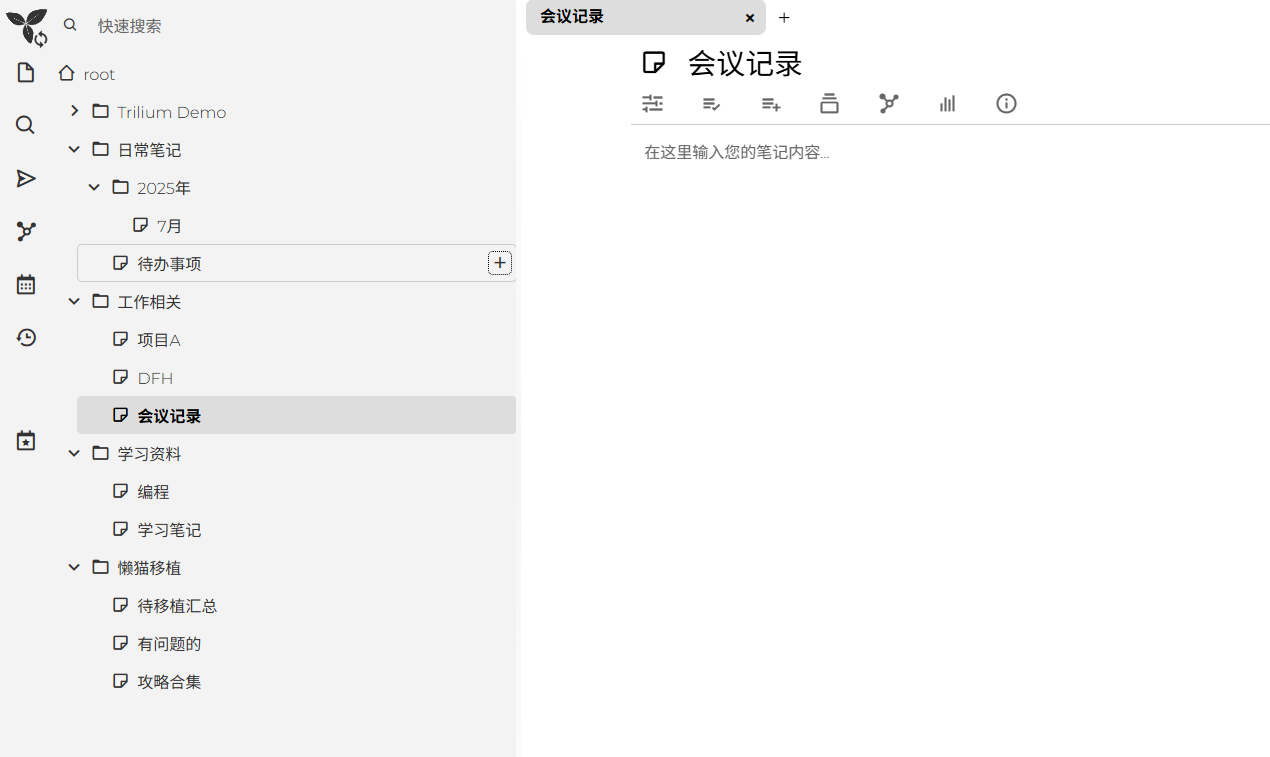
Tips to Make Your Notes More Useful
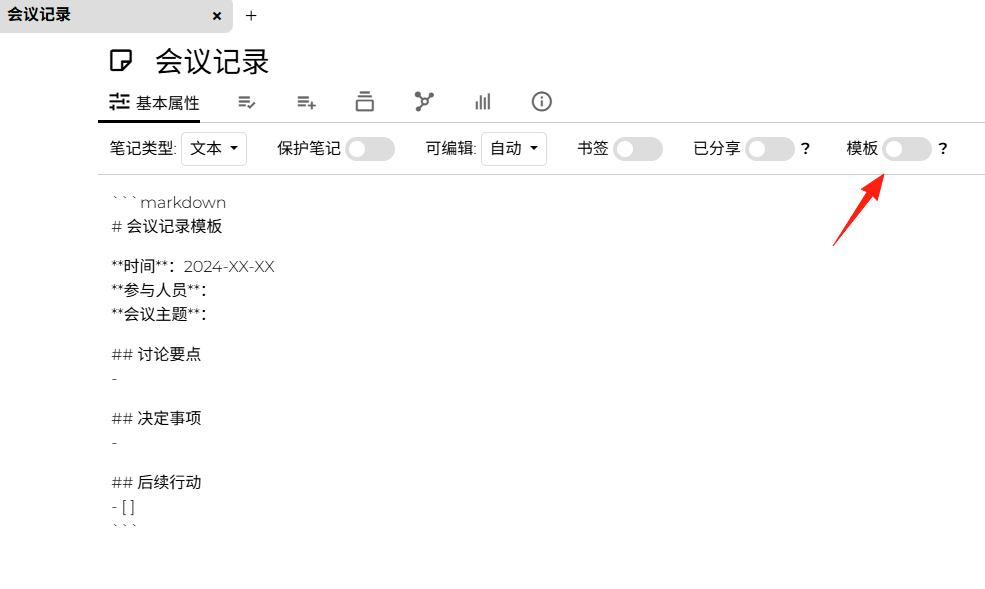
1. Use Templates
Create a "Template" note with commonly used formats, and just copy it when needed:
2. Use Tags Wisely
Tag your notes, for example #important, #todo, #learning, so you can quickly filter them.
3. Linking Feature
If two notes are related, you can create a link using [[Note Name]] to build a knowledge network.
The biggest difference from common note-taking software is the concept that everything is a note.
The branches on the left look like folders, but they are actually all notes and can all be edited.
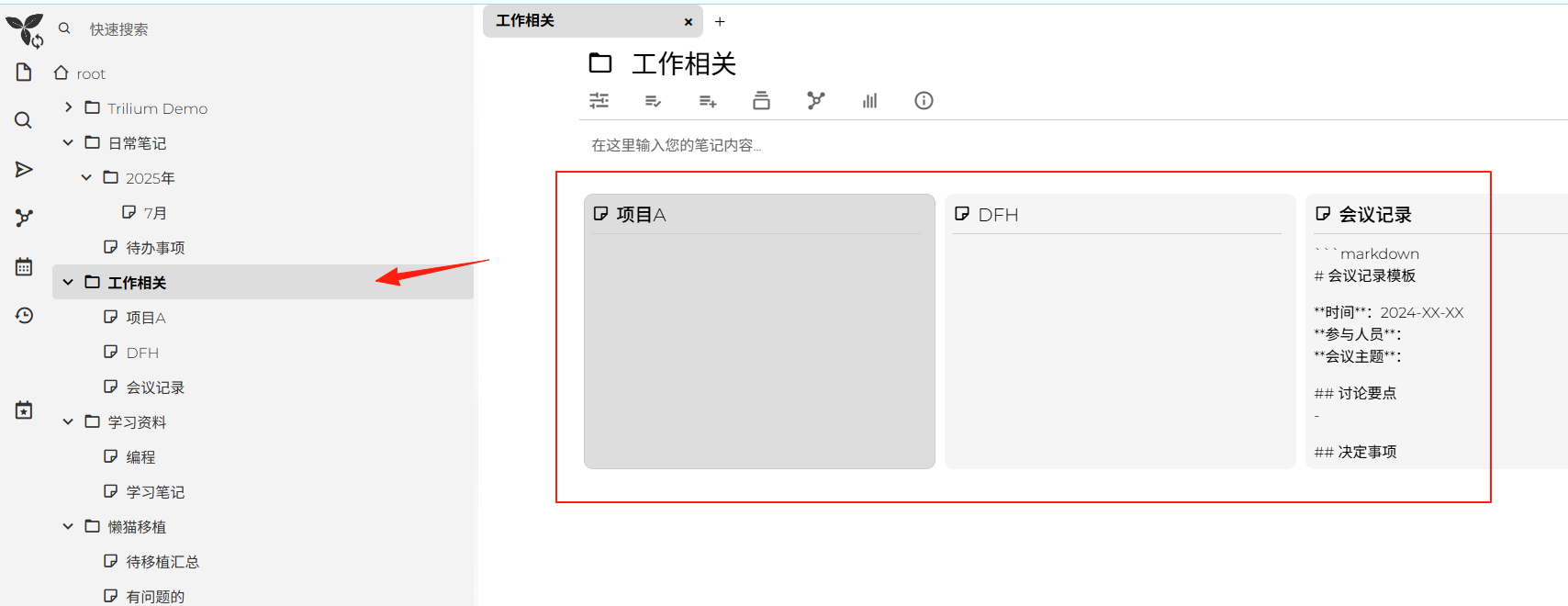
Tree Structure, Never Worry About Messy Notes Again
Imagine your notes are like a big tree, capable of infinite branching, where each branch can have even more sub-branches. For example:
📚 Study Notes
├── Programming
│   ├── Python
│   │   ├── Basic Syntax
│   │   └── Practical Projects
│   └── JavaScript
├── English
│   ├── Vocabulary
│   └── Grammar Notes
└── Work
    ├── Meeting Notes
    └── Project Documentation
This structure ensures you never have to worry about losing your notes.
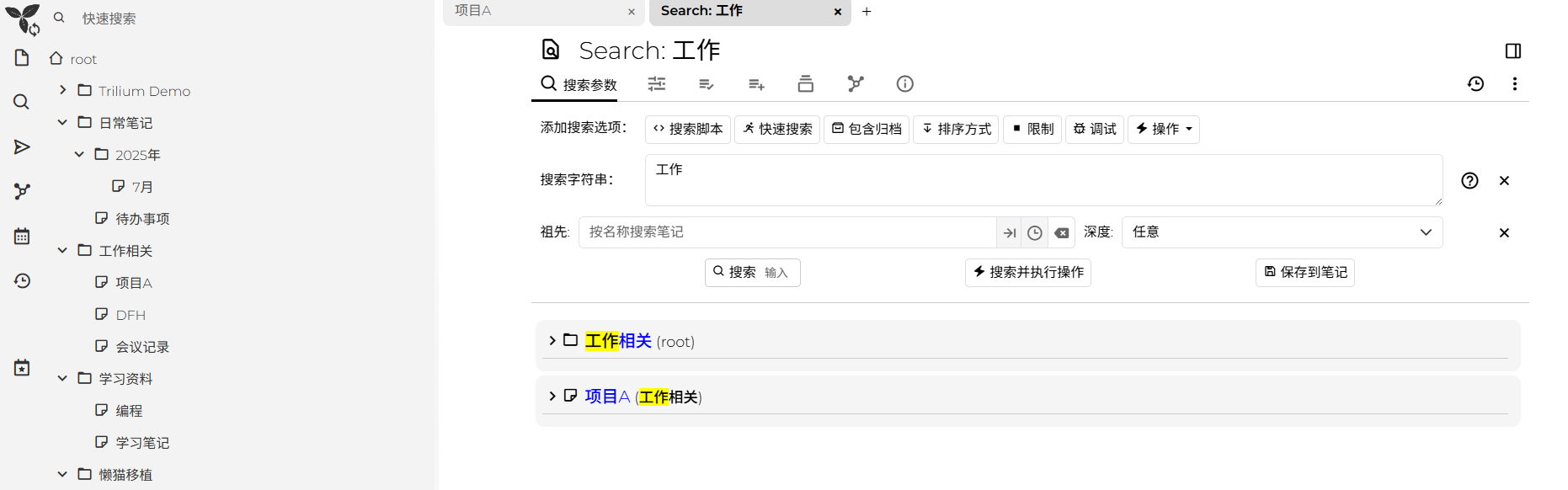
Powerful Search Functionality
As your notes grow, the search function becomes particularly important. TriliumNext's search can find text in titles, note content, and even supports advanced search syntax.
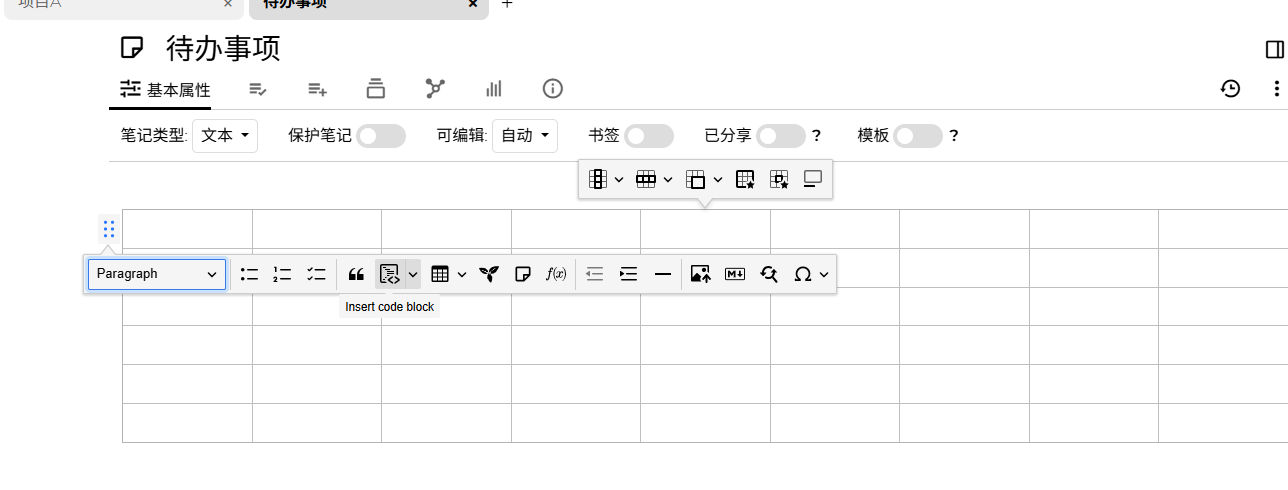
Common insertions for notes are also supported.
Summary
TriliumNext Notes isn't a flashy software; it focuses on doing one thing well—helping you manage your notes. It supports rich text editing, allowing you to easily insert tables, images, and mathematical formulas, and also provides code editing functionality with syntax highlighting.
Don't be intimidated by its diverse features. Start with simple note-taking, and you'll gradually discover its power.