
Airstation User Guide: Build Your Own Internet Radio Station
What is Airstation?
Airstation is an ultra-lightweight self-hosted internet radio system.
Simply put, it allows you to turn your server into a private broadcast station, where you can upload music, manage playlists, and anyone can listen to your station via a web browser.
Core Features:
- 🎵 Web-based music streaming service
- 📱 Supports multiple simultaneous listeners
- 🔄 Real-time playback progress synchronization
- 💾 Data stored in SQLite database
- 🎧 Uses HLS protocol for streaming
https://appstore.lazycat.cloud/#/shop/detail/io.zeroc.app.airstation
Quick Start Guide
After opening the homepage, the data is empty with only one button visible.

Add /studio/ to the browser address to access the admin panel. Note that the trailing slash must not be omitted, otherwise it won't work.
Enter the secret key: dsdJfr5XYbogkLuiQ18i
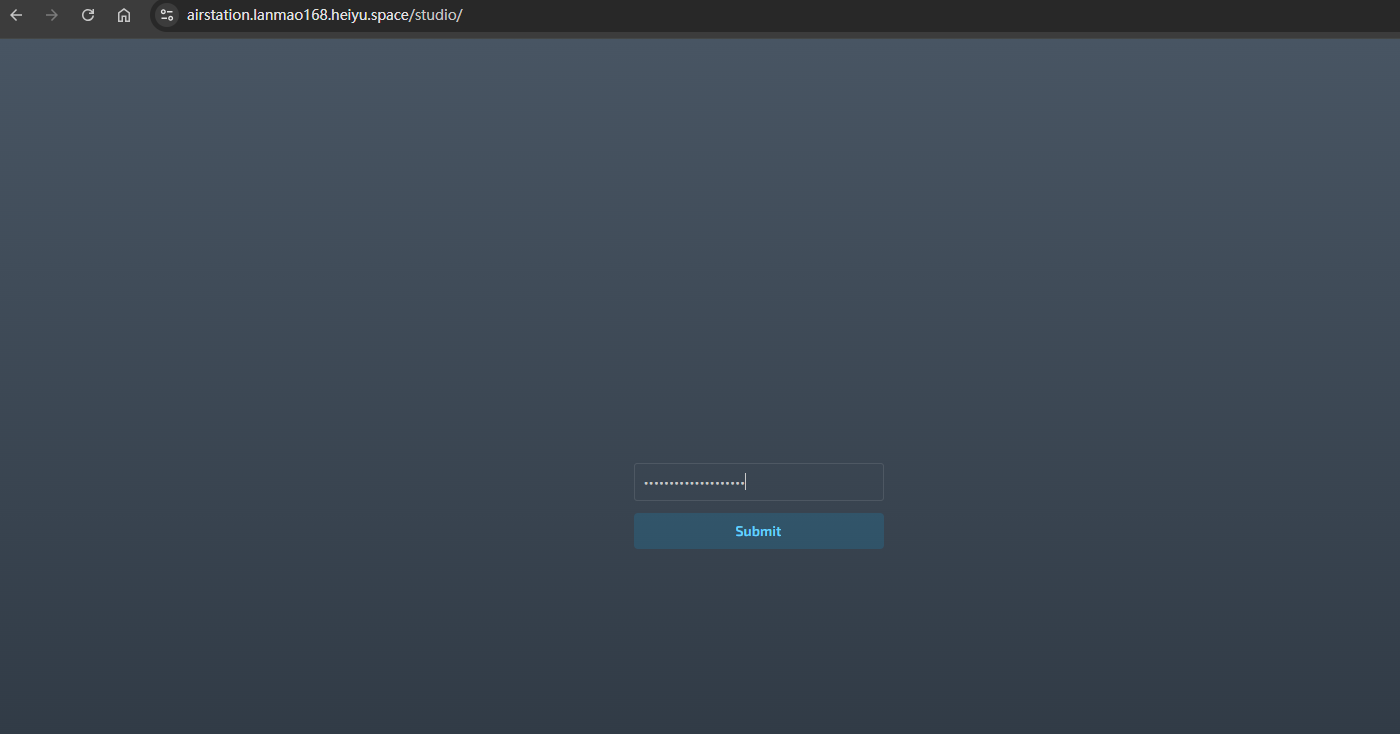
Now you can see the interface.
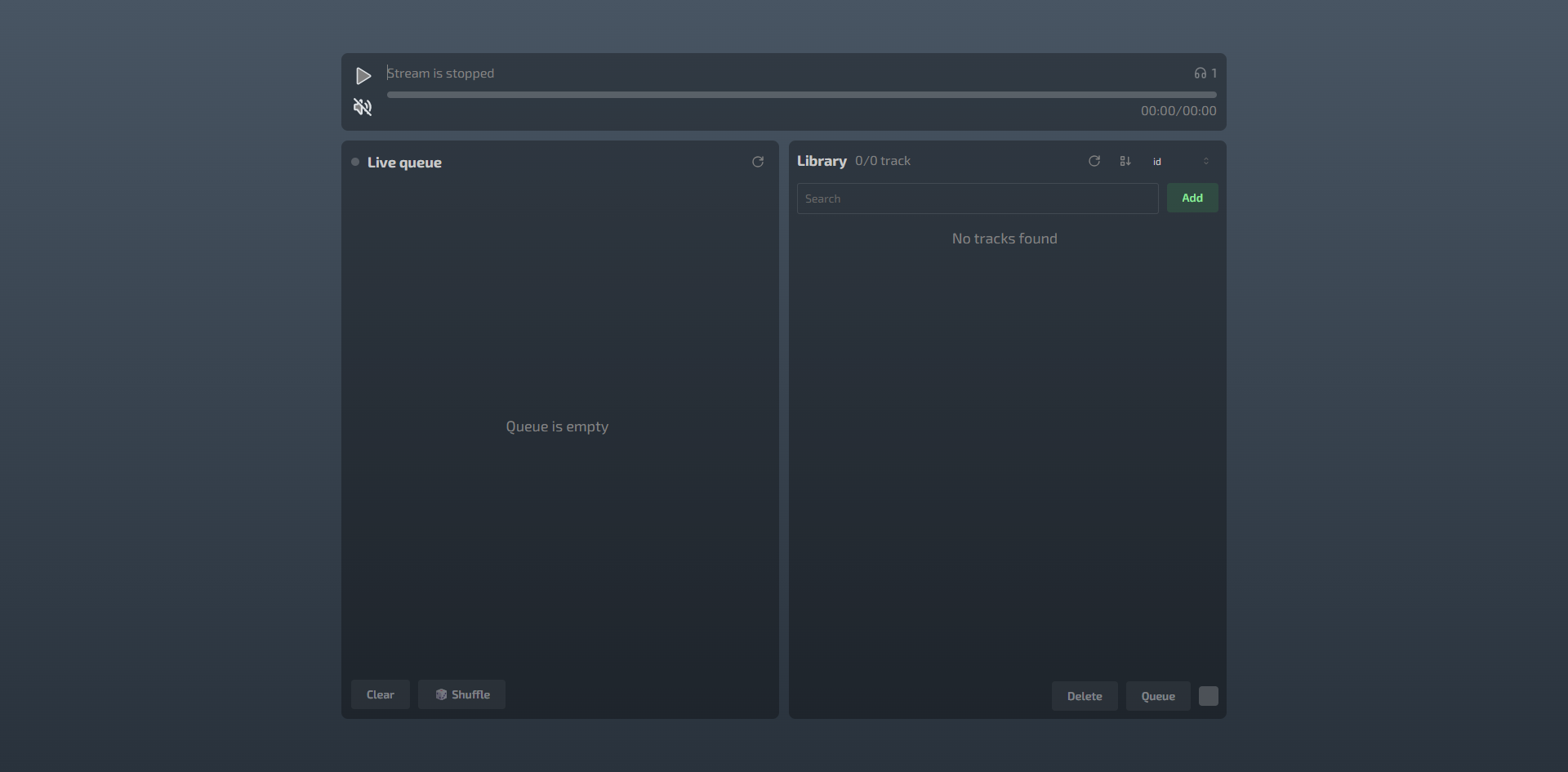
Click the "Add" button on the right to add music files.
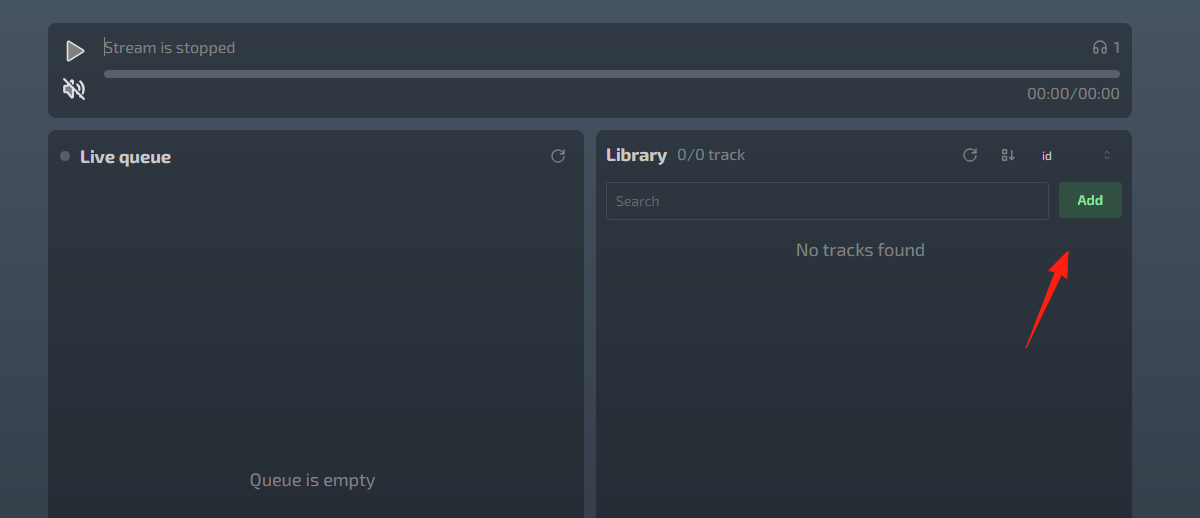
Wait a moment, and you'll see the music appear.
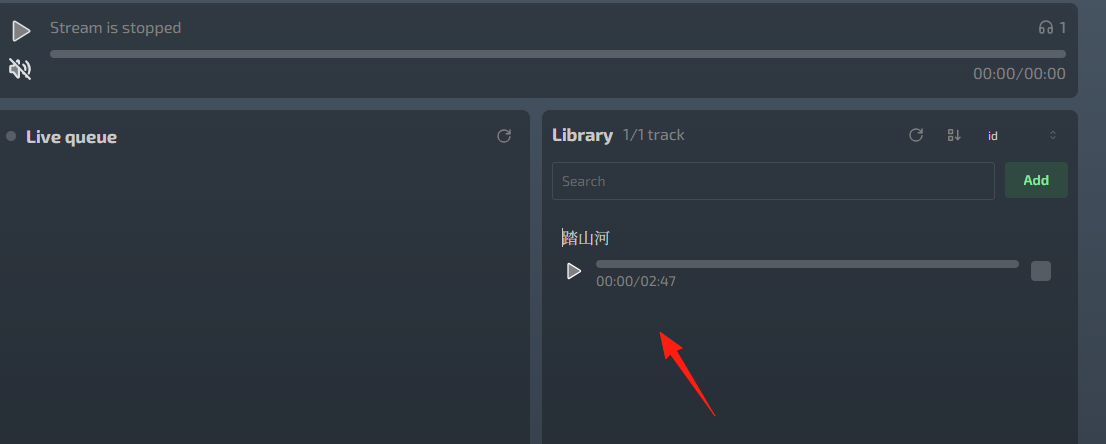
Select the music and click the "Queue" button below.
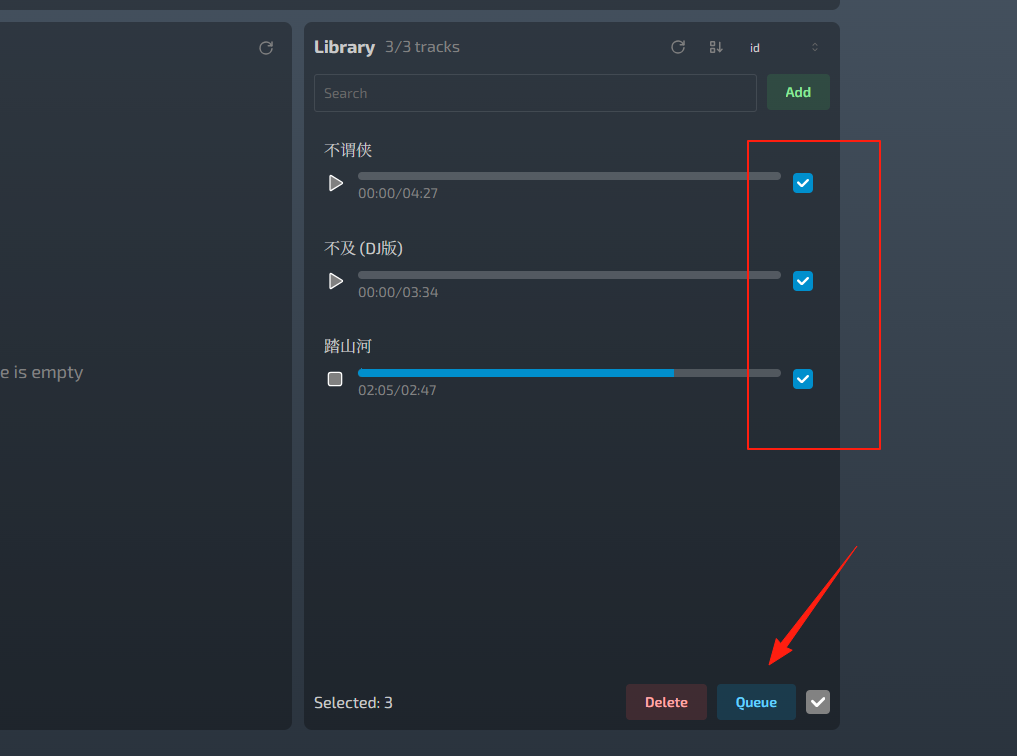
The music will then appear in the "Live queue" on the left.
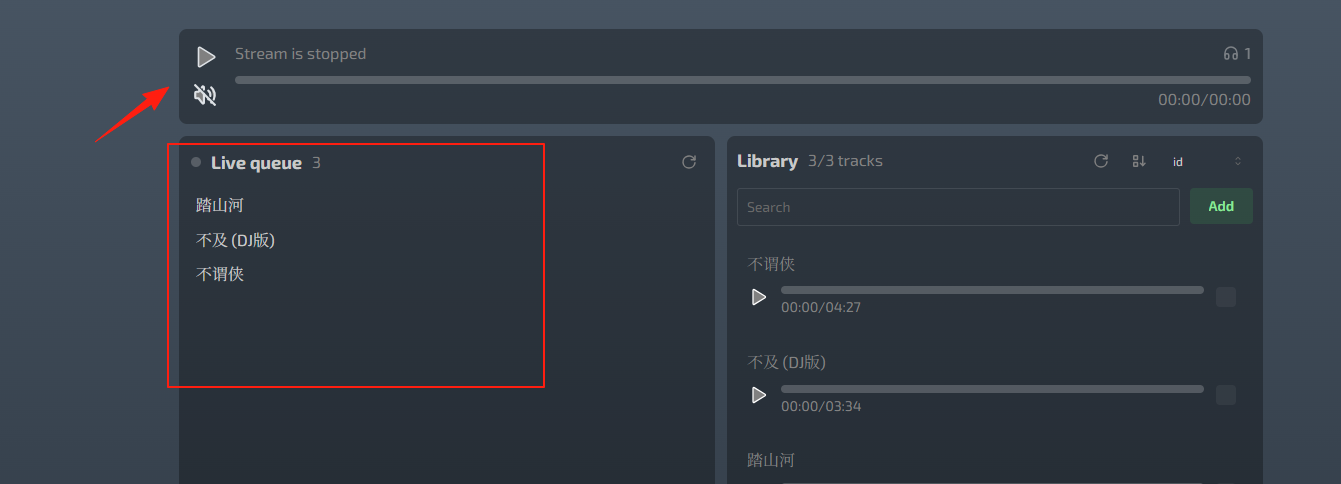
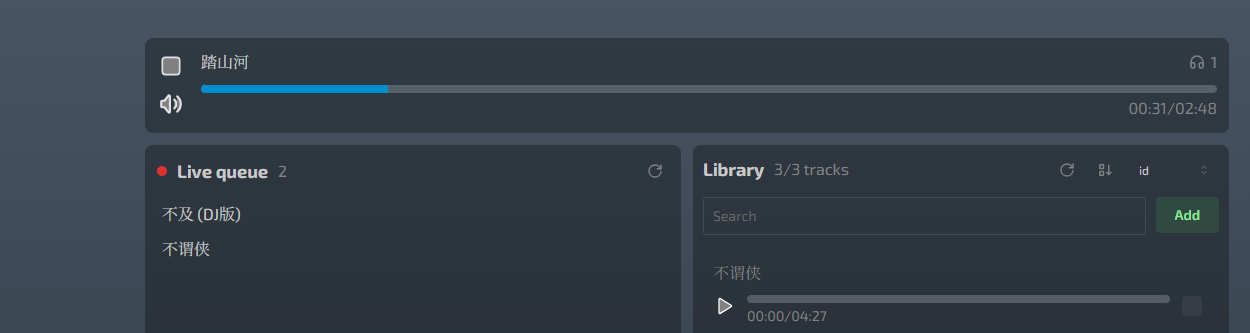
After adding to the Live queue, click the play button.
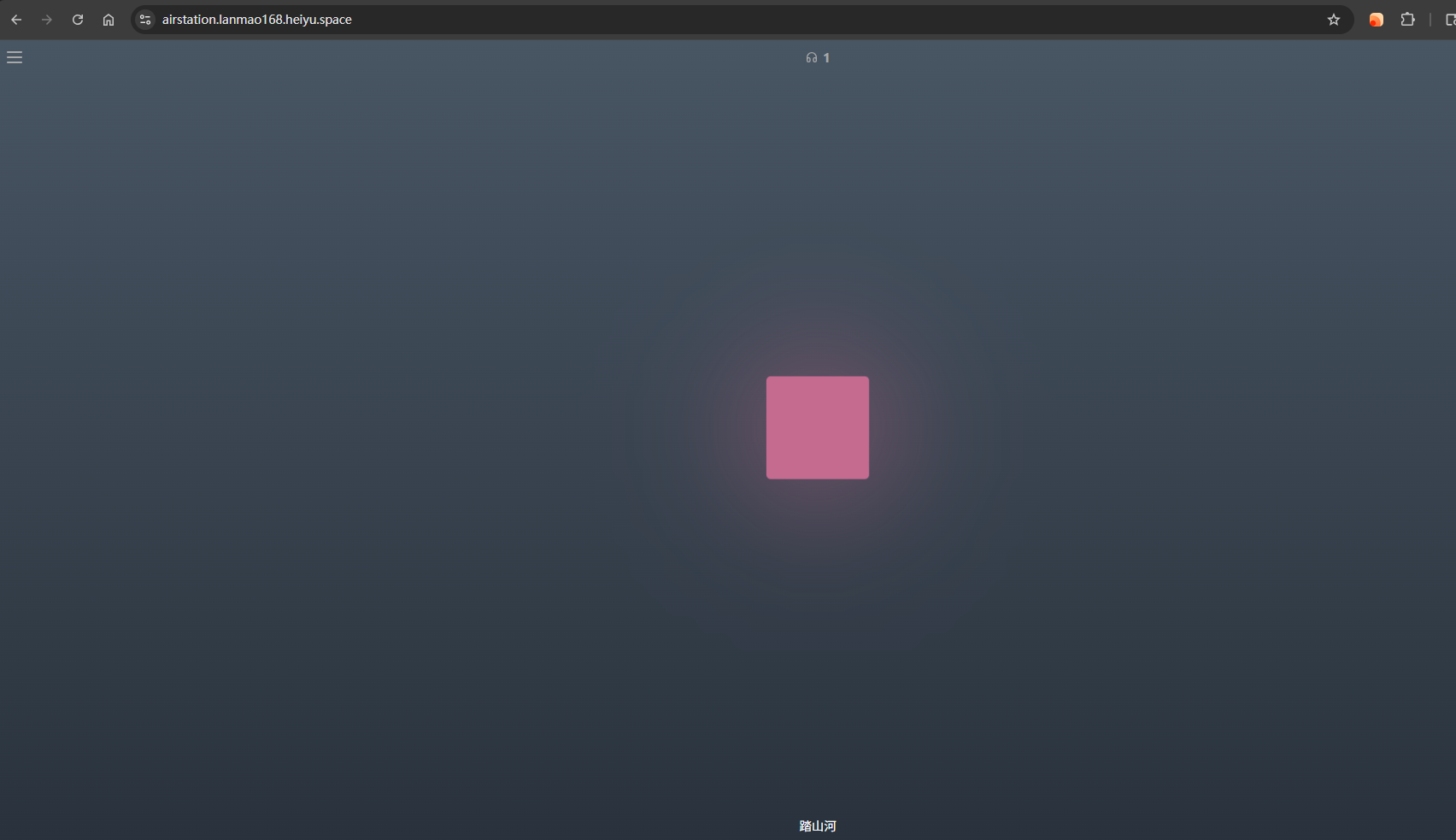
Now return to the homepage, click the play button, and you'll see the result.
Summary
Airstation is relatively simple in functionality, with use cases including:
Party Background Music: Everyone listens to the same song during gatherings with friends Office Radio: Team music sharing to create atmosphere Late-night Radio: Be an artistic soul and play songs for netizens Study Focus: Instrumental music radio for concentrated studying or work
Try it out now and build your own internet radio station.