
MTranServer Guide: Lightning-Fast Offline Translation Server
What is MTranServer?
MTranServer is a low-resource, fast, and privately deployable translation server designed to provide functionality similar to Google Translate.
The average response time per request is 50ms. It supports translation for the world's major languages.
Key Features:
- Low Resource Usage: Runs with just 1GB of memory, requires no Graphics Processing Unit (GPU), making it suitable for deployment in resource-constrained environments.
- Fast Response: The average response time per request is 50 milliseconds, supporting high concurrency, ideal for application scenarios requiring fast translation.
- Multi-language Support: Supports translation for multiple major languages, with translation quality comparable to Google Translate.
https://appstore.lazycat.cloud/#/shop/detail/cloud.lazycat.app.mtranserver
After installing it from the Lazycat Store, MTranServer is essentially set up. This is an API service; to use it, you must pair it with a front-end.
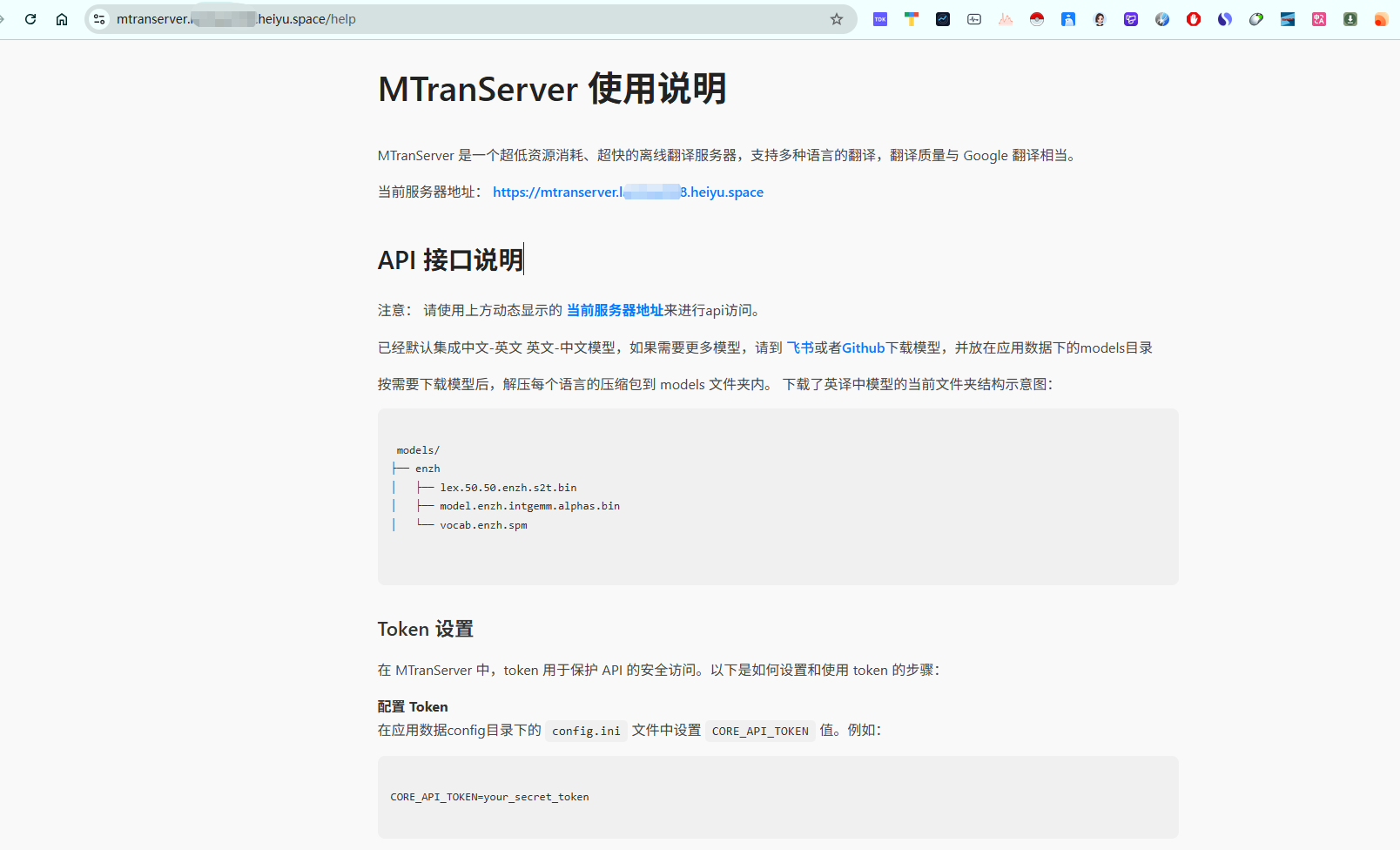
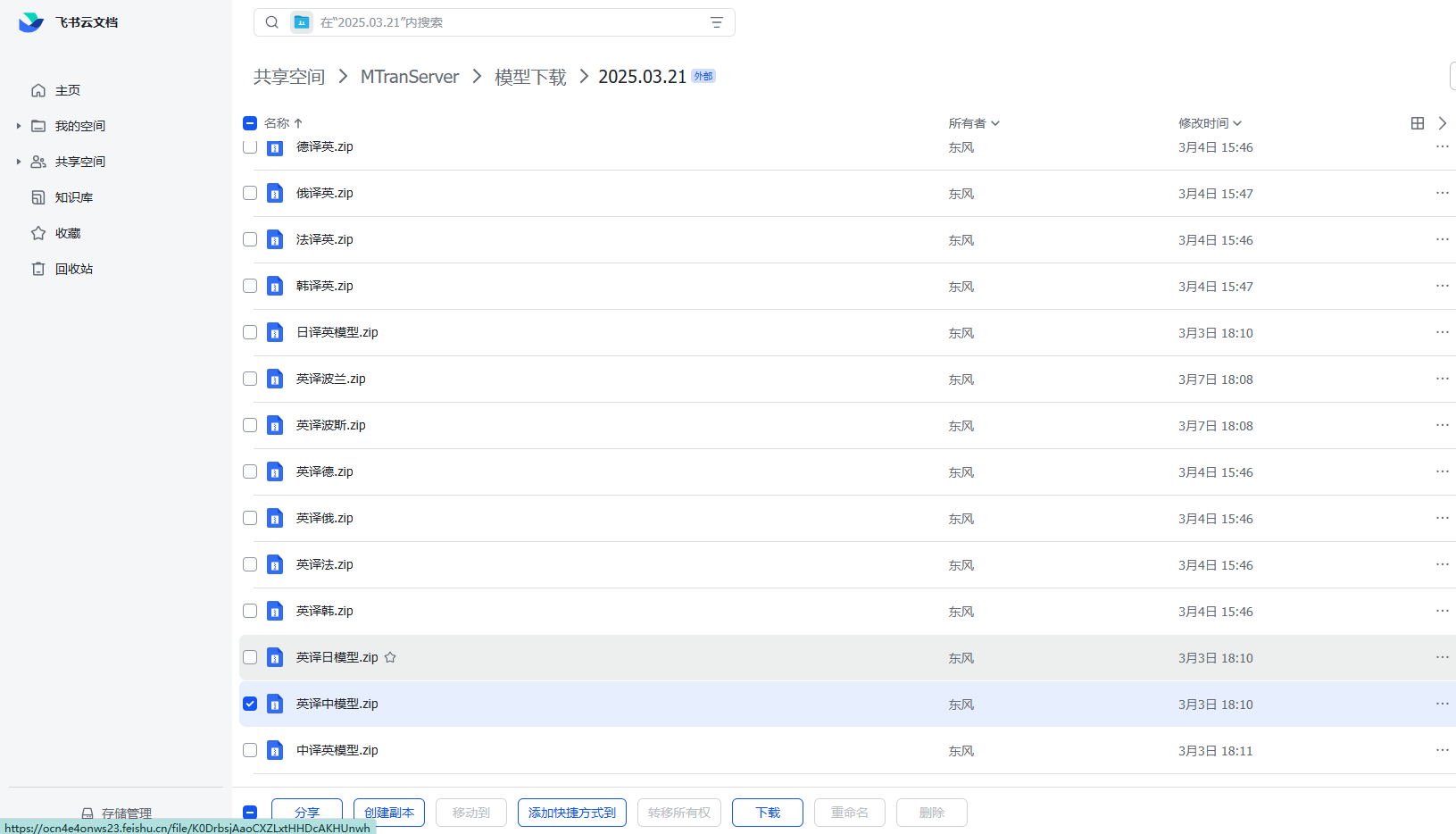
Following the instructions, first go to the Feishu document and download the model you need. I downloaded the English-to-Chinese model.
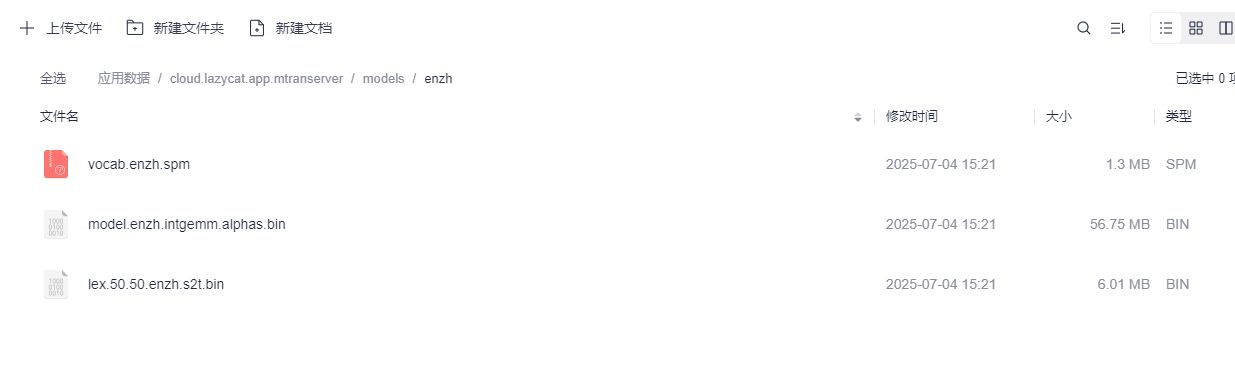
Open Lazycat Netdisk, extract the downloaded model into the corresponding models/ directory.
I discovered that the [English-to-Chinese] and [Chinese-to-English] models are already included by default. 🥲 Okay, you can download other models if needed.
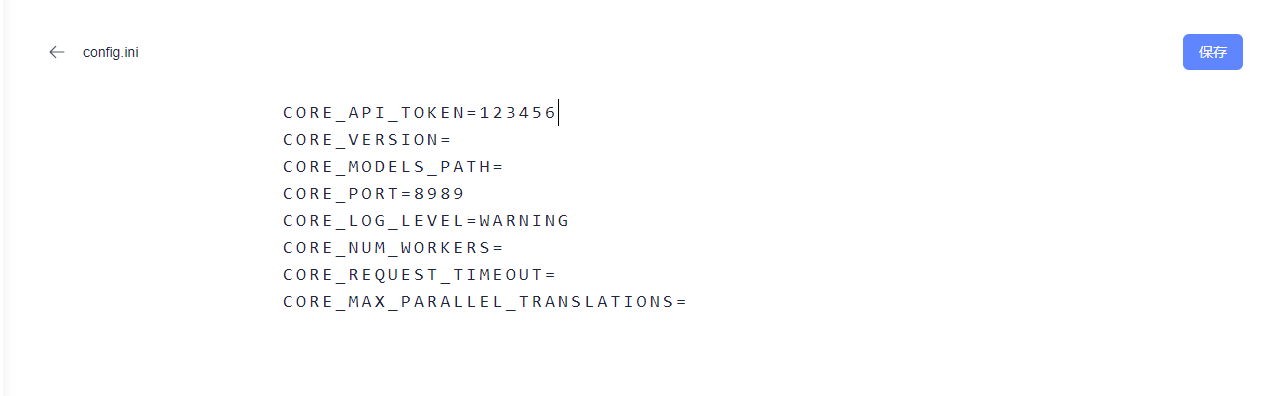
Then, set the CORE_API_TOKEN value in the config.ini file located in the application data's config directory.
I set it to 123456 for demonstration; it's better for everyone to set a more complex value.
Combined with our service address, we get a URL:
https://mtranserver.lanmao168.heiyu.space/imme?token=123456
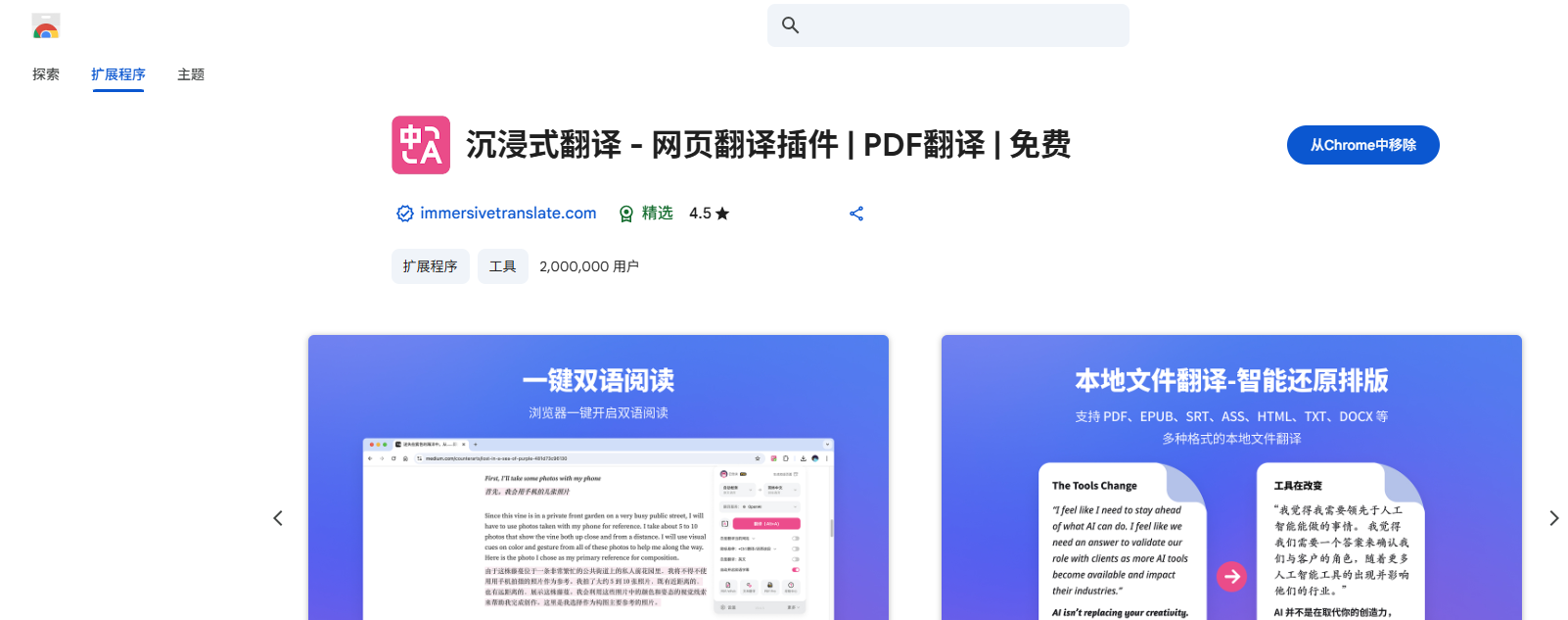
Next, configure the front-end. I'll use Immersive Translate as an example:
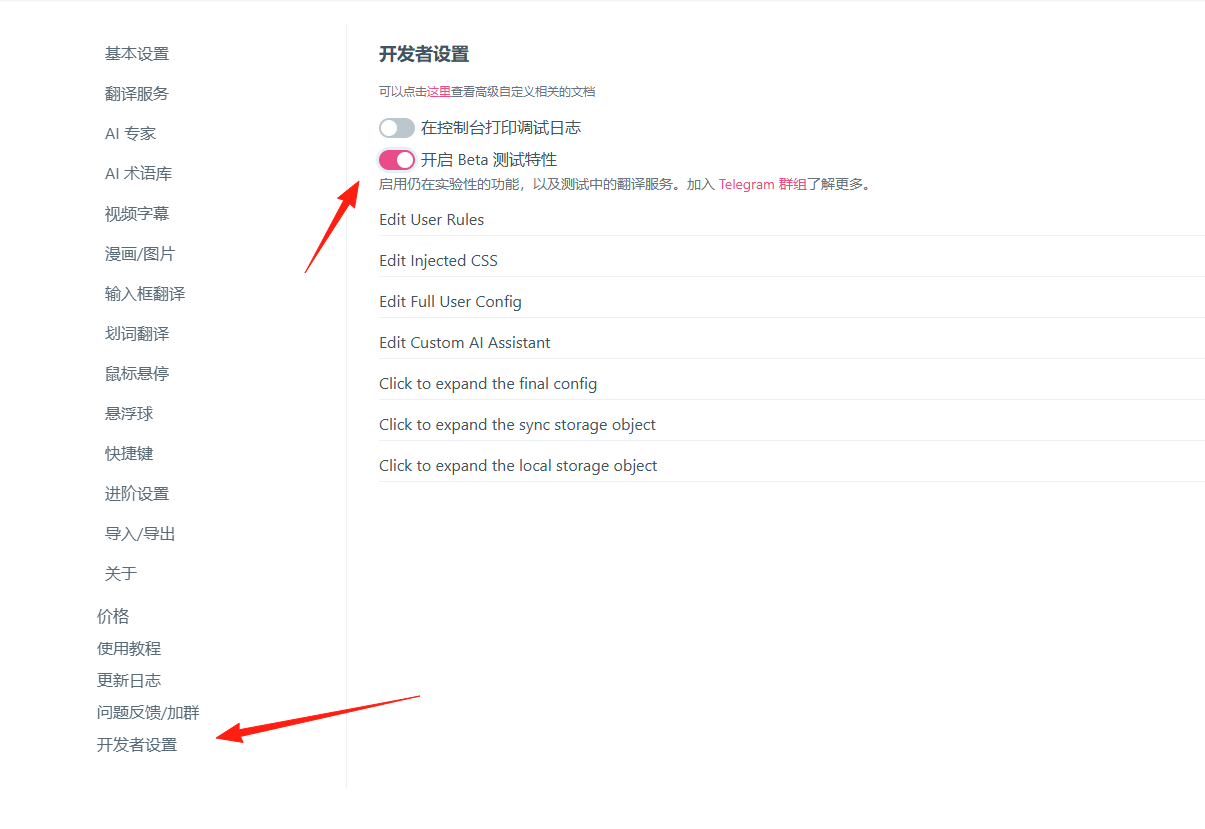
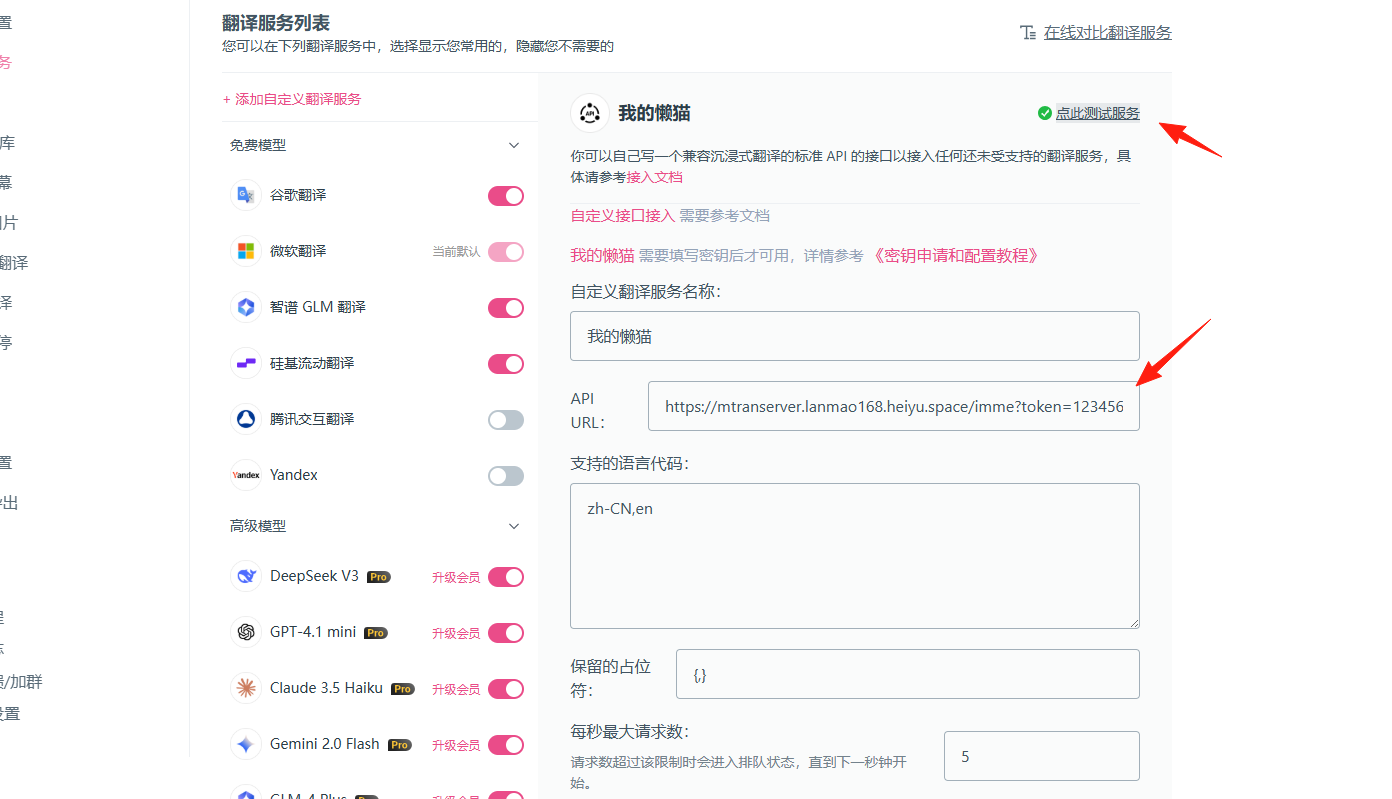
Open Settings -> Developer Settings.
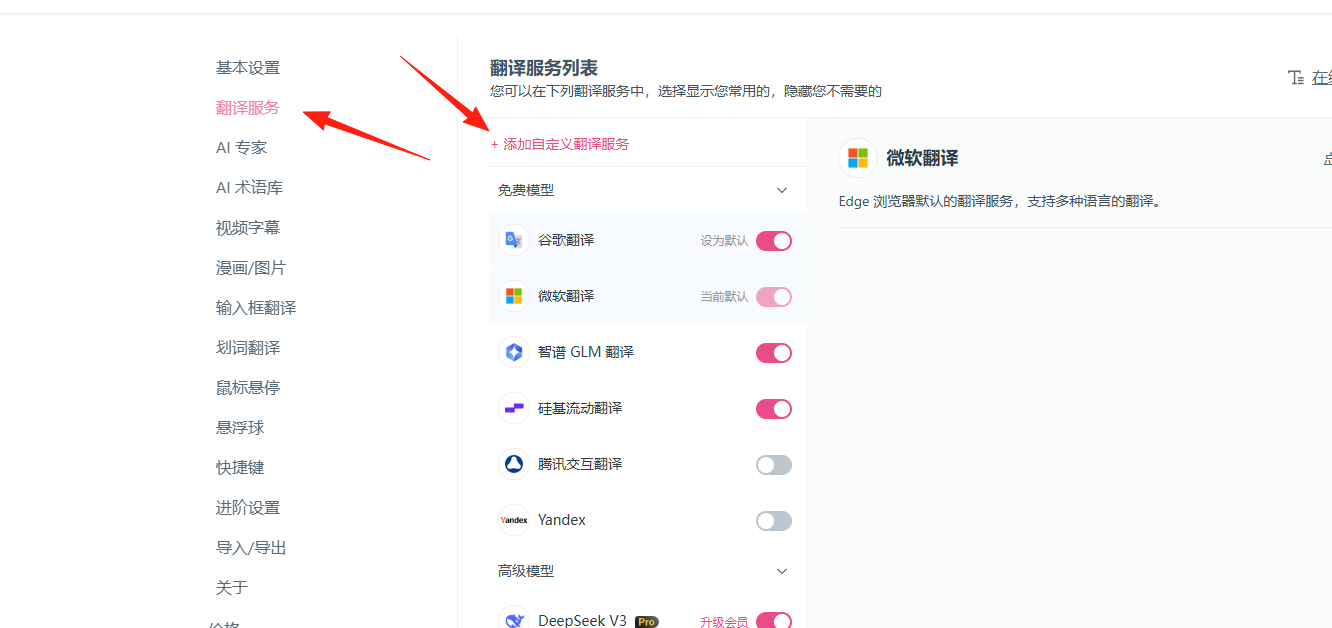
Then click [Translation Service] -> [Add Custom Translation Service].
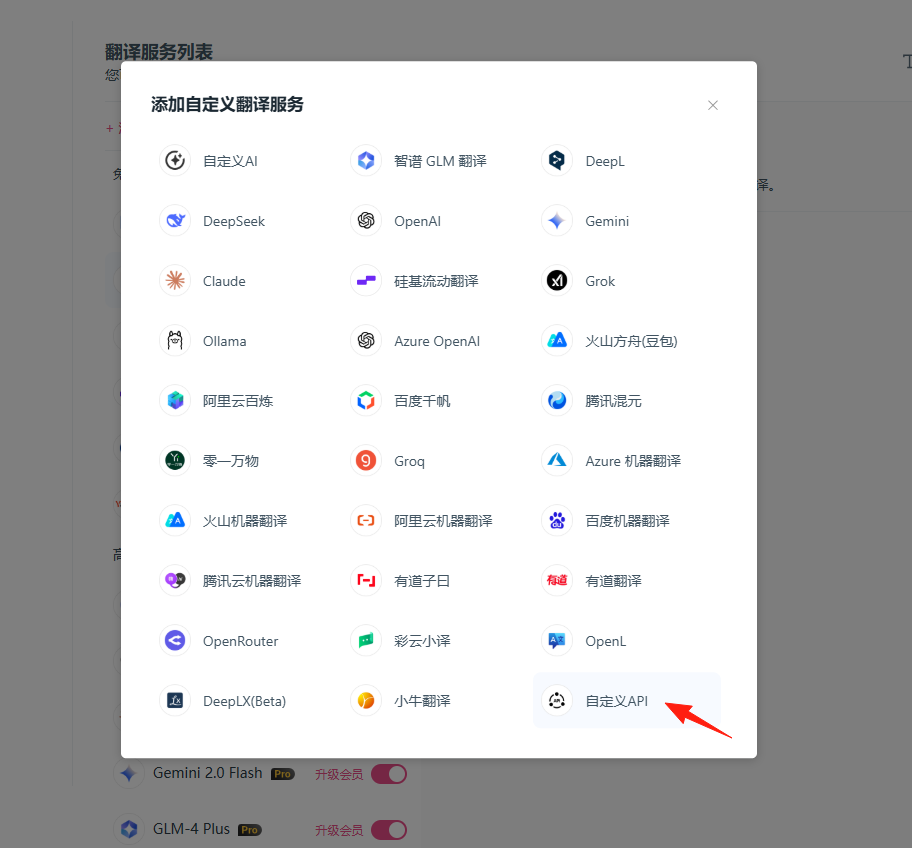
Custom API:
Enter our URL address. The test passes.
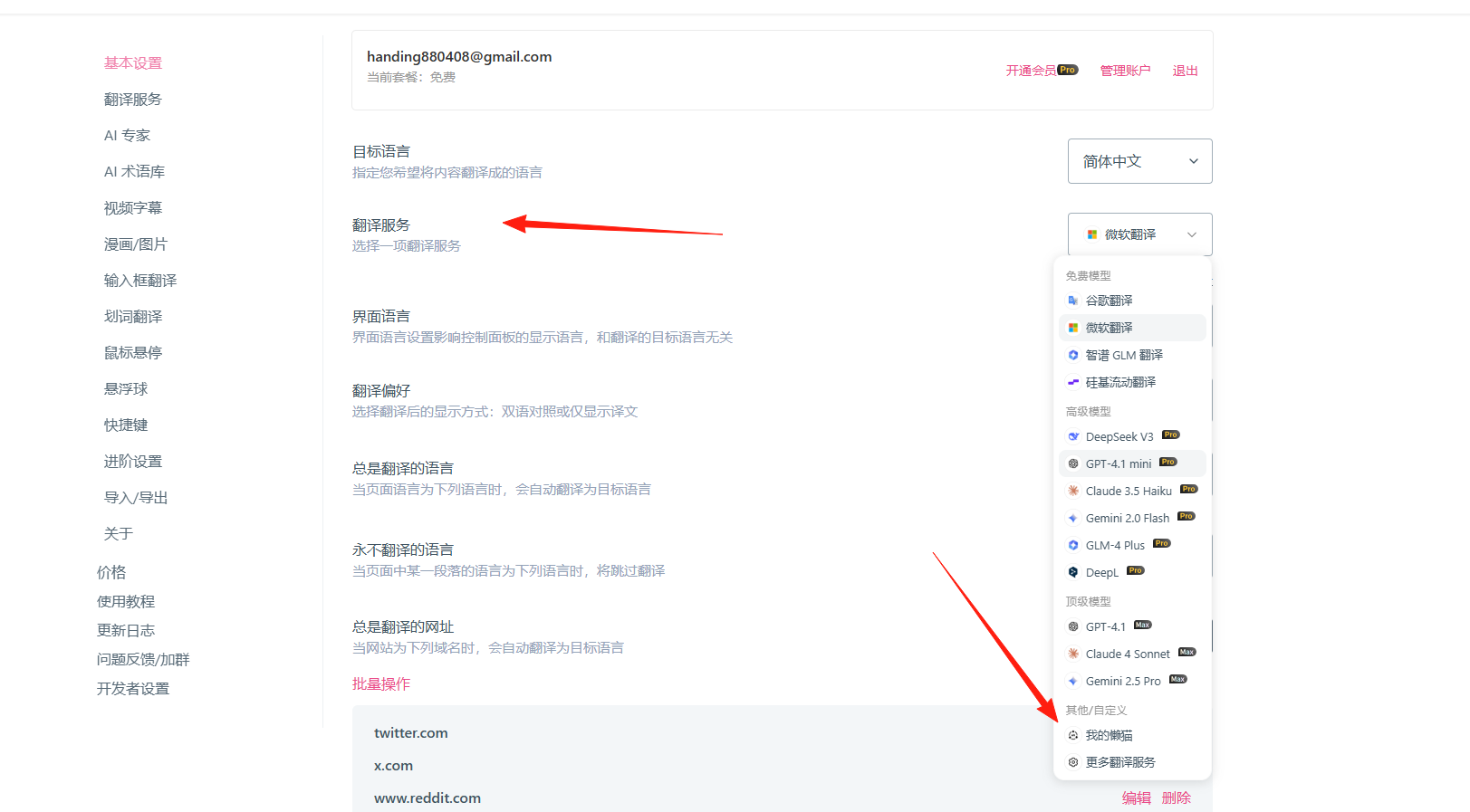
Go back to [Basic Settings] and change the [Translation Service] to [My Lazycat].
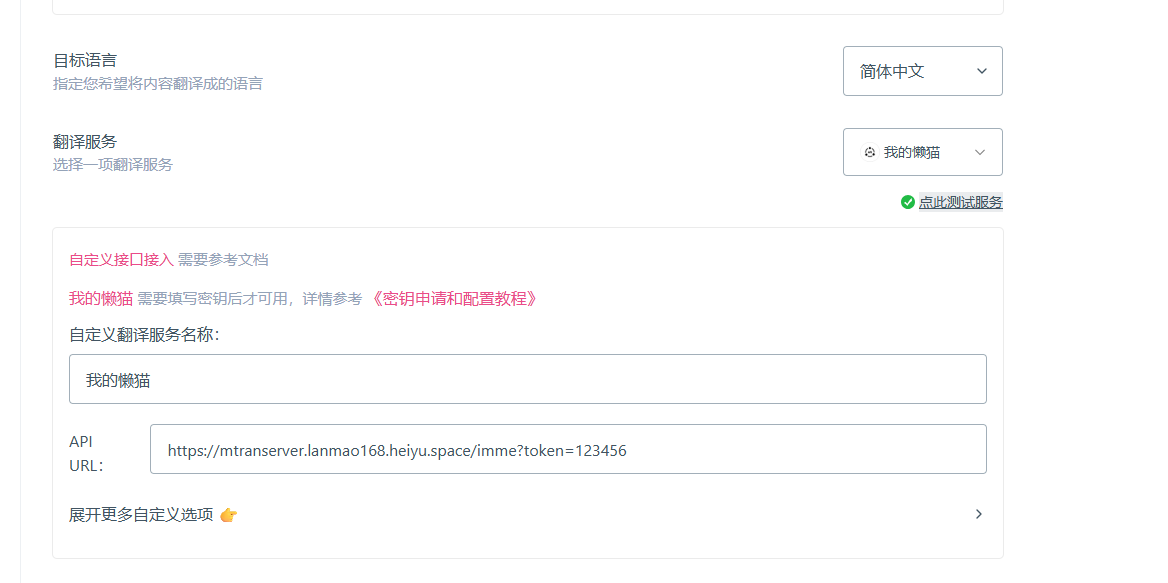
Now, it's time to witness the miracle.
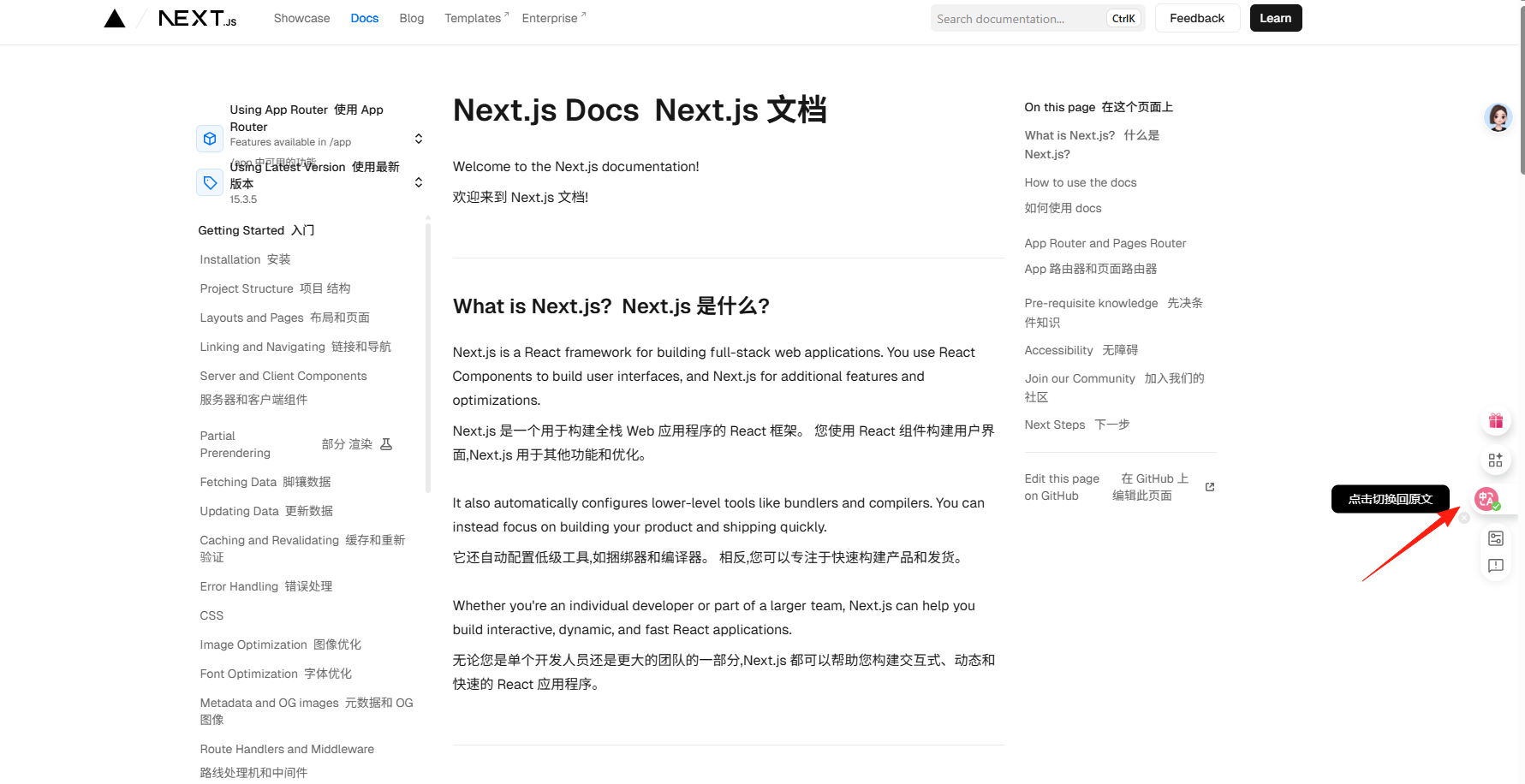
Open an English website, like https://nextjs.org/docs.
Use the Immersive Translate plugin -> Translate to Chinese, and you can see the result!
With this, you are no longer constrained by third-party paid translation services. With this tutorial, I believe you can also set it up successfully.