
🎯 Jackett: Your Ultimate Resource Search Tool
😤 Tired of Searching for Resources?
Brothers, let's be real. When we want to download a movie, TV show, or anime, don't we often run into these headaches:
- One site has it, another doesn't
- Spend ages searching, only to find dead links
- Overwhelming ads, clicking forever to find the real download link
- Need to visit multiple sites just to find one complete resource
If you share these pains, then the tool we're featuring today is your savior—Jackett!
https://appstore.lazycat.cloud/#/shop/detail/cloud.lazycat.app.jackett
🚀 What is Jackett? Simply Put, It's the "Universal Search Tool"
Jackett works as a proxy server: it translates queries from apps (Sonarr, Radarr, SickRage, CouchPotato, Mylar3, Lidarr, DuckieTV, qBittorrent, Nefarious, NZBHydra2 etc.) into tracker-site-specific http queries
In simple terms, Jackett acts like a super translator. It translates your search requests into a language that various torrent sites understand, then collects and standardizes all the results for you.
The Simple Idea:
- You only need to search once
- Jackett scours all supported sites for you
- Gathers all the results and presents them to you
- No more manually searching site by site
💪 How to Use It
Adding Indexers (This is Key!)
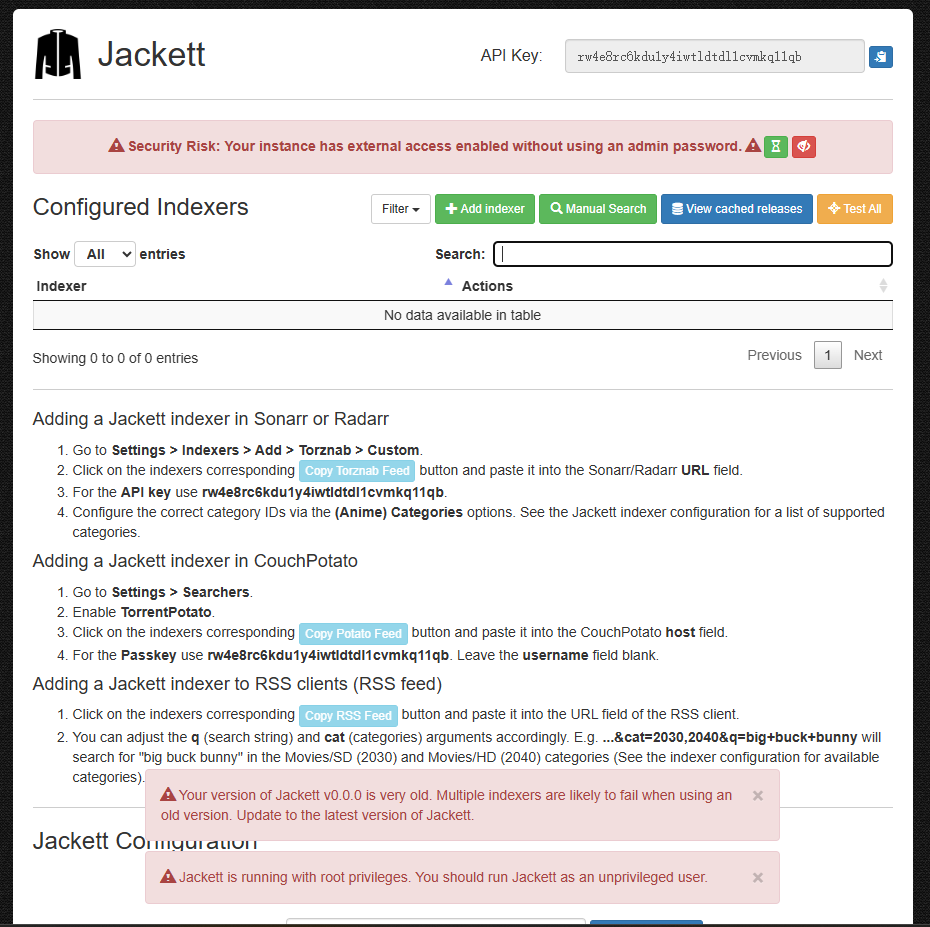
A fresh Jackett installation is empty. You need to add indexers to actually find anything.
Steps:
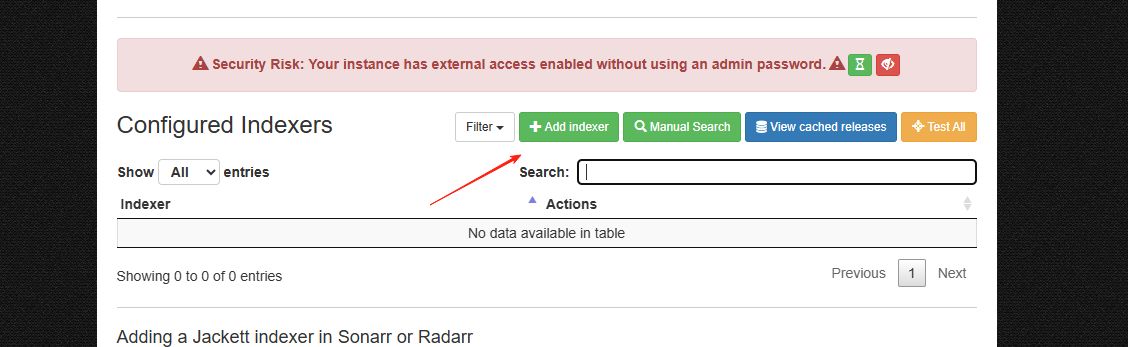
- Click the green "+ Add indexer" button
- Enter the site name you want to add in the search box
- Examples: 1337x, RARBG, ThePirateBay, etc.
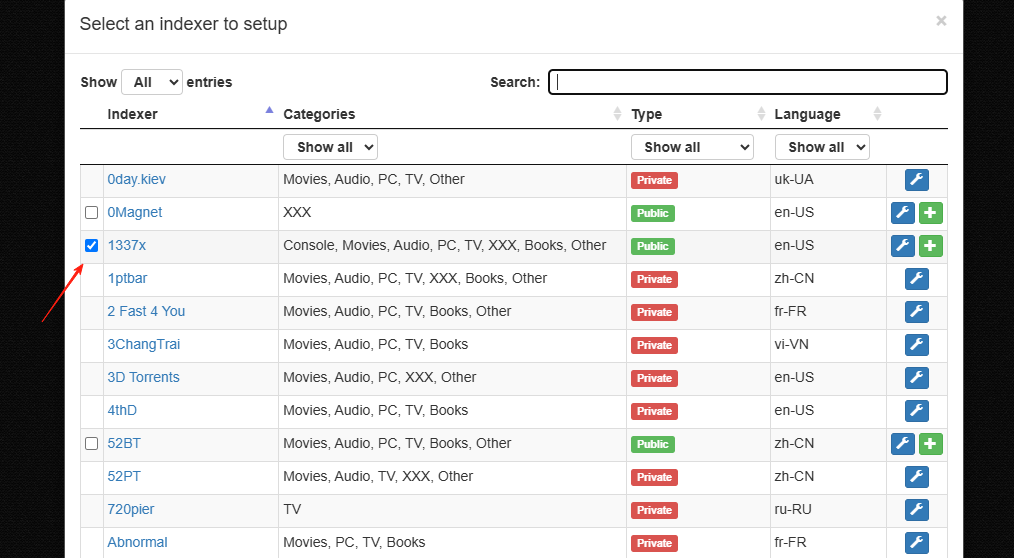 You'll notice 'public' and 'private'. The main differences are:
Public sites: Can be added directly, no account needed.
You'll notice 'public' and 'private'. The main differences are:
Public sites: Can be added directly, no account needed.
Private sites: Require username/password (e.g., MT).
After adding, they will appear on the main page.
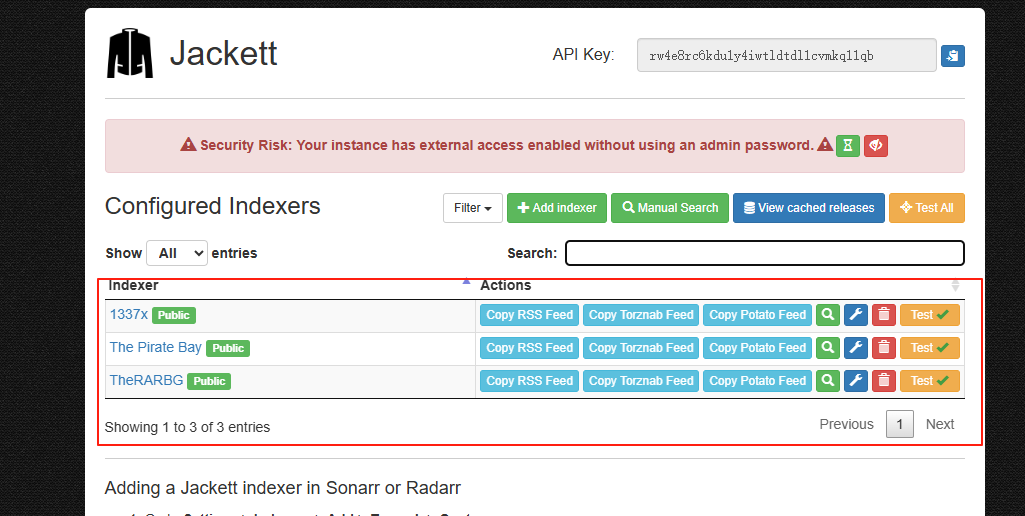
- Click the wrench icon to configure
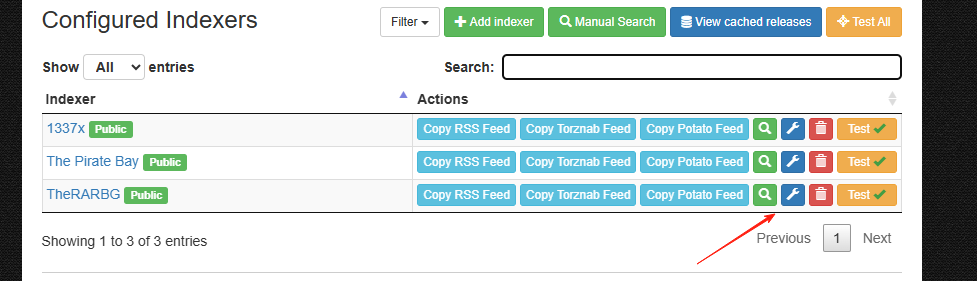
- For most public sites, just click "Save"
Recommended Public Sites to Add:
- 1337x
- RARBG
- ThePirateBay
- EZTV
- YTS
- Torlock
- TorrentGalaxy
💡 Tip: Adding more sites broadens your search but may slow it down slightly. Start with 5-10 major sites.
Testing the Search Function
After adding indexers, you can test the search directly within Jackett:
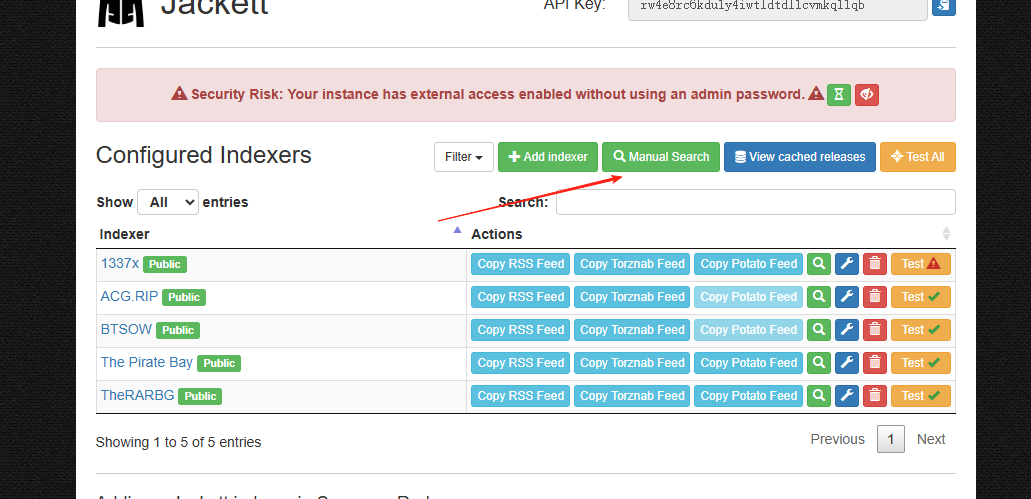
- Enter a keyword in the search box (e.g., a movie title)
- Click search, for example,
this is us(a US drama I really like) - Check if results appear
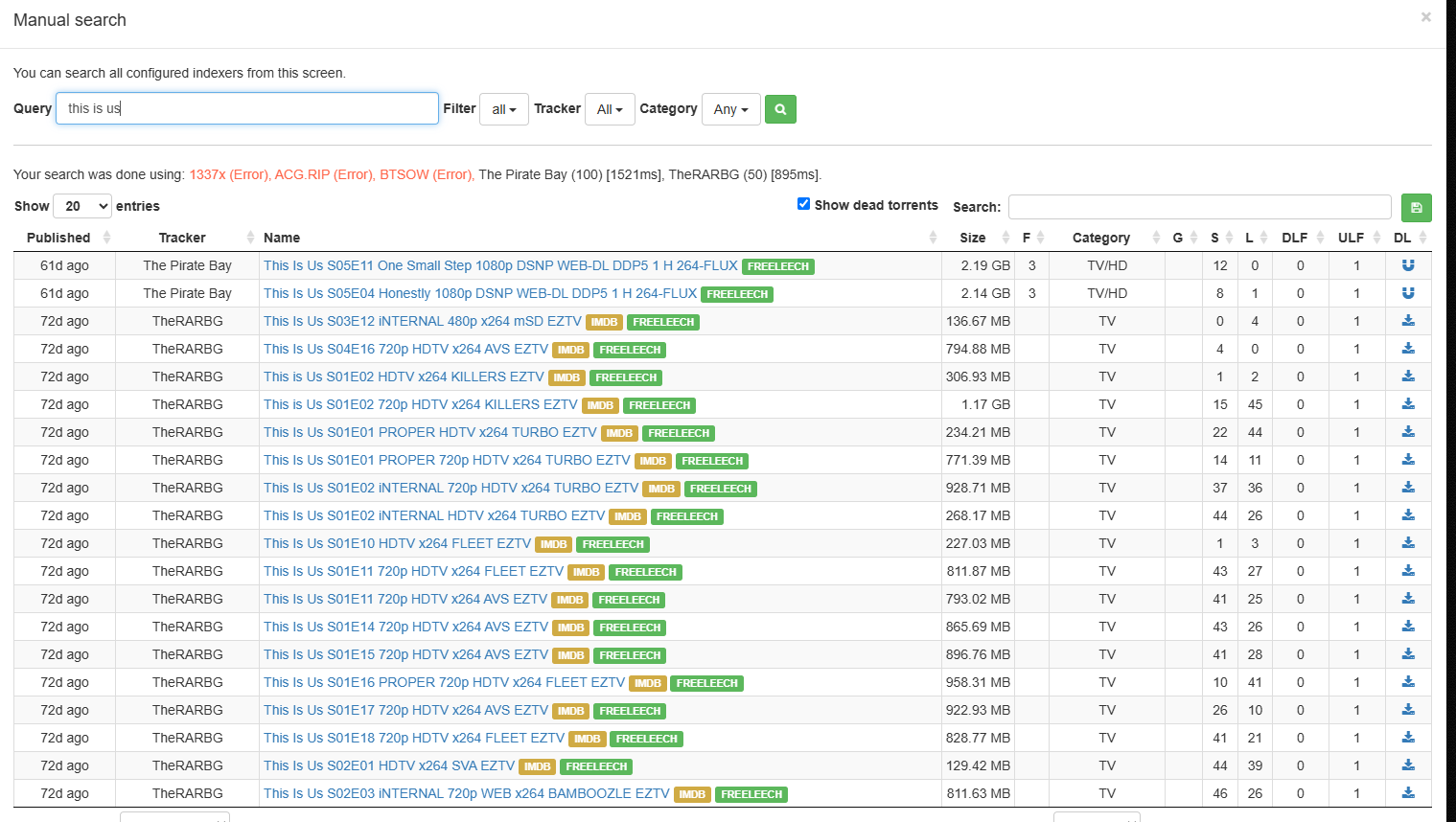 If you get results, the configuration is successful!
🎮 Advanced Usage: Integration with Other Software
Using with qBittorrent
This is the simplest integration:
-
Get Jackett's API Info
- In the Jackett interface, click "Copy Torznab Feed"
- Note the API Key (found in the upper right corner of the interface)
-
Add the Search Plugin in qBittorrent
- Open qBittorrent
- In the Search tab, click "Search plugins"
- Install the Jackett plugin
- Configure the API address and Key
Using with Sonarr/Radarr (The Ultimate Auto-Download Setup)
This is the real advanced usage, enabling:
- Automatic monitoring for new episodes/movies
- Automatic downloading
- Automatic file organization
Configuration Steps:
- In Jackett, copy the Torznab URL for each indexer
- Add Indexers in Sonarr/Radarr
- In Sonarr, navigate to the settings and select the Indexers tab. From there, add a new indexer by clicking on the large plus button
- Select the "Torznab" type
- Paste Jackett's URL and API Key
- Test the connection, then save
For detailed instructions, please refer to other experts' articles.
🏆 Summary
For those who frequently need to find resources, Jackett's biggest advantages are:
✅ Saves Time - One search queries all sites ✅ Saves Effort - No need to remember various website addresses ✅ High Efficiency - Results are unified and organized for easy comparison ✅ Extensible - Integrates with other tools for full automation
The setup might be a bit complex initially, but once configured, it will definitely multiply your downloading efficiency!
This guide is continuously updated. Feel free to discuss if you have any questions! 🤝