
Beginner's Guide to Migration (Part 1): How to Migrate Web Applications to Lanmao and Generate Revenue
My connection with LazyCat began when I was casually browsing X and stumbled upon Boss Wang's feed.
I then scrolled through his blog, post after post, and found it incredibly engaging. His experiences of coding through the night, in particular, really resonated with me.
So, I joined a giveaway and surprisingly won a charger.
Persistently encouraged by the expert's recommendations, I bought a "cat" on May 18th.
He mentioned that porting an application would earn a 100 yuan reward, with even more for original applications.
After more than a month of hard work, I finally managed to earn it back.
Today, I'll review my experience porting the app, hoping it will be helpful to everyone.
First, Let's Talk About My Pain Points
- I had absolutely no idea what Docker was.
- I had never even written command-line code.
- I didn't know how to port an application.
- I was completely lost and didn't know where to start.
- I didn't know where to find applications to port.
Taking the First Step
Since I didn't know how to port an application, the quickest way was to see how other experts did it.
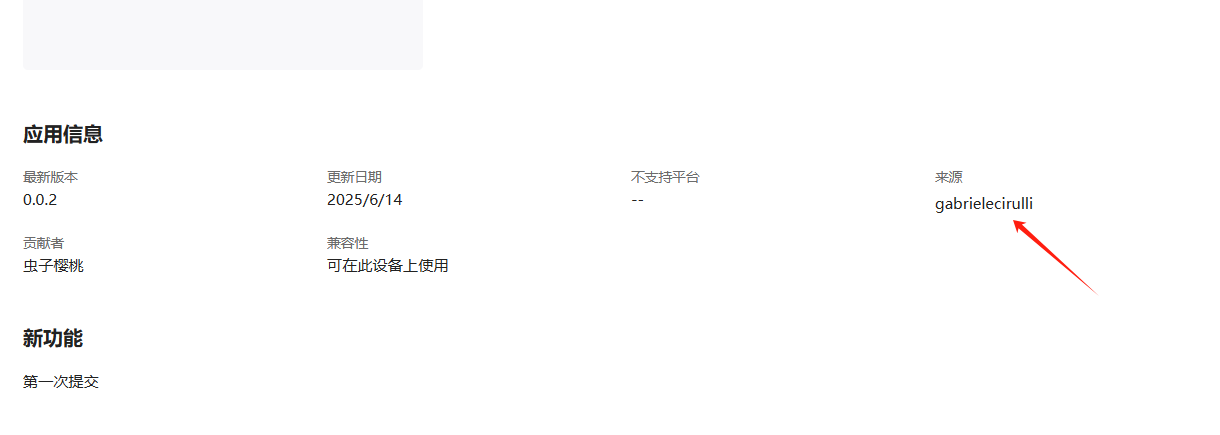
I found this application in the LazyCat Store:
https://appstore.lazycat.cloud/#/shop/detail/cloud.lazycat.app.game2048
I noticed it because I had played the 1024 game before, which is quite similar to this one.
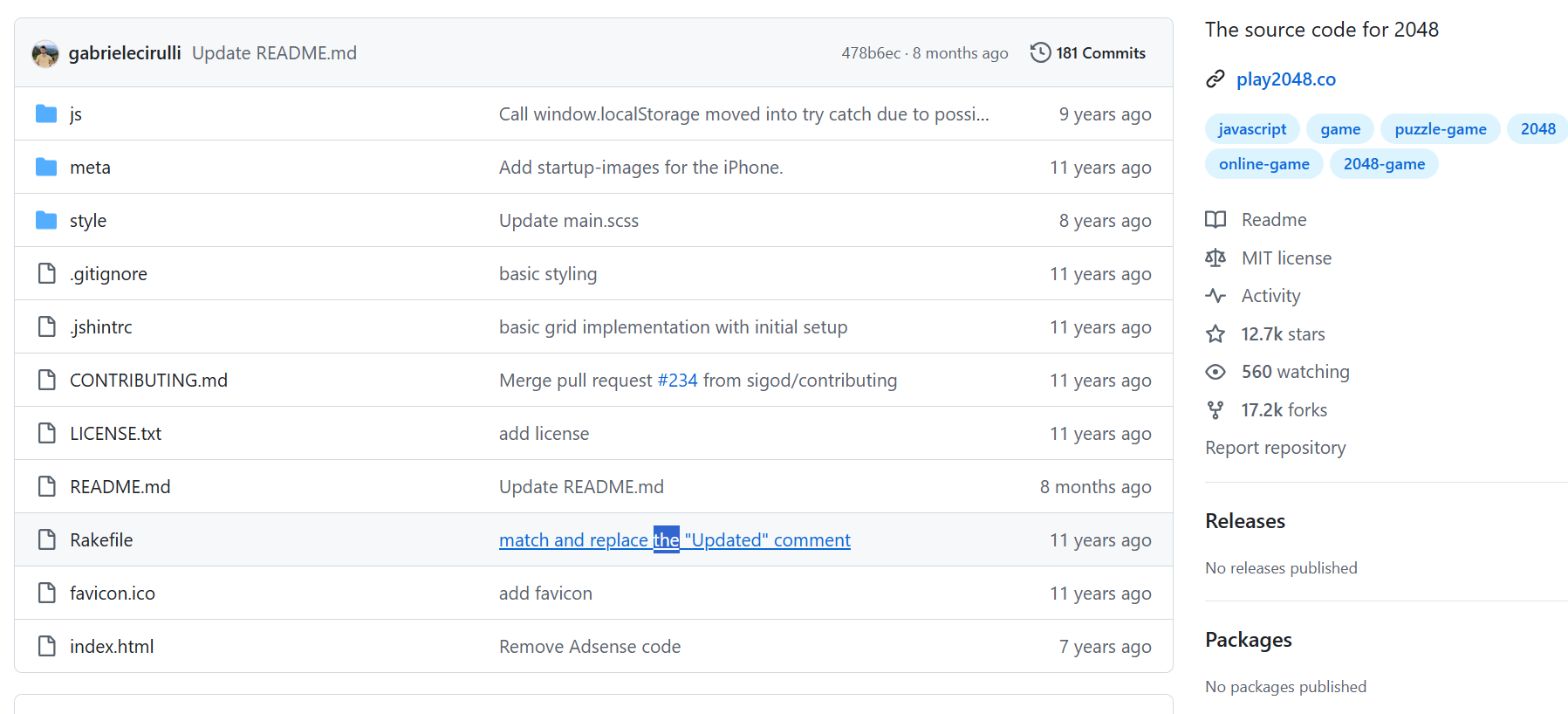
So, following the application details, I went to its GitHub address.
On GitHub, I could see this was a static website, with no Docker images or anything like that.
So, I went to the VIP group (every LazyCat user has one) and asked how to port this kind of thing.
Someone quickly replied: I could refer to its LPK file. But it required SSH access and coding, which made my head spin.
Later, I discovered this application developed by an expert:
https://appstore.lazycat.cloud/#/shop/detail/top.j0k3r.lpk-inspector
It was a godsend! I went in, searched for 2048,
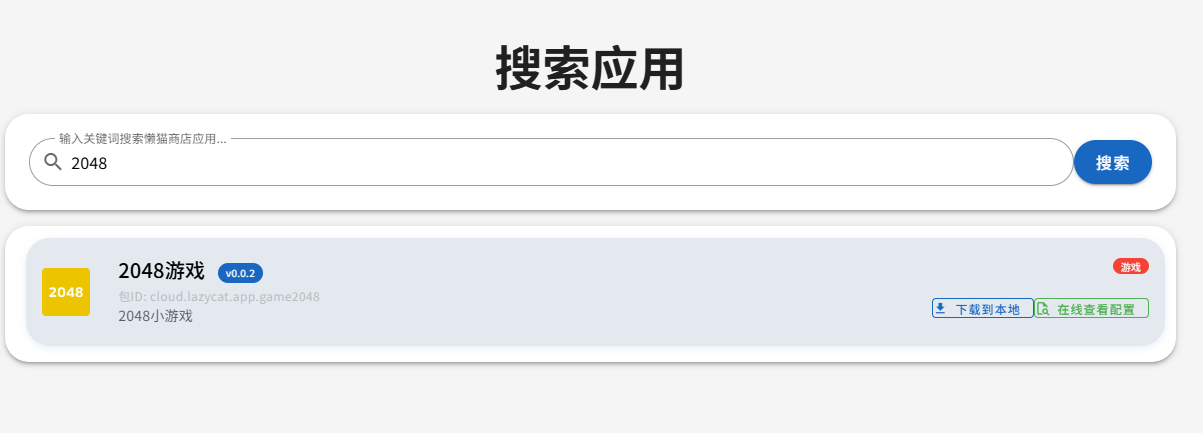
Clicked directly into it, and could see its configuration. It was incredibly convenient.
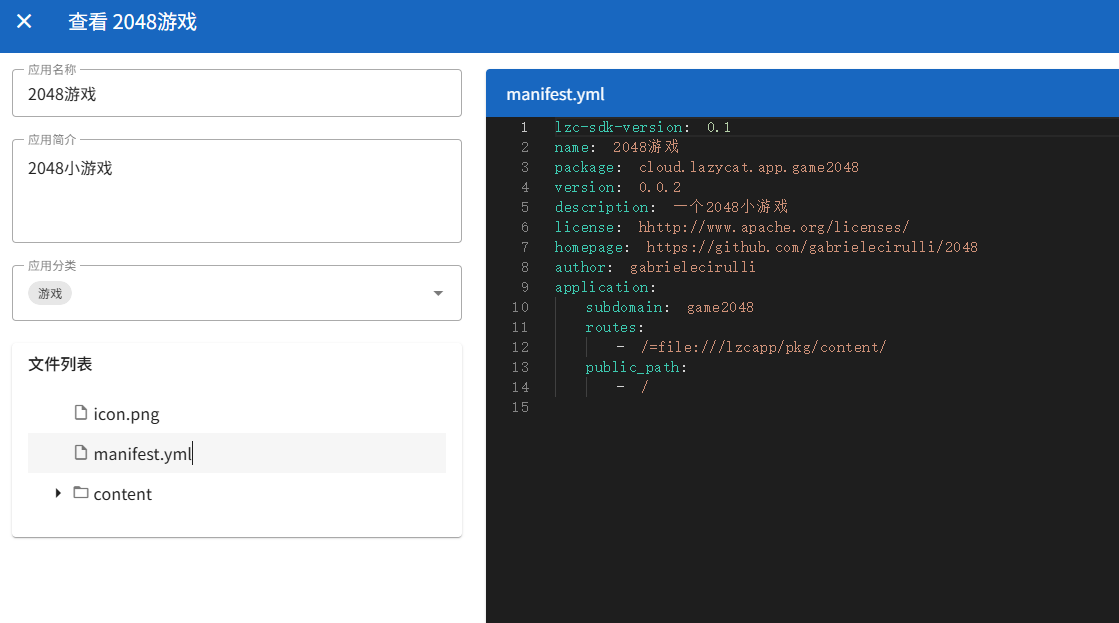
Looking at the Configuration
From the above, you can see that each LPK application has 3 files.
icon.png is the application icon.
manifest.yml contains the main configuration.
content.tar contains some files from the published website.
I won't elaborate on the specific fields here; you can check the official documentation: https://developer.lazycat.cloud/
Starting the Port
At this point, I believe many programmers can proceed on their own.
I opened VSCode, downloaded the code, compiled the website, prepared these 3 files as required, packaged them into an LPK file, and installed it on LazyCat.
These steps were basically straightforward without major hurdles, so I won't go into detail.
Points to Note
For simple HTML applications and games, the official store allows them to be listed, but there's no incentive reward, as there are simply too many of these types of applications. This is understandable.
Final Thoughts
Before I ported my first app, I thought it was way too difficult.
After finishing the first one, my sense of accomplishment was through the roof: I can actually do this!
Of course, besides this type of static web application, there are many other types of applications. I will share how to port them in future articles.
If you also want to port applications and earn some rewards, why not start with 2048? It's the simplest kind.