
Still struggling with ID photos? This free AI tool lets you handle it at home!
Today I'm recommending an incredibly practical tool—HivisionIDPhotos.
Simply put, it's an AI-powered tool that helps you create ID photos for free.
I believe many of you have had this experience: suddenly needing an ID photo, either rushing to a photo studio to queue or paying someone on Taobao to make one—both time-consuming and expensive.
Now, with this tool, you can say goodbye to all these hassles!
https://appstore.lazycat.cloud/#/shop/detail/iamxiaoe.lzcapp.hivisionidphoto
Why Recommend This Tool?
1. Completely Free, Open Source & Secure
First and most importantly—completely free! This isn't some trial version or stripped-down edition, but a genuine open-source project. The source code is publicly available on GitHub, so you can use it with confidence, without worrying about privacy leaks or sudden charges.
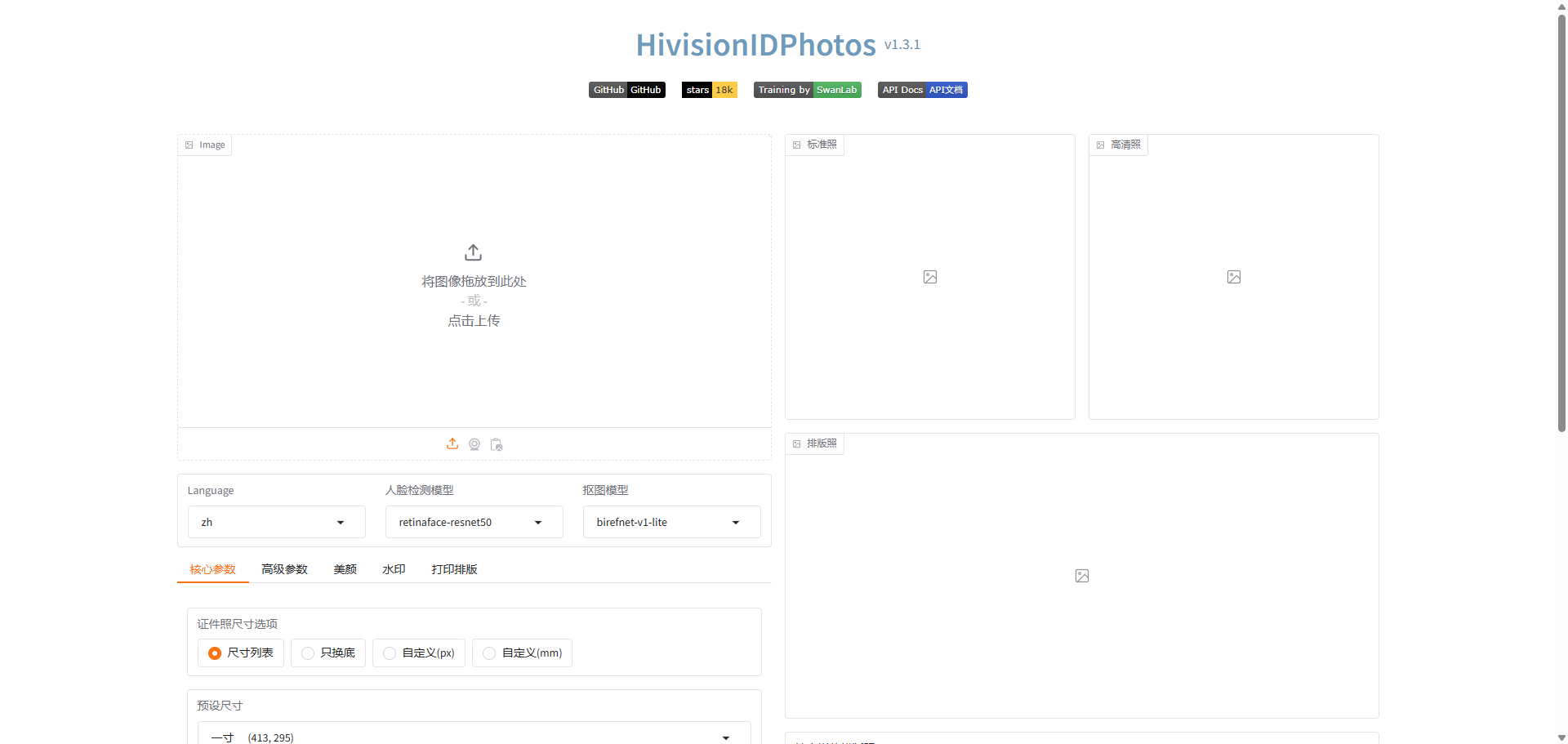
2. Powerful Features, Simple Operation
Don't let "free" fool you—its features are comprehensive:
- One-click Smart Background Removal: Upload a photo, and the AI automatically extracts the portrait from the background with results comparable to professional Photoshop work
- Multiple Size Support: 1-inch, 2-inch, passport photos, visa photos... all standard specifications available
- Custom Background Colors: Red, blue, white, plus the ability to input custom color codes
- 6-inch Layout: Arrange multiple photos at once for convenient printing
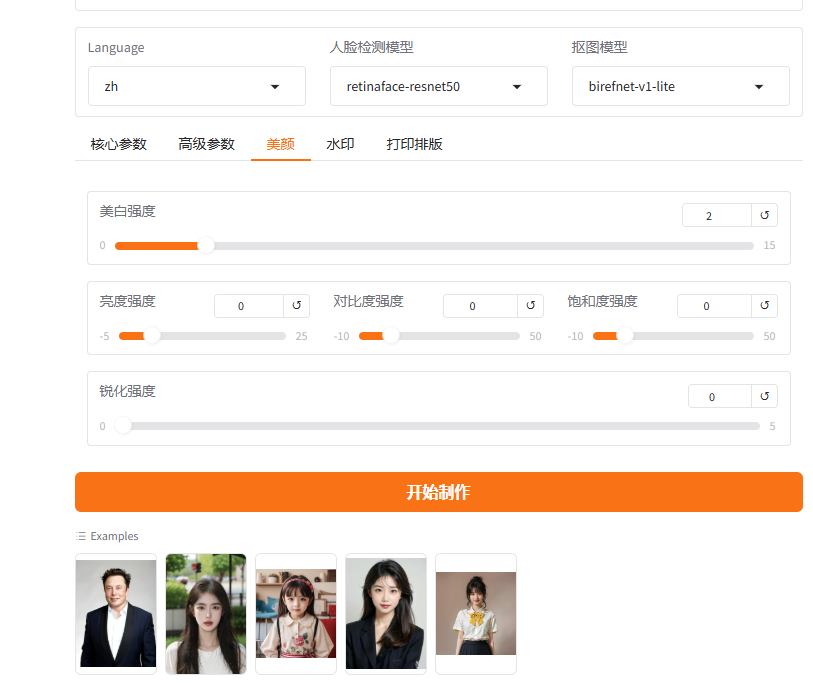
- Beautification Feature: Make your ID photos more photogenic (such a thoughtful feature!)
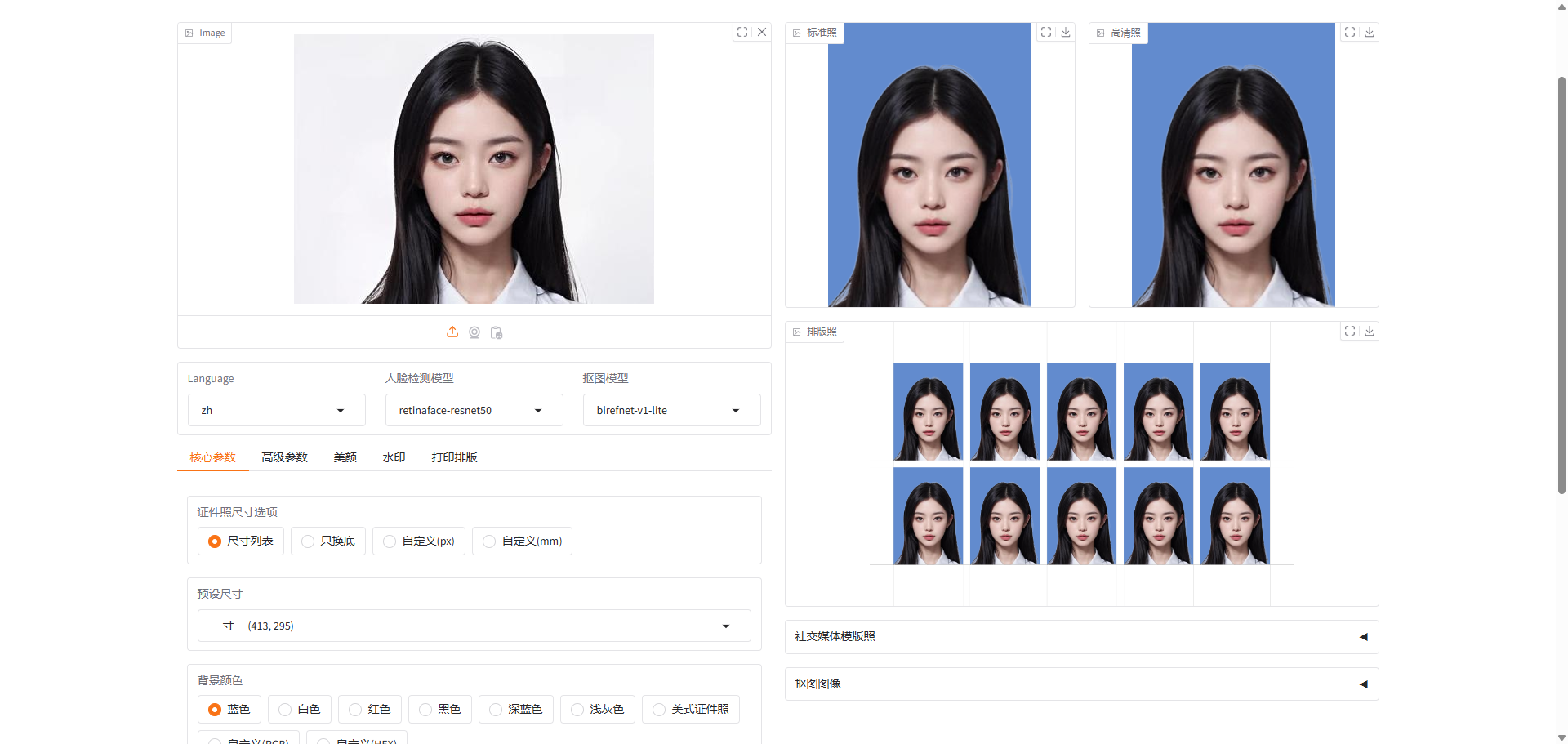
3. Lightweight, Low System Requirements
The most impressive aspect of this tool is its lightweight nature. It runs on LazyCat without consuming local computer resources. Processing one photo takes me about 10 seconds, which is quite acceptable.
How's the Actual Experience?
I tried it myself, and the results are genuinely good:
Advantages:
- High-precision background removal with natural hair edge processing
- Fast generation speed, typically producing results in seconds
- Comprehensive size support covering common ID photo specifications
- Clean, intuitive interface that even children and seniors can use easily
Minor Drawbacks:
- Results may be suboptimal with poorly lit photos
- The beautification feature is currently basic compared to professional beauty software
- Some specific ID photo requirements (like particular head proportions) may require manual adjustment
Usage Tips
- Photo Quality Matters: Use photos with good lighting and simple backgrounds when possible
- Clear Facial Features: Ensure facial features are clearly visible and unobstructed
- Appropriate Clothing: Wear dark formal attire to avoid clashing with the background color
- Try Different Models: If default results aren't satisfactory, experiment with other background removal models
Who Is This Tool For?
- Students: Frequently need various ID photos—this saves money and time
- Working Professionals: Occasionally need updated ID photos without visiting a studio
- Parents: Can handle children's frequent ID photo needs at home
- Privacy-Conscious Users: Don't want to upload photos to unknown websites
- Tech Enthusiasts: Want a customizable ID photo tool
Summary
Honestly, when I first saw this project, my reaction was: "Seems ordinary at first glance, but truly impressive upon closer inspection."
On the surface, it's just a simple ID photo tool, but upon deeper examination, the technical capabilities behind it and the thoughtful feature design are truly excellent.
If you need to create ID photos or want a private photo processing tool, I strongly recommend trying HivisionIDPhotos.