
Enclosed: Send an encrypted note so secure it'll drive hackers crazy
Have you ever been in this situation: wanting to send a password to a friend but worrying your WeChat chat history might be seen? Need to share an important file but email just doesn't feel secure enough? Today, I'm recommending a super practical little tool—Enclosed—designed specifically to solve these headaches!
What is this thing?
Simply put, Enclosed is an "encrypted note" tool. After you write your content, it locks your message with super-strong encryption and gives you a link. Only the person with this link can see what you wrote, and it can even self-destruct after being read, just like the "burn after reading" messages in spy movies—so cool!
Try it out:
https://appstore.lazycat.cloud/#/shop/detail/iamxiaoe.lzcapp.enclosed
Why is it so secure?
🔐 How strong is the encryption?
You know the kind of encryption banks use? Enclosed uses that same level! Specifically:
- Your content is encrypted on your own computer
- By the time it reaches the server, it's already gibberish
- Even if hackers breach the server, all they see is incomprehensible data
Think of it like this: It's as if you put your letter into a super-secure safe. Only you and the recipient have the key; even the mail carrier has no idea what's inside.
🕵️ Truly "Zero-Knowledge"
What does zero-knowledge mean? It means even the website's servers don't know what content you sent!
- You: Write a password to send to a friend
- Server: I just see a string of gibberish, no idea what it is
- Friend: Opens the link, decrypts it on their own computer, sees the password
It's like you two are having a conversation in code, and everyone else is completely clueless.
What can you use it for?
🏢 Work Scenarios
- Sending passwords: Securely send system passwords to new employees
- Sharing files: Temporarily send an Excel sheet containing sensitive information
- Sharing API keys: Send an interface key to a developer colleague without fear of interception
🏠 Daily Life
- Household passwords: Send WiFi or bank card PINs to family members
- Temporary notes: Jot down a private memo that auto-deletes
- Little secrets: Send a friend a secret they can only view once
How do you use it? Super simple!
Sender (You)
- Open the app
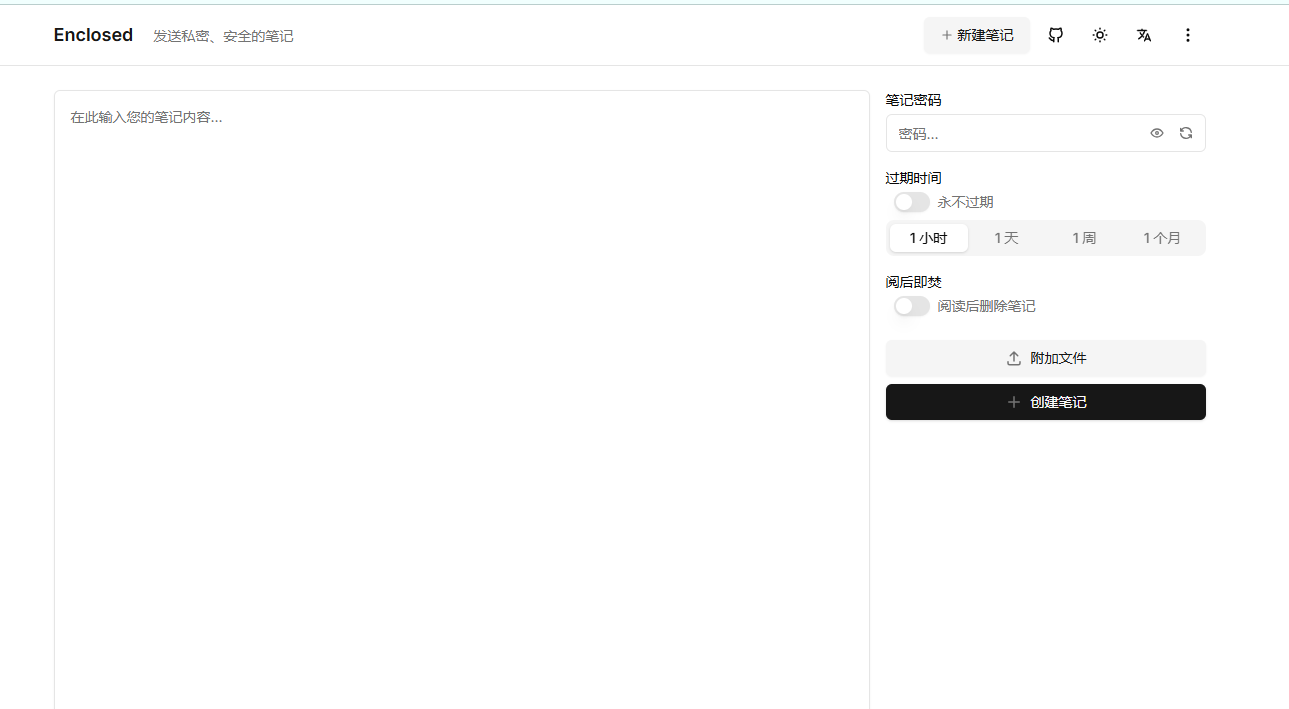 2. Enter the content you want to share
3. Set a few options:
2. Enter the content you want to share
3. Set a few options:
- Add password protection? (Double security)
- Expiration time? (1 hour? 1 day? 1 week?)
- Delete after reading? (Burn after reading)
- Click Create, copy the link, and send it to the recipient
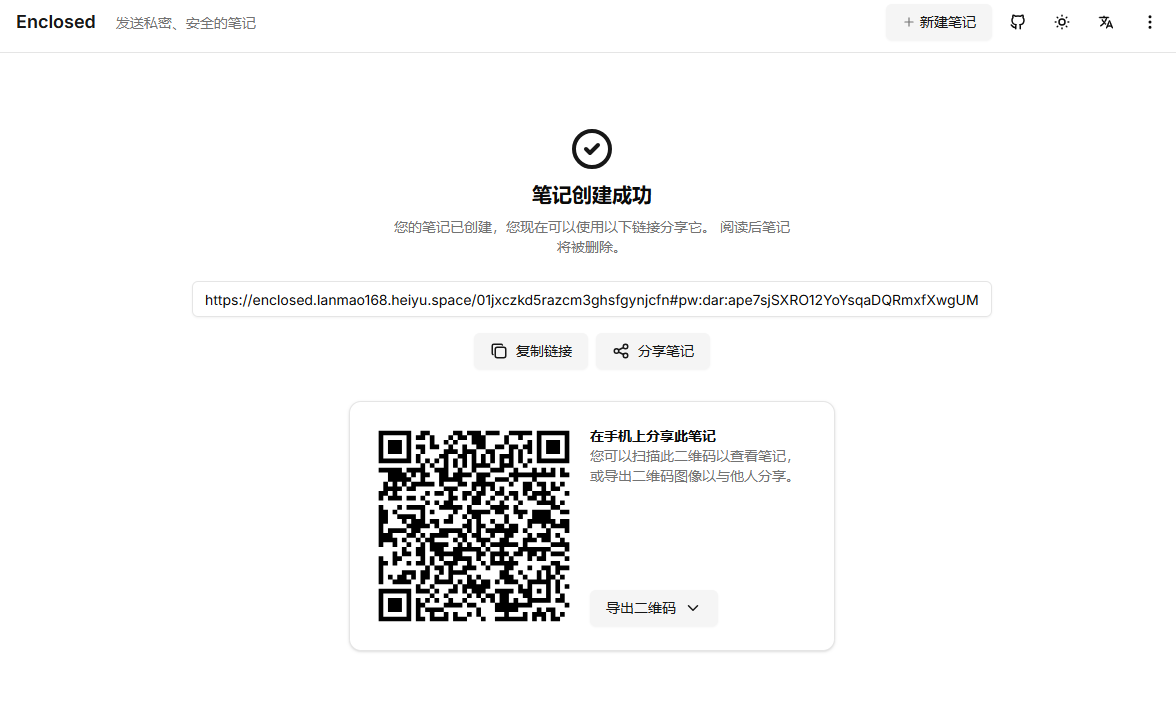
Recipient (Your Friend)
- Receives the link you sent
- Clicks the link
- If password protected, enters the password
- Views the content; if 'burn after reading' is set, it disappears after viewing
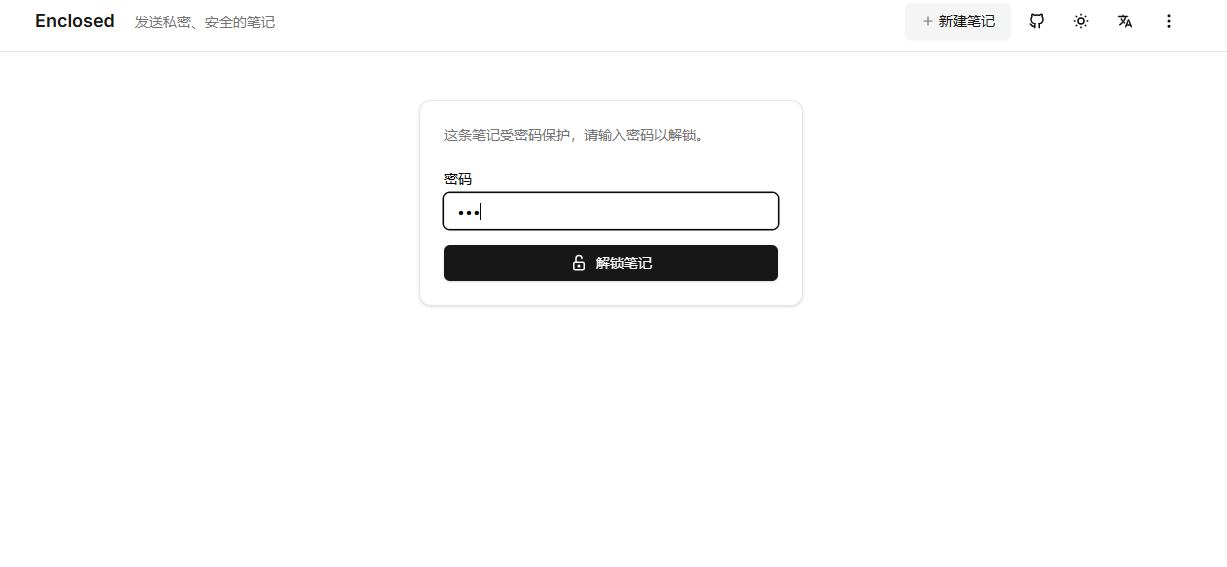
That's it! It's even easier than sending a WeChat message.
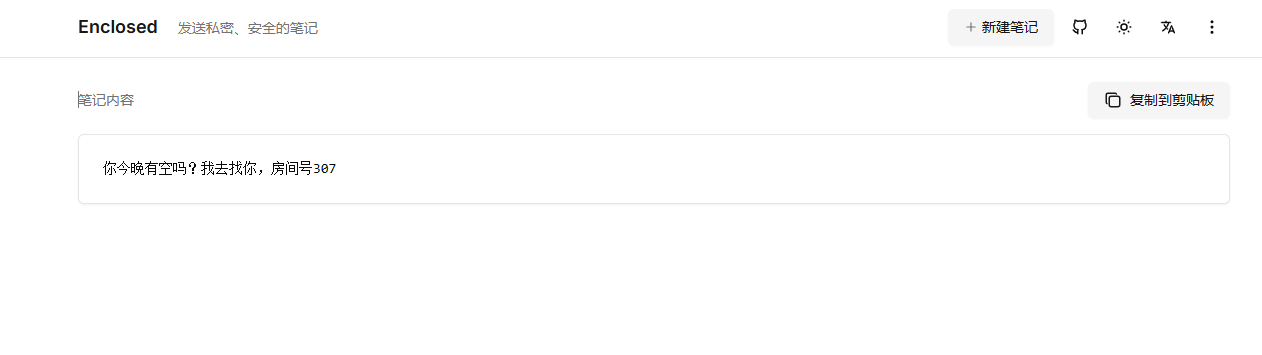
Key Features
⏰ Time Bomb
You can set the message's "shelf life":
- Expires in 1 hour (suitable for temporary passwords)
- Expires in 1 day (suitable for work files)
- Expires in 1 week (suitable for less urgent matters)
- Delete after reading (suitable for top-secret info)
📁 Send Files Too
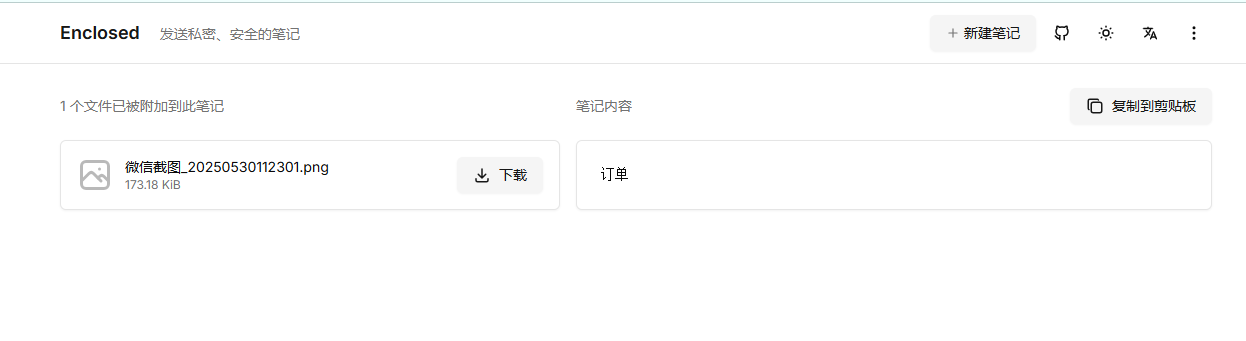
Not just text! You can send images, documents, zip files! All encrypted, all equally secure.
🌙 Comfortable Interface
- Switch freely between Light and Dark mode
- Works on both mobile and computer
- Clean interface, intuitive to use
How does it compare to other tools?
Vs. WeChat / QQ
- ✅ WeChat: Chat history persists. Enclosed: Deletes after viewing.
- ✅ WeChat: Tencent servers can see content. Enclosed: Servers cannot see content.
- ✅ WeChat: Easy to screenshot and save. Enclosed: Can set 'burn after reading'.
Vs. Cloud Storage
- ✅ Cloud Storage: Requires registration/login. Enclosed: Use directly.
- ✅ Cloud Storage: Files are stored indefinitely. Enclosed: Auto-expires and deletes.
- ✅ Cloud Storage: Share links might leak. Enclosed: Link contains the decryption key.
Anything to be aware of?
Security Tips
- Don't share the link carelessly: Although secure, protect the link itself.
- Password-protect important info: Double the security.
- Share promptly: Send the link to the recipient soon after creation.
- Use trusted networks: Avoid using in internet cafes or on public WiFi.
Usage Limits
- File size limits (but sufficient for daily use)
- Requires an internet connection (obviously...)
- Recipient needs internet access to open the link
Why recommend this tool?
- Truly Secure: Uses bank-grade encryption.
- Truly Simple: Easier than sending a WeChat message.
- Truly Free: No cost, how良心 (conscientious)!
- Truly Open Source: Code is public, no fear of backdoors.
- Truly User-friendly: Modern interface, full-featured.
Summary
In this era where information security is increasingly important, Enclosed is like an "invisibility cloak" for our privacy. Whether it's sensitive information at work or little secrets in daily life, you can share them securely with the right people.
Most importantly, it's super simple to use. Even someone completely non-technical can pick it up easily.
Come try it out on Lazy Cat!
Code: https://github.com/CorentinTh/enclosed (For the programmers)
Docs: https://docs.enclosed.cc (Detailed instructions)
Give it a try now, and let your little secrets truly stay secret