
WeWe RSS: Making Official Account Reading So Elegant
Many of my WeChat friends who are WeChat Traffic Masters like to follow numerous competitor accounts to source materials. This approach is indeed quite convenient, saving them the trouble of searching everywhere for inspiration. However, there are some pain points:
First, besides following competitor accounts, we might also follow other bloggers we're interested in on our WeChat Official Accounts. As a result, when we want to find articles from competitor accounts, we have to scroll through a bunch of irrelevant information, which significantly impacts efficiency.
Second, these competitor accounts don't update at fixed times. To find their latest articles, we have to click into each one and scroll through them individually, which is particularly tedious and time-consuming.
Essentially, these issues are caused by WeChat Official Accounts' recommendation mechanism. It would be fantastic if we could categorize followed accounts, add labels, and then browse the latest articles collectively!
Unfortunately, WeChat just doesn't have this feature, which is quite frustrating.
So, is there any good solution?
LazyCat Microservice Platform comes with a built-in application: WeWe RSS!
WeWe RSS is a powerful and open-source tool that helps you aggregate various information sources, making it easier to read and manage content.
Its currently supported features are as follows:
- v2.x version uses a new API, offering greater stability
- Supports WeChat Official Account subscription (based on WeChat Read)
- Automatically updates content periodically in the background
- Generates RSS feeds for WeChat Official Accounts (supports .atom, .rss, .json formats)
- Supports full-text content output for seamless reading
- Exports all subscriptions to OPML
https://appstore.lazycat.cloud/#/shop/detail/dev.libr.wewerss
After opening it, the main interface looks like this:

Enter the password: 123567
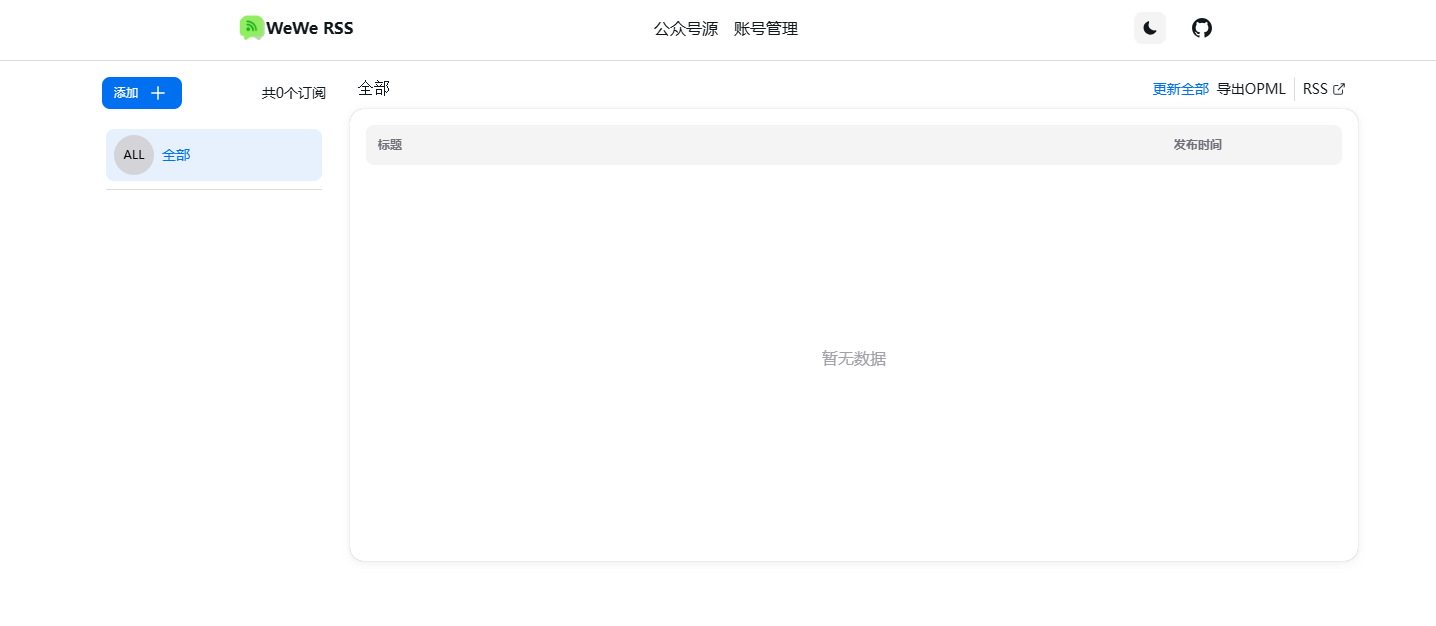
You first need to add an account in Account Management:
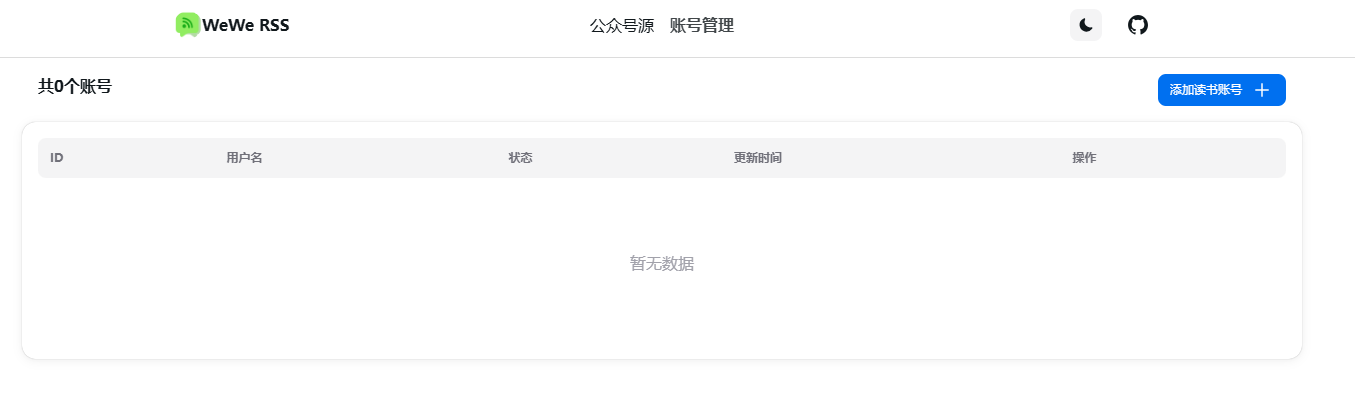
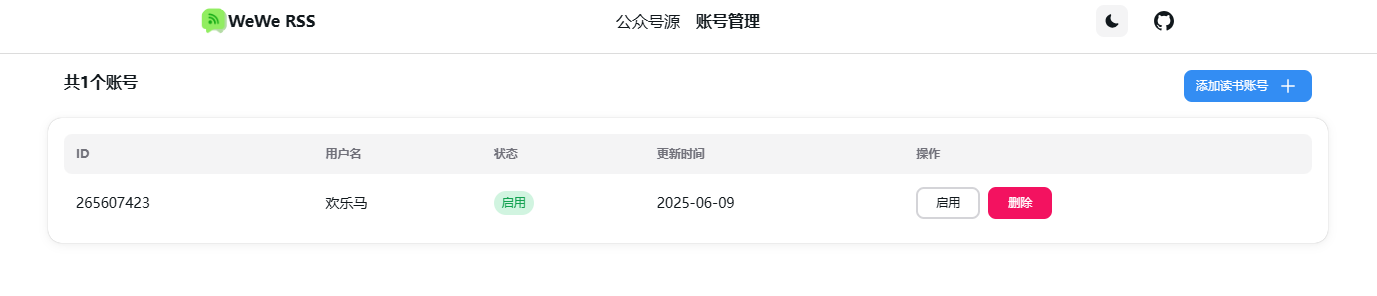
Scan the QR code with WeChat, agree to the permissions, and you're done:
Click the "Add" button on the left to add an Official Account:
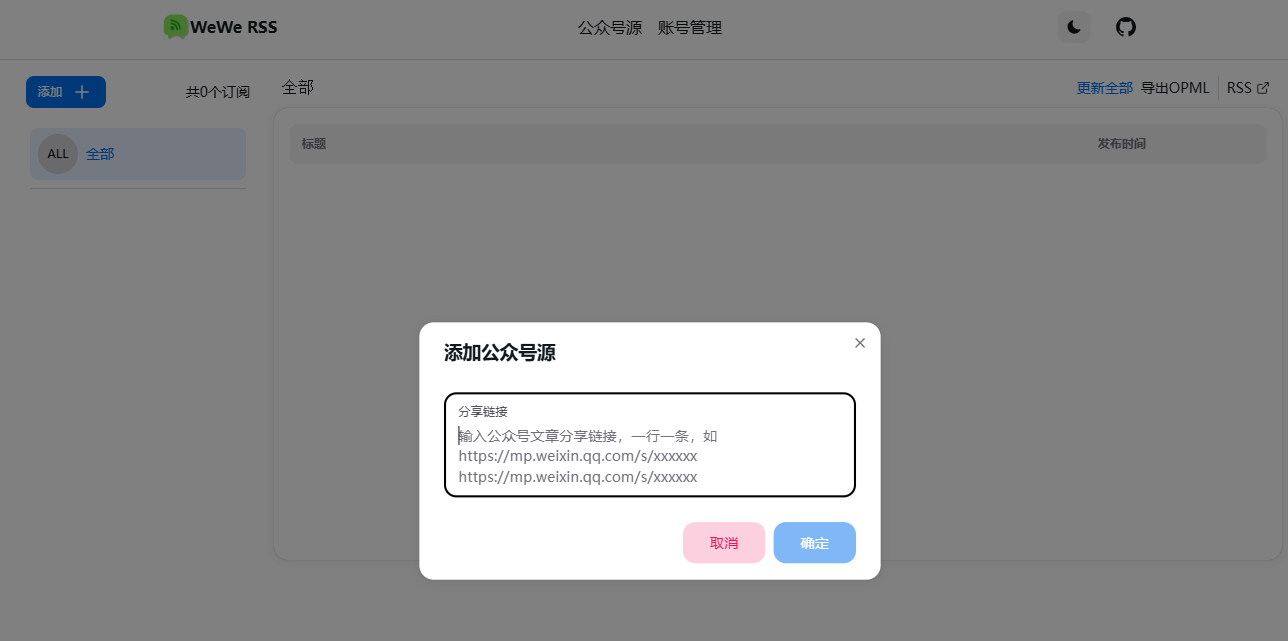
Paste any Official Account article URL and click OK:
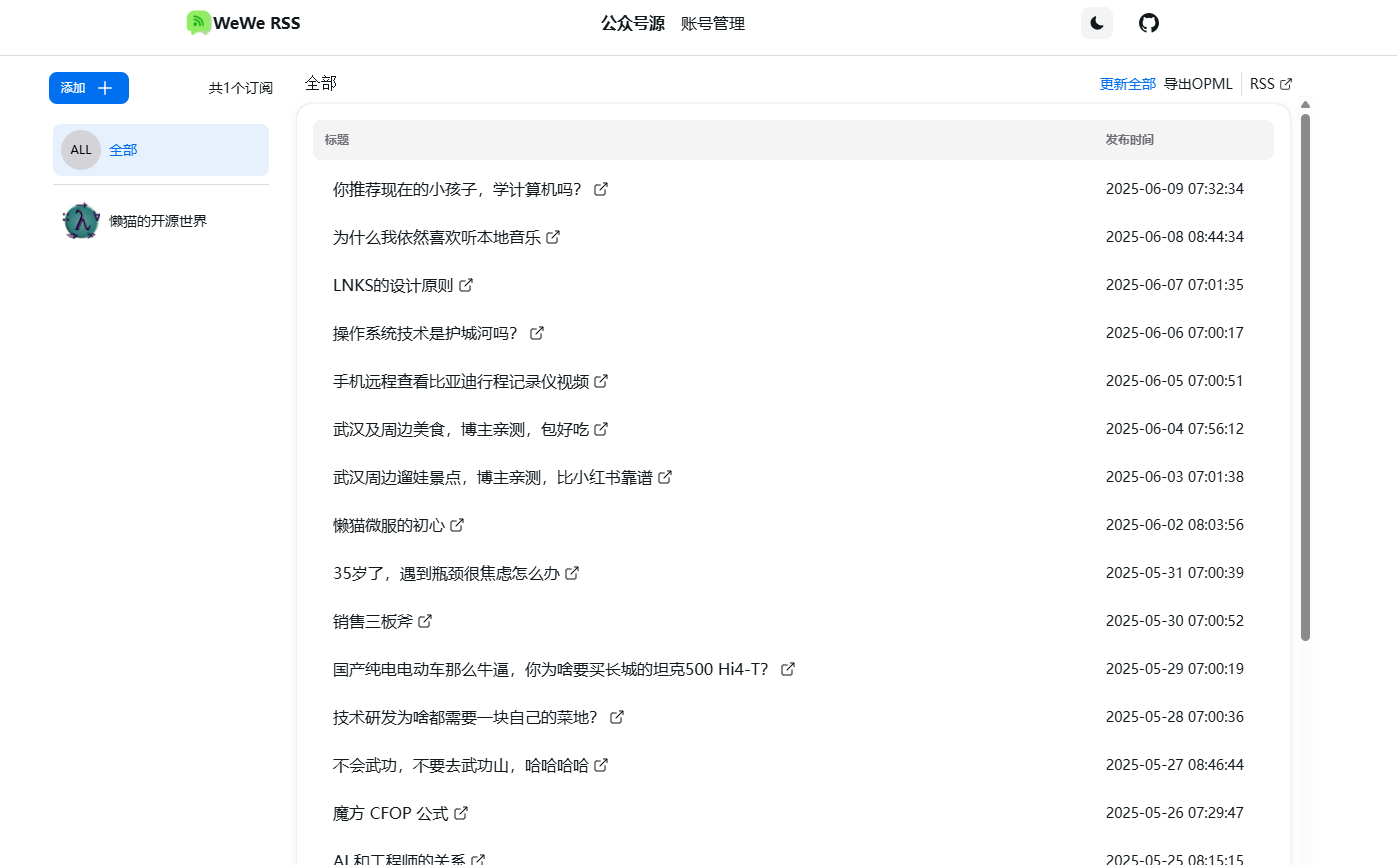
Now you can easily see all the articles!
However, there's one important note:
[Note]: Adding accounts too frequently may trigger restrictions. Wait 24 hours for the restriction to be lifted.
Finally,
This project is really excellent. It not only allows us to subscribe to our favorite WeChat Official Accounts in the simplest way but also supports full-text content output, ensuring we never miss an article from any account we like.
No need to figure out deployment; LazyCat's one-click installation saves a lot of time.
Friends who are interested, come and give it a try!