
Azimutt Practical Guide - Stop Treating Your Database as a Black Box
Do you often find yourself in these situations: taking over a project, seeing hundreds of tables in the database, and having no idea where to start? Or trying to find the relationship between two tables, only to get lost in a maze of a dozen foreign keys? Don't panic. The tool introduced today will make your database structure crystal clear.
🎯 What is Azimutt?
Simply put, Azimutt is a visual database exploration tool. Unlike traditional ER diagram tools, it's specifically designed for real-world, large-scale databases—the kind with hundreds of tables and intricate, complex relationships.
https://appstore.lazycat.cloud/#/shop/detail/cloud.lazycat.app.azimutt
Getting Started Guide
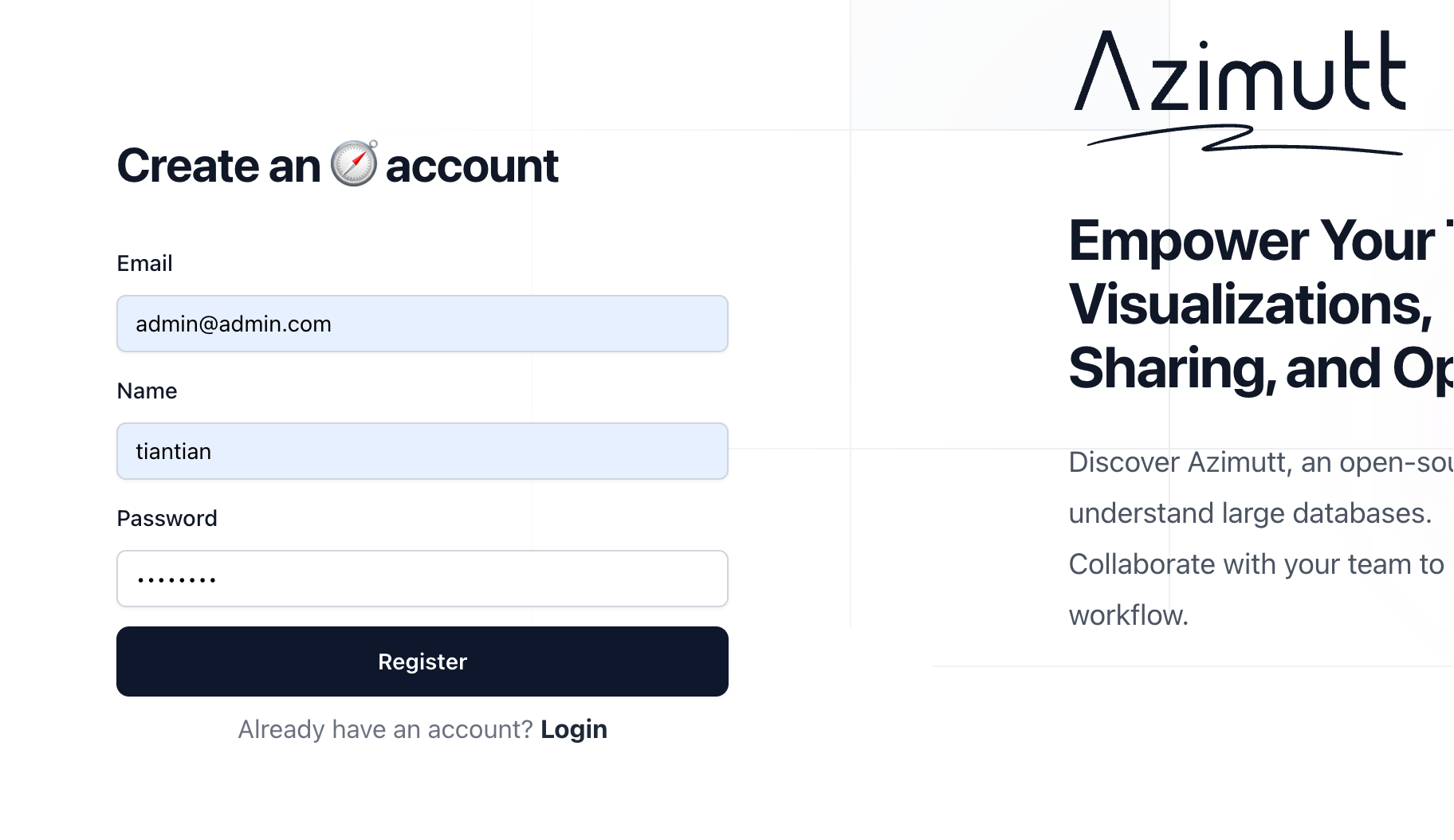
After installing the application, first register a user. The password must be at least 12 characters.
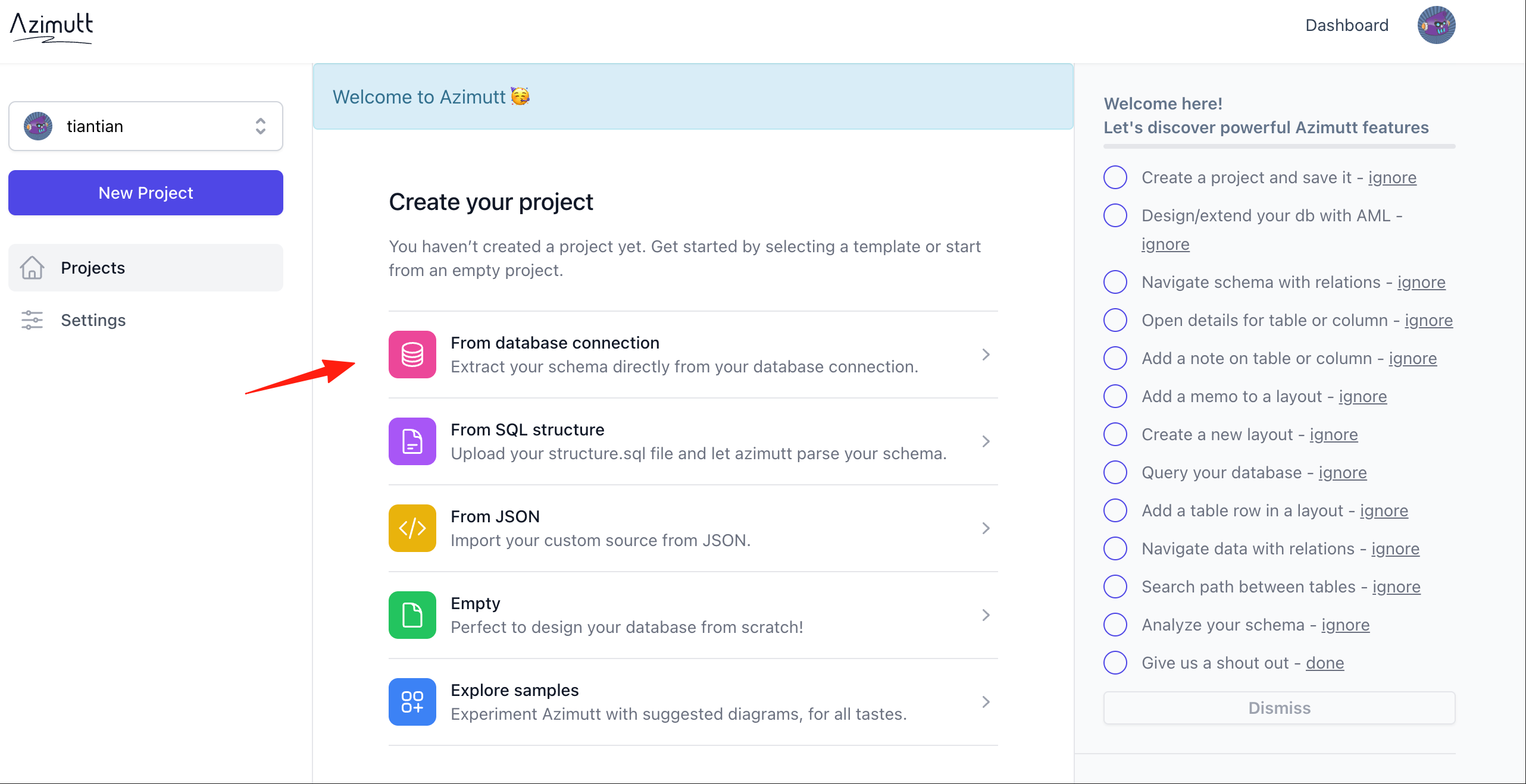
There are several ways to connect to a database; here I'll use the first one.
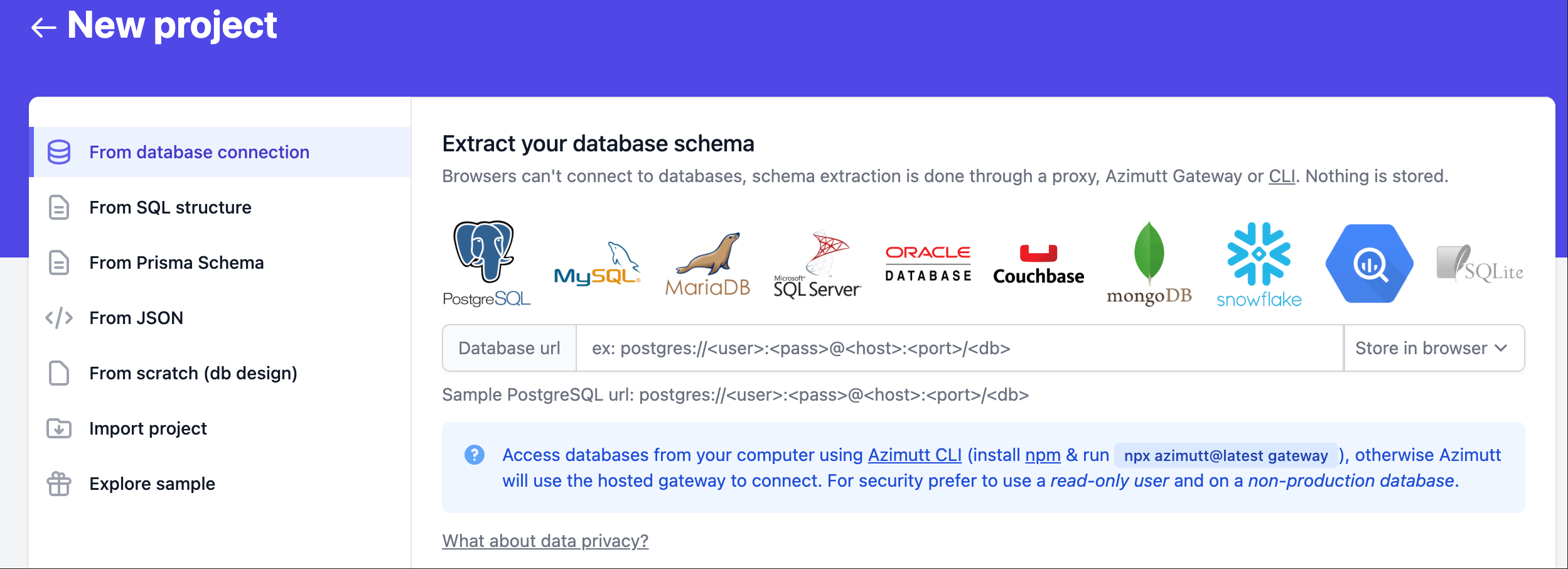
It supports mainstream databases like PostgreSQL, MySQL, MongoDB, etc.
Here, I encountered this error:
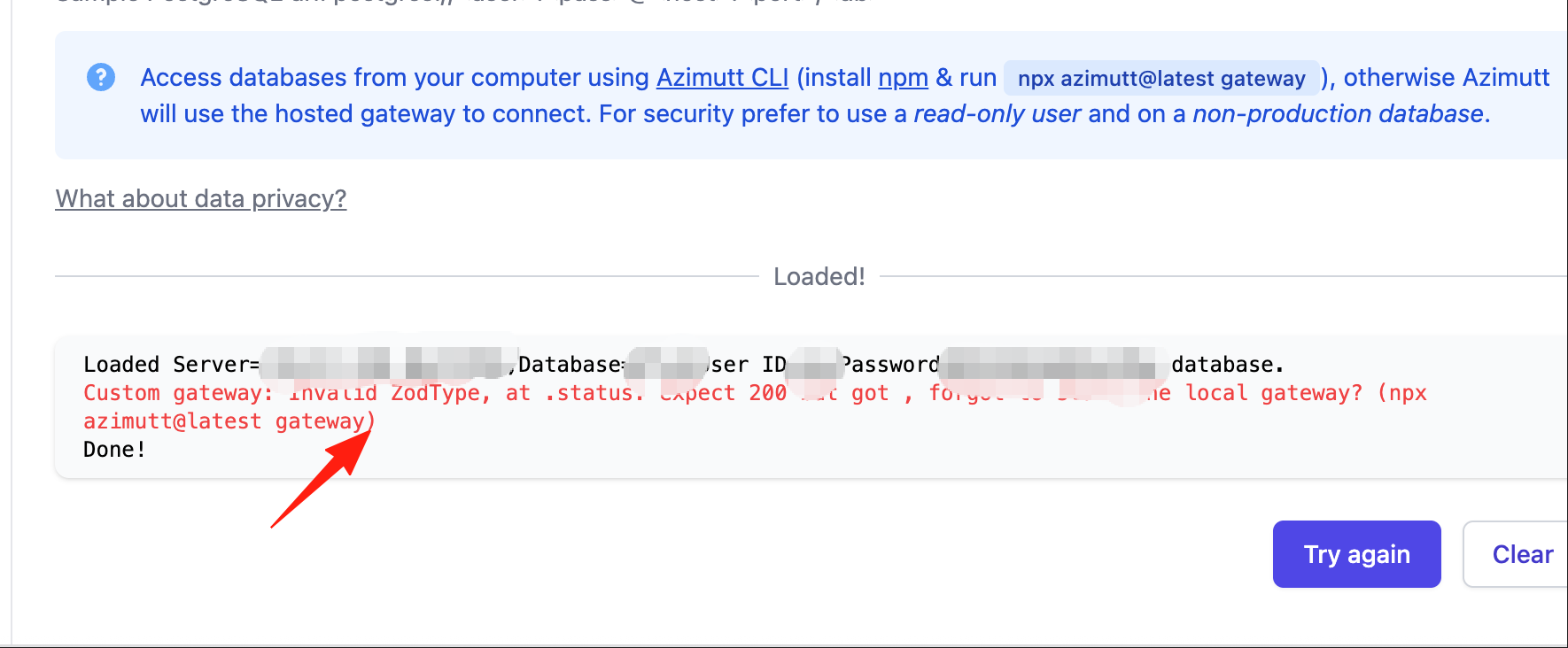
Open the terminal (I'm using a Mac), and execute this command: npx azimutt@latest gateway
After installation is complete, click 'try again'.
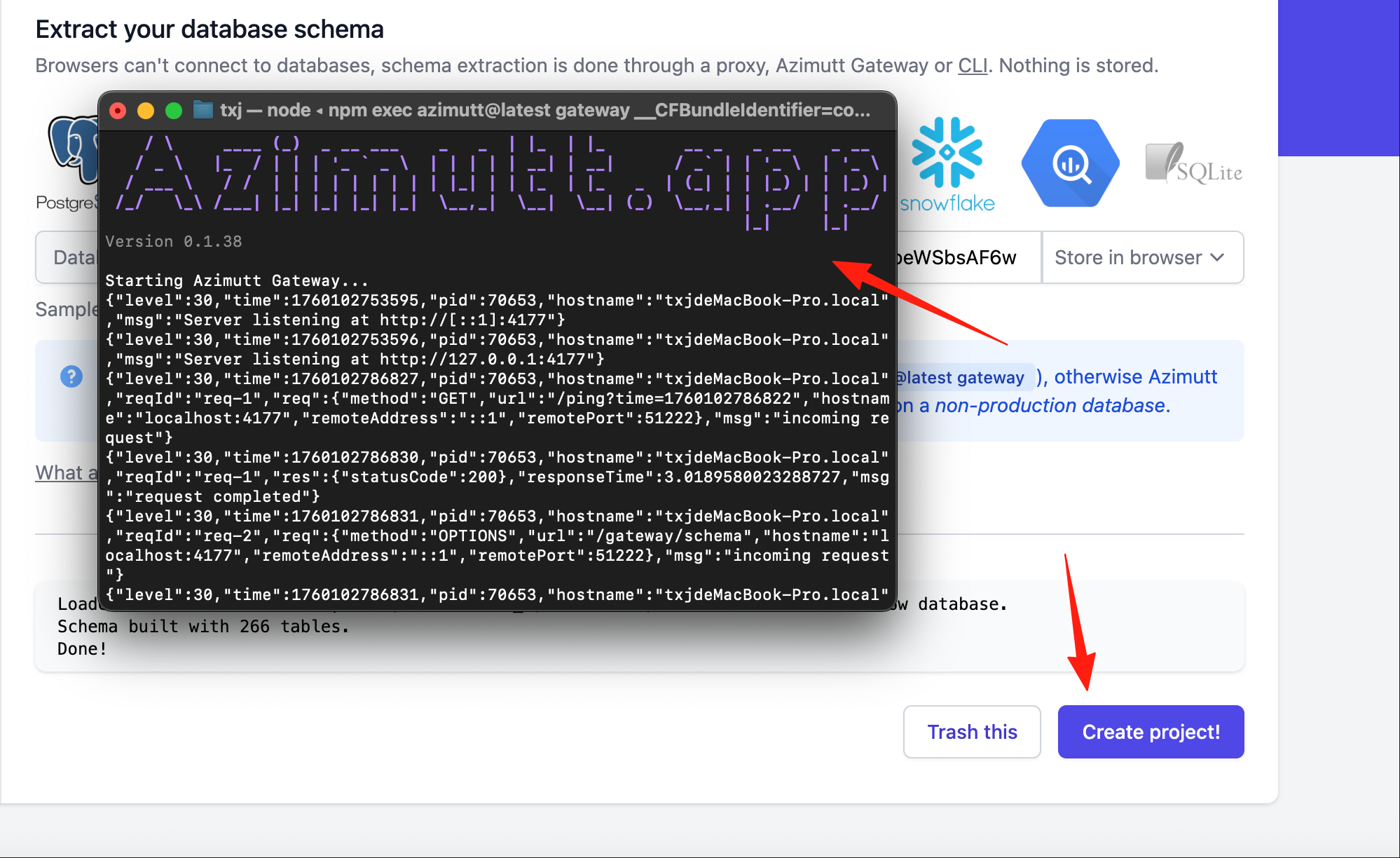
Now it should work. Click 'Create project' to create a new project.
It has detected the database's table structure.
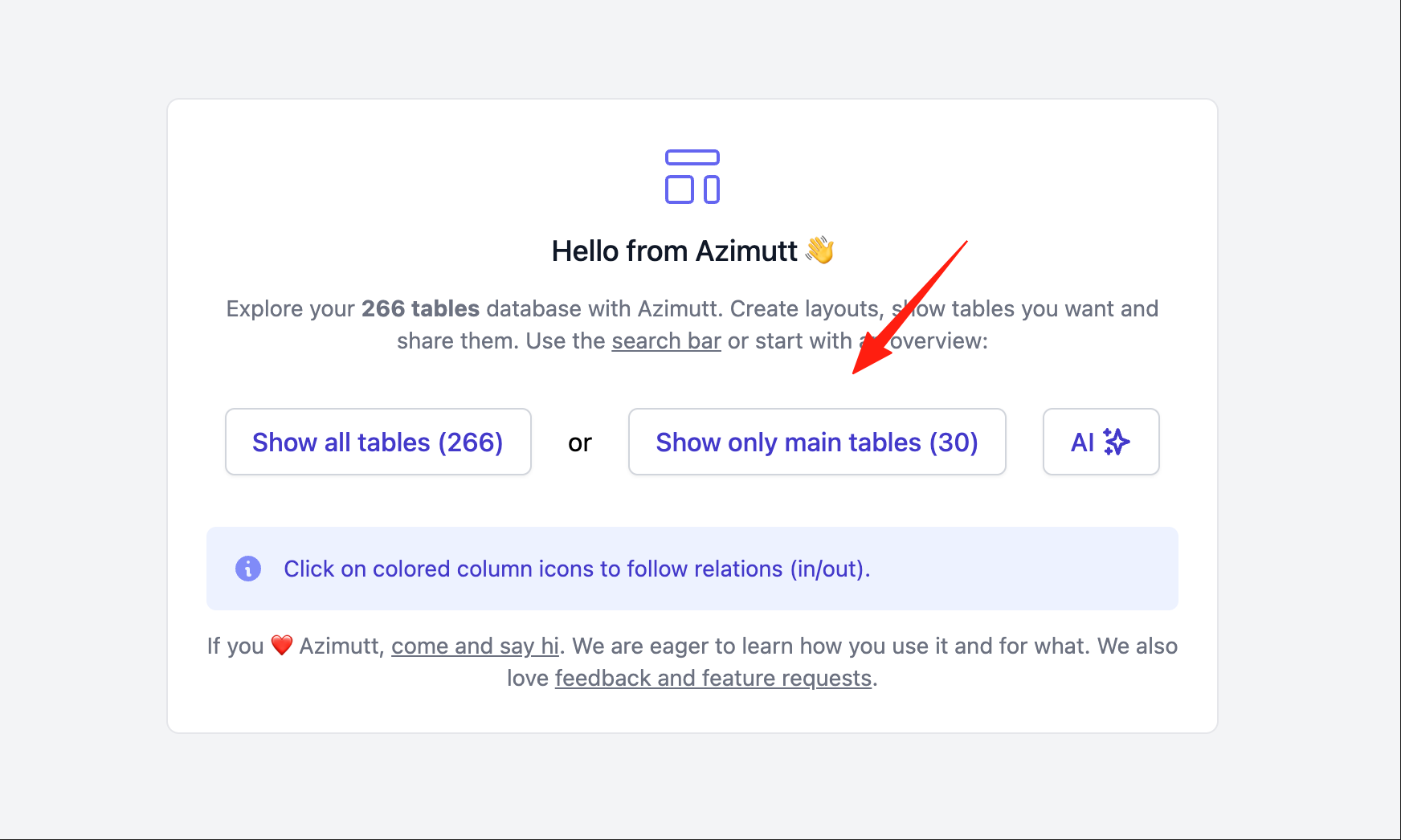
1. Smart Exploration
Scenario: You want to know how the users table and the orders table are related.
Traditional Method: Open the ER diagram, look for the relationship among a dense web of lines, straining your eyes.
Azimutt Method:
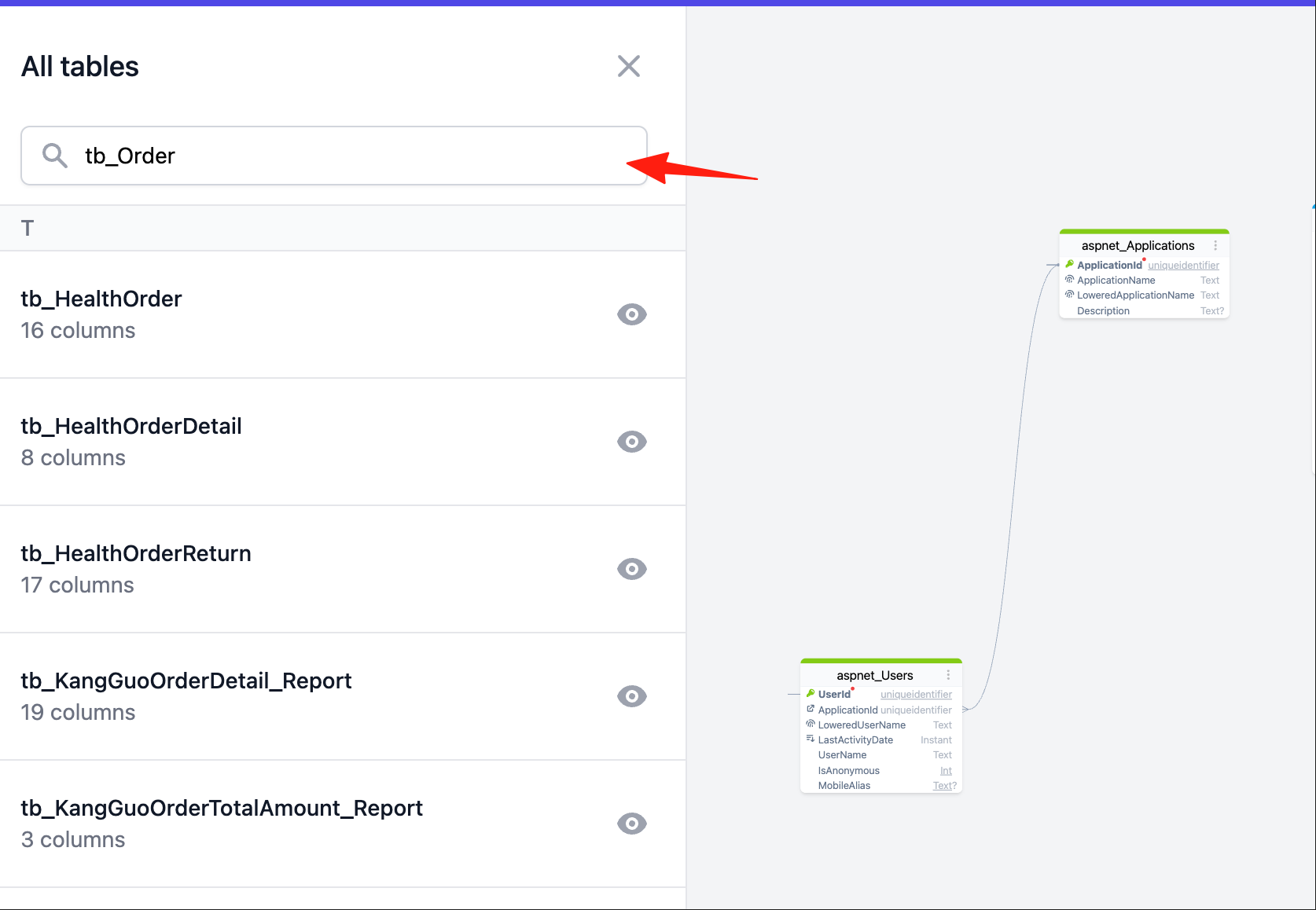
- Search for the
userstable and click to display it. - Click the relationship icon on the right side of the table and select
orders. - The association path is automatically displayed, clear and understandable.
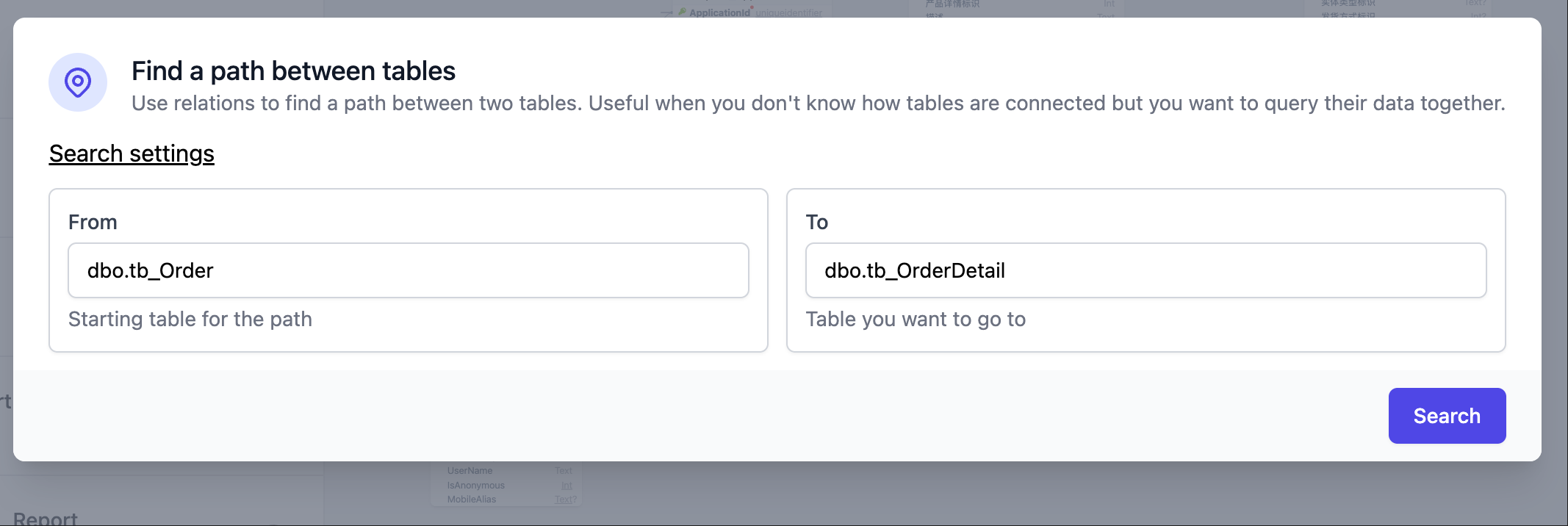
Advanced Technique: Use the "Find Path" function (lightning bolt icon in the top right), enter two table names, and Azimutt will automatically find all possible association paths.
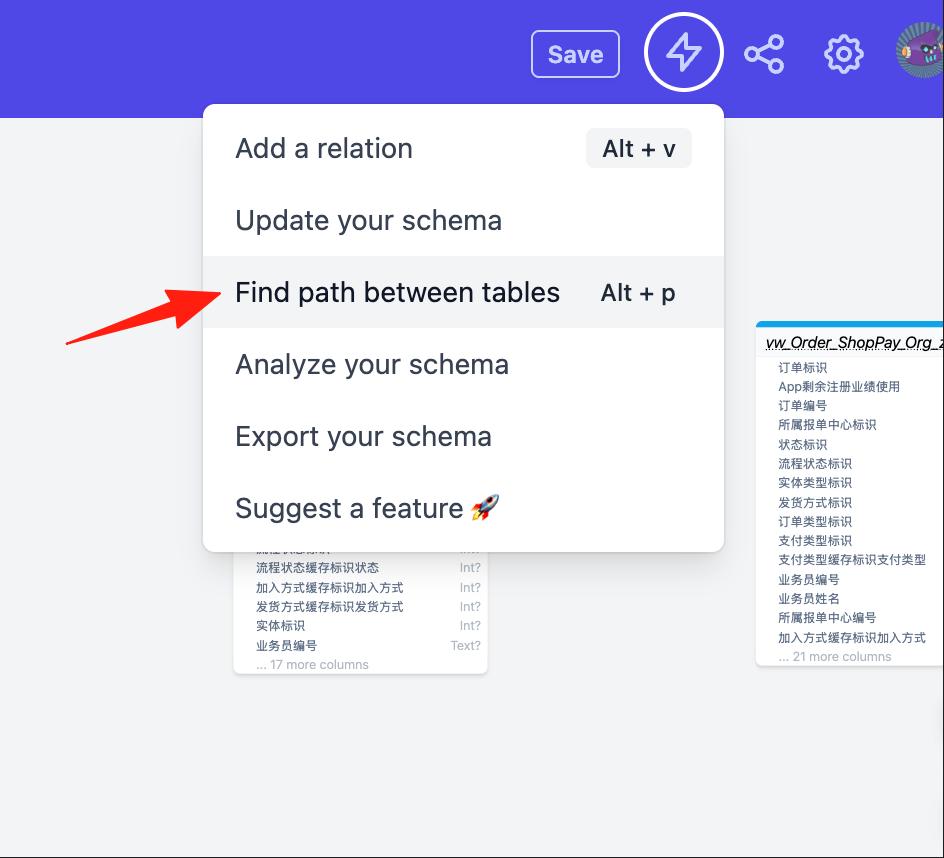
This feature is particularly useful when dealing with multi-level associations.
2. Layout Management
Scenario: An e-commerce system has over 200 tables, but you only care about the user module.
Steps:
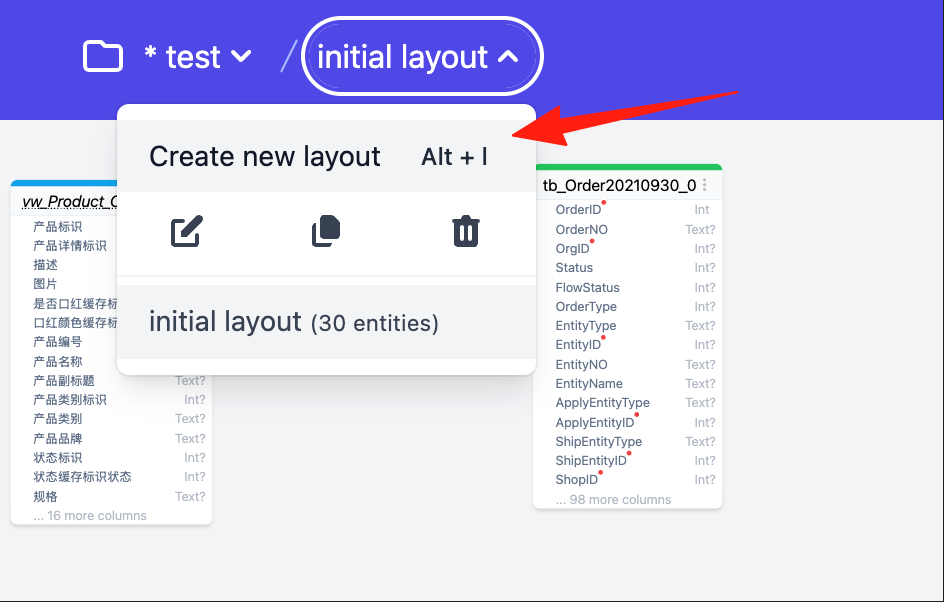
- Create a new layout, name it "User Management".
 2. Search for and add relevant tables:
 users, user_profiles, user_addresses, user_permissions.
3. Hide unnecessary fields, keeping only the core ones.
4. Save the layout and open it directly next time.
Now you have a dedicated view for the user module, free from interference by other unrelated tables. You can create multiple layouts:
- "Order Process" layout
- "Inventory Management" layout
- "Payment System" layout
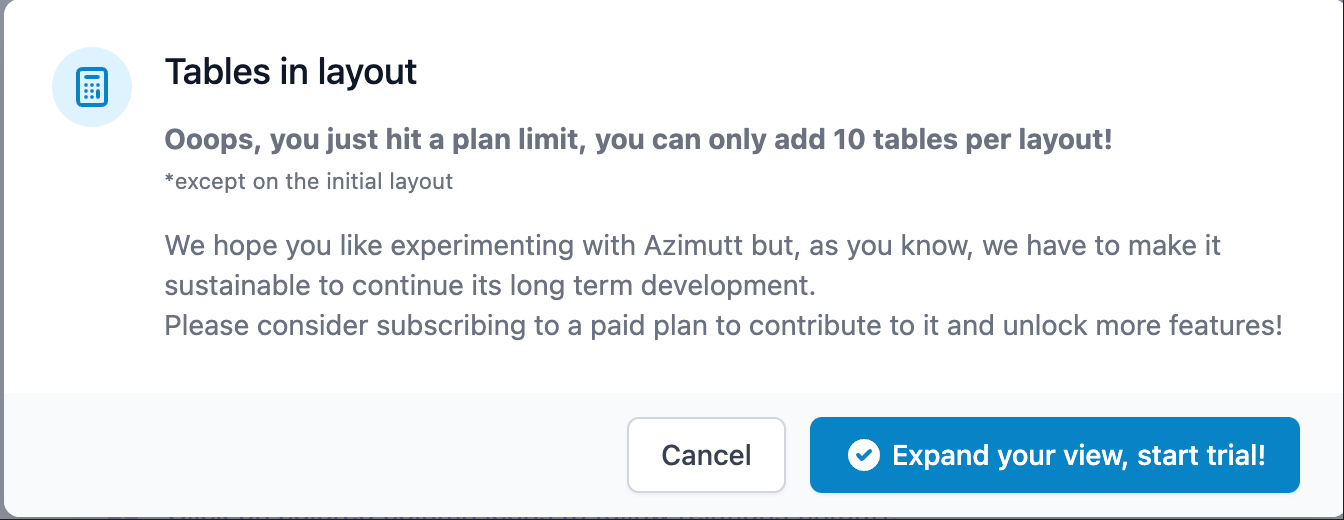
Each layout is independent and easy to switch between. However, the self-hosted version has a limit of a maximum of 10 tables per canvas.
3. Virtual Relations - Supplement Missing Foreign Keys
Often, relationships in the database aren't enforced by foreign key constraints (maybe due to historical reasons or performance considerations). Azimutt allows you to manually add these "virtual relations":
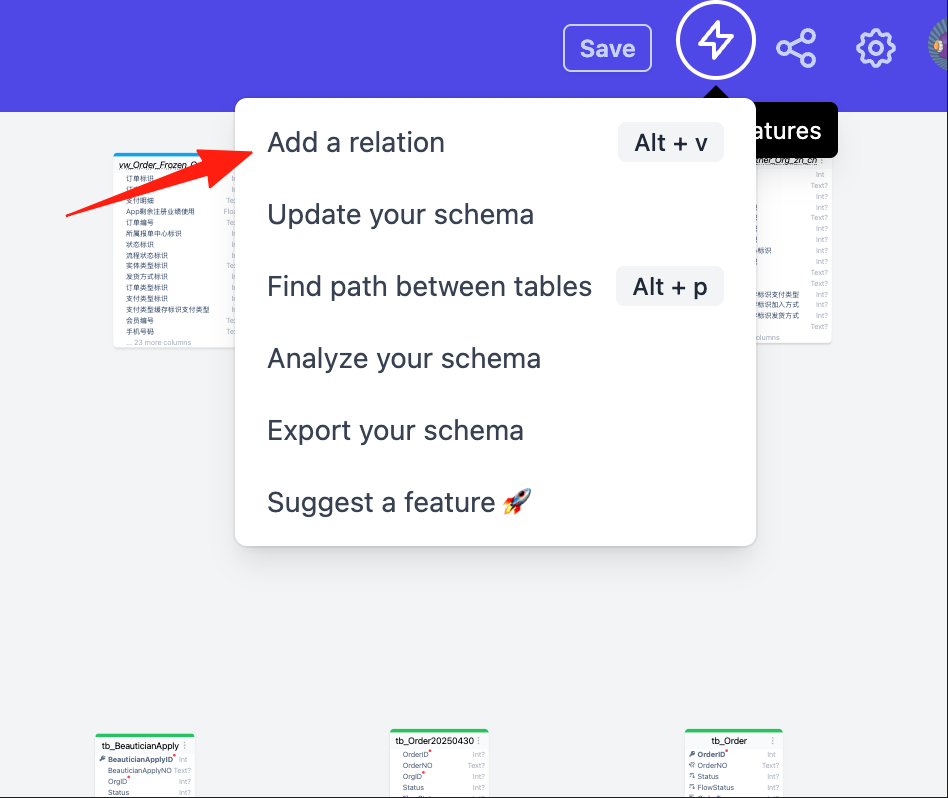
- Click the lightning bolt menu in the top right corner.
- Select "Add a relation".
 3. Select the source and target tables, specify the association fields.
4. After saving, this relationship will be displayed in the diagram.
3. Select the source and target tables, specify the association fields.
4. After saving, this relationship will be displayed in the diagram.
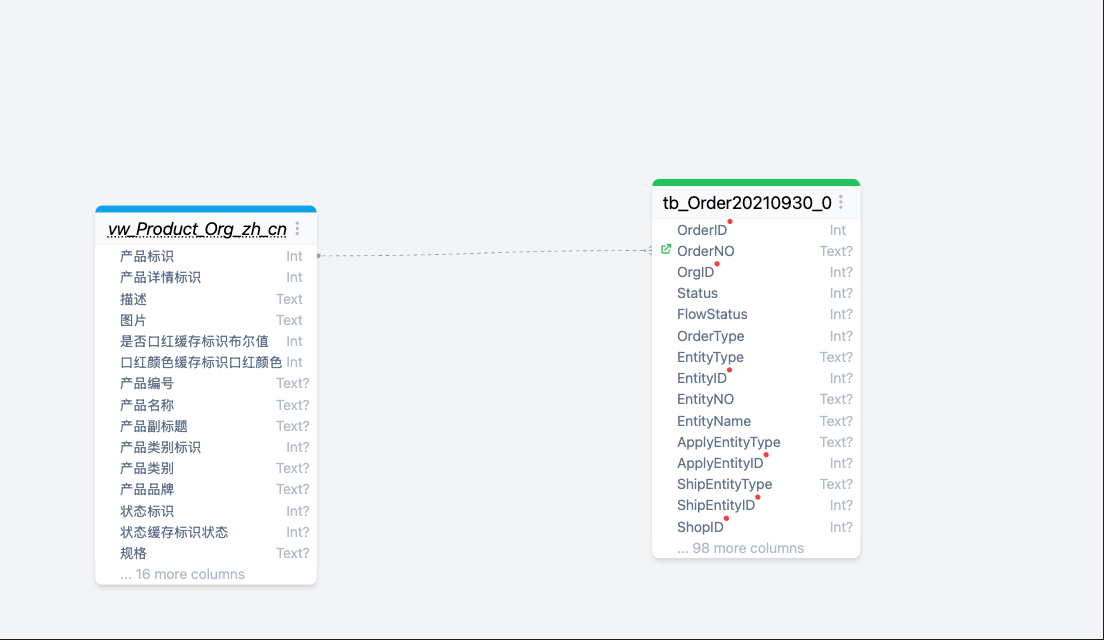
This feature is especially suitable for:
- Tables in legacy projects without foreign key constraints.
- Cross-database associations.
- Implicit associations based on business logic.
4. AML - Quickly Design New Tables
If you need to design new tables, skip the drag-and-drop diagram tools and use AML (Azimutt's Modeling Language) directly:
users
  id uuid pk
  email varchar(255) unique
  username varchar(50) unique | Username for login
  created_at timestamp

posts
  id uuid pk
  user_id uuid fk users.id
  title varchar(200)
  content text | Article content, supports Markdown
  published_at timestamp nullable
This is much faster than dragging and dropping! After writing, you can directly generate the diagram and even export it to SQL.
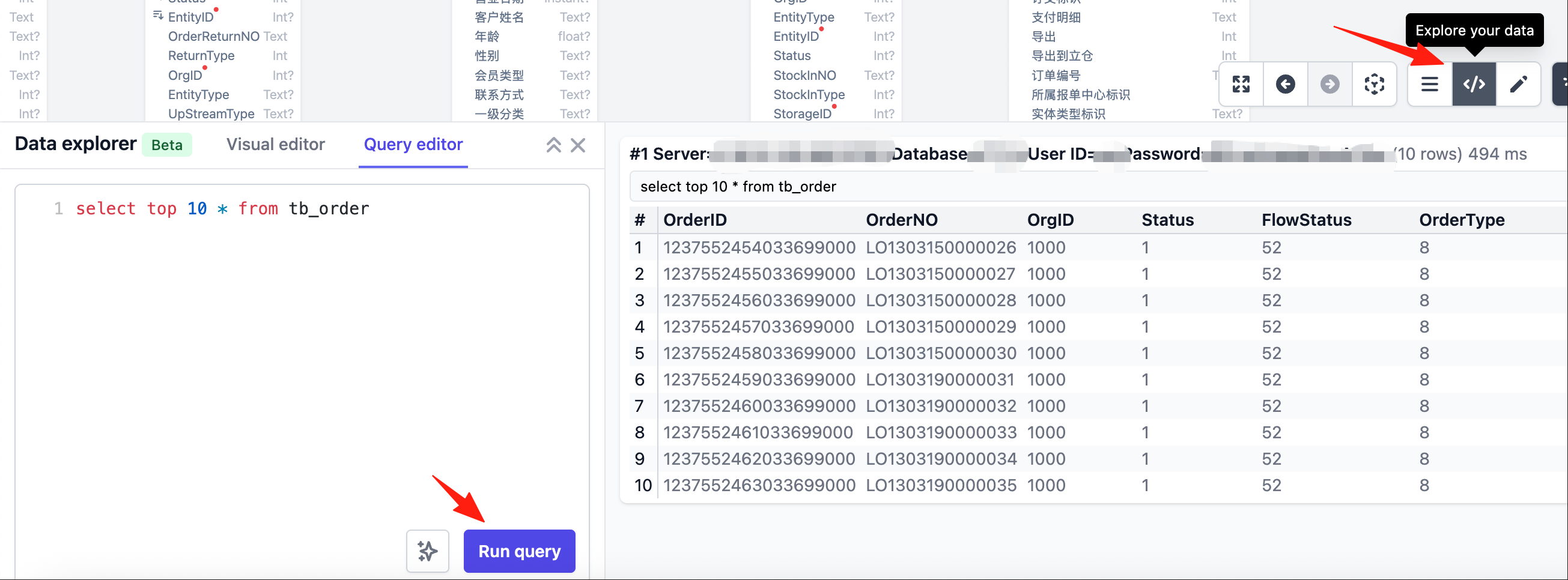
It also supports querying data within tables, making it easy to understand information.
🤔 When to Use Azimutt?
Particularly suitable for:
- Taking over legacy projects and needing to quickly understand the database structure.
- Daily development on large projects (50+ tables).
- Impact analysis before database refactoring.
- Training newcomers to quickly familiarize them with the business.
- Writing technical documentation.
Final Words
Azimutt isn't a traditional ER diagram tool in the conventional sense; it's more like a "Google Maps" for your database. You don't need to see the entire world at once, you just need to find the place you want to go.
If you're also tired of getting lost in complex databases, why not give Azimutt a try. It's open-source, the basic features are completely free, and the data is stored locally in your browser, so you don't have to worry about security issues.