
Yaade Guide: Your Private API Testing Power Tool
When it comes to API testing, Postman is undoubtedly the first tool that comes to mind. But have you ever felt uneasy about storing all your sensitive data on someone else's servers? Especially for enterprise users, data security is truly a top priority.
Simply put, Yaade is a self-hostable Postman alternative, specifically designed for self-hosting and security, allowing you to securely store sensitive information on your own servers.
https://appstore.lazycat.cloud/#/shop/detail/cloud.lazycat.app.yaade
How to Use
After installing the application, the default credentials are: admin/password

Migration Guide from Postman
Already using Postman? Migrating to Yaade is super simple:
- Export Postman Data
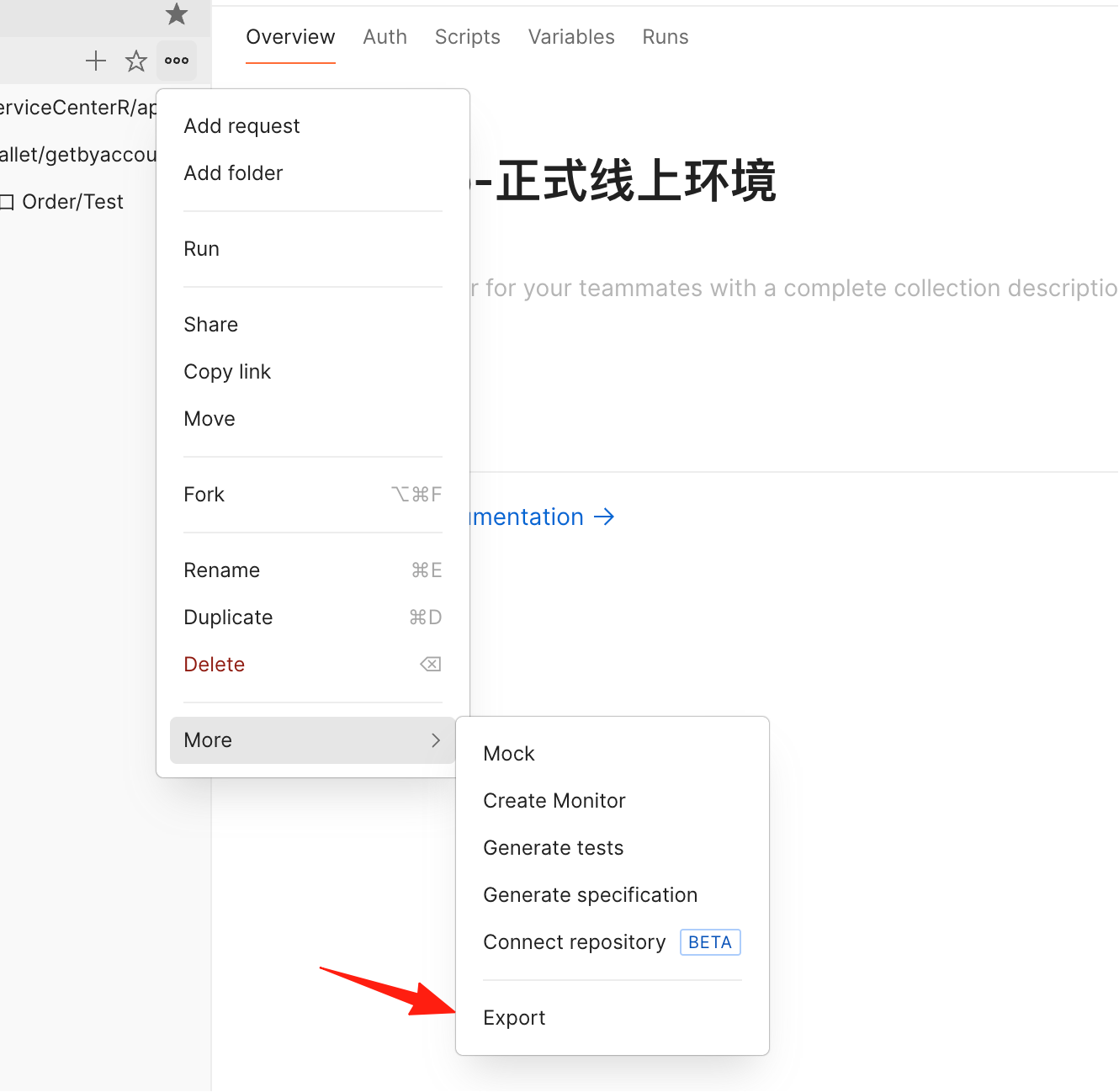
- Open Postman, click on your Collection
- Select Export, choose Collection v2.1 format
- The exported data will be a JSON file
- Import to Yaade
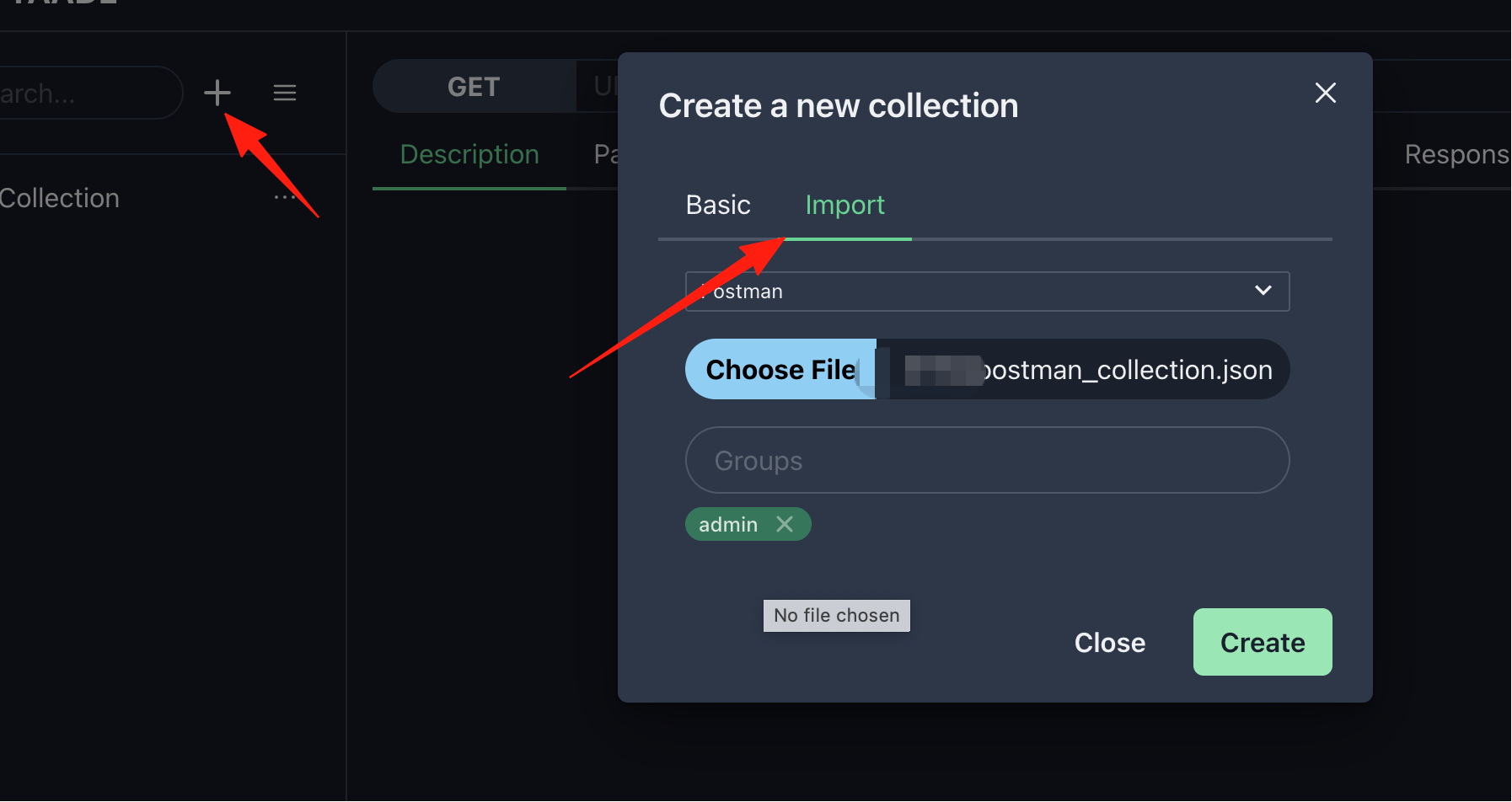
- Log in to the Yaade interface
- Click the Import button
- Select the JSON file you just exported
- Complete the import with one click
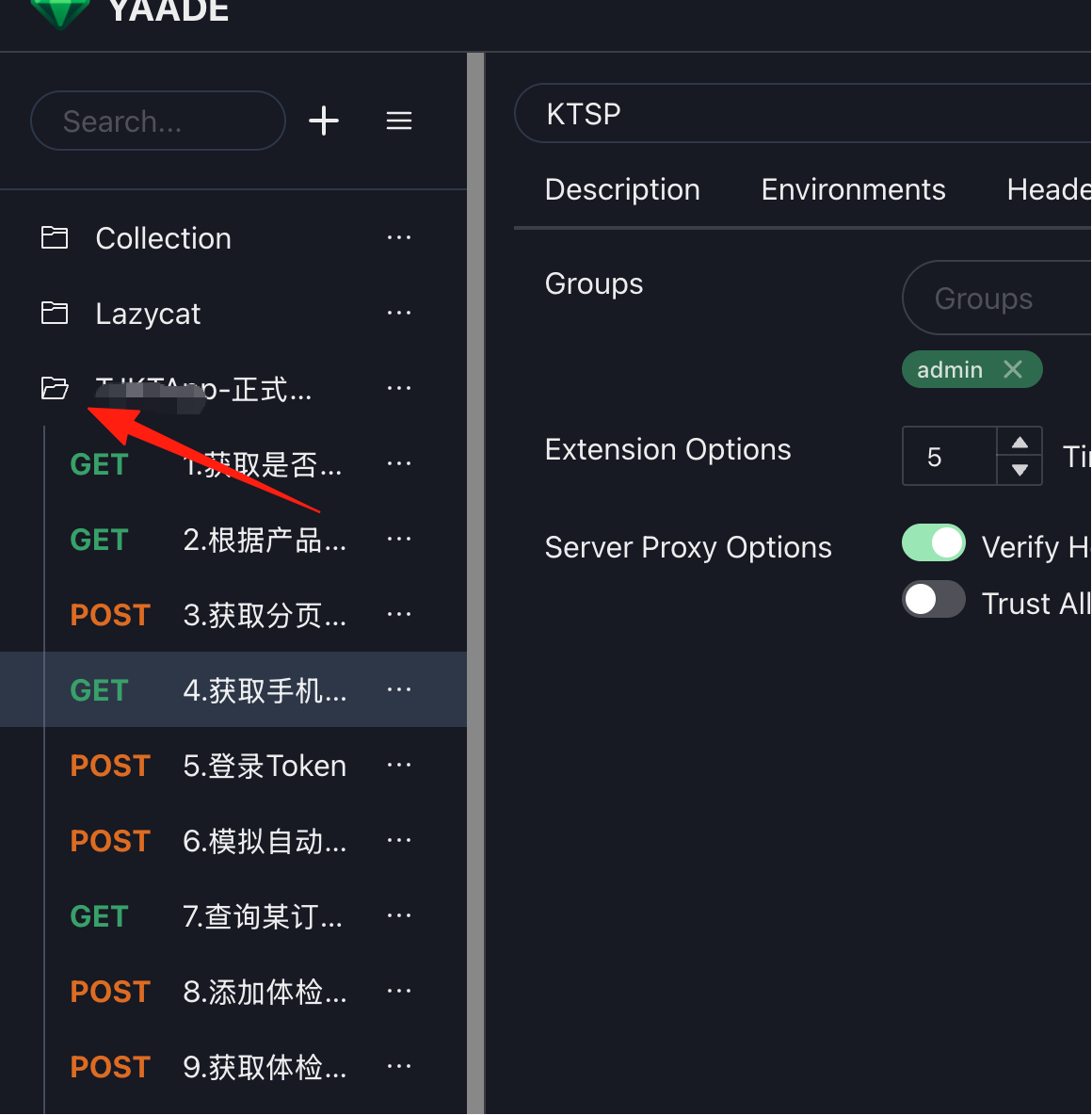
After importing here, the files inside won't be displayed immediately. You must click on the folder on the left to see them.
- Adjust Environment Variables
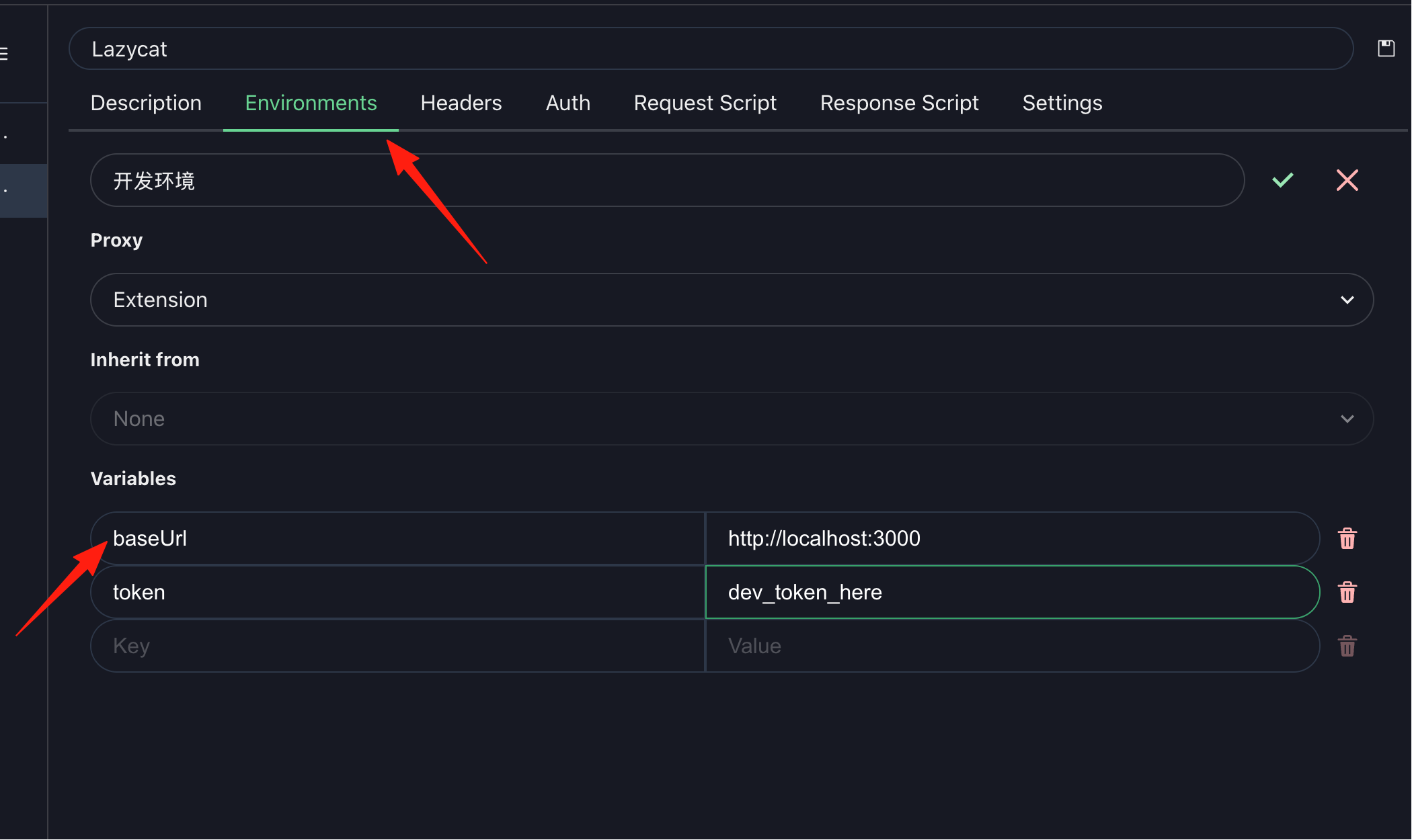
- Check if variables are imported correctly
- Adjust values as needed
- Test a few key endpoints to confirm everything works
1. The Right Way to Use Environment Variables
Create configurations for different environments:
Development Environment
{
  "baseUrl": "http://localhost:3000",
  "token": "dev_token_here",
  "debug": true
}
Production Environment
{
  "baseUrl": "https://api.yourapp.com",
  "token": "{{prod_token}}",
  "debug": false
}
Use in requests: {{baseUrl}}/api/users
When you try to create a GET request, you'll find it reports an error. You must install the browser extension to use it.
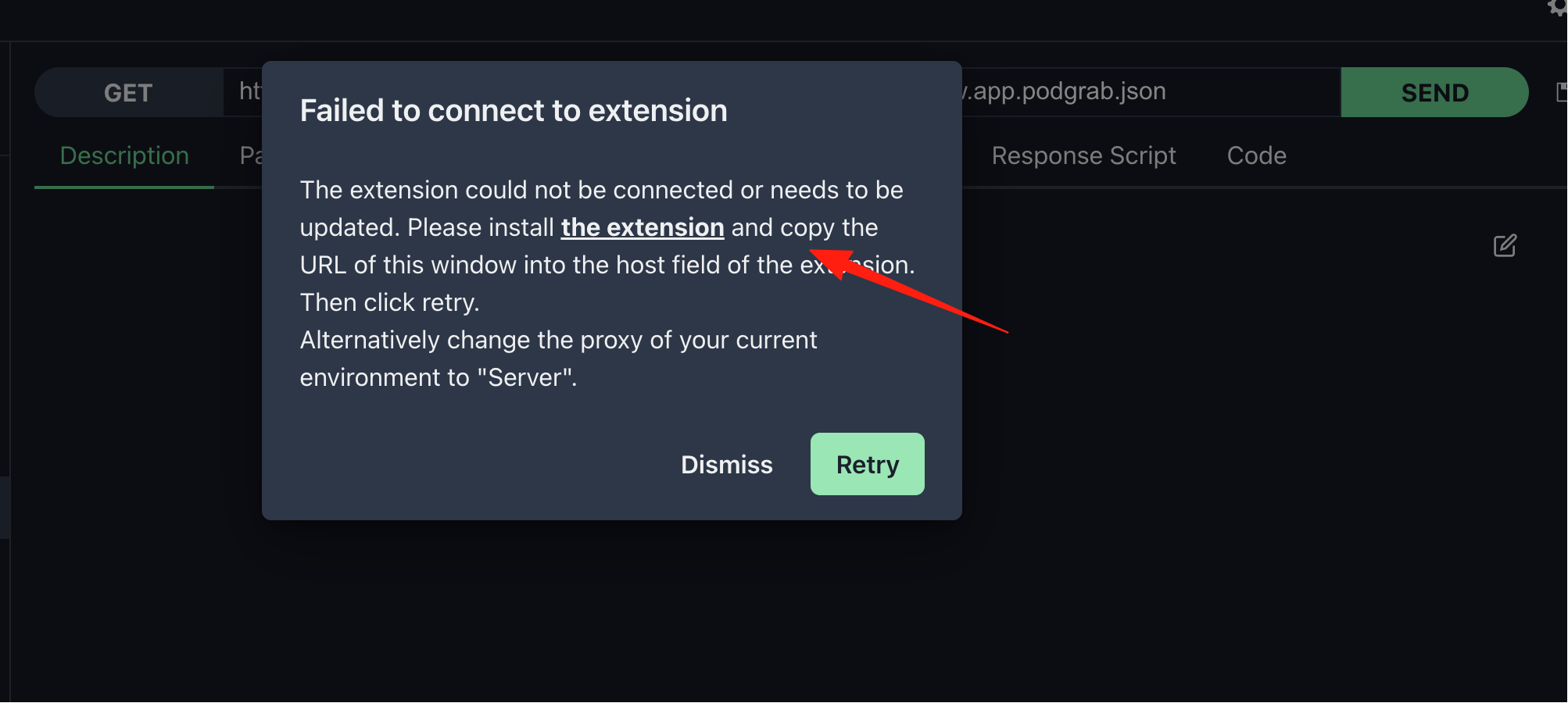

After installing the extension, copy your URL into the extension's hostname field and save it. For example, mine is: https://yaade.your-lazycat.heiyu.space

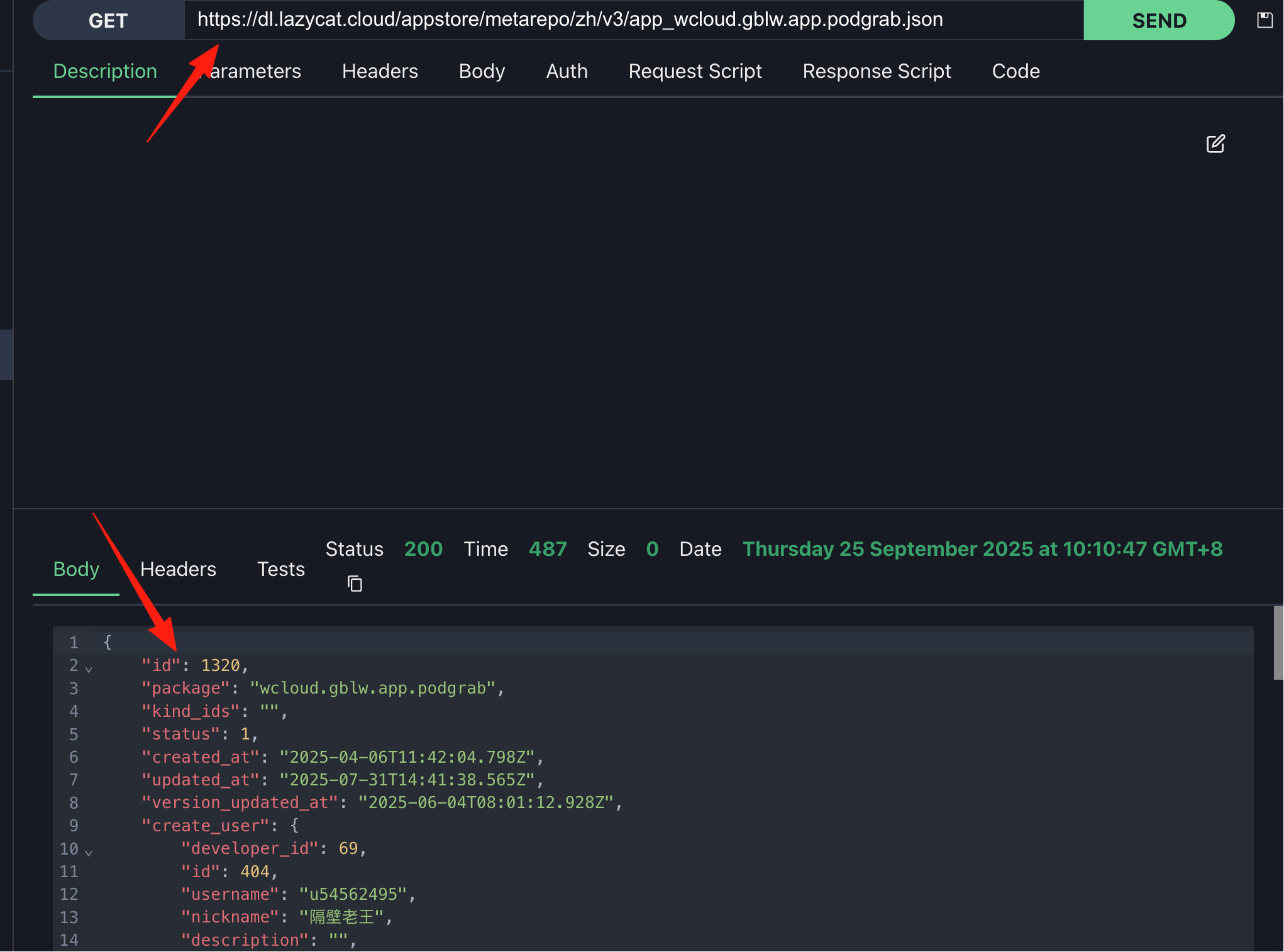
Refresh the page. Now you can send requests successfully.
Summary
Yaade is 100% open source. You can view the source code, raise issues, fix bugs, and contribute code. For teams that prioritize data security, this is definitely the best Postman alternative.
Most importantly, it's simple to use, easy to deploy, and has well-developed team collaboration features. If you're looking for an API testing platform that you can fully control, Yaade is definitely worth trying.