
RSSBox Practical Guide: Breaking Down Language Barriers in Foreign News
Ever feel frustrated trying to keep up with the latest tech trends abroad, only to get a headache from staring at screens full of English? Subscribed to a bunch of RSS feeds, but most are in foreign languages, forcing you to guess just from the titles? Don't worry, RSSBox is here to solve this problem.
What exactly can this thing do?
Simply put, RSSBox is an intelligent RSS management tool. Its most powerful feature is its ability to automatically translate foreign language RSS content. Imagine subscribing to sources like BBC News or Hacker News and receiving article pushes directly in Chinese. Sounds great, right?
Even better, it's not just about translation:
- Bilingual Display: View both the translation and the original text, perfect for learning.
- Smart Filtering: AI helps filter content you're genuinely interested in, saying goodbye to spam.
- Full-Text Fetching: Read complete articles directly in your RSS feed, no need to click through links.
- Feed Merging: Bundle similar RSS feeds into one for super convenient management.
https://appstore.lazycat.cloud/#/shop/detail/cloud.lazycat.app.rss-translator
Quick Start Guide
Step 1: Preparation
After installing the app, use the default credentials:
Username: admin
Password: rssbox
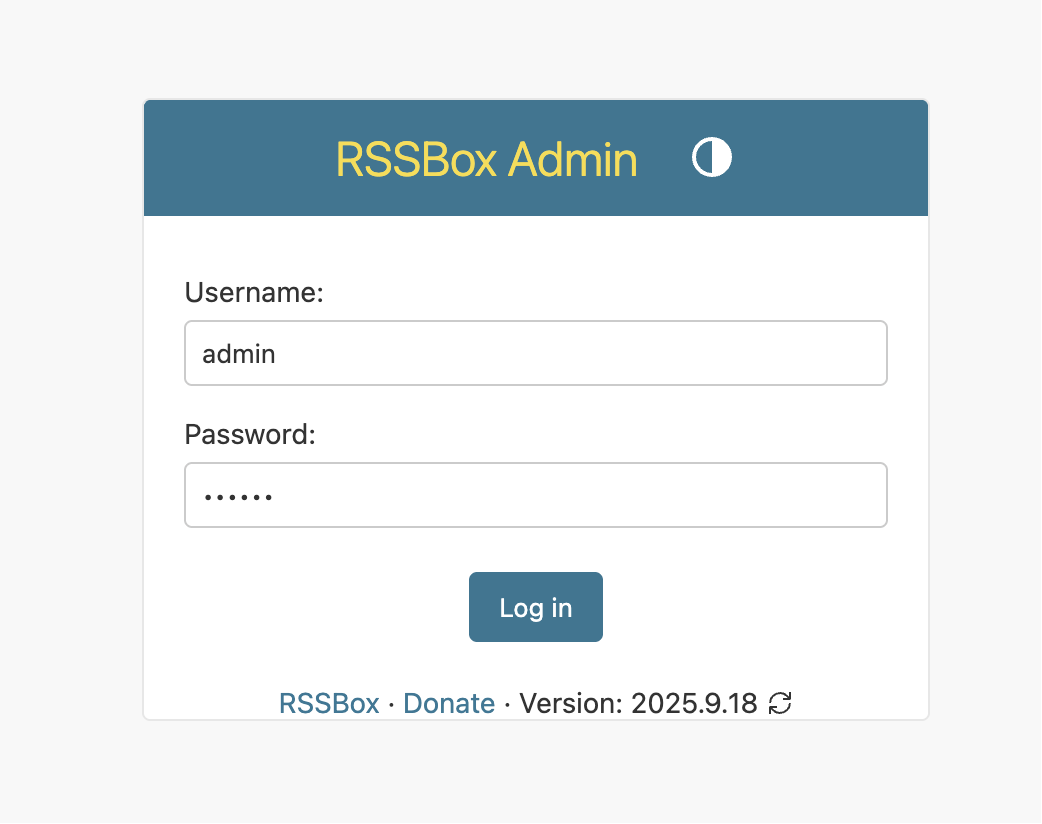
Step 2: Configure Translation Engine
RSSBox supports multiple translation engines. Here are my personal recommendations:
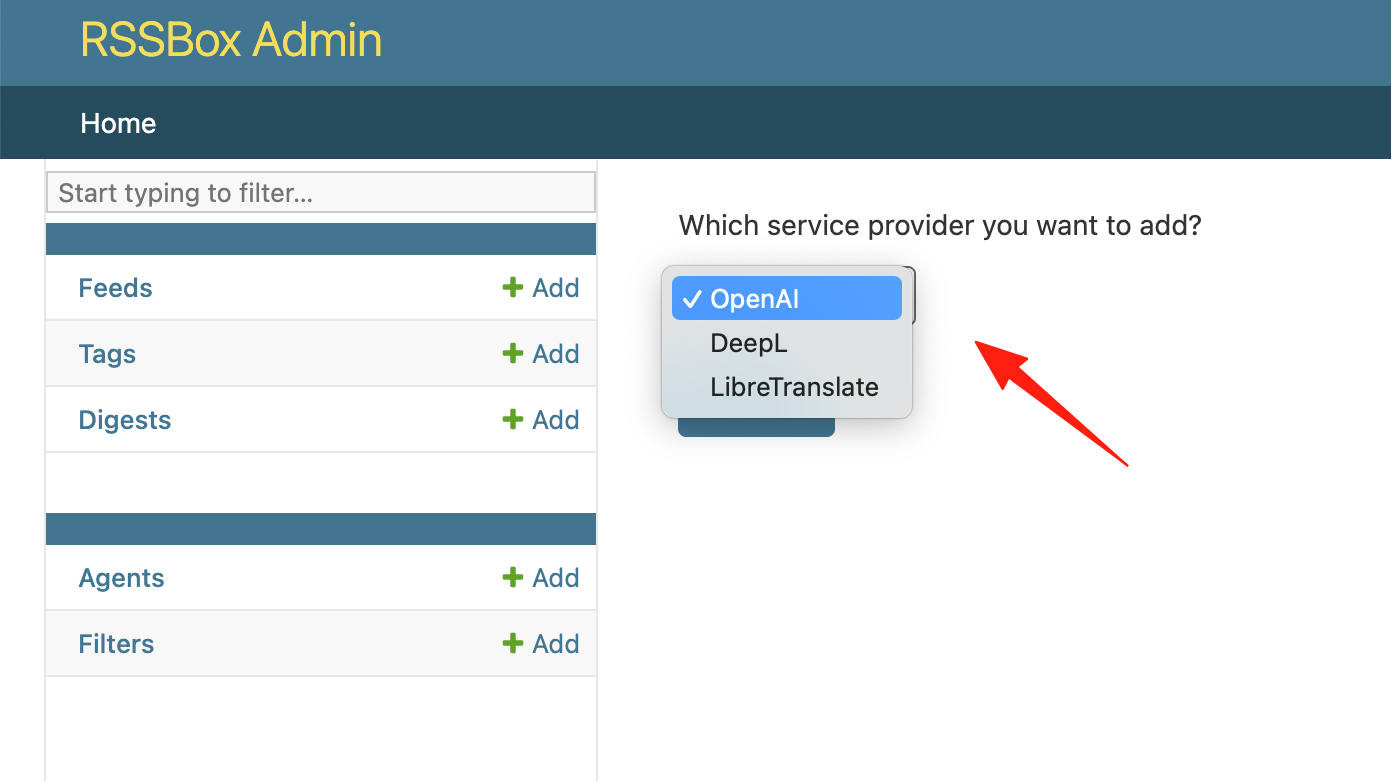 Free Options:
- SiliconFlow: Registration grants 20 million Tokens, enough for several months.
- DeepLX: A free version of DeepL with high translation quality.
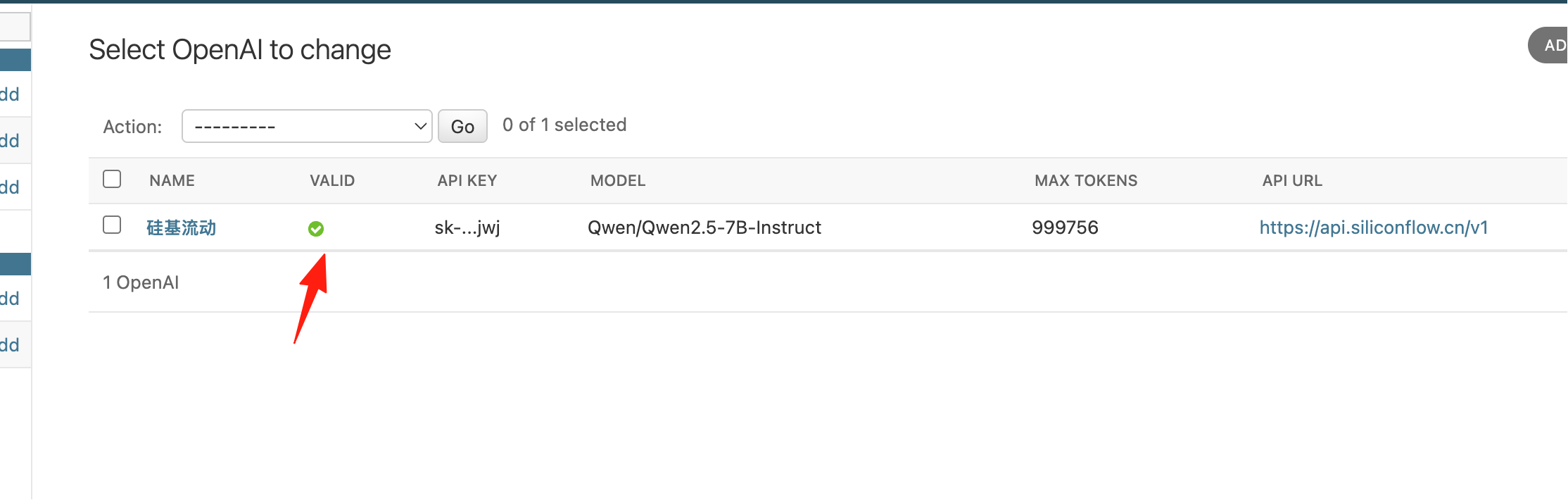
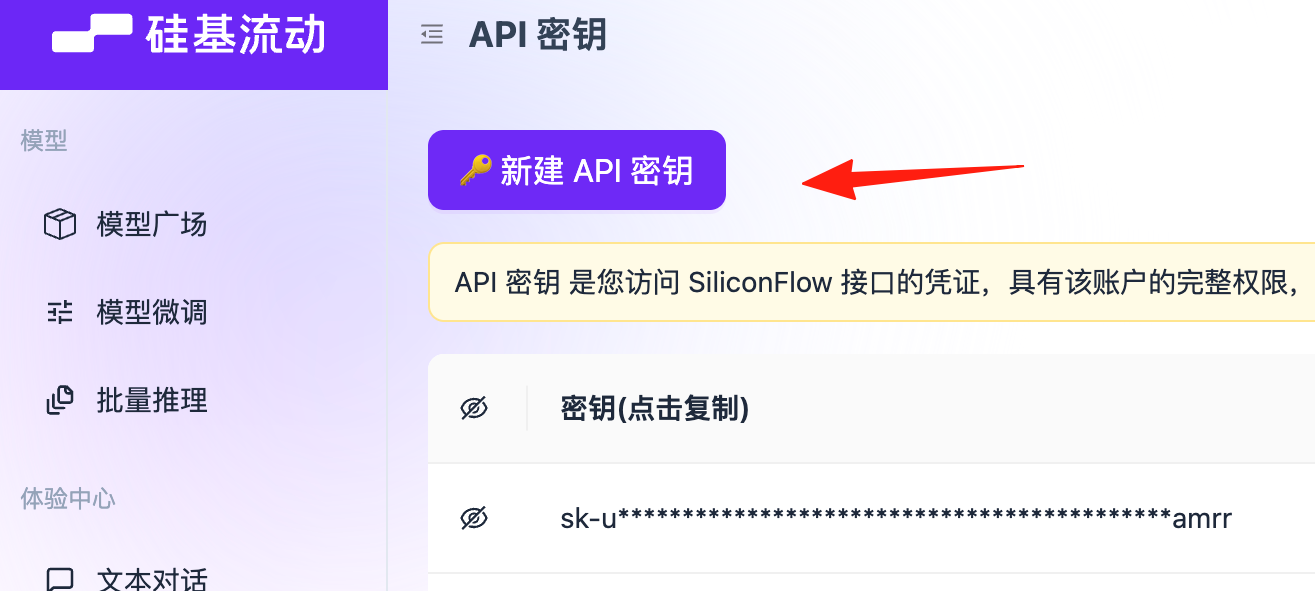 API Base URL:
 https://api.siliconflow.cn/v1
Model: Qwen/Qwen2.5-7B-Instruct (or other available models)
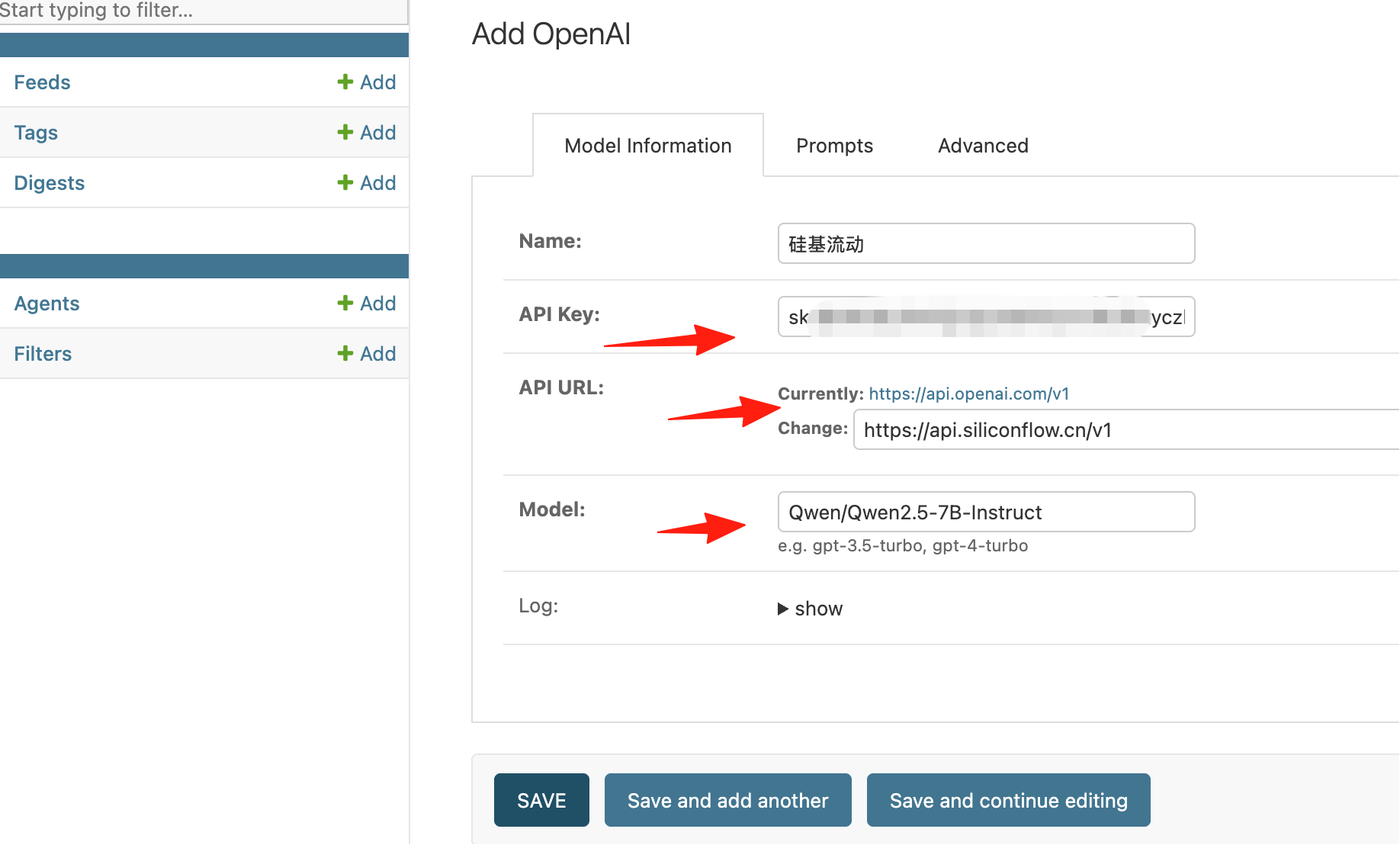 After saving, if the information is correct, the status here should show as active:
Step 3: Add Subscription Feeds
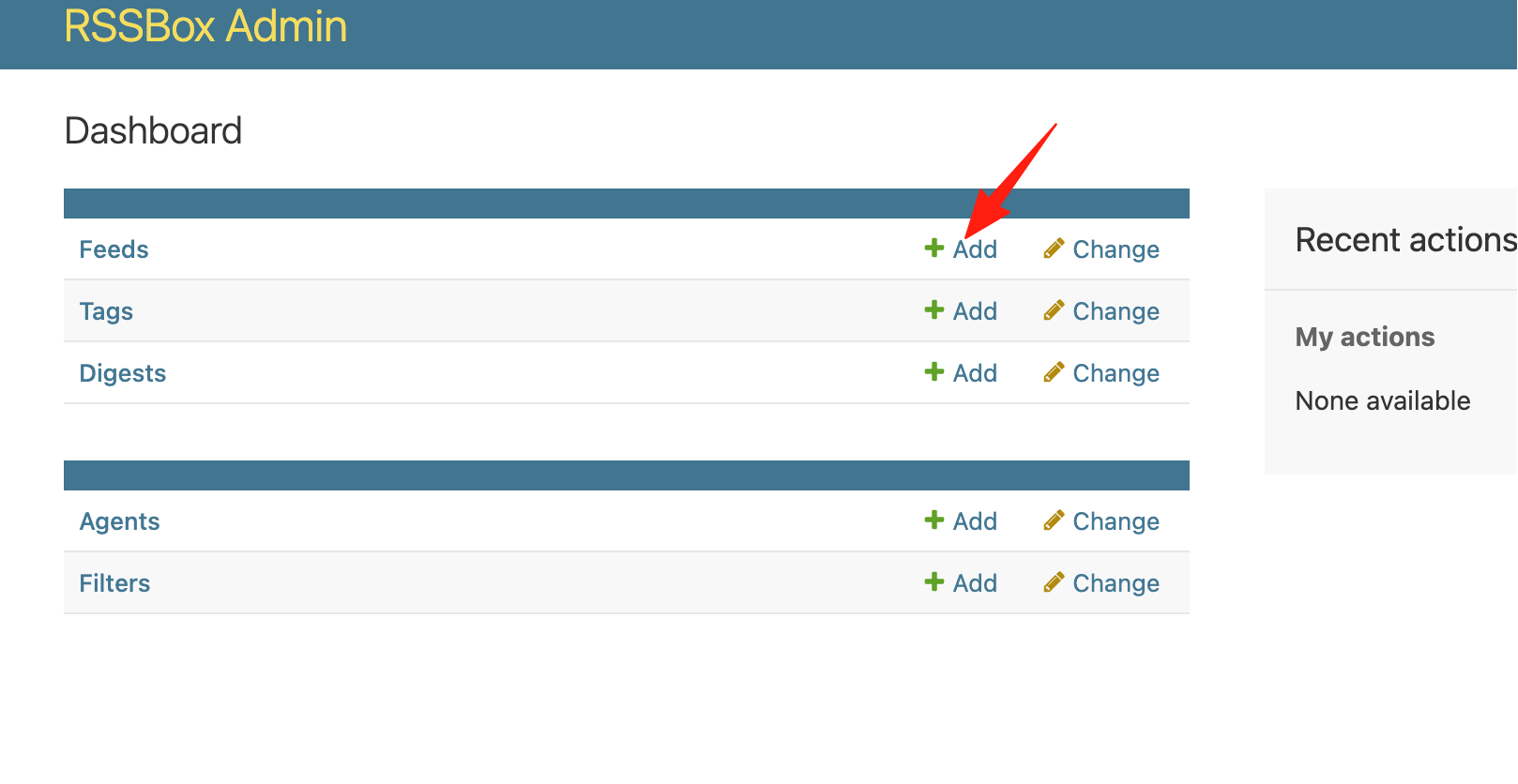
Here are some feeds I subscribe to:
https://news.ycombinator.com/rss  # Hacker News
https://www.reddit.com/r/programming.rss  # Reddit Programming
https://github.com/trending.atom  # GitHub Trending
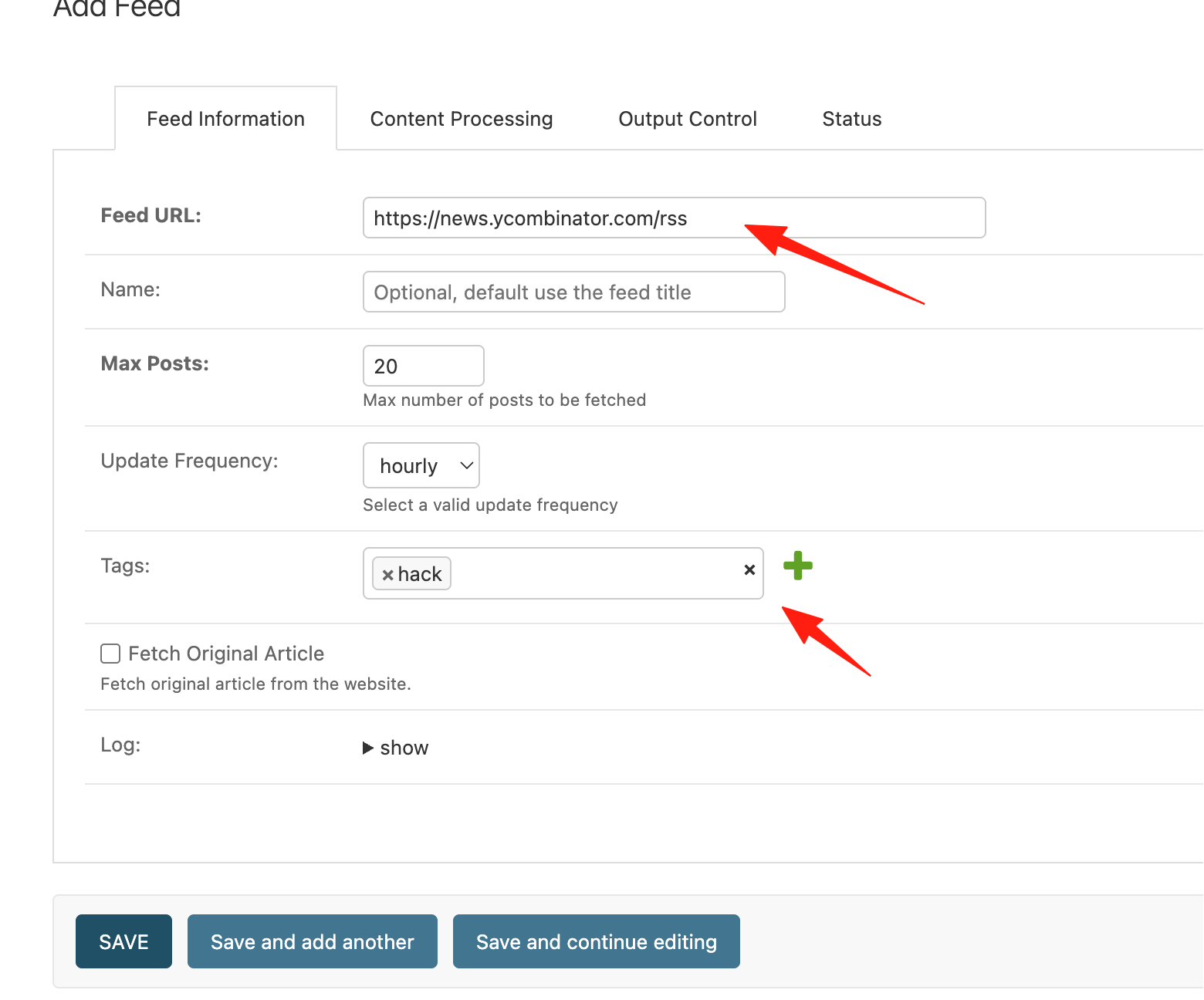 Settings:
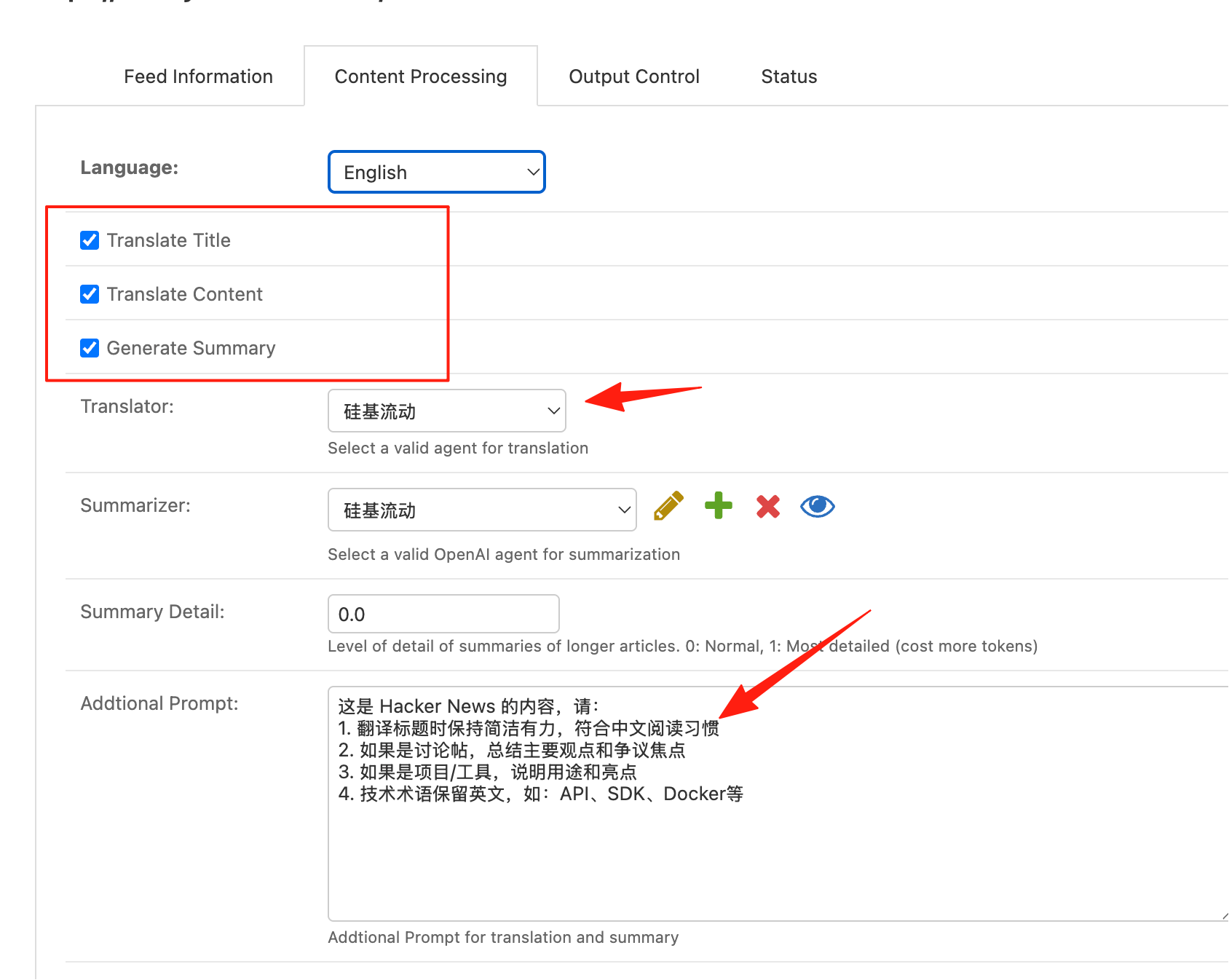
- Translation Engine: SiliconFlow (Cost-effective)
- Update Frequency: 4 hours
- Filter Keywords: rust, golang, ai, llm
- Fetch Full Text: Enabled
Select all these options. The prompt can be generated by AI based on your content. For example, for Hacker News:
This is content from Hacker News. Please:
1. Keep titles concise and impactful when translating, fitting Chinese reading habits.
2. For discussion posts, summarize the main points and controversial焦点.
3. For projects/tools, explain their purpose and highlights.
4. Retain technical terms in English, e.g., API, SDK, Docker, etc.
After saving, it will automatically start fetching and translating data.
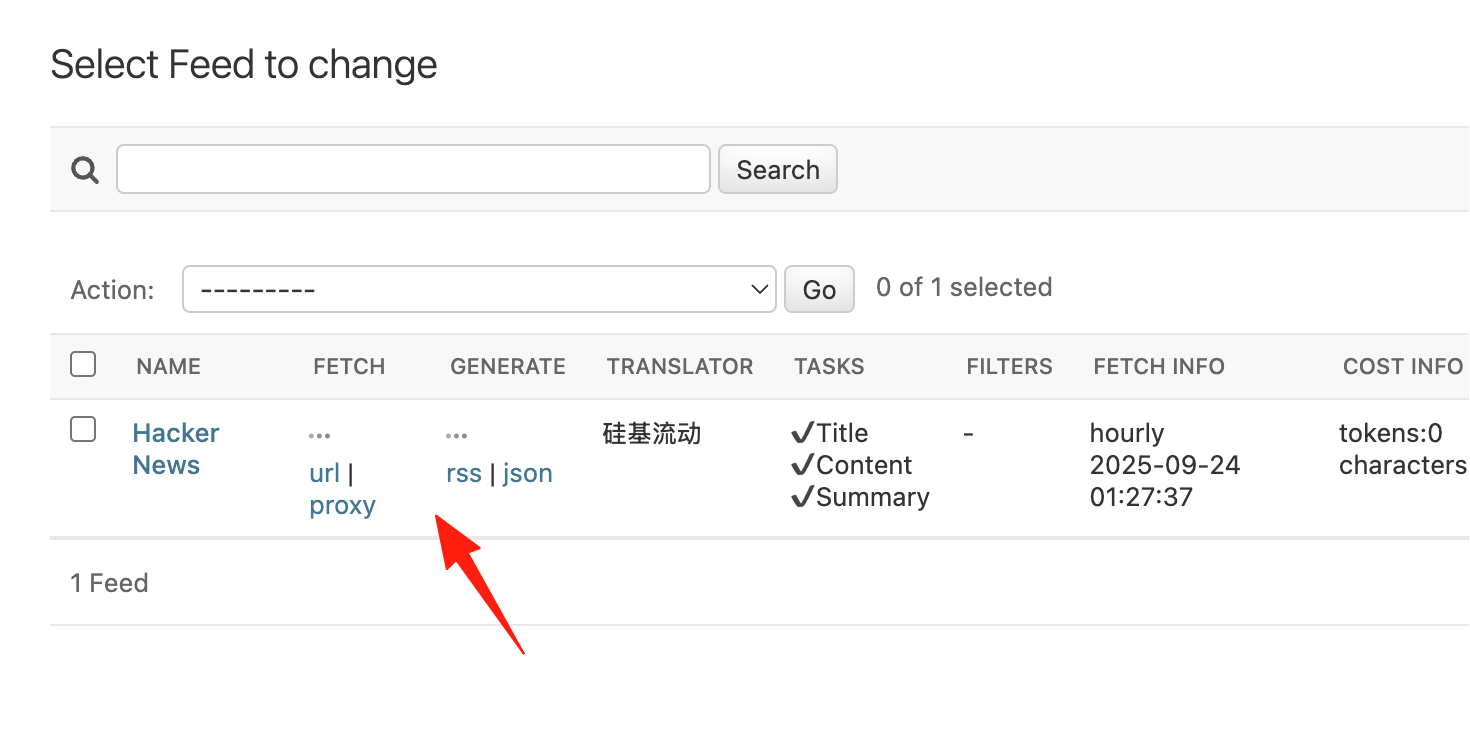
Wait a few minutes. When this shows green, it means it's working normally.
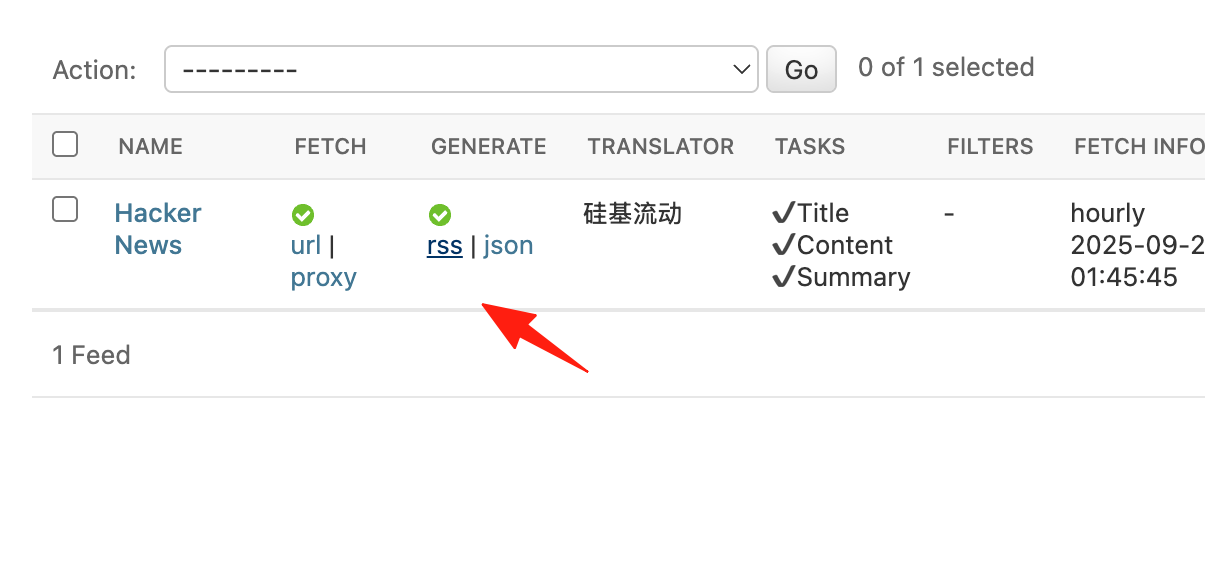
Now click on the RSS link to see the results.
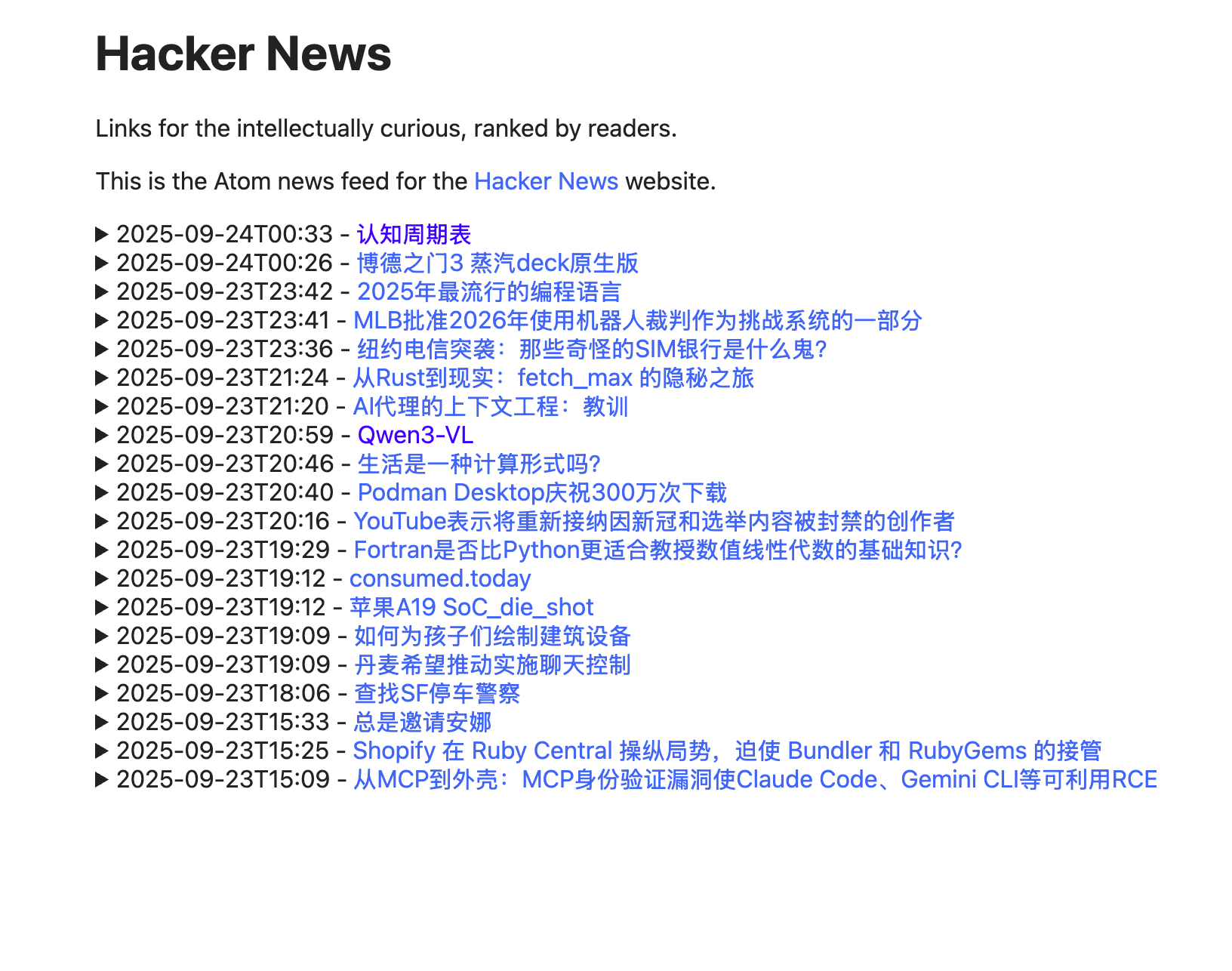
The Result: Open your RSS reader every morning to find last night's tech highlights neatly waiting for you, all in Chinese, with full content available.
Here are some practical tips:
1. Smart Translation Frequency Control
Not all RSS feeds need real-time translation. For example:
- News feeds: Set to update hourly.
- Blog feeds: Updating once a day is sufficient.
- Technical documentation: Update once a week.
This can significantly save your translation quota!
2. Set Up Smart Filtering Rules
For example, if you subscribe to Reddit's programming subreddit, you can set:
- Keyword filtering: Only show content containing "Python", "JavaScript".
- AI filtering: Let AI help filter high-quality discussions and weed out low-effort posts.
The translated RSS feeds from RSSBox remain in standard RSS format and can be imported into readers like CommaFeed or Tiny Tiny RSS.
Final Thoughts
Before, reading foreign RSS feeds meant either struggling through the English or copy-pasting into a translator. Now it's fully automated.
Most importantly, it allows me to easily access the latest global information, no longer limited by language. In this era of information explosion, those who can quickly acquire and digest valuable information gain a significant advantage.
Hope this guide helps you. Wishing everyone success in building their own high-quality information stream!