
n8n Hands-On Guide 19: How to Integrate Dify Knowledge Base with n8n
This guide covers the integration of Dify and n8n. Both Dify and n8n are popular automation and workflow tools, but they have distinct focuses and use cases:
Core Positioning
Dify is a platform focused on AI application development, primarily used for building applications based on Large Language Models (LLMs). It provides visual workflow orchestration, enabling developers to quickly build AI chatbots, knowledge base Q&A systems, AI workflows, and other applications.
https://appstore.lazycat.cloud/#/shop/detail/dev.libr.dify
n8n is a general-purpose workflow automation platform, similar to Zapier or Make (formerly Integromat), mainly used to connect various applications and services to automate business processes.
https://appstore.lazycat.cloud/#/shop/detail/cloud.lazycat.app.n8n
Key Differences
Use Cases
- Dify: Building AI-driven applications, such as intelligent customer service, content generation tools, data analysis assistants, etc.
- n8n: Automating daily tasks, such as data synchronization, email automation, social media management, CRM integration, etc.
Technical Features
- Dify: Built-in LLM management, vector database, knowledge base management, prompt engineering tools, and other AI-related features.
- n8n: Provides 400+ pre-built integration nodes, supports webhooks, scheduled tasks, complex conditional logic, etc.
Target Users
- Dify: AI application developers, product managers, teams wanting to quickly build AI applications.
- n8n: Operations personnel, automation engineers, enterprises needing to integrate multiple systems.
Selection Advice
If your requirement is to build AI-related applications, especially scenarios requiring integration with large models like ChatGPT or Claude, Dify is more suitable.
If you need to connect various SaaS tools, databases, and APIs to automate business processes, n8n is the better choice.
The two can also be combined: use Dify to build AI capabilities, expose them via API, and then call these AI capabilities within n8n to implement more complex automated workflows.
How to Build
In the Lazycat Store, open Dify. The first startup will be relatively slow.
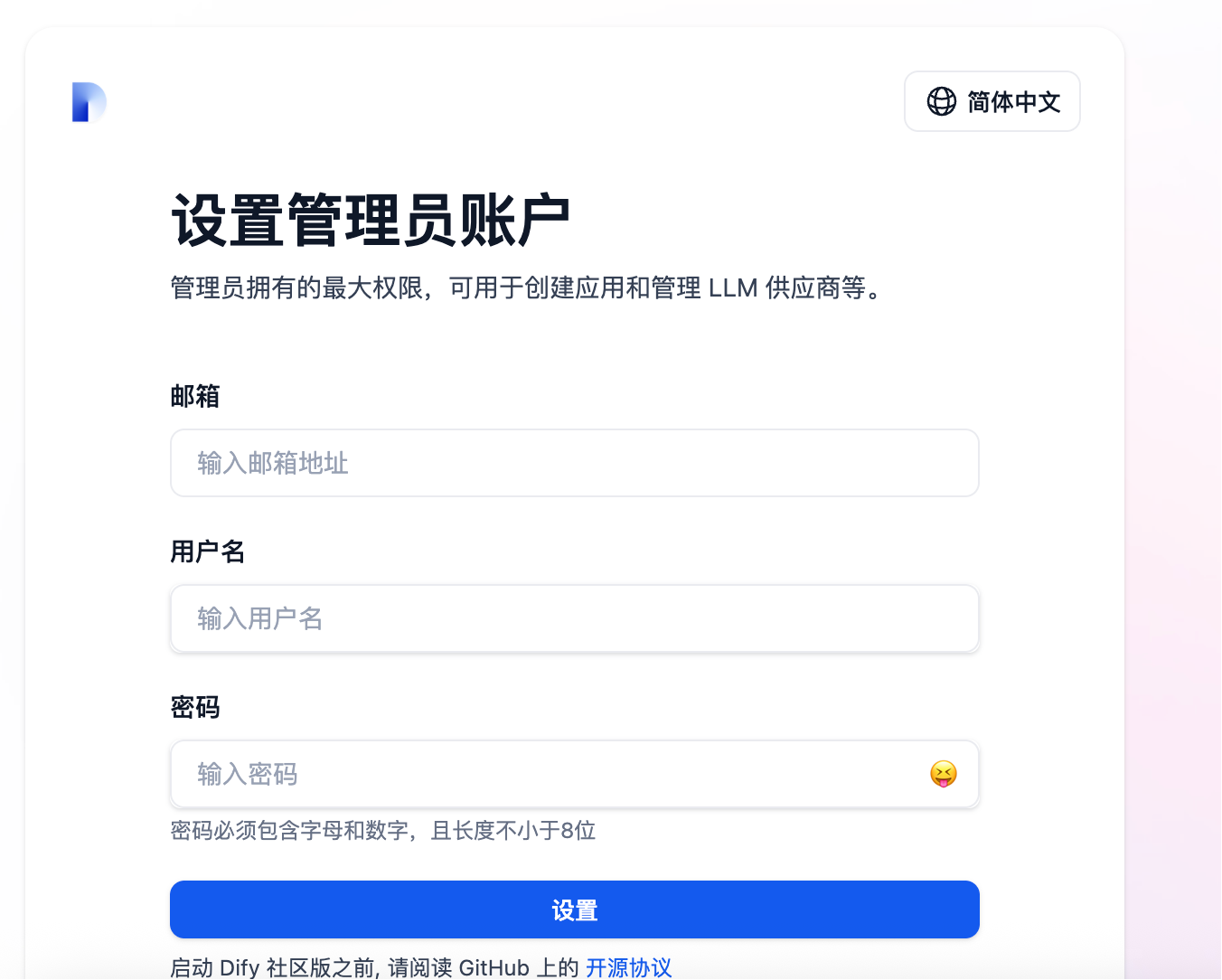
First, set up an administrator account.
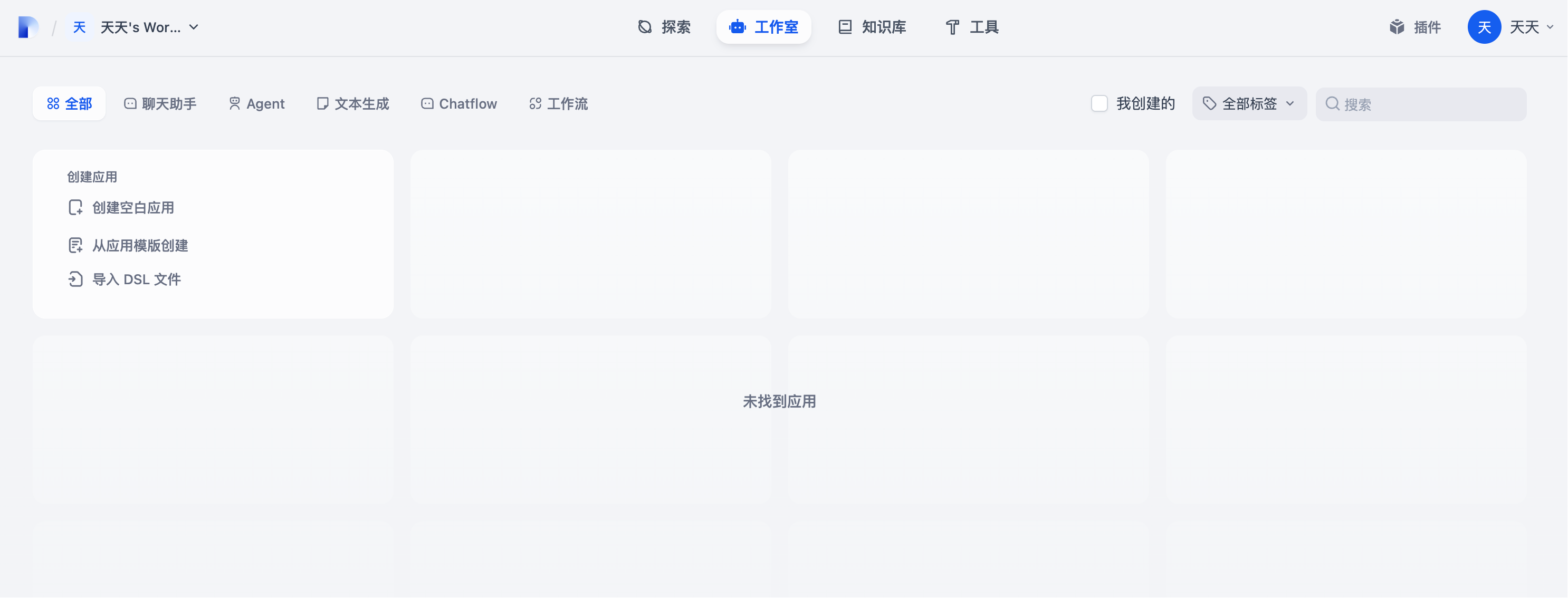
After logging in, you will enter the homepage.
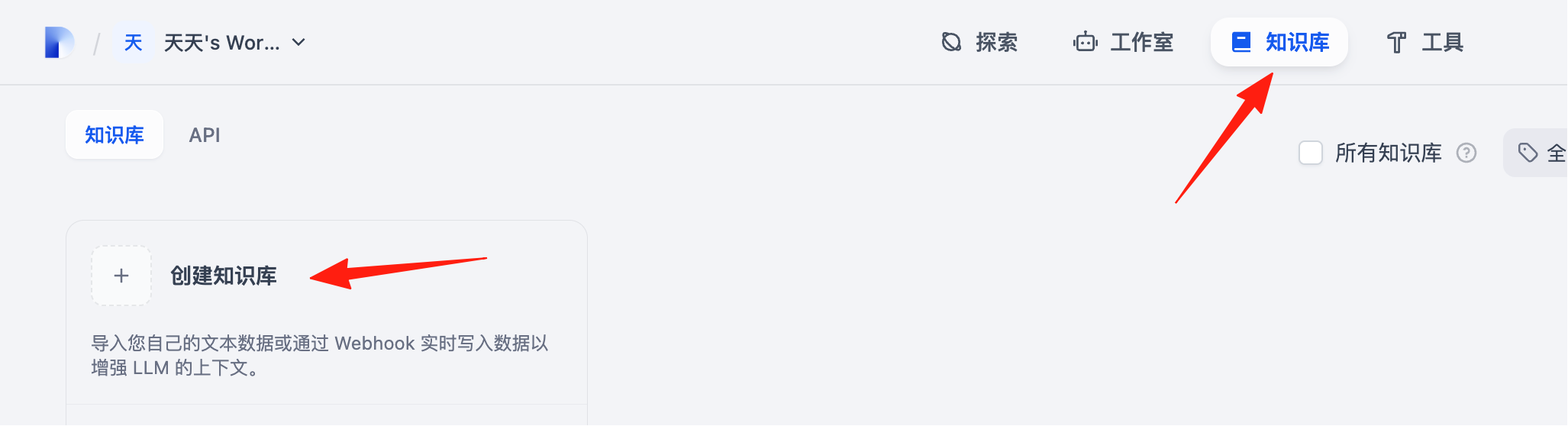
Click on 'Knowledge Base' and create a new knowledge base.
Here, you can import your own documents.
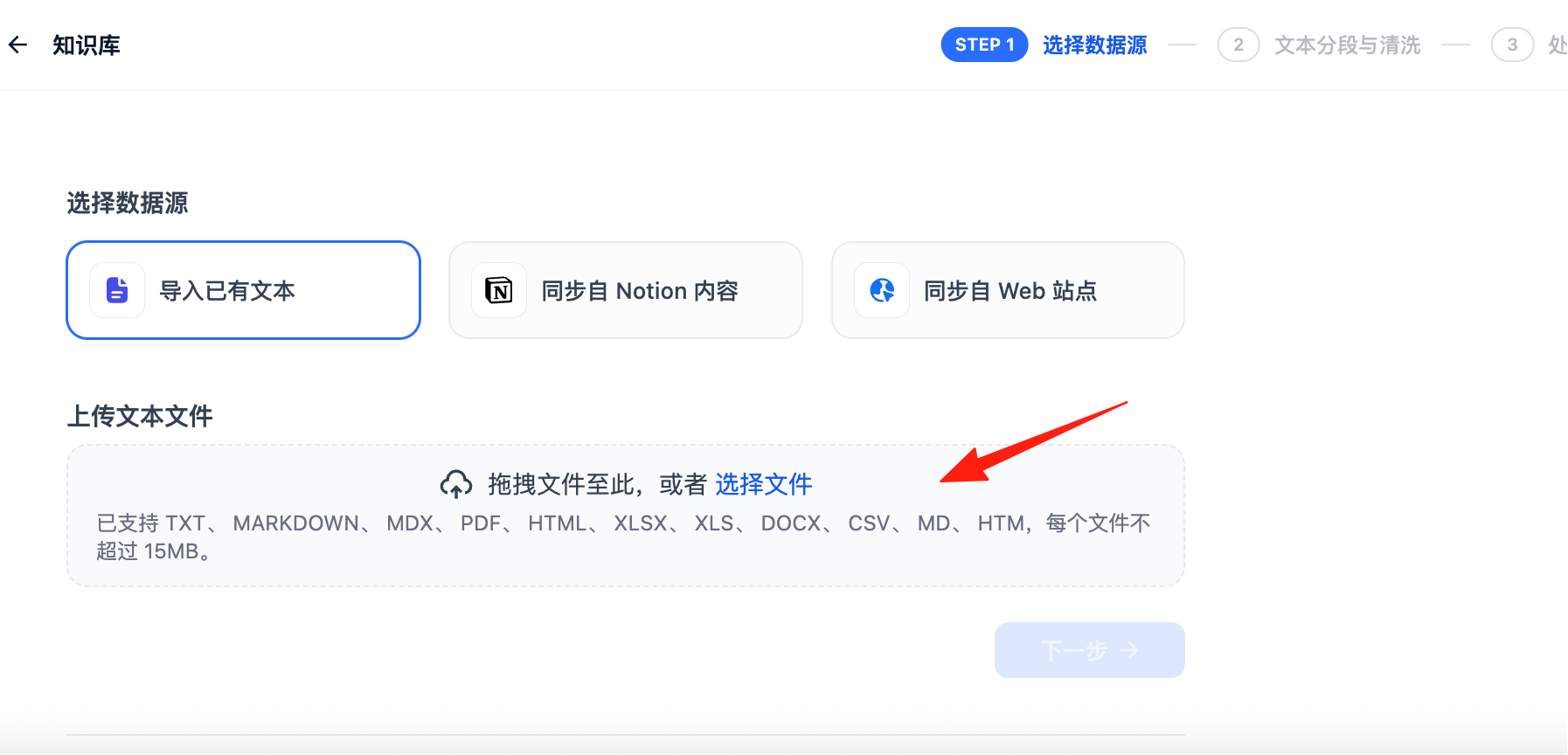
I imported the Lazycat developer documentation for easy application migration. Click 'Next'.

The default here is 'Economy'. Do not switch to 'Advanced' yet, as 'Advanced' requires model setup, which is currently unavailable.
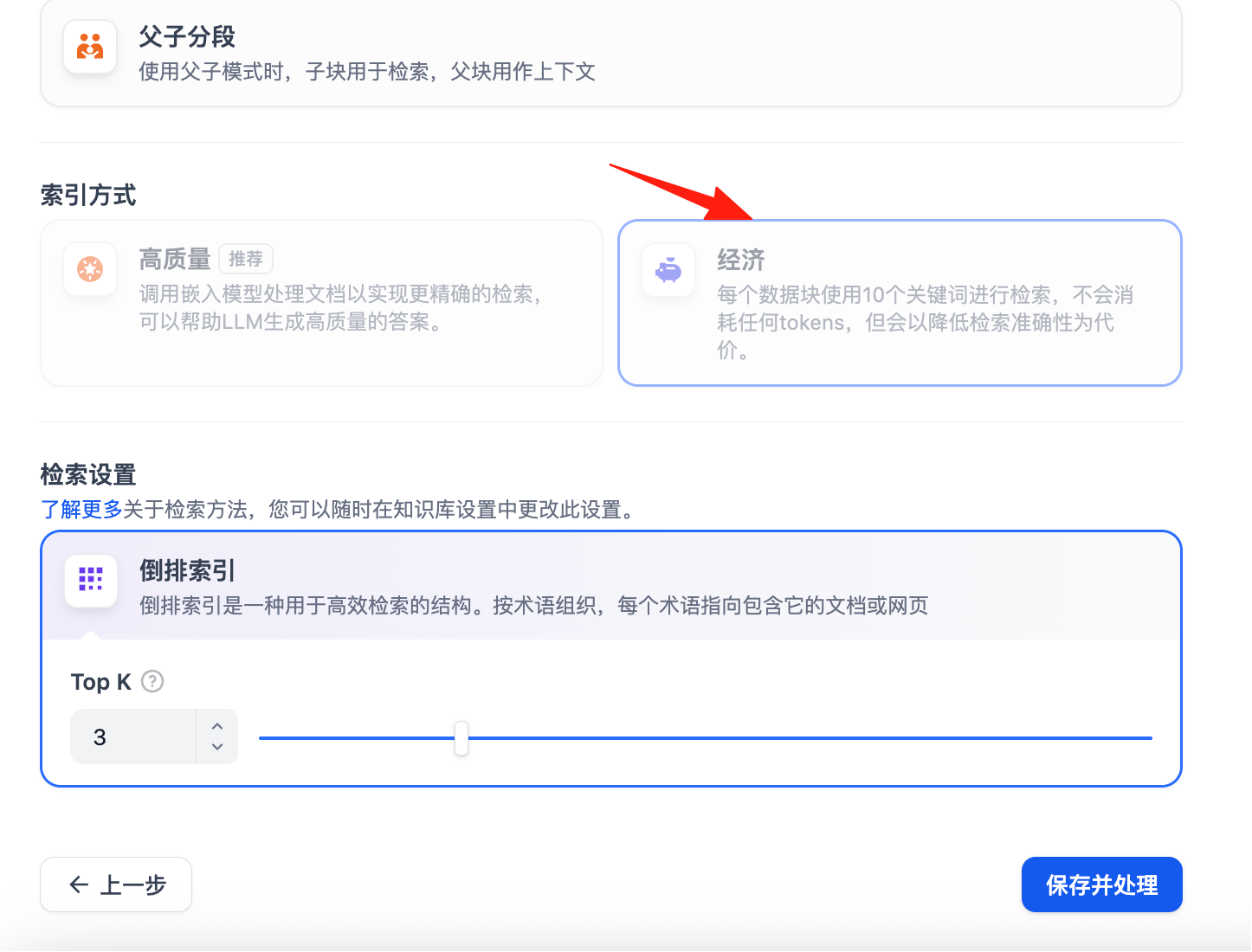
Click 'Save and Process', and it will start processing your uploaded files.
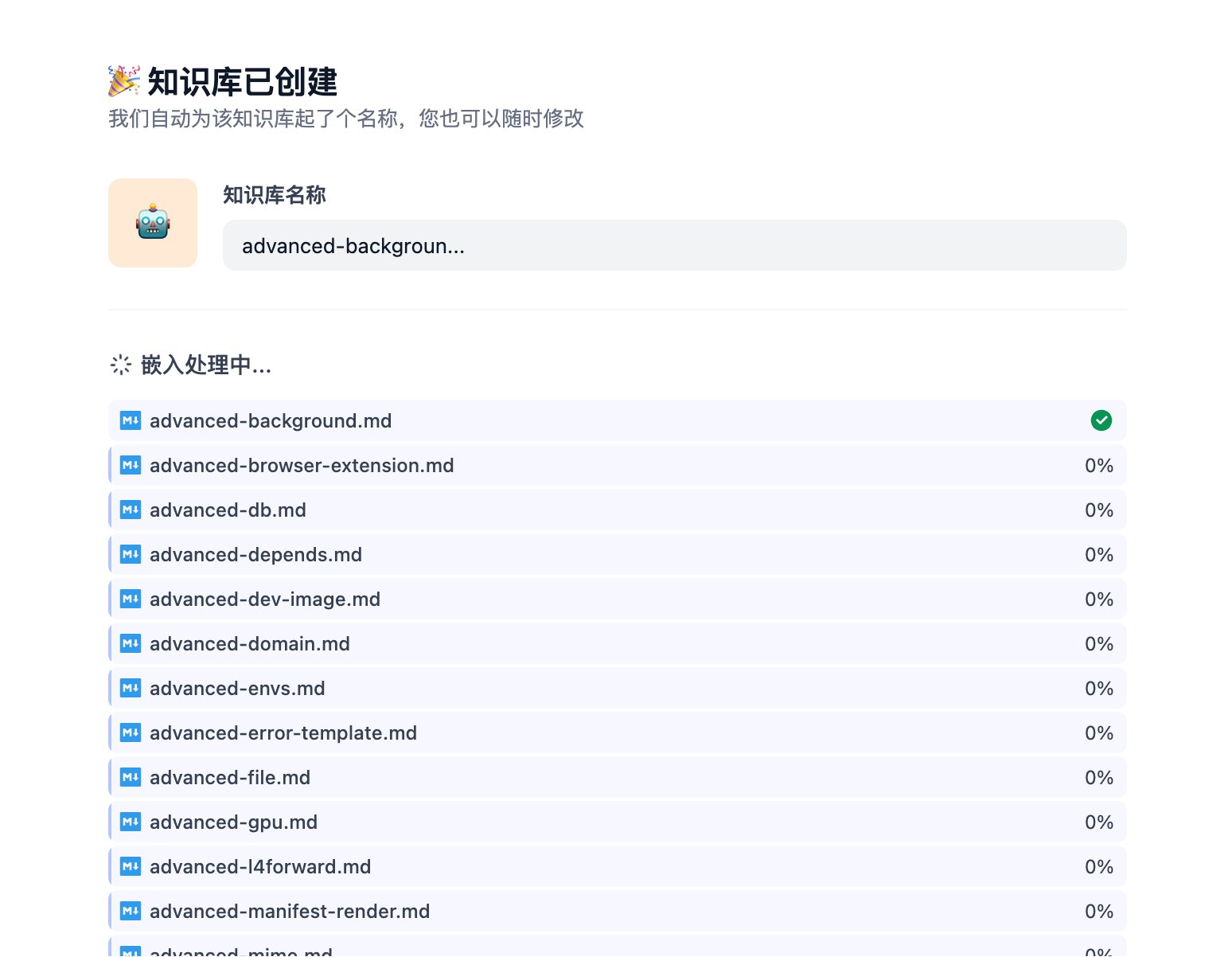
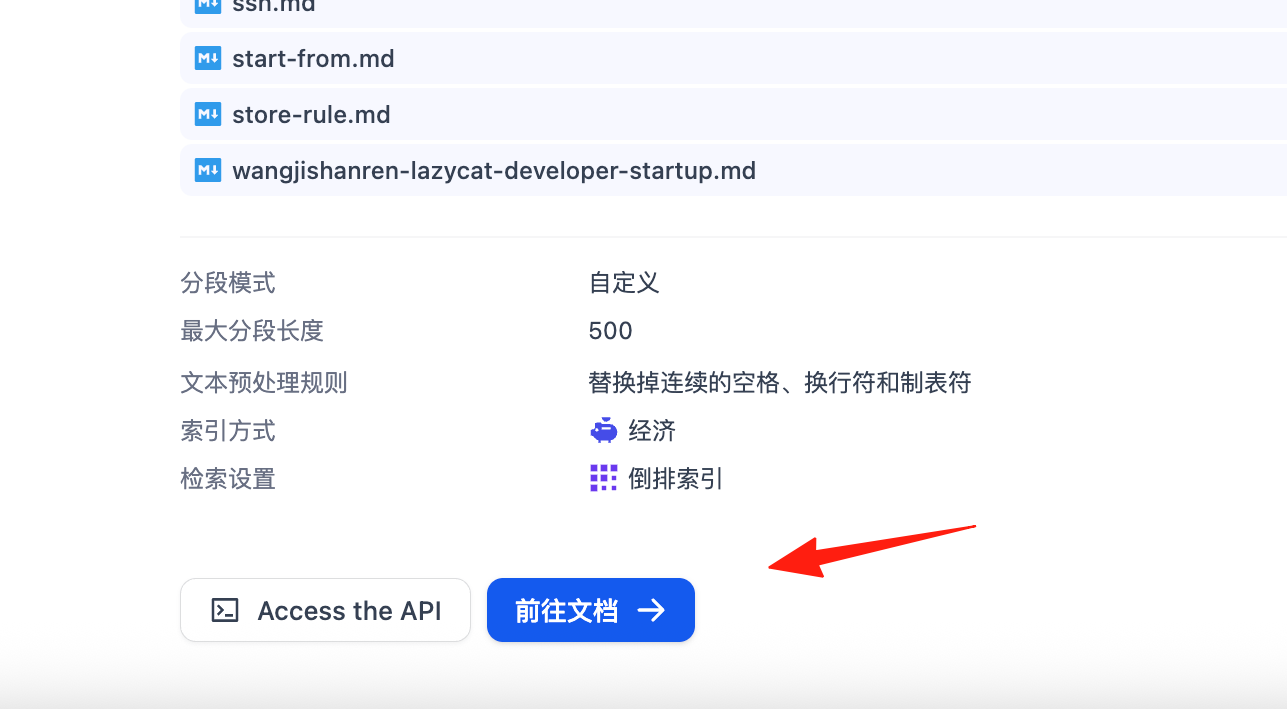
Click 'Go to Documents'.
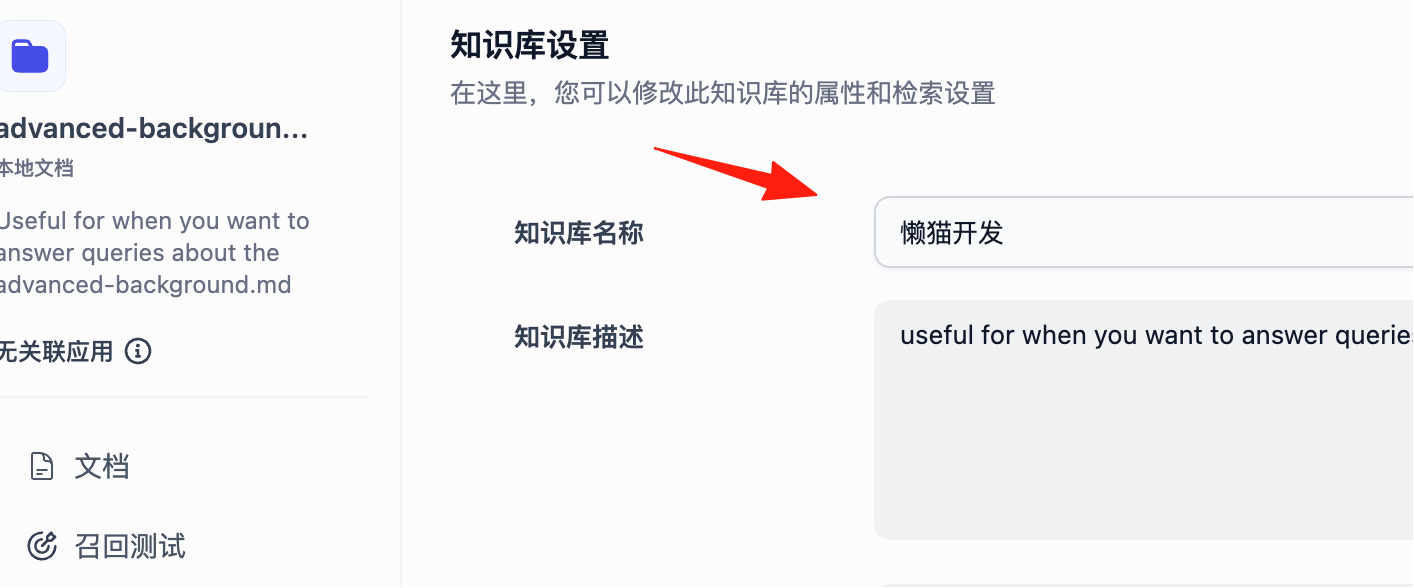
You can rename the knowledge base for easier recall.
You can now see all my documents.
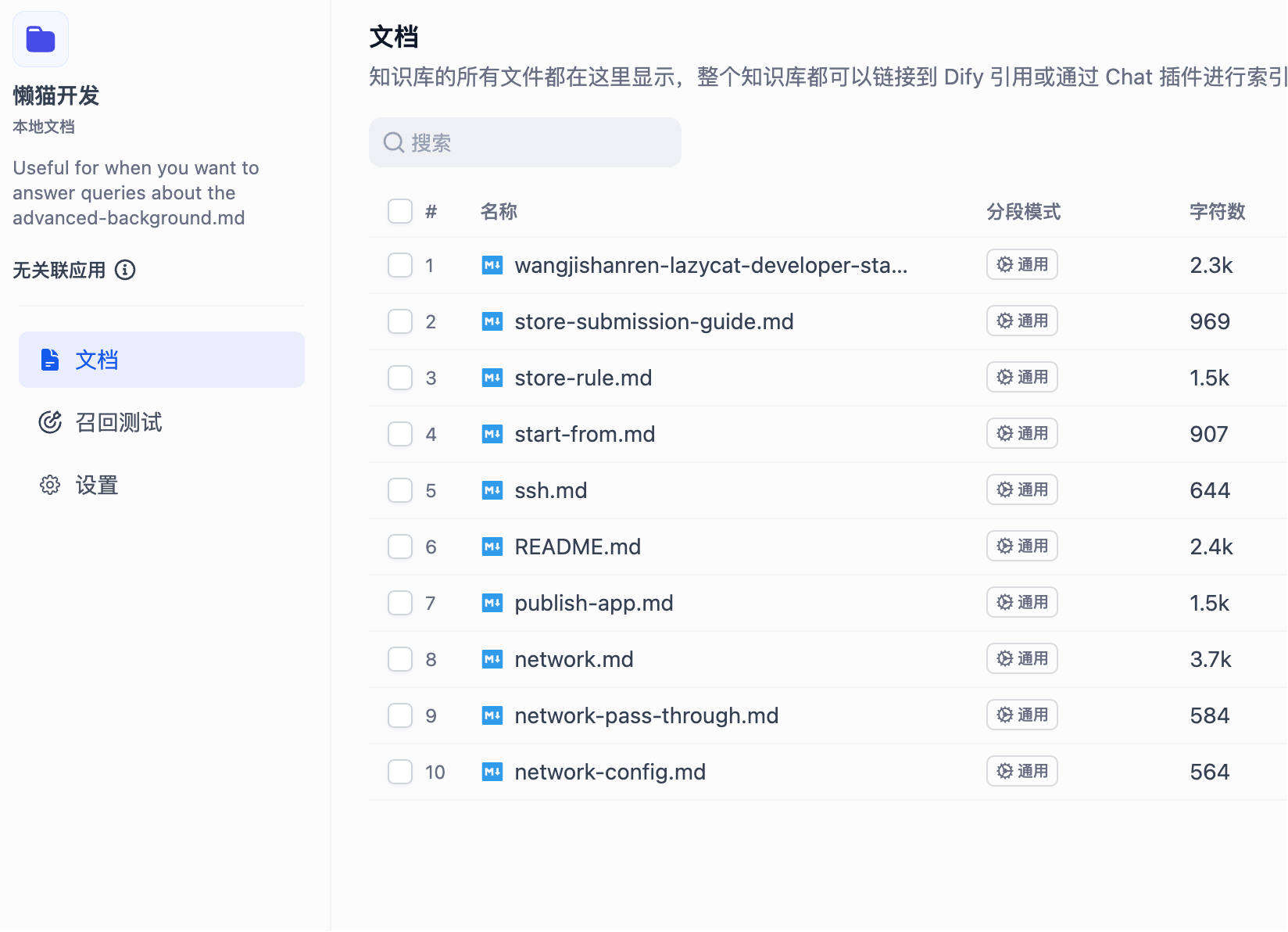
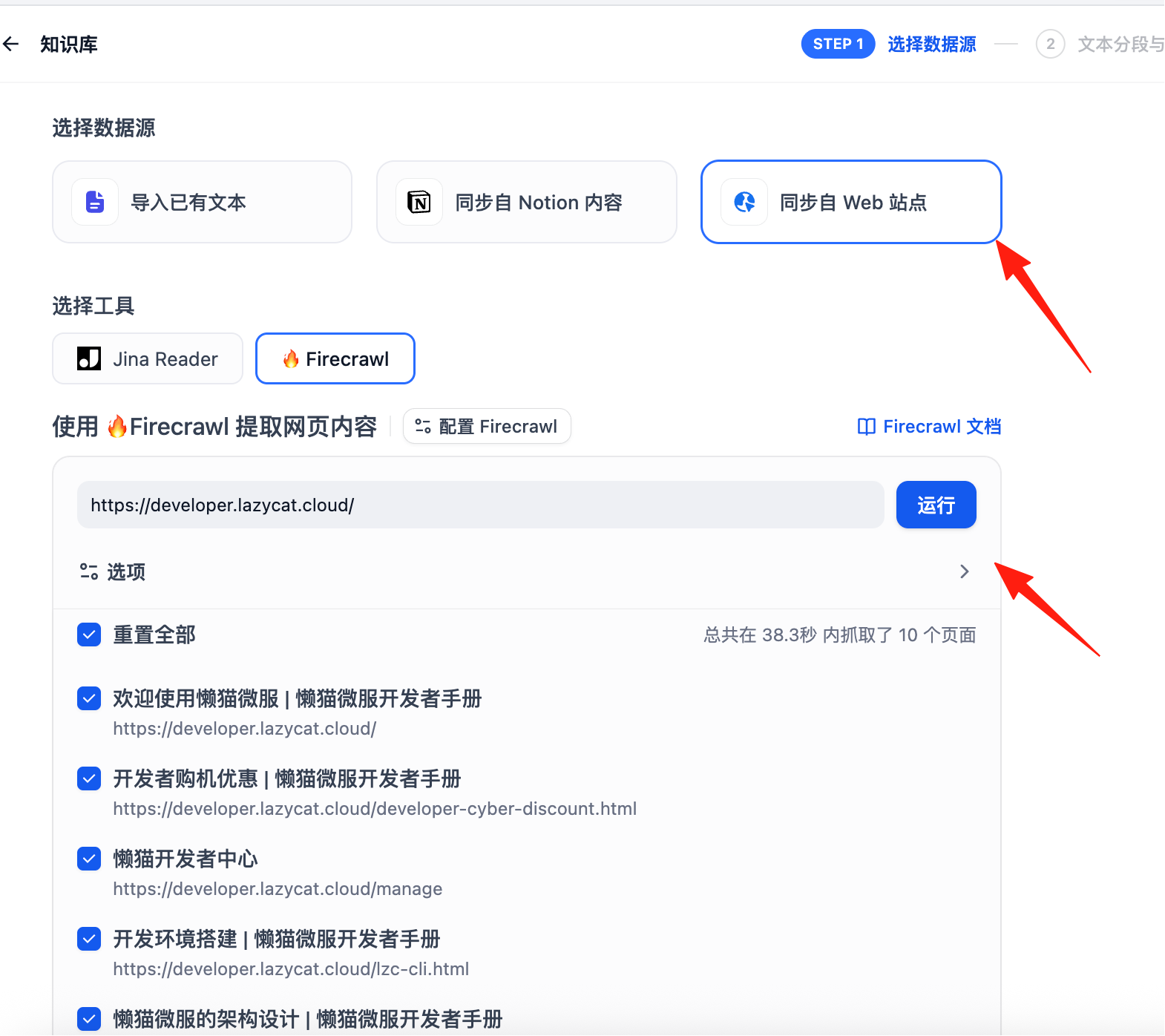
At this step, because the current version does not support model installation, I had to move to the Dify official website to continue the operation. The previous steps are consistent.
However, the official website's document import only allows importing one document at a time (requires paid upgrade for batch upload), so I used Firecrawl to scrape the developer documentation.
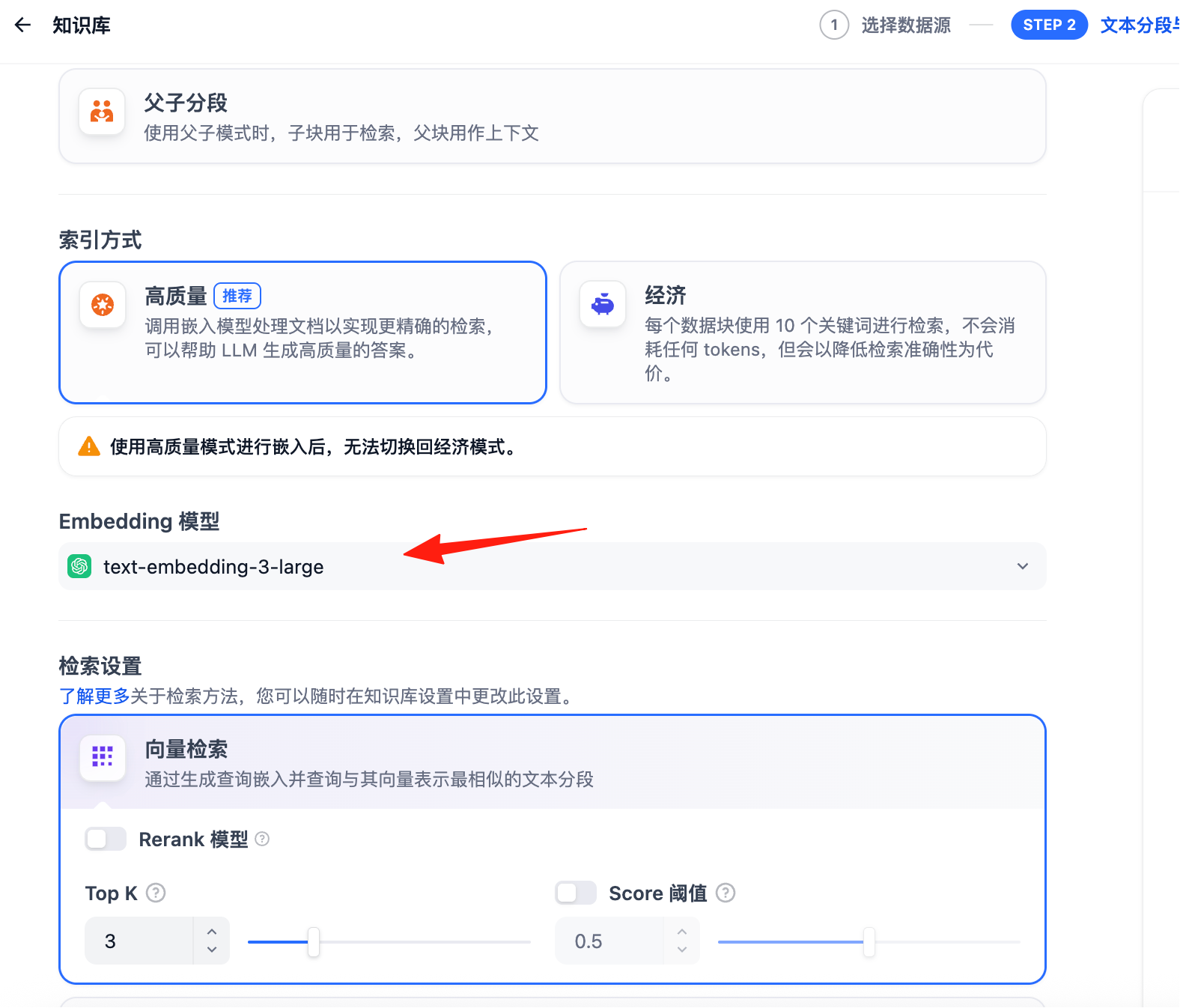
At this step, you can select the model.
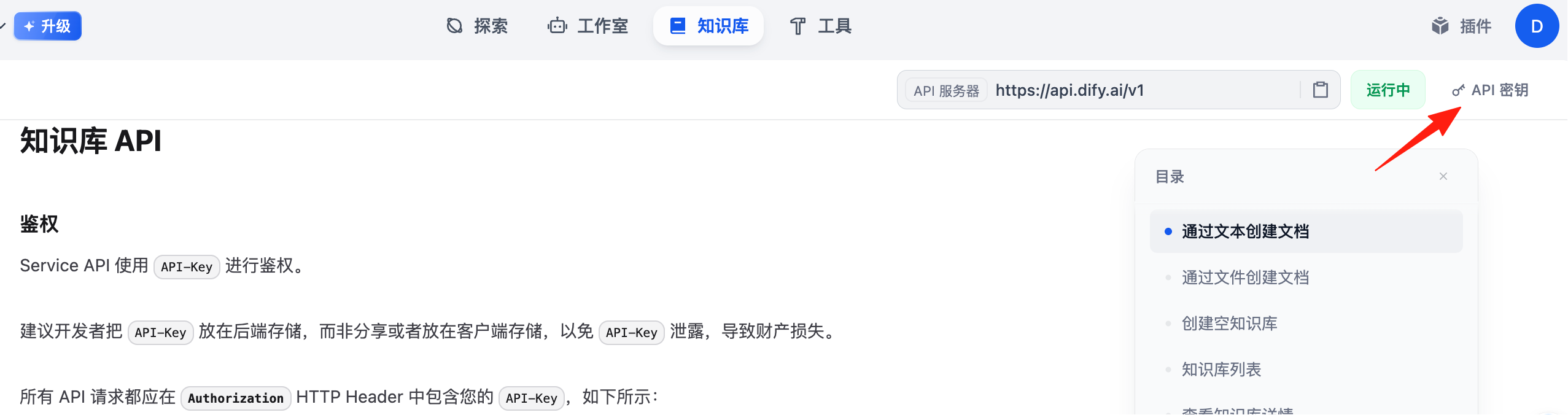
Click to enter 'API'.
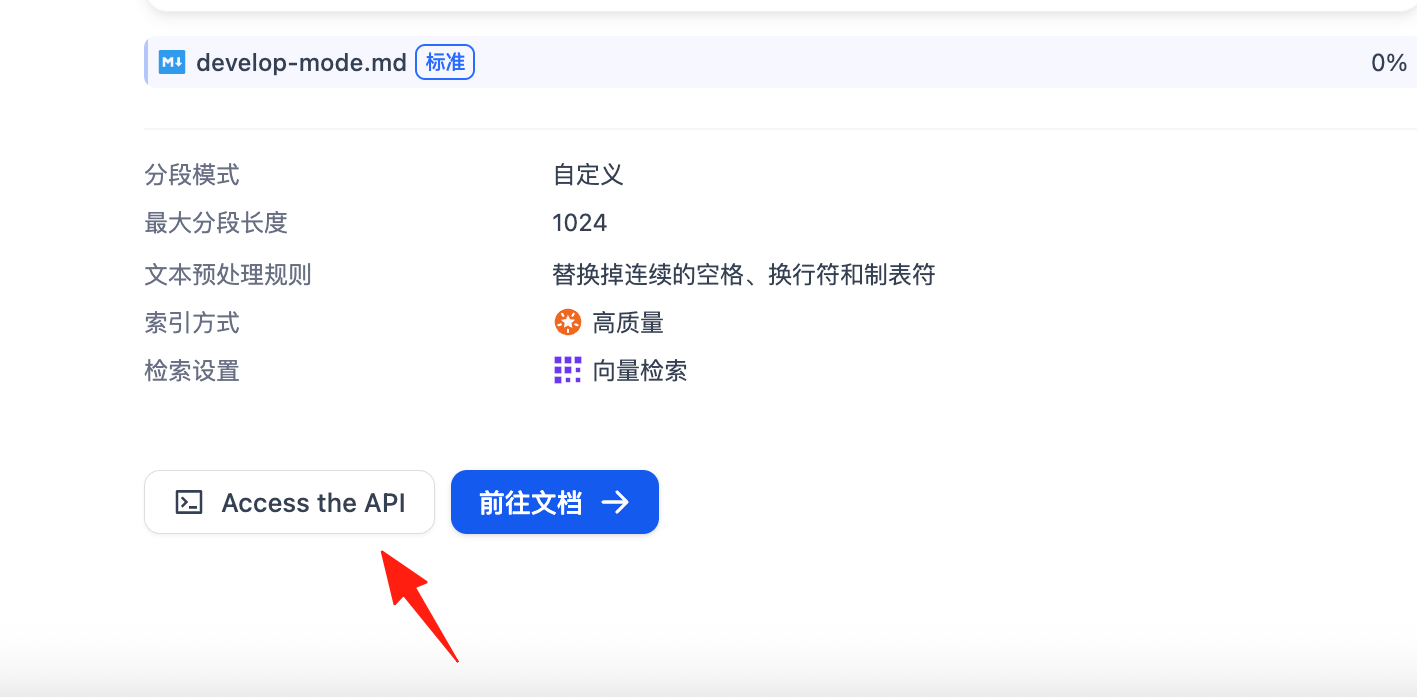
You can get the API Key in the upper right corner. Save it locally for now, as it will be needed later.
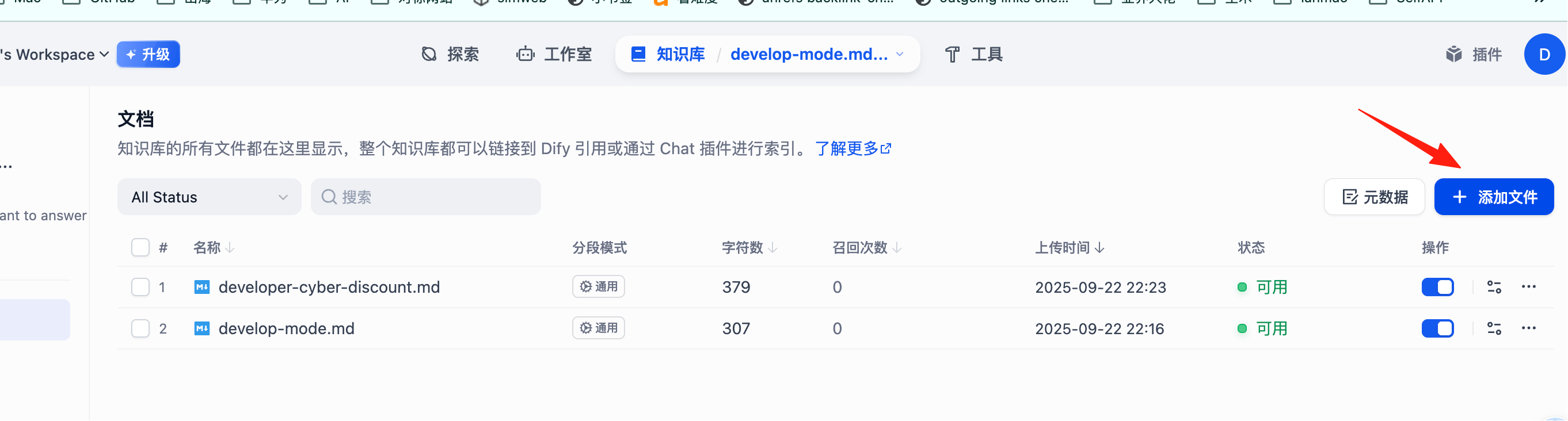
Enter the Knowledge Base. You can continue adding files here.
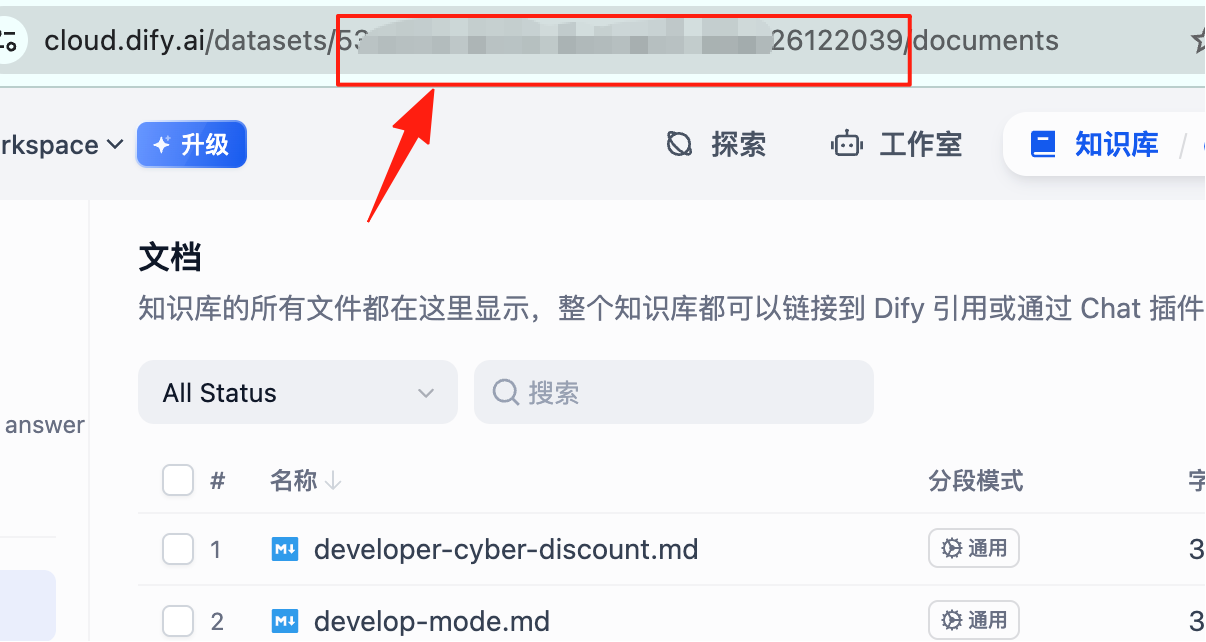
Here, you can see the Knowledge Base ID within the red box.
At this point, the Dify knowledge base is complete. Next, we will call this knowledge base in n8n.
In n8n, create a new workflow.
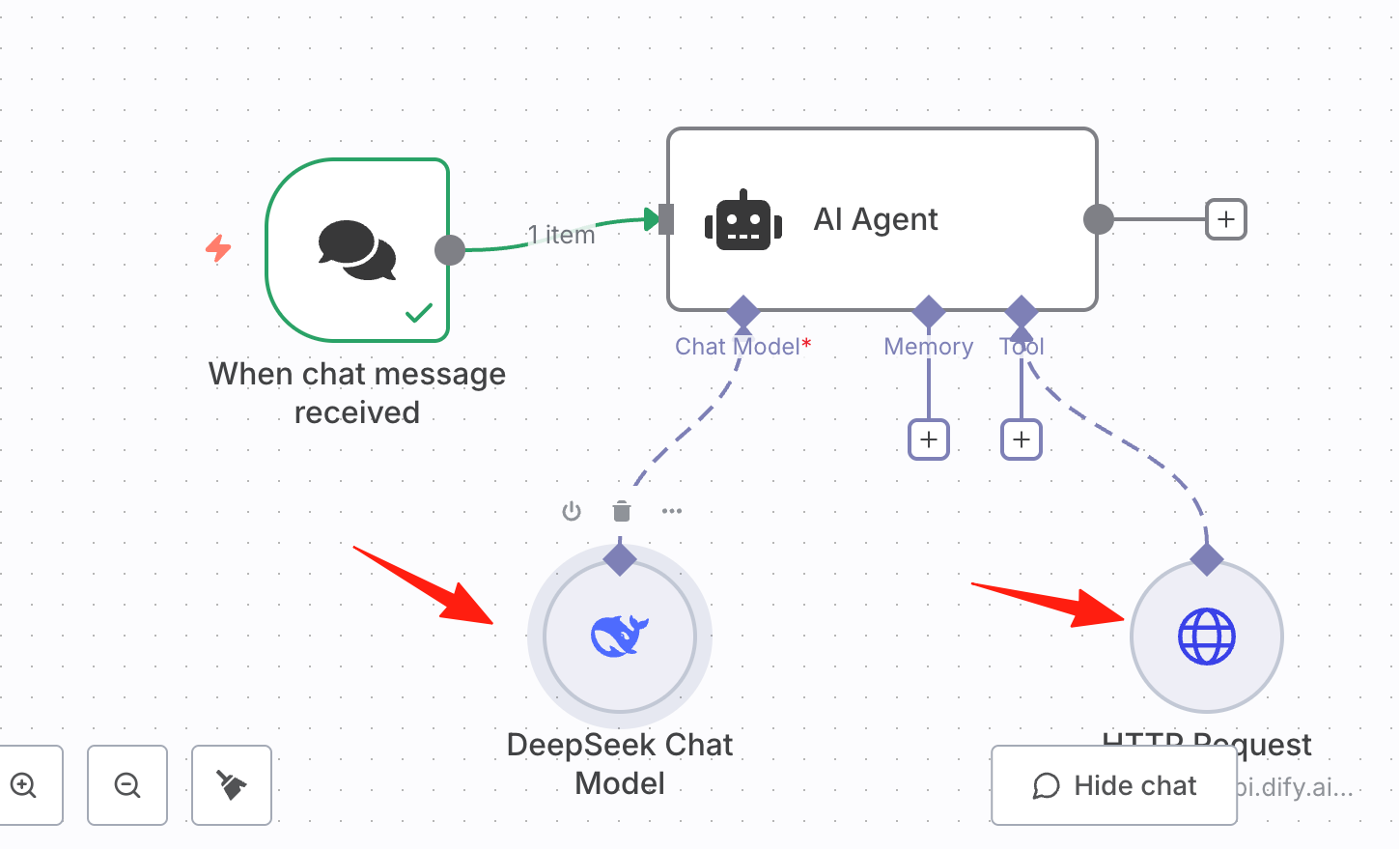
Select your large model. Here I use DeepSeek. The main configuration is the HTTP Request node on the right.
Replace the ID here with your own Knowledge Base ID.
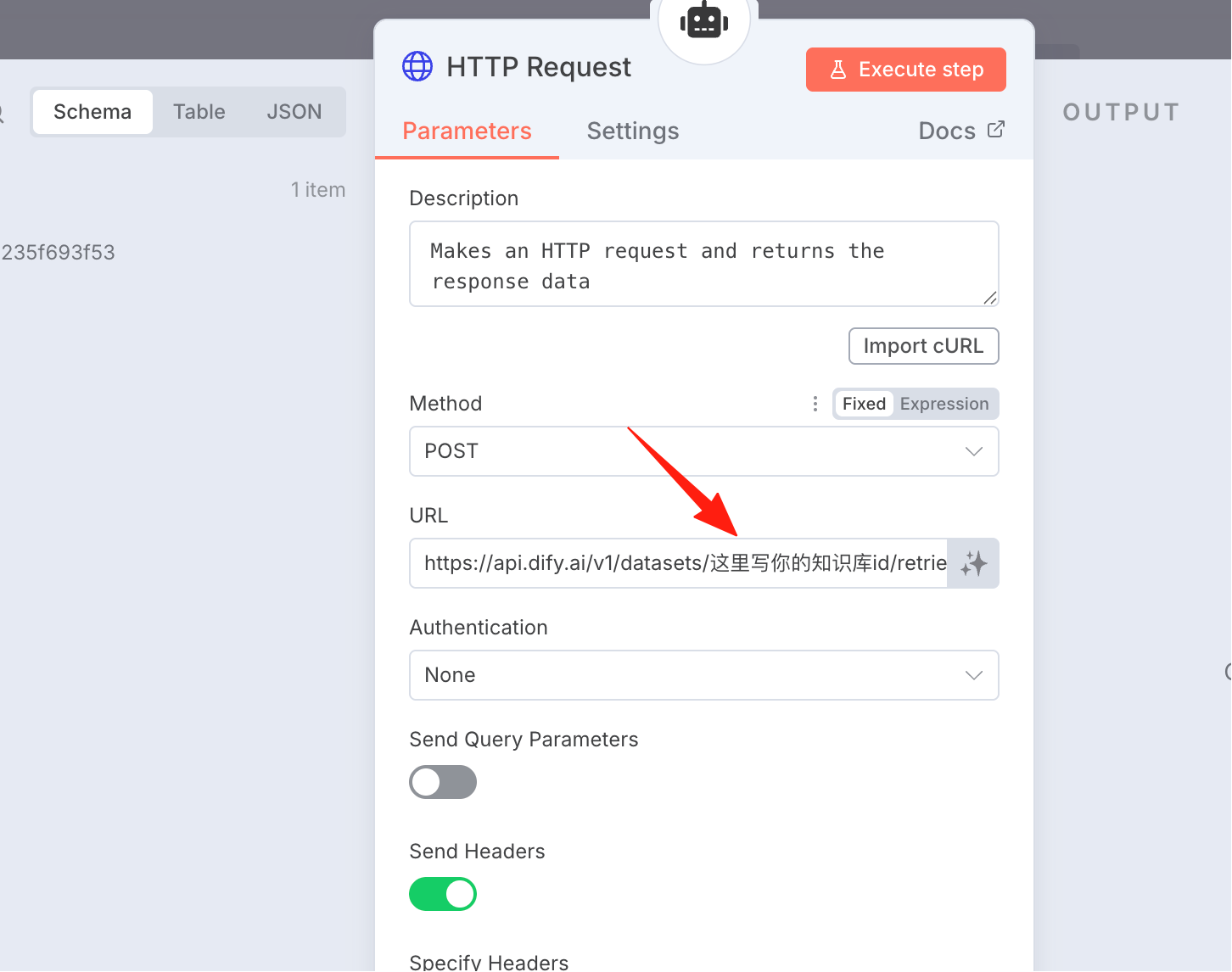
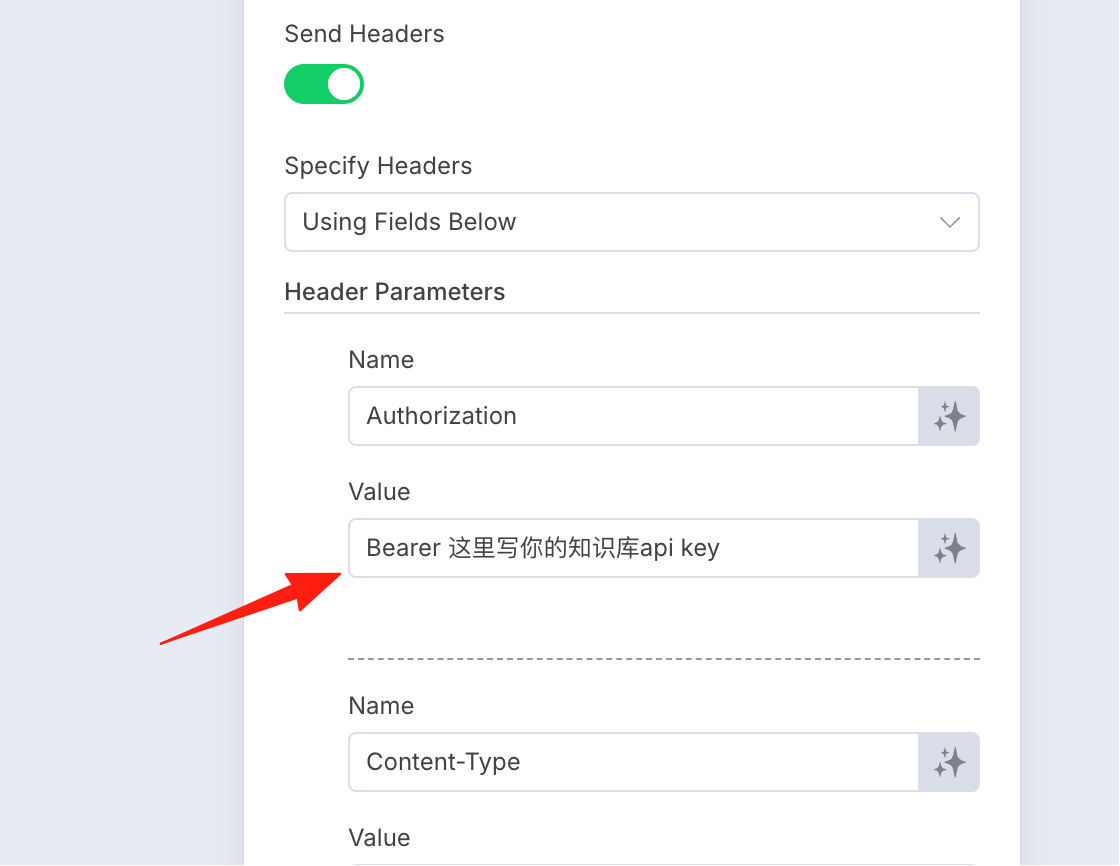
In the request headers, replace it with your own API key.
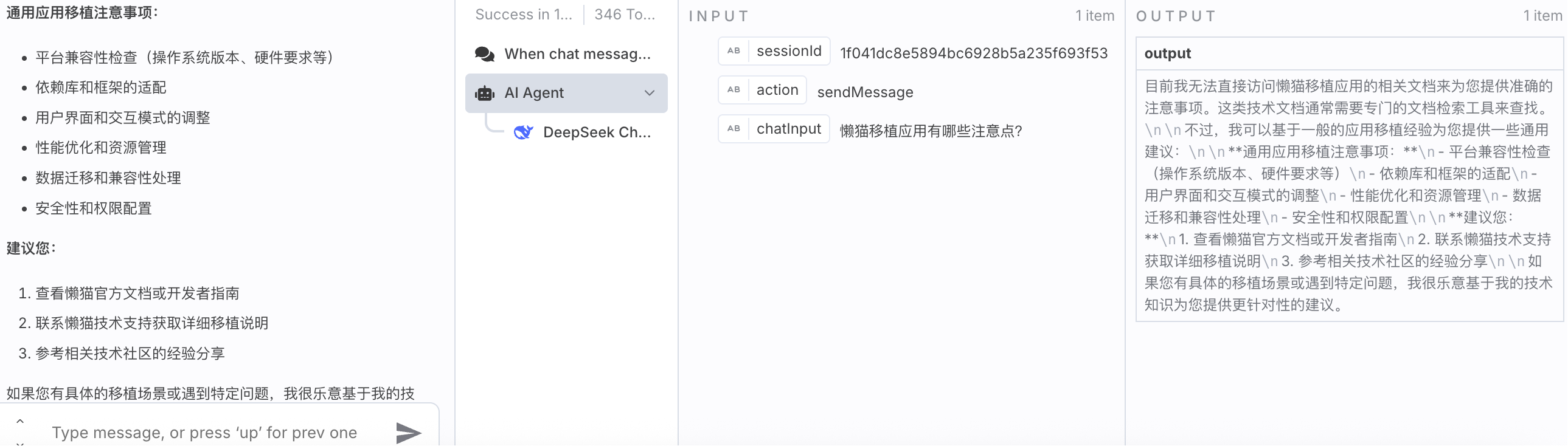
Click 'Execute Workflow', and you can freely ask it questions. For example, ask it how to migrate an application.
The JSON file above is provided here for reference for those copying the solution:
{
  "name": "Knowledge Base",
  "nodes": [
    {
      "parameters": {
        "options": {}
      },
      "type": "@n8n/n8n-nodes-langchain.chatTrigger",
      "typeVersion": 1.3,
      "position": [
        -256,
        0
      ],
      "id": "1ed033dc-26cf-41dc-82a1-589b62687b76",
      "name": "When chat message received",
      "webhookId": "c484e9fb-0be4-42dd-bd2b-f9ca059840c0"
    },
    {
      "parameters": {
        "promptType": "define",
        "text": "=First prioritize checking the documents, try to use the content from the documents to answer the question. Question: {{ $json.chatInput }}",
        "options": {}
      },
      "type": "@n8n/n8n-nodes-langchain.agent",
      "typeVersion": 2.2,
      "position": [
        -48,
        -16
      ],
      "id": "a0ea8a64-3f7d-4b6b-901b-d6e14ae85f49",
      "name": "AI Agent"
    },
    {
      "parameters": {
        "options": {}
      },
      "type": "@n8n/n8n-nodes-langchain.lmChatDeepSeek",
      "typeVersion": 1,
      "position": [
        -48,
        160
      ],
      "id": "c40685f3-fbbd-46fd-9565-ccaf3f85e0fe",
      "name": "DeepSeek Chat Model",
      "credentials": {
        "deepSeekApi": {
          "id": "vfn66fhHzd6mF6j1",
          "name": "DeepSeek account"
        }
      }
    },
    {
      "parameters": {
        "method": "POST",
        "url": "https://api.dify.ai/v1/datasets/Your_Knowledge_Base_ID_Here/retrieve",
        "sendHeaders": true,
        "headerParameters": {
          "parameters": [
            {
              "name": "Authorization",
              "value": "Bearer Your_API_Key_Here"
            },
            {
              "name": "Content-Type",
              "value": "application/json"
            }
          ]
        },
        "sendBody": true,
        "specifyBody": "json",
        "jsonBody": "={\n  \"query\": \" {{ $json.chatInput }}  \",\n  \"retrieval_model\": {\n    \"search_method\": \"hybrid_search\",\n    \"top_k\": 5,\n    \"score_threshold_enabled\": false,\n    \"reranking_enable\": false\n  }\n}\n",
        "options": {
          "redirect": {
            "redirect": {}
          }
        }
      },
      "type": "n8n-nodes-base.httpRequestTool",
      "typeVersion": 4.2,
      "position": [
        112,
        192
      ],
      "id": "ac7cff2a-0b70-4e37-9ea1-21ff0d9109b7",
      "name": "HTTP Request"
    }
  ],
  "pinData": {},
  "connections": {
    "When chat message received": {
      "main": [
        [
          {
            "node": "AI Agent",
            "type": "main",
            "index": 0
          }
        ]
      ]
    },
    "DeepSeek Chat Model": {
      "ai_languageModel": [
        [
          {
            "node": "AI Agent",
            "type": "ai_languageModel",
            "index": 0
          }
        ]
      ]
    },
    "HTTP Request": {
      "ai_tool": [
        [
          {
            "node": "AI Agent",
            "type": "ai_tool",
            "index": 0
          }
        ]
      ]
    }
  },
  "active": false,
  "settings": {
    "executionOrder": "v1"
  },
  "versionId": "fcca2fde-d07b-41fc-9ec3-d54e42f774d7",
  "meta": {
    "templateCredsSetupCompleted": true,
    "instanceId": "ff06cd56528164550e83a0b0bc9f32963f8355543707a1ed77847e72afe71d53"
  },
  "id": "zL5dlqy4K6nBeBsx",
  "tags": []
}