
CCCM: The Ultimate Tool for Lazy Developers! One-Click Claude Code Configuration
Let's Talk About a Pain Point
Anyone who has used Claude Code knows that configuring it in a new environment is a nightmare:
- API Keys must be entered manually
- Configuration files are impossible to find
- You have to reconfigure everything on a different computer
- Every team member needs to set it up individually for collaboration
Not to mention, if you have multiple API Keys (e.g., one for work, one for personal projects), switching between them is even more troublesome.
Today, I'm introducing a small tool called CCCM (Claude Code Config Manager), specifically designed to solve these headaches.
What is CCCM?
Simply put, CCCM is a web application that helps you manage your Claude Code configurations. It can:
- Save multiple Claude Code configurations
- Generate one-click installation scripts
- Share configurations within teams (with optional password protection)
- Support both Chinese and English interfaces
https://appstore.lazycat.cloud/#/shop/detail/czyt.tech.app.cccm
Quick Start
After installing the application, you need to set an administrator password first.
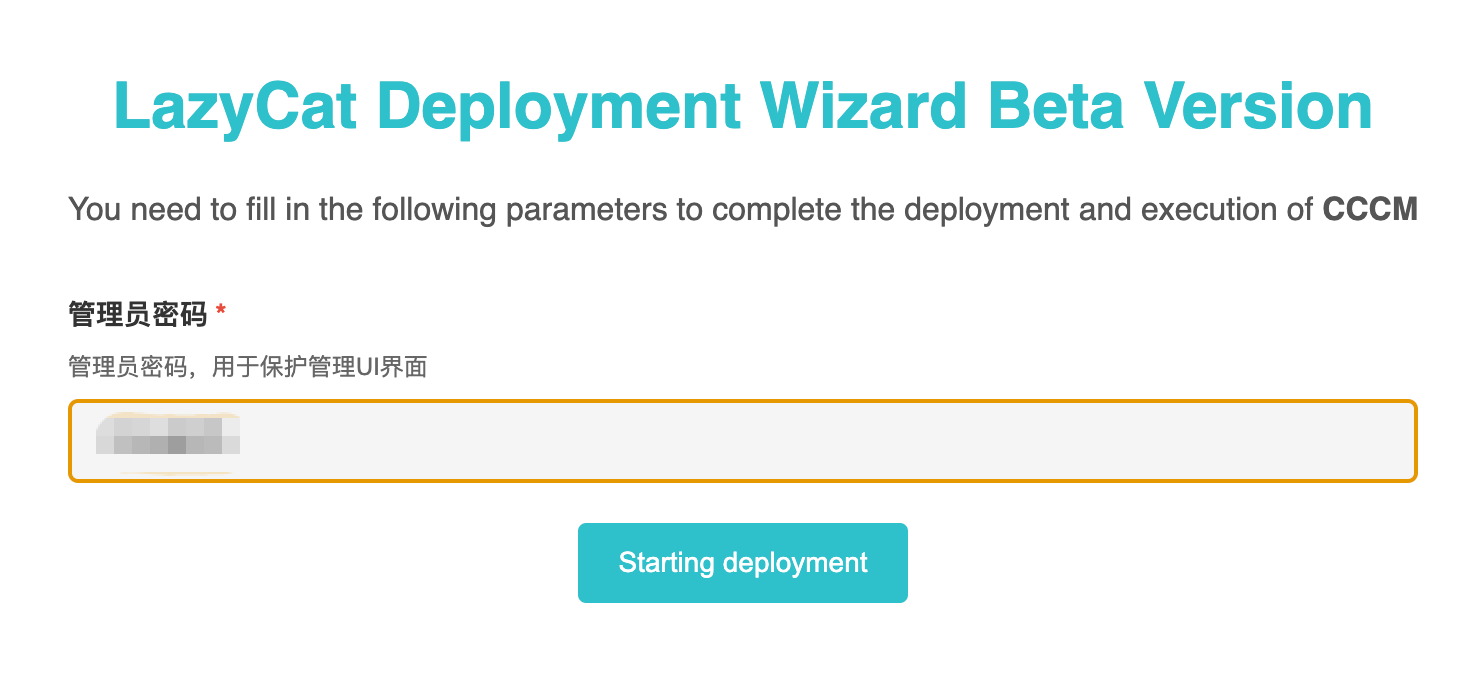
Enter the password you just set.
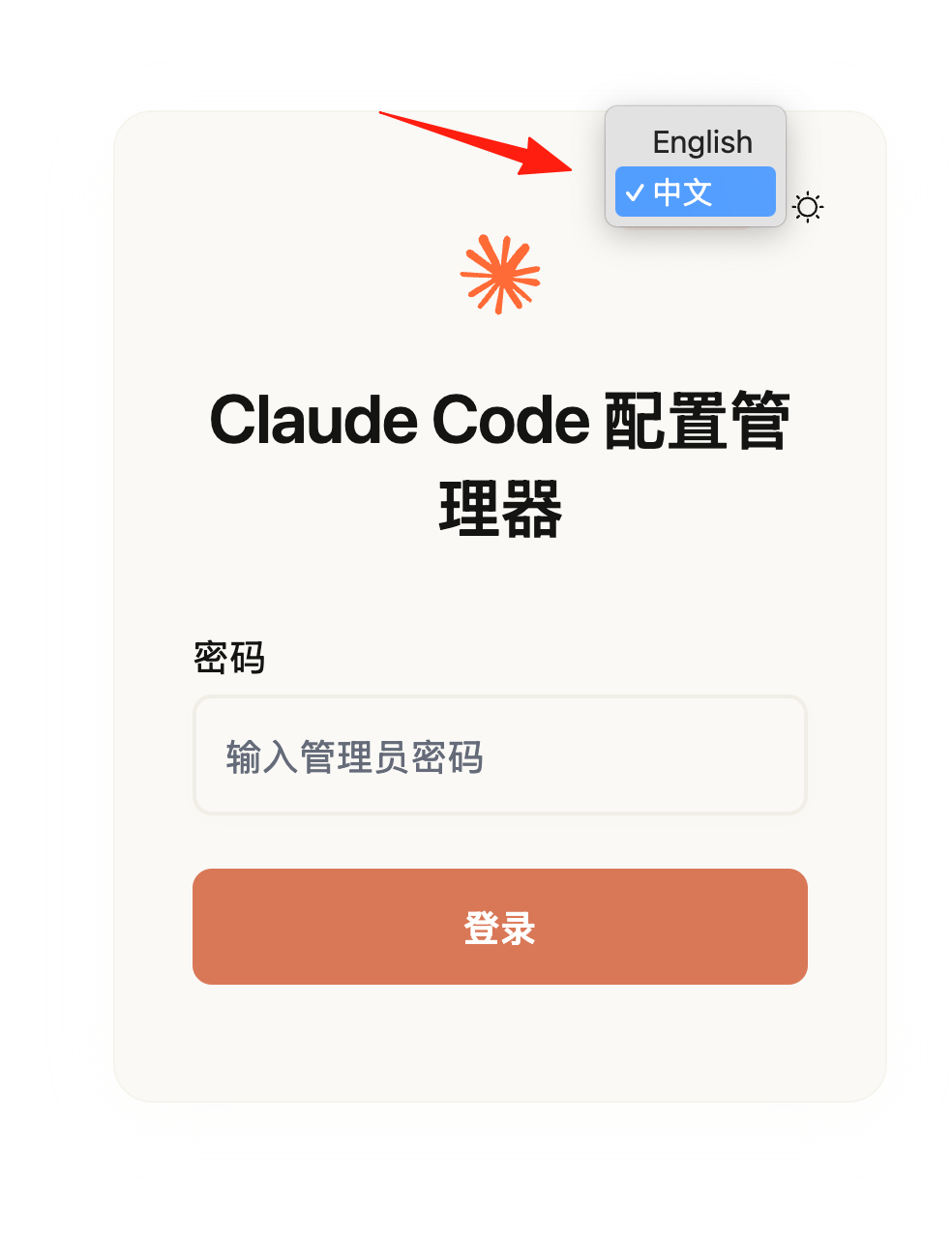
Enter the main page.
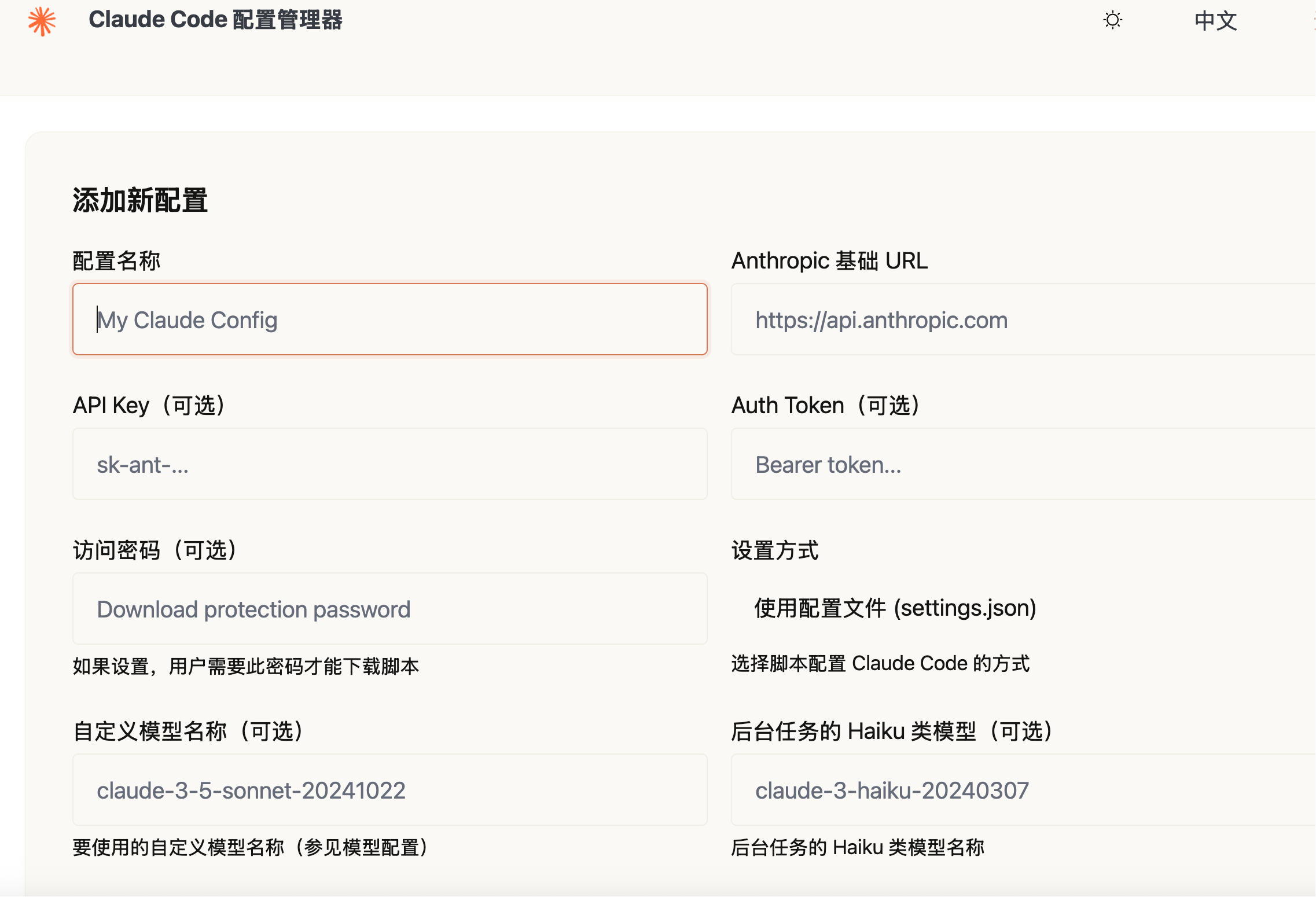
Scenario 1: Save Your API Key Configuration
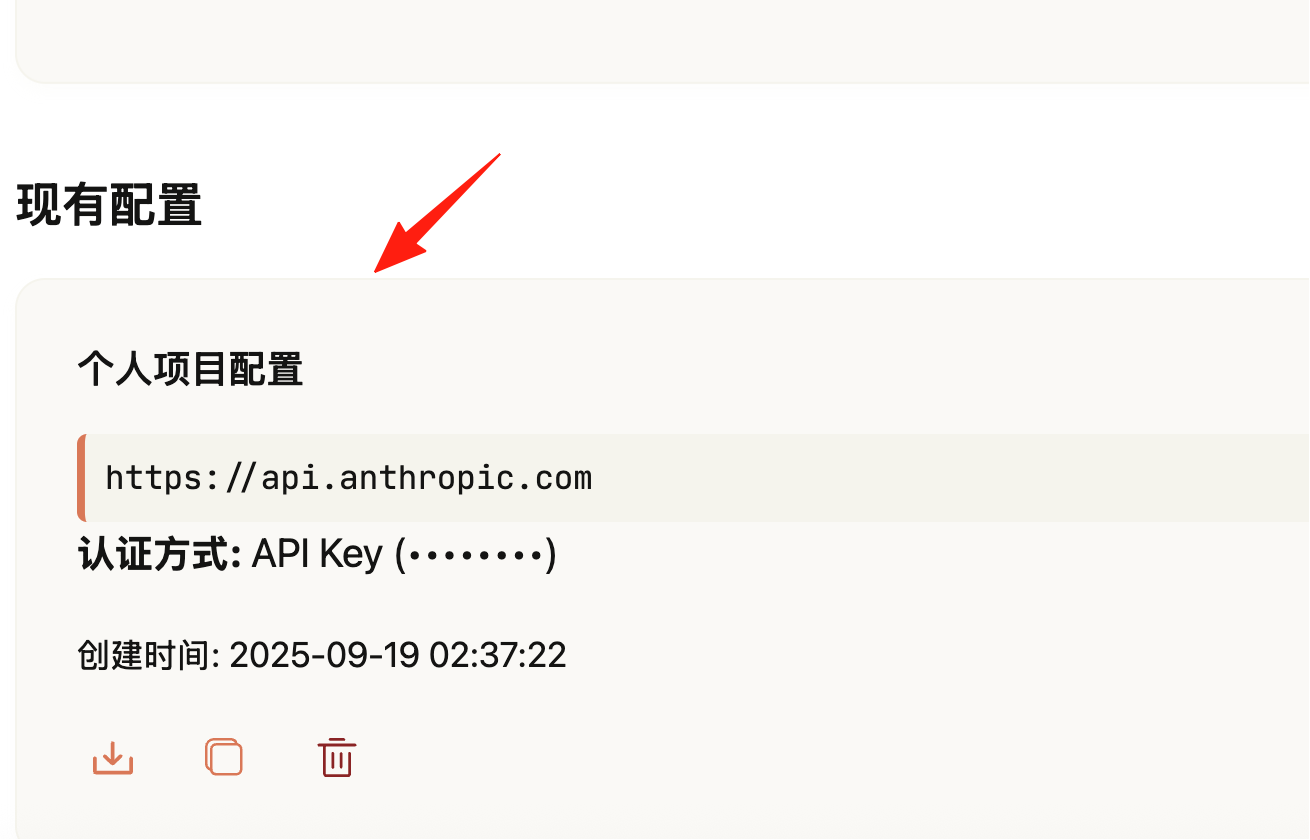
- After logging in, click "Add Configuration"
- Fill in the information:
- Configuration Name: e.g., "Personal Project Config"
- API URL:
https://api.anthropic.com(default) - API Key: Your Claude API Key
- Setup Method: Select "Environment Variable" (recommended) You can find your key in the Claude Console
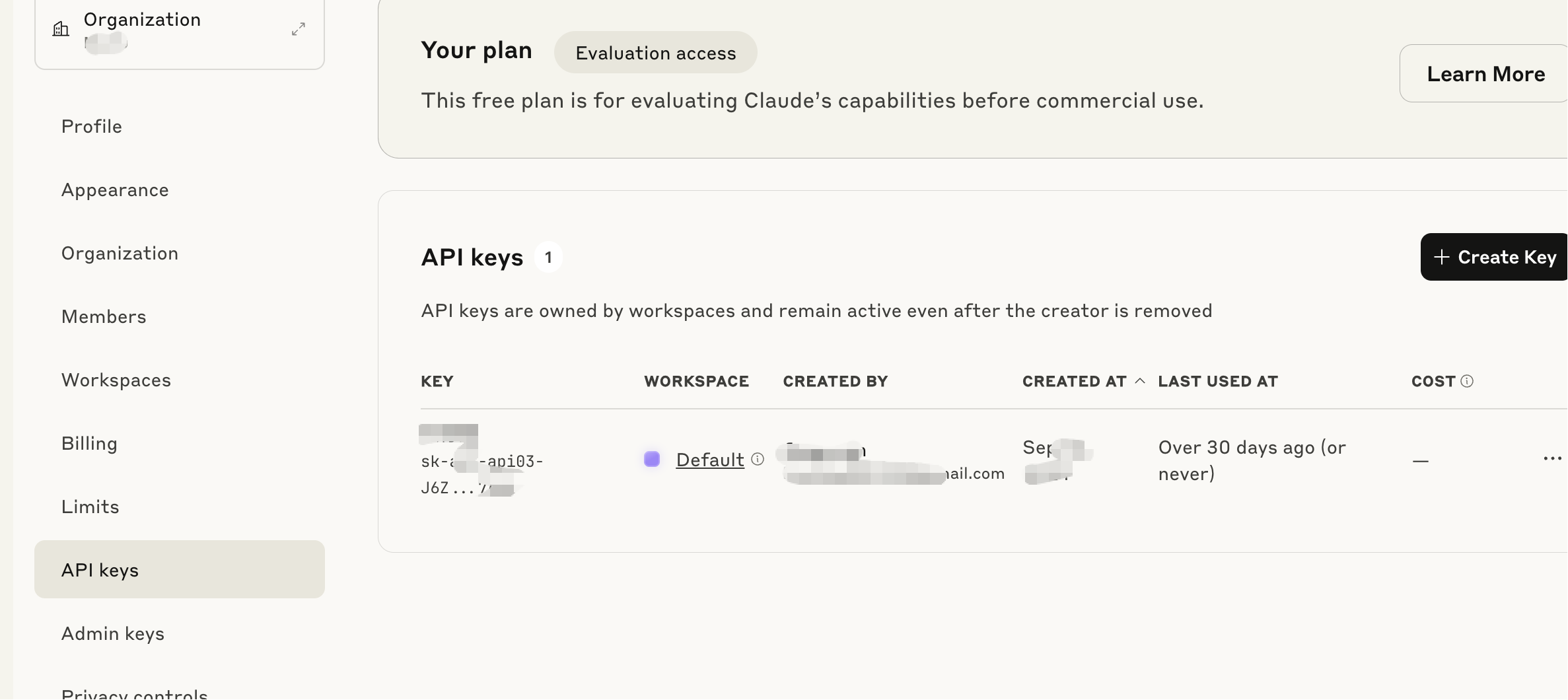
- After saving, the system will generate a download link. You can also download the .sh file.
On a new computer, you only need one command:
# If no password is set
curl -O https://cccm.your-lazycat-domain.heiyu.space/download/ConfigID && bash setup_*.sh

# If a password is set
curl -O "https://cccm.lanmao168.heiyu.space/download/ConfigID?password=YourPassword" && bash setup_*.sh
The script will automatically:
- Detect your Shell type (bash/zsh/fish)
- Back up existing configurations
- Set environment variables or create configuration files
- Take effect immediately without restarting the terminal
Multi-Environment Switching
For example, if you have three environments:
- Personal projects (using your own API Key)
- Company projects (using the company's API Key)
- Testing environment (using a test Key)
Create three separate configurations in CCCM. When you need to switch:
# Switch to the company environment
./setup_company.sh

# Switch to the personal environment
./setup_personal.sh
Summary
Although CCCM is a simple tool, it effectively solves the pain points of Claude Code configuration management. It's especially useful for:
- Developers who frequently switch environments
- Projects requiring team collaboration
- People working across multiple machines
With CCCM, you no longer need to manually copy and paste API Keys or worry about losing configuration files.