
MCPHub: The Ultimate Tool That Makes AI Tool Management Simple
Let's Start With What MCP Is
You've probably used Claude or Cursor, right? They can directly query your database, read your files, and even call various APIs. The MCP (Model Context Protocol) is what makes this possible.
Simply put, MCP is like the USB interface for the AI world. Previously, each AI tool needed custom code to connect to different data sources. Now, with the MCP standard, you write it once and use it everywhere.
For example, if you write an MCP server to connect to a database, it can be used by Claude, Cursor, and any other AI tool that supports MCP.
What is MCPHub?
If MCP is the USB interface, then MCPHub is your USB hub.
Imagine you have dozens of MCP servers: one for querying databases, another for reading files, others for sending emails, checking the weather... Managing and configuring each one separately is a headache, right? MCPHub solves this problem – managing all your MCP servers in one place.
Even better, it exposes these servers as HTTP interfaces. Your AI tools only need to connect to one address to access all the functionality.
https://appstore.lazycat.cloud/#/shop/detail/top.j0k3r.mcphub
Getting Started Guide
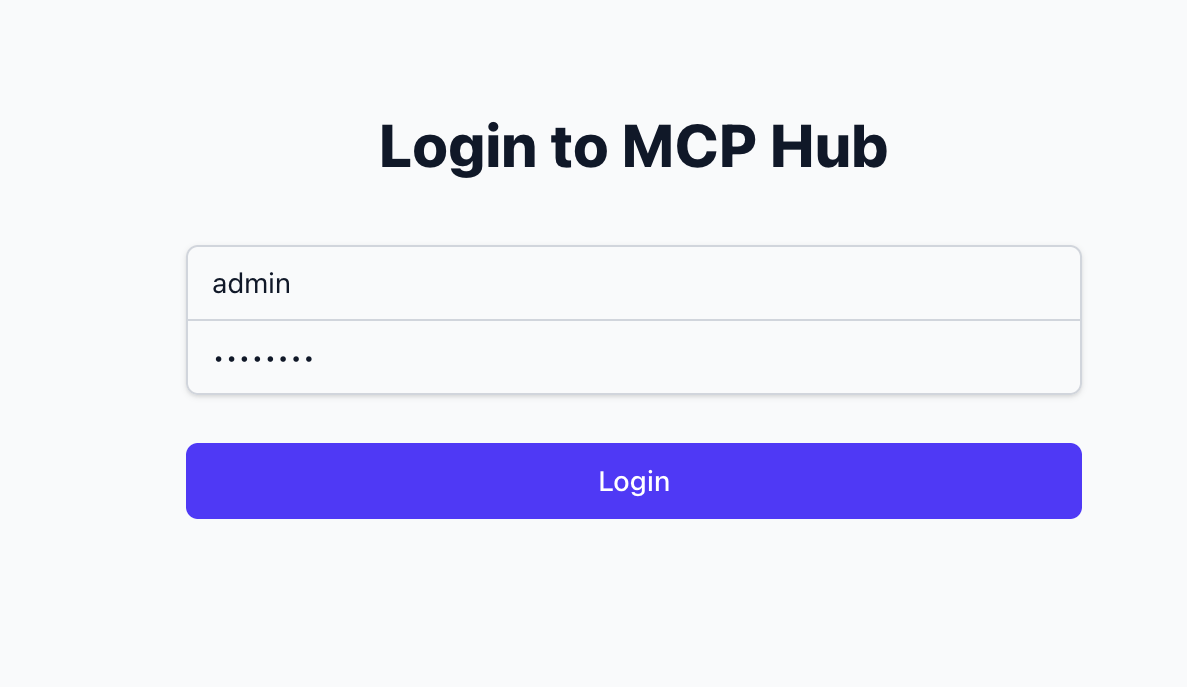
After installing the application, open the login page and log in using the default credentials admin / admin123.
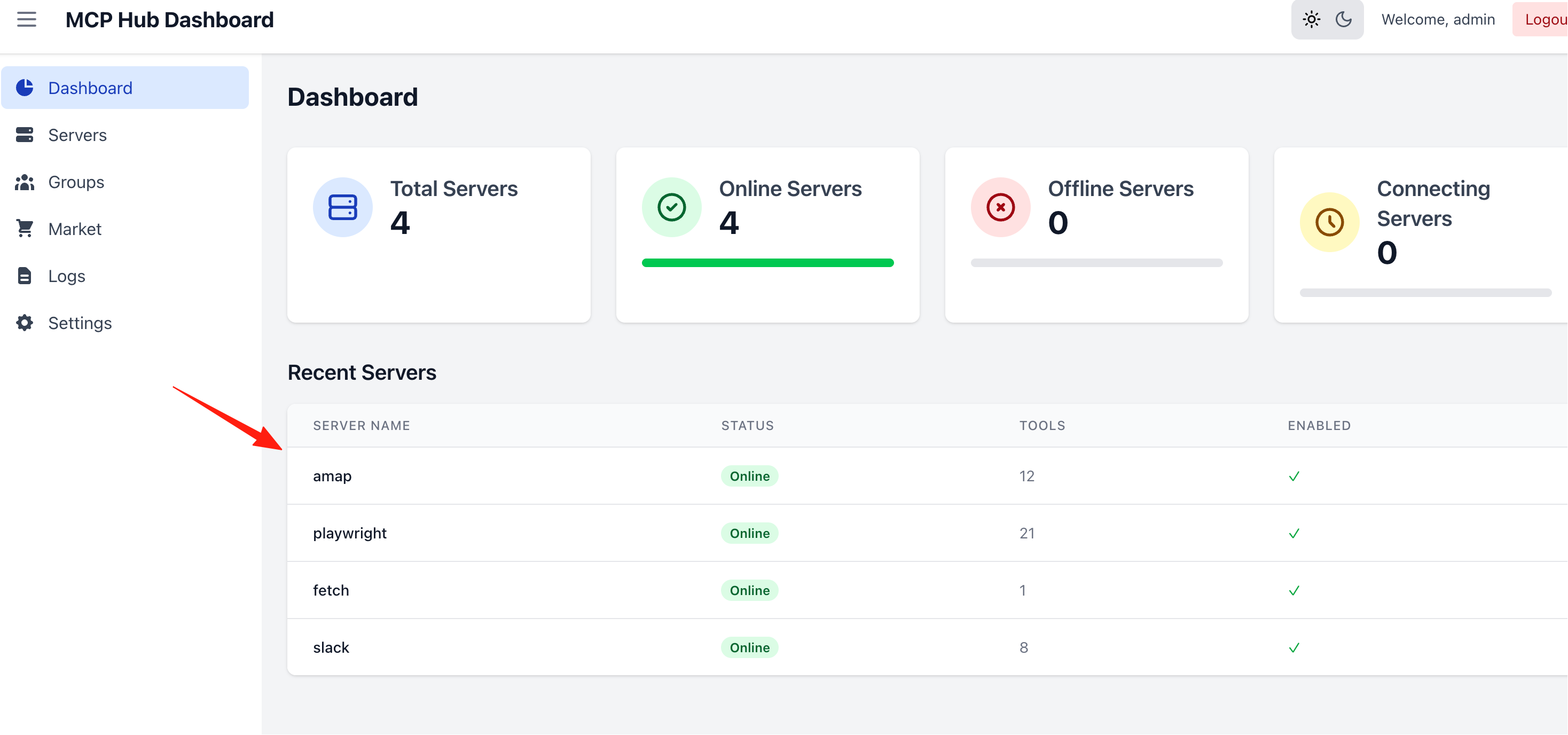
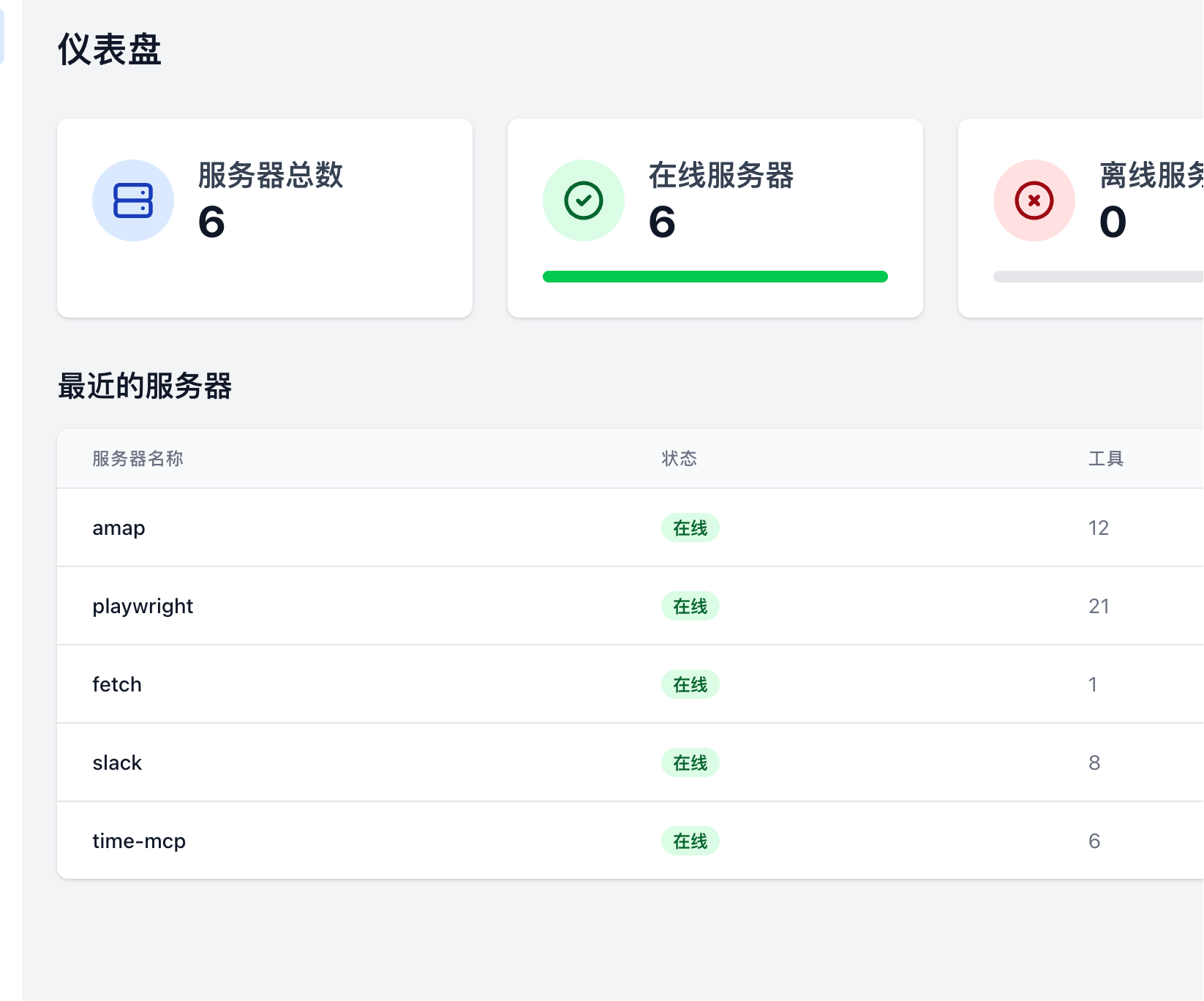
You can see it comes pre-integrated with 4 servers by default.
-
amap  Typically used for map-related services, such as geolocation queries, map data interfaces, etc. Suitable for automation tasks that require geospatial information processing.
-
playwright  This is an automated browser tool server, primarily used for web automation testing, data scraping, and automating web page interactions. Ideal for scenarios like web scraping, automation scripts, and UI testing.
-
fetch  Used for HTTP requests and data fetching. Can serve as a foundational service for API calls, data collection, and information synchronization. Suitable for automated workflows that require scheduled data fetching or syncing from external sources.
-
slack  Integrates with Slack for message推送 and notifications. Can be used to automatically send messages, notifications, alerts, etc. Suitable for team collaboration and automated message reminders.
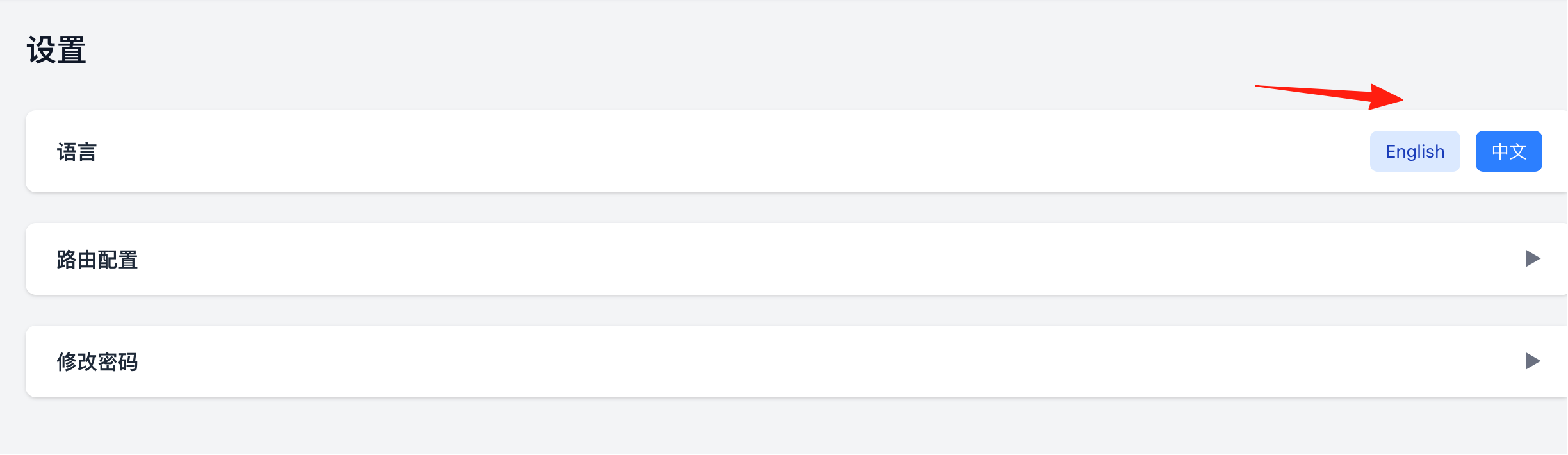
You can change the language to Chinese in the settings.
Configuring Your MCP Servers
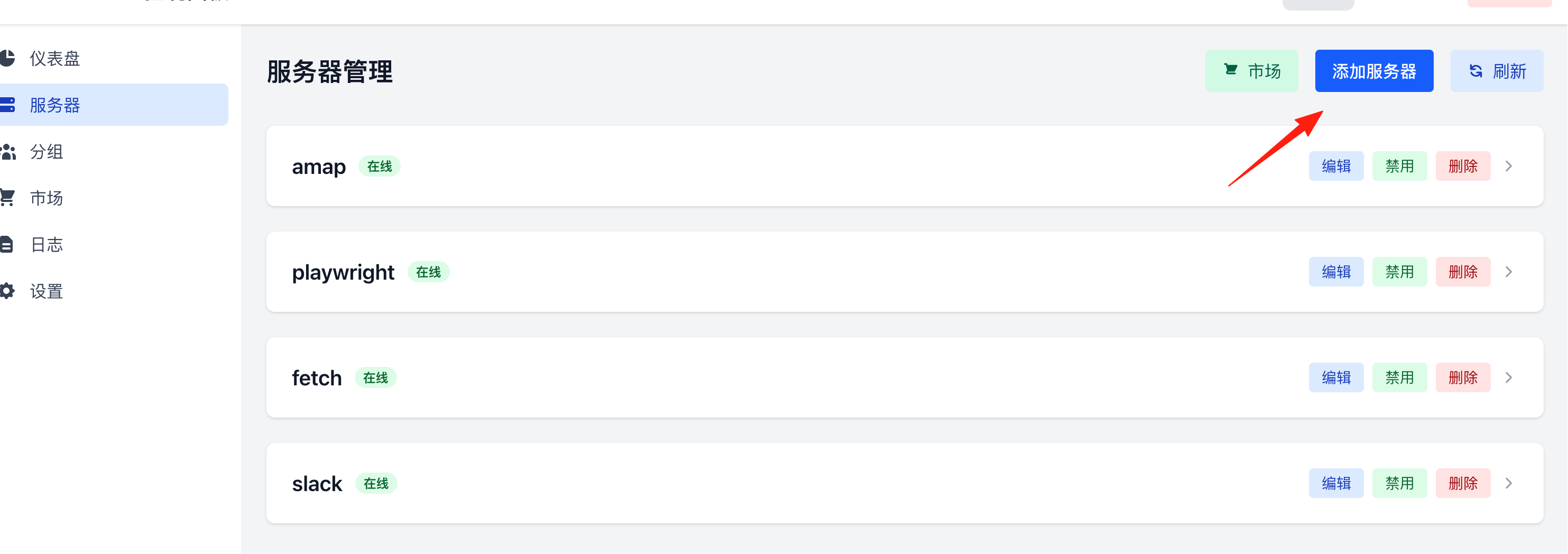
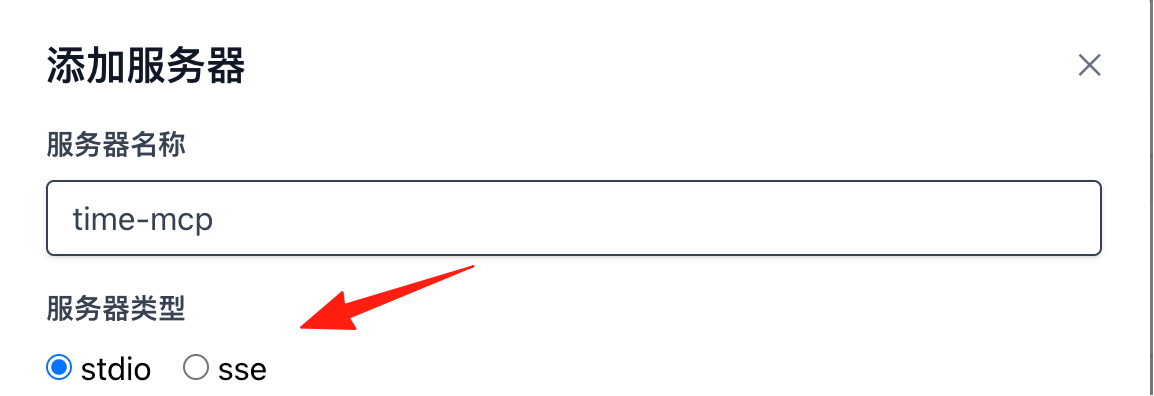
Click on Servers, then Add a Server.
- Server Name: Can be anything, e.g.,
time-mcp. - Server Type 
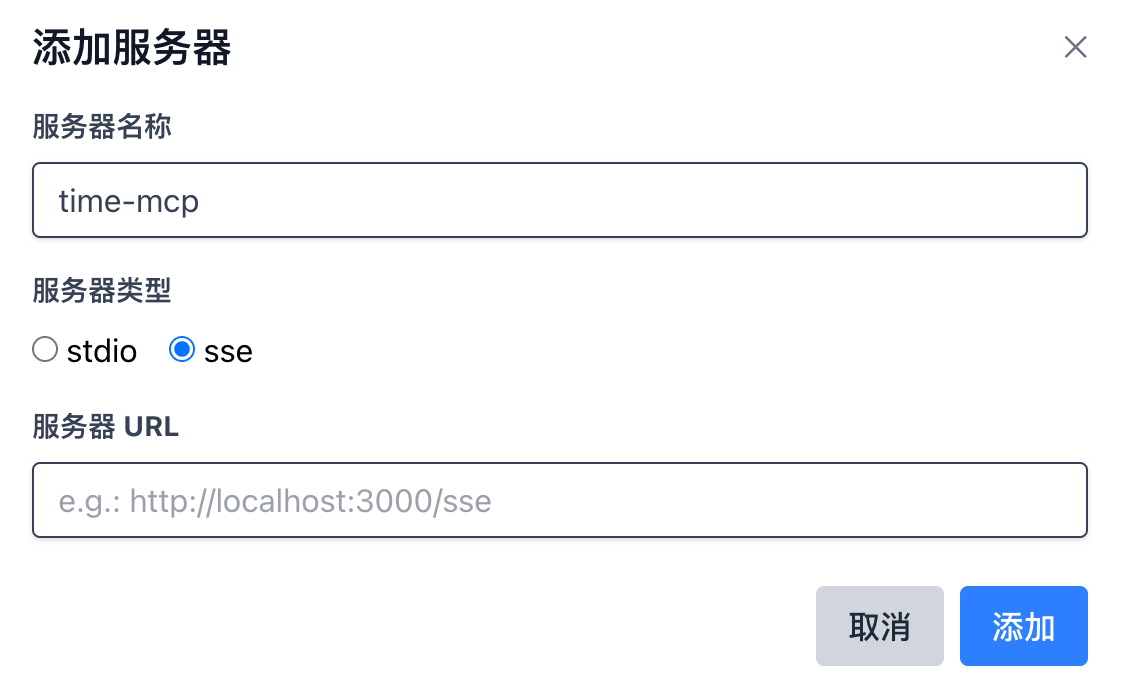
stdio: Communicates via standard input/output by launching a process locally/in a container. Choose this for most command-line based MCP servers.sse: Connects to a remote service over the network (HTTP + Server-Sent Events). Choose this only if your MCP provides an HTTP SSE interface.
Generally, prefer stdio; only choose sse if you explicitly have a remote SSE service address.
- Command 
- When
stdiois selected, specify the executable command or interpreter used to start the MCP.- Node/npm ecosystem:
npx,node - Python:
python,python3 - Direct executable:
/usr/local/bin/your-mcp
- Node/npm ecosystem:
- When
sseis selected, a local command is usually not needed.
- When
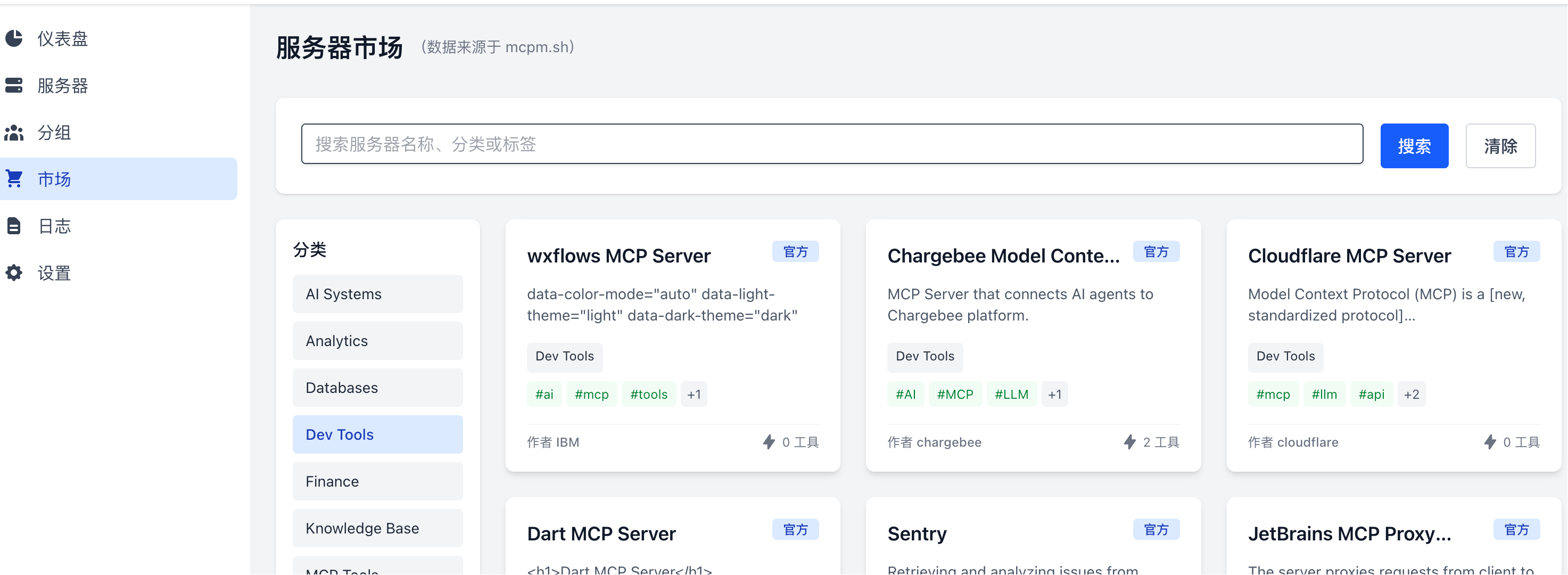
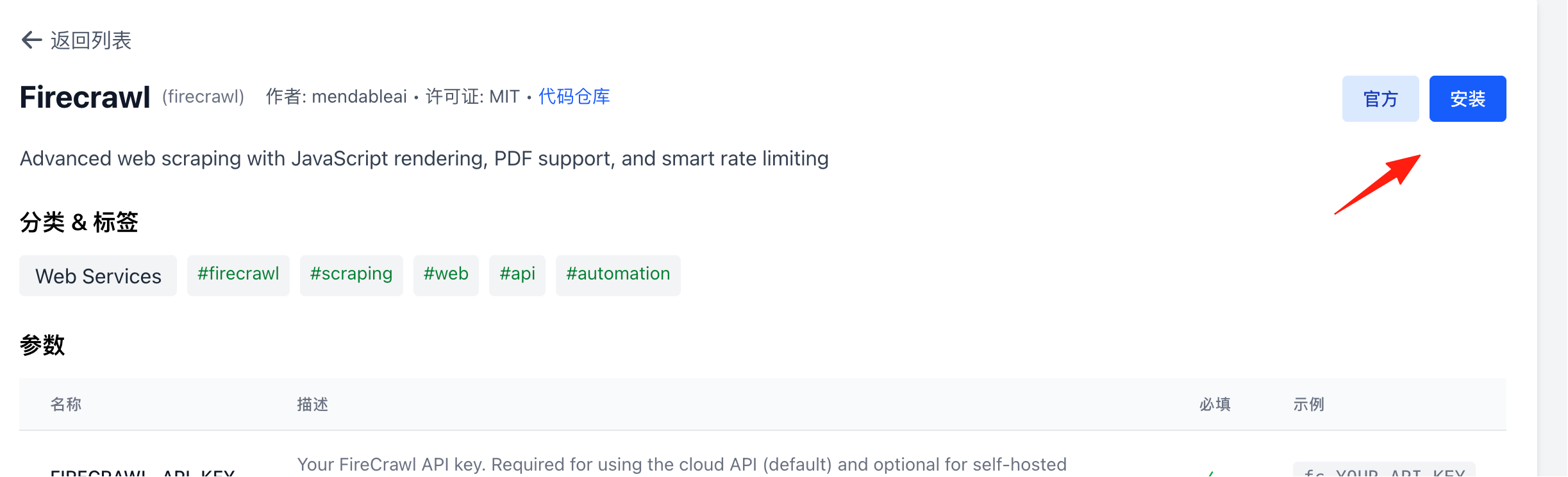
Click on Marketplace to see integrated common MCP servers that can be installed directly.
After successful installation, you can see them on the homepage.
Connecting Your AI Tools
After configuring MCPHub, simply add the server address in your AI tool.
Using it in Claude Desktop:
Edit Claude's configuration file (Mac/Linux: ~/.config/claude/claude_desktop_config.json, Windows: %APPDATA%\Claude\claude_desktop_config.json):
{
  "mcpServers": {
    "mcphub-all": {
      "command": "curl",
      "args": ["-N", "https://mcphub.lazycat.heiyu.space/sse"]
    }
  }
}
Using it in Cursor:
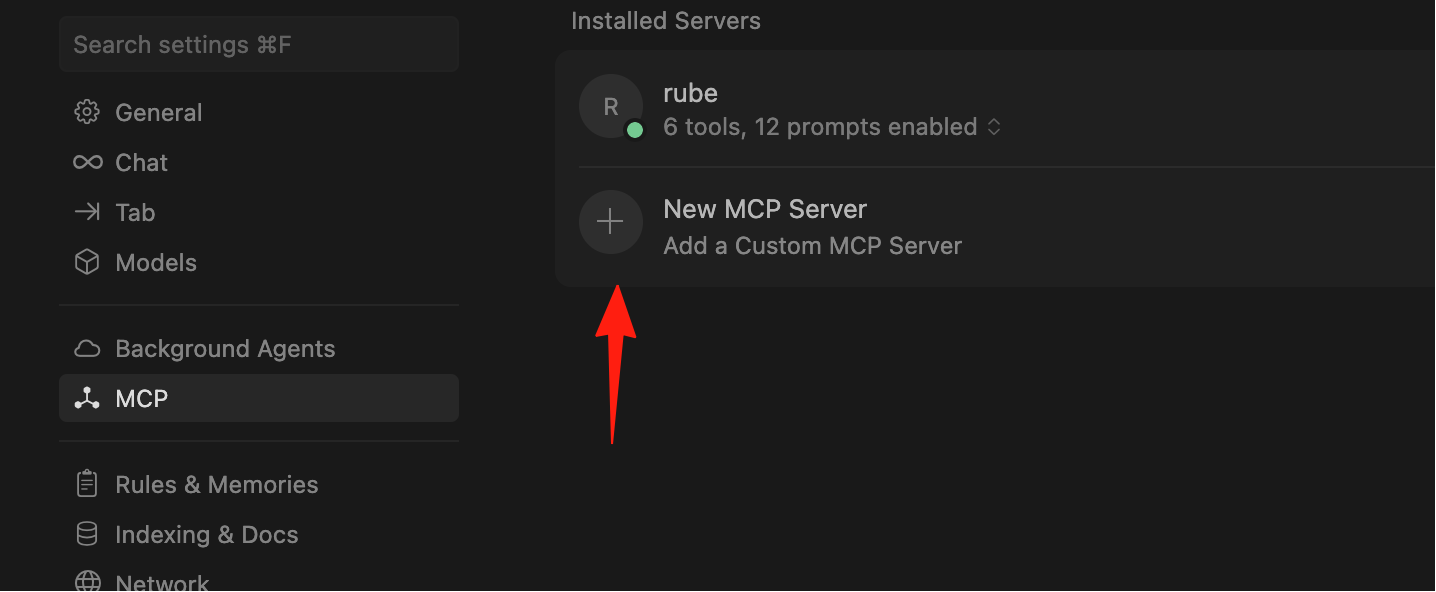
Find the MCP configuration in the settings and add:
https://mcphub.your-lazycat.heiyu.space/mcp
Using Groups
Create different groups in the management interface, for example:
- Development Group: Contains tools like database, Git, code analysis, etc.
- Operations Group: Contains tools like data analysis, report generation, etc.
- Daily Group: Contains tools like weather, translation, search, etc.
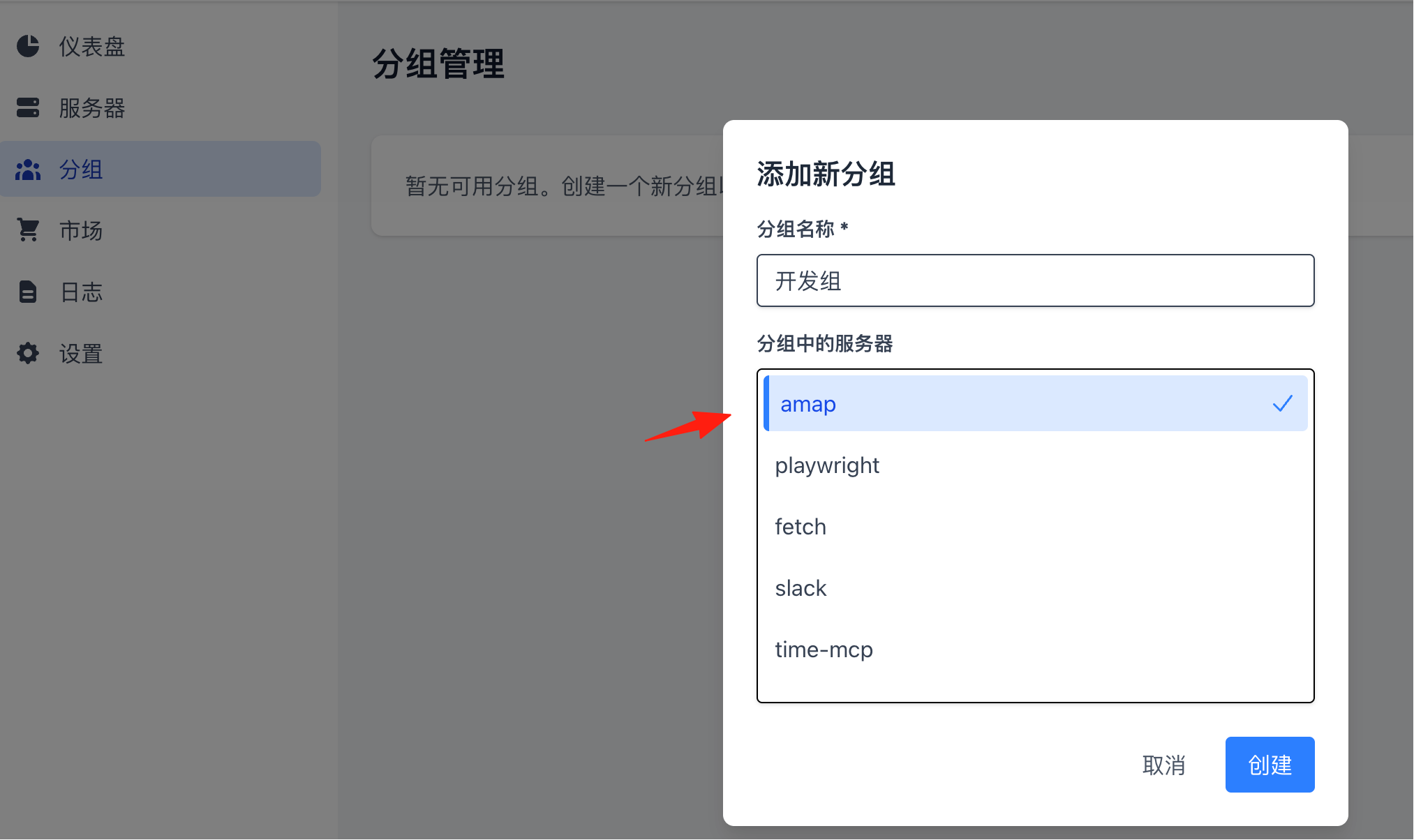
Then connect to them separately:
https://mcphub.your-lazycat.heiyu.space/mcp/development
https://mcphub.your-lazycat.heiyu.space/mcp/operations
Final Thoughts
MCPHub is a great tool for enhancing your AI tool experience. No need to repeatedly configure MCP servers in every AI tool. Configure them once in MCPHub, and all your AI tools can connect and use them.
If you frequently use AI tools like Claude and Cursor and want them to access your data and tools, MCPHub is definitely worth trying.