
n8n Hands-On Guide 11: How to Build an AI Decompression Video Workflow
I've been frequently seeing AI-generated satisfying videos lately, like those showing apples being sliced with a knife. Today, I'll do a hands-on demonstration using n8n to show how to set this up.
https://appstore.lazycat.cloud/#/shop/detail/cloud.lazycat.app.n8n
First, let's briefly look at the workflow diagram:

Quick Workflow Setup
Create a new AI satisfying video workflow
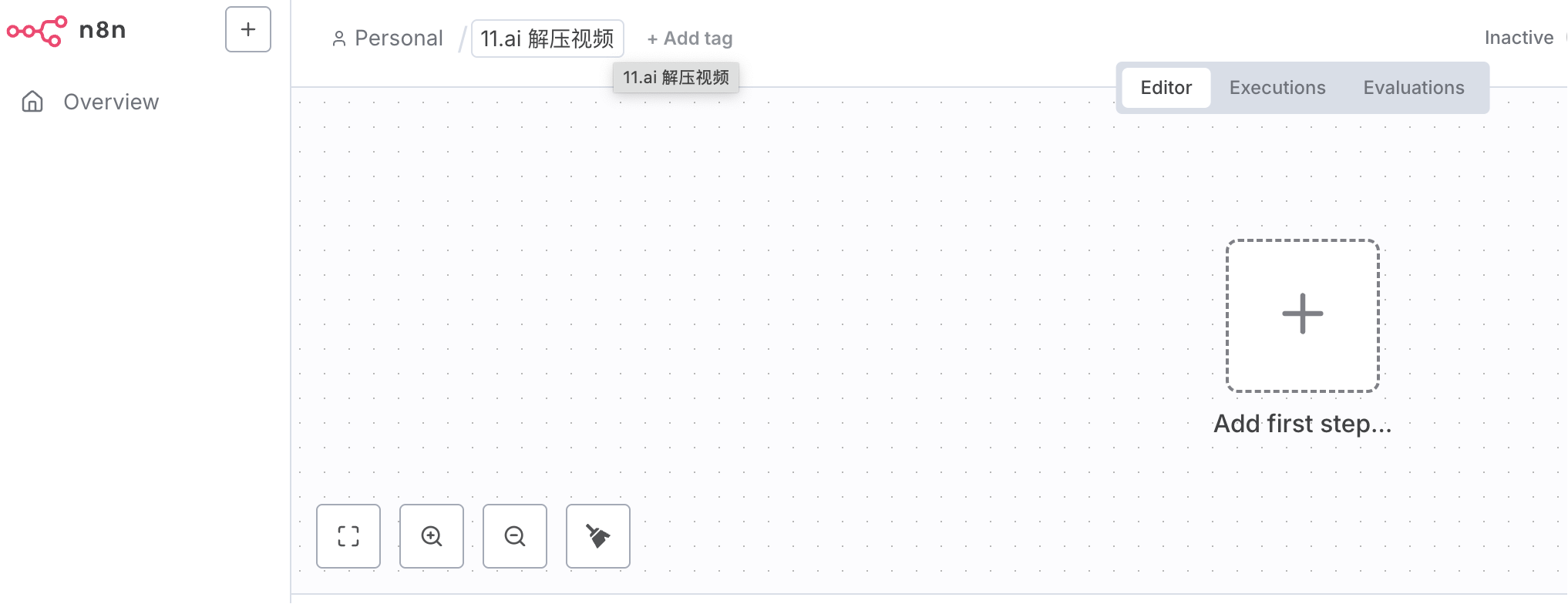
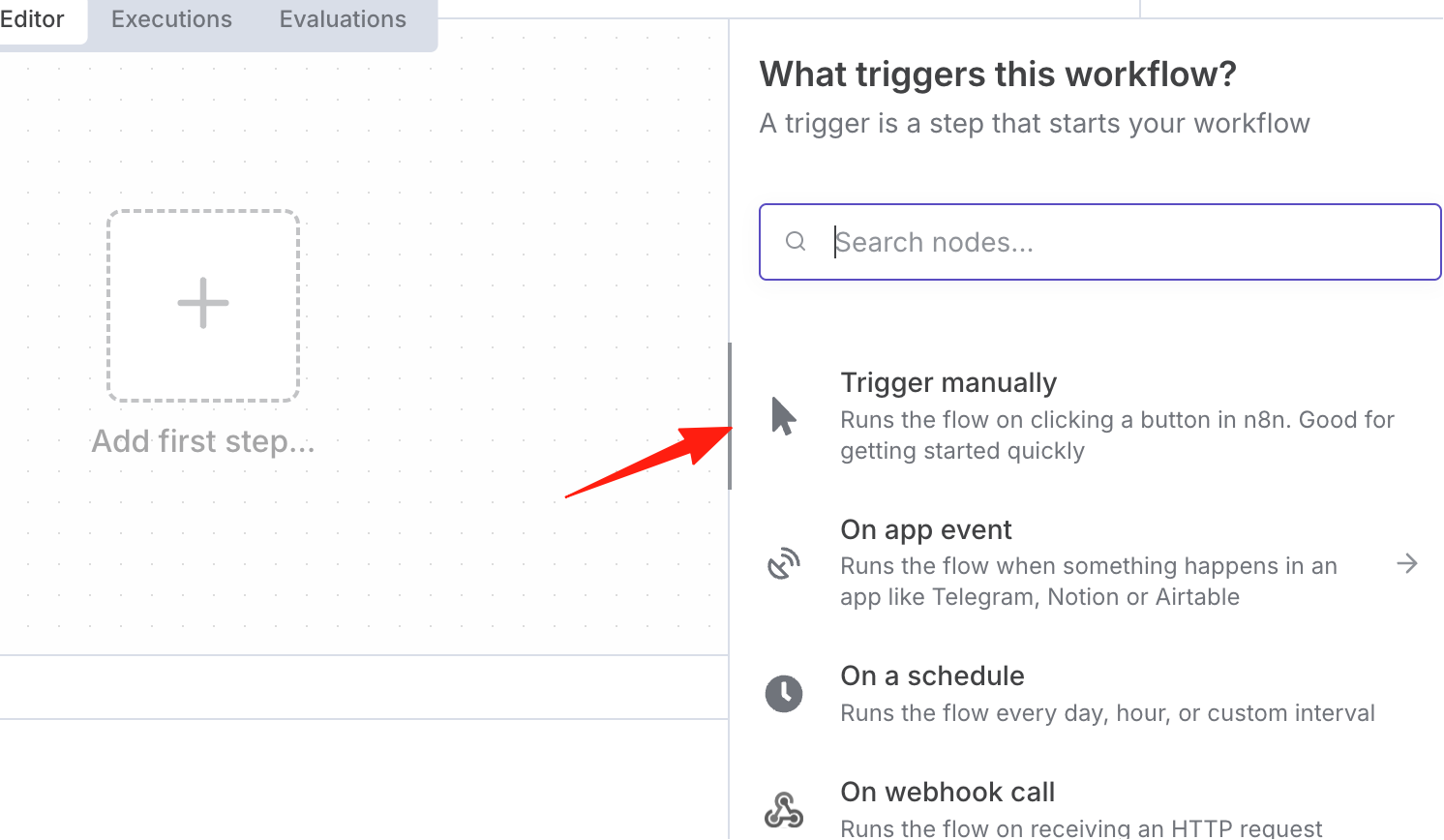
Create a manual trigger node
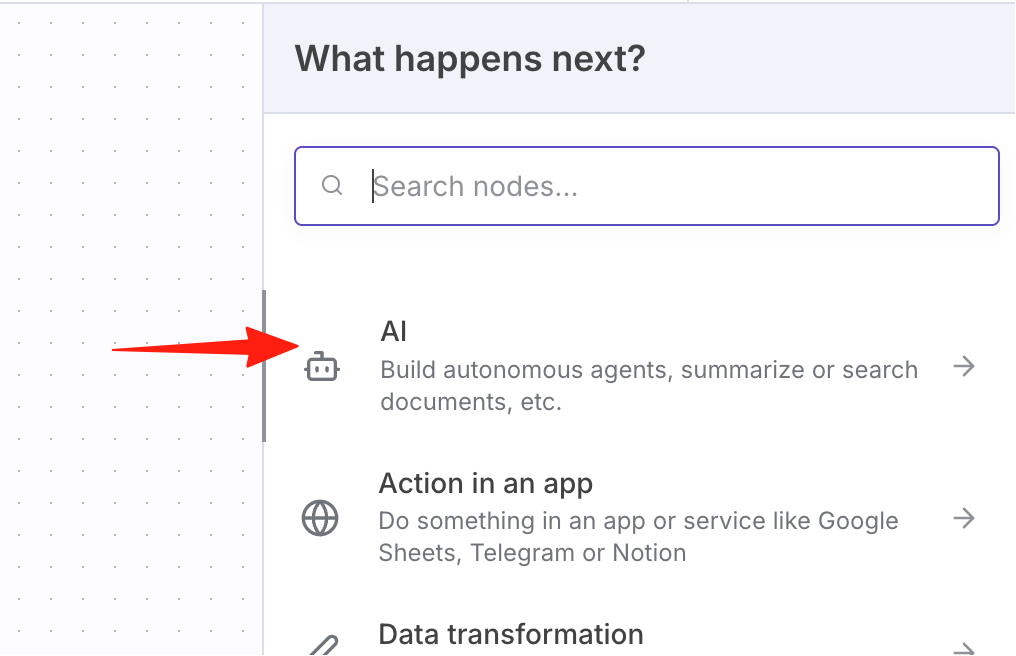
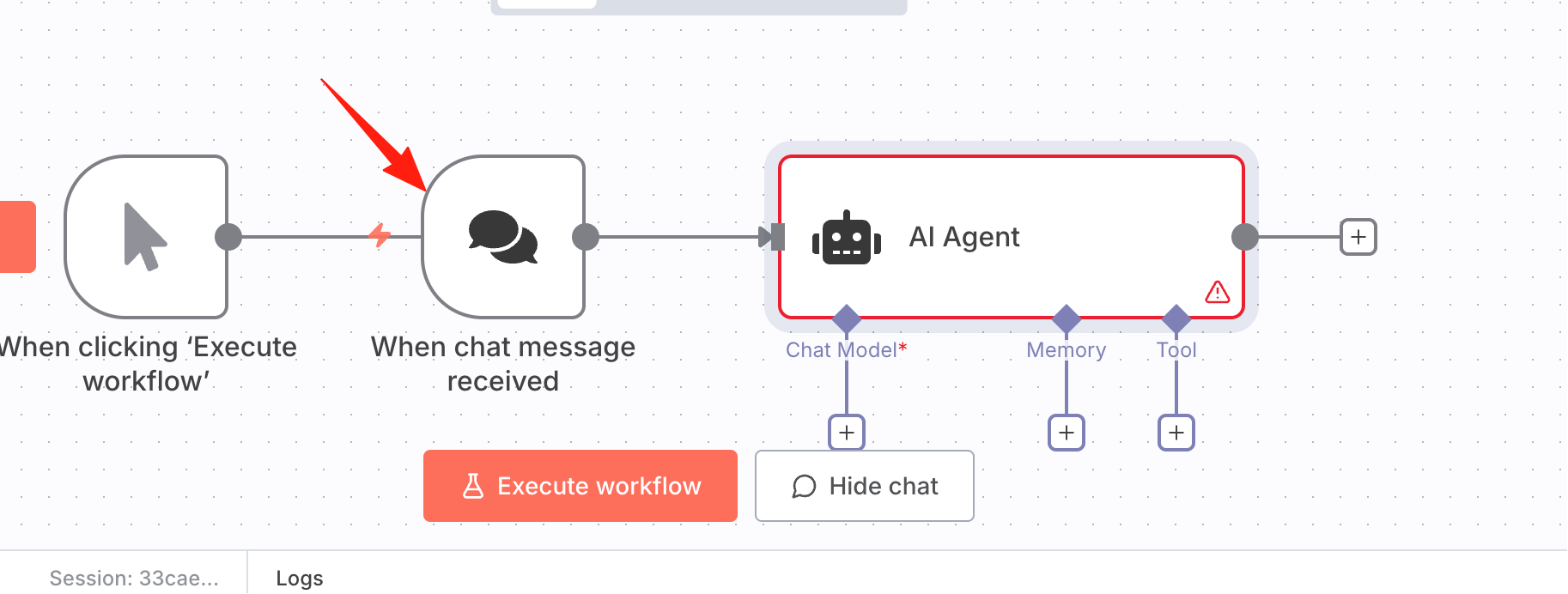
Next, to have AI generate the video content, we need to give it a prompt, so we'll create a new AI agent
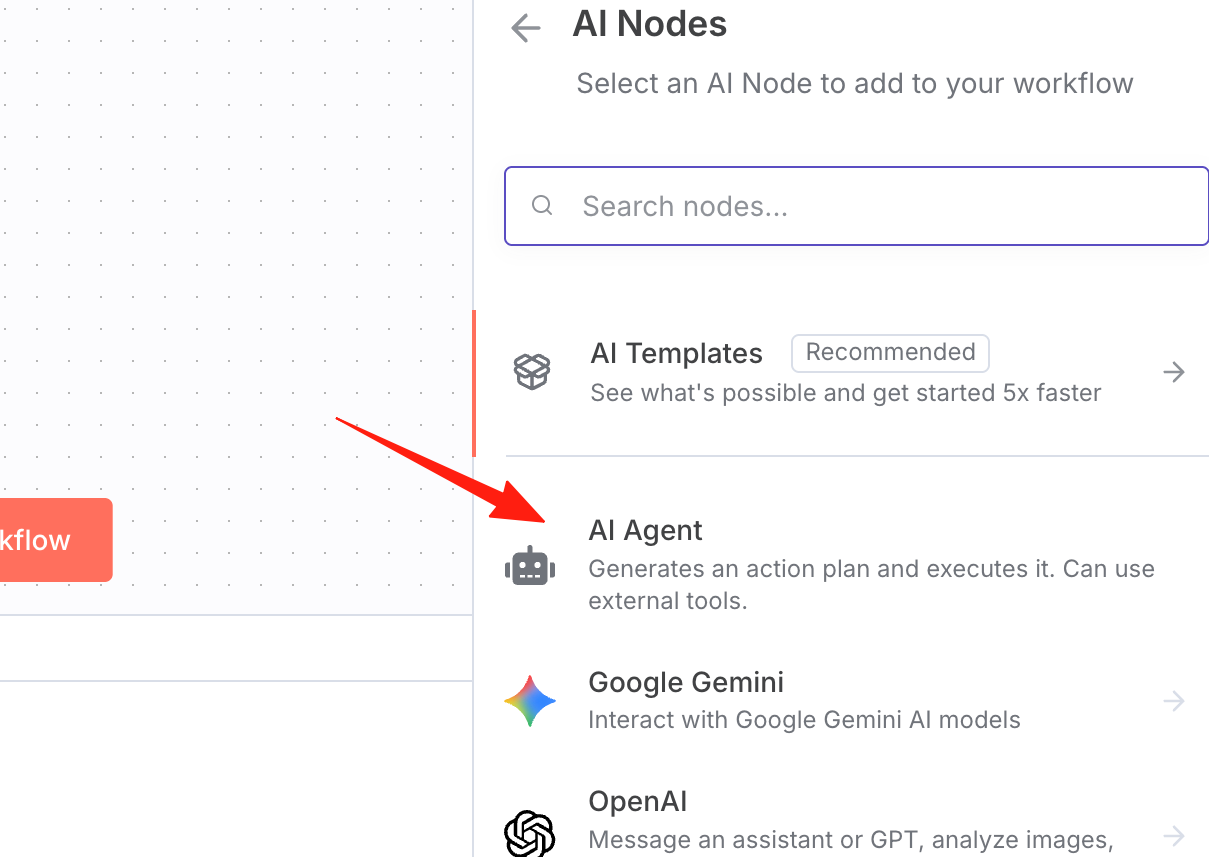
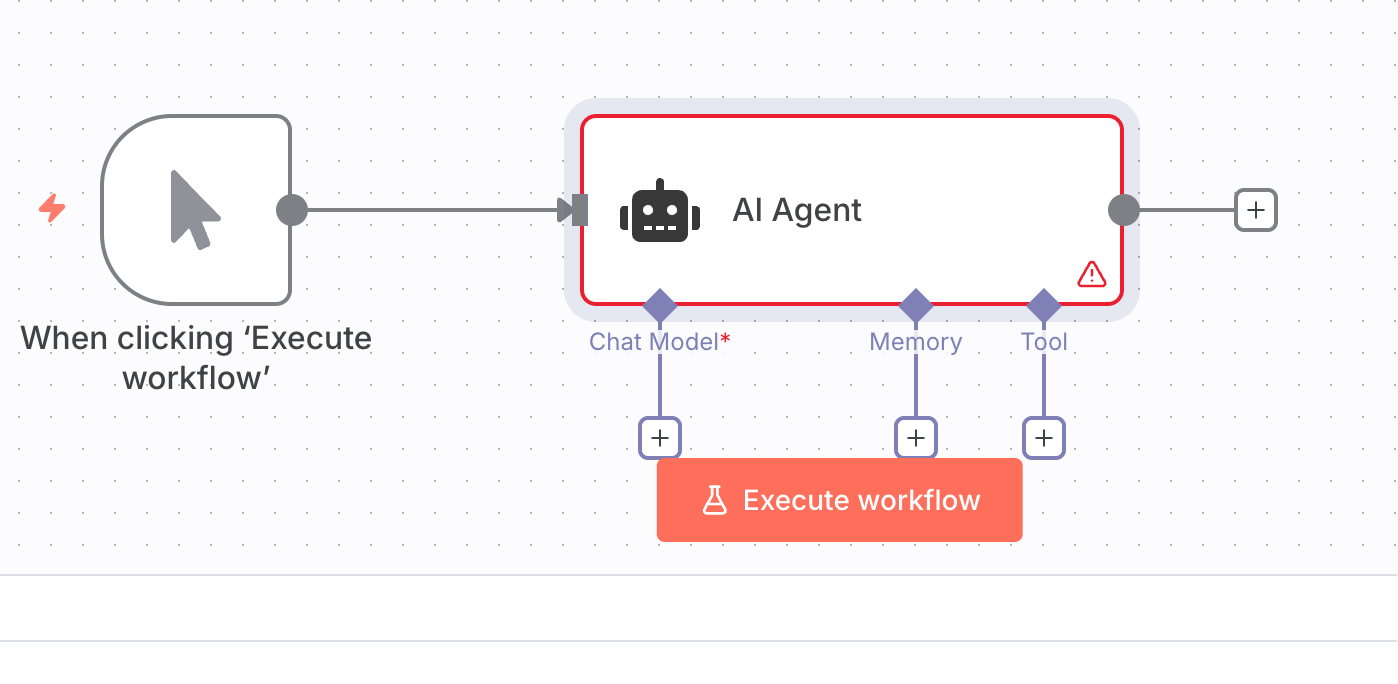
It will automatically generate a chat message node by default, which we don't need, so we can delete it
After deletion:
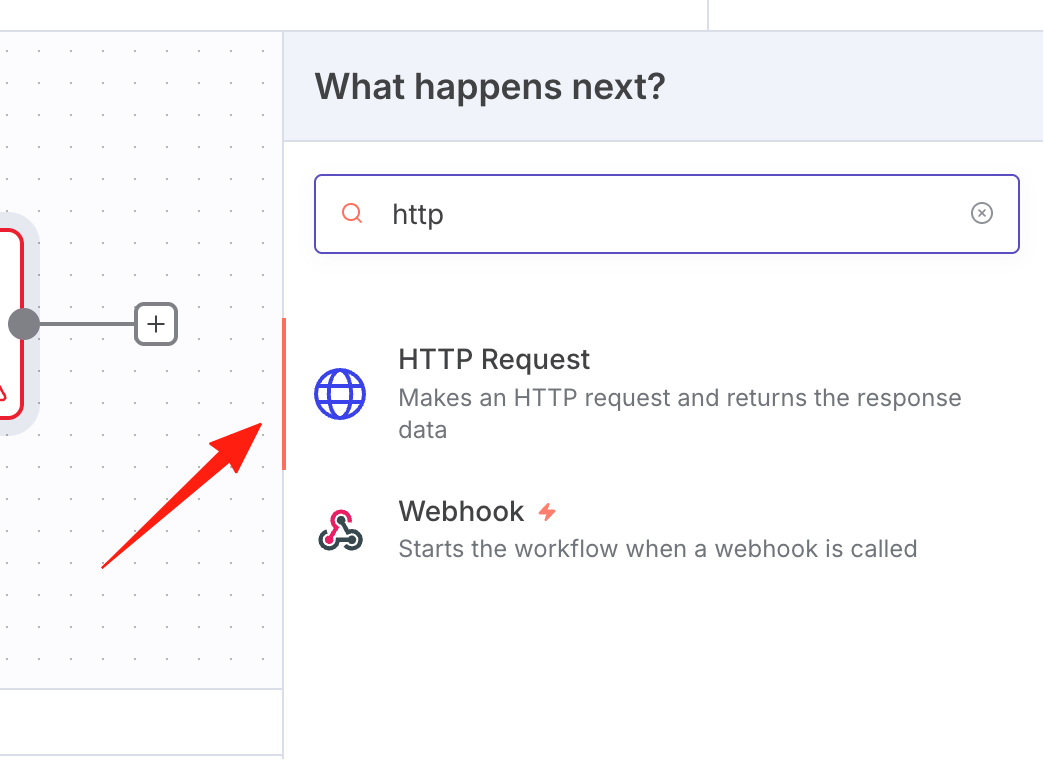
Create an HTTP request for video generation
Video generation is relatively slow, so add a wait node
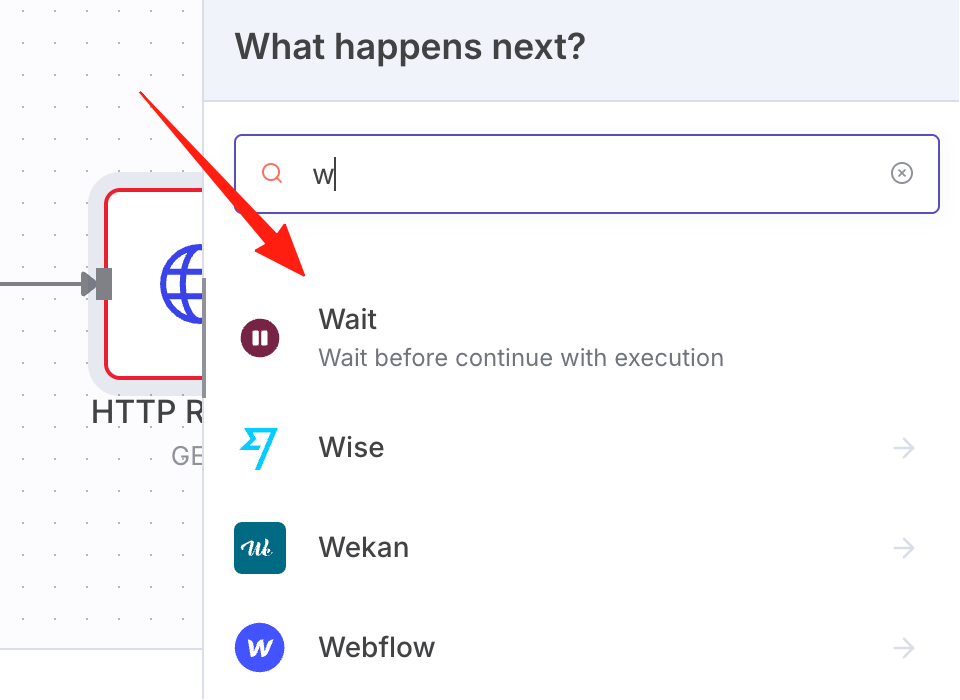
For example, after waiting 10 seconds, add another HTTP request to check if the generation was successful
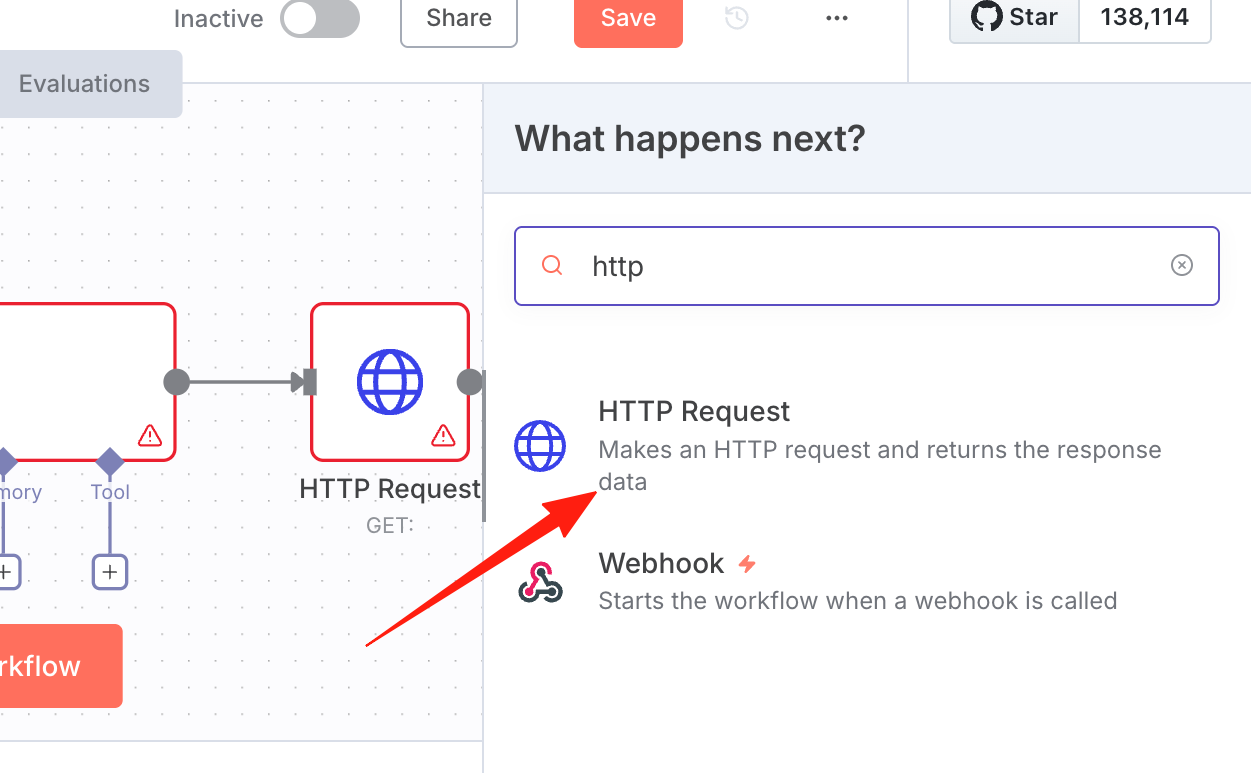
So we need to add an IF condition node
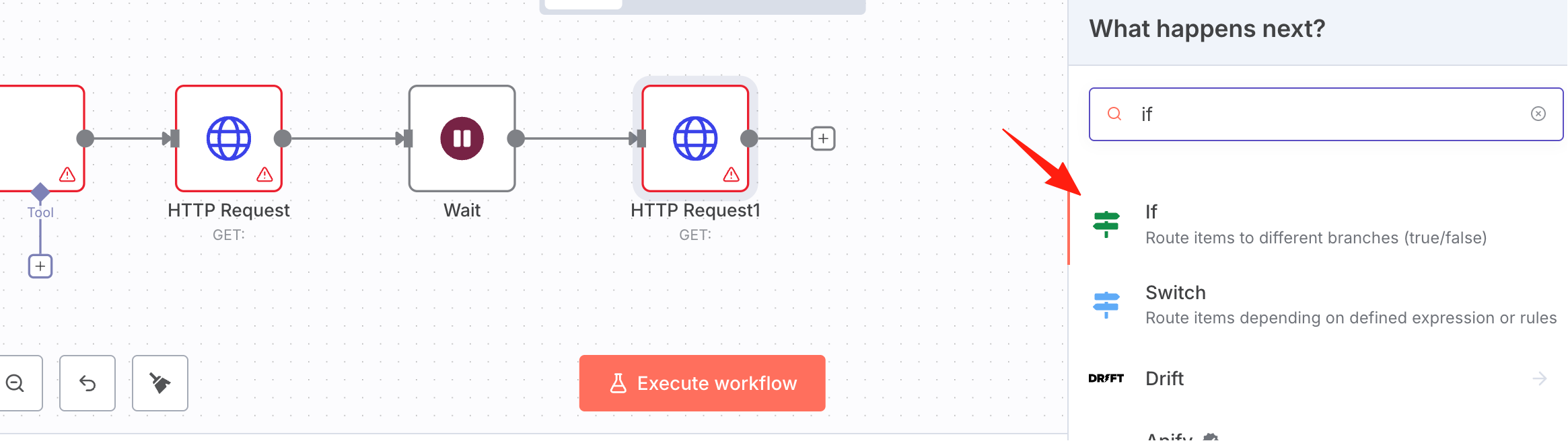
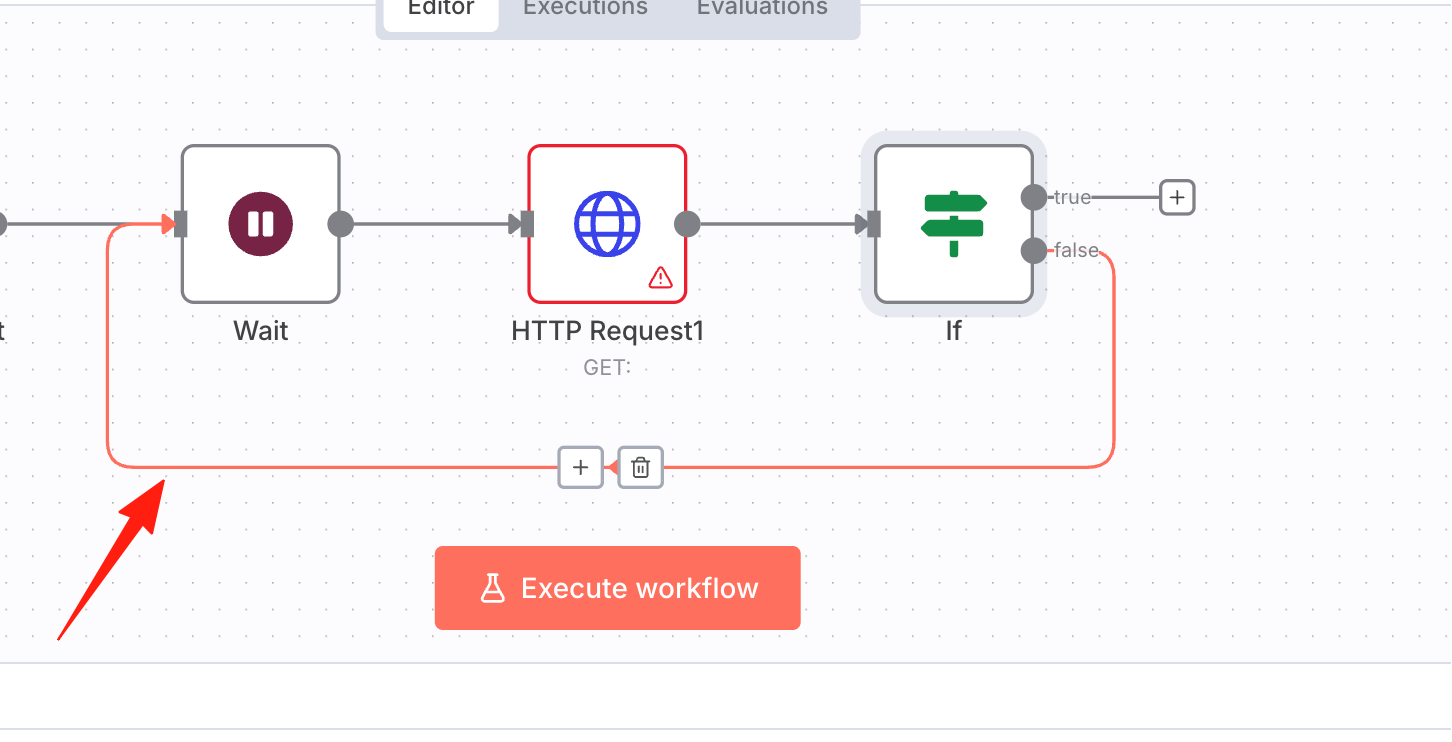
If it's not generated yet, continue waiting; if generation is successful, proceed to the next step. So drag the false branch to before the wait node
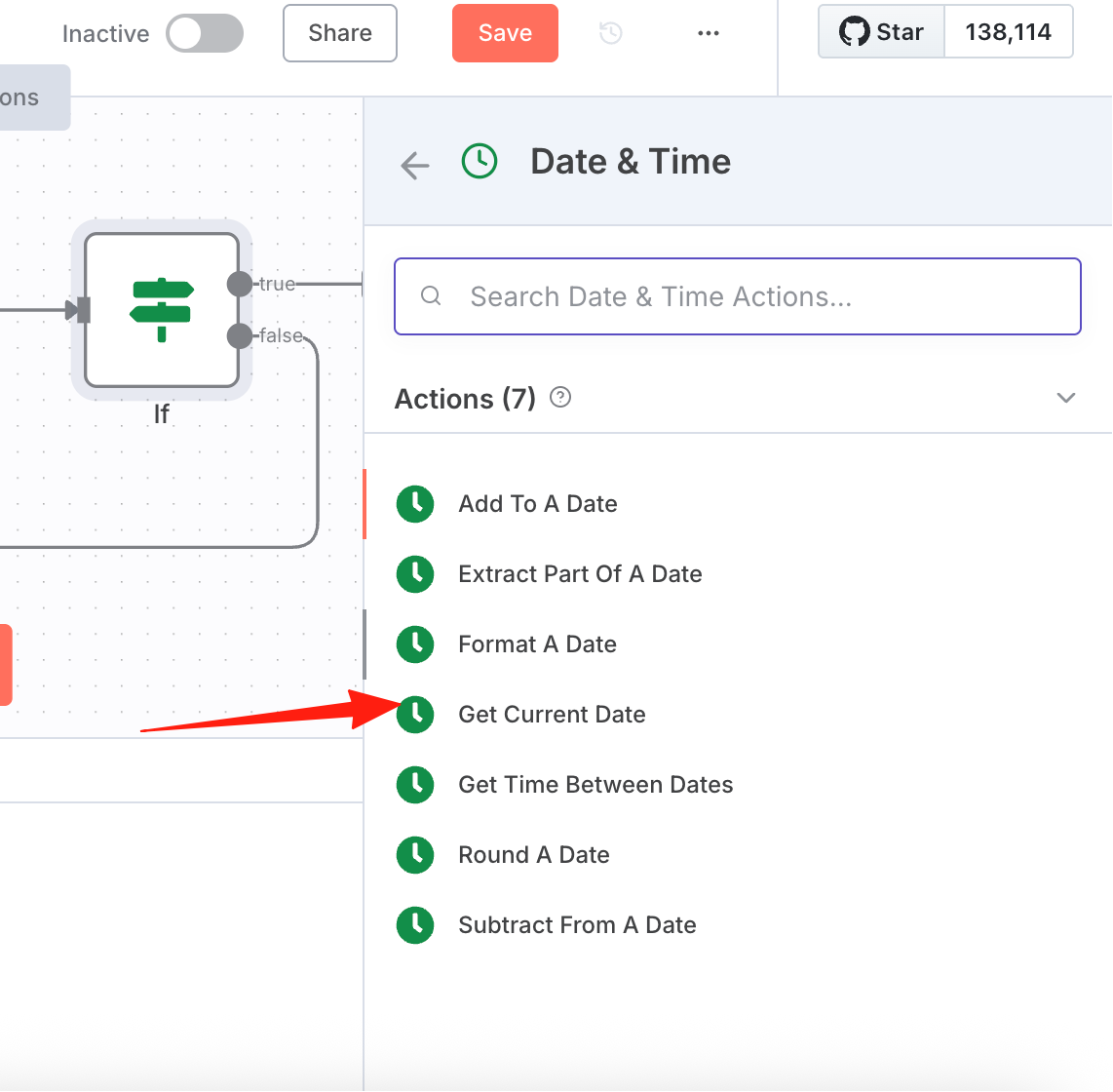
If generation is successful, we record the current time
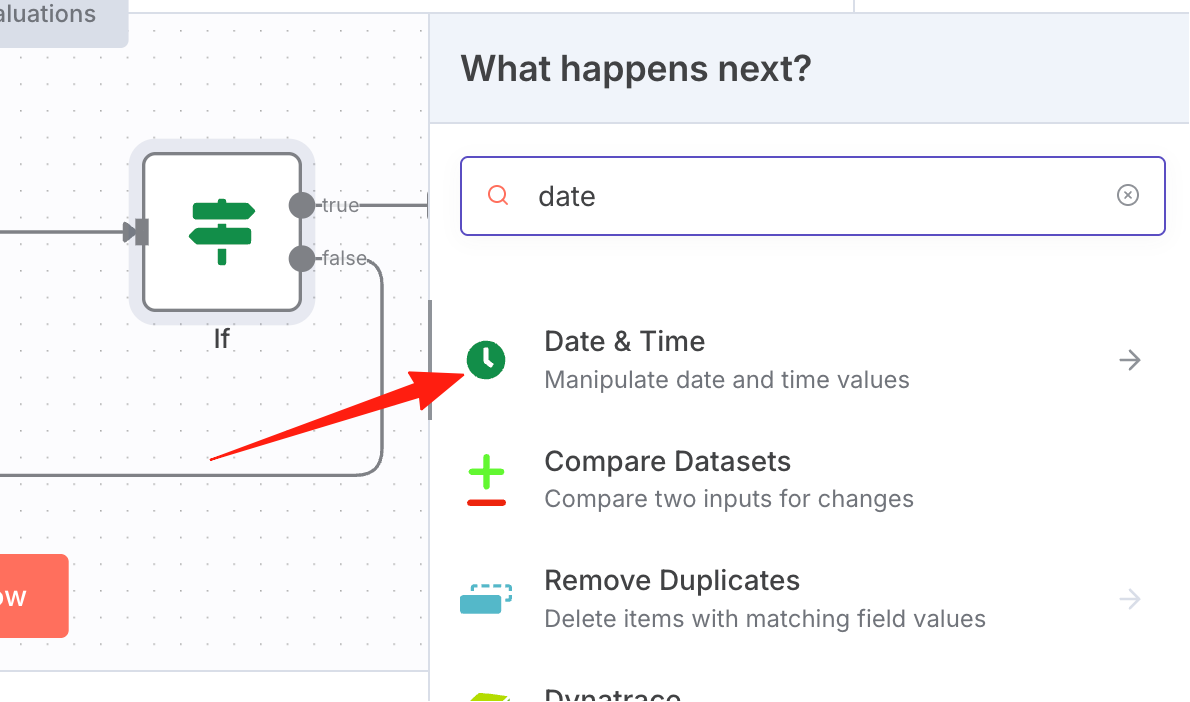
Select the 4th option
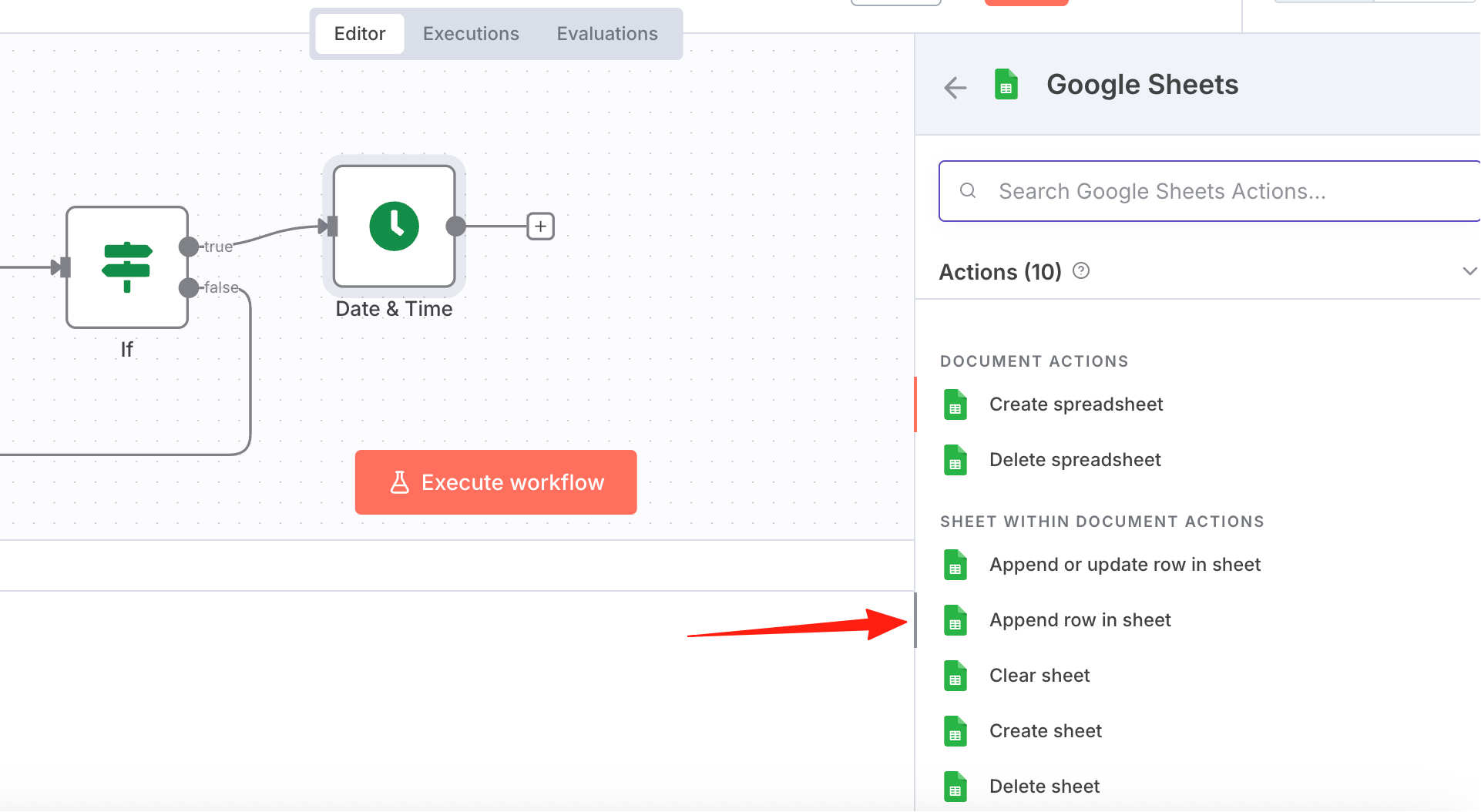
The final step is to save the record to Google Sheets
The above is the complete workflow. Next, I'll explain each step's configuration in detail.
AI Agent
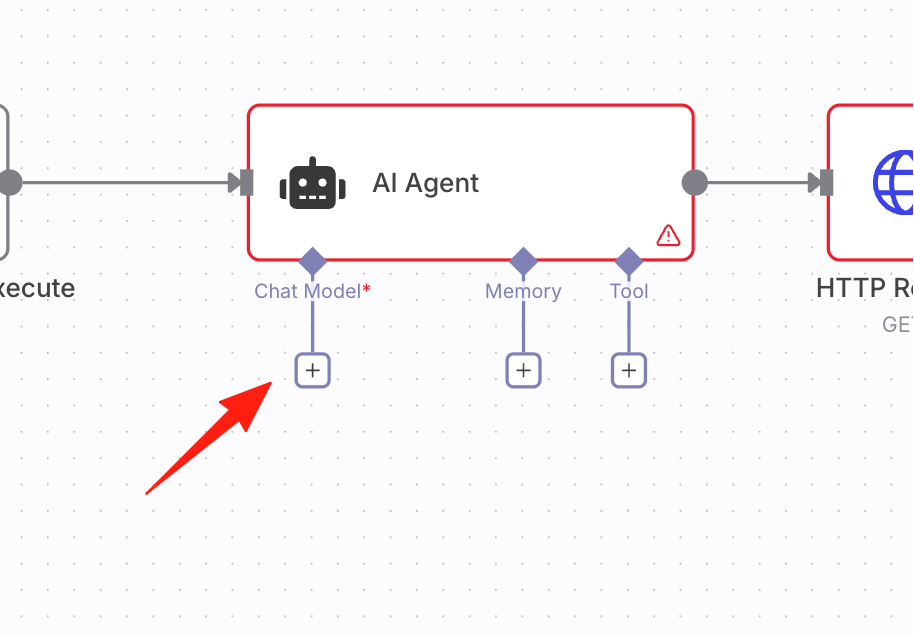
The + button in the bottom left is for selecting the large language model,
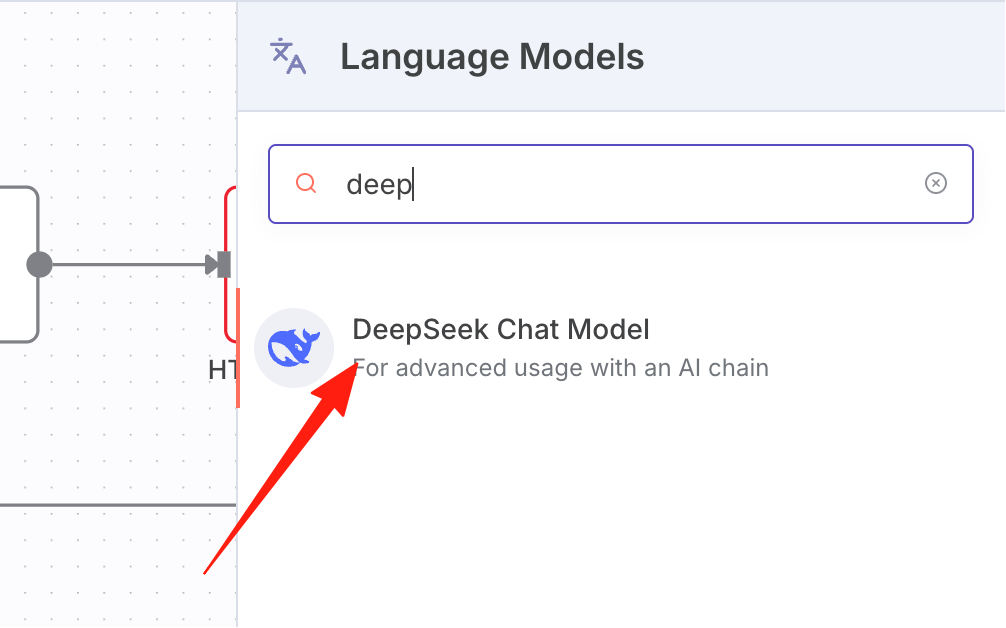
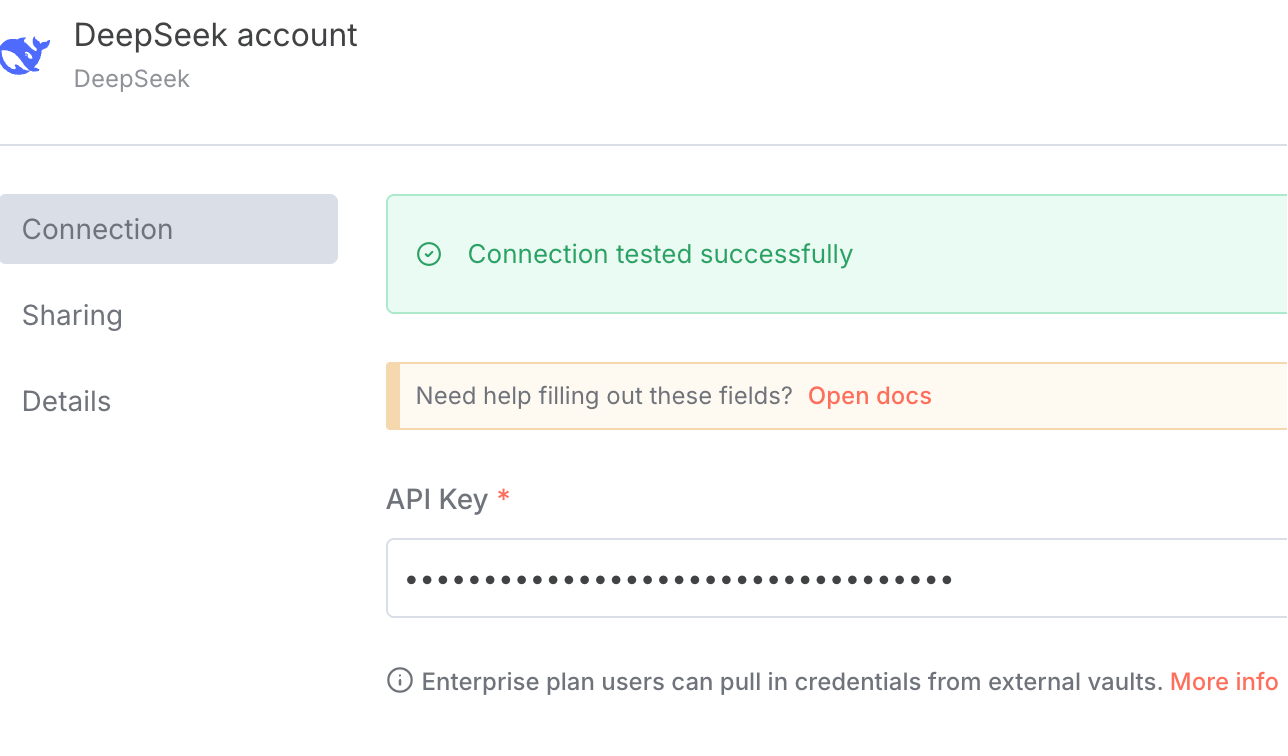
I'll demonstrate using DeepSeek
Configure your DeepSeek API key
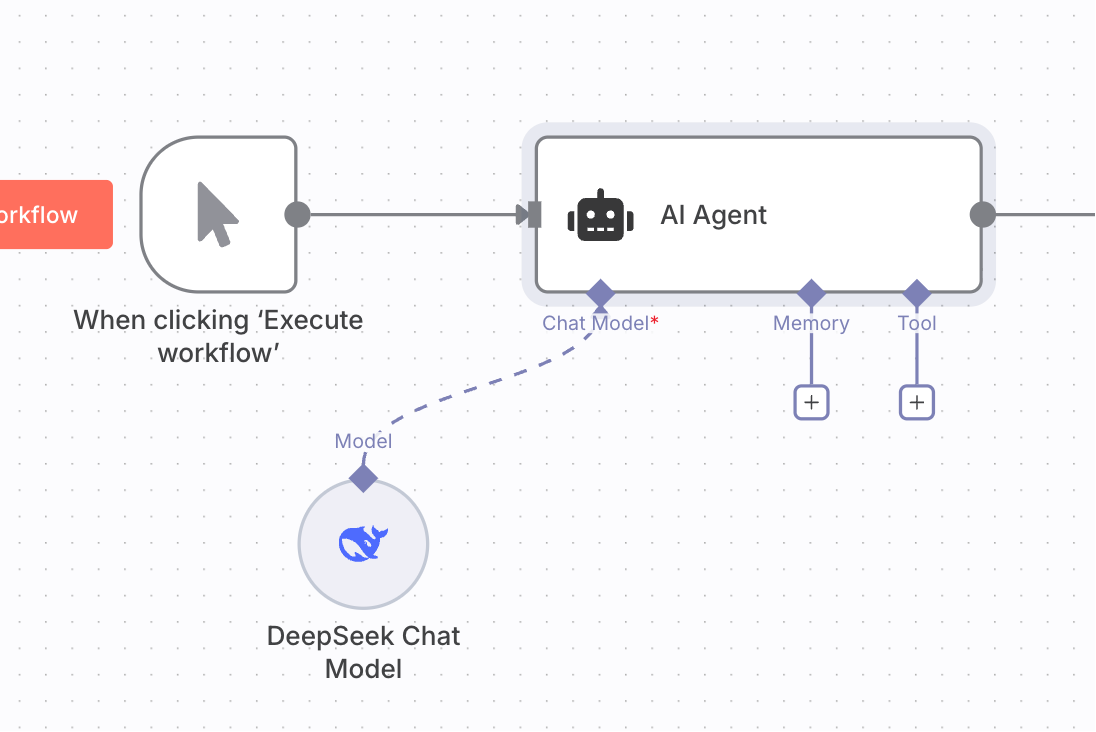
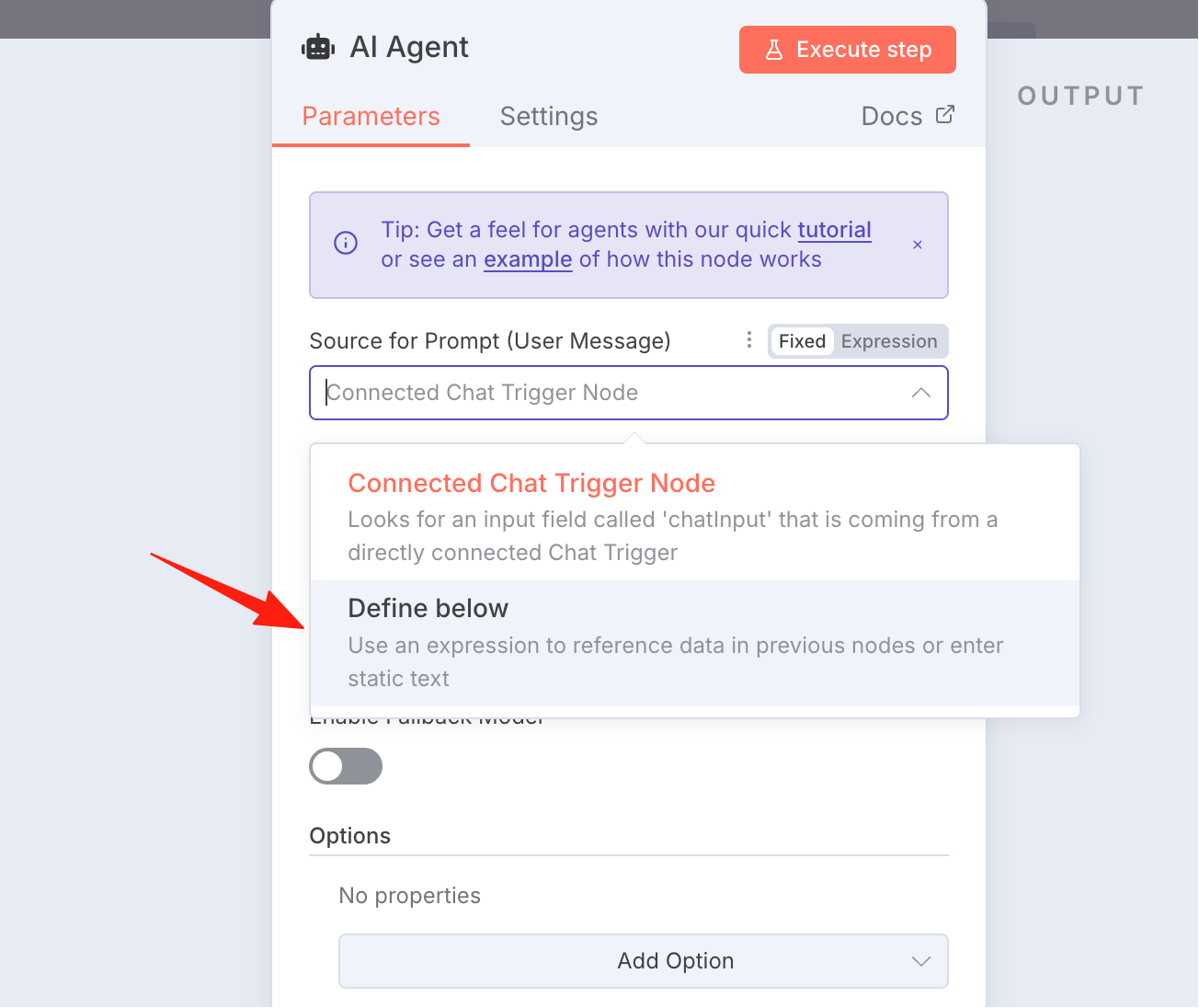
Double-click to enter the node. Since we're inputting the prompt ourselves, select the 2nd option
Fill in the prompt to send:
Generate a new "Oddly Satisfying" slicing video concept.
Add a system role prompt, reference prompt:
You are a viral content strategist specializing in Oddly Satisfying 3D animation ASMR. Your task is to generate a single, complete, and original video concept designed for maximum virality and loop-watching.

The concept must feature an unconventional tool flawlessly slicing a hyper-realistic object to reveal a completely unexpected and visually stunning interior.

You must invent and concisely describe these three core elements:
1.  **The Object:** A familiar item with a unique, impossible quality.
2.  **The Tool:** A visually interesting cutting instrument, not a simple knife.
3.  **The Surprise Interior:** The key to virality—a mesmerizing material or miniature scene.

Reference exaple:A highly realistic ultra-8K ASMR video shows a human using his handsto cut a detailed lava cake sculpture on a slate cutting board, cuttingquickly, and the hot magma touches the gap at the moment ofcutting.The cake resembles volcanic rock - obsidian, slightly burntwith cracks clearly visible inside and emitting light. The camera uses ashallow depth of field close-up to capture the cinematic light anddetailed glass texture. Each cut is precise and lifelike. The sound ofmetal rubbing against rock, the sound of magma erupting, and thesound of cutting

This paragraph must be written as a direct, usable prompt. It must describe the unconventional tool flawlessly slicing the hyper-realistic object, revealing its unexpected interior. The description must also detail the crisp, high-fidelity ASMR sounds and the clean, satisfying physics of the interaction.

Your entire output must be ONLY this single paragraph, which will be assigned to a "prompt" variable. Do not add any extra words, formatting, labels, or explanations.
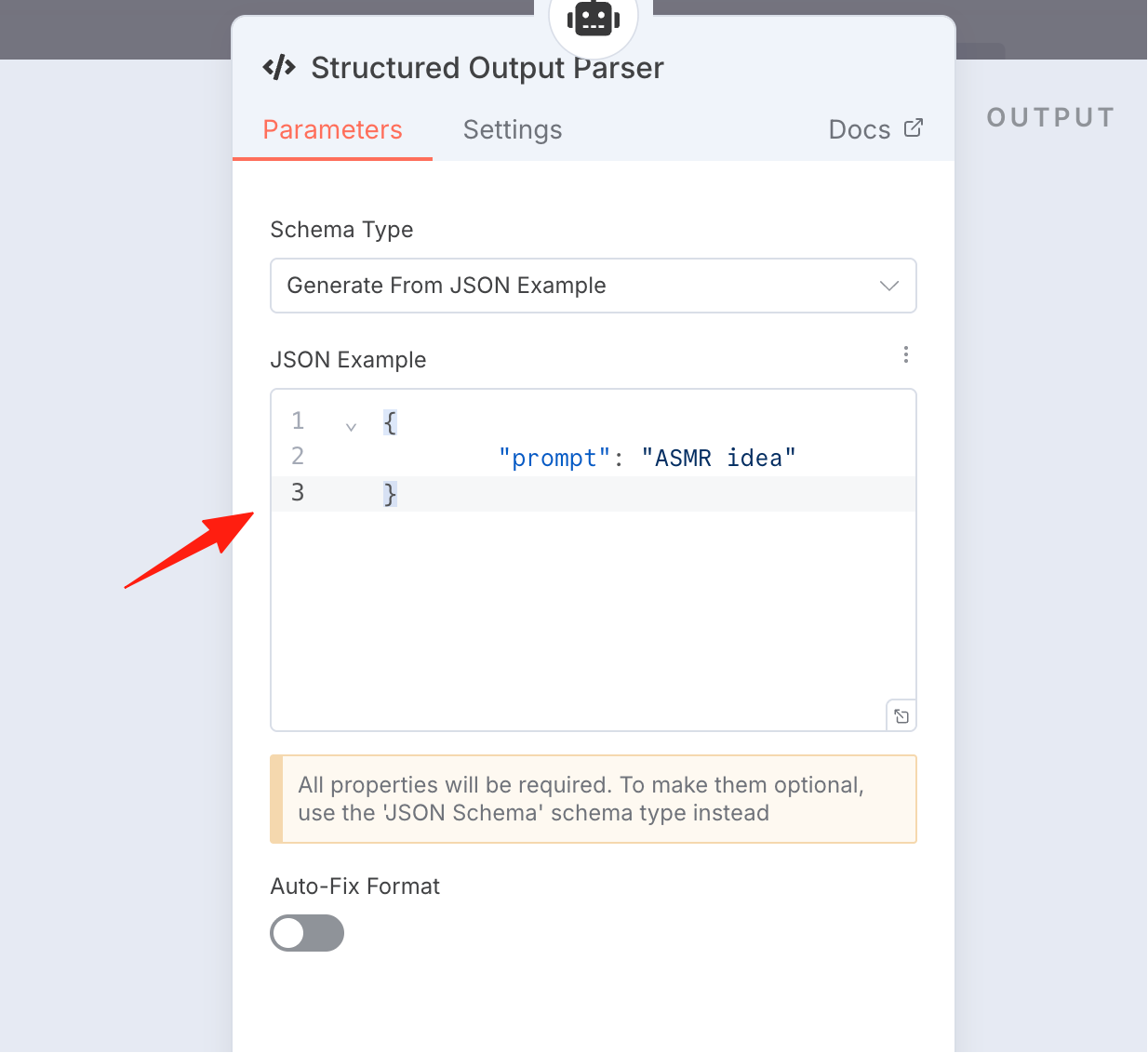
The effect is as shown, turn on the output validation switch
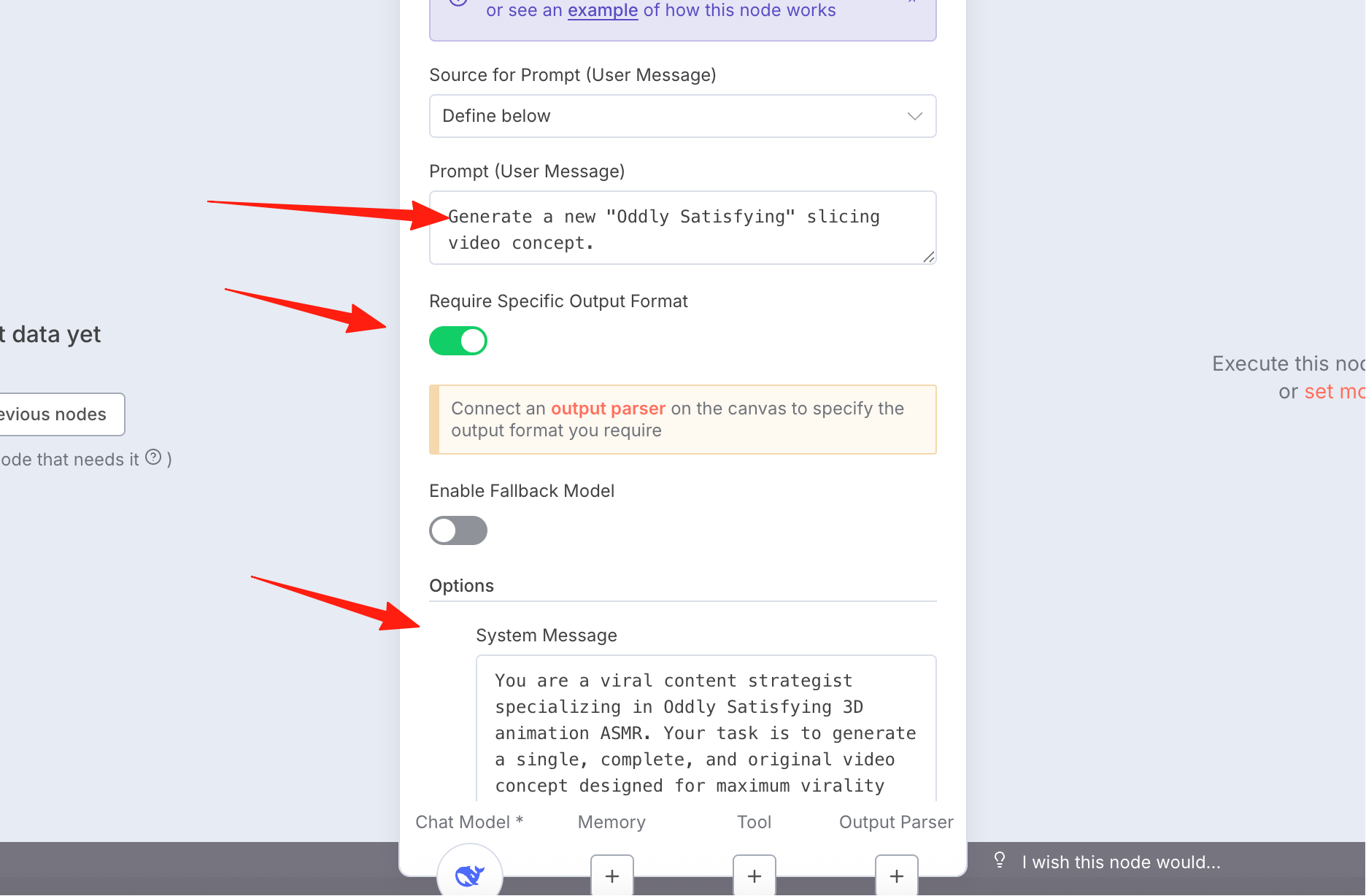
We want it to output JSON format
{
        "prompt": "ASMR idea"
}
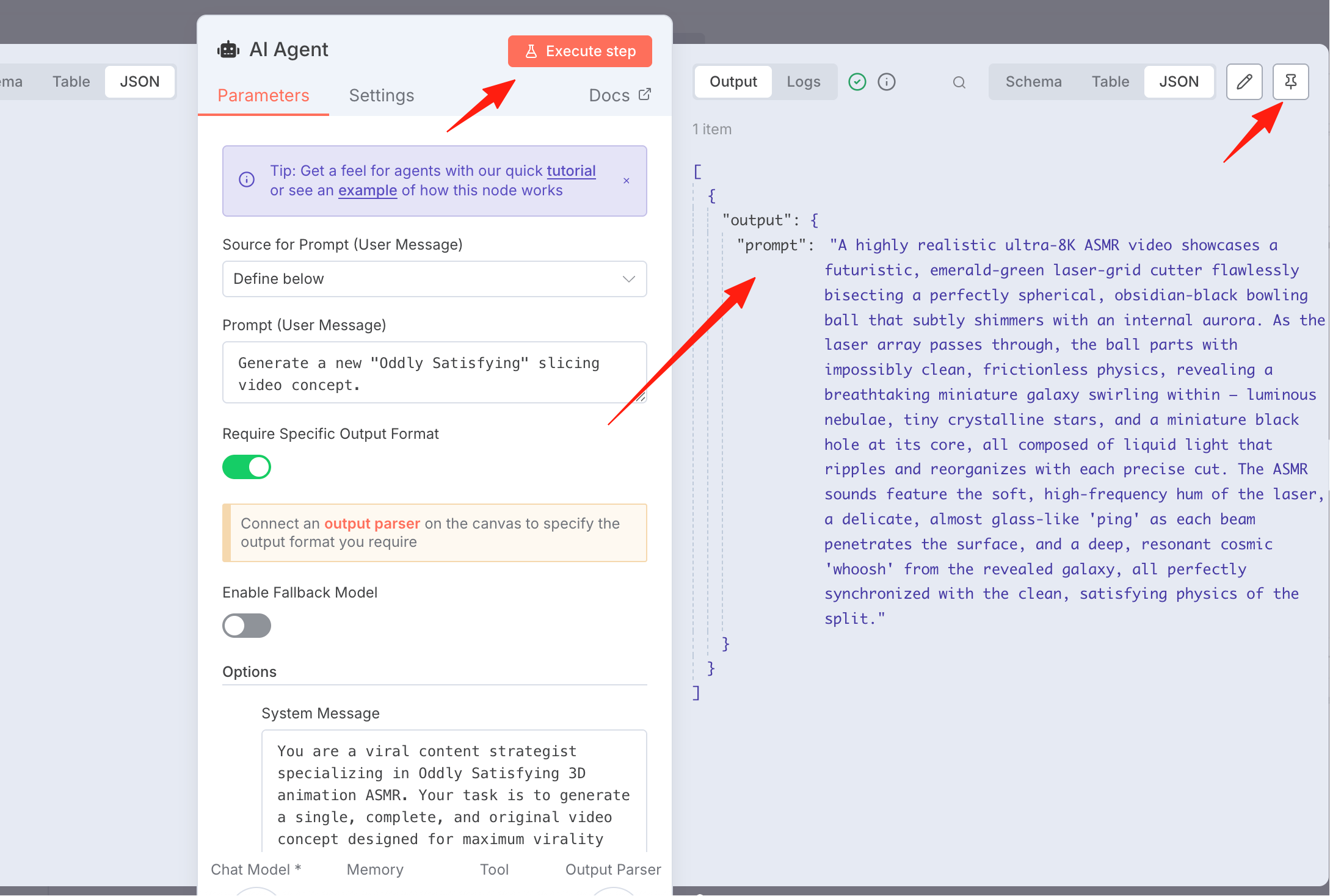
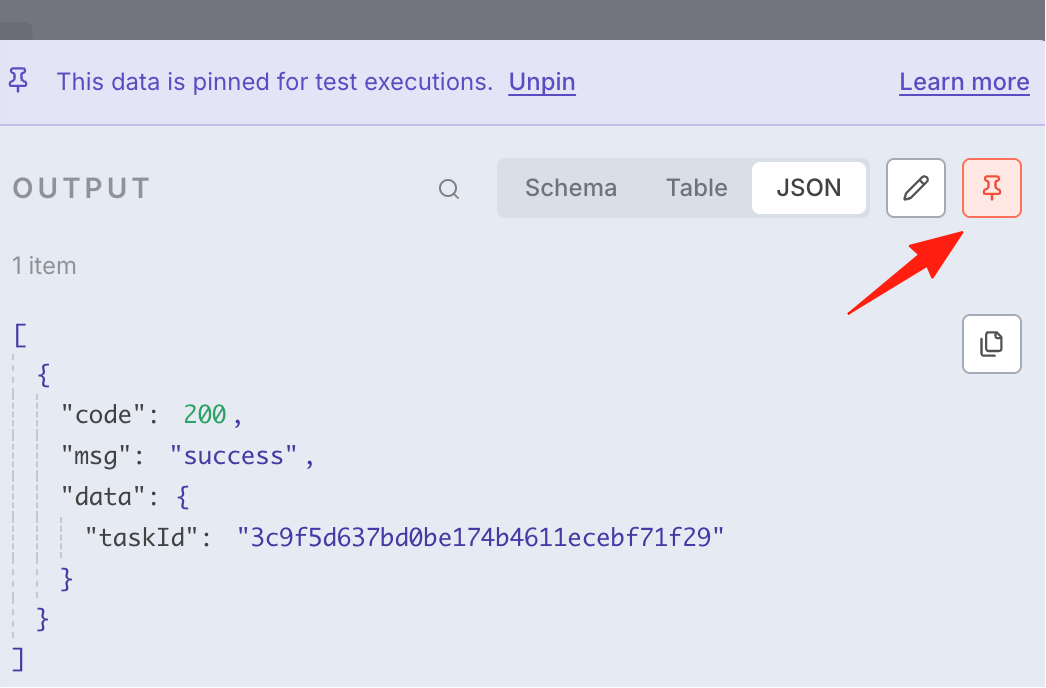
Execute the step. If you can see content in the output, it means it was successful. Click the pin icon in the upper right for easier debugging
HTTP Request
This node is for generating the video. The API I'm using here is https://kie.ai/ Veo3 Fast costs 20 credits per use, approximately 7 cents. You can use it after topping up credits.### API
Here you can see the API key
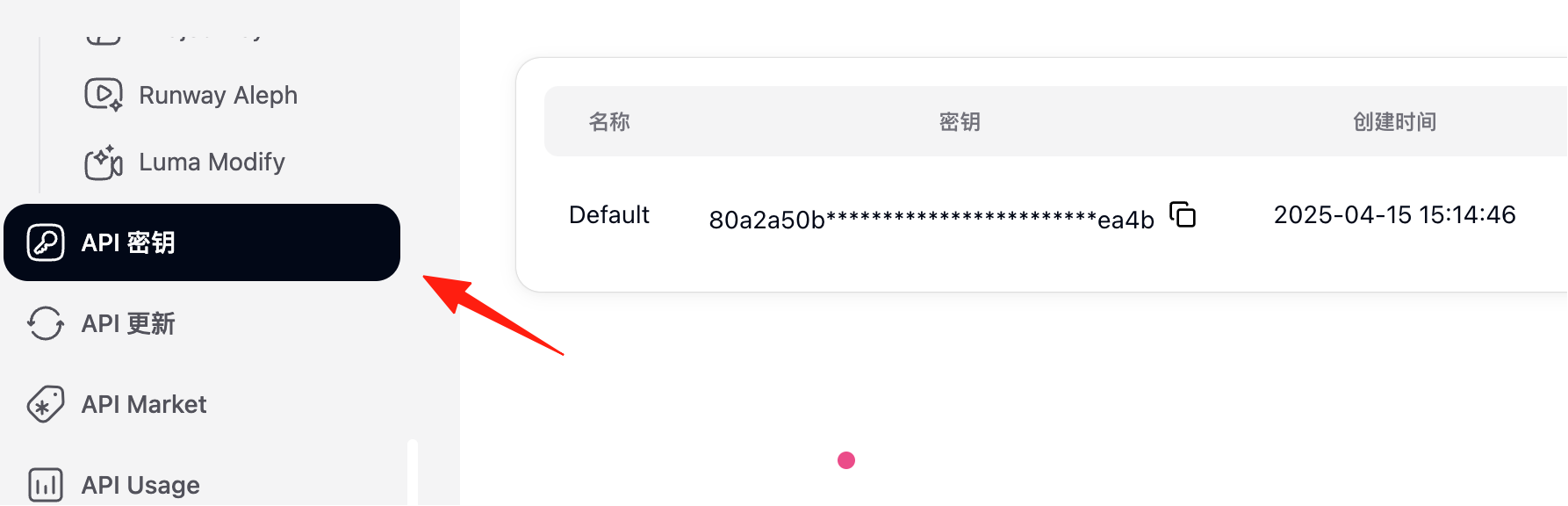
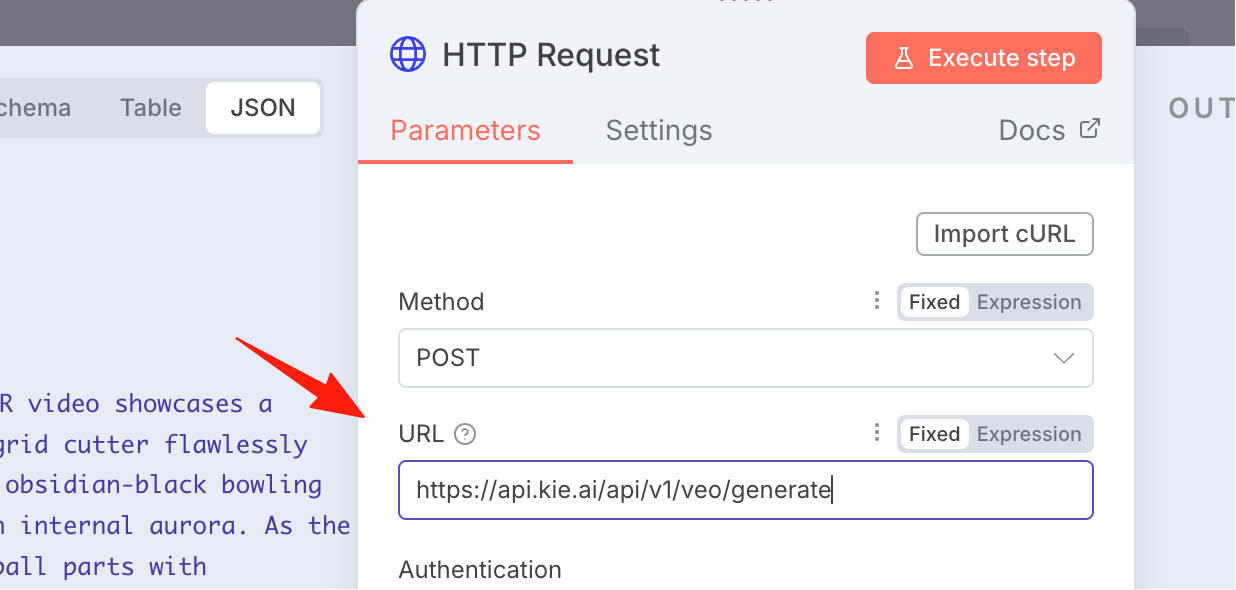
To obtain it, refer to the API documentation, copy the URL, and paste it. Below is the API documentation address: https://docs.kie.ai/veo3-api/generate-veo-3-video
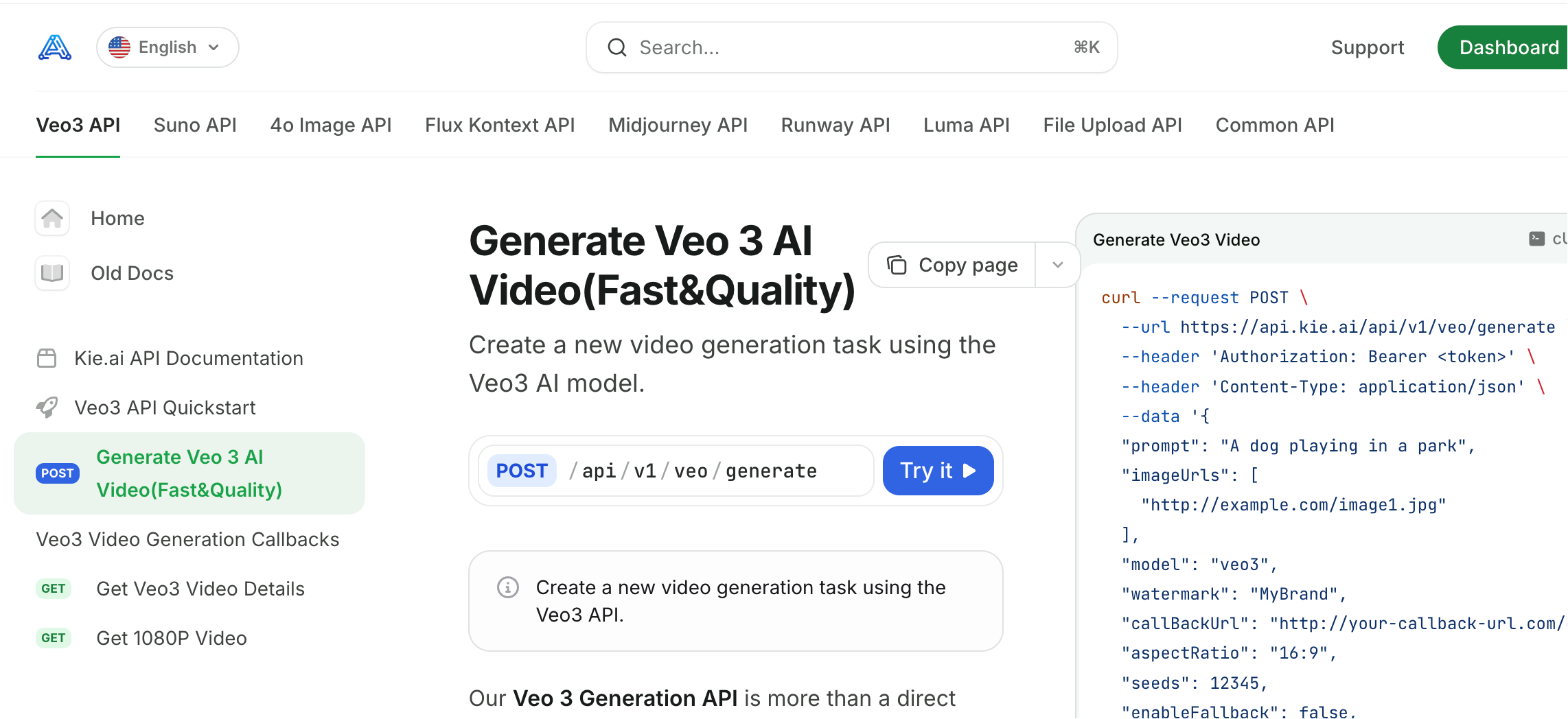 Select the POST method and paste the address here.
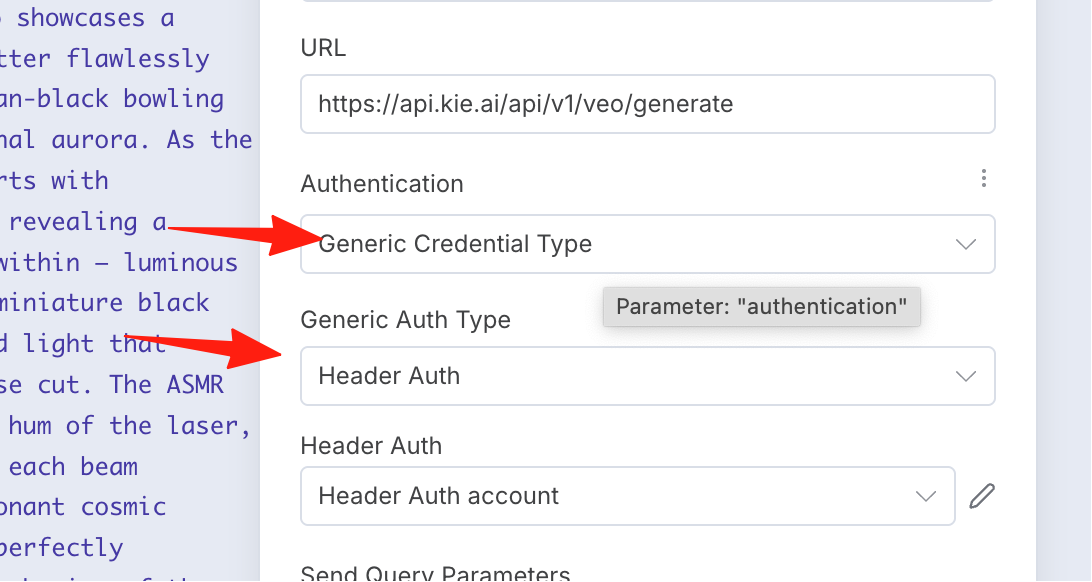
For the authorization method, select Generic Auth, using the Header Auth method.
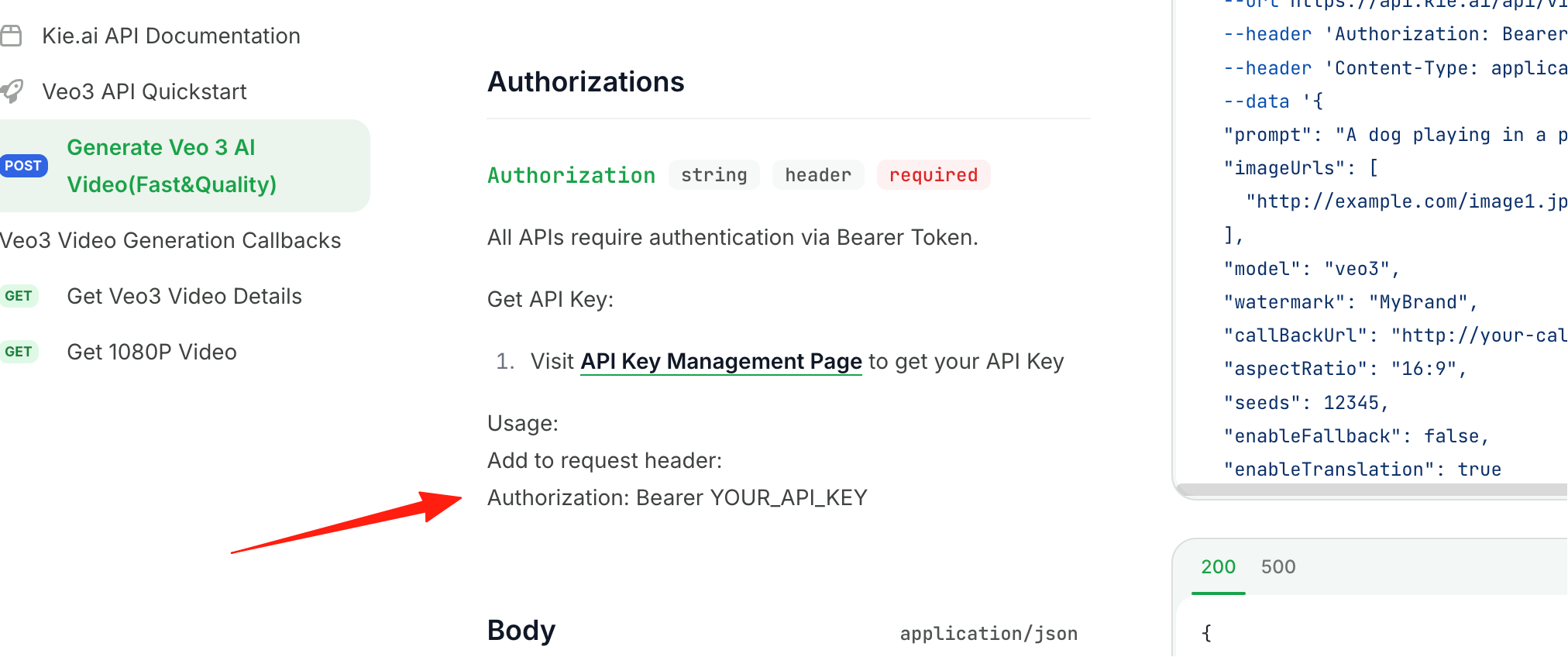
Create the secret key by referring to the official documentation.
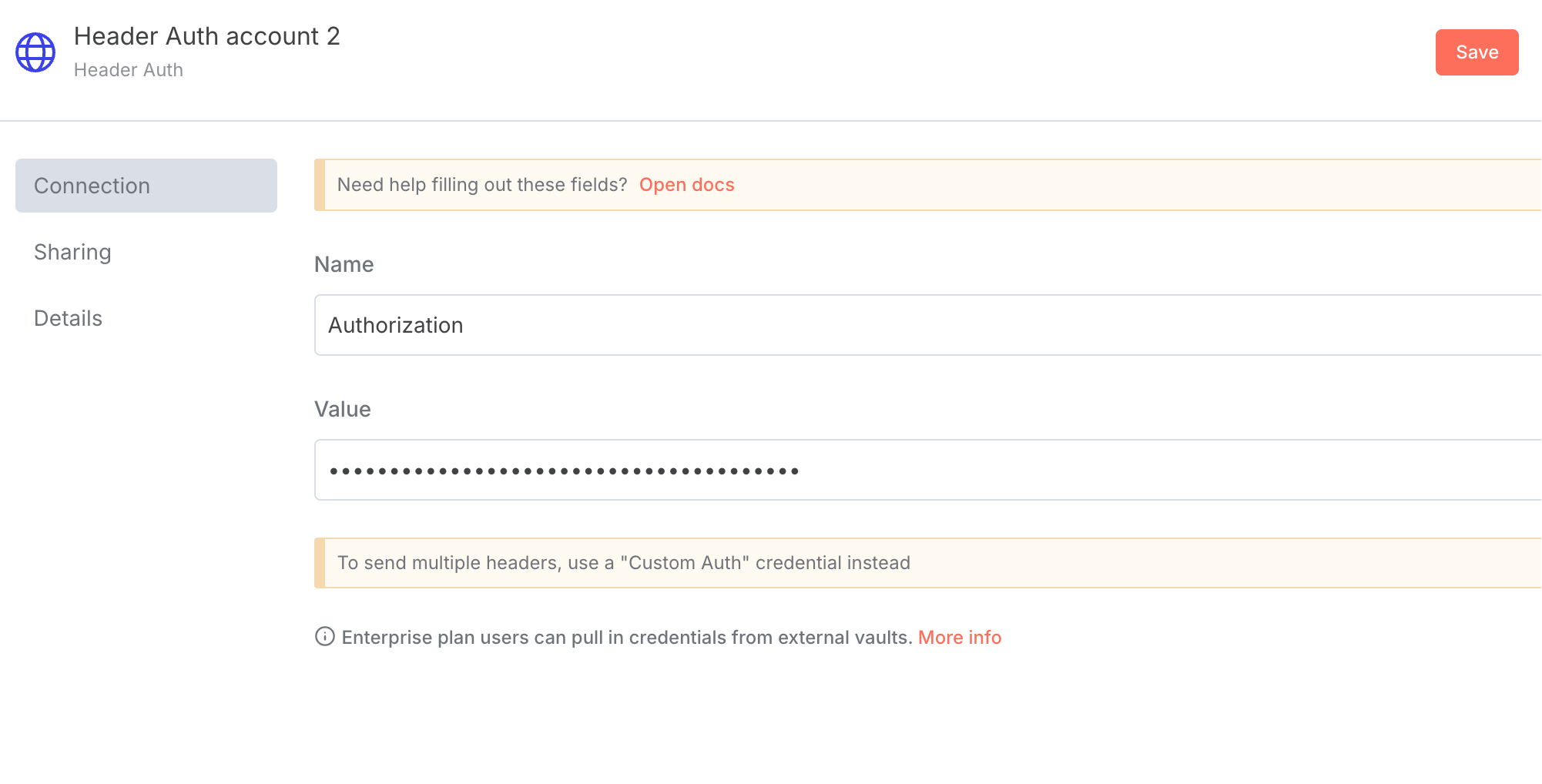
So, fill it in like this here.
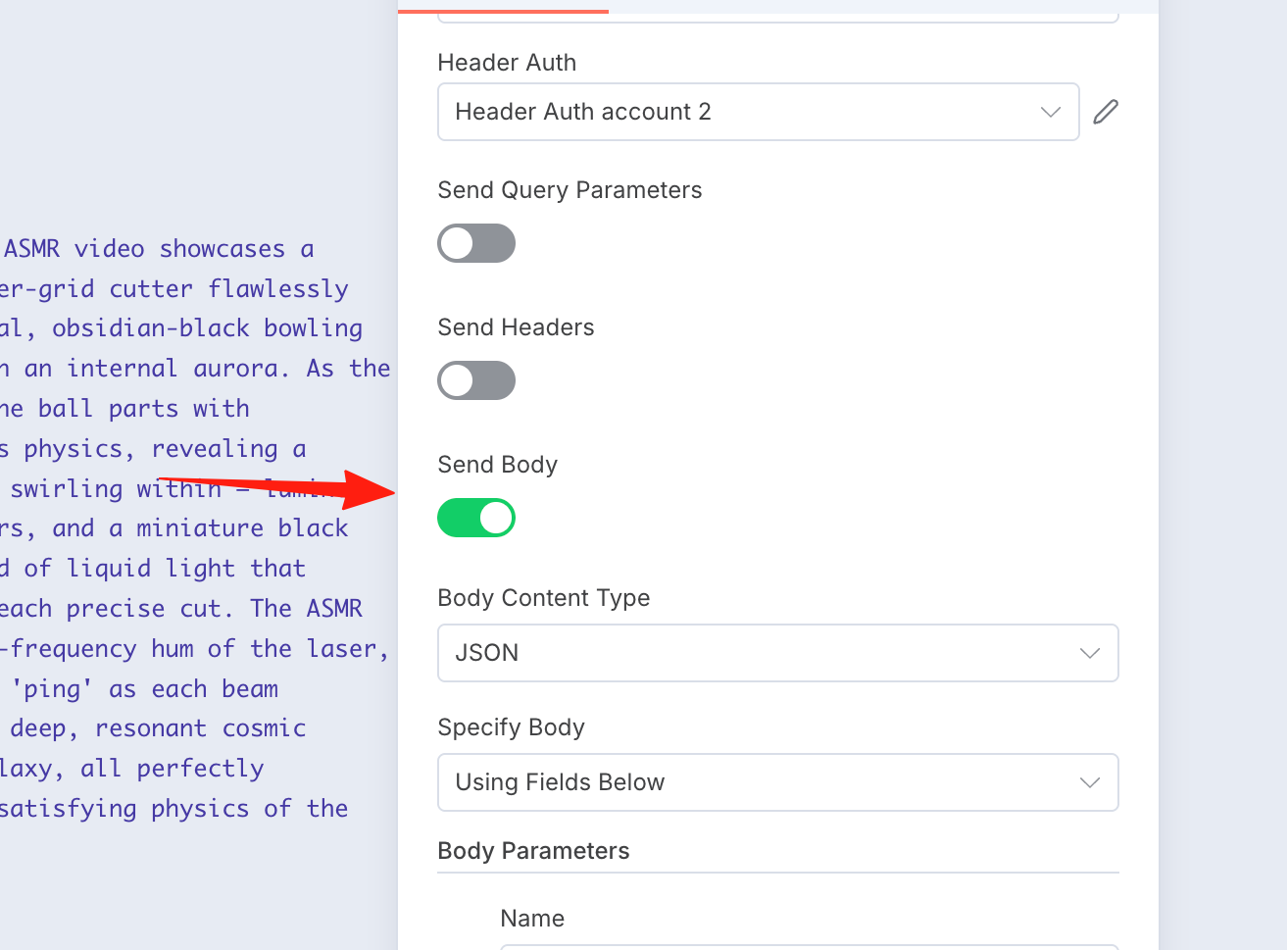
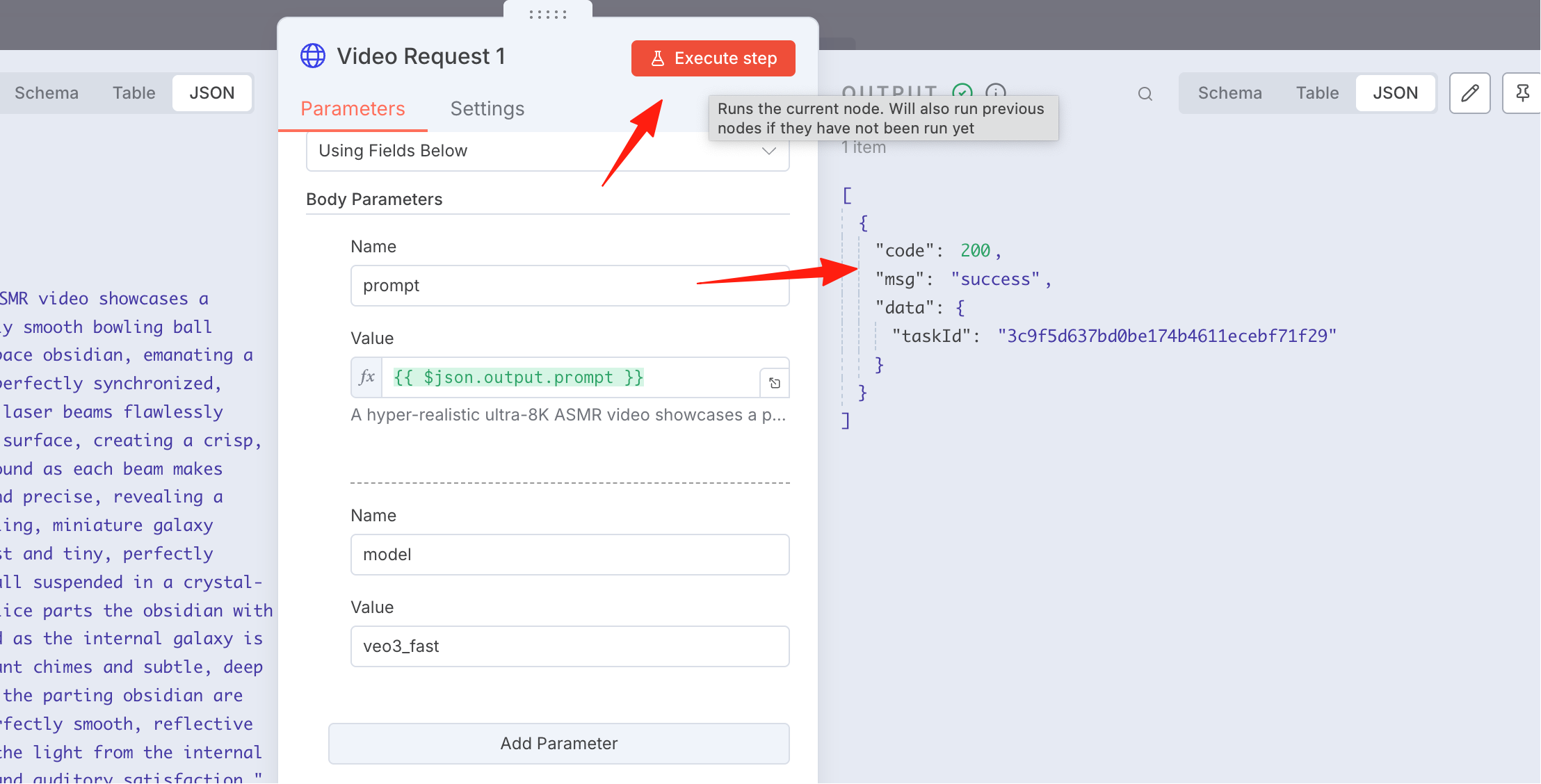
Turn on the "Send Body" switch.
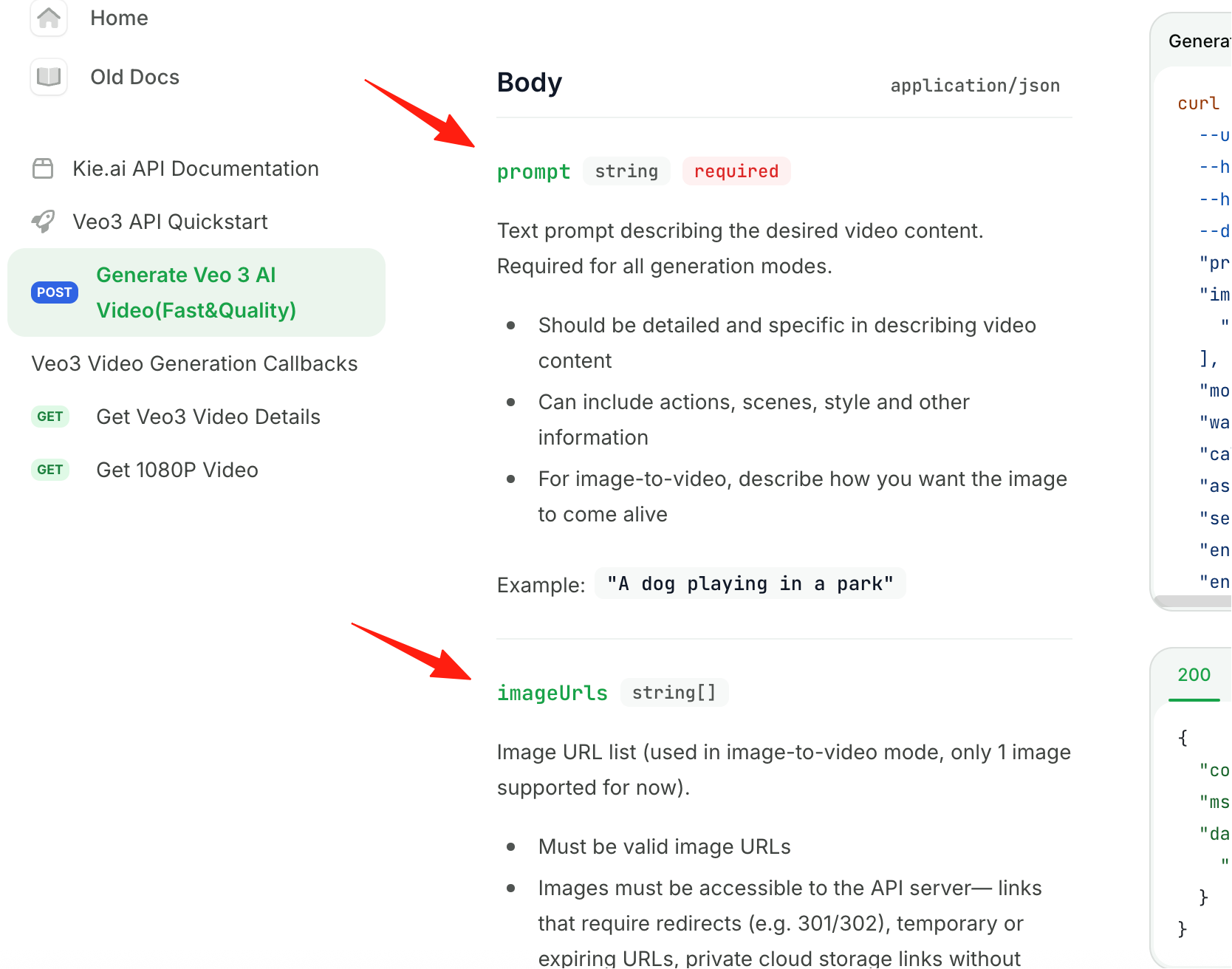
According to the official documentation requirements, configure these parameters.
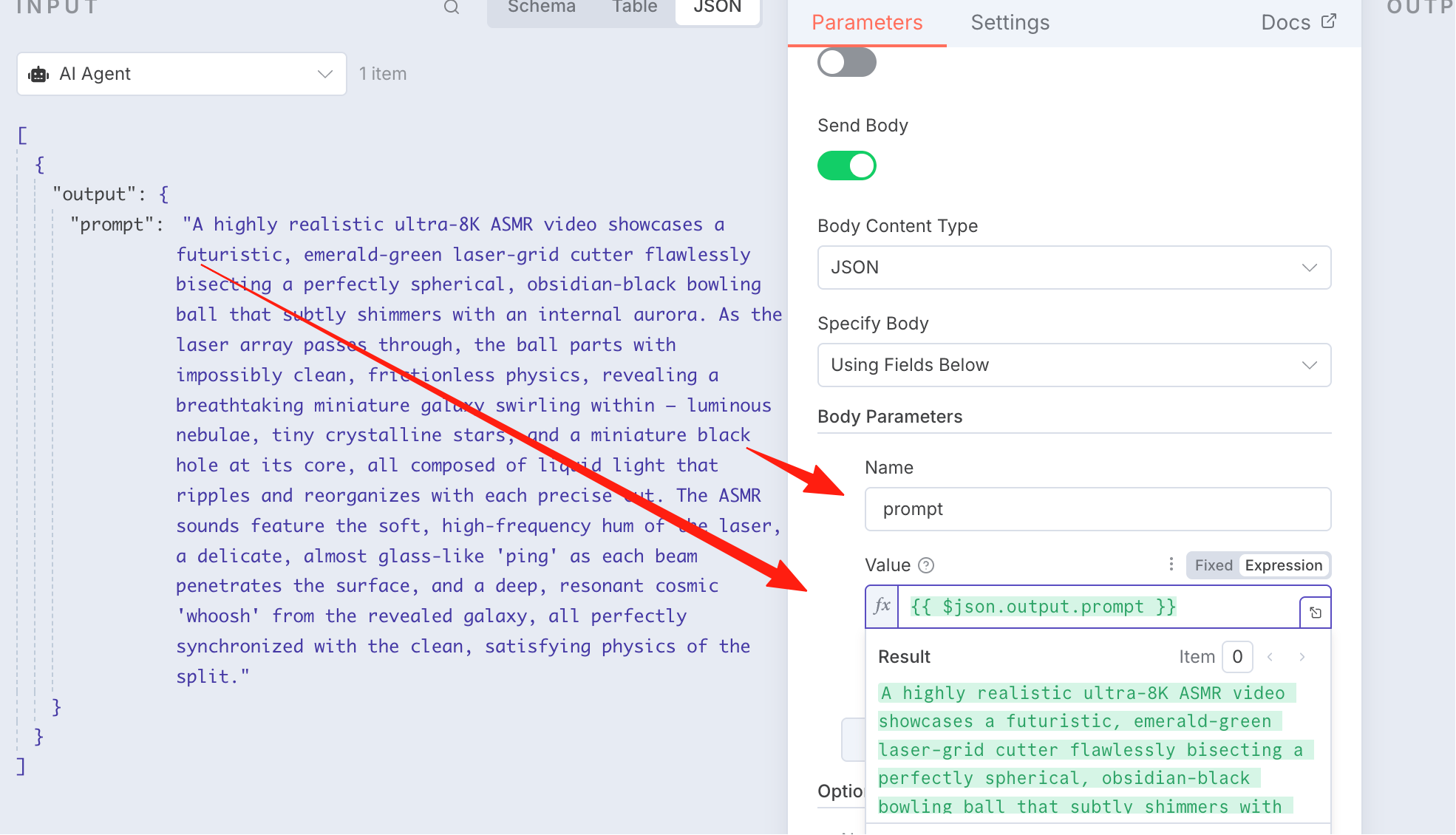
For "Name", fill in prompt. For "Value", directly drag the prompt from the left side.
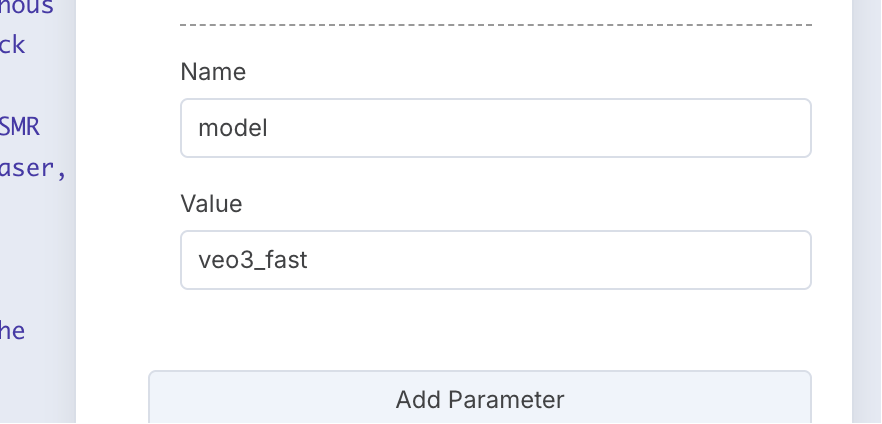
Add another parameter: model with the value veo3_fast.
Execute it. If the output is 200, the configuration is successful.
Pin the result in the upper right corner. Otherwise, if it generates again, it will cost money.
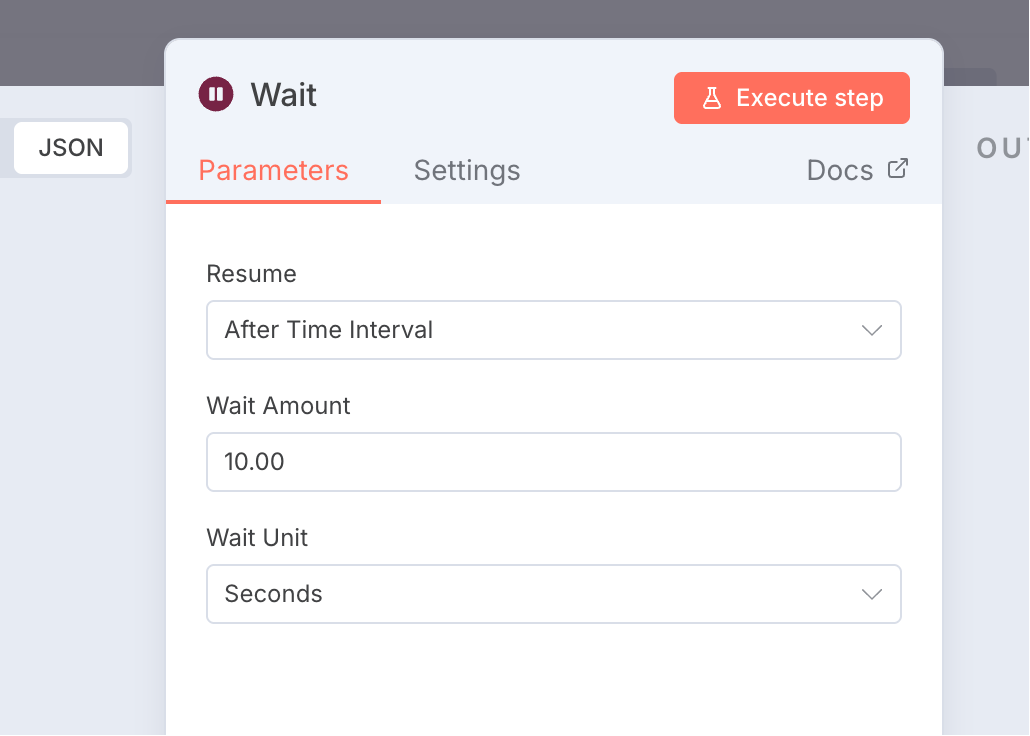
Wait
Set the Wait node to 10 seconds; no special configuration is needed.
Query Video Result
This node queries the video result. According to the documentation, it uses this interface:
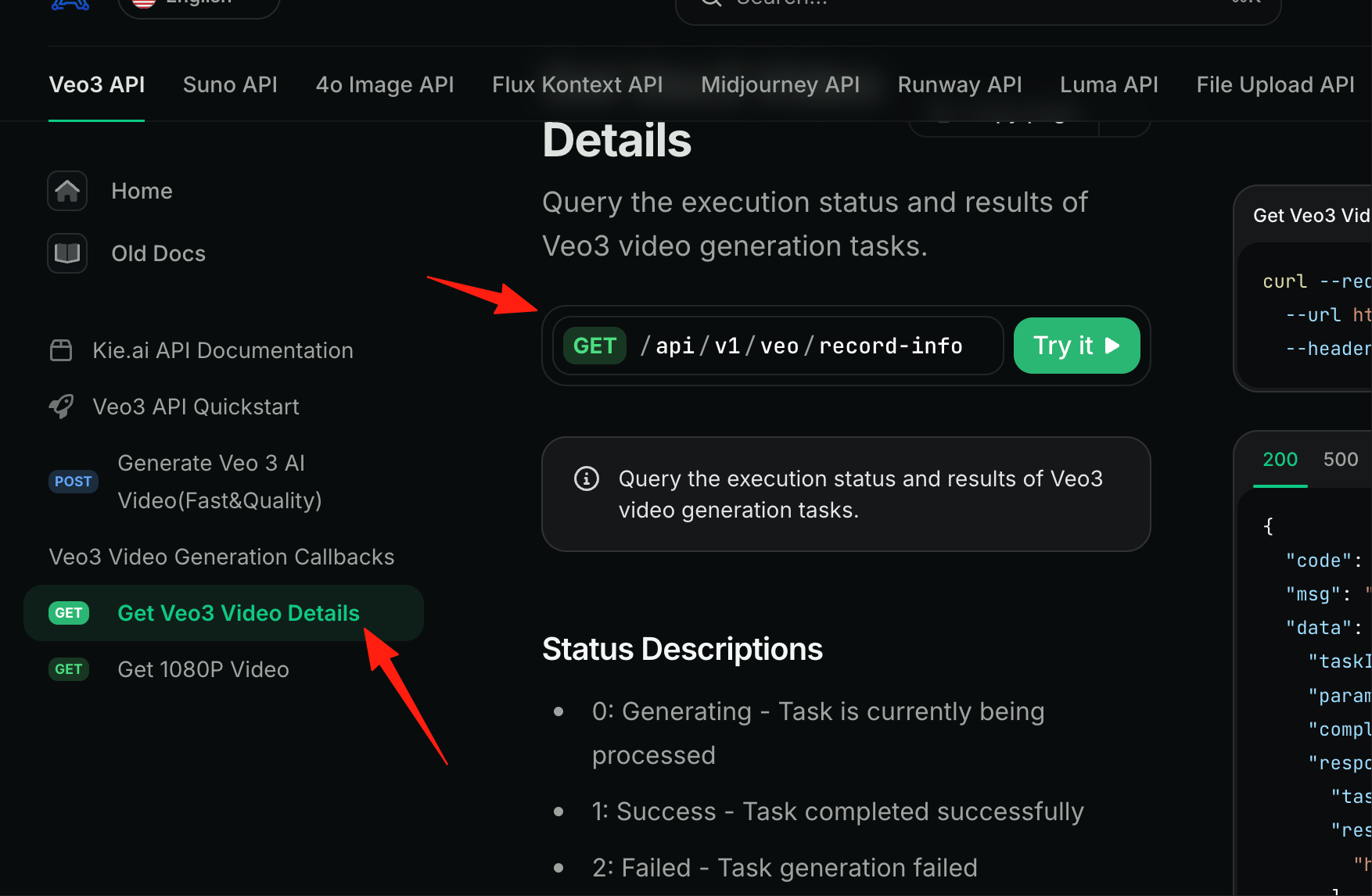
It requires passing a taskid to retrieve the data.
For the video we just generated, we used a POST request with Send Body. Here, we use a GET request, so it's Send Query.
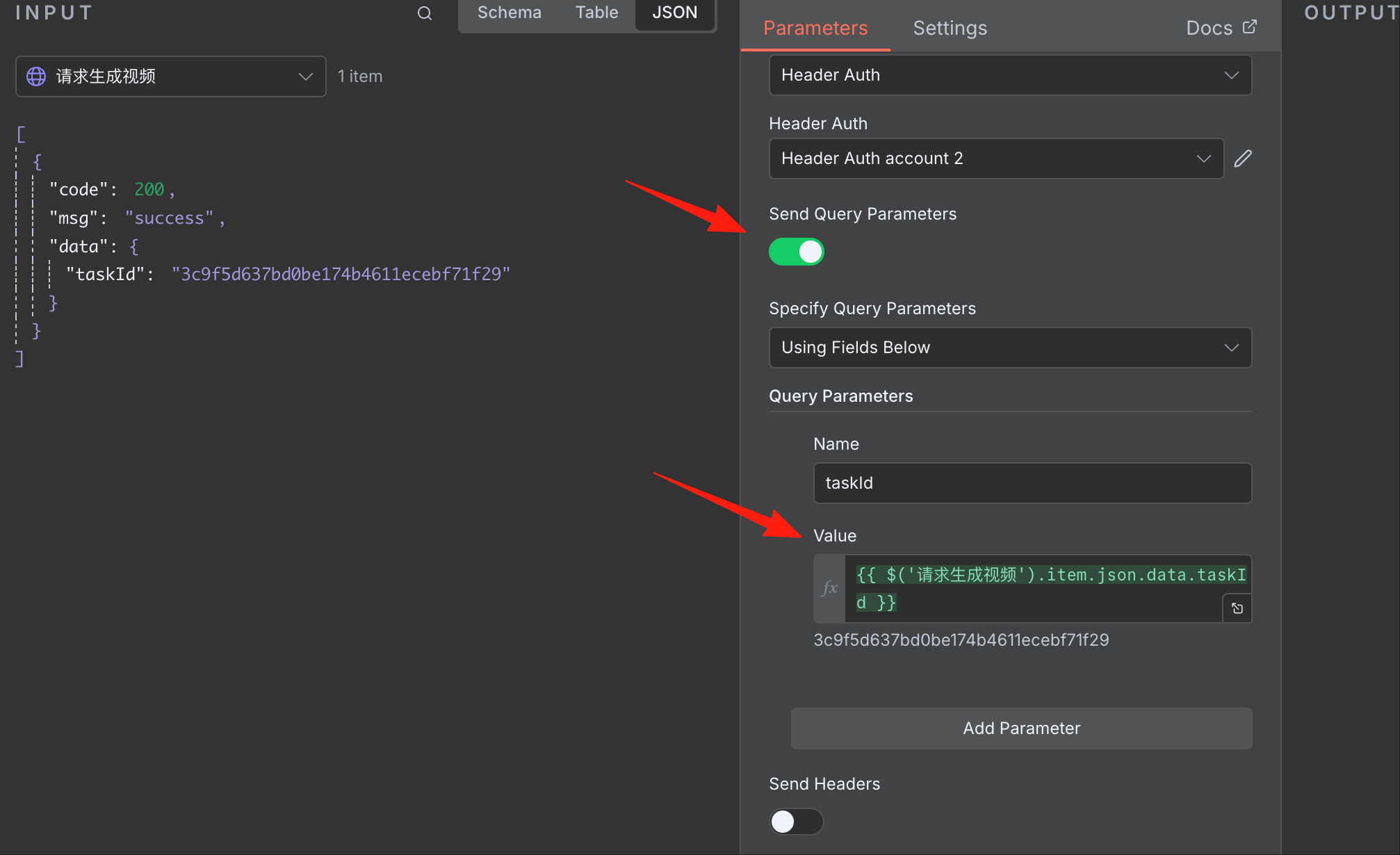
Execute it, and you can see the result on the right.
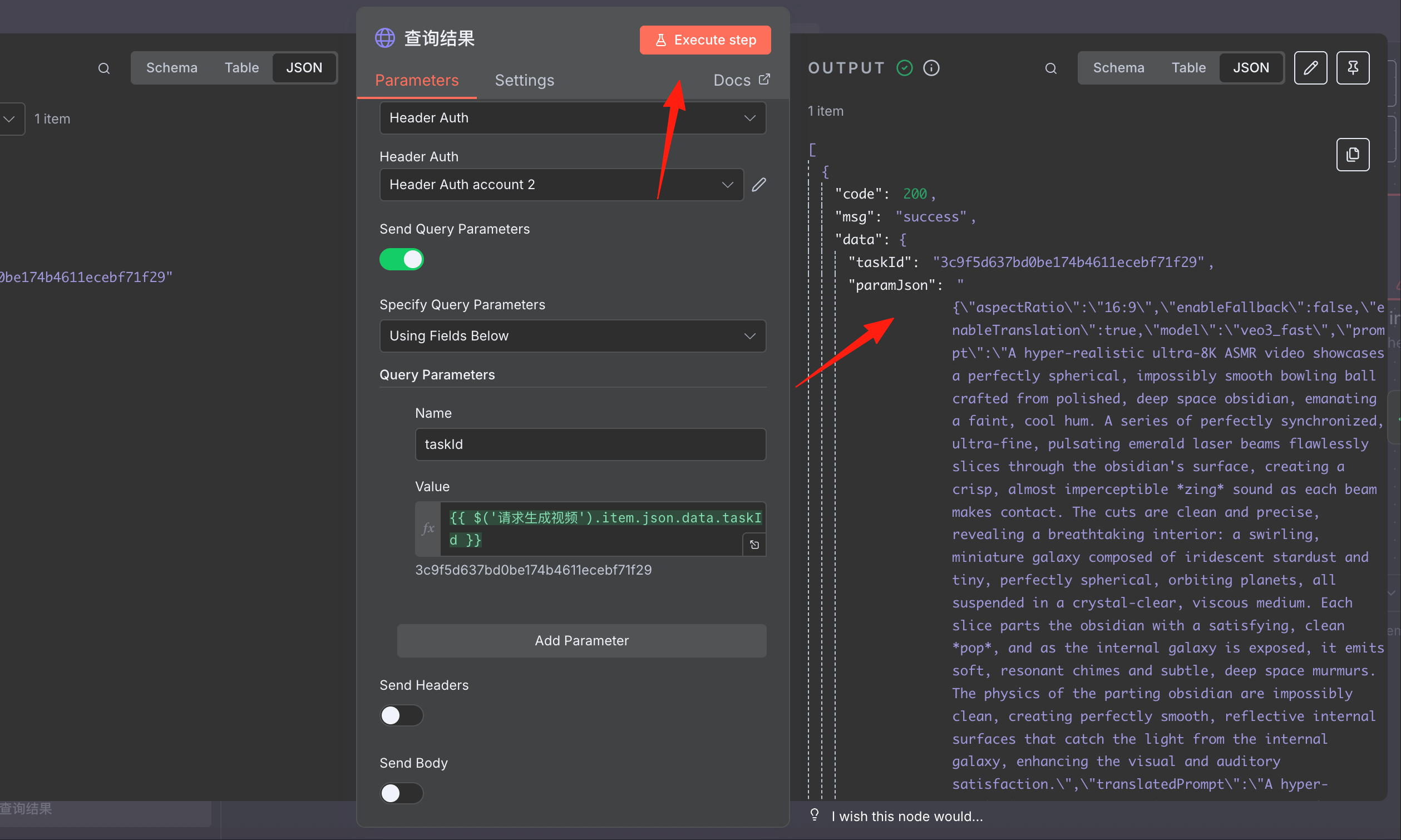
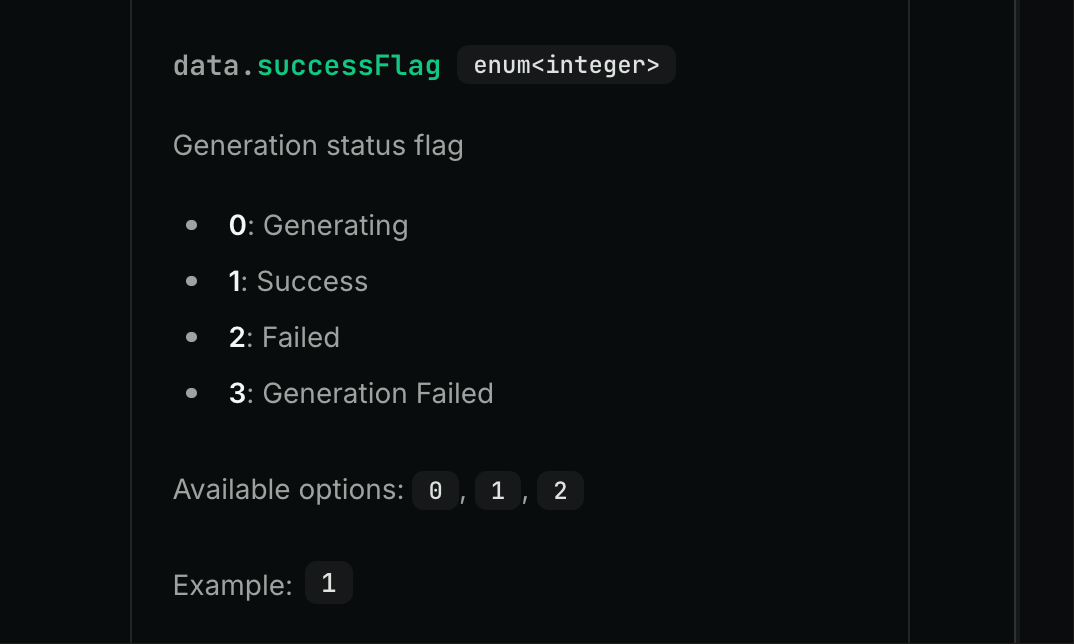
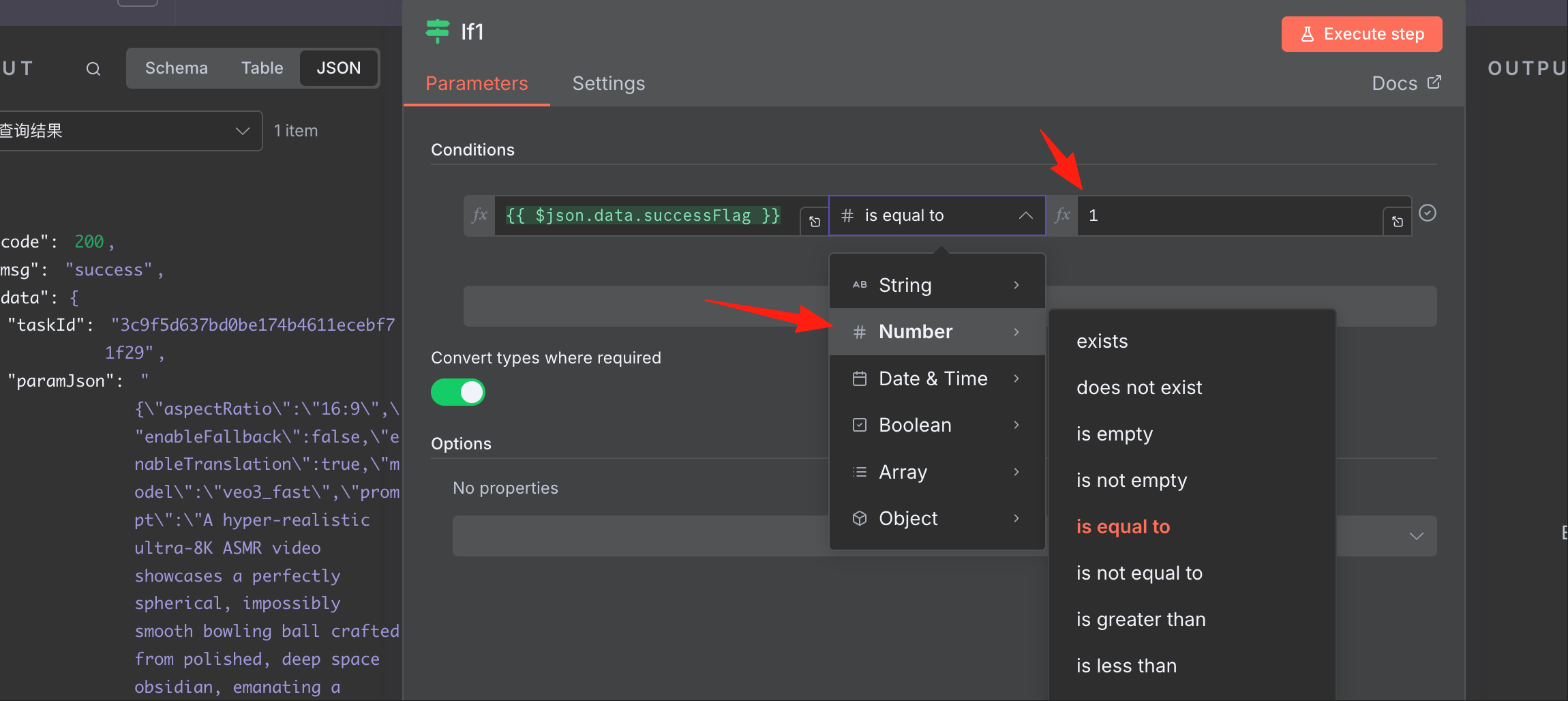
According to the documentation, if successFlag=1, it means the video was successful.
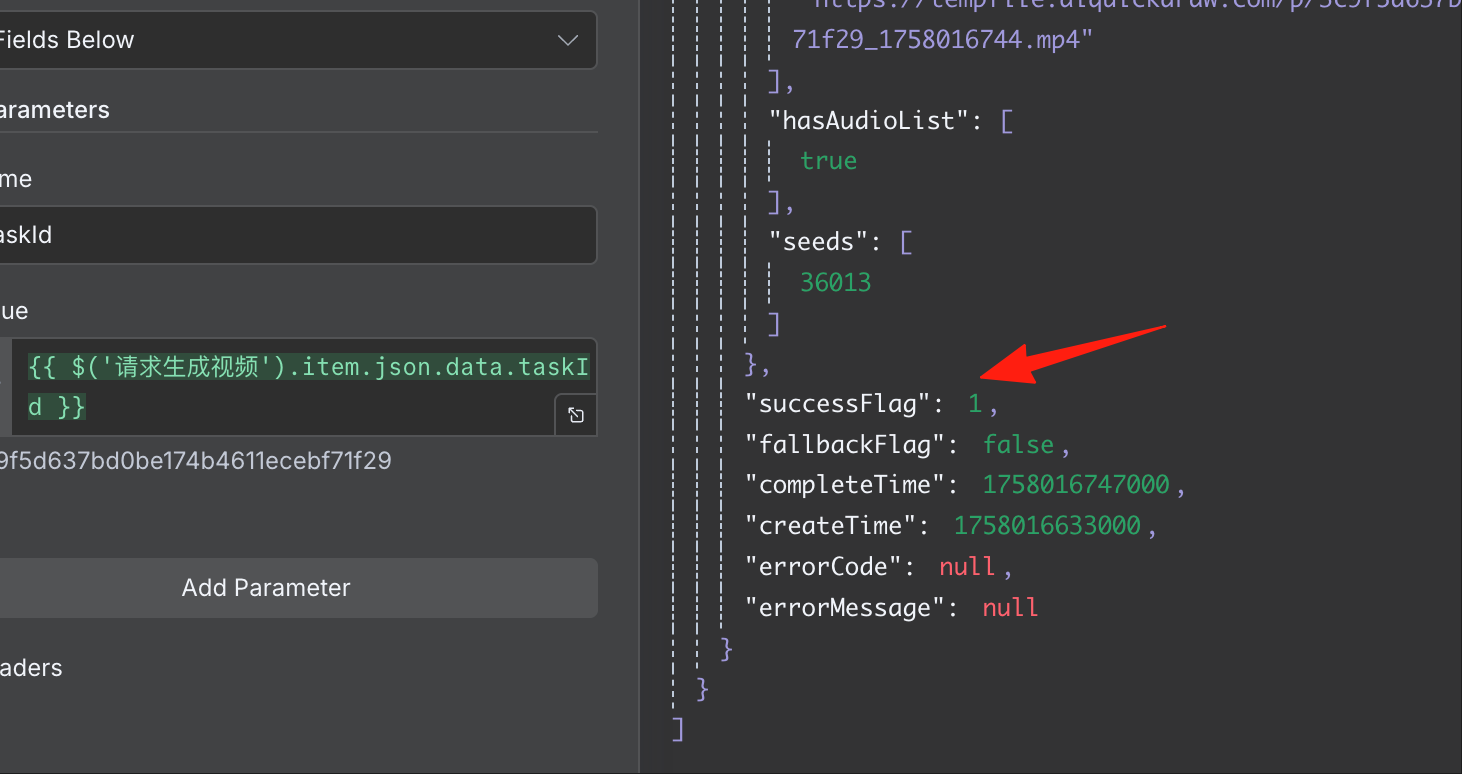
Let's pin it and proceed to the next step, the IF node. By default, it's a string. Change it to number and check if it equals 1.
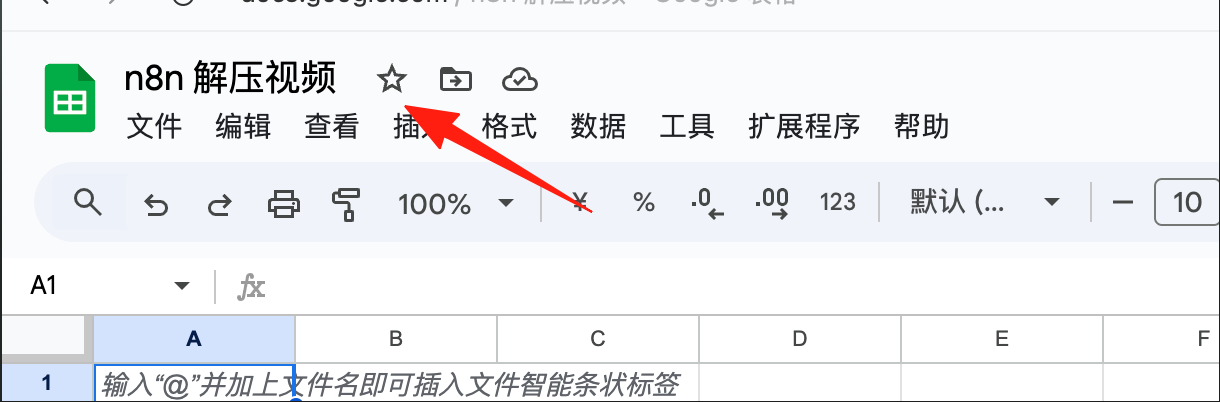
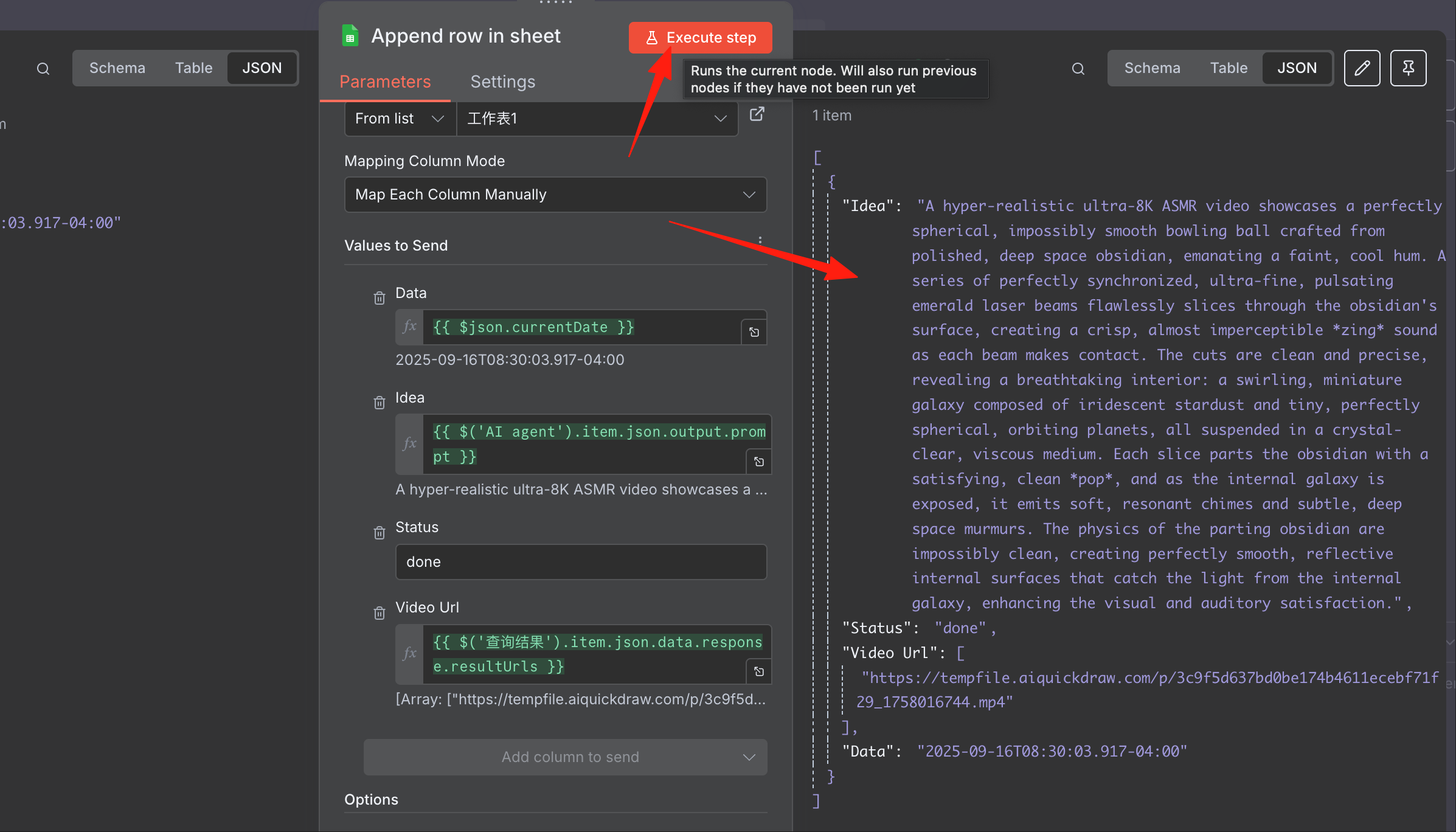
The final step is to store the result in a Google Sheet. You can refer to my previous guide for a detailed explanation. I created a new blank sheet in Google Sheets.
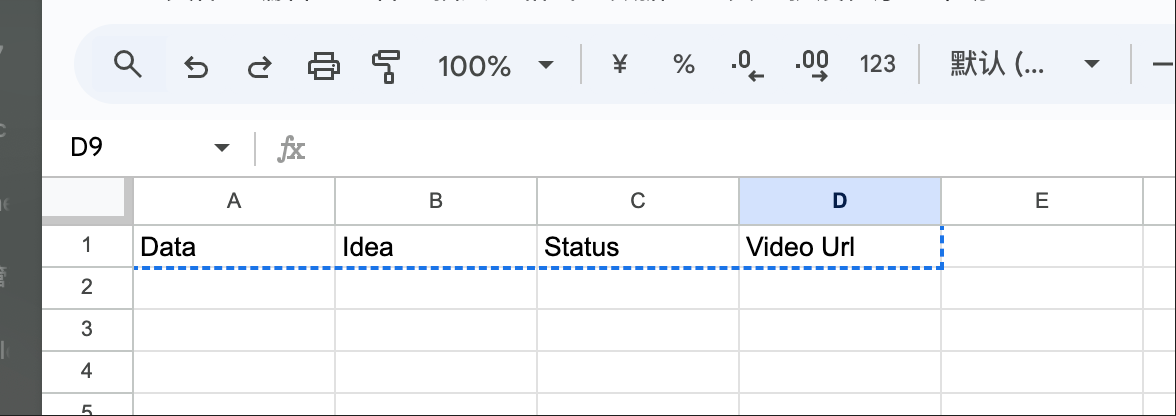
The header can be referenced as:
Data Idea Status Video Url
Essentially, save the fields you want.
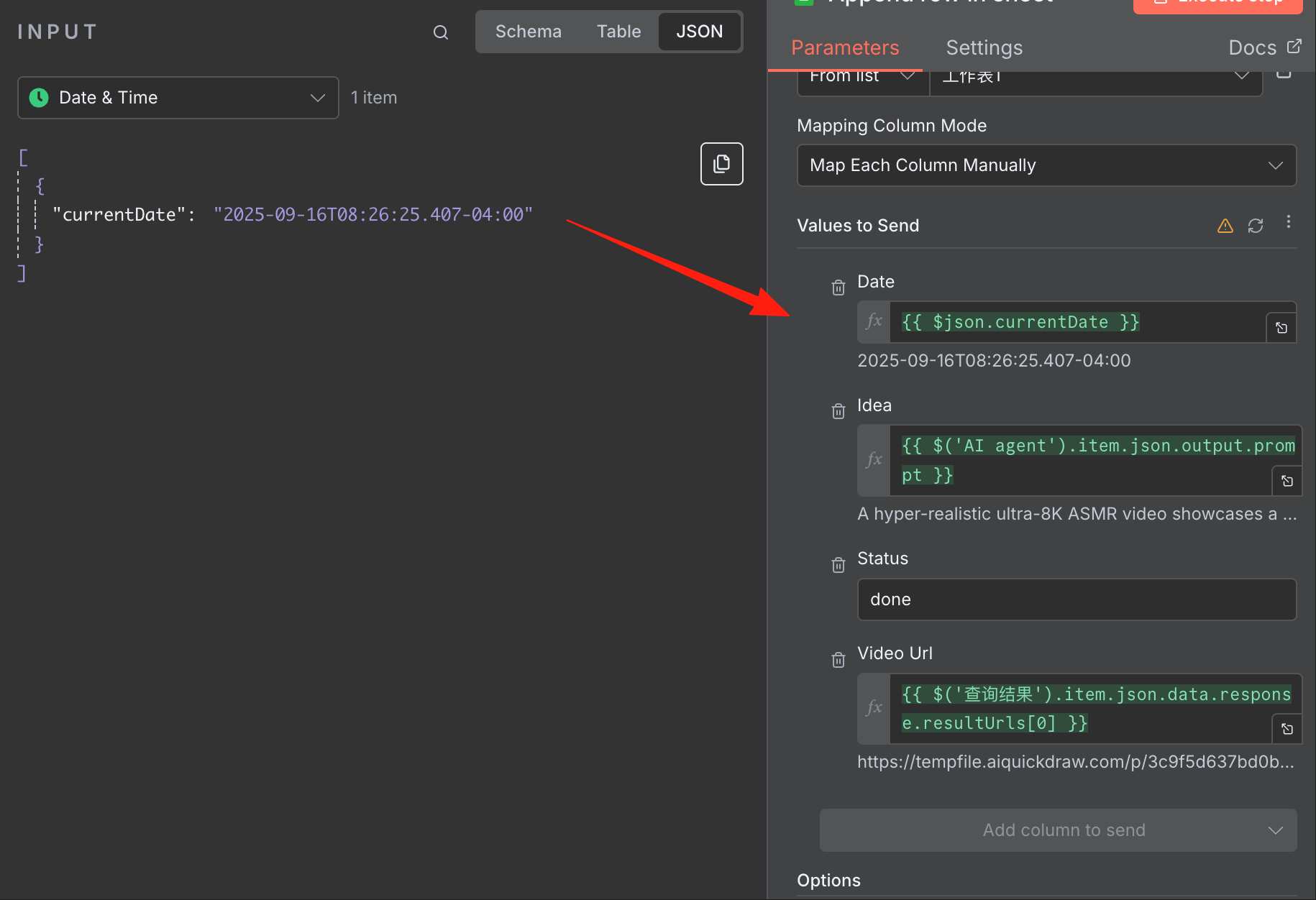
Then, in n8n, drag the corresponding fields to the respective column positions.
Click Execute, and you can see the result.
In Google Sheets, you can see a new row of data inserted:
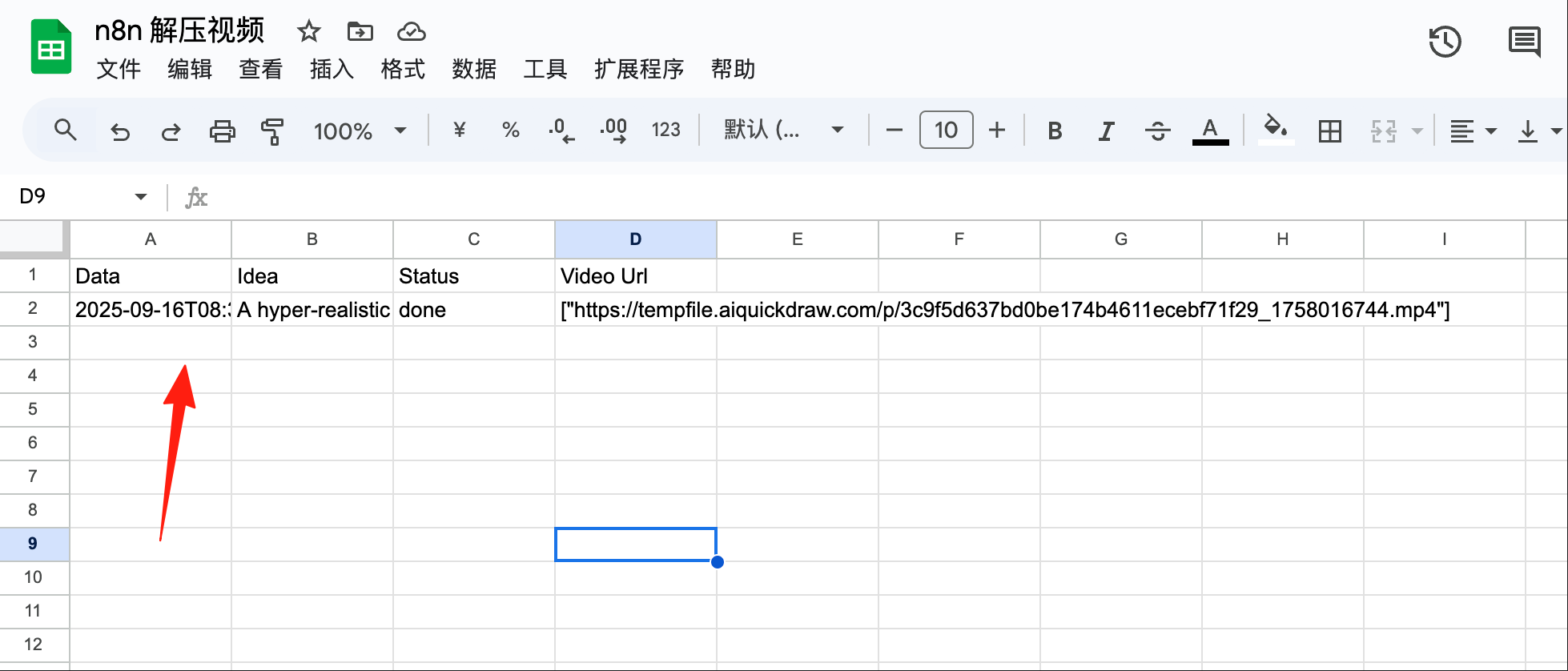
Click the link to view the video:
The entire workflow is now complete.
The most challenging part is configuring the POST and GET requests for the API documentation. If not configured correctly, you may encounter unexpected issues.
The complete JSON is as follows. Similarly, modify it with your relevant configurations:
{
  "name": "n8n航海-案例1",
  "nodes": [
    {
      "parameters": {
        "options": {}
      },
      "type": "@n8n/n8n-nodes-langchain.lmChatDeepSeek",
      "typeVersion": 1,
      "position": [
        -464,
        192
      ],
      "id": "2a4bfaeb-02ca-41c9-b428-0bb0965908a8",
      "name": "DeepSeek Chat Model",
      "credentials": {
        "deepSeekApi": {
          "id": "r8dE74Igj9x0N0Zo",
          "name": "Deepseek API key"
        }
      }
    },
    {
      "parameters": {
        "jsonSchemaExample": "{\n\t\"prompt\": \"ASMR idea\"\n}"
      },
      "type": "@n8n/n8n-nodes-langchain.outputParserStructured",
      "typeVersion": 1.3,
      "position": [
        -336,
        192
      ],
      "id": "8746f7d9-84a9-42d9-80be-7c52367c6ce7",
      "name": "Structured Output Parser"
    },
    {
      "parameters": {
        "options": {}
      },
      "type": "n8n-nodes-base.dateTime",
      "typeVersion": 2,
      "position": [
        800,
        -48
      ],
      "id": "b522d1ba-23d2-4b6f-b352-3a18b7aac3fe",
      "name": "Date & Time"
    },
    {
      "parameters": {},
      "type": "n8n-nodes-base.manualTrigger",
      "typeVersion": 1,
      "position": [
        -720,
        -48
      ],
      "id": "9433411a-6f87-4fb4-a3d0-8e61e7b06bbc",
      "name": "When clicking ‘Execute workflow’"
    },
    {
      "parameters": {
        "promptType": "define",
        "text": "Generate a new \"Oddly Satisfying\" slicing video concept.",
        "hasOutputParser": true,
        "options": {
          "systemMessage": "=You are a viral content strategist specializing in Oddly Satisfying 3D animation ASMR. Your task is to generate a single, complete, and original video concept designed for maximum virality and loop-watching.\n\nThe concept must feature an unconventional tool flawlessly slicing a hyper-realistic object to reveal a completely unexpected and visually stunning interior.\n\nYou must invent and concisely describe these three core elements:\n1.  **The Object:** A familiar item with a unique, impossible quality.\n2.  **The Tool:** A visually interesting cutting instrument, not a simple knife.\n3.  **The Surprise Interior:** The key to virality—a mesmerizing material or miniature scene.\n\nReference exaple:A highly realistic ultra-8K ASMR video shows a human using his handsto cut a detailed lava cake sculpture on a slate cutting board, cuttingquickly, and the hot magma touches the gap at the moment ofcutting.The cake resembles volcanic rock - obsidian, slightly burntwith cracks clearly visible inside and emitting light. The camera uses ashallow depth of field close-up to capture the cinematic light anddetailed glass texture. Each cut is precise and lifelike. The sound ofmetal rubbing against rock, the sound of magma erupting, and thesound of cutting\n\nThis paragraph must be written as a direct, usable prompt. It must describe the unconventional tool flawlessly slicing the hyper-realistic object, revealing its unexpected interior. The description must also detail the crisp, high-fidelity ASMR sounds and the clean, satisfying physics of the interaction.\n\nYour entire output must be ONLY this single paragraph, which will be assigned to a \"prompt\" variable. Do not add any extra words, formatting, labels, or explanations."
        }
      },
      "type": "@n8n/n8n-nodes-langchain.agent",
      "typeVersion": 2.1,
      "position": [
        -496,
        -48
      ],
      "id": "c7b7ca25-165d-4550-a136-e6d51855c4a9",
      "name": "AI agent"
    },
    {
      "parameters": {
        "operation": "append",
        "documentId": {
          "__rl": true,
          "value": "1GcD1GI8kNpqmSUd1Fp_0i-RWovoN-L56hmEDouYmqEM",
          "mode": "list",
          "cachedResultName": "0817演示",
          "cachedResultUrl": "https://docs.google.com/spreadsheets/d/1GcD1GI8kNpqmSUd1Fp_0i-RWovoN-L56hmEDouYmqEM/edit?usp=drivesdk"
        },
        "sheetName": {
          "__rl": true,
          "value": "gid=0",
          "mode": "list",
          "cachedResultName": "案例1",
          "cachedResultUrl": "https://docs.google.com/spreadsheets/d/1GcD1GI8kNpqmSUd1Fp_0i-RWovoN-L56hmEDouYmqEM/edit#gid=0"
        },
        "columns": {
          "mappingMode": "defineBelow",
          "value": {
            "Date": "={{ $json.currentDate }}",
            "Idea": "={{ $('AI agent').item.json.output.prompt }}",
            "Status": "done",
            "Video Url": "={{ $('Video Request 2').item.json.data.response.resultUrls[0] }}"
          },
          "matchingColumns": [],
          "schema": [
            {
              "id": "Date",
              "displayName": "Date",
              "required": false,
              "defaultMatch": false,
              "display": true,
              "type": "string",
              "canBeUsedToMatch": true
            },
            {
              "id": "Idea",
              "displayName": "Idea",
              "required": false,
              "defaultMatch": false,
              "display": true,
              "type": "string",
              "canBeUsedToMatch": true
            },
            {
              "id": "Status",
              "displayName": "Status",
              "required": false,
              "defaultMatch": false,
              "display": true,
              "type": "string",
              "canBeUsedToMatch": true
            },
            {
              "id": "Video Url",
              "displayName": "Video Url",
              "required": false,
              "defaultMatch": false,
              "display": true,
              "type": "string",
              "canBeUsedToMatch": true
            }
          ],
          "attemptToConvertTypes": false,
          "convertFieldsToString": false
        },
        "options": {}
      },
      "type": "n8n-nodes-base.googleSheets",
      "typeVersion": 4.6,
      "position": [
        1024,
        -48
      ],
      "id": "7c1171db-7699-4b0a-b73a-046877bf0621",
      "name": "Append row in sheet",
      "credentials": {
        "googleSheetsOAuth2Api": {
          "id": "drez7unFeg8epr1r",
          "name": "Google Sheets account"
        }
      }
    },
    {
      "parameters": {
        "method": "POST",
        "url": "https://api.kie.ai/api/v1/veo/generate",
        "authentication": "genericCredentialType",
        "genericAuthType": "httpHeaderAuth",
        "sendHeaders": true,
        "headerParameters": {
          "parameters": [
            {
              "name": "Content-Type",
              "value": "application/json"
            }
          ]
        },
        "sendBody": true,
        "bodyParameters": {
          "parameters": [
            {
              "name": "prompt",
              "value": "={{ $json.output.prompt }}"
            },
            {
              "name": "model",
              "value": "veo3_fast"
            }
          ]
        },
        "options": {}
      },
      "type": "n8n-nodes-base.httpRequest",
      "typeVersion": 4.2,
      "position": [
        -96,
        -48
      ],
      "id": "974cb631-51e8-448e-8106-0a7414535ffb",
      "name": "Video Request 1",
      "credentials": {
        "httpHeaderAuth": {
          "id": "dQQIMrAGnD98HwUq",
          "name": "Kie API Key"
        }
      }
    },
    {
      "parameters": {
        "url": "https://api.kie.ai/api/v1/veo/record-info",
        "authentication": "genericCredentialType",
        "genericAuthType": "httpHeaderAuth",
        "sendQu```json
{
  "parameters": {
    "sendHeaders": true,
    "sendQuery": true,
    "queryParameters": {
      "parameters": [
        {
          "name": "taskId",
          "value": "={{ $json.data.taskId }}"
        }
      ]
    },
    "options": {}
  },
  "type": "n8n-nodes-base.httpRequest",
  "typeVersion": 4.2,
  "position": [
    352,
    -112
  ],
  "id": "5e6e773e-79cf-4b55-9af0-589fa1d52372",
  "name": "Video Request 2",
  "credentials": {
    "httpHeaderAuth": {
      "id": "dQQIMrAGnD98HwUq",
      "name": "Kie API Key"
    }
  }
},
{
  "parameters": {
    "amount": 10
  },
  "type": "n8n-nodes-base.wait",
  "typeVersion": 1.1,
  "position": [
    128,
    -48
  ],
  "id": "1be05b24-8725-499e-befc-5be0fd7e698a",
  "name": "Wait",
  "webhookId": "4bff9f7b-f87d-4481-ab1d-437ae7d45f2b"
},
{
  "parameters": {
    "conditions": {
      "options": {
        "caseSensitive": true,
        "leftValue": "",
        "typeValidation": "loose",
        "version": 2
      },
      "conditions": [
        {
          "id": "1e03bbe0-00b3-4cec-a8c7-e582e4b0af6f",
          "leftValue": "={{ $json.data.successFlag }}",
          "rightValue": "=1",
          "operator": {
            "type": "number",
            "operation": "equals"
          }
        }
      ],
      "combinator": "and"
    },
    "looseTypeValidation": true,
    "options": {}
  },
  "type": "n8n-nodes-base.if",
  "typeVersion": 2.2,
  "position": [
    576,
    -48
  ],
  "id": "80be1450-bd5d-4bd9-86c3-20ce5173bb1a",
  "name": "If1"
}
],
"pinData": {},
"connections": {
  "DeepSeek Chat Model": {
    "ai_languageModel": [
      [
        {
          "node": "AI agent",
          "type": "ai_languageModel",
          "index": 0
        }
      ]
    ]
  },
  "Structured Output Parser": {
    "ai_outputParser": [
      [
        {
          "node": "AI agent",
          "type": "ai_outputParser",
          "index": 0
        }
      ]
    ]
  },
  "Date & Time": {
    "main": [
      [
        {
          "node": "Append row in sheet",
          "type": "main",
          "index": 0
        }
      ]
    ]
  },
  "When clicking 'Execute workflow'": {
    "main": [
      [
        {
          "node": "AI agent",
          "type": "main",
          "index": 0
        }
      ]
    ]
  },
  "AI agent": {
    "main": [
      [
        {
          "node": "Video Request 1",
          "type": "main",
          "index": 0
        }
      ]
    ]
  },
  "Video Request 1": {
    "main": [
      [
        {
          "node": "Wait",
          "type": "main",
          "index": 0
        }
      ]
    ]
  },
  "Video Request 2": {
    "main": [
      [
        {
          "node": "If1",
          "type": "main",
          "index": 0
        }
      ]
    ]
  },
  "Wait": {
    "main": [
      [
        {
          "node": "Video Request 2",
          "type": "main",
          "index": 0
        }
      ]
    ]
  },
  "If1": {
    "main": [
      [
        {
          "node": "Date & Time",
          "type": "main",
          "index": 0
        }
      ],
      [
        {
          "node": "Wait",
          "type": "main",
          "index": 0
        }
      ]
    ]
  }
},
"active": false,
"settings": {
  "executionOrder": "v1"
},
"versionId": "19bc5f15-0a03-4444-b98b-57d3373cb8e2",
"meta": {
  "templateCredsSetupCompleted": true,
  "instanceId": "14d1b60adc749fc2cf1cd98b4578d0a33025456b1da4b4d0870fea8f29b05222"
},
"id": "yIWRjigHw5ut2NoW",
"tags": []
}