
Elasticsearch Quick Start: Making Search Simple and Fun
What Exactly is Elasticsearch?
In simple terms, Elasticsearch (ES for short) is a super powerful search engine. Imagine you have millions of data records; searching through them one by one in a traditional database could take forever. But with ES, it's done in milliseconds!
It's like giving your data its own Google search engine. Whether it's products, logs, articles, or user information, ES can find it in an instant.
Who Uses It?
- Wikipedia: The world's largest encyclopedia relies on it for search functionality.
- GitHub: Its code search is powered by ES.
- Stack Overflow: The programmer's lifeline uses it for question search.
- JD.com, Taobao: It's the technology behind their product search.
- Didi, Meituan: Used for location search and merchant search.
https://appstore.lazycat.cloud/#/shop/detail/xu.deploy.elasticsearch
How to Use It?
As of now (September 11, 2025, 08:51:18), the version available in the store is a single-node service and does not include the dashboard feature. Therefore, after opening the application, you will see this page:
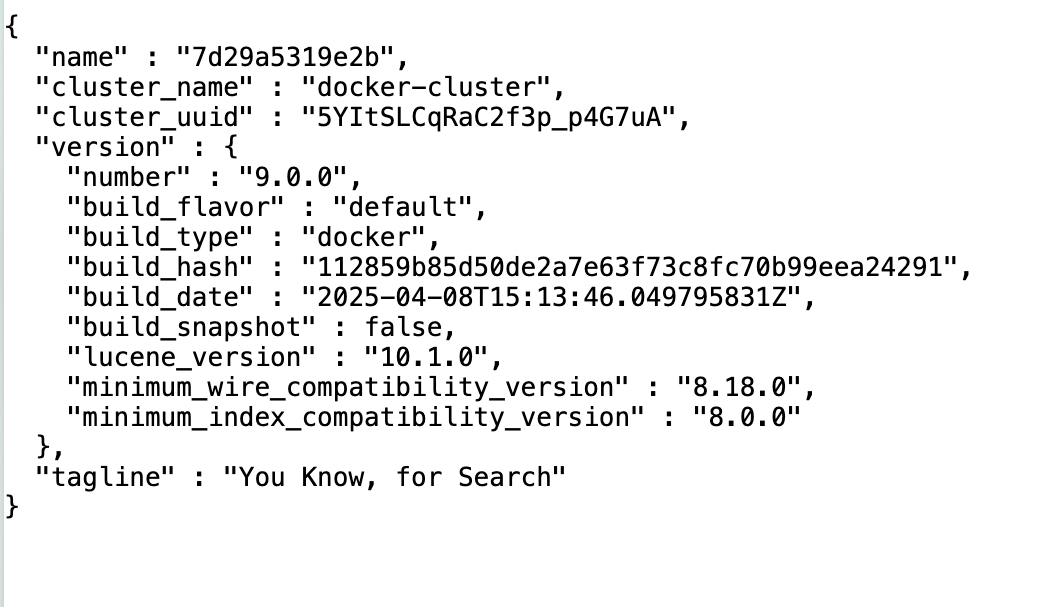
The image above shows the welcome page after the Elasticsearch service starts. It displays the status of the current node and cluster, version number (e.g., 9.0.0), cluster name (e.g., docker-cluster), etc. This indicates that your Elasticsearch instance is running and ready for data operations and retrieval via its API.
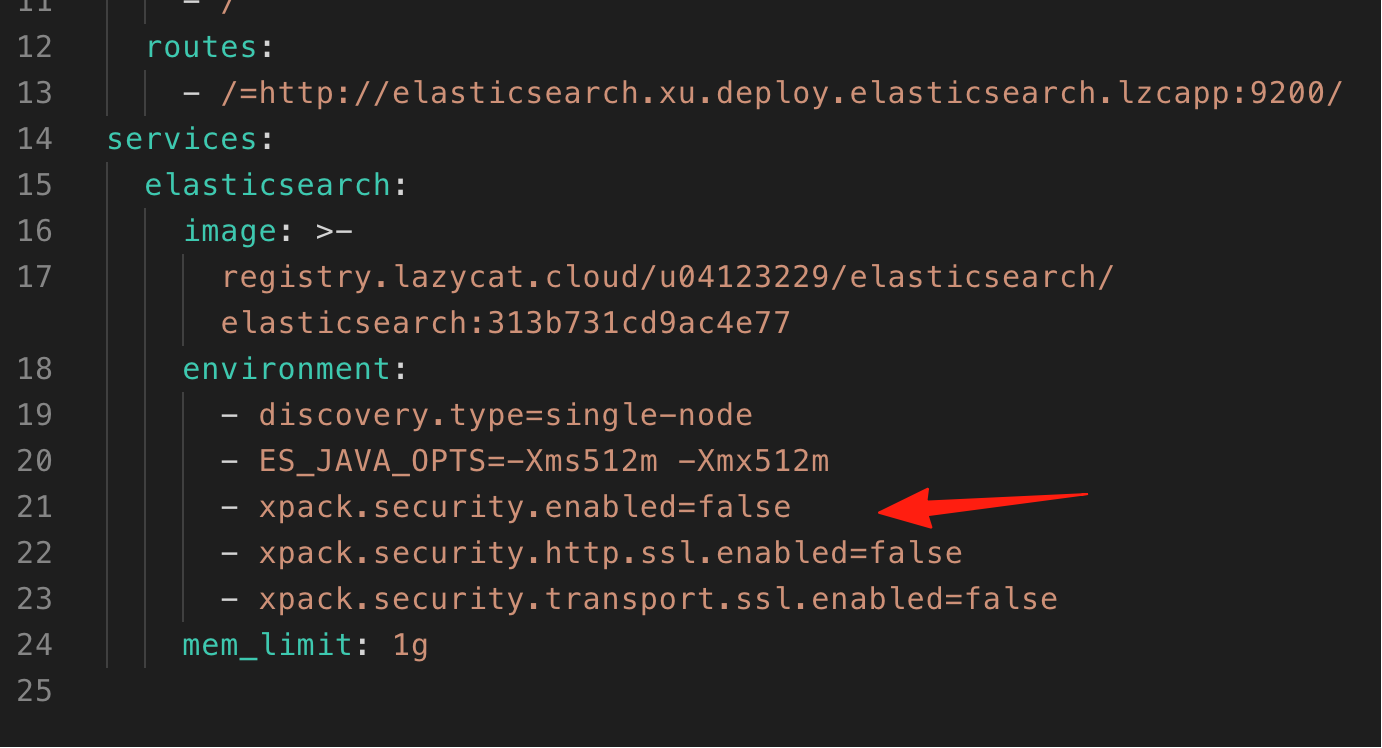
Through the Lazycat App Viewer, it was discovered that authentication is currently disabled, allowing access to the service without a password.
Check Cluster Health
Open a terminal and enter the command:
curl -X GET "https://elasticsearch.your-lanmao.heiyu.space/_cat/health?v"
If successful, you will see a response similar to the following, showing the cluster status, number of nodes, and other information:

List All Indices
To view all indices in the current cluster:
curl -X GET "https://elasticsearch.lanmao168.heiyu.space/_cat/indices?v"
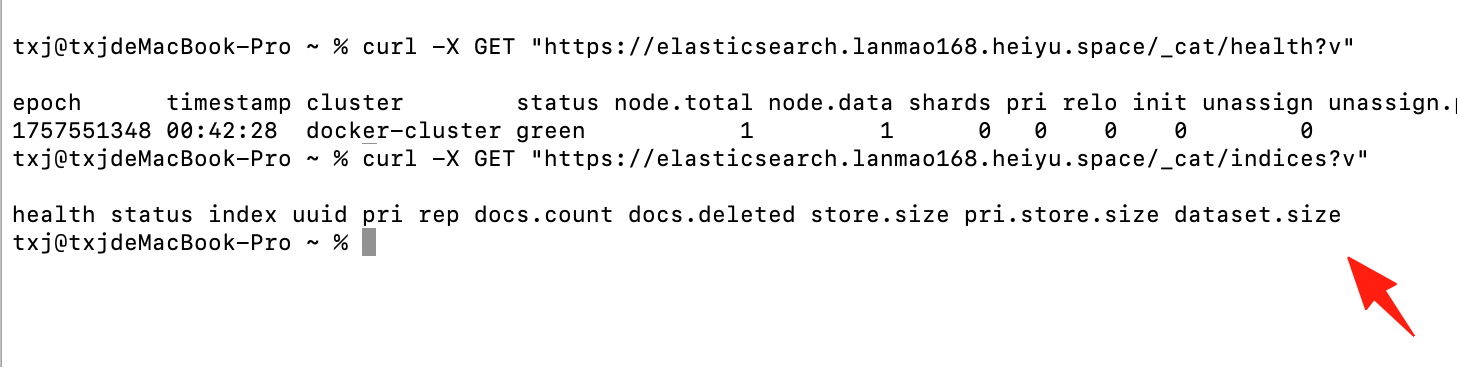
This will list all indices, including their names, status, and other information. I currently have no data, so the list is empty.
Using the command line can be a bit cumbersome. Next, I'll demonstrate the functionality using Postman. Note that lanmao168 is my microservice identifier; you need to replace it with your own.
1. Create an Index
Request Method:
- PUT
Request URL:
https://elasticsearch.lanmao168.heiyu.space/products
Request Body:
{}
Explanation:
- Here, we use a
PUTrequest to create an index namedproducts. - The request body can be empty
{}to create the index.
Steps:
- Open Postman and select the
PUTmethod. - Enter
https://elasticsearch.lanmao168.heiyu.space/productsin the URL bar. - Go to the
Bodytab and select therawformat. - Choose
JSONformat in therawdropdown and enter{}as the content. - Click the
Sendbutton to send the request.
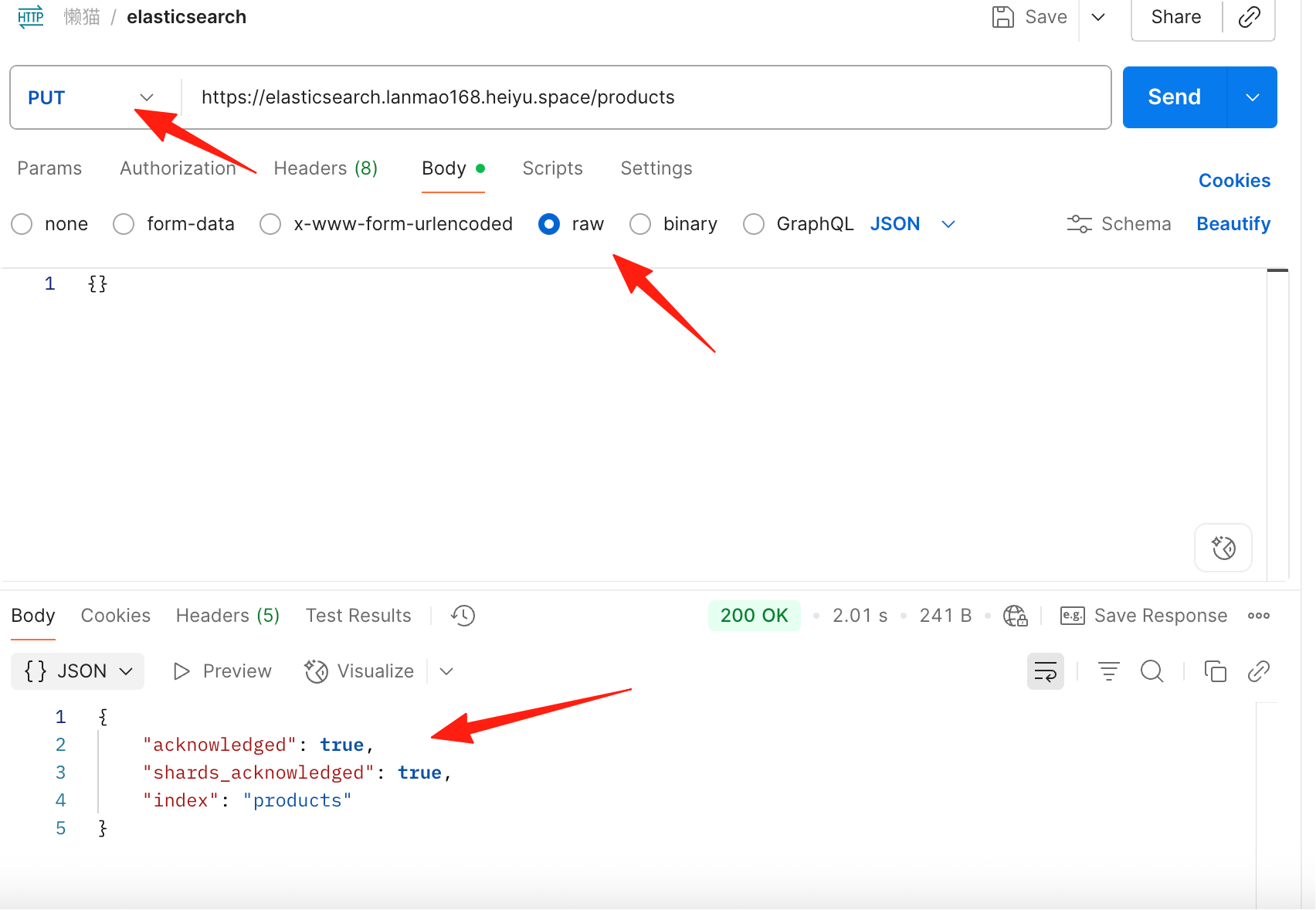 If the index is created successfully, you will see a response similar to:
{
  "acknowledged": true,
  "shards_acknowledged": true,
  "index": "products"
}
2. Add a Document
Request Method:
- POST
Request URL:
https://elasticsearch.lanmao168.heiyu.space/products/_doc/1
Request Body:
{
  "name": "Smartphone",
  "brand": "BrandX",
  "price": 699.99,
  "category": "Electronics"
}
Explanation:
- Here, we use a
POSTrequest to add a document to theproductsindex. - The document ID is
1, and the content is about a product namedSmartphone.
Steps:
- In Postman, select the
POSTmethod. - Enter
https://elasticsearch.lanmao168.heiyu.space/products/_doc/1in the URL bar. - Go to the
Bodytab and select therawformat. - Choose
JSONformat in therawdropdown and enter the document content above. - Click the
Sendbutton to send the request.
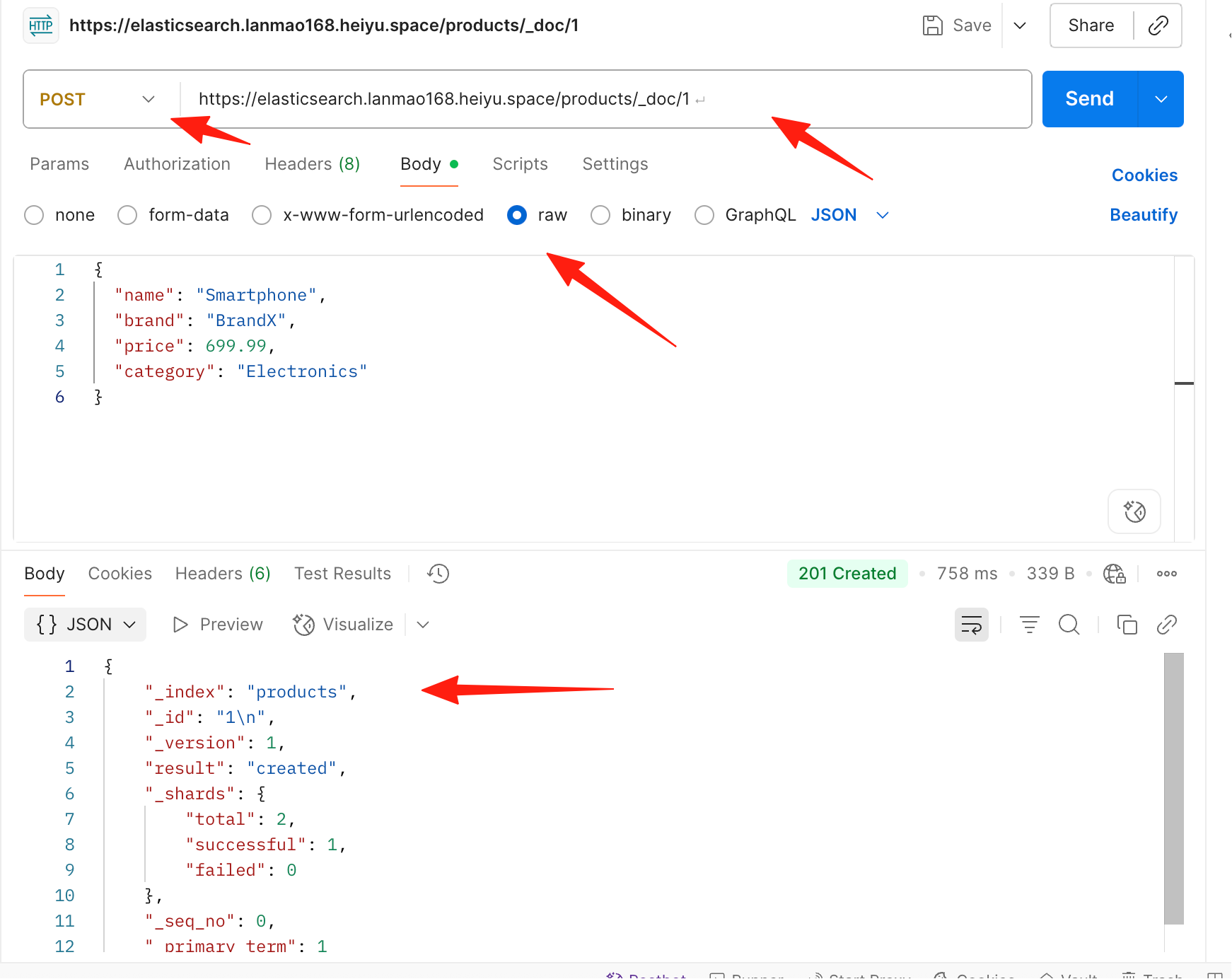 If the document is added successfully, you will see a response similar to:
{
    "_index": "products",
    "_id": "1\n",
    "_version": 1,
    "result": "created",
    "_shards": {
        "total": 2,
        "successful": 1,
        "failed": 0
    },
    "_seq_no": 0,
    "_primary_term": 1
}
3. Search for Documents
Request Method:
- GET
Request URL:
https://elasticsearch.lanmao168.heiyu.space/products/_search
Request Parameters:
q=name:Smartphone
Explanation:
- Here, we use a
GETrequest to query all documents in theproductsindex where thenamefield isSmartphone.
Steps:
-
In Postman, select the
GETmethod. -
Enter
https://elasticsearch.lanmao168.heiyu.space/products/_searchin the URL bar. -
In the
Paramstab, add a parameter:- Key:
q - Value:
name:Smartphone
- Key:
-
Click the
Sendbutton to send the request.
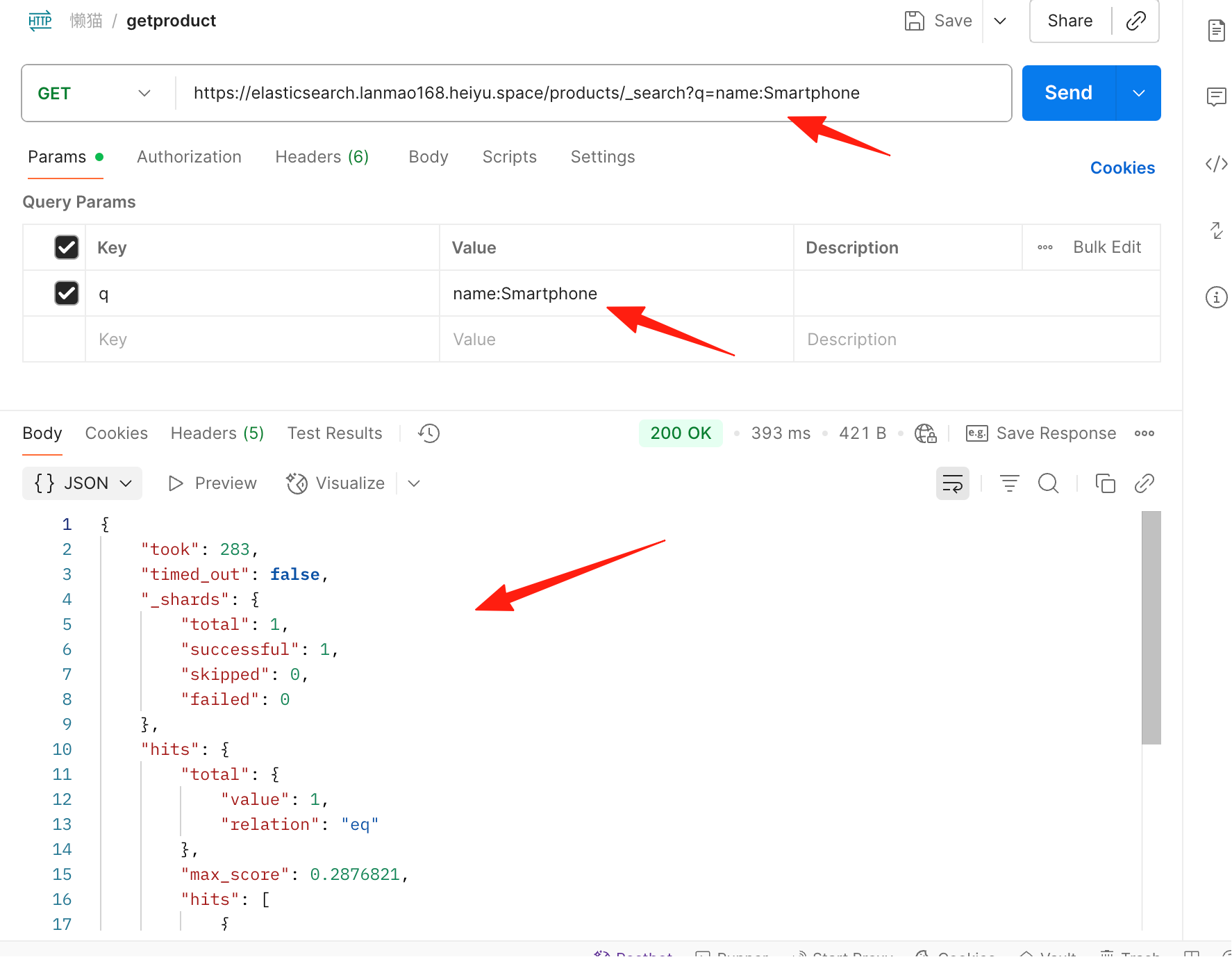 The returned result will be similar to:
{
    "took": 283,
    "timed_out": false,
    "_shards": {
        "total": 1,
        "successful": 1,
        "skipped": 0,
        "failed": 0
    },
    "hits": {
        "total": {
            "value": 1,
            "relation": "eq"
        },
        "max_score": 0.2876821,
        "hits": [
            {
                "_index": "products",
                "_id": "1\n",
                "_score": 0.2876821,
                "_source": {
                    "name": "Smartphone",
                    "brand": "BrandX",
                    "price": 699.99,
                    "category": "Electronics"
                }
            }
        ]
    }
}
4. Update a Document
Request Method:
- PUT
Request URL:
https://elasticsearch.lanmao168.heiyu.space/products/_doc/1
Request Body:
{
  "doc": {
    "price": 799.99
  }
}
Explanation:
- Here, we use a
PUTrequest to update thepricefield of the document with ID1.
Steps:
- In Postman, select the
PUTmethod. - Enter
https://elasticsearch.lanmao168.heiyu.space/products/_doc/1/_updatein the URL bar. - Go to the
Bodytab and select therawformat. - Choose
JSONformat in therawdropdown and enter the data to be updated. - Click the
Sendbutton to send the request.
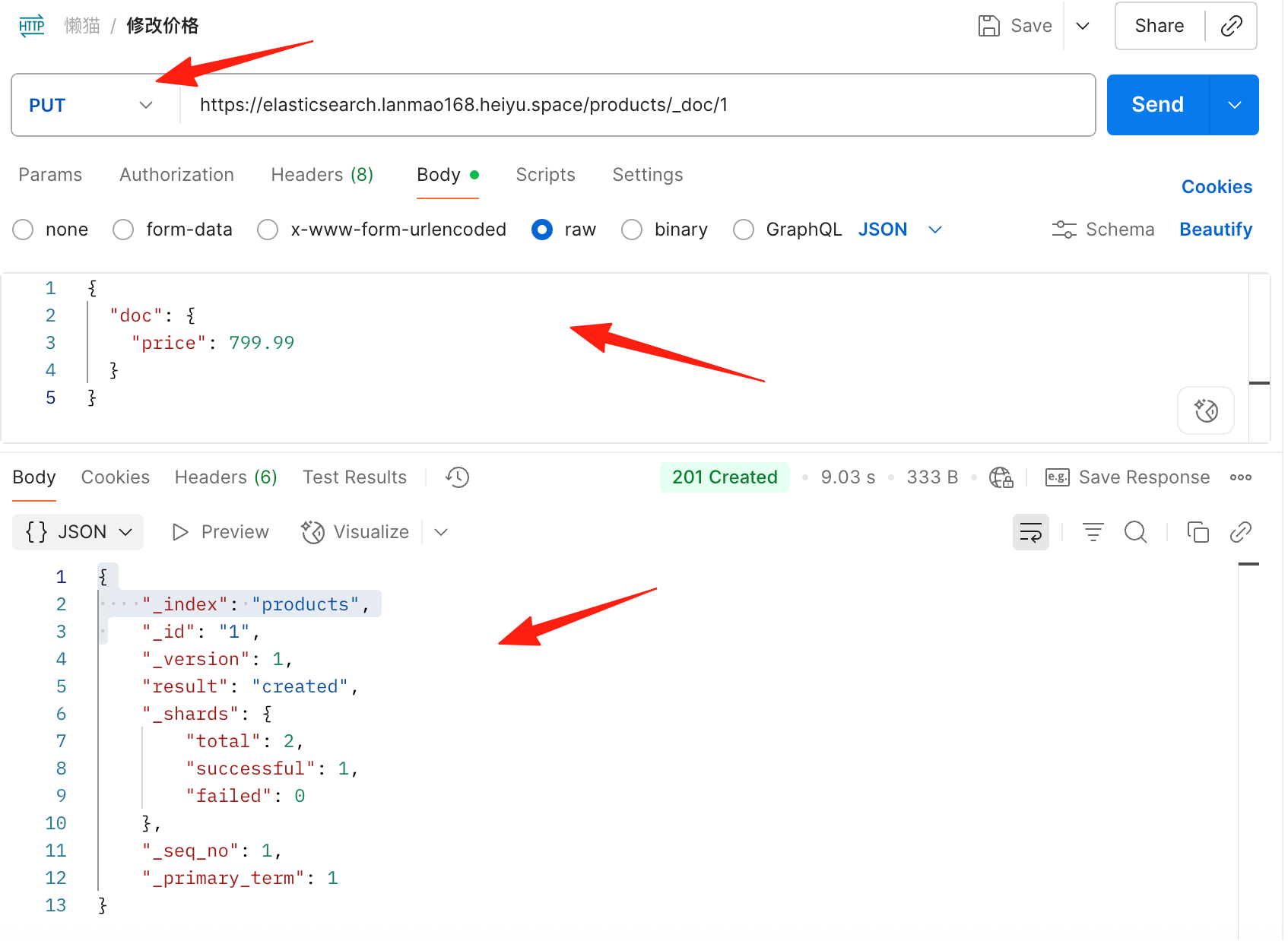 If the update is successful, you will see the returned JSON:
{
    "_index": "products",
    "_id": "1",
    "_version": 1,
    "result": "created",
    "_shards": {
        "total": 2,
        "successful": 1,
        "failed": 0
    },
    "_seq_no": 1,
    "_primary_term": 1
}
5. Delete a Document
Request Method:
- DELETE
Request URL:
https://elasticsearch.lanmao168.heiyu.space/products/_doc/1
Explanation:
- Use the
DELETEmethod to remove the document with ID1from theproductsindex.
Steps:
- In Postman, select the
DELETEmethod. - Enter
https://elasticsearch.lanmao168.heiyu.space/products/_doc/1in the URL bar. - Click the
Sendbutton to send the request.
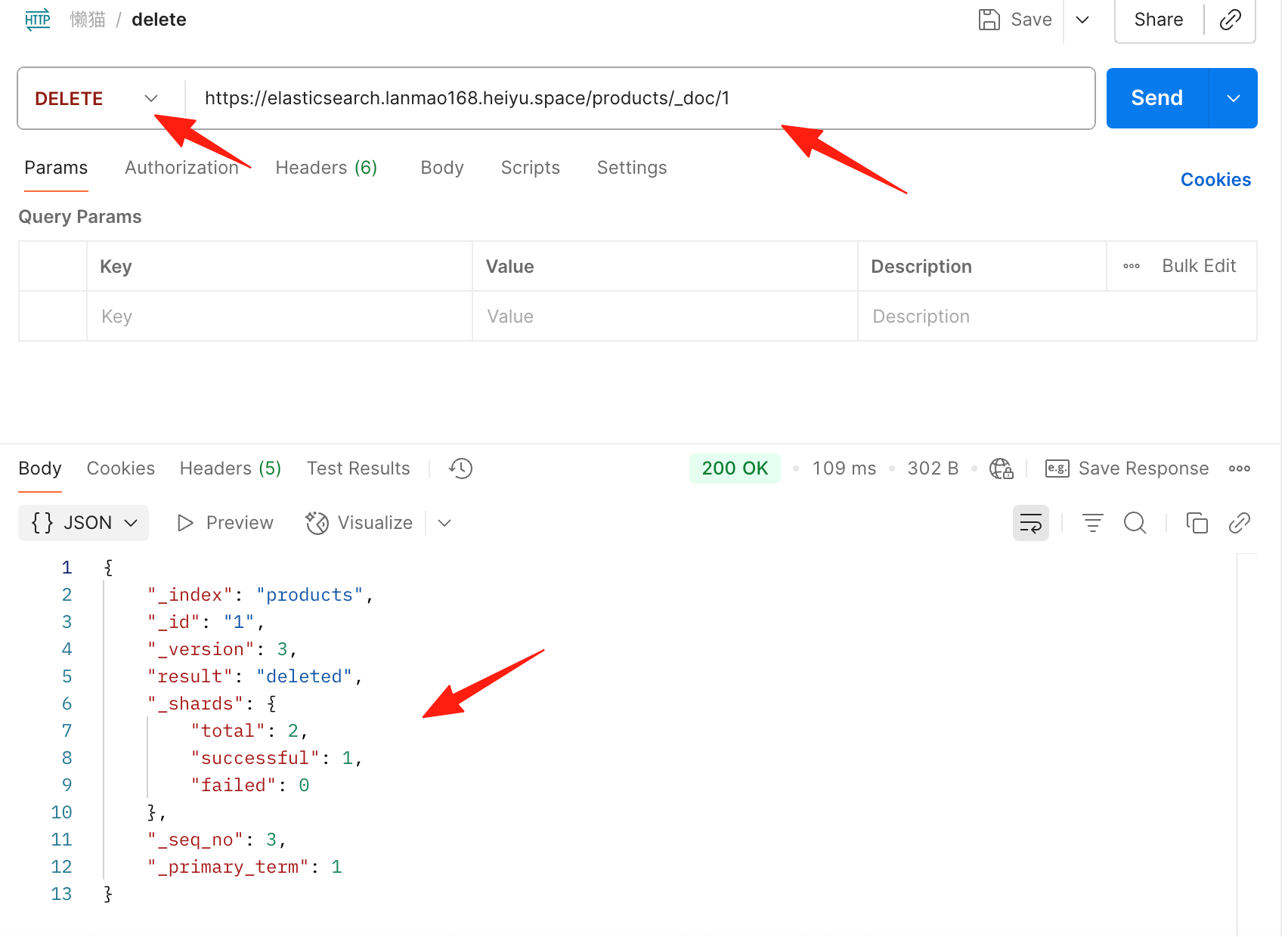 After successful deletion, the response will be:
{
    "_index": "products",
    "_id": "1",
    "_version": 3,
    "result": "deleted",
    "_shards": {
        "total": 2,
        "successful": 1,
        "failed": 0
    },
    "_seq_no": 3,
    "_primary_term": 1
}
Summary
Elasticsearch is not a silver bullet, but it is indeed a powerful tool for search and log analysis scenarios. Whether you need product search, log analysis, or real-time monitoring, ES can handle it with ease.
Start with a single-node version to familiarize yourself with its features, and scale to a cluster when needed. By mastering ES's core concepts and usage skills, you'll be able to navigate the sea of data with ease.