
Understand Your Claude Code Usage Patterns with Sniffly
If you're a heavy user of Claude Code, this tool will definitely help you save money and boost efficiency!
What Exactly Is This Thing?
Simply put, Sniffly is like a "health check report" system for Claude Code. It helps you analyze:
- How many tokens you're burning through daily (Money!)
- Where Claude Code tends to make mistakes
- Patterns in the instructions you write
- Which projects are the most expensive
The best part is, all data is processed locally on your Lazycat and isn't uploaded anywhere—perfect for privacy!
https://appstore.lazycat.cloud/#/shop/detail/sniffly.gutenye
How to Use
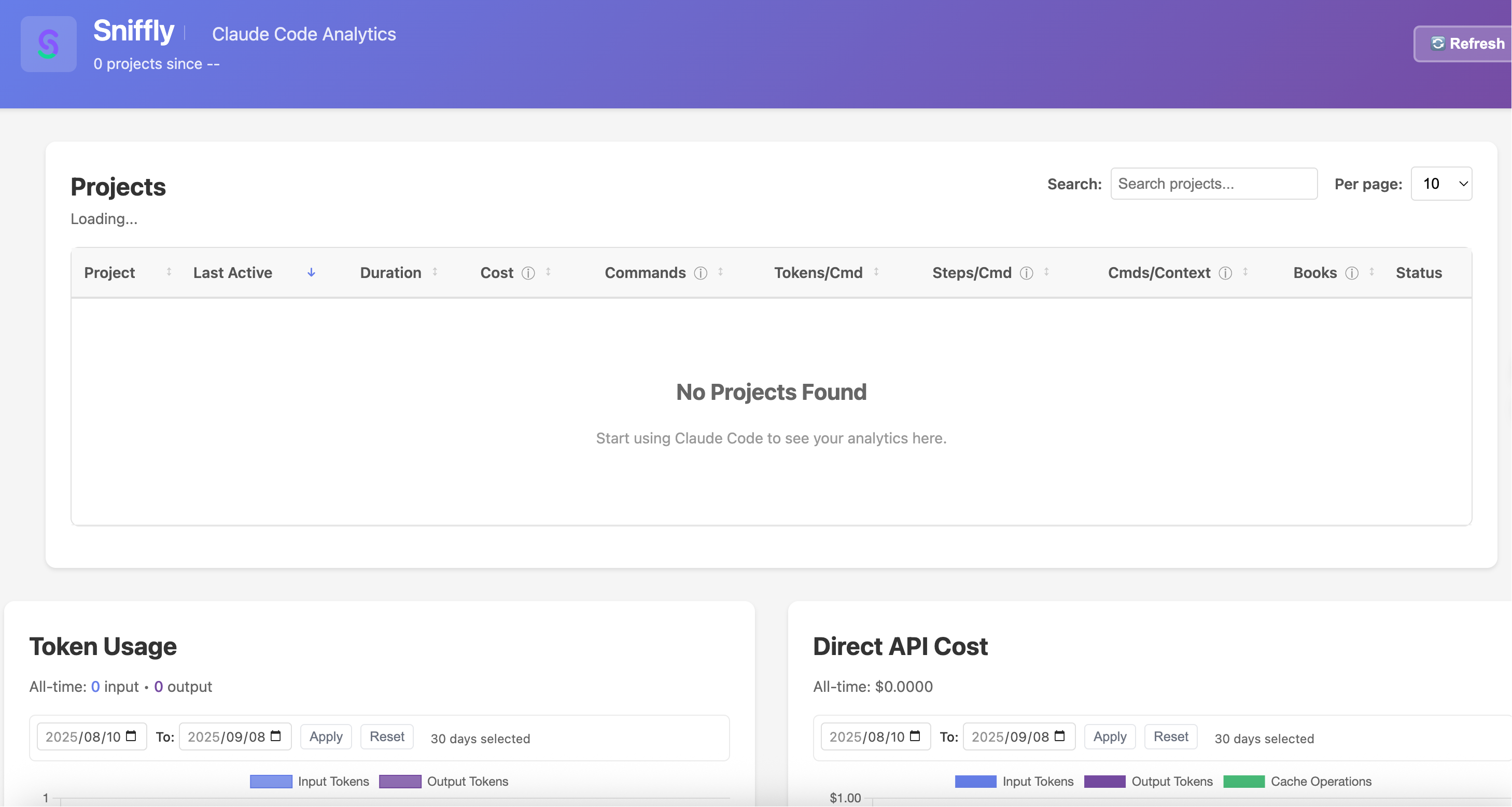
After installing the app, open the homepage. The data will initially be empty.
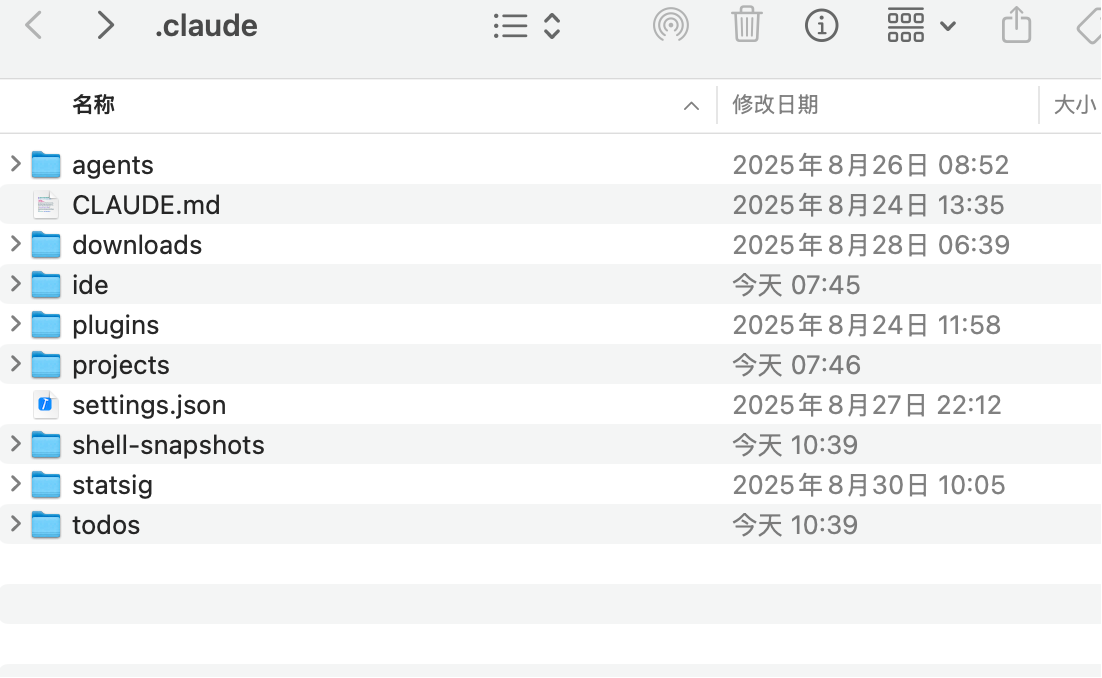
Using a Mac computer as an example, enter this command in the terminal: open ~/.claude
This opens the .claude folder.
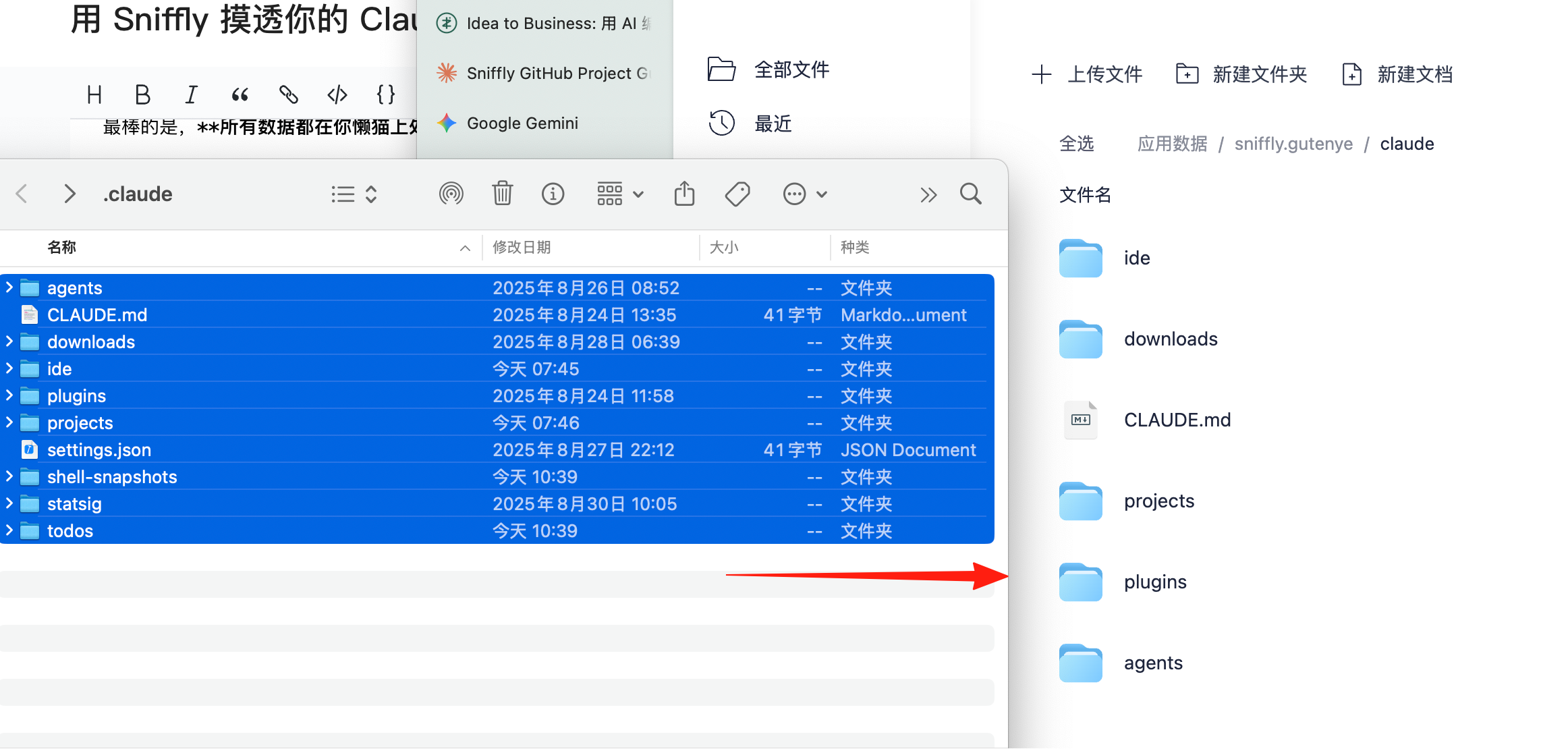
Drag and drop all these files directly into the Lazycat Cloud Drive - App Data - Sniffly - claude folder.
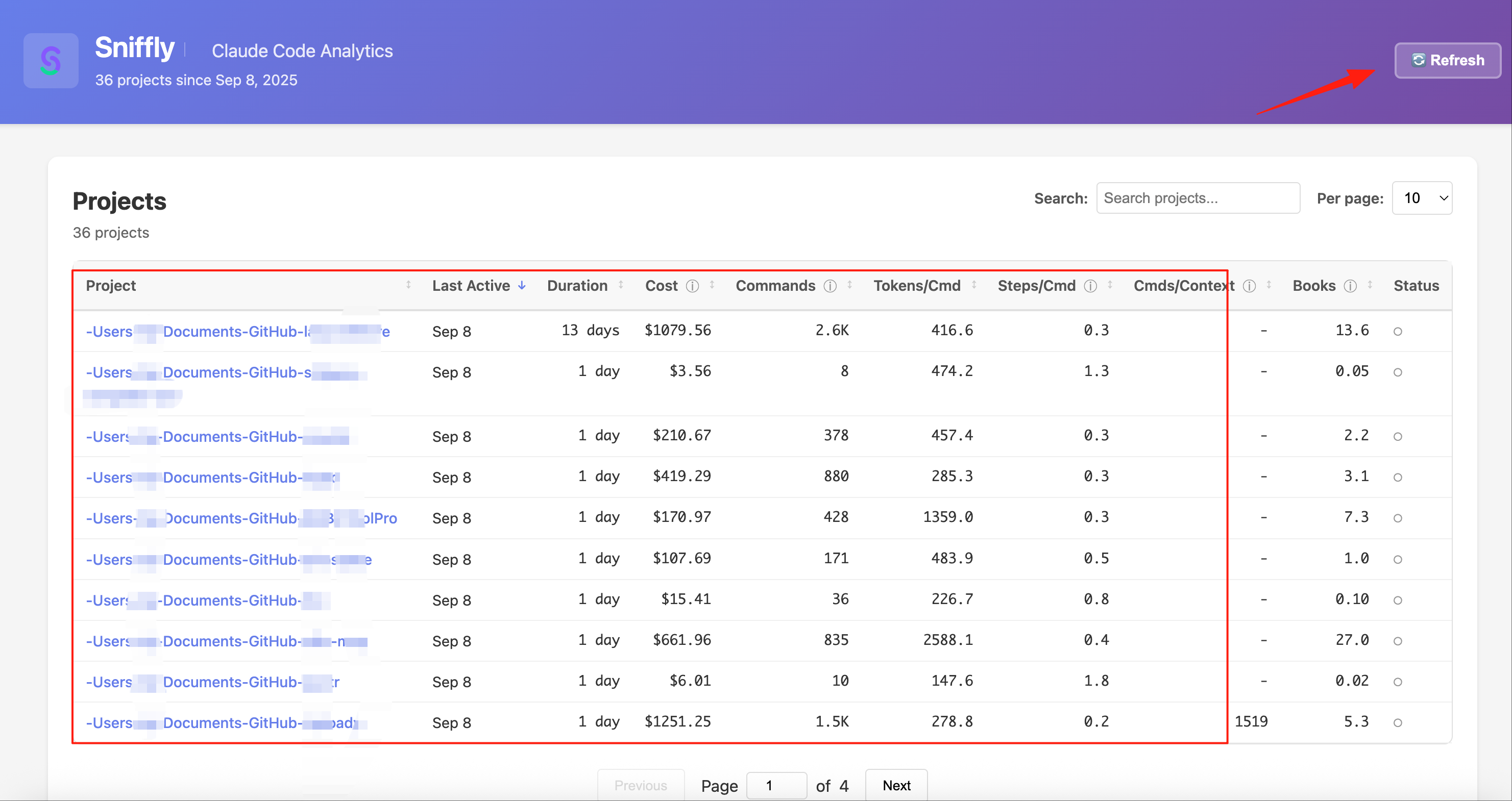
After all the data is uploaded, click the refresh button in the top right corner. You'll see the data appear.
Understanding the Data for Smart Savings
After opening Sniffly, you'll see several key metrics:
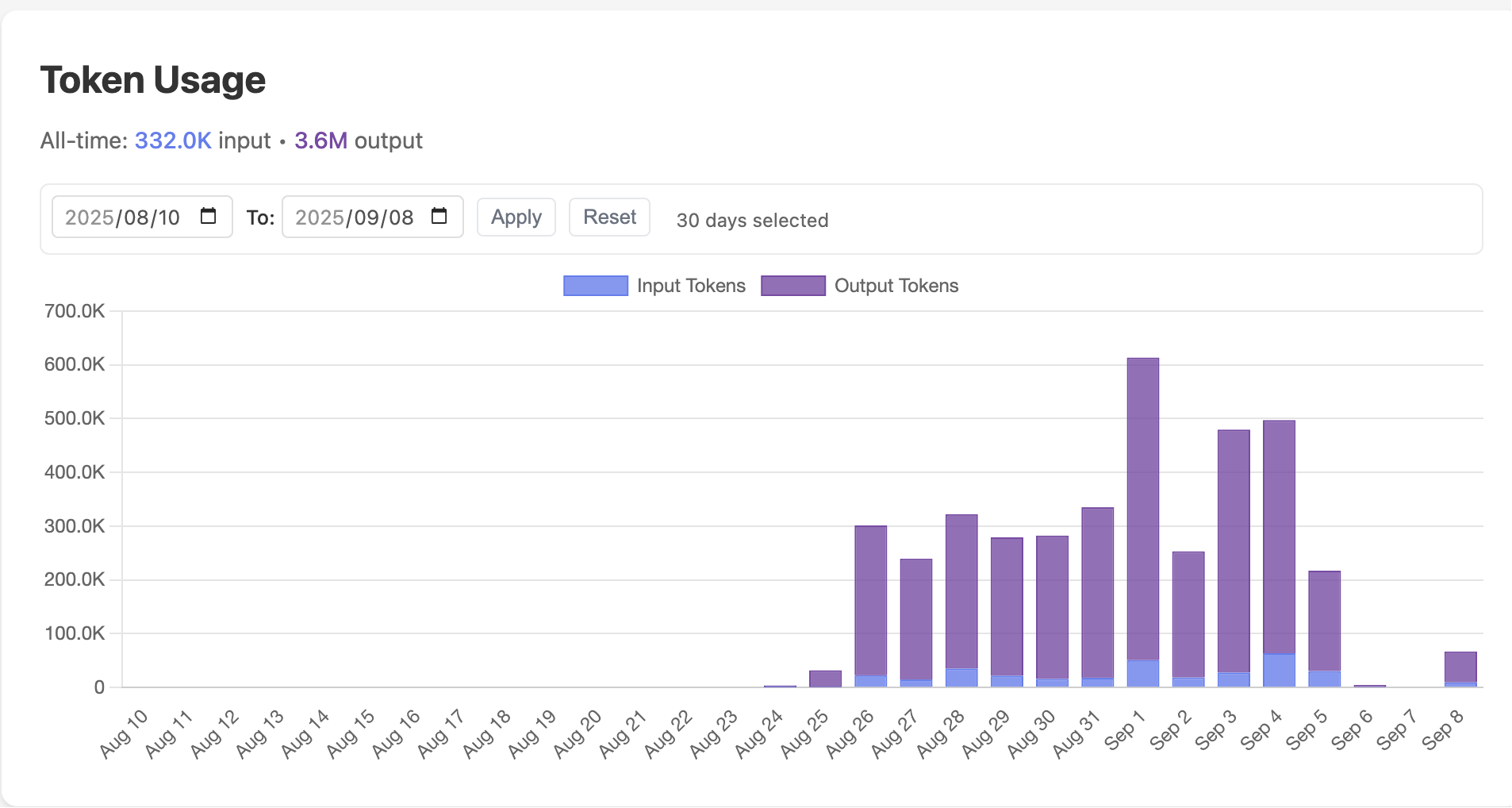 This is my total token count: 332k input, 3.6M output.
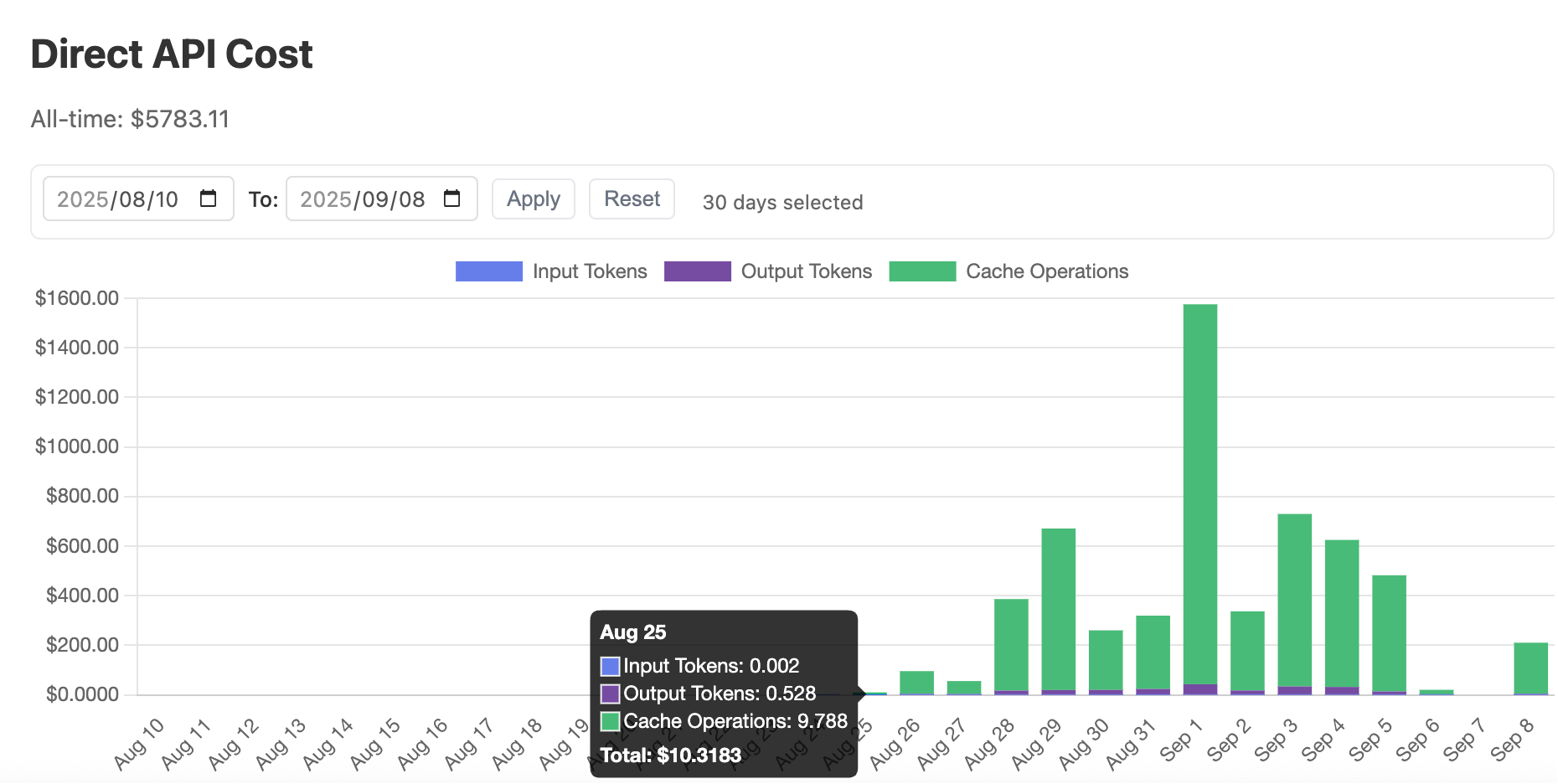
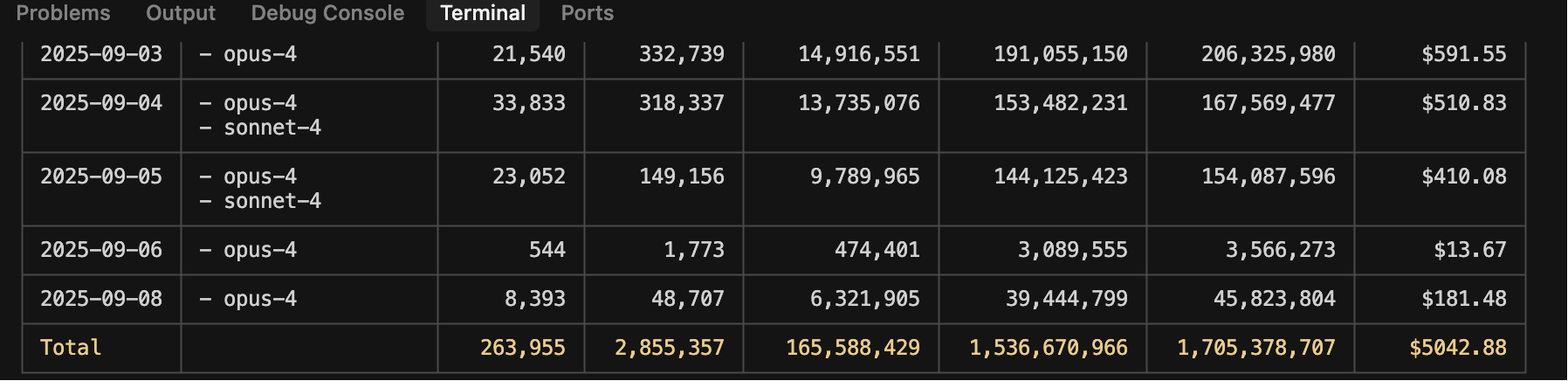
This is my daily cost, although this should also be an estimate. I usually use ccusage, which estimates around $5k, so the order of magnitude is the same.
The green Cache portion is the largest, probably related to my extensive context.
Click into a specific project to see its details.
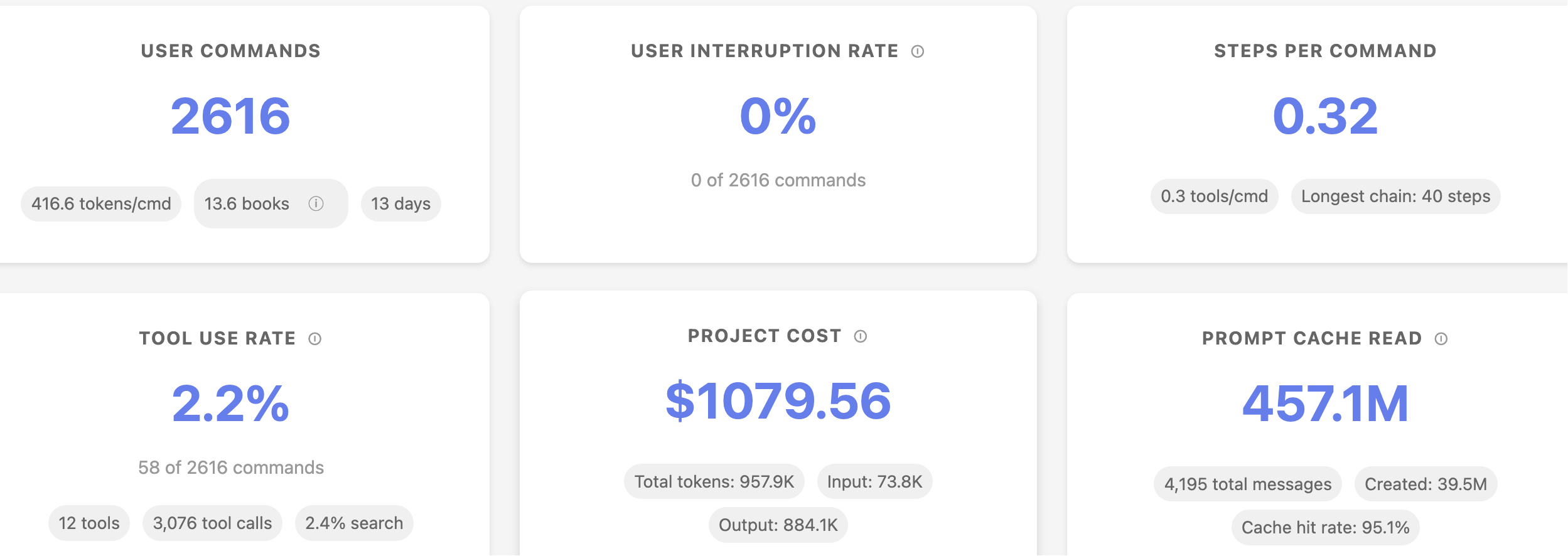
1. Error Analysis Section
This is the most valuable part! Based on community feedback:
- Content Not Found (12%): Claude Code's most common mistake—always failing to find files or functions.
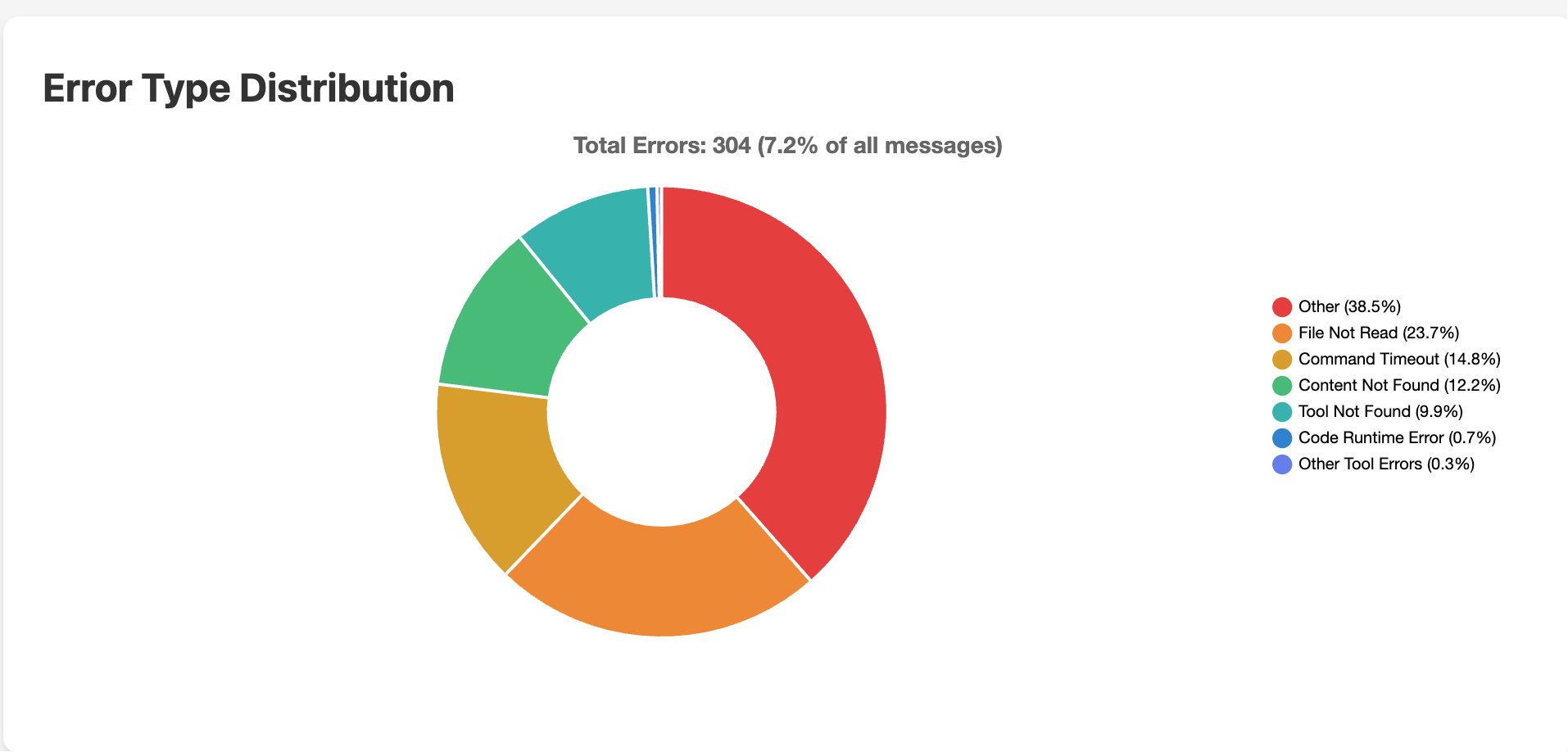 You can use this chart to quickly understand which errors occur most frequently and optimize your project configuration, instructions, or file management accordingly.
For example, if "File Not Read" is high, check file paths and permissions. If "Command Timeout" is frequent, optimize instruction logic or increase timeout duration.
Solution: Optimize your code structure, use clearer file naming, and avoid overly deep directory hierarchies.
2. Common Tool Statistics
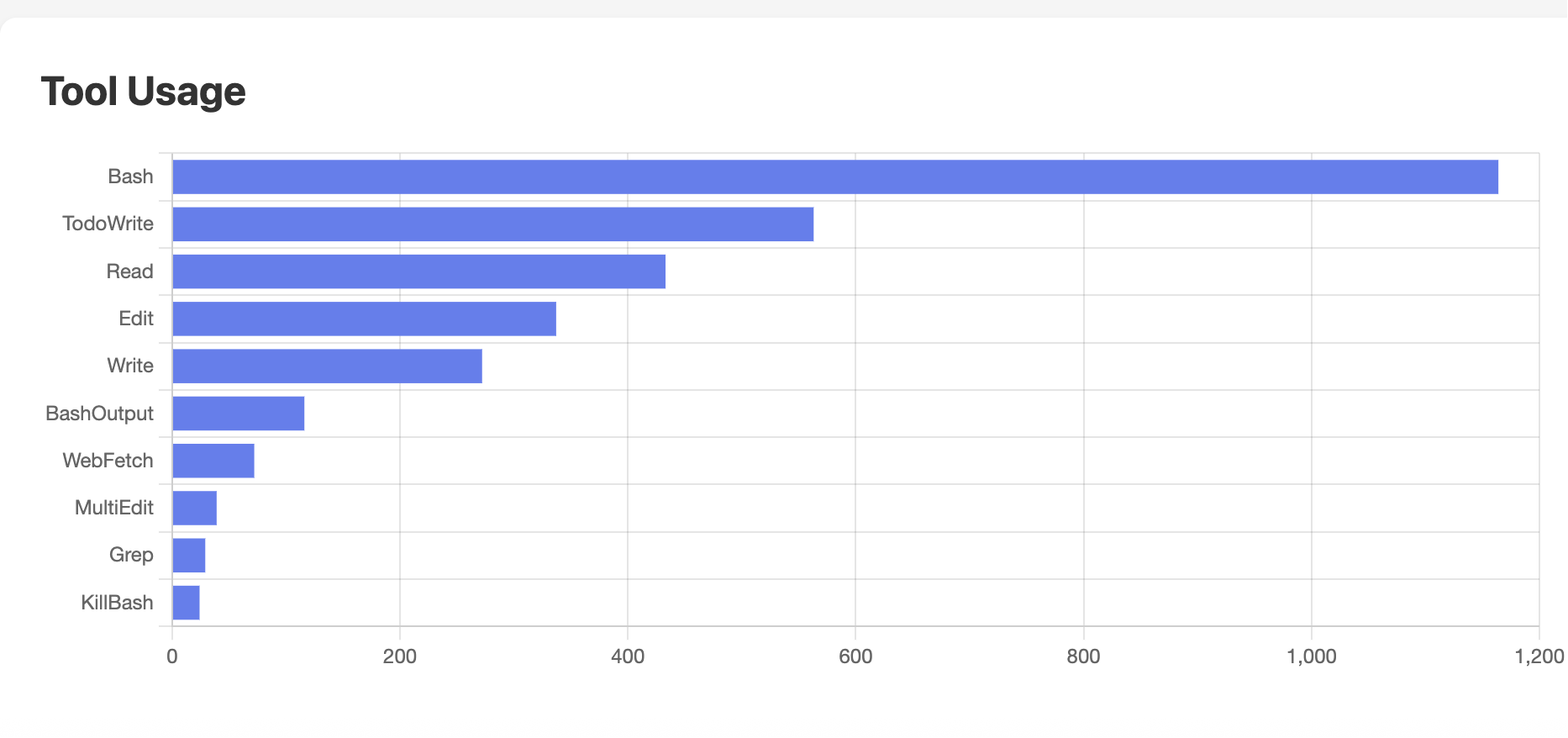
- Bash: Used the most, nearly 1200 times. Indicates I primarily use Bash for executing commands, scripts, and automation tasks.
- TodoWrite: Second most used, typically for recording, modifying, or managing to-do items.
- Read: Used for reading files or content, also relatively high frequency.
Optimization Suggestion: Pre-write project structure descriptions in the
CLAUDE.mdfile to reduce its aimless searching.
3. Token Consumption Curve
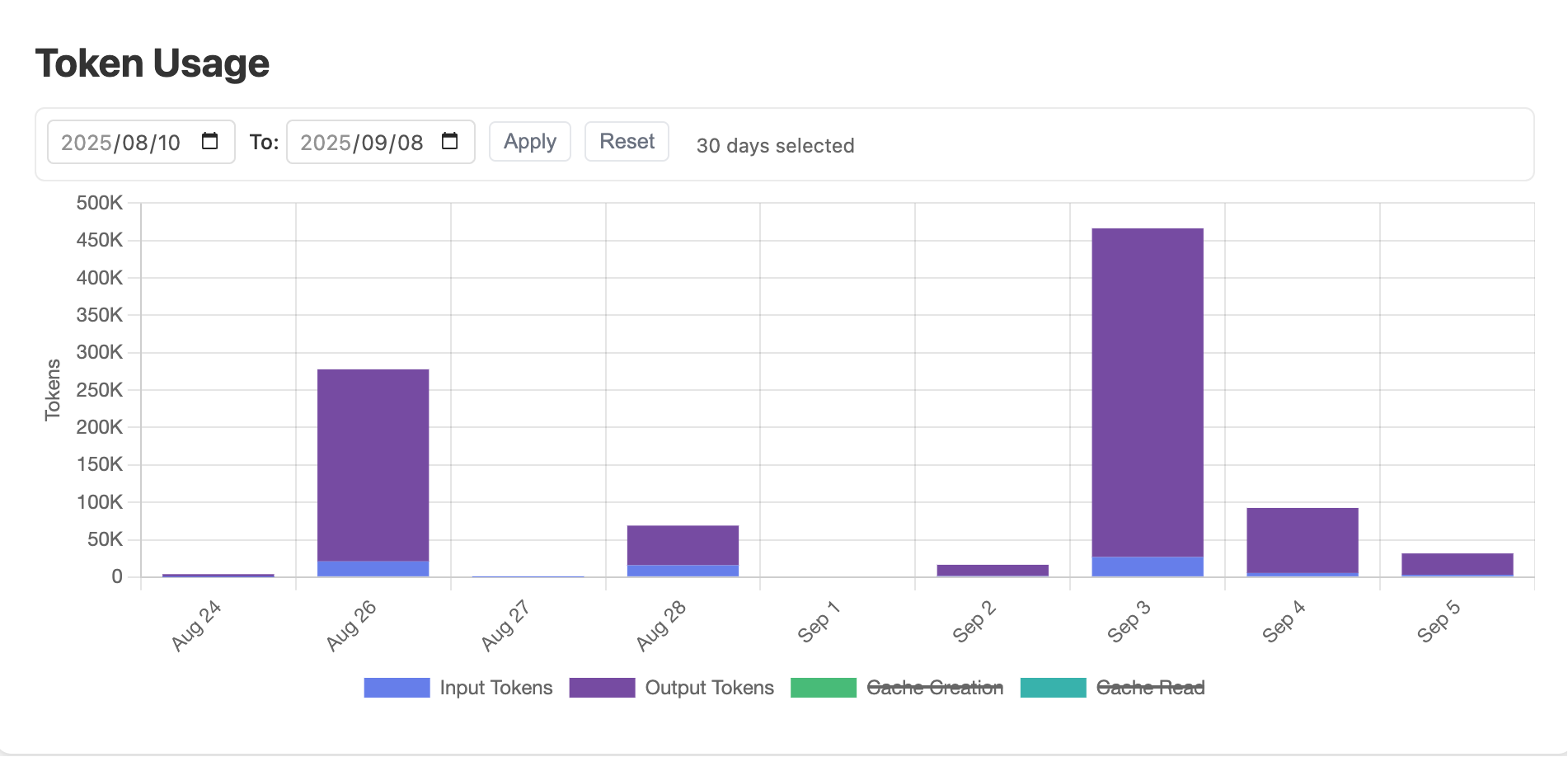
- Input Tokens (Dark Purple) Tokens consumed by the content you input to Claude Code (e.g., questions, instructions).
- Output Tokens (Light Purple) Tokens consumed by the content generated by Claude Code in its responses. Long replies, detailed explanations, etc., can result in high token usage.
- Cache Creation (Green) Tokens consumed when creating the cache. Caching is intended to speed up subsequent access and save costs, but creating the cache itself consumes tokens.
Optimizing Workflow with Claude Code
After identifying issues with Sniffly, you can:
# Create CLAUDE.md in the project root directory
Project Structure:
- src/ - Source code
  - components/ - React components
  - utils/ - Utility functions
- tests/ - Test files

Common Commands:
- npm run dev - Start development server
- npm test - Run tests
This way, Claude Code won't search for files blindly!
Data Export and Analysis
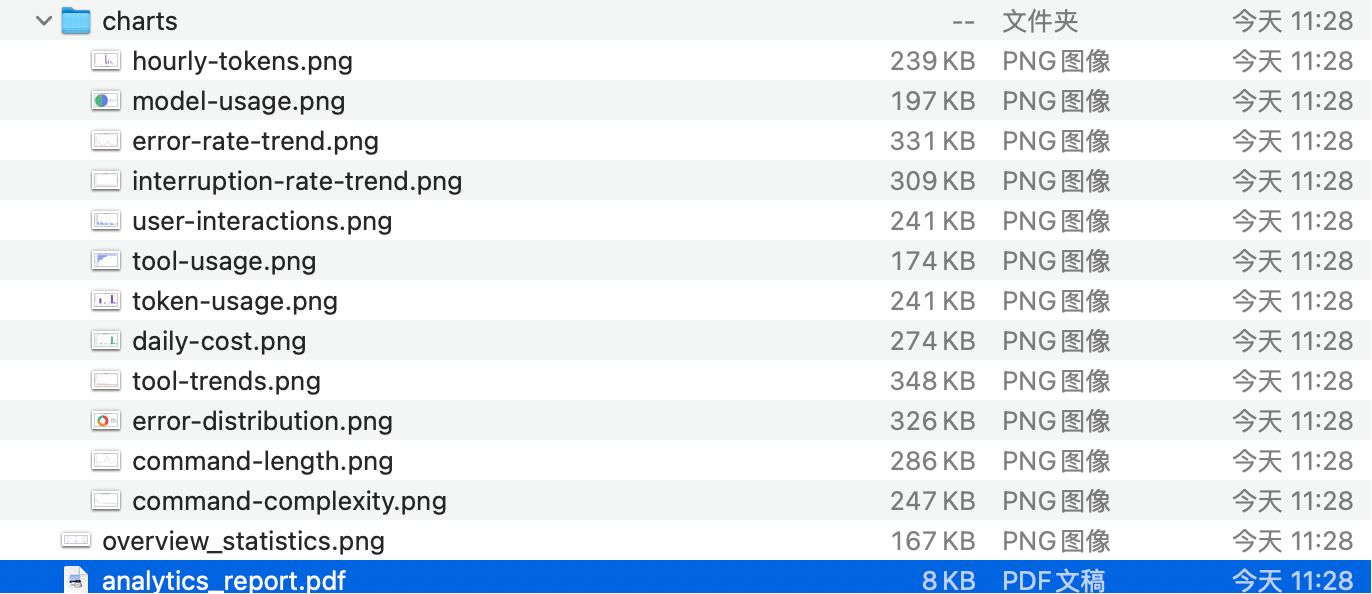
Sniffly supports data export, allowing you to:
- Export JSON format for further analysis
- Create your own visual reports
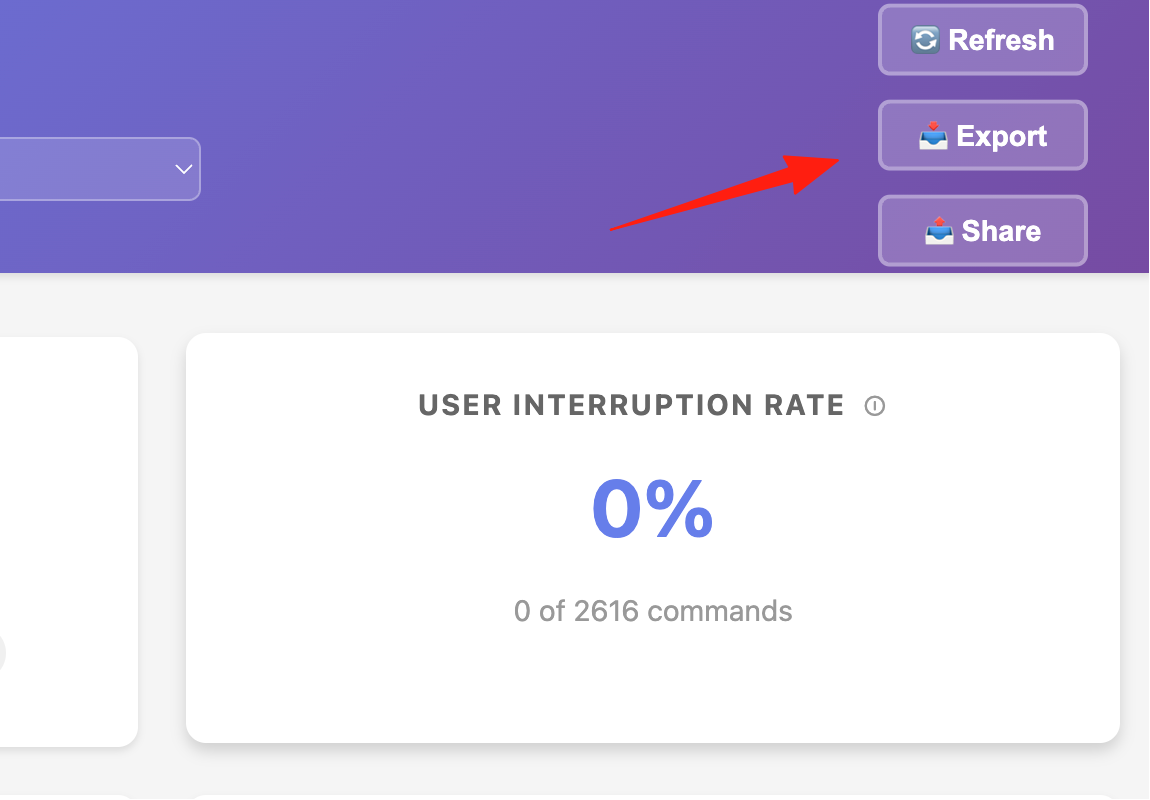
Sharing Your Usage Report
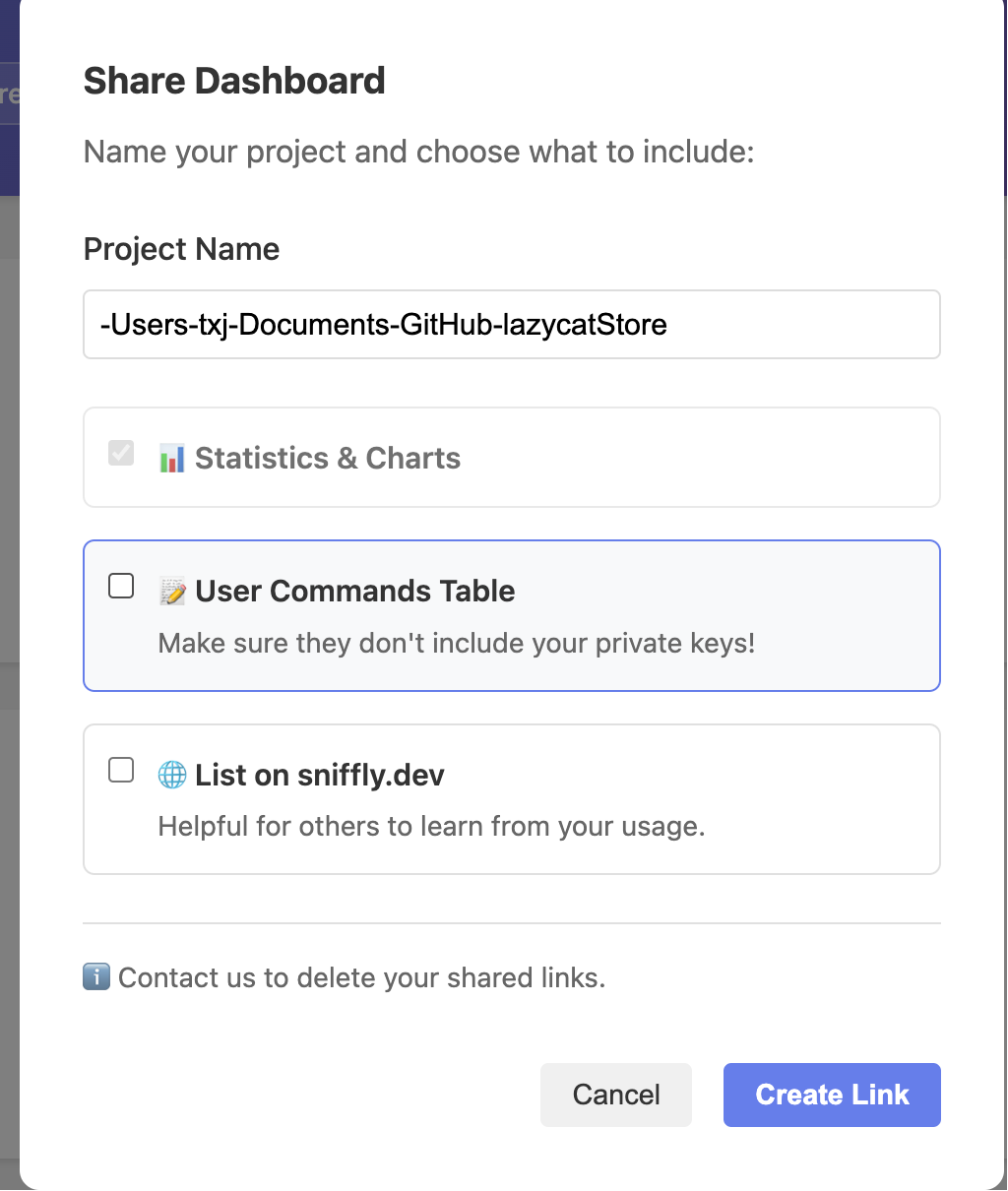
- Click the "📤 Share" button in the top right corner of the dashboard.
- Select privacy options:
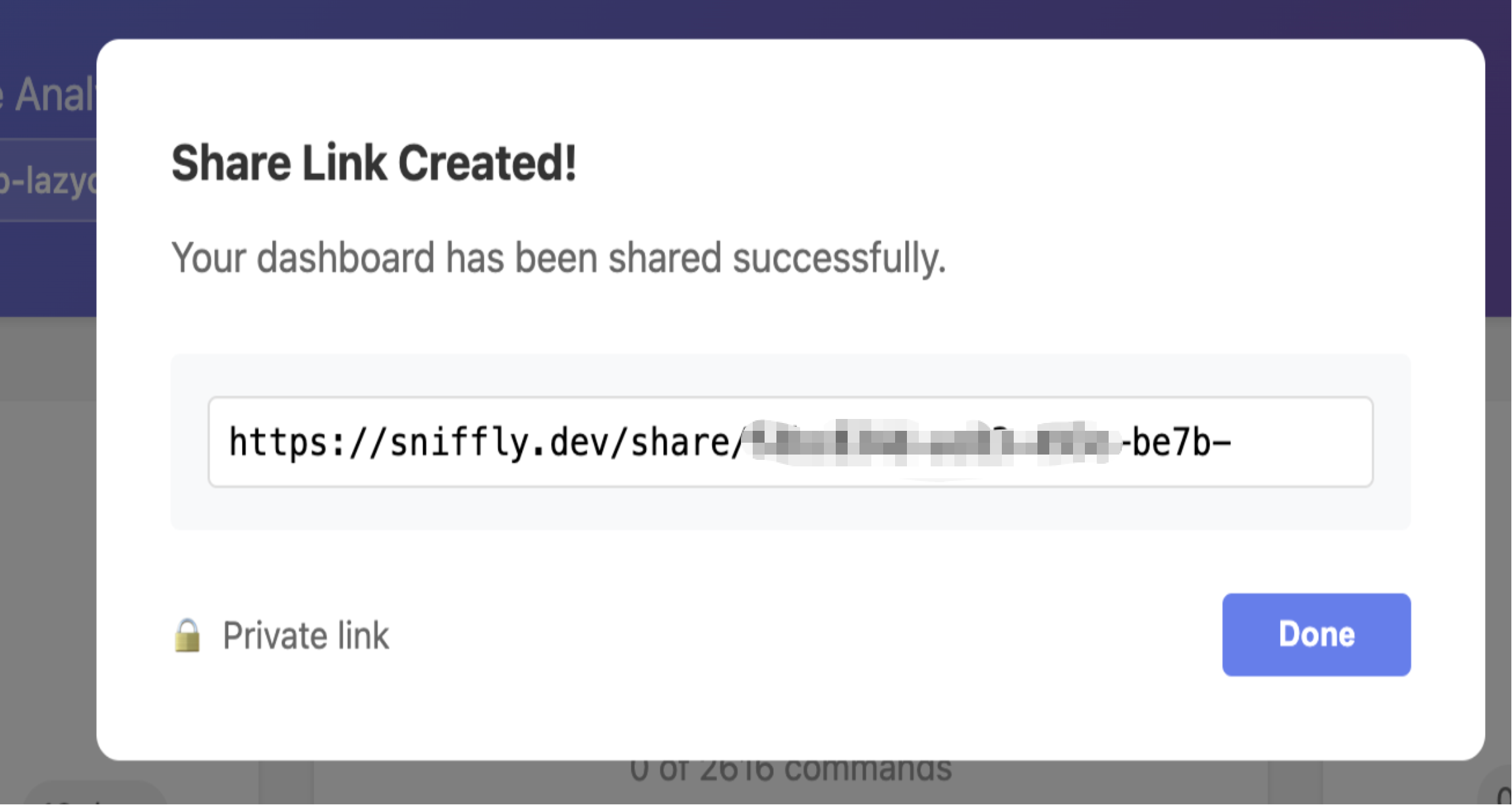
- Private: Only people with the link can view it.
- Include Commands: Share your actual command text (Great for learning!).
- Copy the link and share it with colleagues.
Final Thoughts
Sniffly is truly an essential tool for Claude Code users. It not only helps you save money but, more importantly, lets you understand your usage habits to optimize your workflow.
Regularly check Sniffly's error analysis and then make targeted improvements to your project structure and questioning methods. You'll find Claude Code's efficiency can improve by over 50%!