
Betanin Guide: The Ultimate Tool for Automatically Organizing Your Music Library - Instantly Neatening Downloaded Music
What is this?
Simply put, Betanin is like your personal music butler. After you download music using a BT client (like qBittorrent, Transmission), it helps you organize your music library, instantly bringing order to your music collection:
- 🏷️ Automatic Music Tagging: Automatically identifies artist, album, year, and other information via the MusicBrainz database
- 📁 Organizes File Structure: Transforms messy files into a standard "Artist/Album/Song" format
- 🖼️ Downloads Album Art: Automatically fetches high-quality album covers
- 📱 Real-time Notifications: Notifies you via Discord, Telegram, etc., once organization is complete
https://appstore.lazycat.cloud/#/shop/detail/com.sentriz.betanin
Why use this?
Imagine this scenario: You just downloaded an album, and the filenames look like this:
01 - track.mp3
02 - track.mp3
03 - track.mp3
After using Betanin, it becomes:
Radiohead/
  └── OK Computer (1997)/
      ├── 01 - Airbag.mp3
      ├── 02 - Paranoid Android.mp3
      ├── 03 - Subterranean Homesick Alien.mp3
      └── cover.jpg
Isn't that instantly cleaner? Furthermore, each song's tags will be correctly set, displaying properly in any music player.
Getting Started Guide
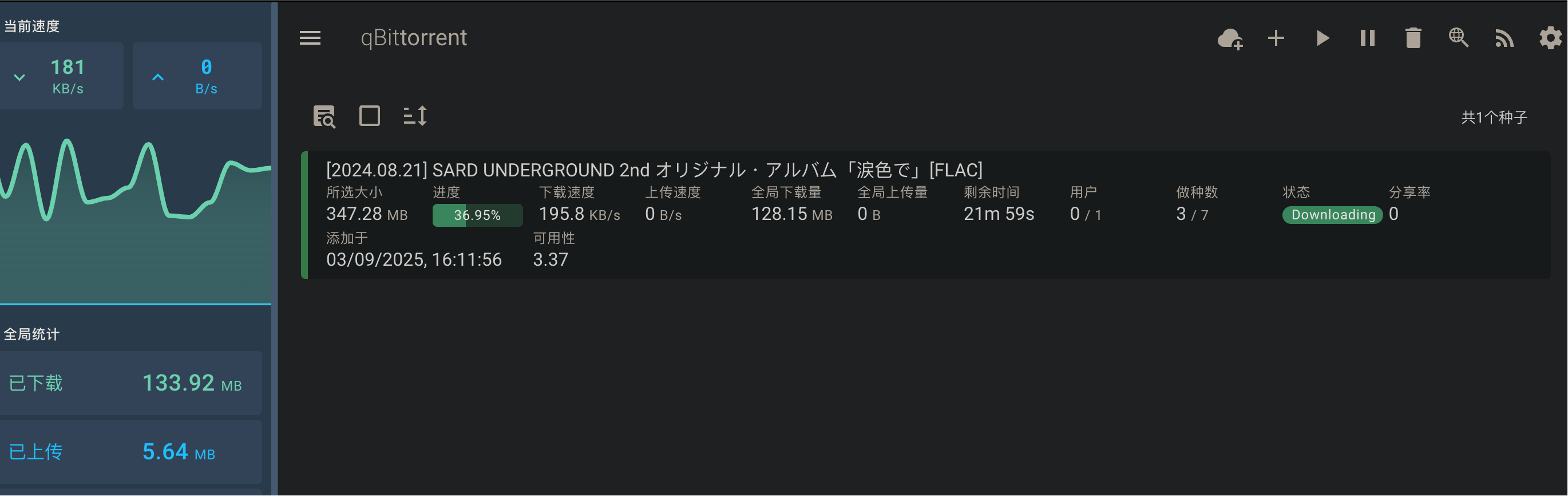
I first downloaded a music file using VueTorrent
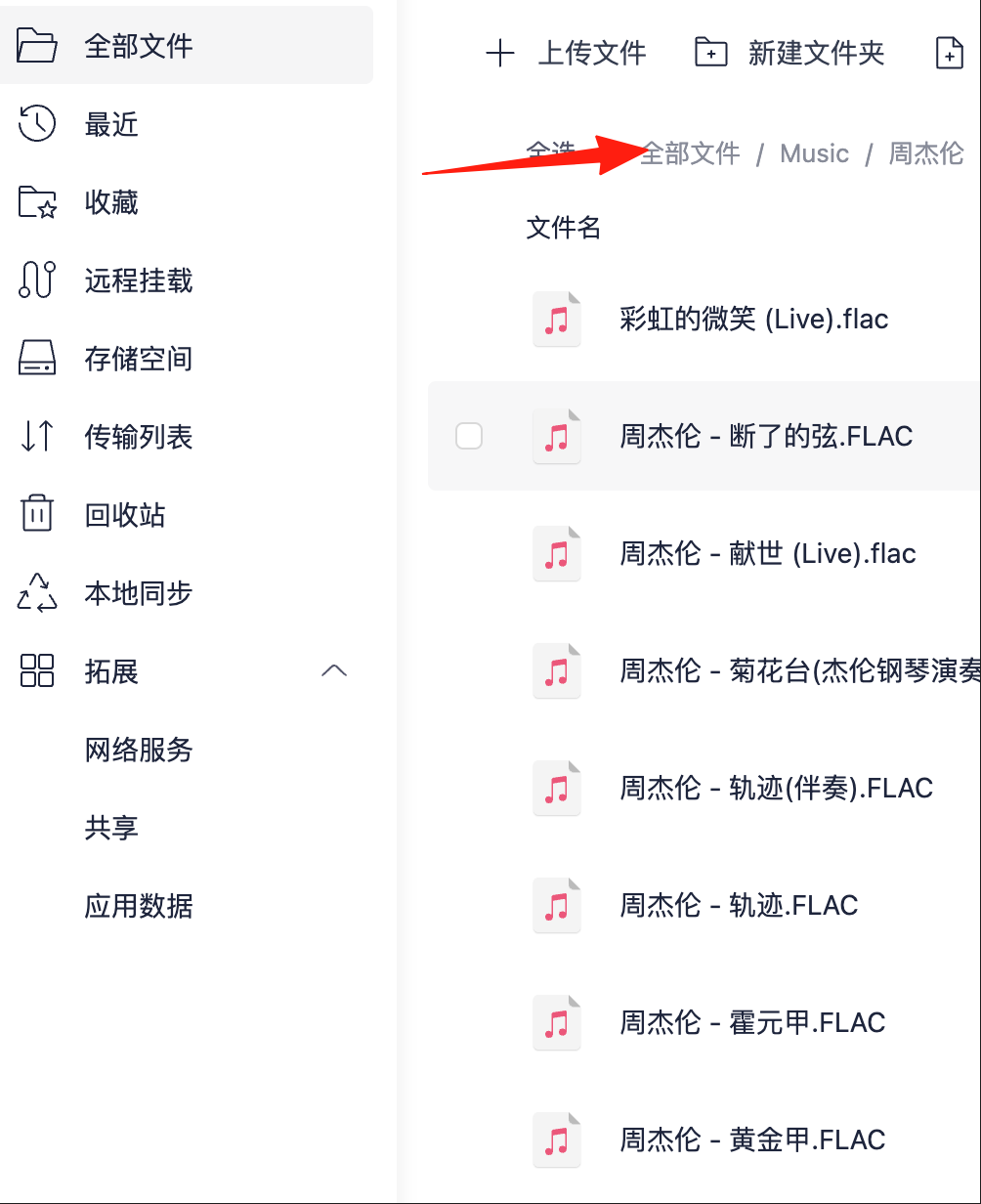
The downloaded music is placed in the Lazycat Cloud Drive, under the Music directory.
After installing the app, the default username/password is: admin/admin After logging in, go to the homepage.
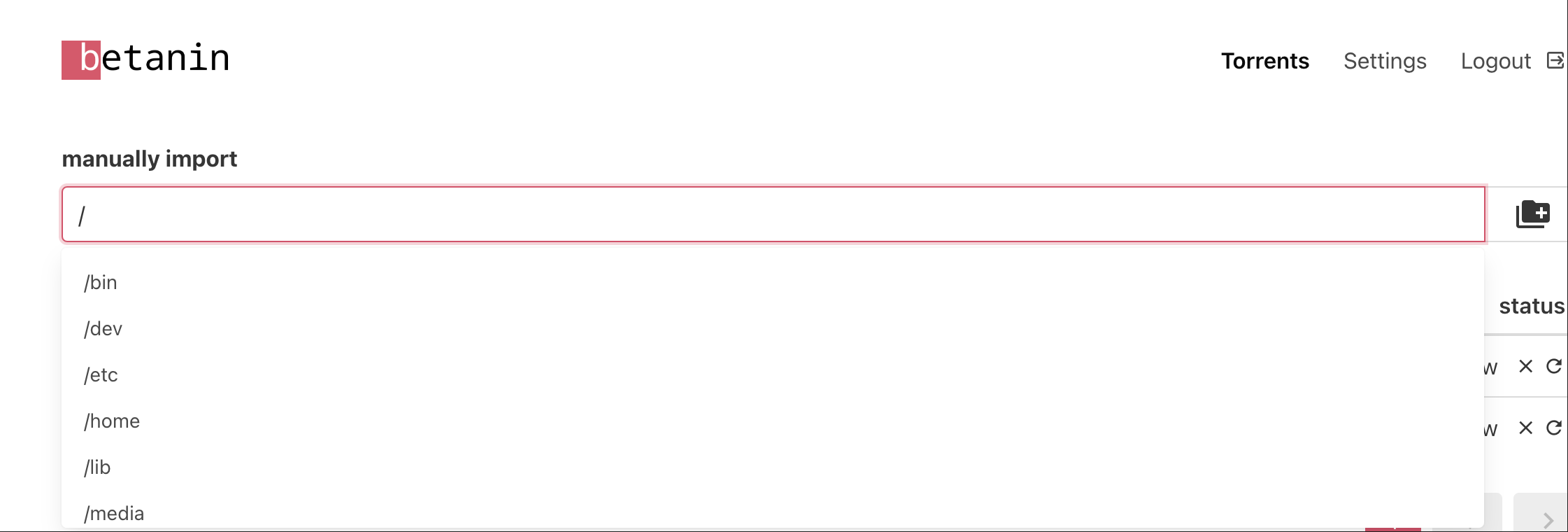
You can manually configure the path. For example, for my music mentioned above, the corresponding path should be selected like this:
/lzcapp/run/mnt/home/YourLazycatName/Music/Jay Chou
Click the file import icon on the right, and you'll see it processing. Once processed, you can view it below.

Click View to enter the processing page.
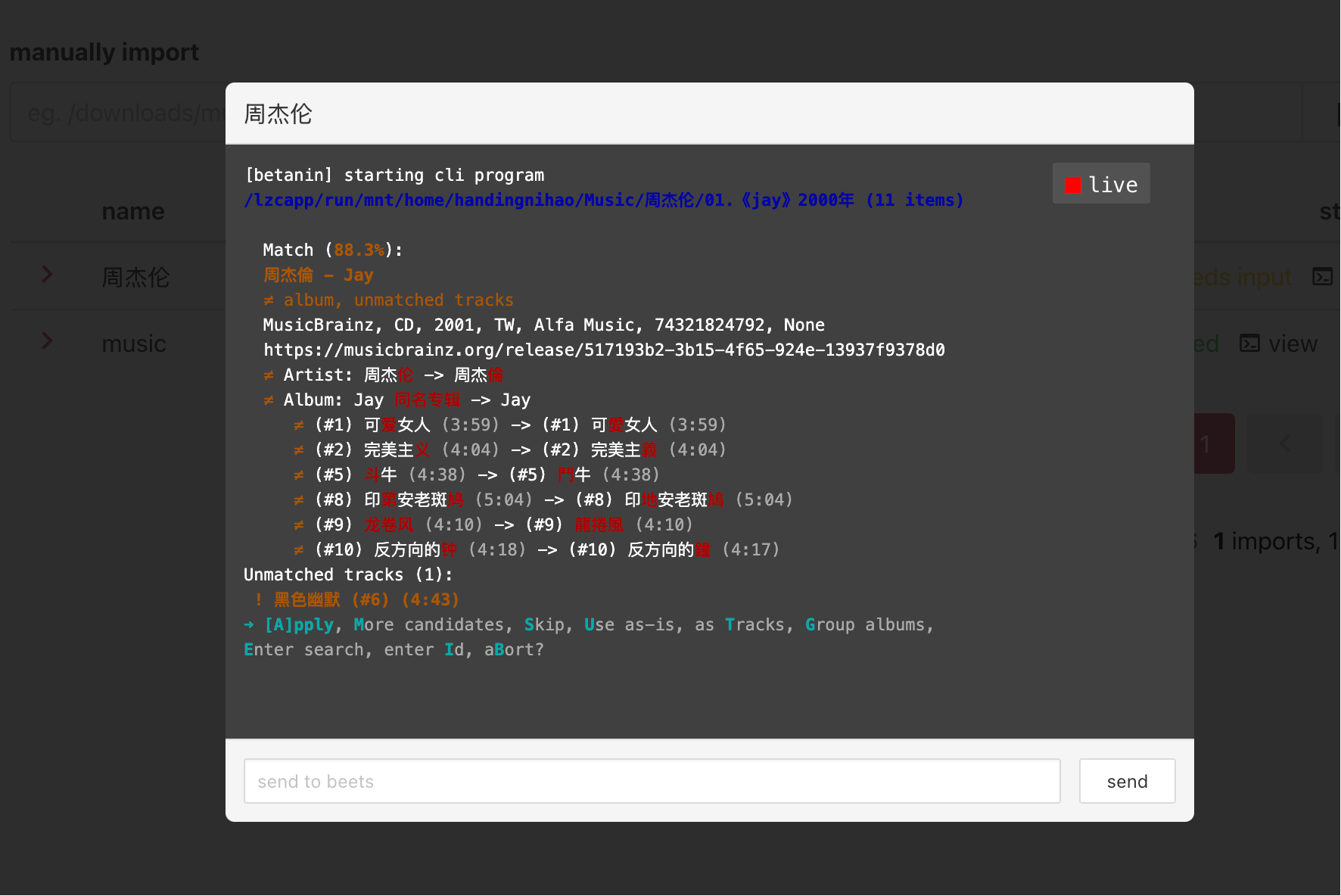
Match (88.3%): Beets automatically identified your folder contents and compared them with the "Jay" album in the MusicBrainz database, determining an 88.3% similarity.
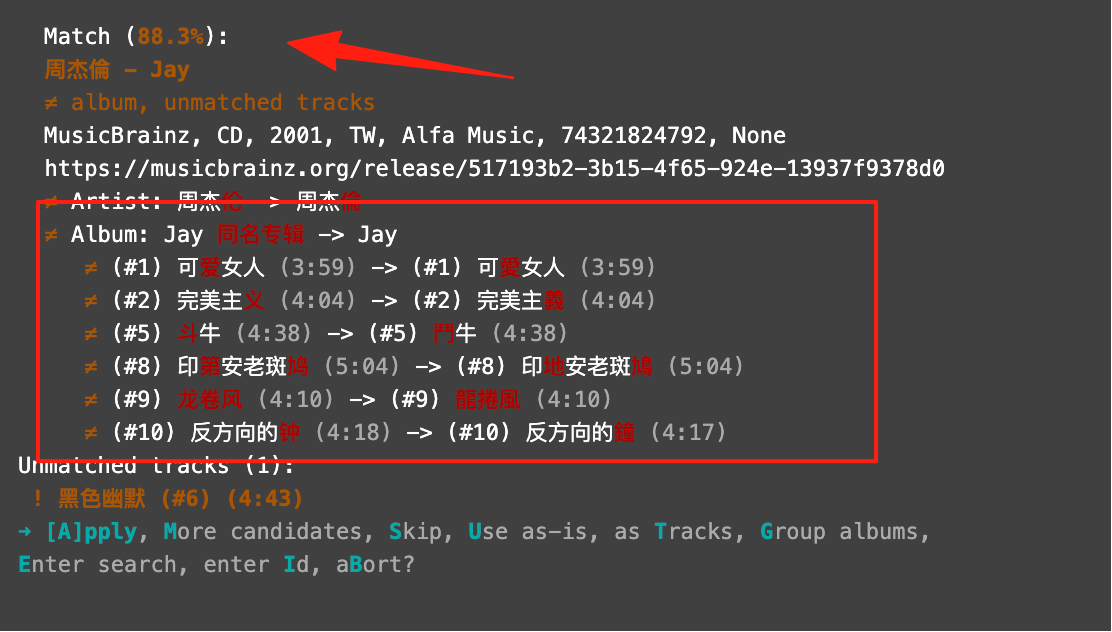
[A]pply: Apply the current match, write the album metadata (like artist, album name, track names, cover art, etc.) to your music files, and organize them into the target directory (/music).
▫ More candidates: If you think the current match is inaccurate, you can ask beets to find other candidate albums.
▫ Skip: Skip this import, making no changes.
▫ Use as-is: Import the files as-is without any metadata matching.
▫ as Tracks: Import as individual tracks, not as an album.
▫ Group albums: Import as grouped albums.
▫ Enter search, enter Id: Manually enter an album name or MusicBrainz ID to specify the match yourself.
▫ aBort: Abort this import.
In most cases, simply using [A]pply is sufficient. The system will automatically organize and archive the files to /music.
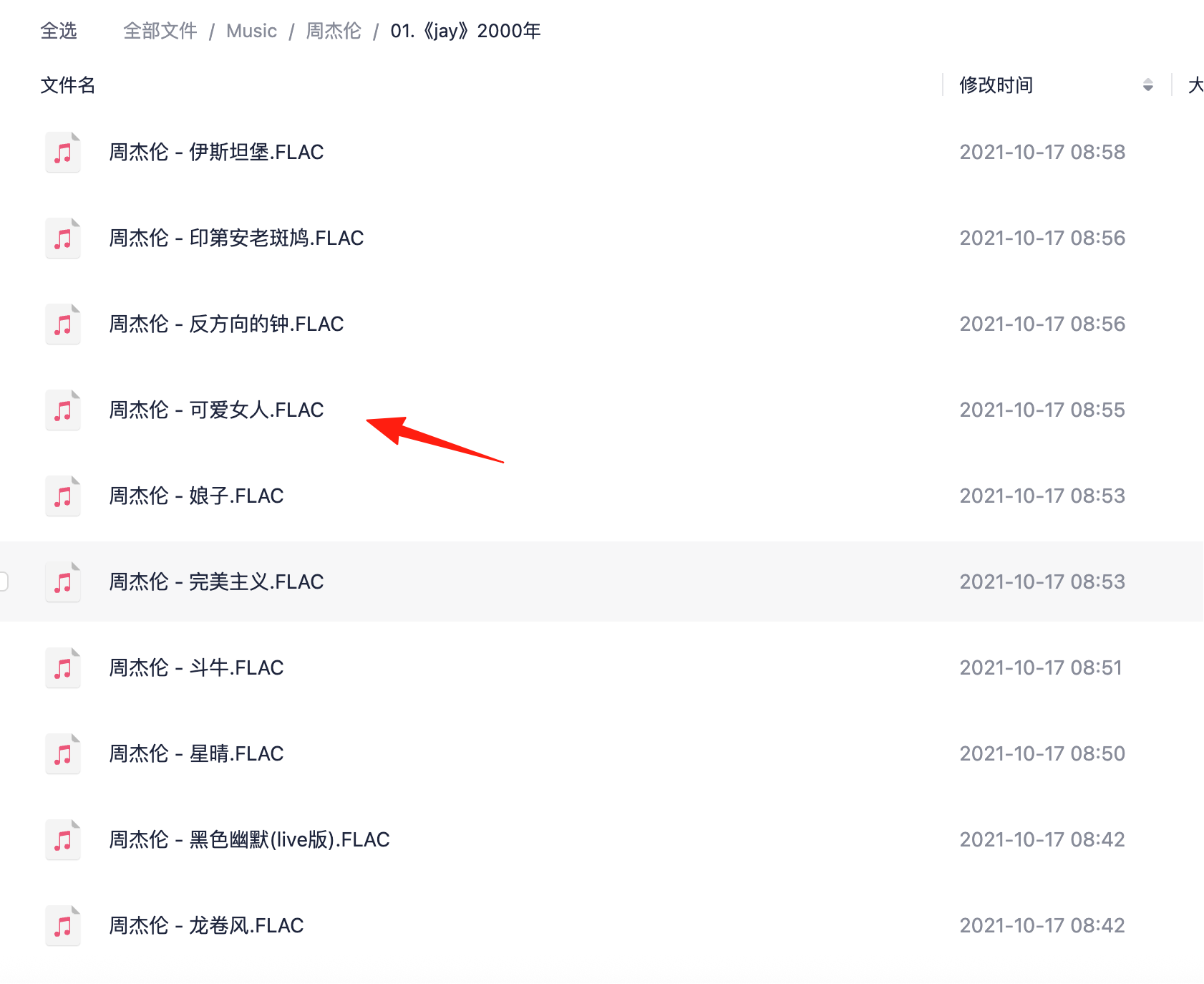
These were my original files:
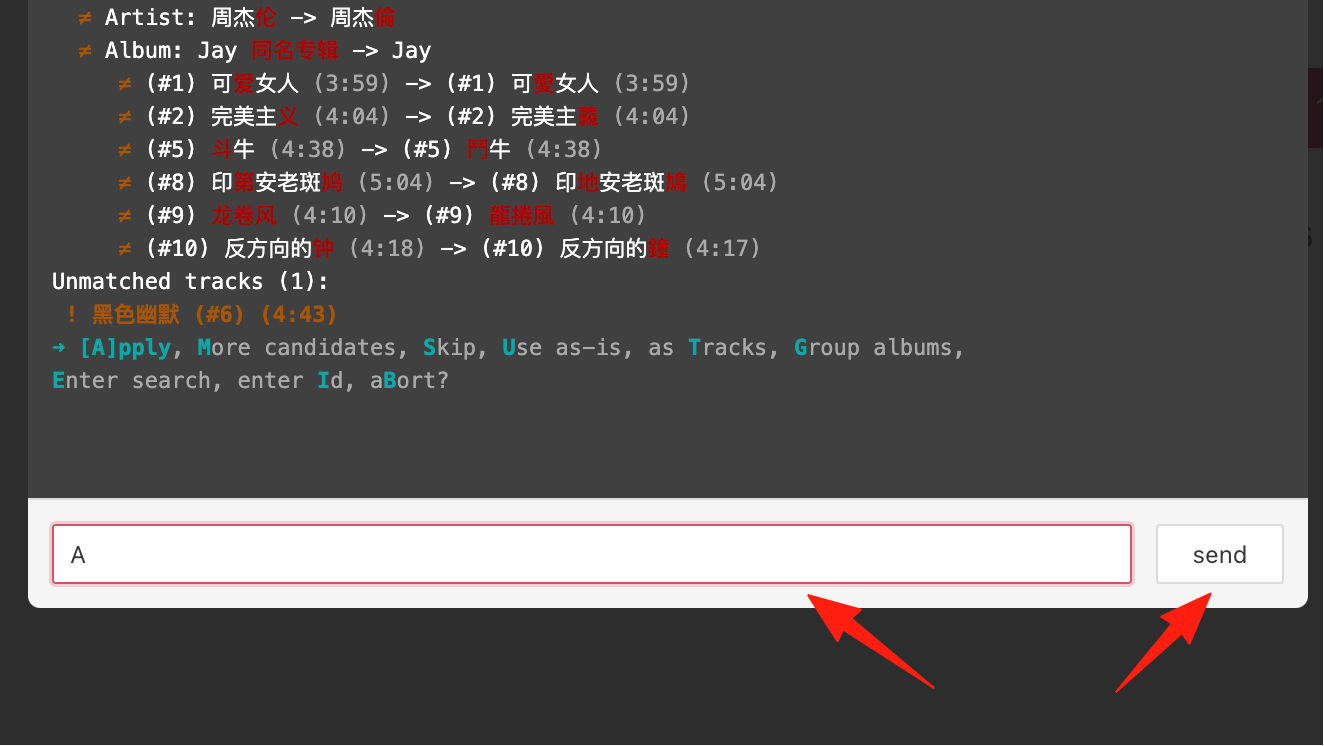
Type A, then click the send button.
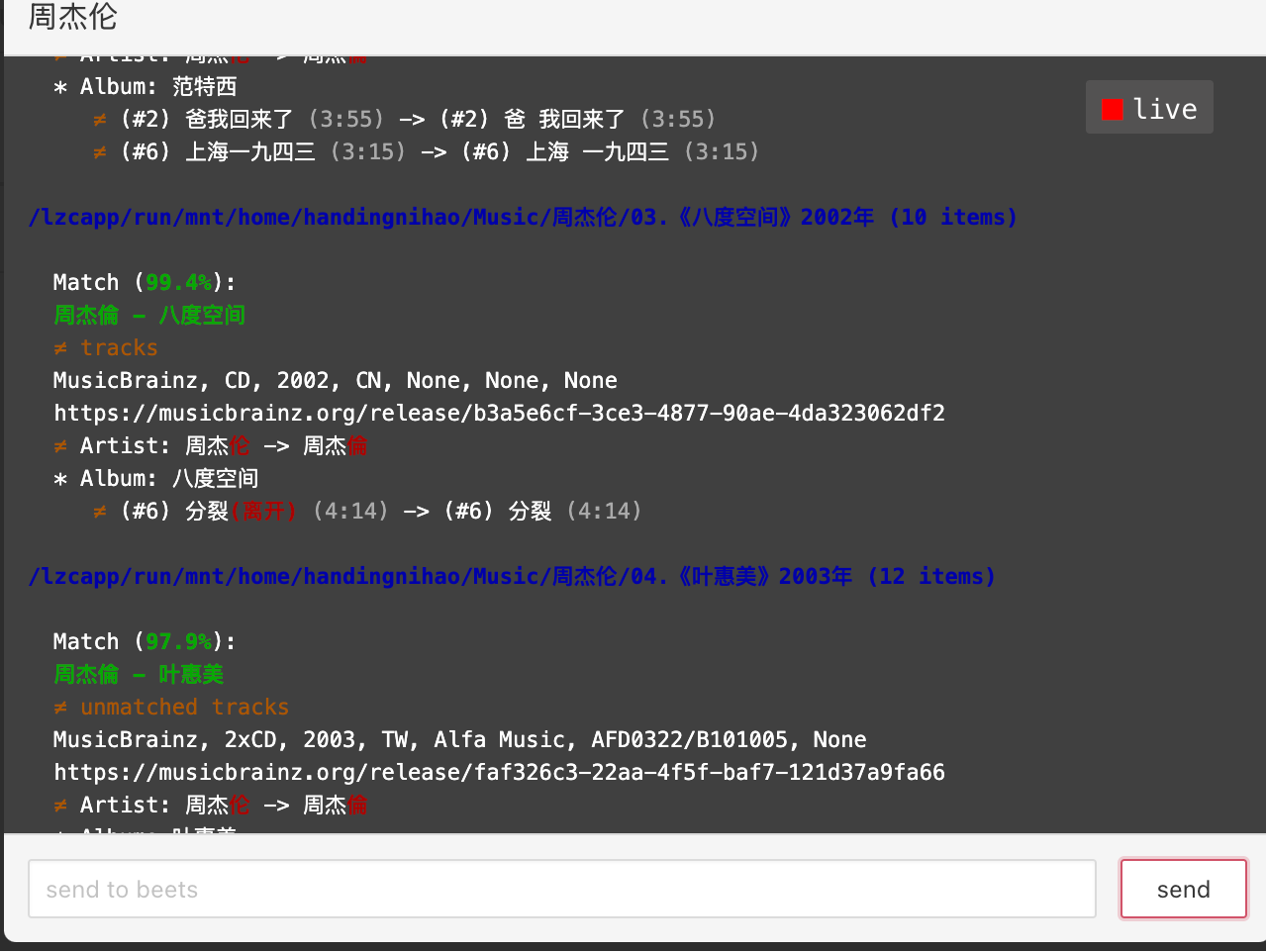
It will then automatically process the other folder data.
After everything is processed, you can see the files in the app data /music folder. The filenames and album names have been converted to standard characters.
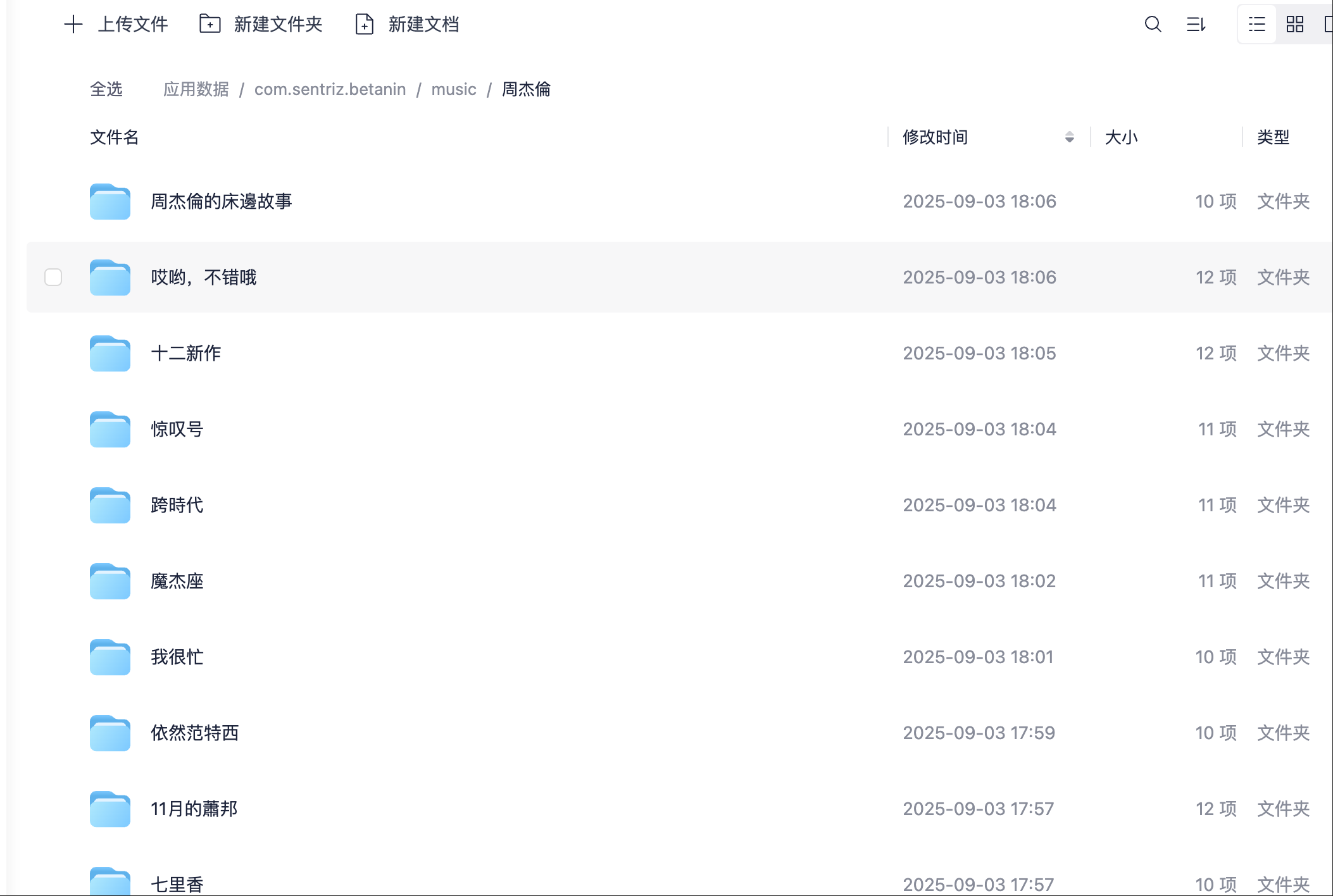
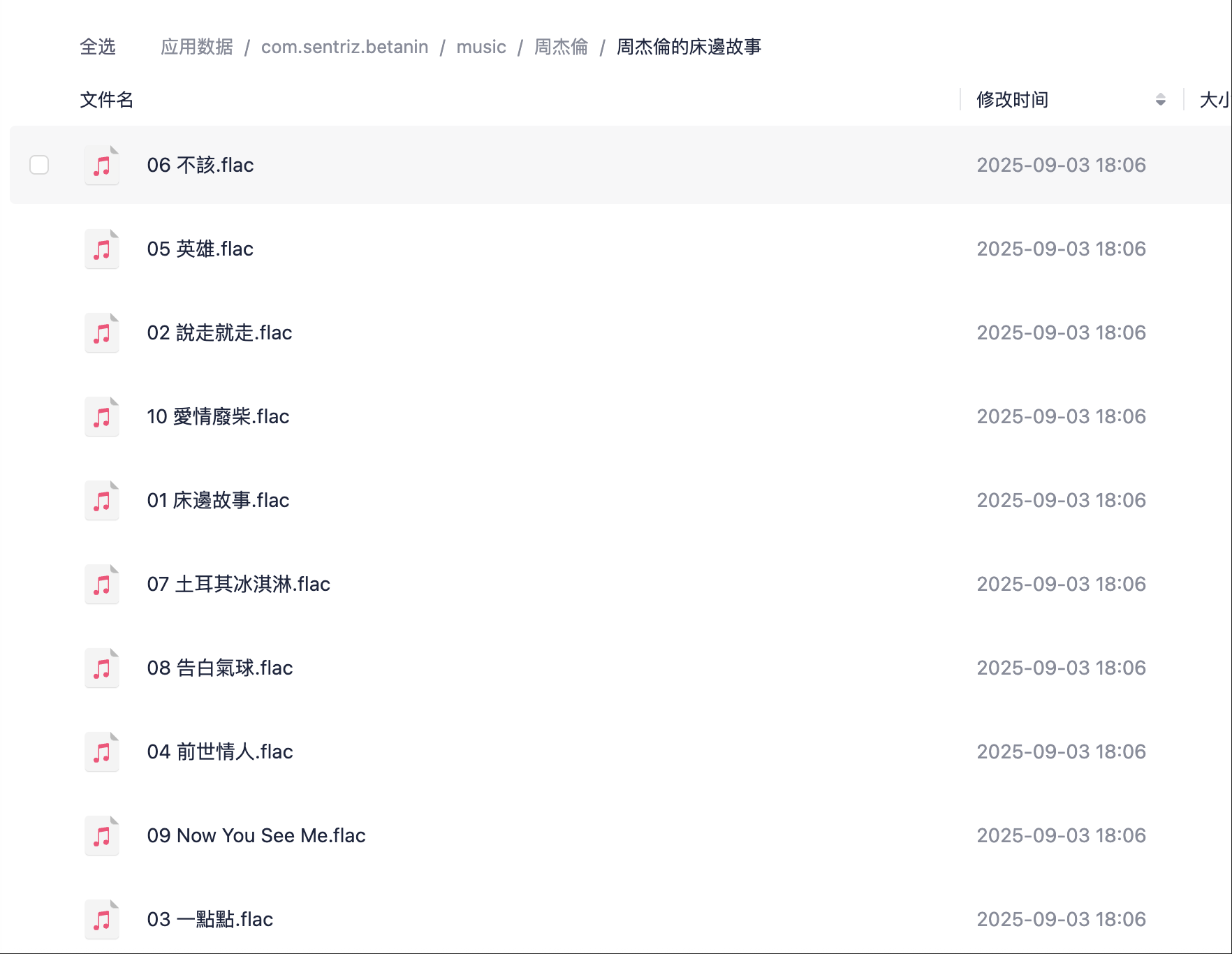
After processing, you can move the files to your desired directory.
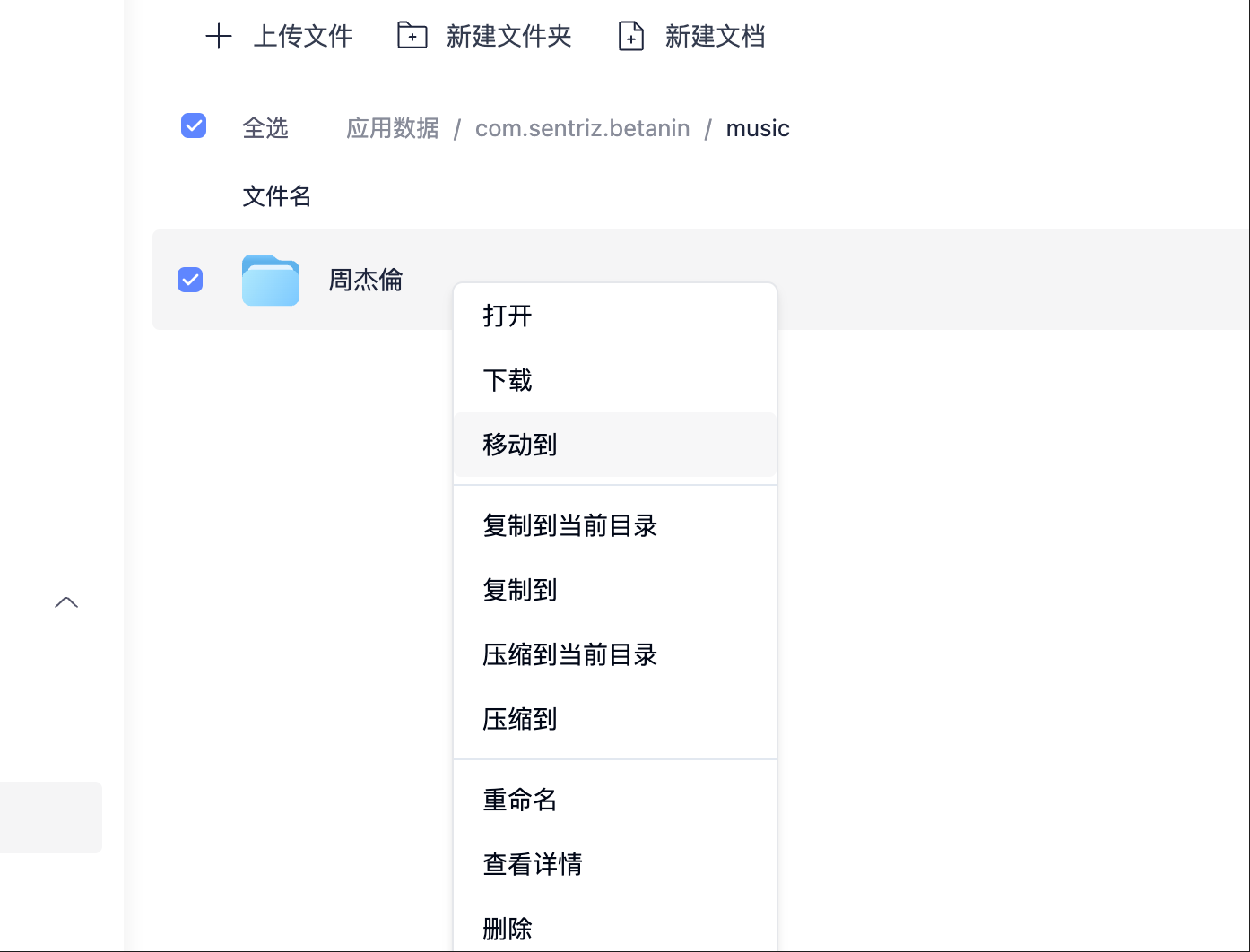
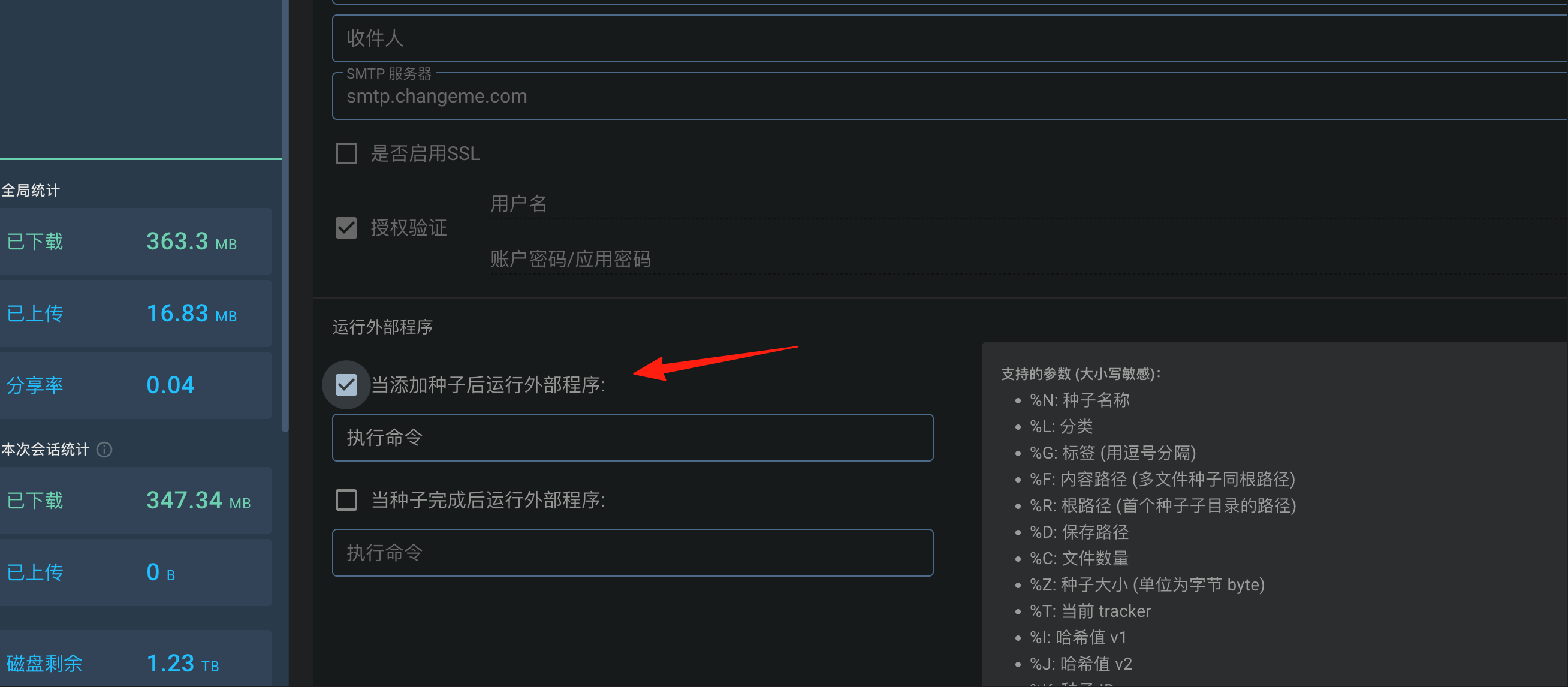
The above are the steps for manual operation. It also supports automatic operation, which requires configuring your BT client so Betanin can start working automatically after downloads complete.
VueTorrent Configuration
- Create a script
notify_betanin.sh:
#!/bin/sh
# Only process downloads with the "music" category
[ "$1" != "music" ] && exit

curl --request POST \
  --data-urlencode "both=$2" \
  --header "X-API-Key: Your_API_Key_Here" \
  "http://localhost:9393/api/torrents"
You can find the API Key in the Settings.
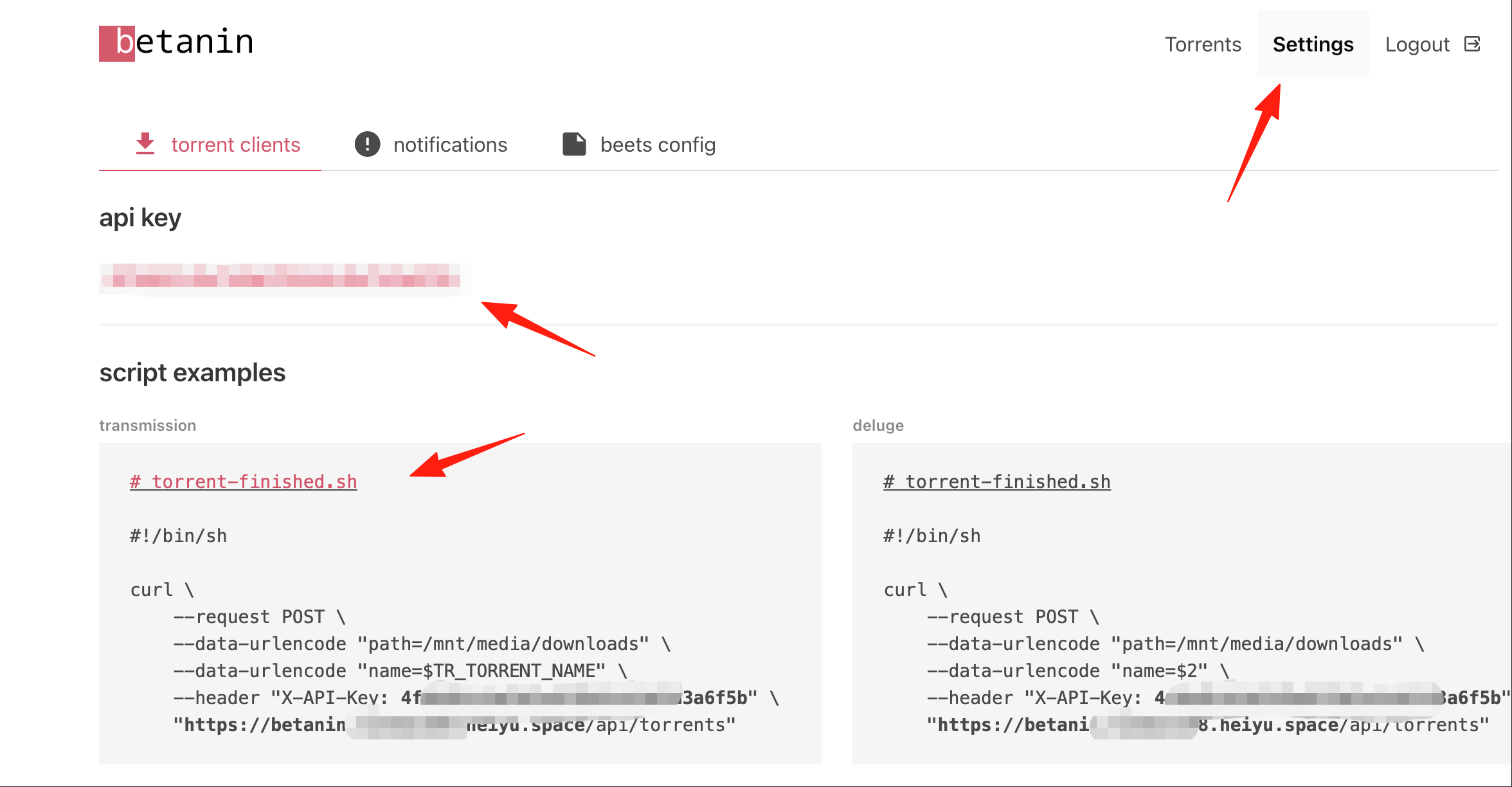
- In VueTorrent:
- Open
Settings→Downloads - Check
Run external program on torrent completion - Enter:
/path/to/notify_betanin.sh "%L" "%R"
- Open
- Remember to give the script execute permissions:
chmod +x notify_betanin.sh
You can also add notification channels in the Betanin settings, for example, Telegram:
notifications:
  - type: telegram
    token: your_bot_token
    chat_id: your_chat_id
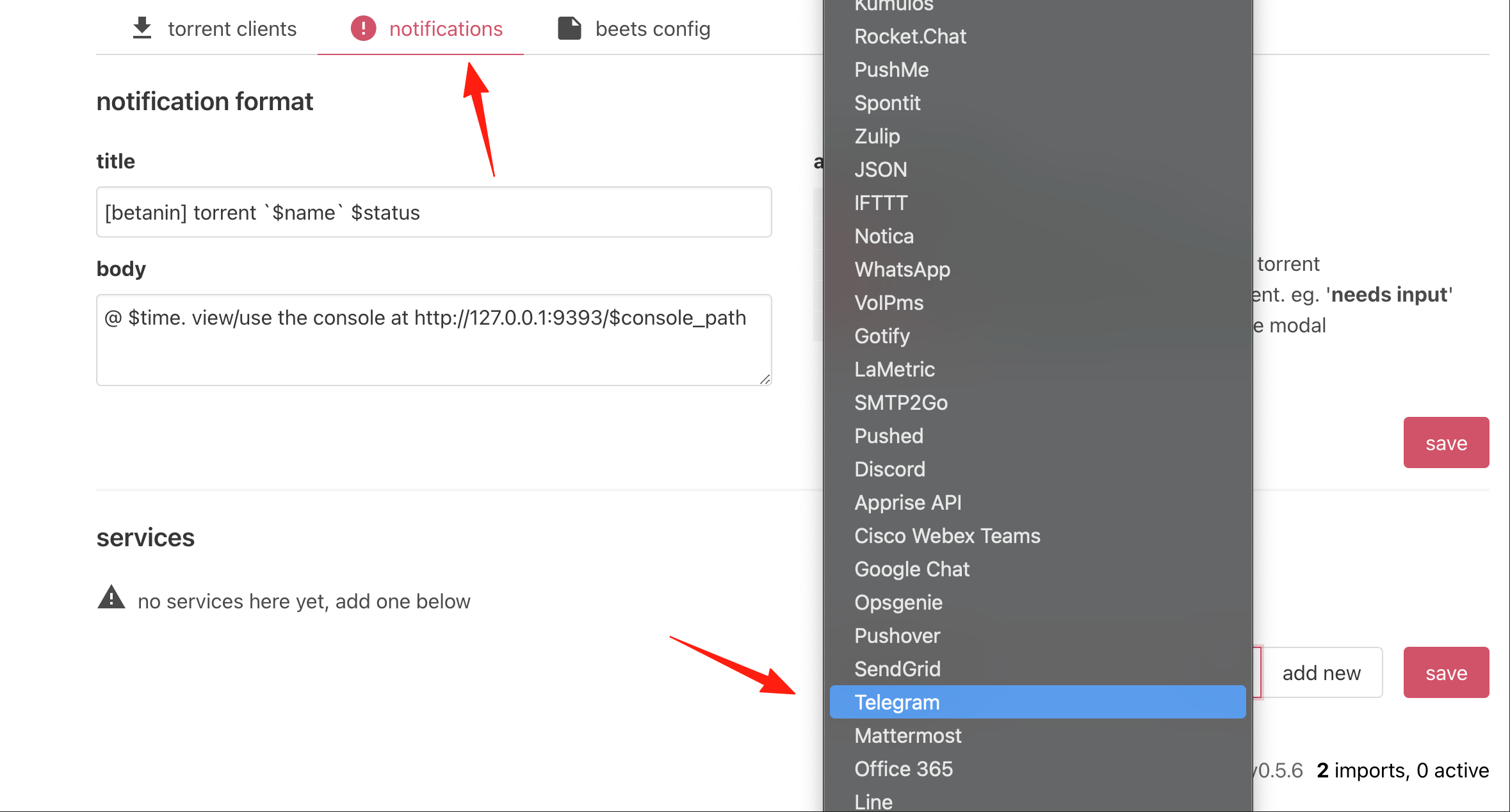
Note: While the MusicBrainz database is extensive, some niche or newly released albums might not yet be included. You can manually choose to skip or add information.
Final Words
Betanin makes managing your music incredibly easy. Once set up, you can focus on enjoying your music without worrying about messy files. The whole process is automatic; all you need to do is download the music and wait to enjoy the organized results.
If you're a music enthusiast who frequently downloads music, this tool is definitely worth a try.