
CloudSaver: The Ultimate Tool for Searching and Transferring Cloud Drive Resources
What is CloudSaver?
You find a great resource online, but then you have to copy the link, open your cloud storage app, select a folder, confirm the save... What a hassle!
CloudSaver solves this pain point. Developed with Vue 3 + Express, it supports searching multiple resource subscription feeds and allows one-click saving to 115 Wangpan and Quark Wangpan.
Core Features
Keyword Search: Directly input movie names, software names – find tons of resources instantly.
Link Parsing: Found a cloud storage link? Just paste it, and it will be parsed automatically.
Douban Rankings: Popular movies and TV shows are displayed directly, no need to search for resources elsewhere.
Supports 115 Wangpan: A veteran cloud storage service with stable speeds.
Supports Quark Wangpan: A rising star with generous storage capacity.
Custom Folder Selection: Save to any folder you want, making categorization and management super convenient.
Admin Permissions: Can manage all users and resources.
Regular User: Can only use the search and save functions.
Privacy Protection: Each user's cloud storage information is stored independently.
https://appstore.lazycat.cloud/#/shop/detail/cloud.lazycat.app.cloudsaver
How to Use
After installing the app, you need to register a user. There's a field for a registration code; the default codes are: Admin: 230713 Regular User: 9527
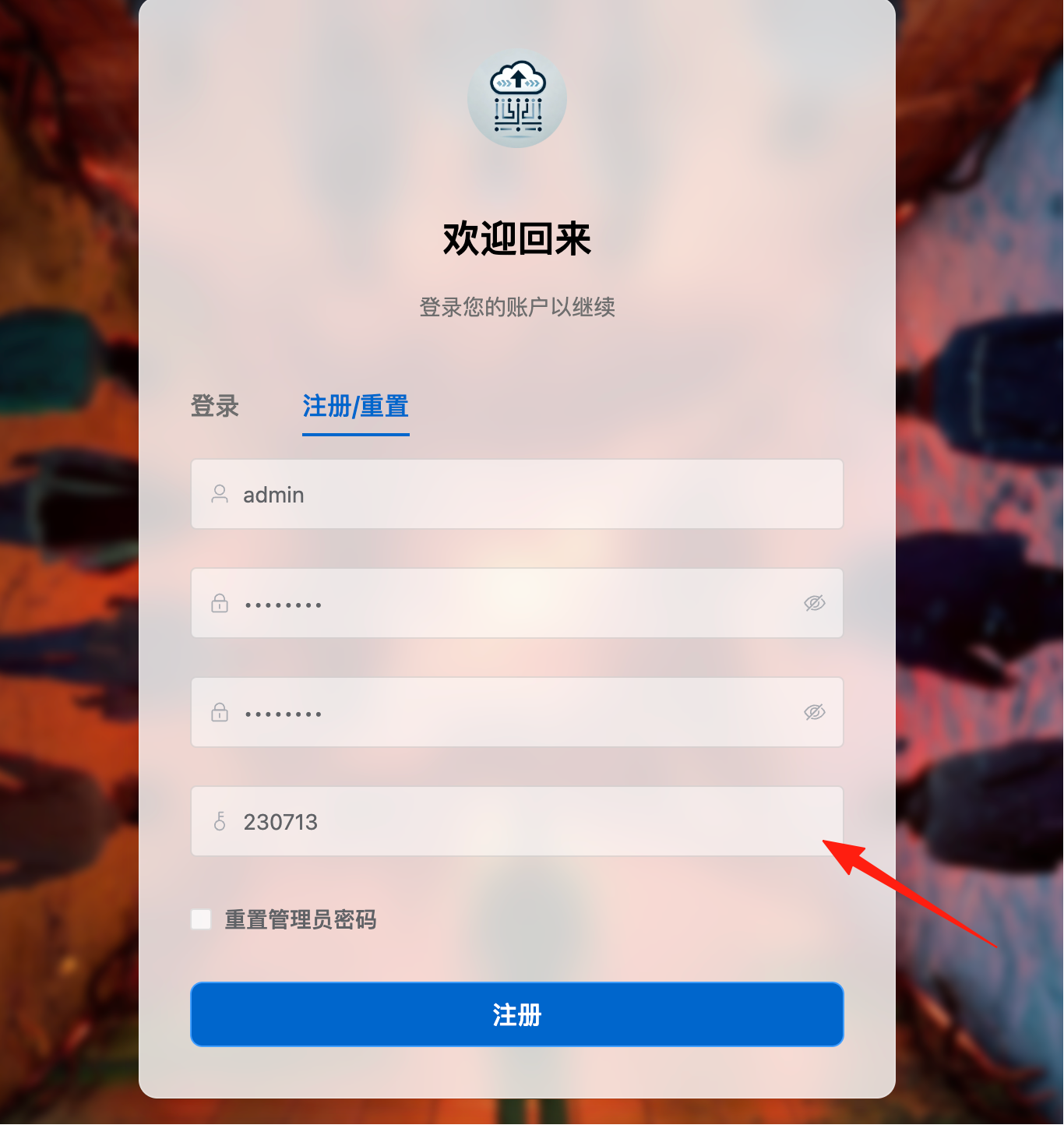
After registration, you'll enter the main page.

At this point, the search function is not available. You need to configure search channels first.

Go to Settings on the left -> Add Channel.

Click "Batch Import" and paste the officially provided resources.
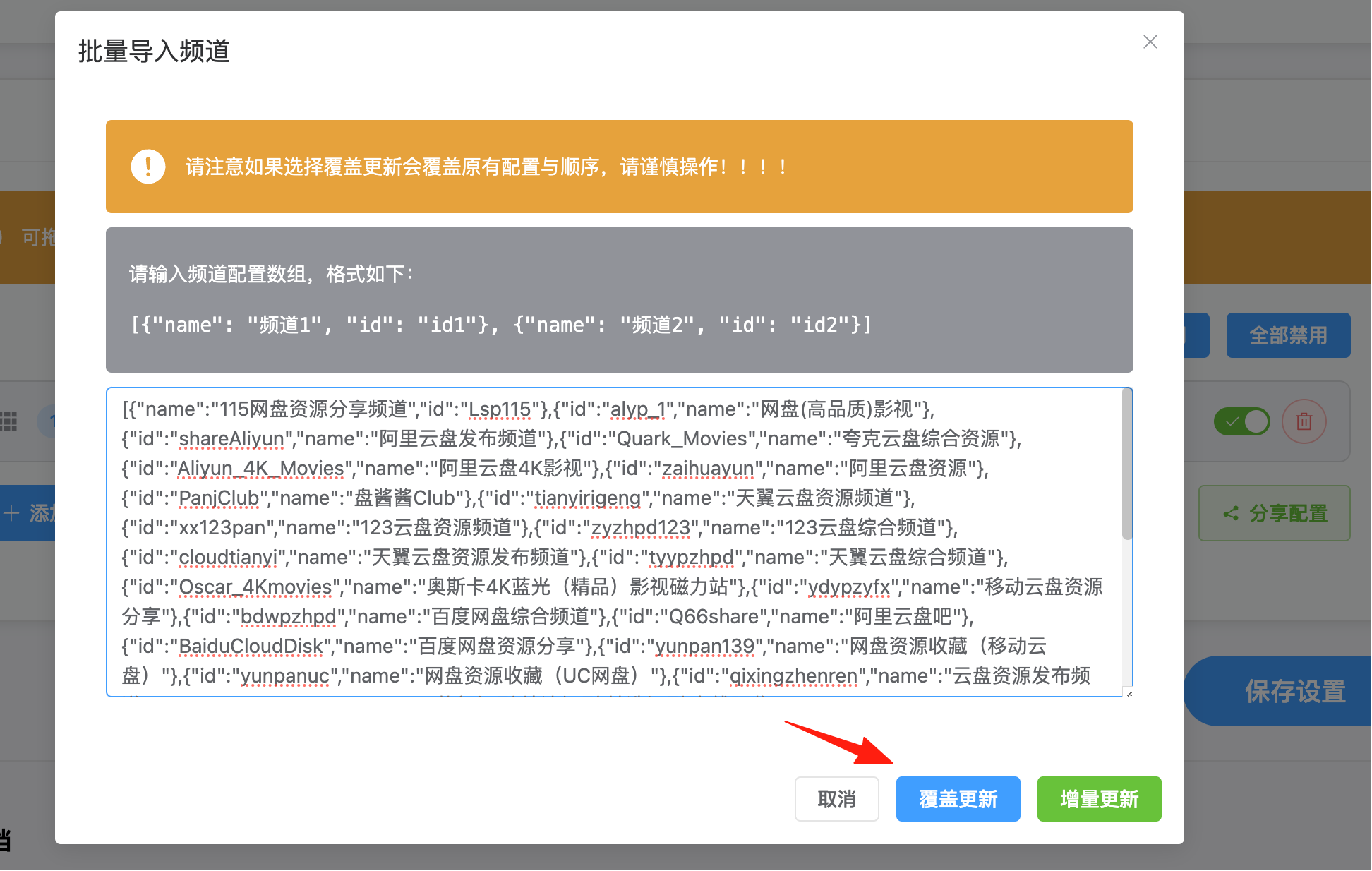
After successful addition, the effect is as shown:

To use the search function, you need to enable proxy settings. Note: Peppa Pig
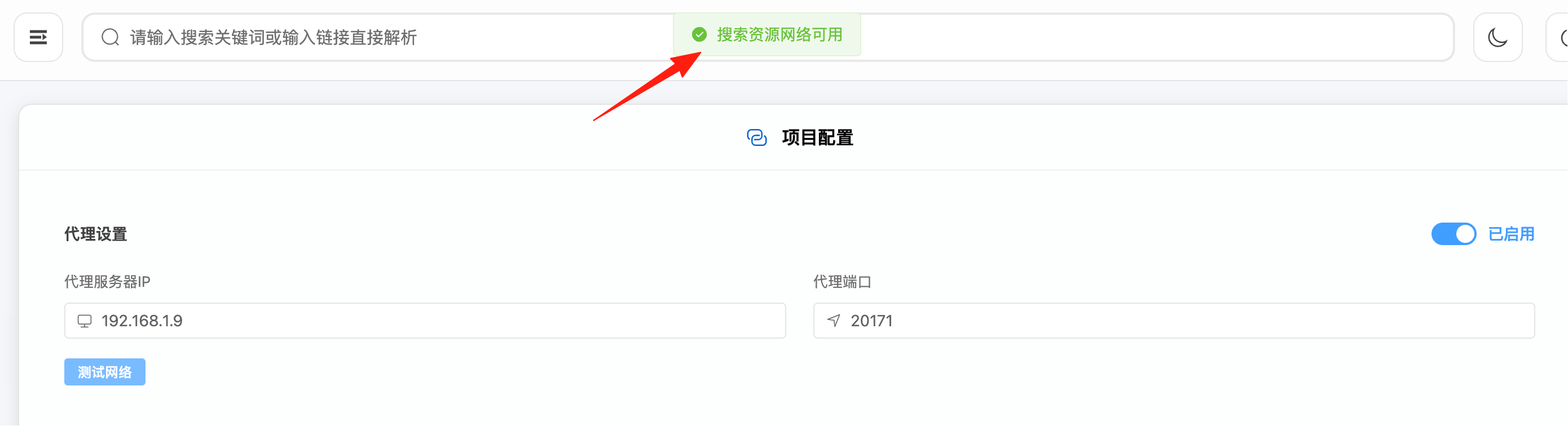
Return to the homepage and search for: The Avengers. You can now see the resources.

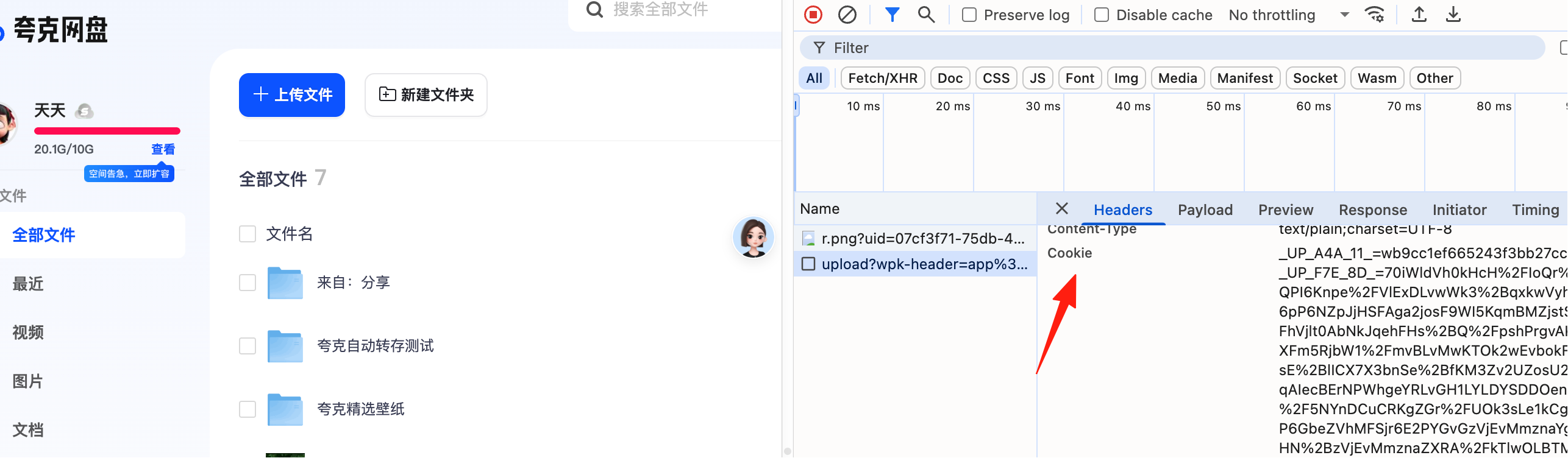
Configure the cookie for your frequently used cloud storage. You can refer to this document.

Quark Wangpan cookie:
 Click on a resource to enter its details page, where you can save it.

Create categorized folders in your cloud storage beforehand and select them directly when saving.

Return to Quark Wangpan to see that the file has been successfully saved.

Summary
CloudSaver is indeed a great tool, especially for friends who frequently need to collect cloud storage resources, as it saves a lot of time.
The feature that automatically identifies the cloud storage type, opens the resource directory, and allows one-click saving is really practical.