
Serge User Guide: Your Private AI Chat Assistant
What is Serge?
Simply put, Serge is a ChatGPT that runs on your own computer. No internet connection required, no risk of leaking your conversations, completely free, and you can chat as long as you want.
Imagine it: an AI assistant with no remote APIs, no data collection, no ads, right inside your microserver computer, always ready. That's the charm of Serge.
https://appstore.lazycat.cloud/#/shop/detail/cloud.lazycat.app.serge
Quick Start
After installing the application, open the home page.
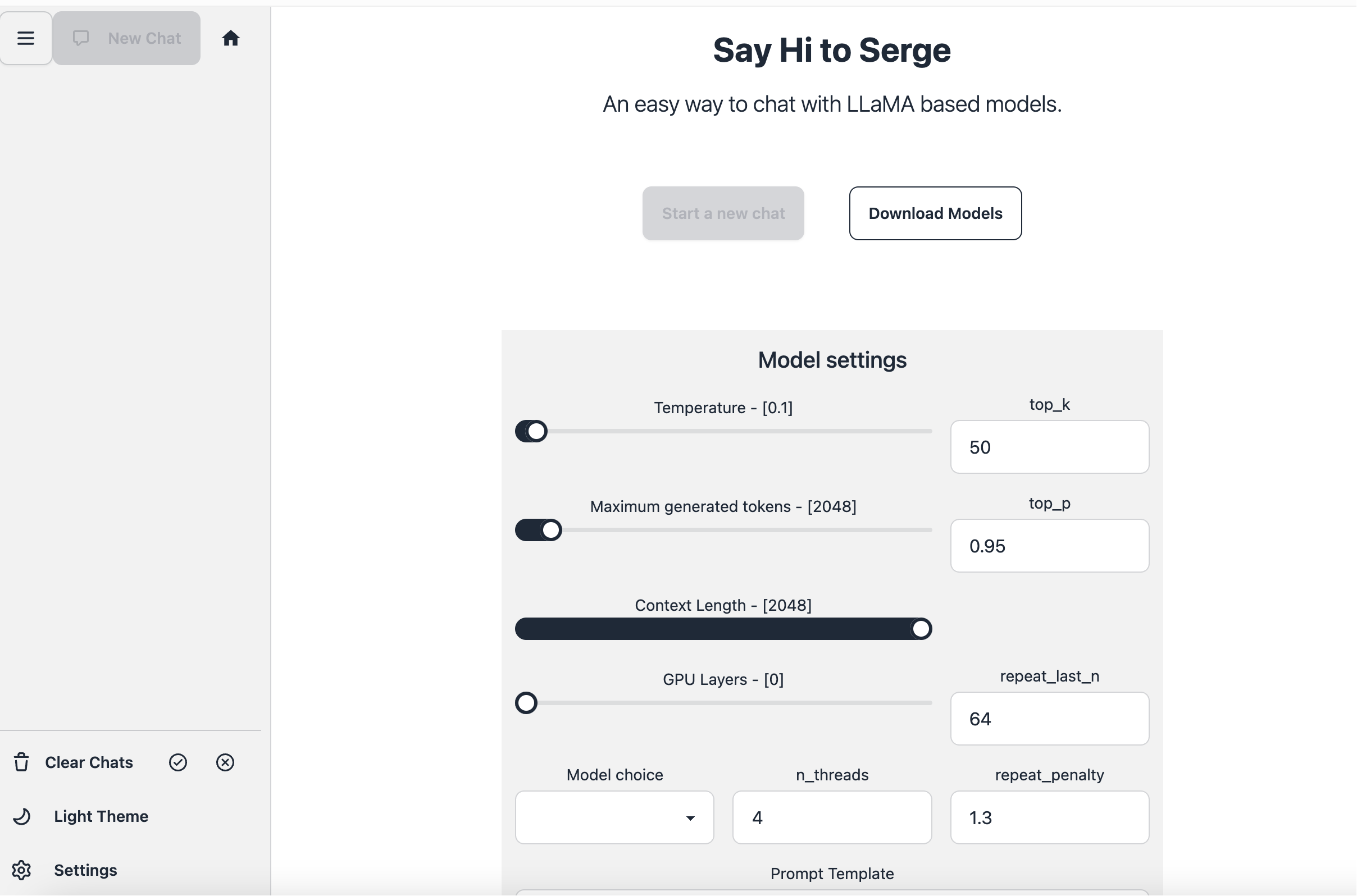
Choose a Suitable Model
Serge supports various AI models, each with different characteristics:
- 7B Model: Fast speed, low memory usage, suitable for daily conversations.
- 13B Model: Smarter, higher quality answers, requires more memory.
- 30B+ Model: Most intelligent, but requires significant memory and time.
Beginner Tip: Try the 7B model first, and upgrade if the answer quality isn't sufficient.
- General Chat/Q&A: Choose general large models like LLaMA2, Mixtral, Mistral, Vicuna, Zephyr, OpenChat, etc.
- Code Generation/Programming Assistance: Choose CodeLLaMA, Python-Code, Vicuna-Coder, Code, WizardLM (some versions support code).
- Medical Related: Choose Med42, MedAlpaca, Medicine LLM, Meditron, PsyMedRP.
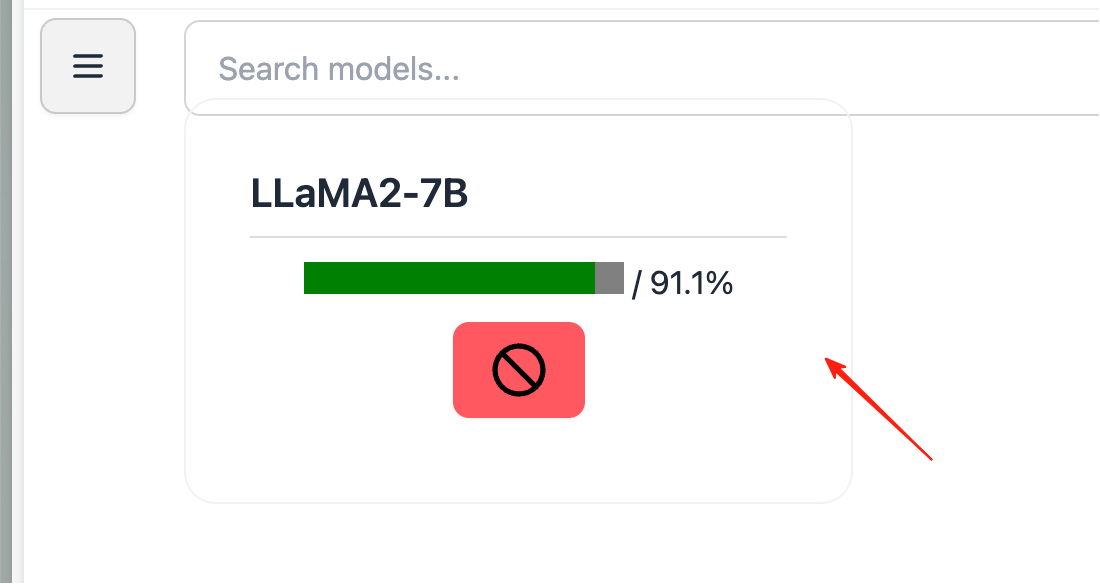
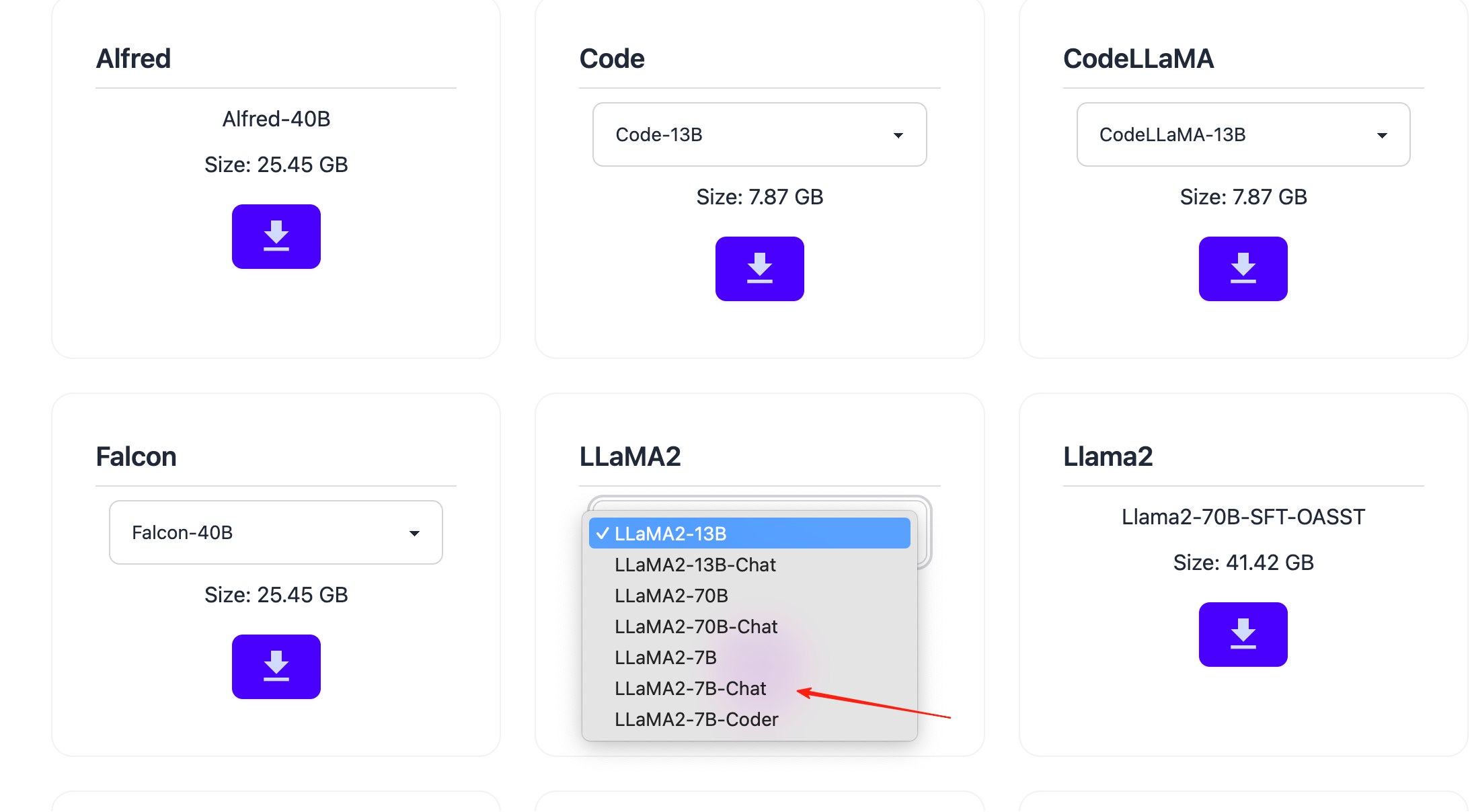 Click Download (the first download might be slow, please wait patiently). You can see the download progress in the upper left corner.
 Once the download is complete, you can start chatting.
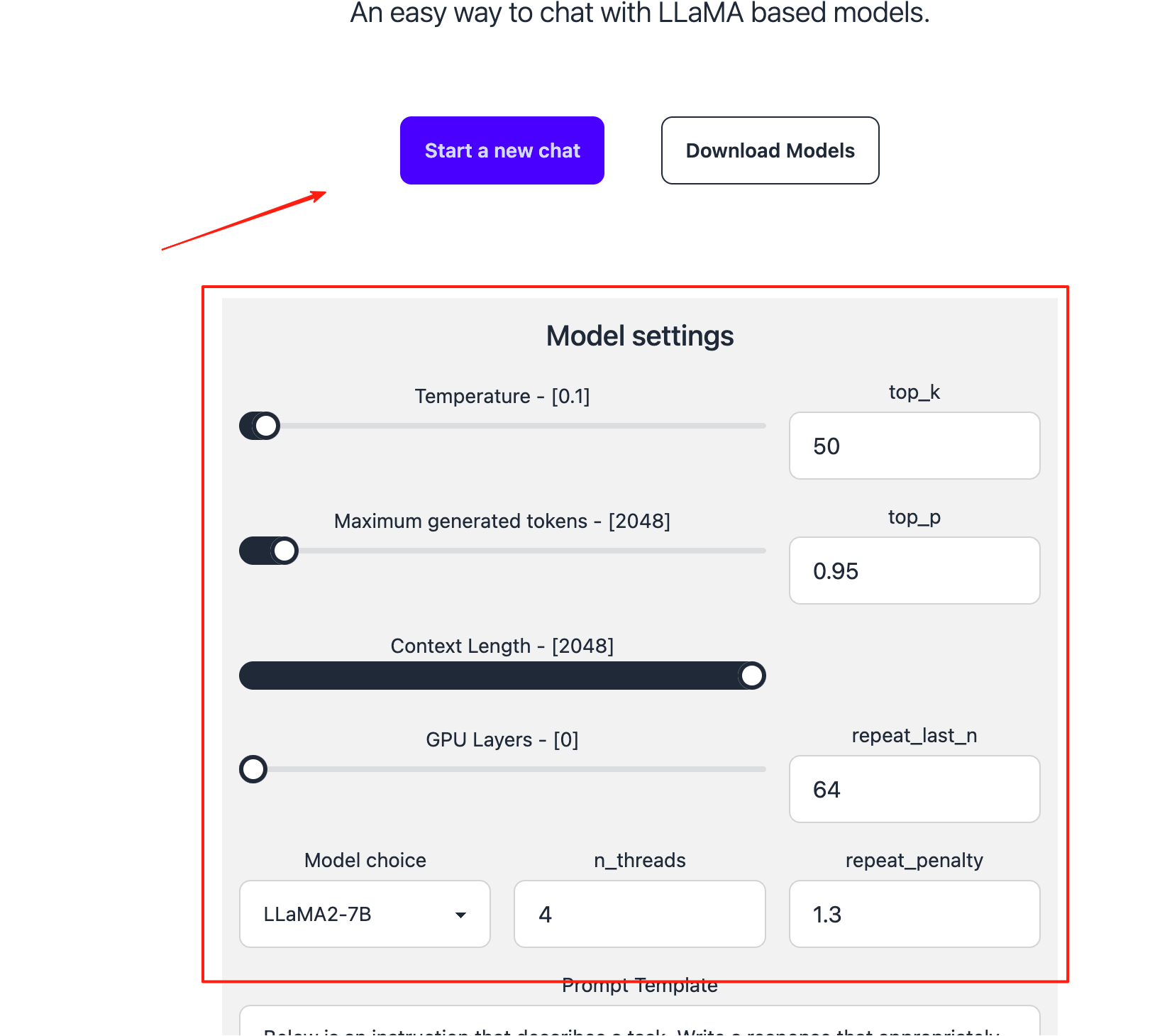
Optimizing Conversation Quality
Adjusting Parameter Settings
- Temperature: Controls the randomness of generated content. • Lower values (e.g., 0.1) result in more stable, conservative output. • Higher values (e.g., 0.8) result in more creative, random output.
- Maximum generated tokens: Limits the maximum number of "words" (tokens) generated at once. • 2048 means generating up to 2048 tokens. Tokens are typically shorter than Chinese characters or English words.
- Context Length: The maximum input length the model can "remember". • 2048 means it can handle a context of up to 2048 tokens.
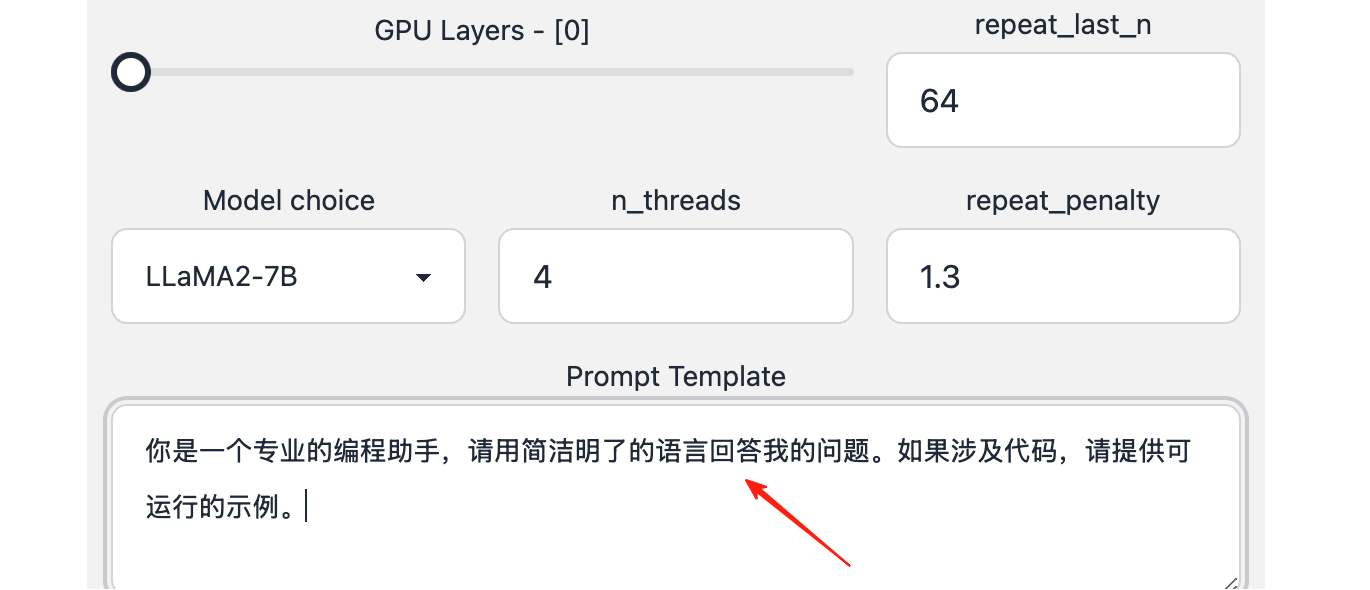
- n_threads: Sets the number of CPU parallel threads. • Higher values increase inference speed but consume more CPU resources.
- Top P: Controls answer diversity; generally keep the default value.
- Max Length: Limits the length of the answer to prevent the AI from being too verbose.
Writing Good Prompts
You are a professional programming assistant. Please answer my questions in clear and concise language. If code is involved, provide runnable examples.
Click start to begin the conversation.
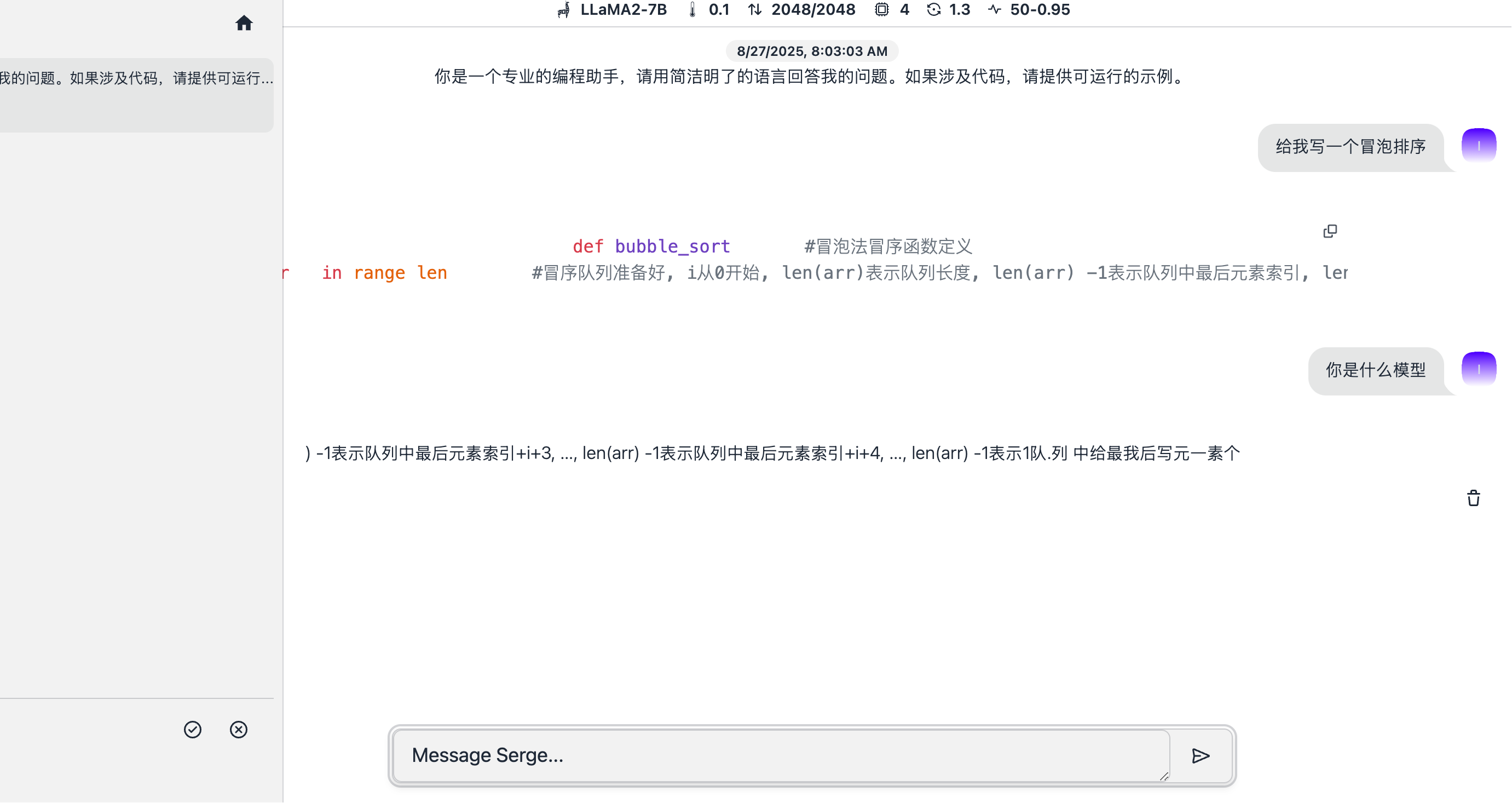
I tested a few rounds of conversation with the 7B model. It's usable, but the fluency isn't as good as ChatGPT, which relates to my configuration and the model. It should perform better on a compute-optimized setup.
Before each conversation, you can set a system prompt to make the AI play a specific role:
You are now a senior product manager. Please answer my questions from a product design perspective.
Multi-turn Conversation Techniques
- Maintain Context: Serge remembers previous conversation content; make full use of this feature.
- Clear Instructions: Tell the AI what format you want for the answer (list, paragraph, code, etc.).
- Gradual Deepening: Start with simple questions and gradually delve deeper.
Answer Speed is Too Slow
- Choose a Smaller Model: 7B is much faster than 13B.
- Close Other Programs: Free up more memory for Serge.
- Check System Resources: Ensure CPU and memory are not saturated by other programs.
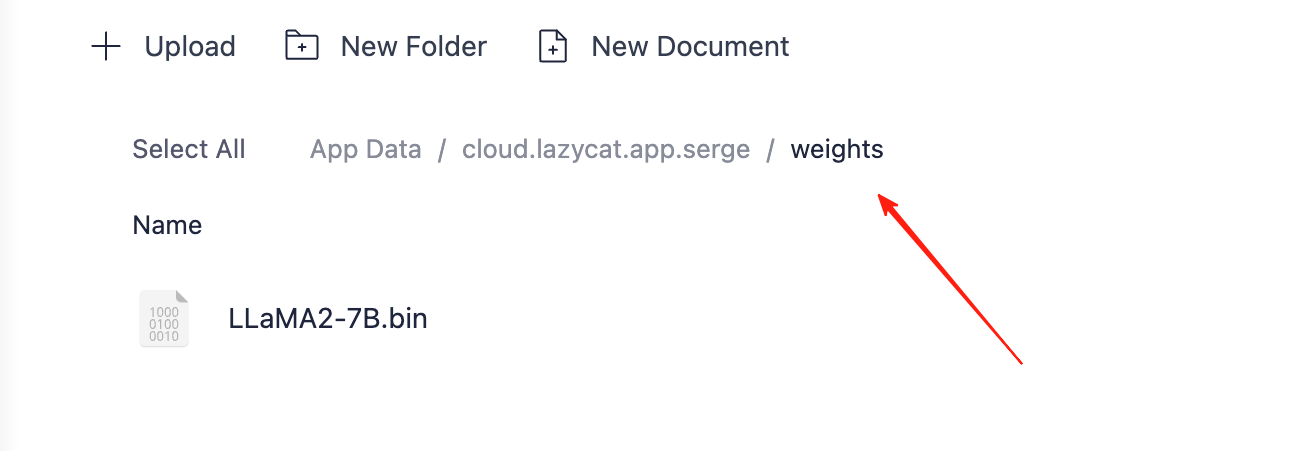
Downloaded models can be viewed in the application data. Remember to back them up promptly.
Summary
Serge is an excellent private AI assistant solution, especially suitable for:
- Privacy-conscious users
- Users who don't want subscription services
- Tech enthusiasts who enjoy tinkering
- Scenarios requiring offline AI functionality
Although the initial setup requires some technical foundation, it becomes very useful once configured. Most importantly, it belongs entirely to you—no one can shut it down or limit your usage.