n8n Hands-On Guide 4: Save Feishu Notes with One-Click Shortcuts
When I come across well-curated text snippets, I sometimes save them to WeChat Favorites, and other times to flomo. Over time, they end up scattered across different places, making organization quite troublesome. Is there a simple way to consolidate everything into one place with a single click?
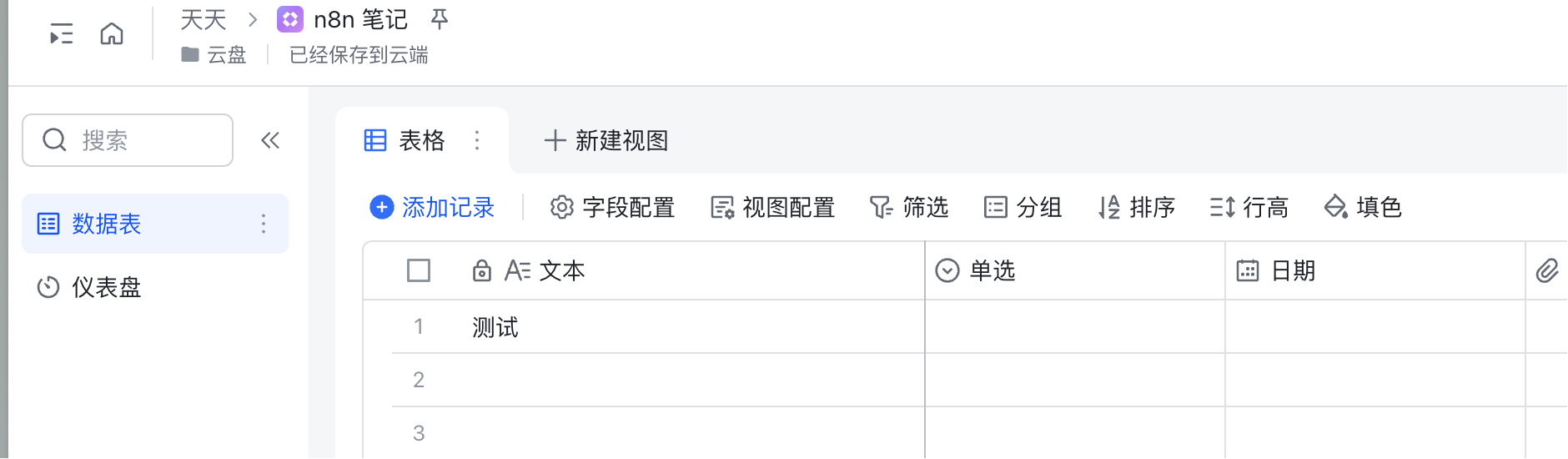
Using n8n, this can be achieved: When I select and copy a piece of text on my iPhone, I just tap the back of my phone three times, and the text is automatically saved to a Lark spreadsheet. It's incredibly convenient.
https://appstore.lazycat.cloud/#/shop/detail/cloud.lazycat.app.n8n
Below are the practical steps.
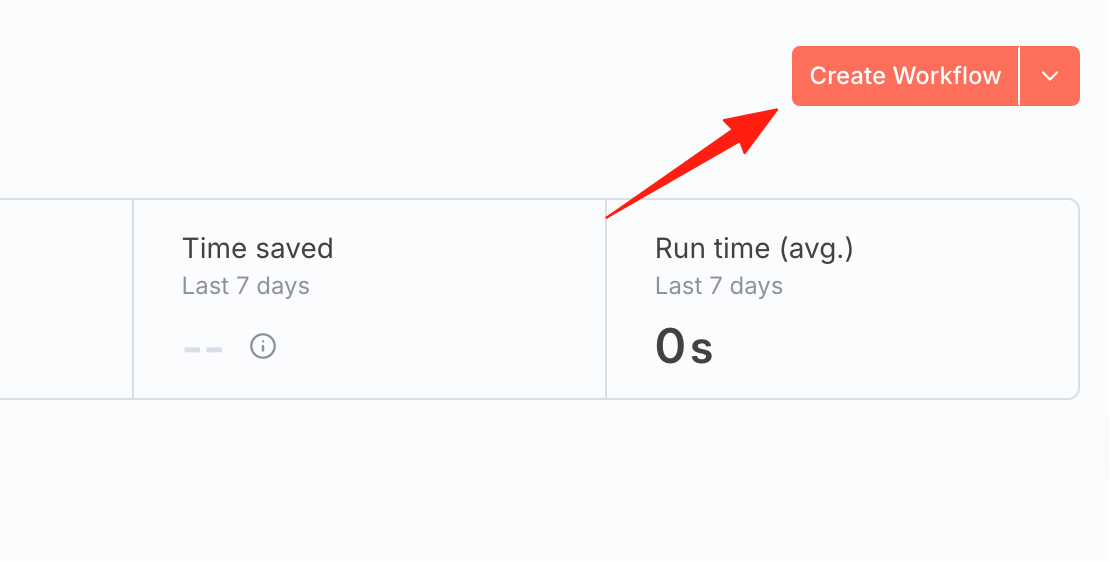
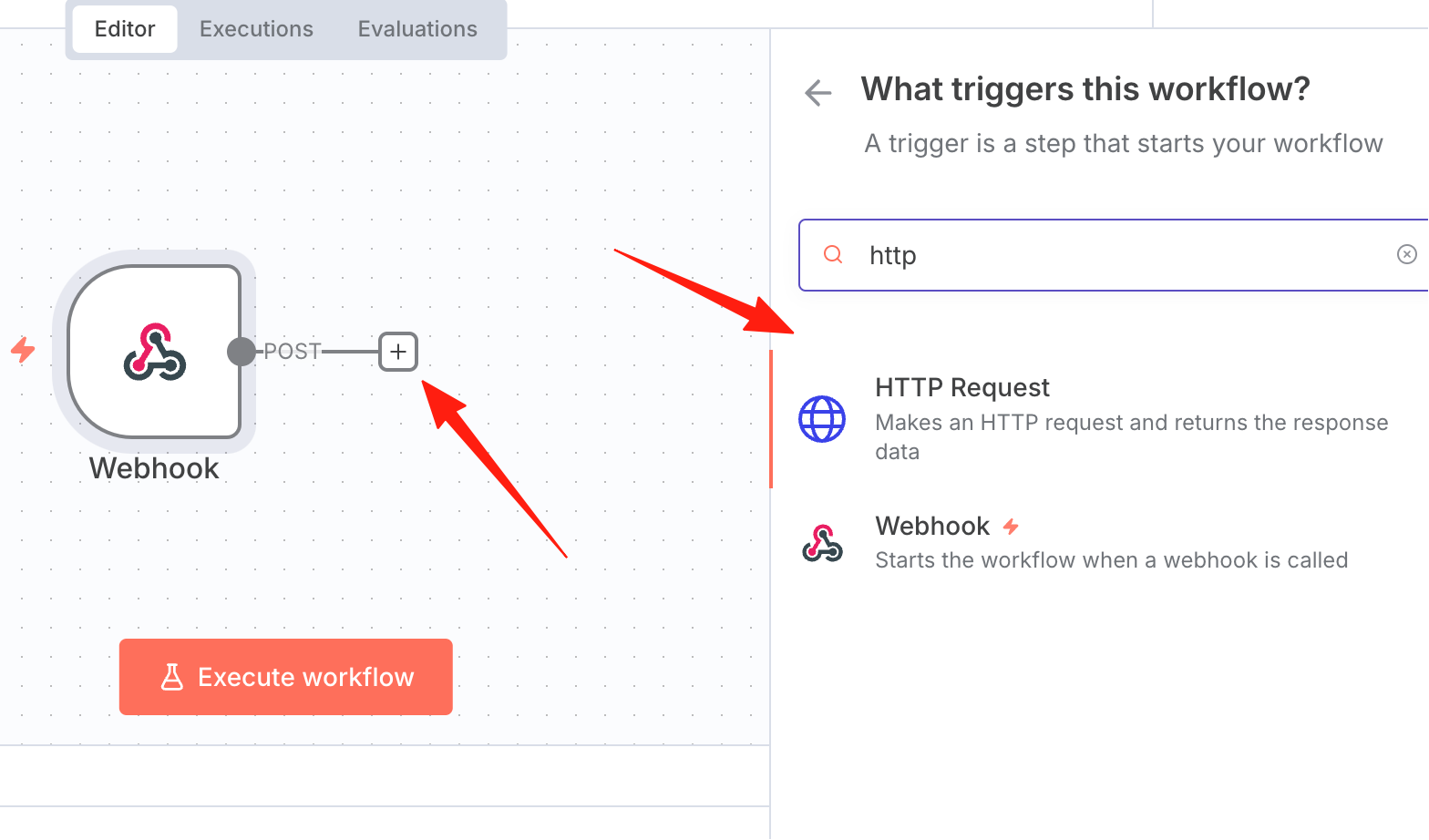
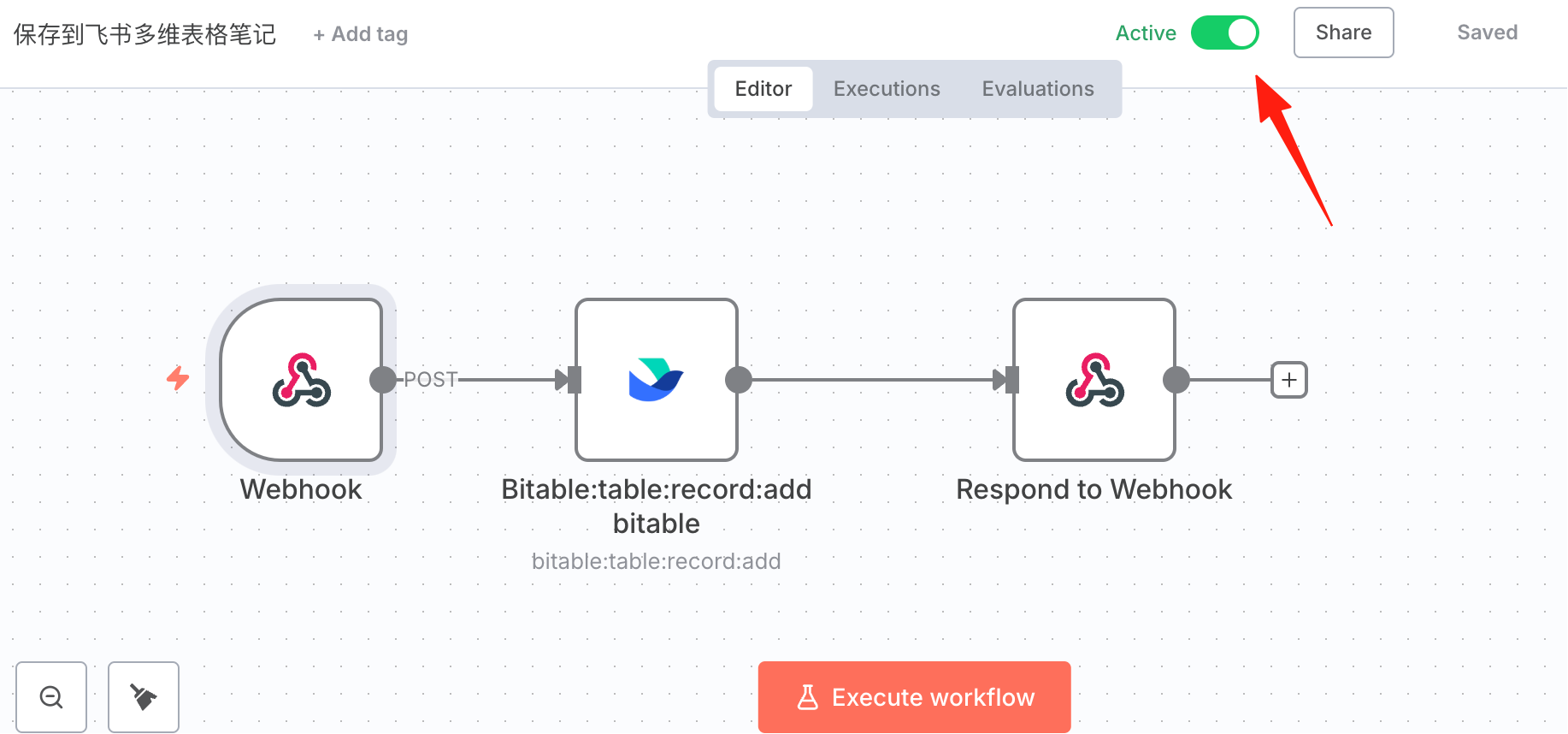
First, create a new workflow
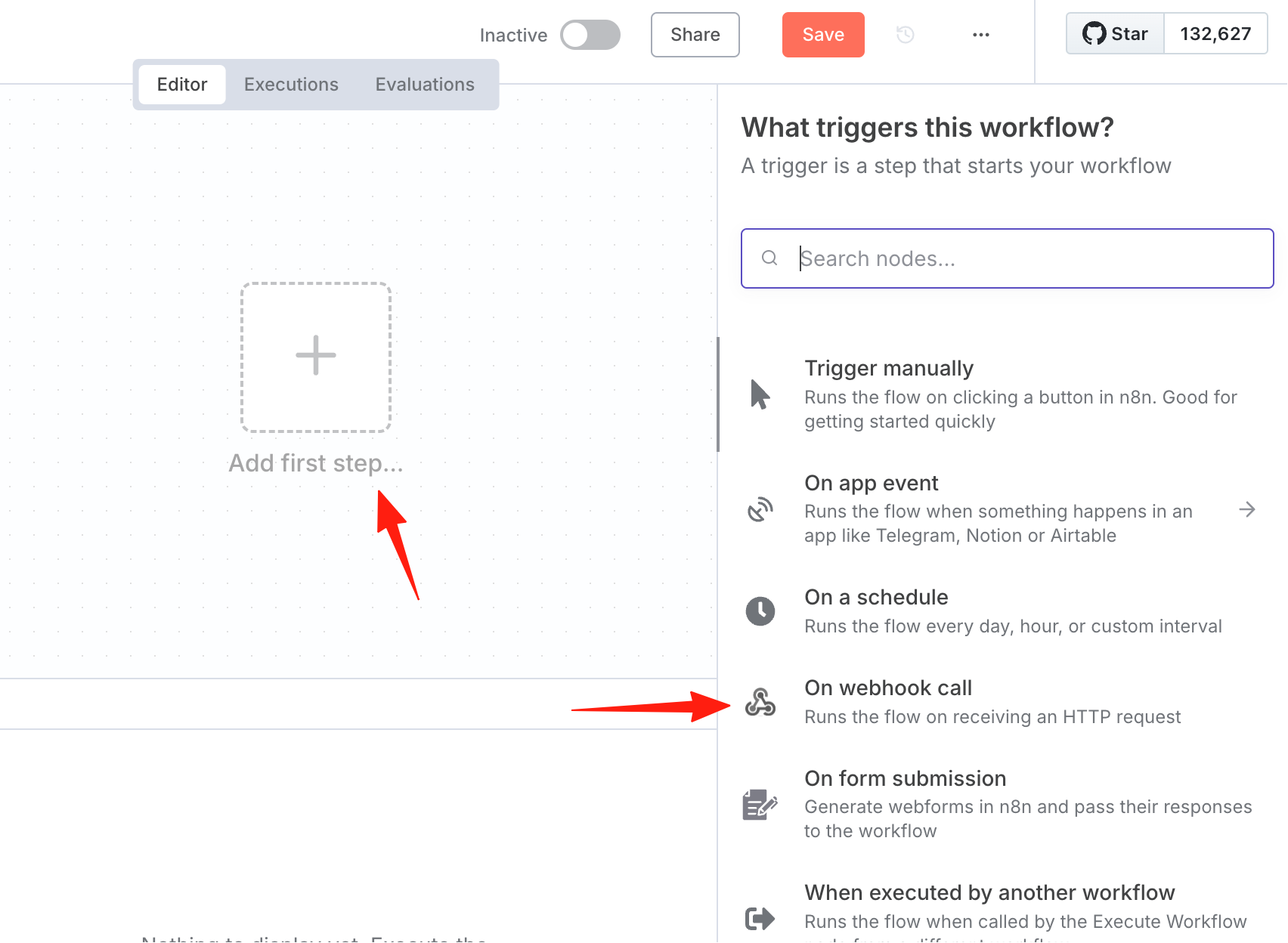
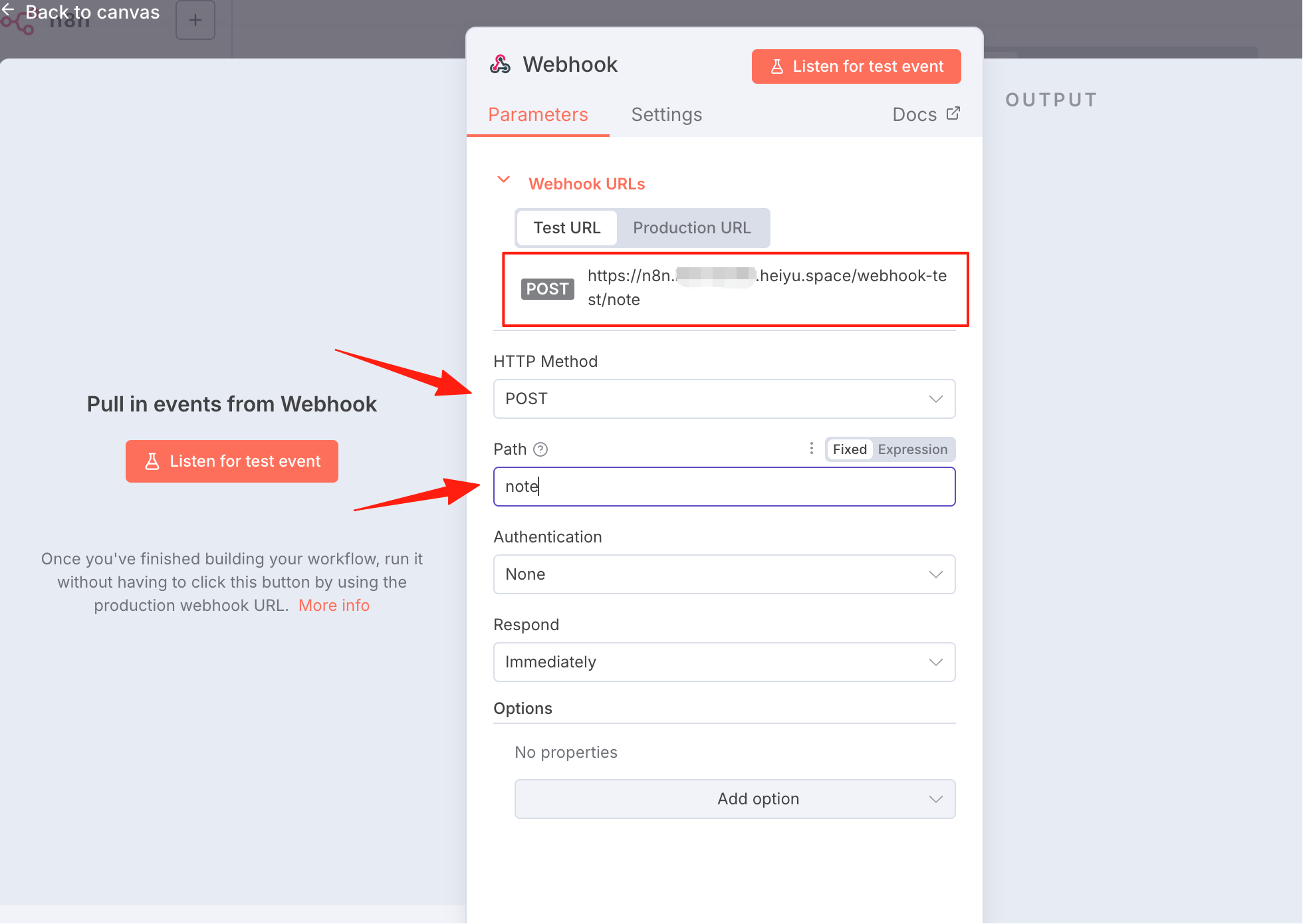
Add a webhook node. A webhook is a "callback" mechanism that allows one application to actively send messages or data to another application when certain events occur. "On webhook call" enables n8n to automatically run the workflow upon receiving a webhook request.
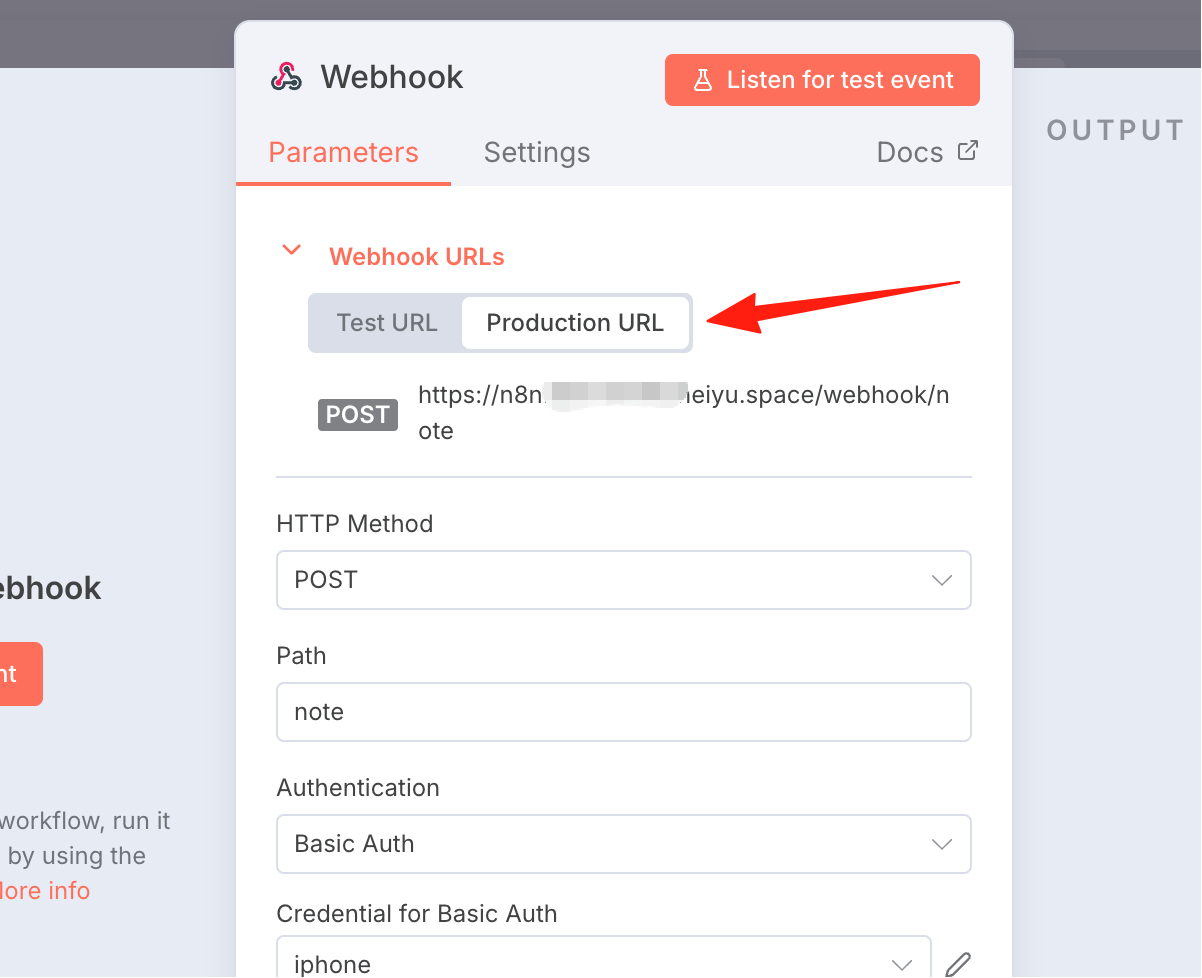
Select POST as the HTTP method, write an easily memorable name for the path, and save the URL path above for later use.
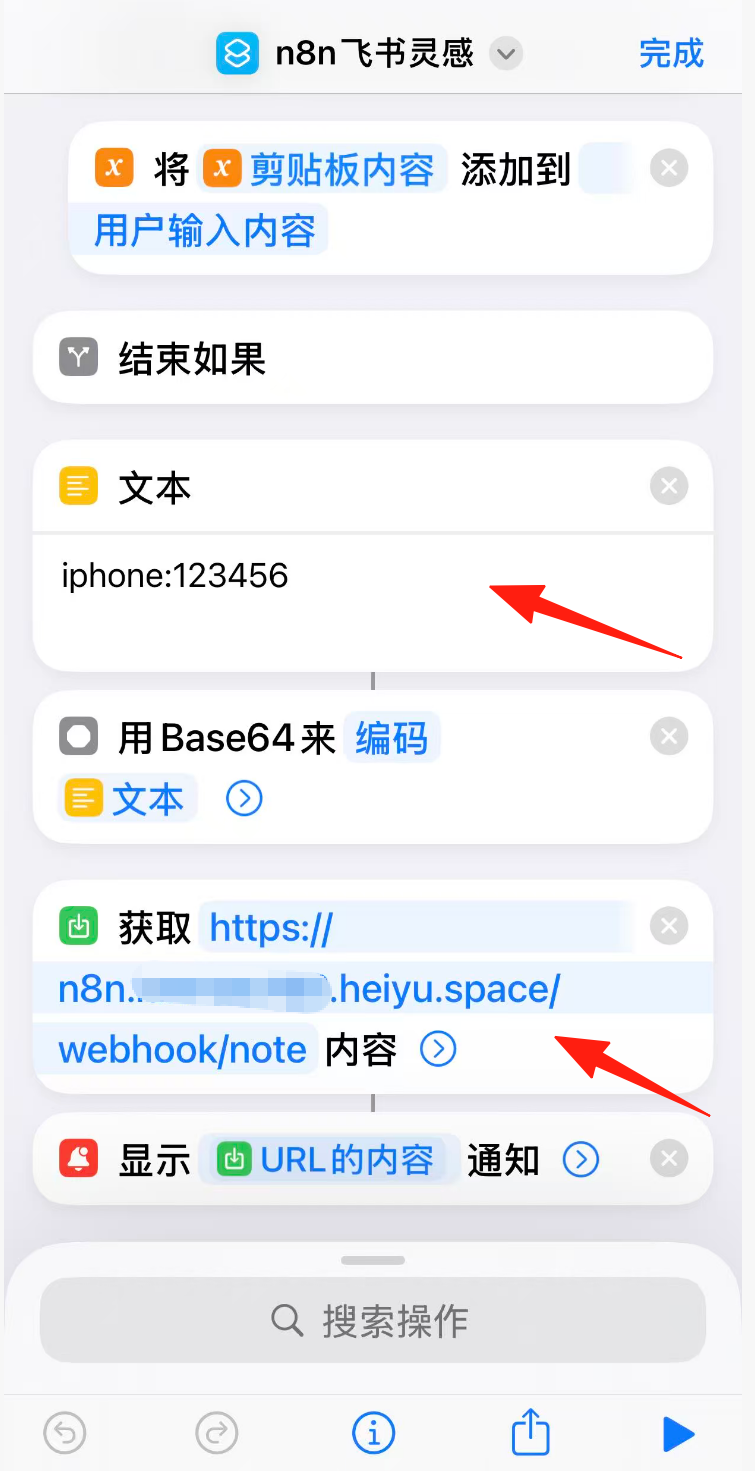
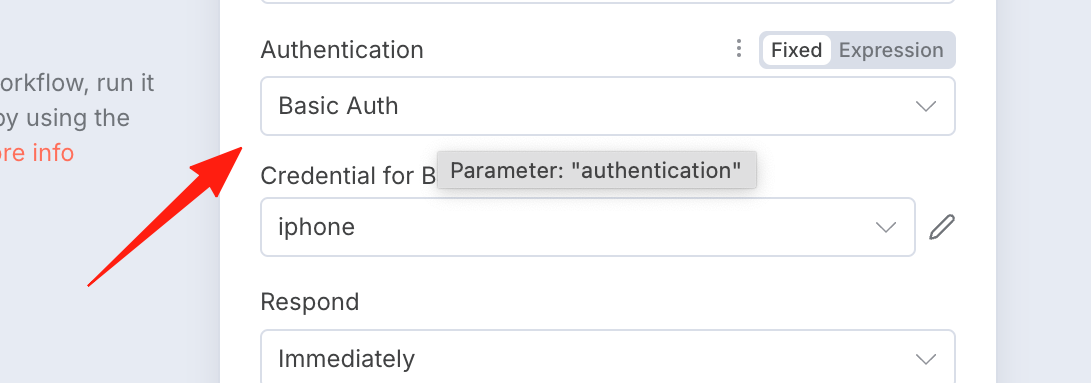
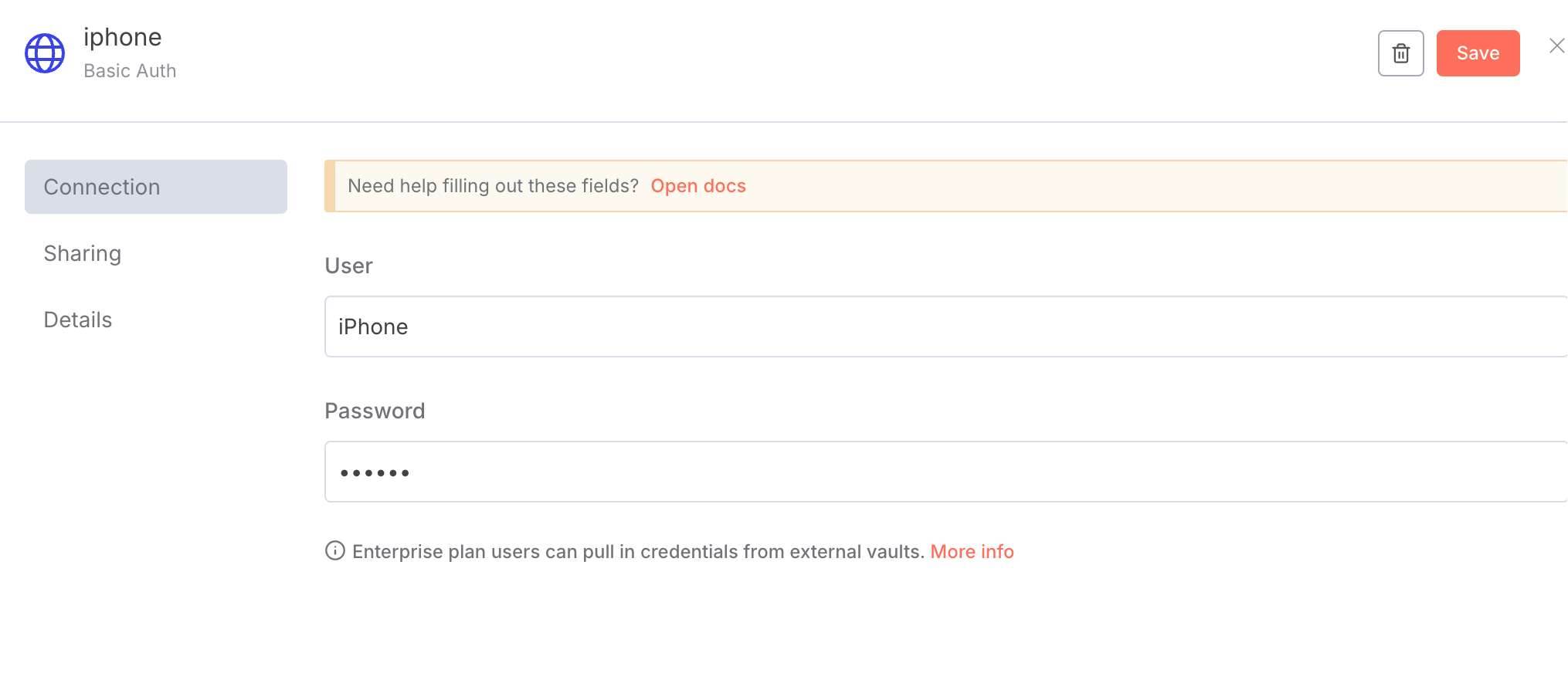
For authentication, choose Basic Auth and create a new username and password, e.g., iphone/123456.
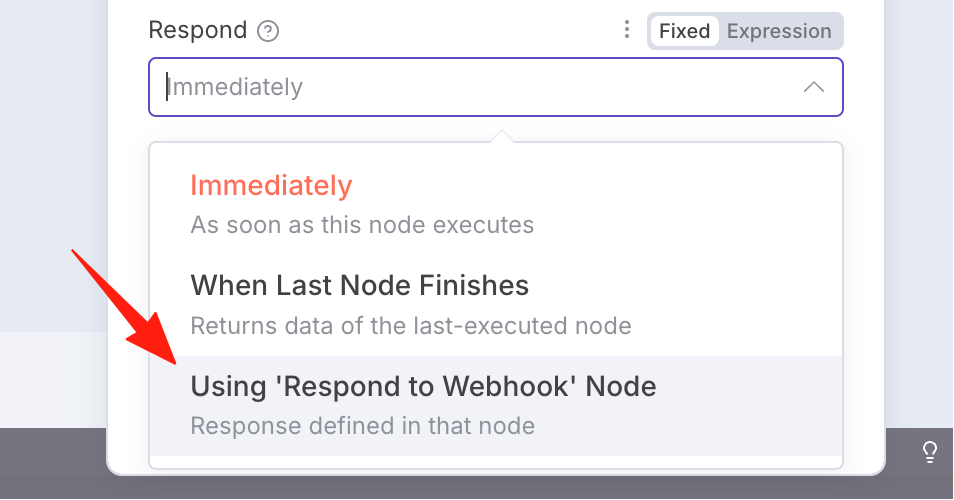
For Respond, select the bottom option.
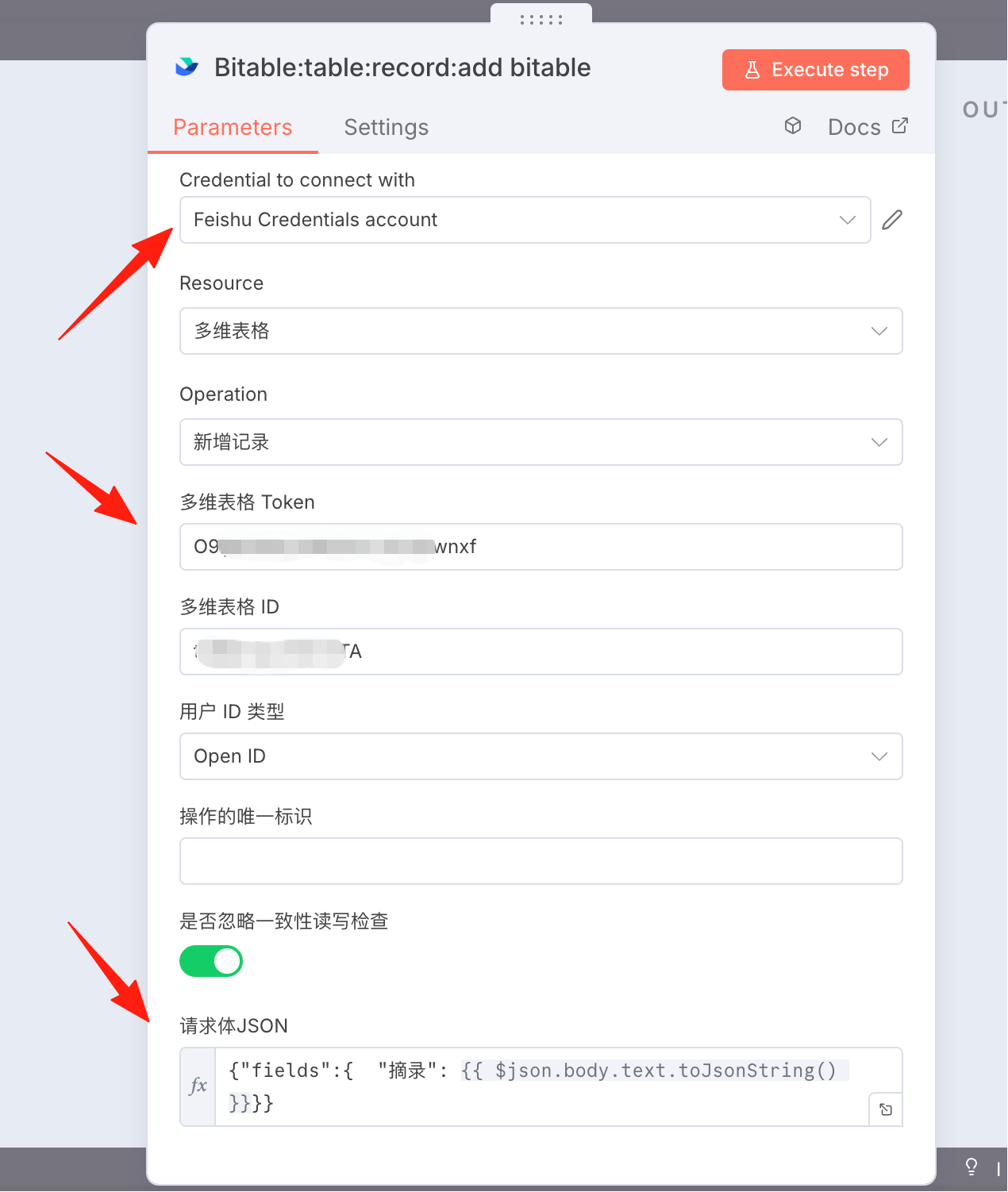
Add the second node: Lark Add Record.
Refer to the previous guide for obtaining the relevant token: n8n Practical Guide 3: How to Connect Lark Nodes
Set Request Body to Expression,
{"fields":{ "Excerpt": {{ $json.body.text.toJsonString() }}}}
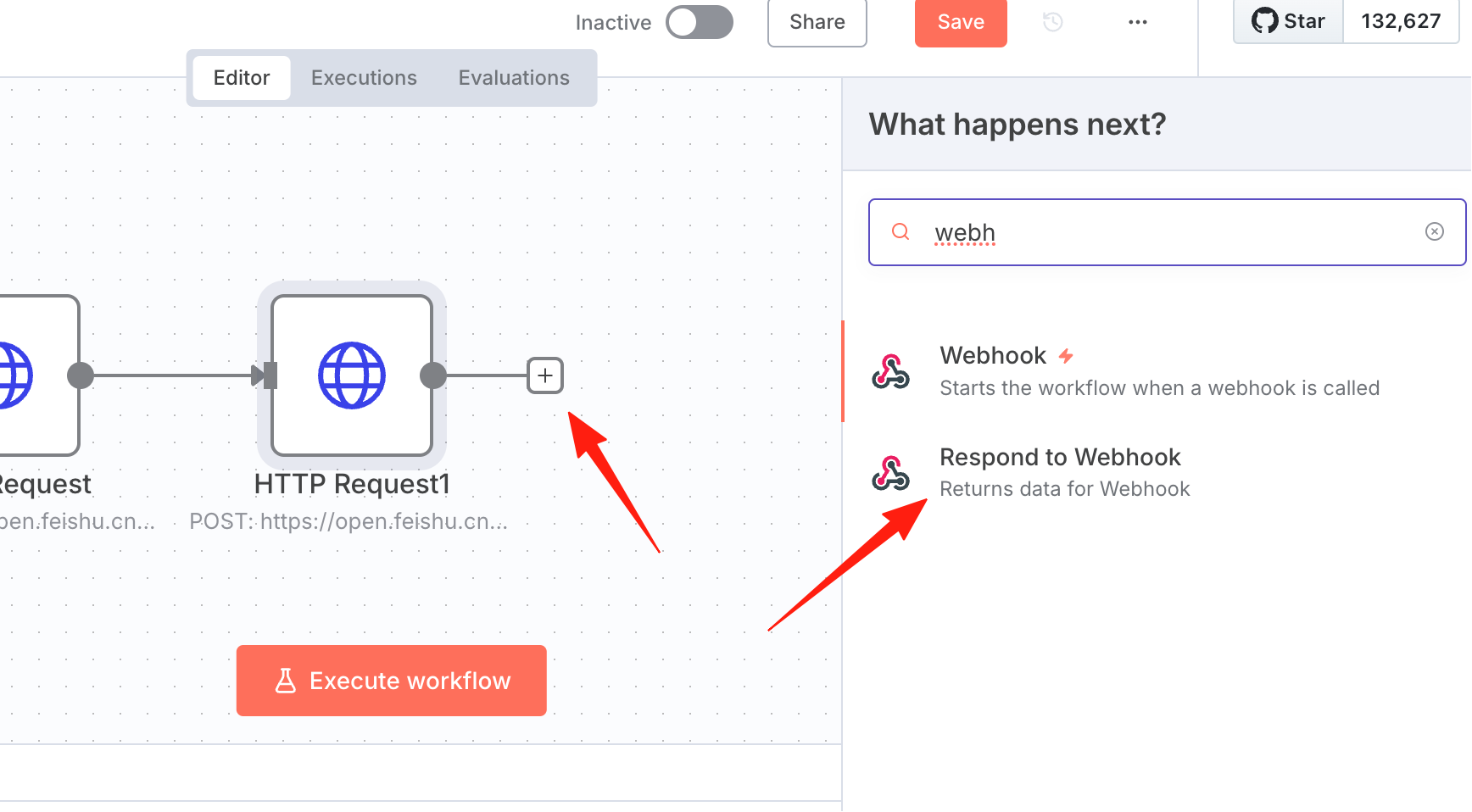
Return to n8n and add the third node, the Respond to Webhook node.
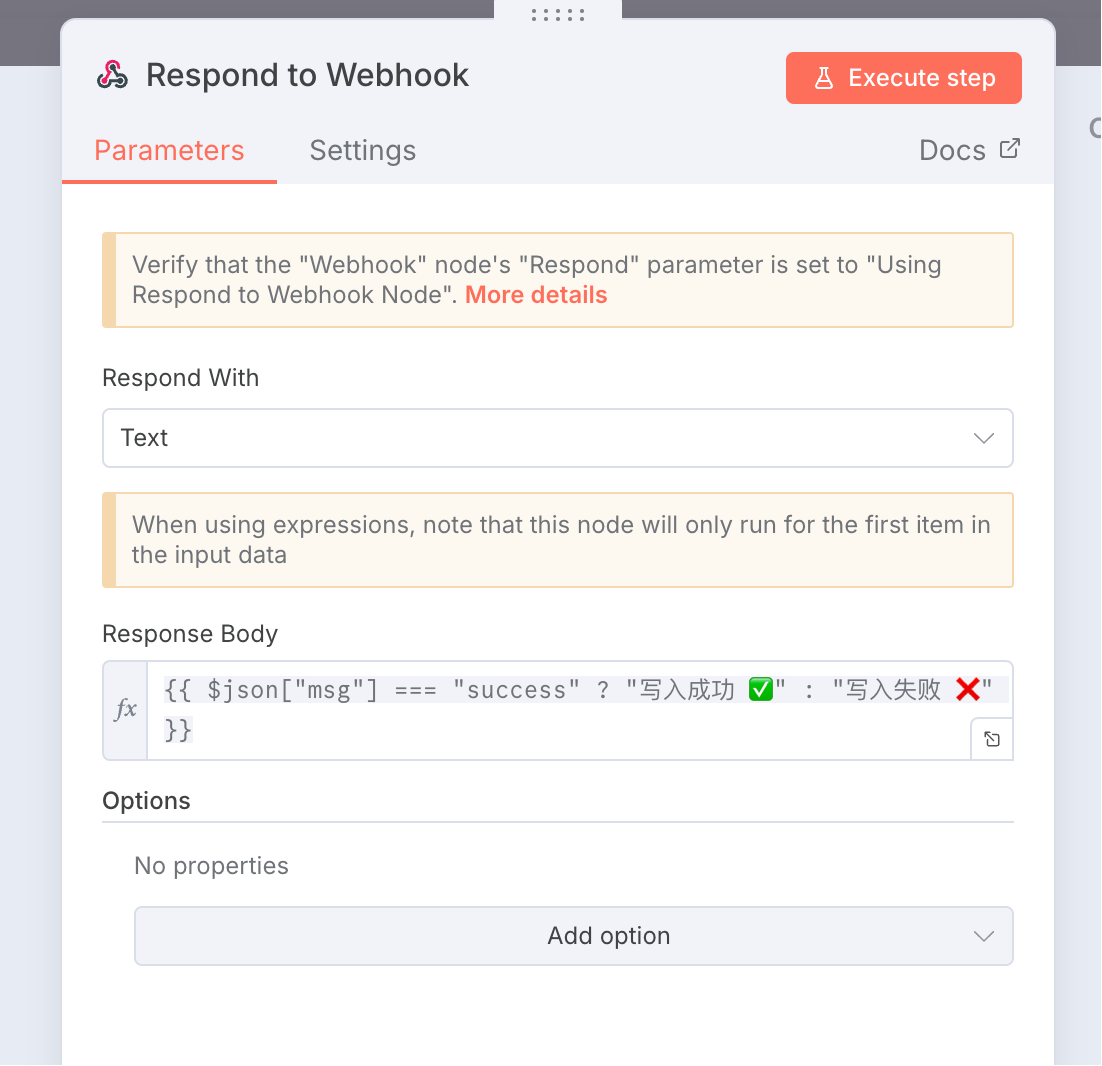
Set Respond with to Text. Enter the following content:
{{ $json["msg"] === "success" ? "Write successful ✅" : "Write failed ❌" }}
At this point, the n8n workflow setup is complete. Set this to Active status and switch the URL to productURL.
Next, proceed with the iPhone setup. You can refer to my link. Note to replace the username/password and URL path with your own.