
n8n First Impressions 1: An Automation Powerhouse Even Beginners Can Master
What is n8n?
In simple terms: n8n is an open-source, visual automation platform. It allows you to connect different applications and services (like email, spreadsheets, documents, databases, AI models, even your company's internal systems) like building blocks, creating "workflows" that automate tasks, all without writing code.
n8n can connect to any application with an API and allows you to manipulate data with almost no programming knowledge. Simply put, it enables different software to "talk to each other" automatically.
https://appstore.lazycat.cloud/#/shop/detail/cloud.lazycat.app.n8n
Quick Start
After installing the application, first register a user.
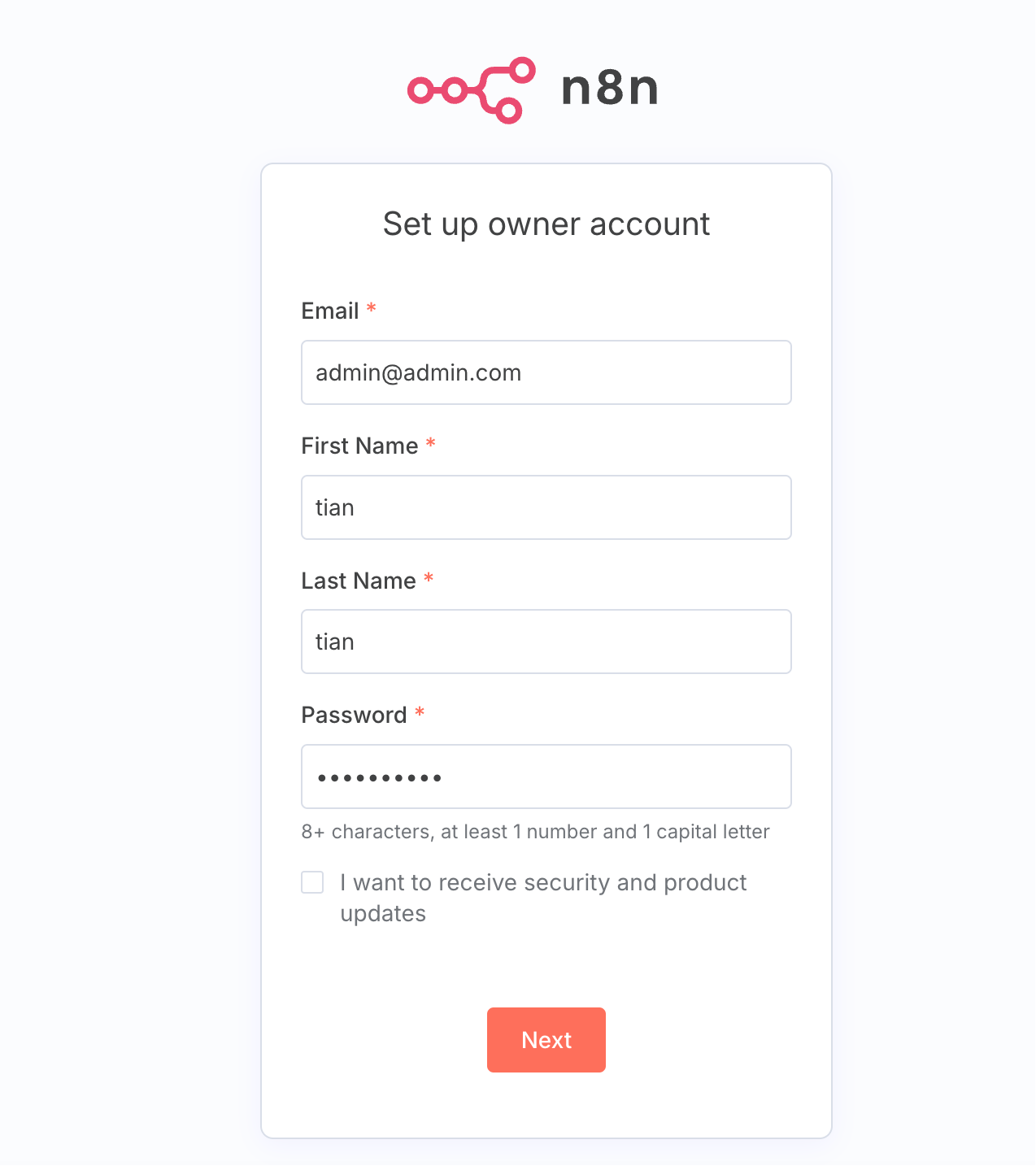
Enter the main page.
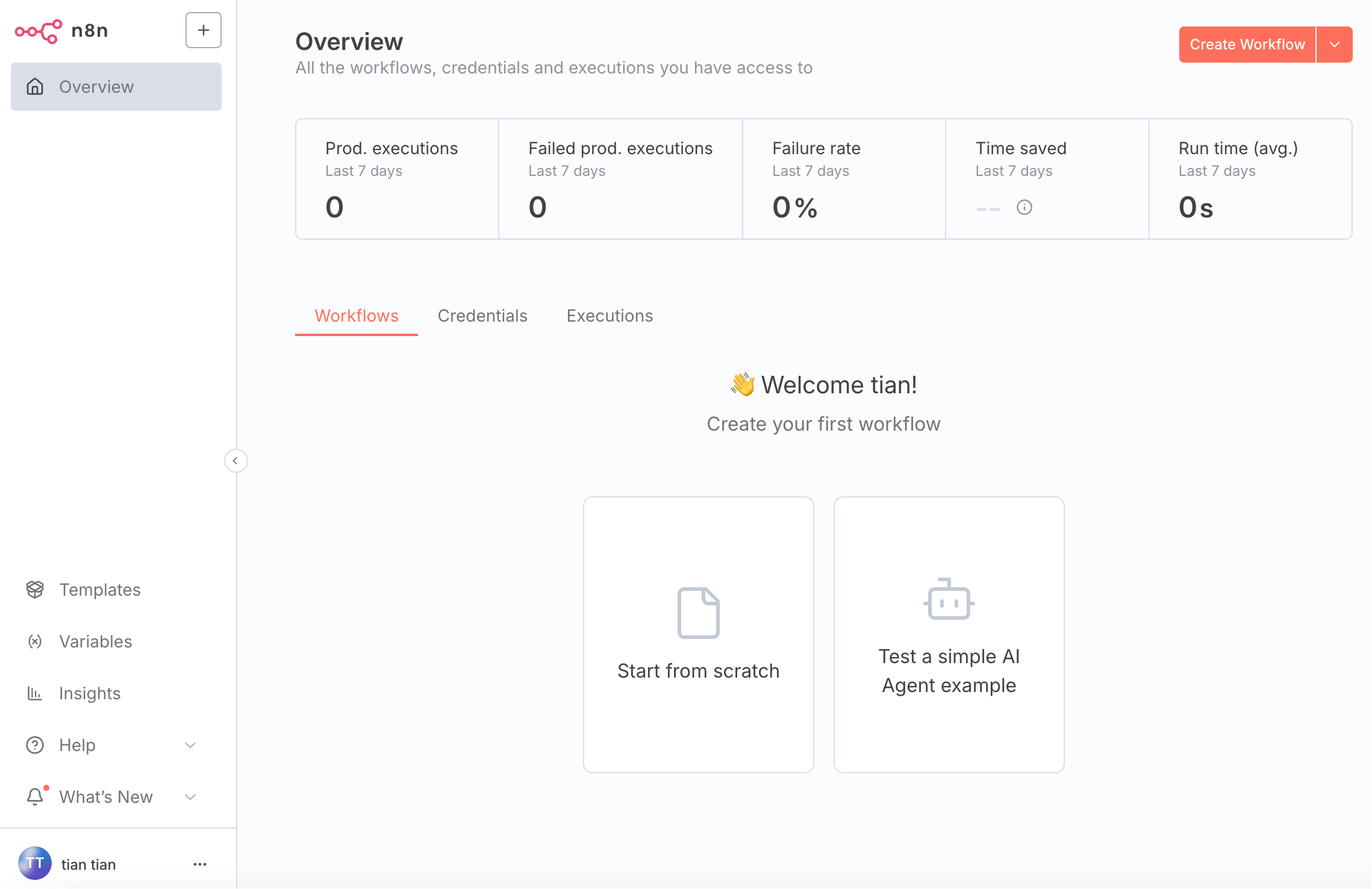
Overview: This section displays some key data, such as:
- Prod. executions: The number of workflows that have run successfully in the past 7 days.
- Failed prod. executions: The number of workflow runs that failed in the past 7 days.
- Failure rate: The failure percentage, giving you a quick overview of your process stability.
- Time saved: This is a cool feature that estimates how much time you've saved through automation.
- Run time (avg.): The average time each workflow run takes.
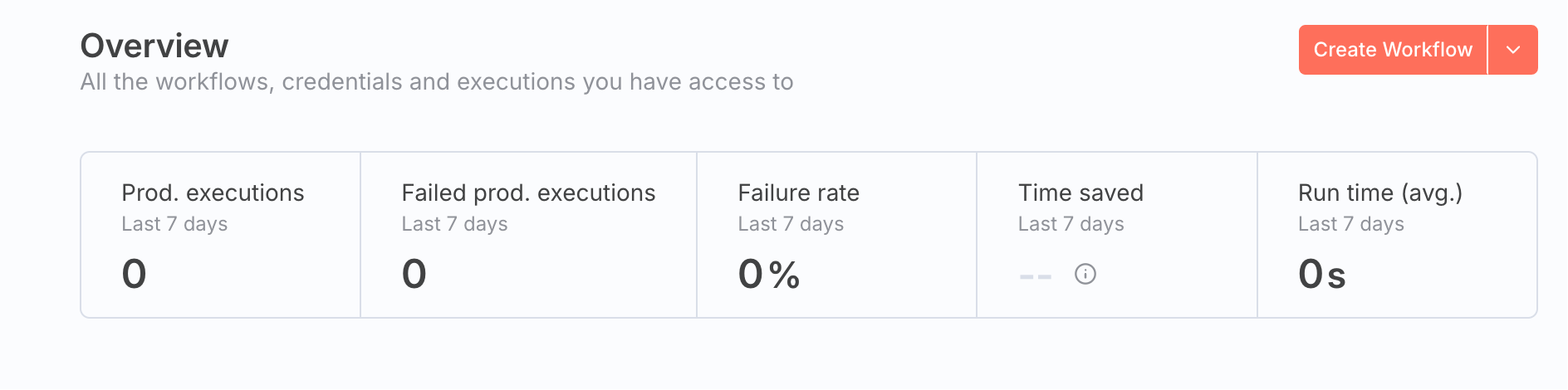
Click the Create WorkFlow button to create a workflow. The top section is the toolbar, containing functional buttons for the workflow name, enabling/disabling the workflow, saving the workflow, sharing, import/export, and more.
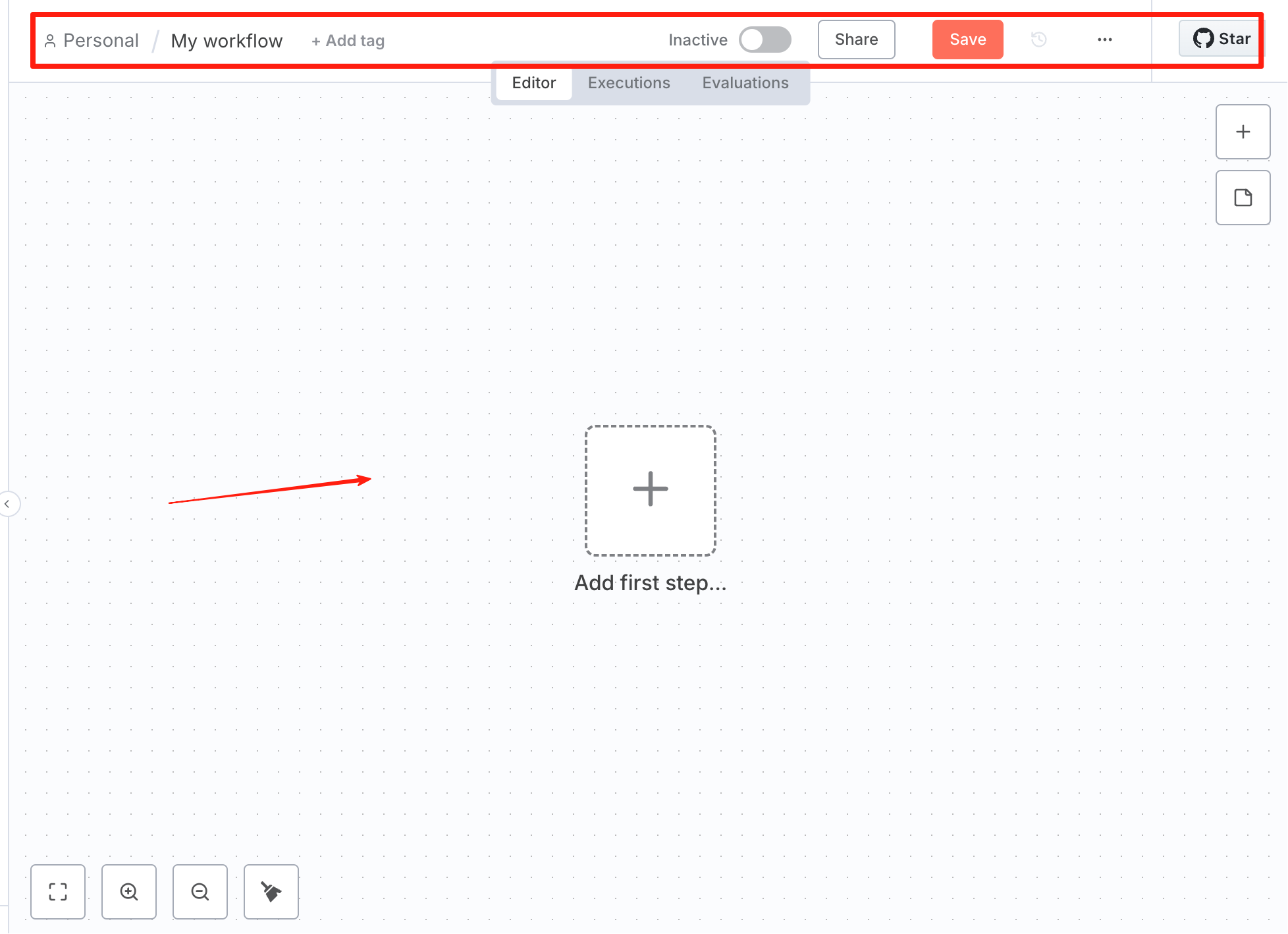
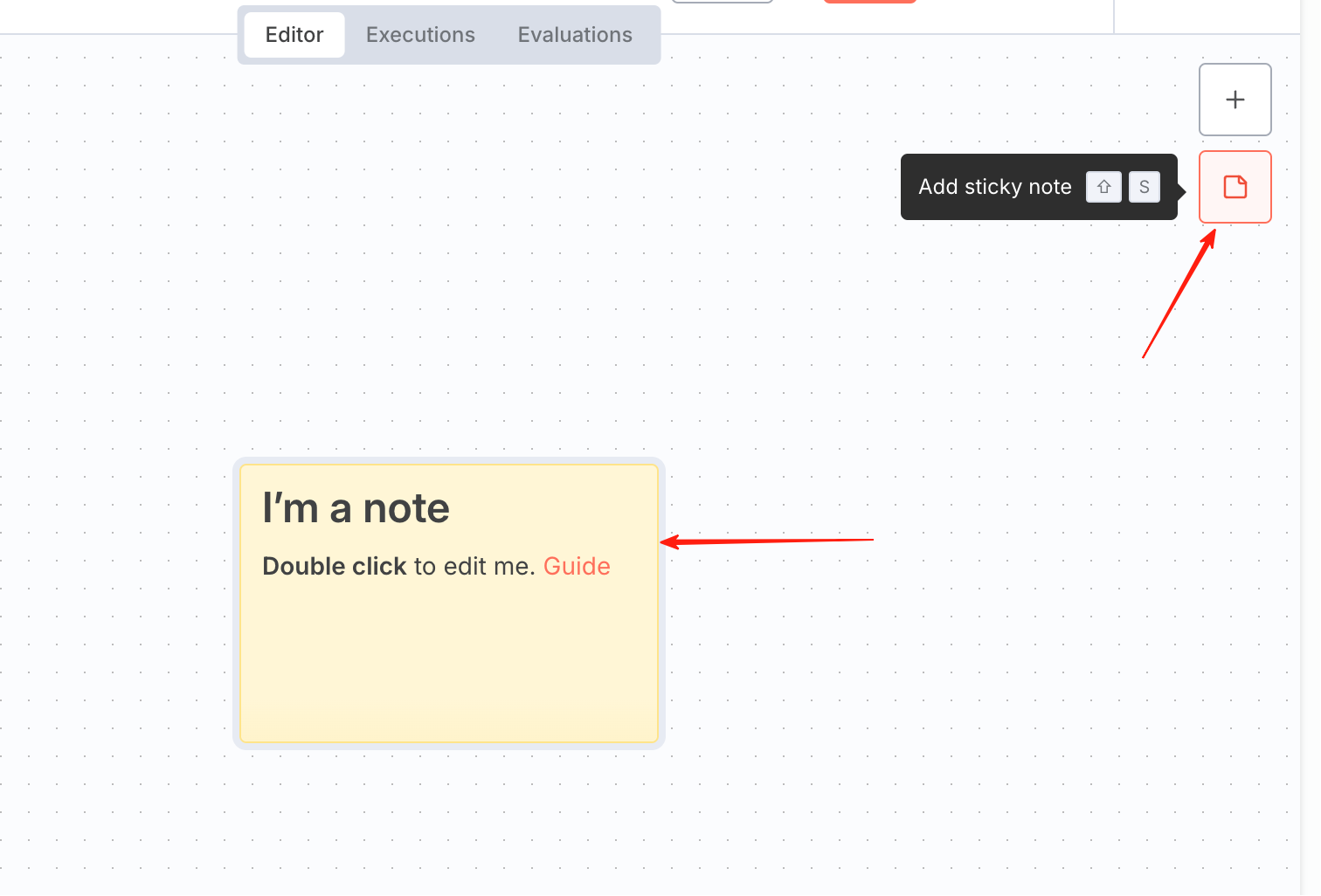
The middle section is the canvas/workspace, the main area for designing and building your workflow. You can place and connect different nodes here, and also use Sticky Notes to write remarks.
Click Add first step, a pop-up will appear on the right.
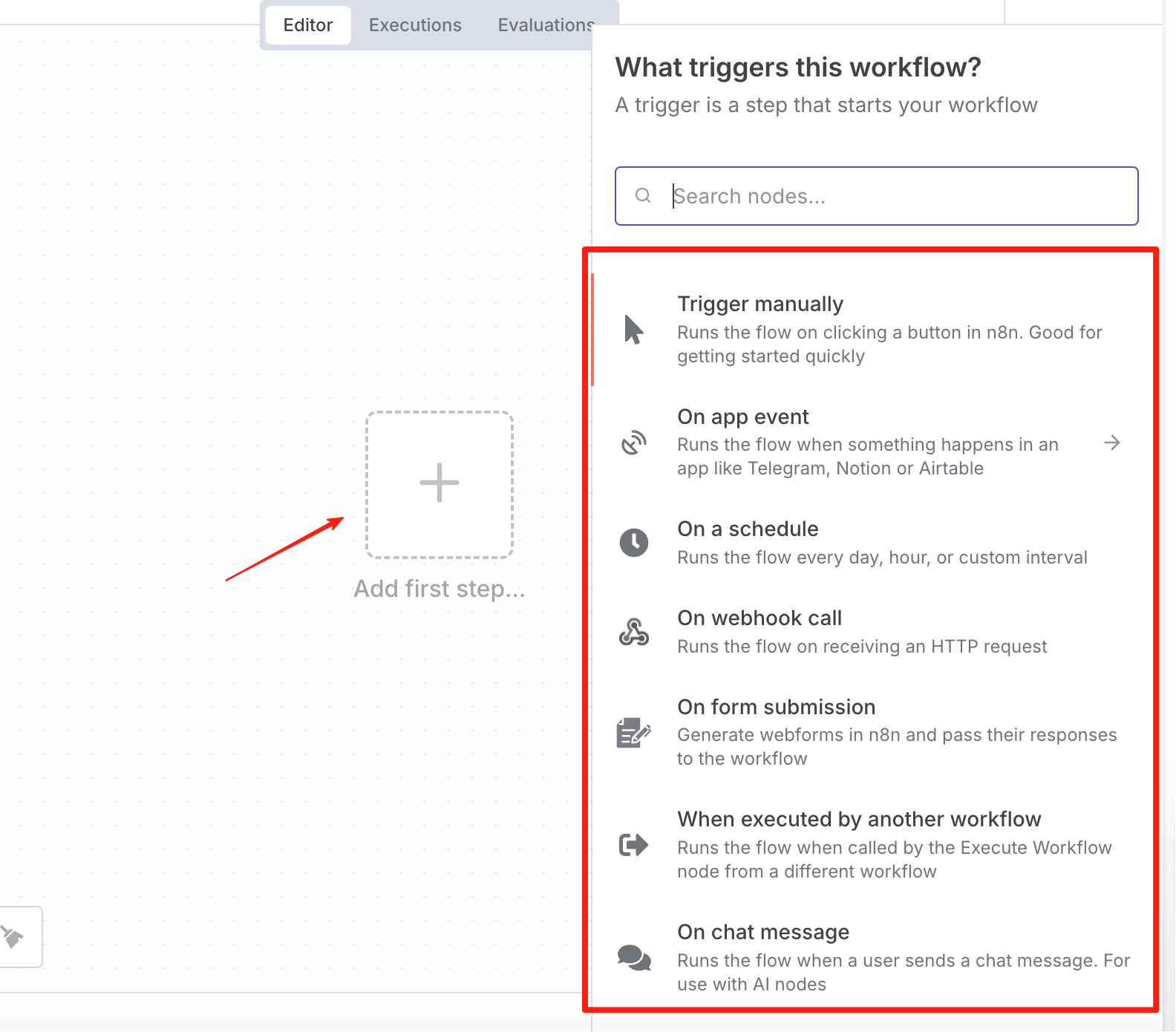
Explanation of some core nodes: Trigger Nodes:
- Manual Trigger: For manual testing.
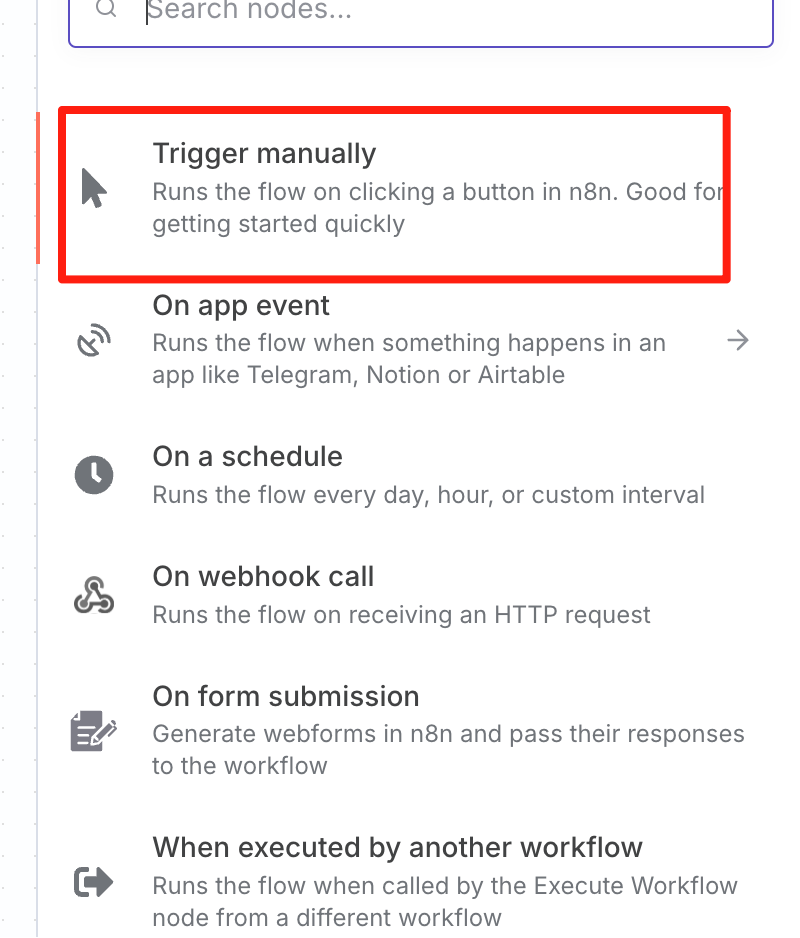
- Schedule Trigger: Cron scheduled tasks.
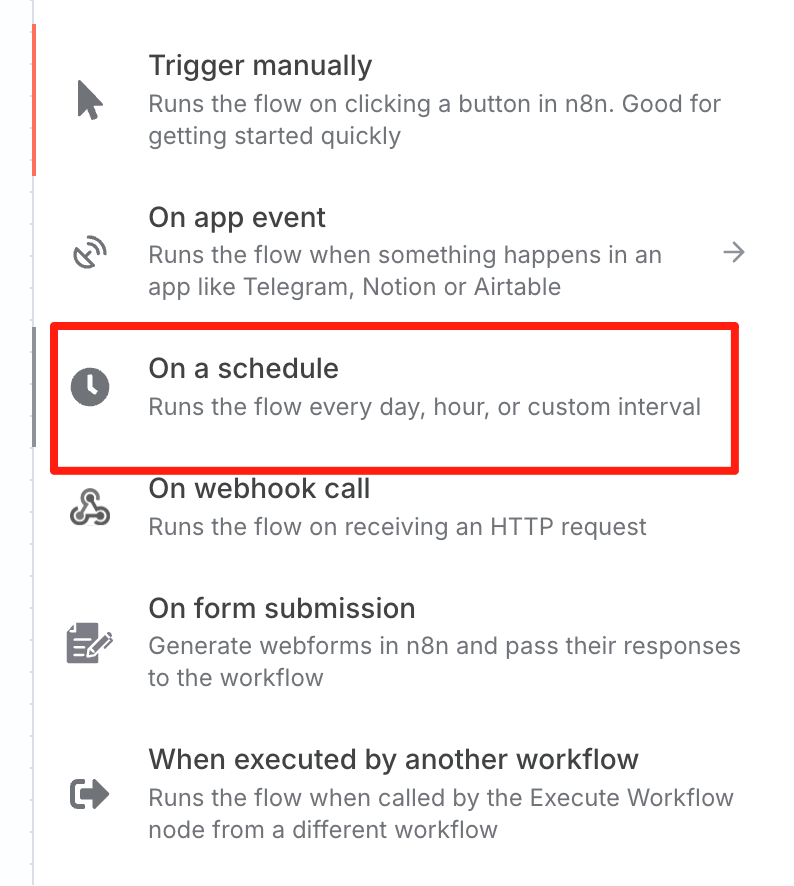
- Webhook: Receives HTTP requests.
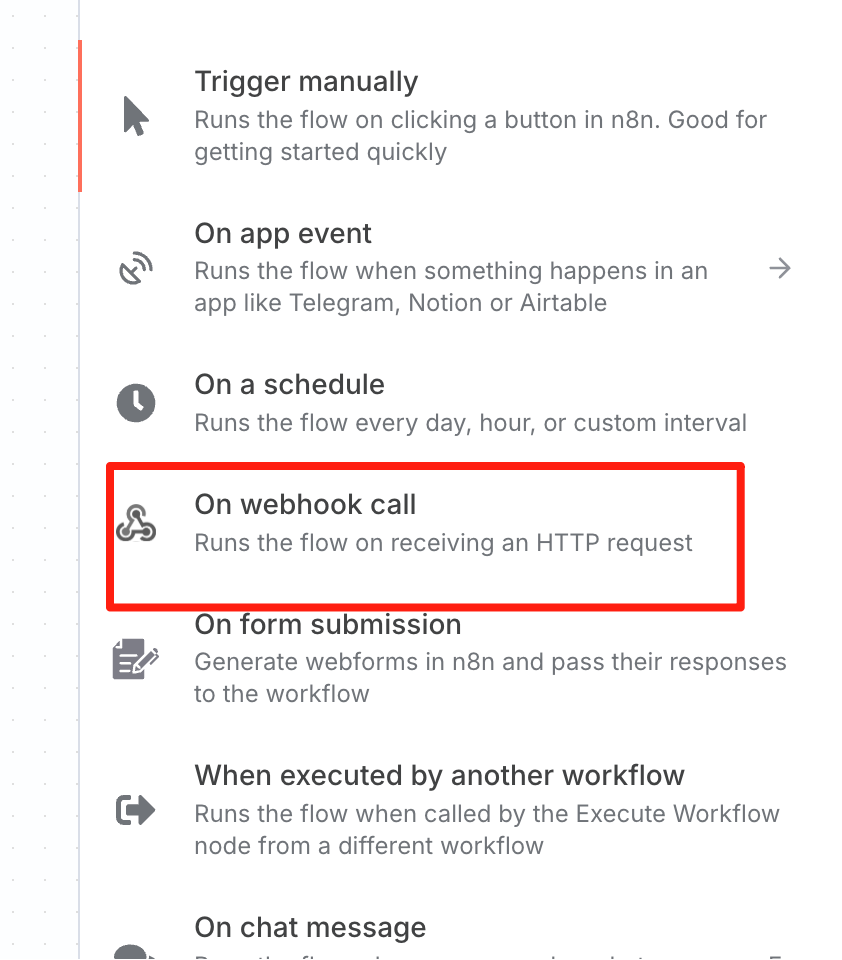
- Chat dialog trigger.
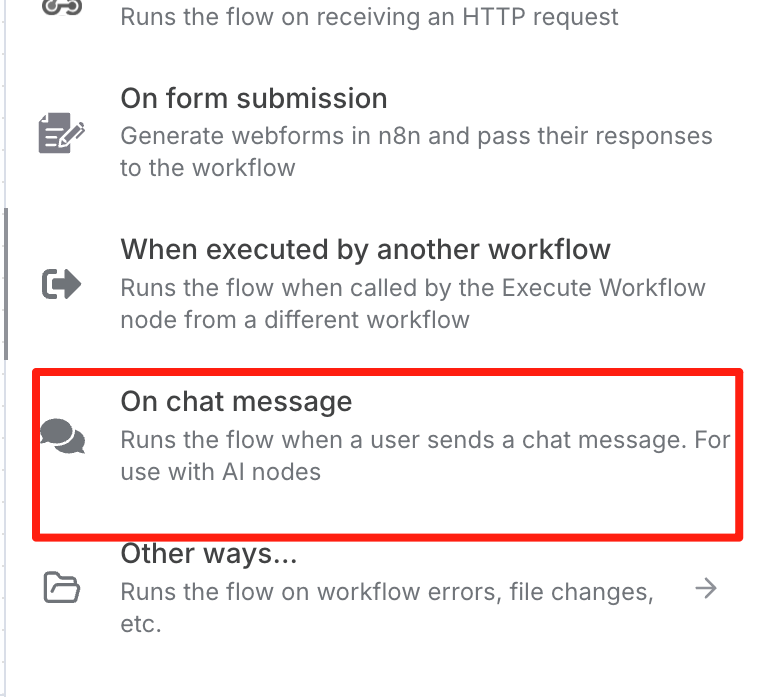
Workflow Practical Example
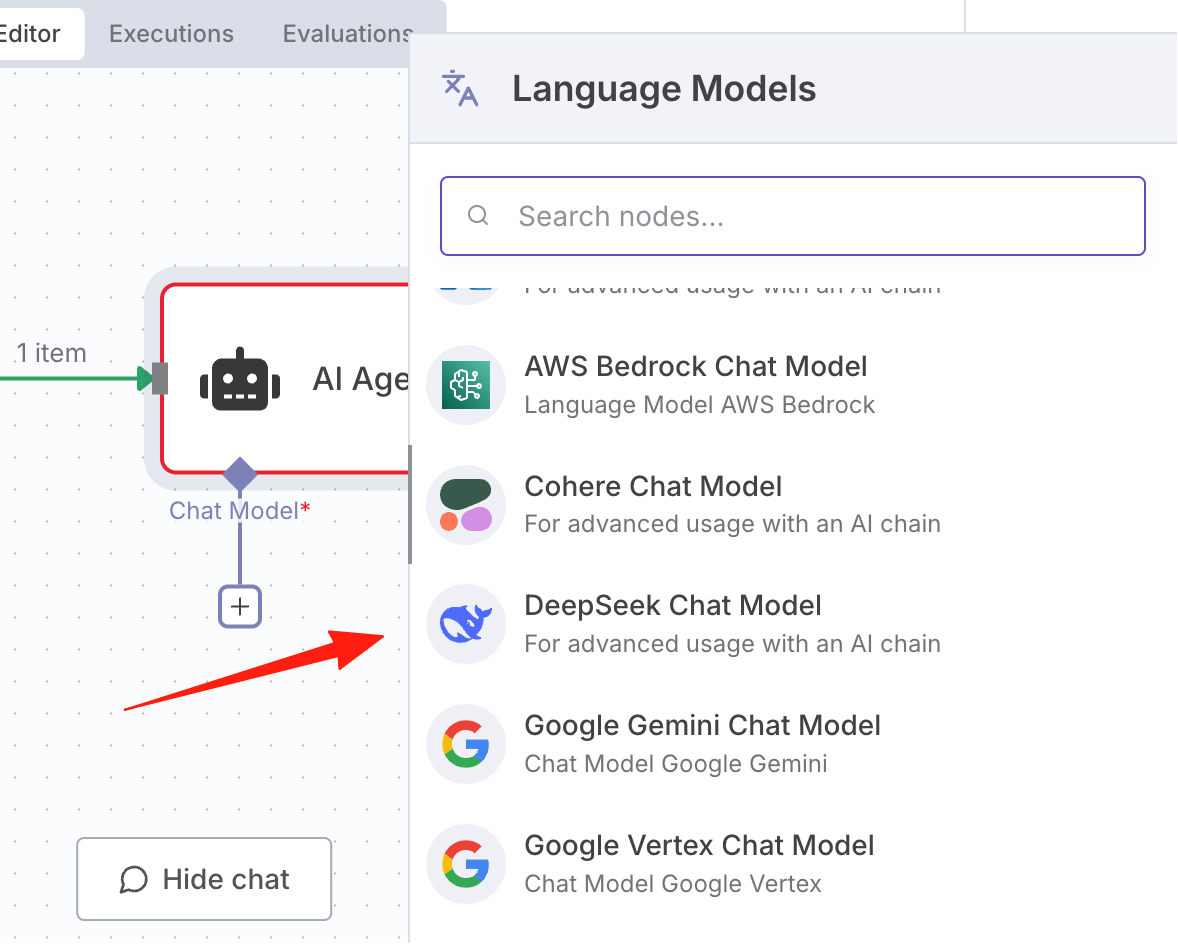
Let's use the chat dialog trigger to create an n8n version of an AI chatbot. We'll use three nodes: On chat message, AI Agent, and DeepSeek Chat Model.
First, add an On chat message node.
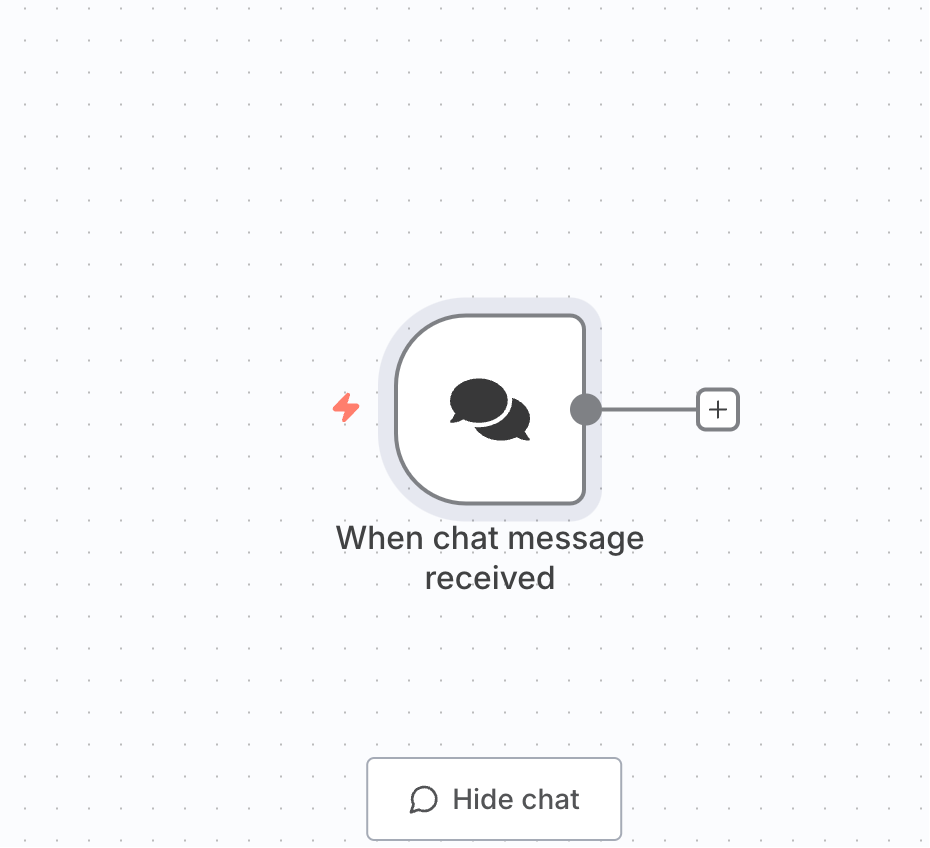
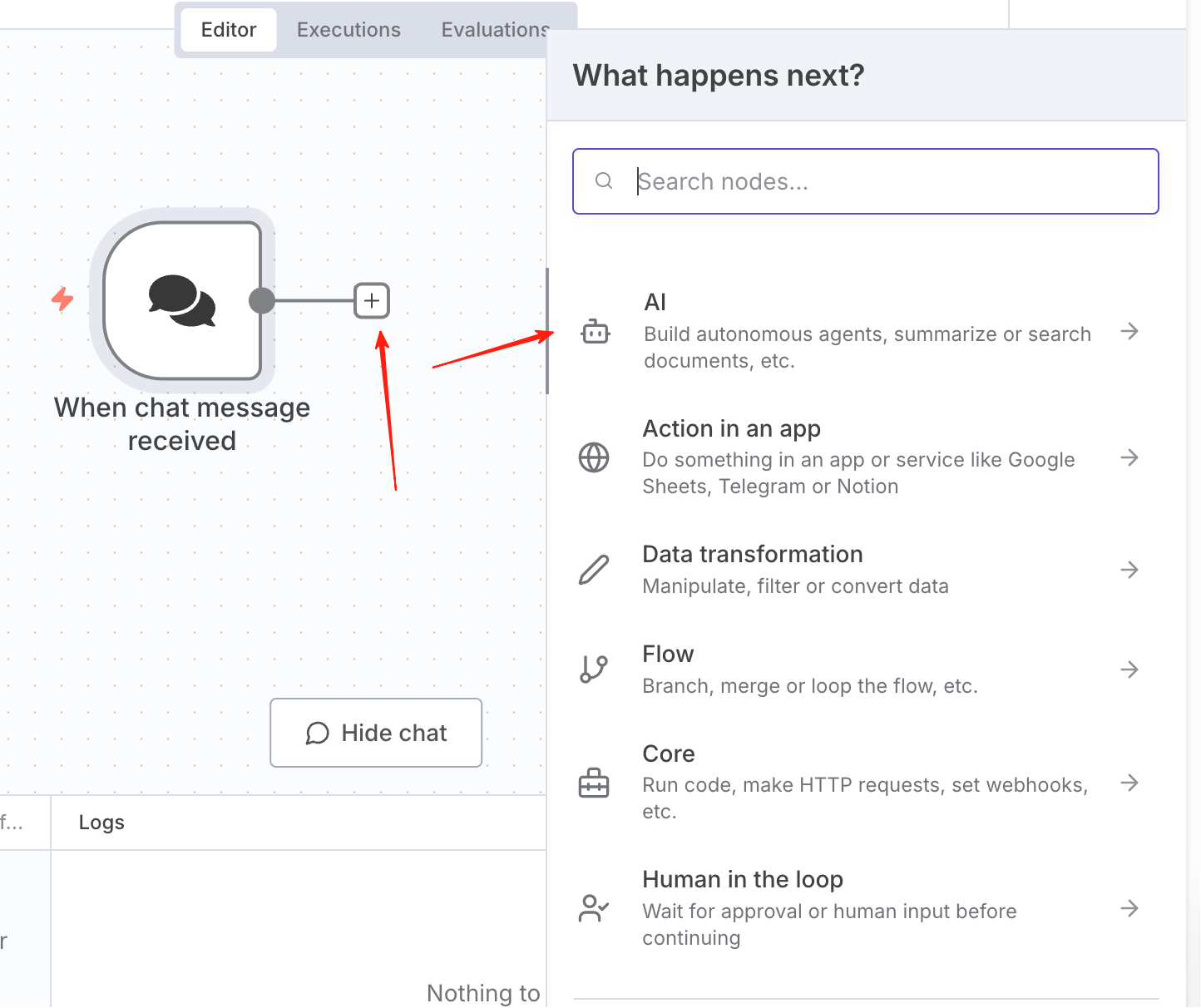
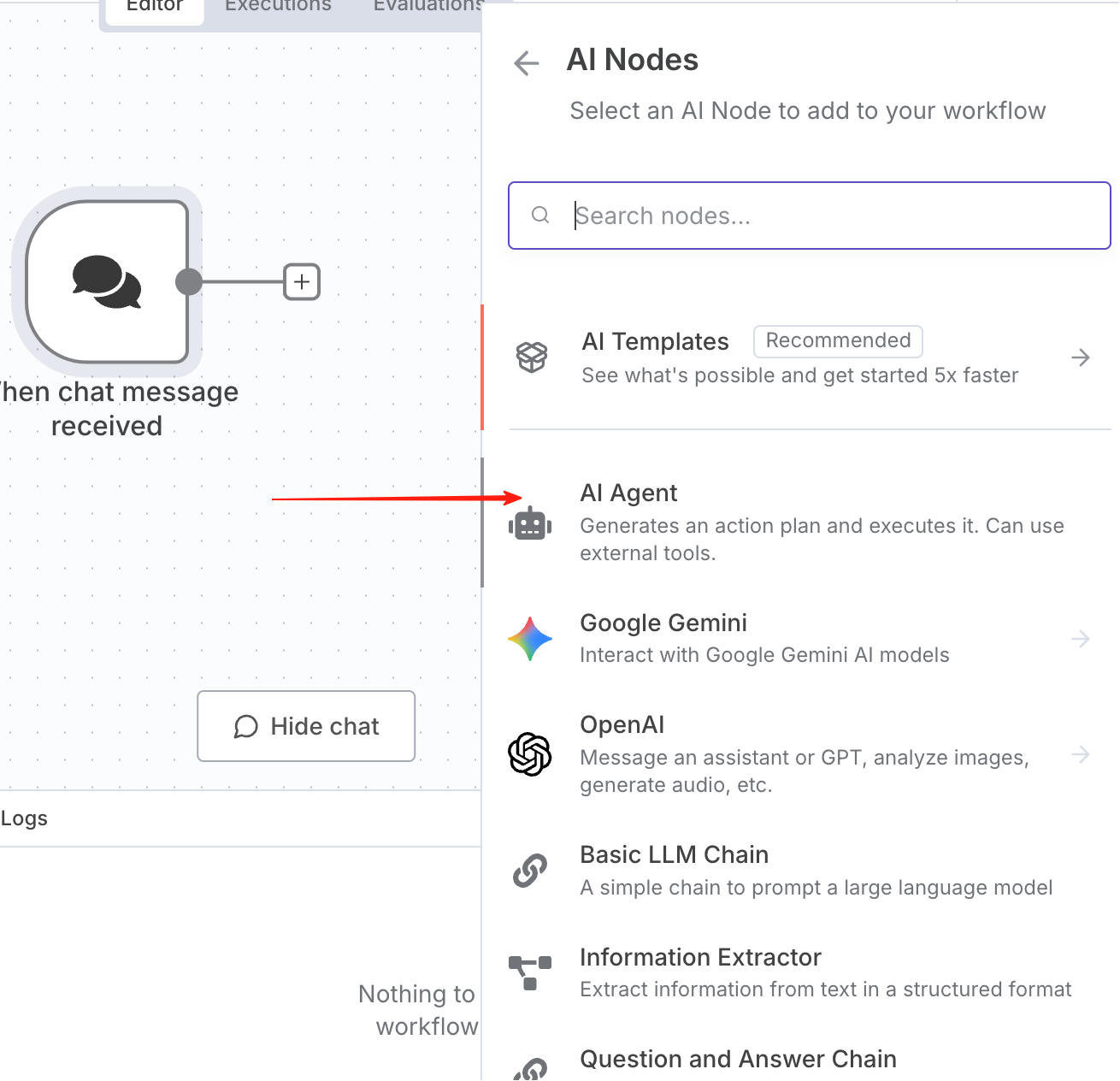
Type "Hello" in the input box and click Execute.
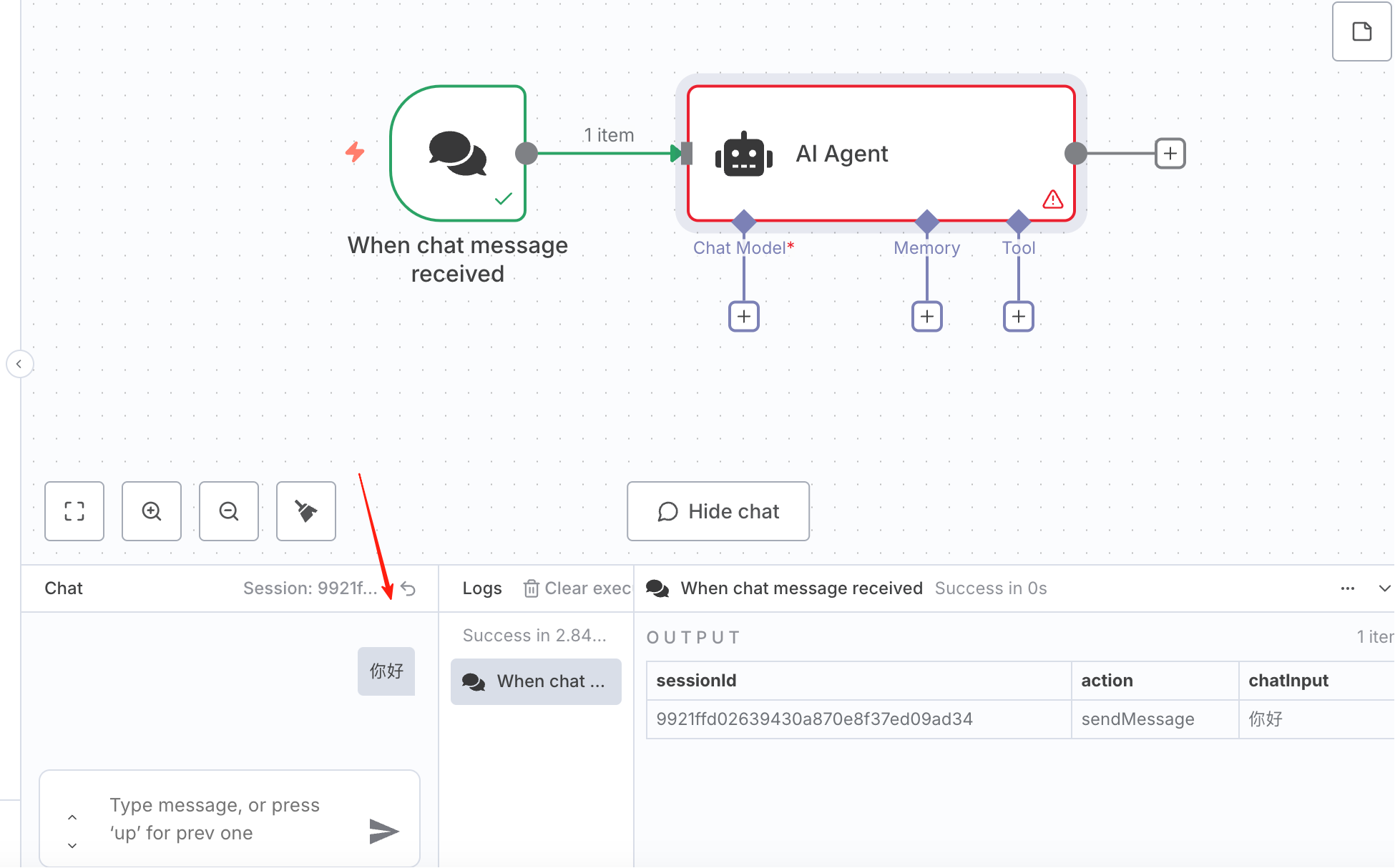
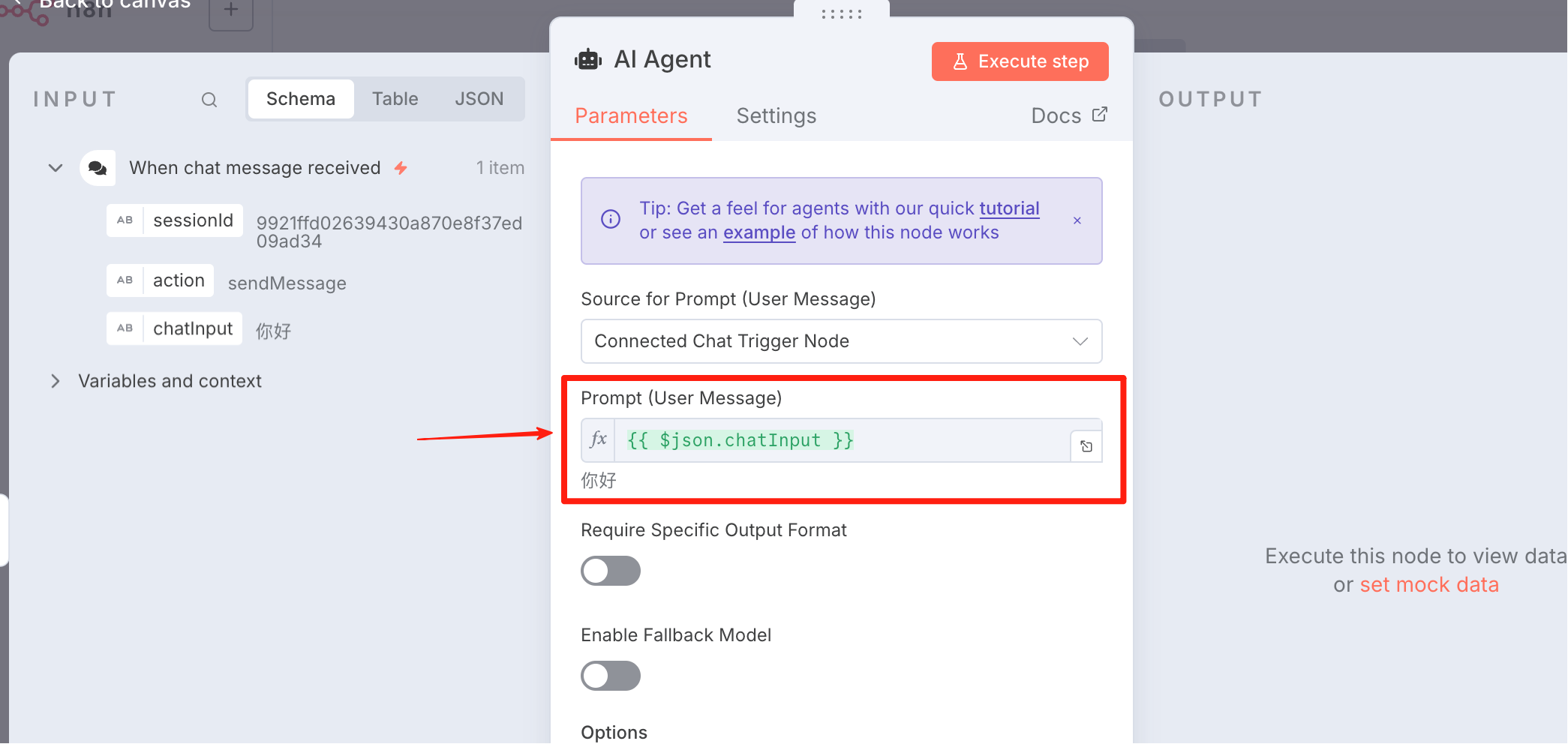
Configure the AI Agent node. You need to use the chatInput from the On chat message node as the Prompt.
For the model, select DeepSeek Chat Model.
This is the first time we need to configure a Credential.
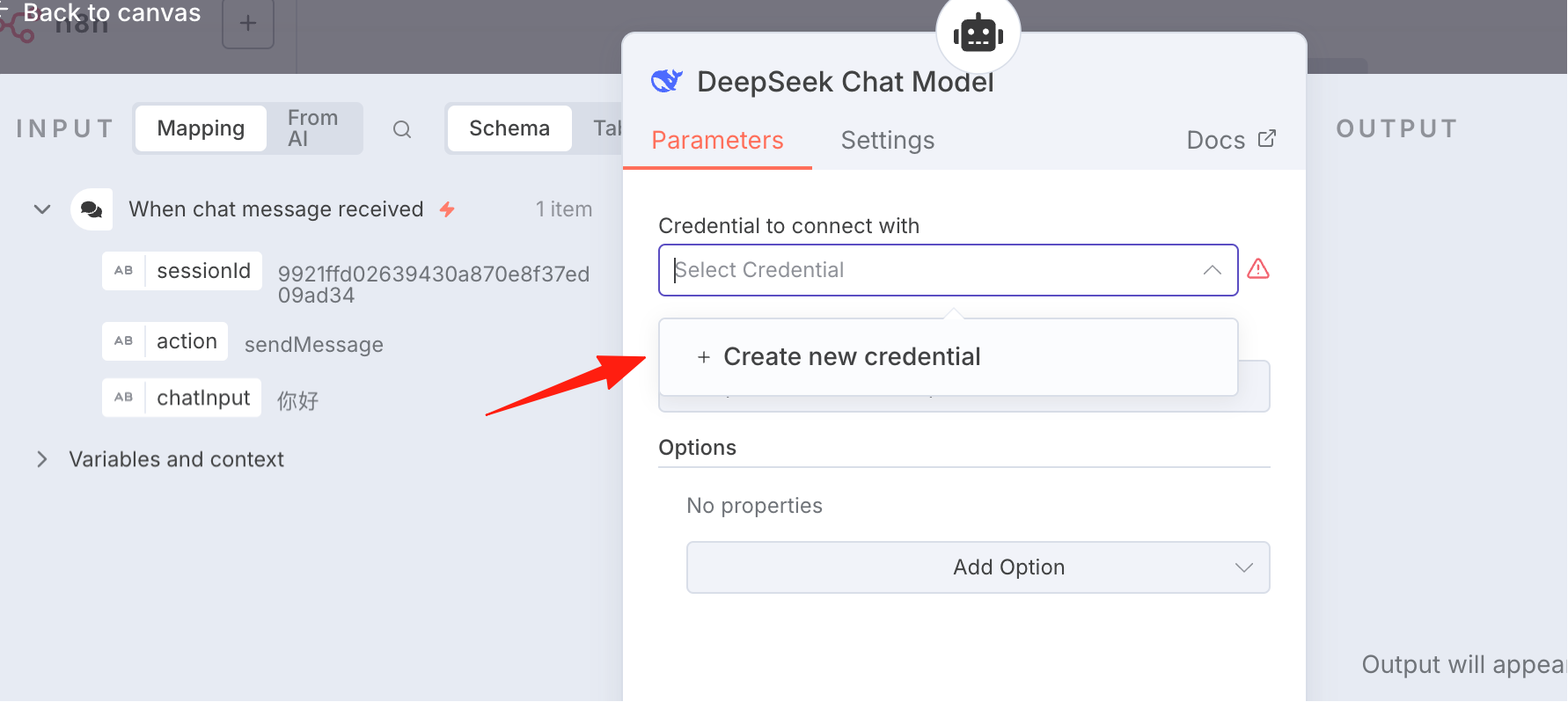
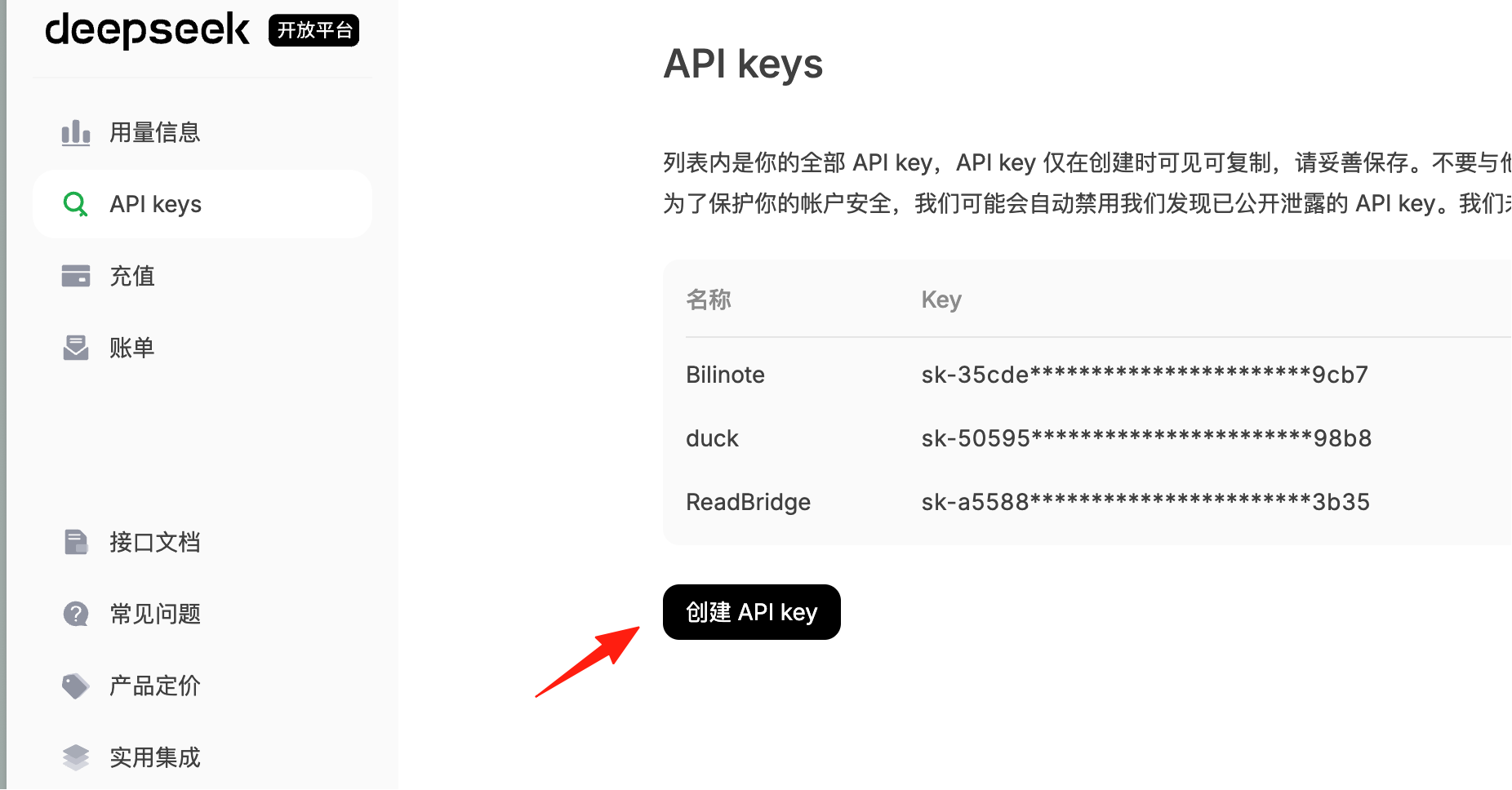
We need to go to https://platform.deepseek.com/api_keys to create an API Key.
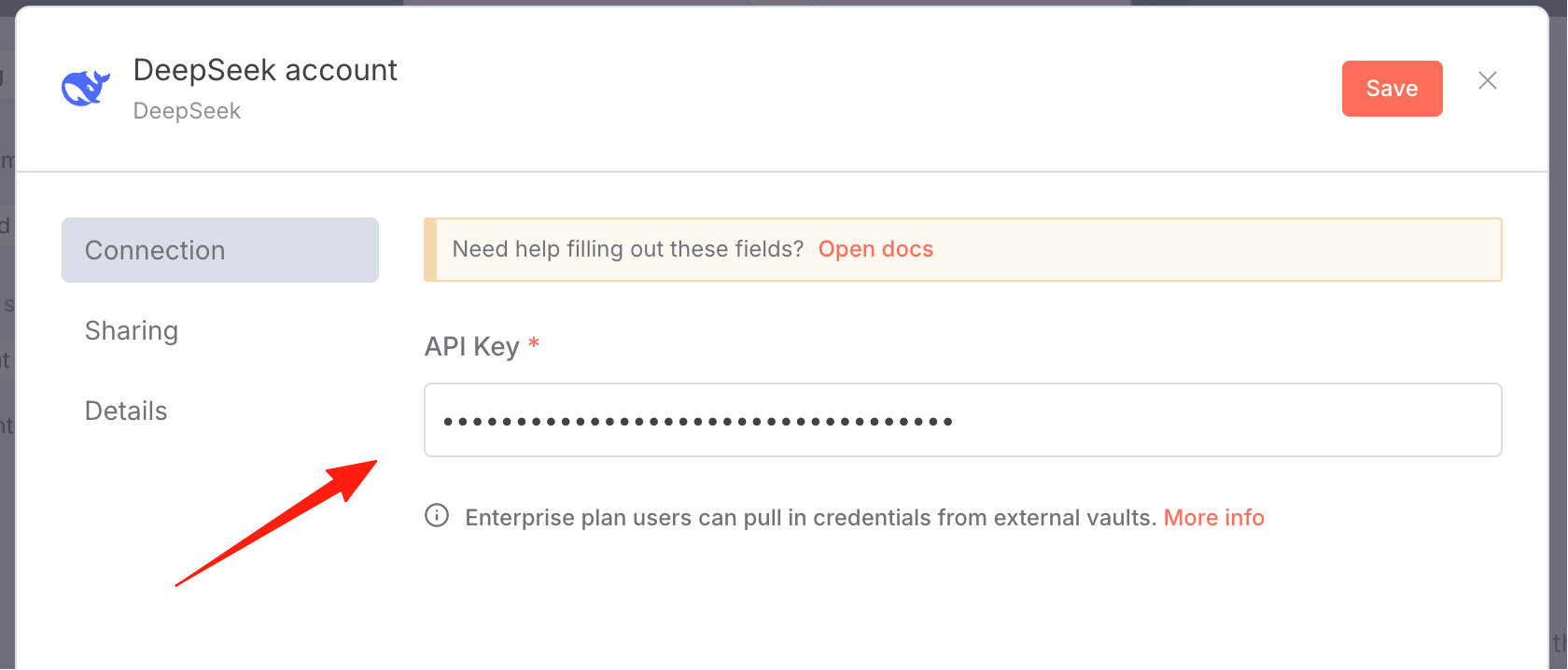
Enter the created key here.
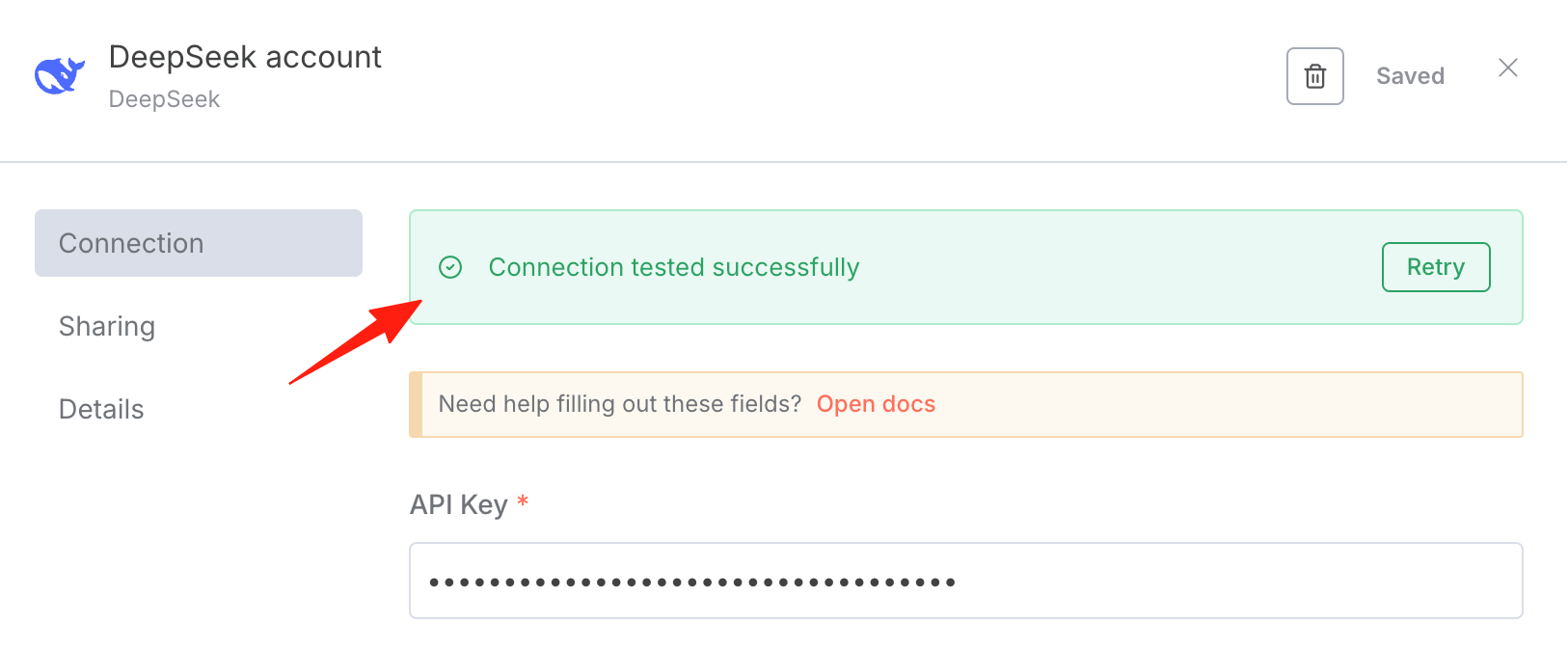
Save it. A success prompt will appear once the connection is established.
After configuration, we can go to the chat dialog in the lower left corner, input our content, and see the correct reply.
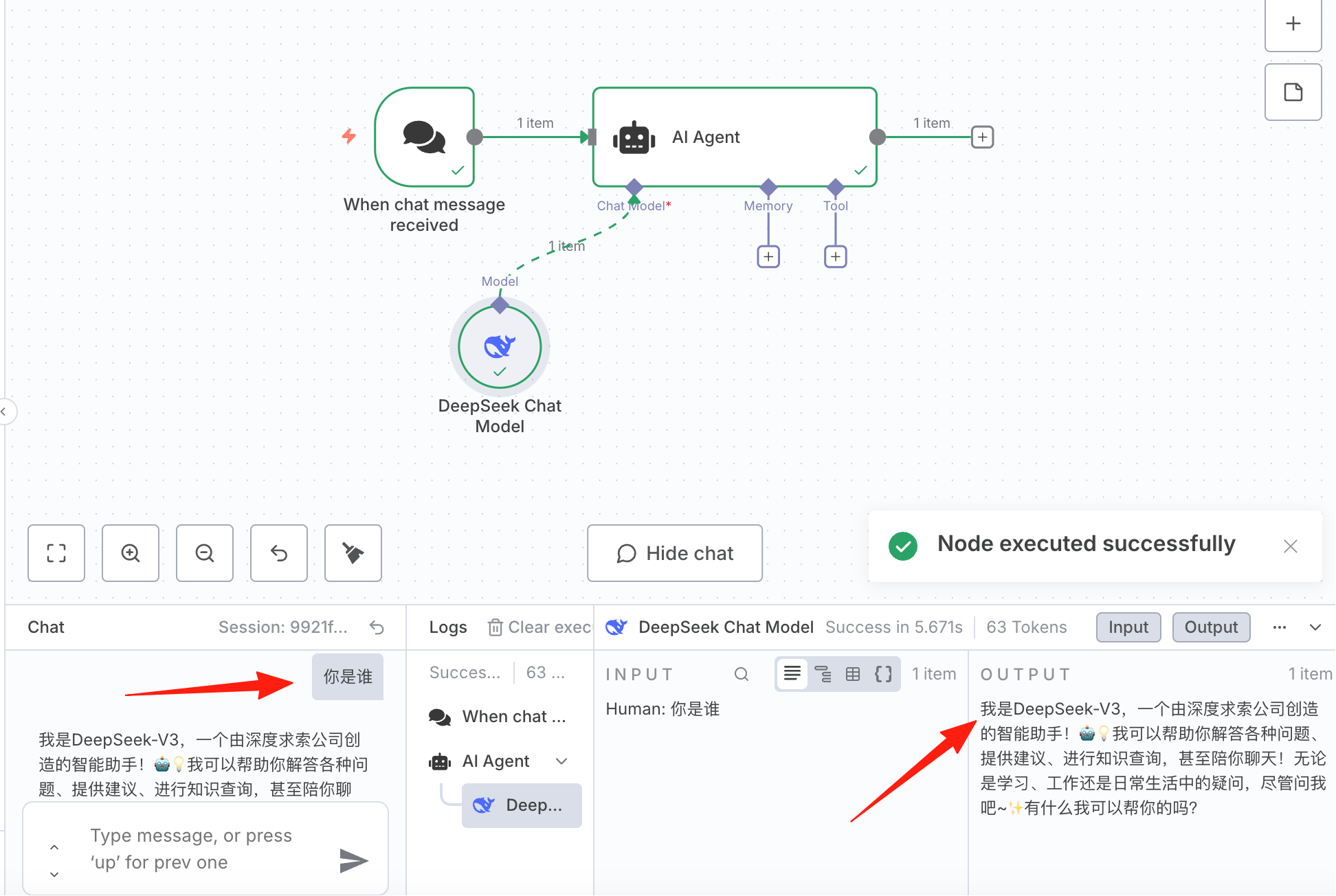
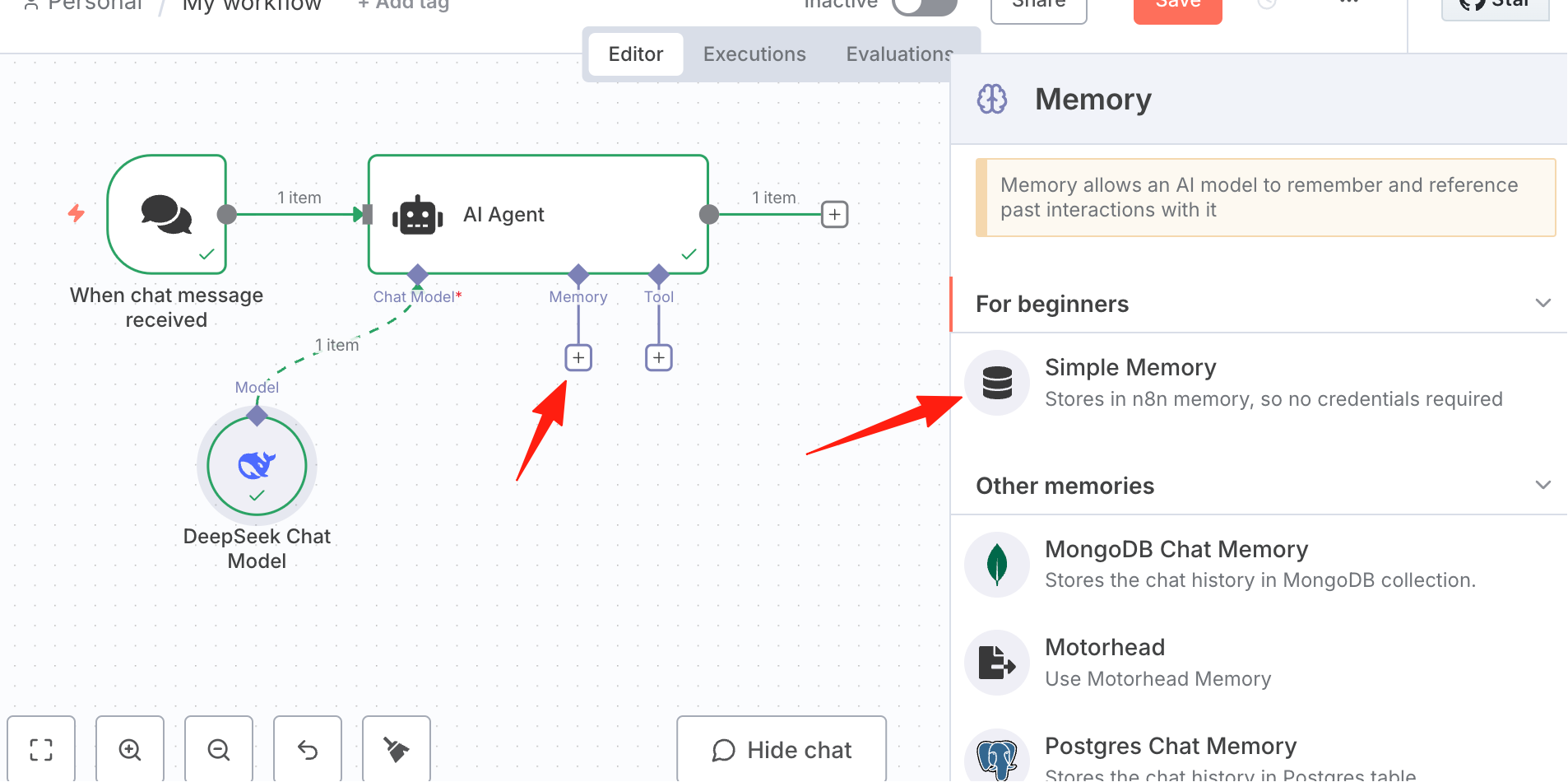
Add Memory so the AI can answer based on context.
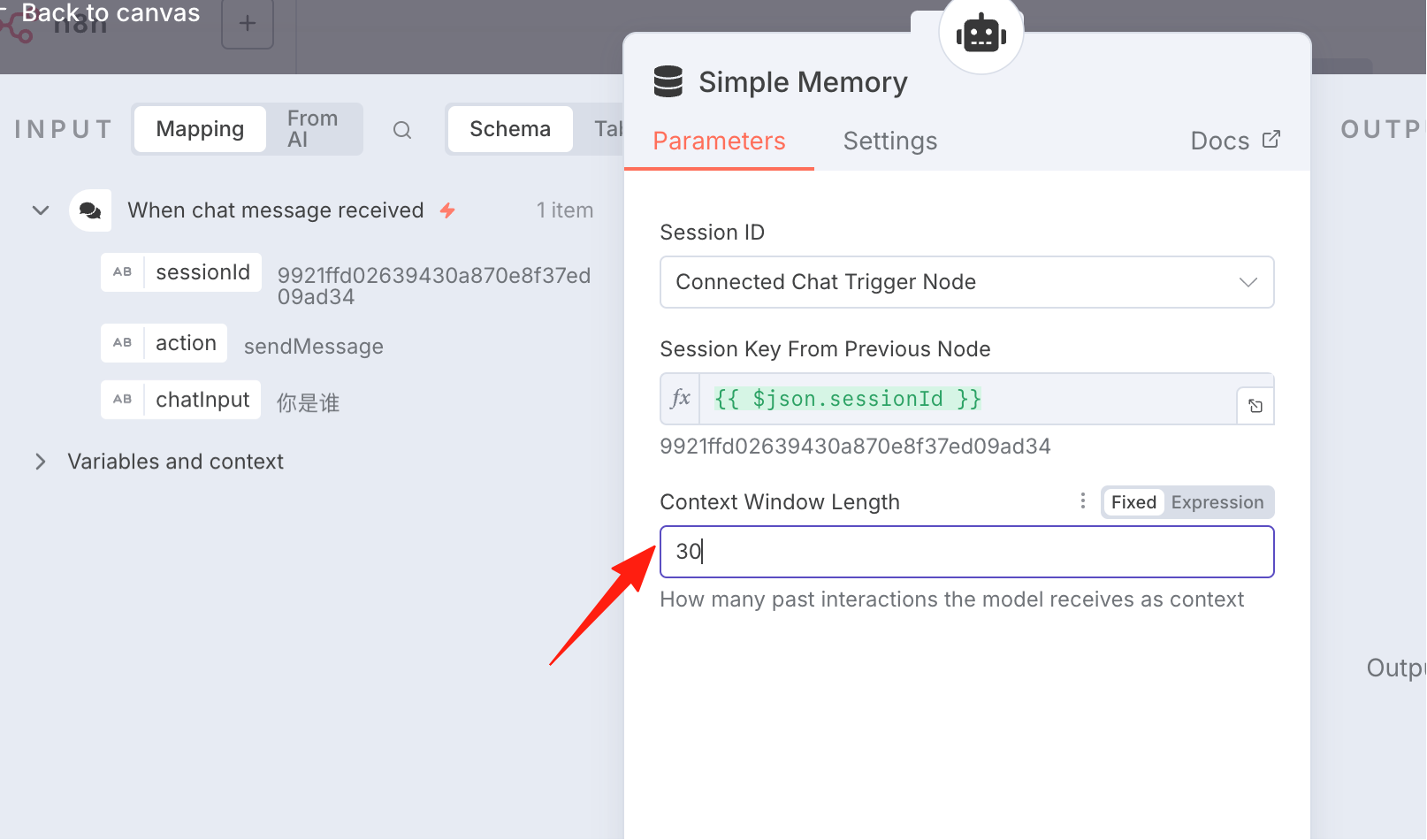
The default is 5, I changed it to 30.
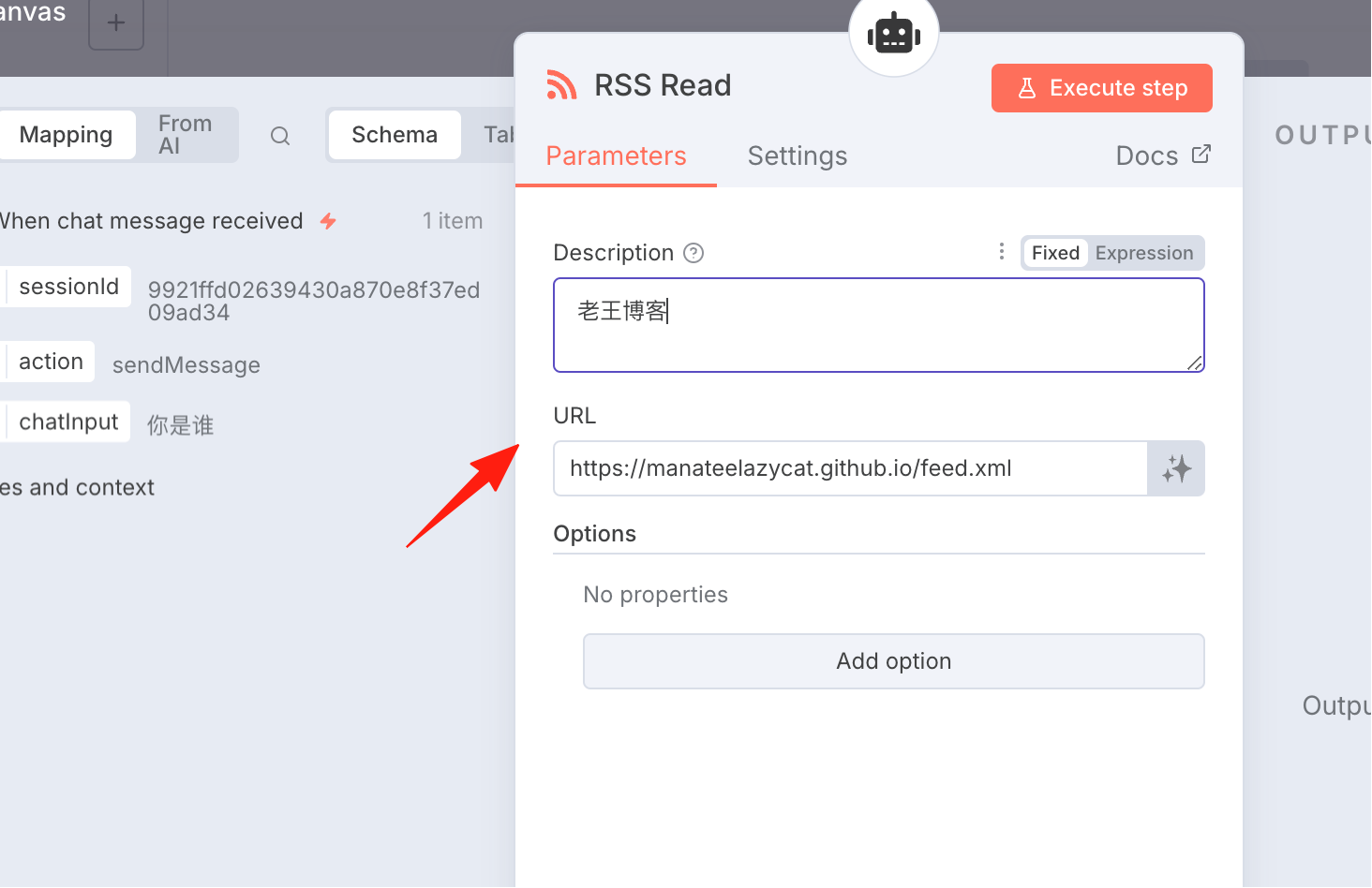
Configure RSS to allow the AI assistant to access specified web content. RSS (Really Simple Syndication) is a technology for subscribing to website content. It allows users to easily get and read the latest updates from websites they are interested in without having to visit each site individually. I'll create an RSS Read node and configure it.
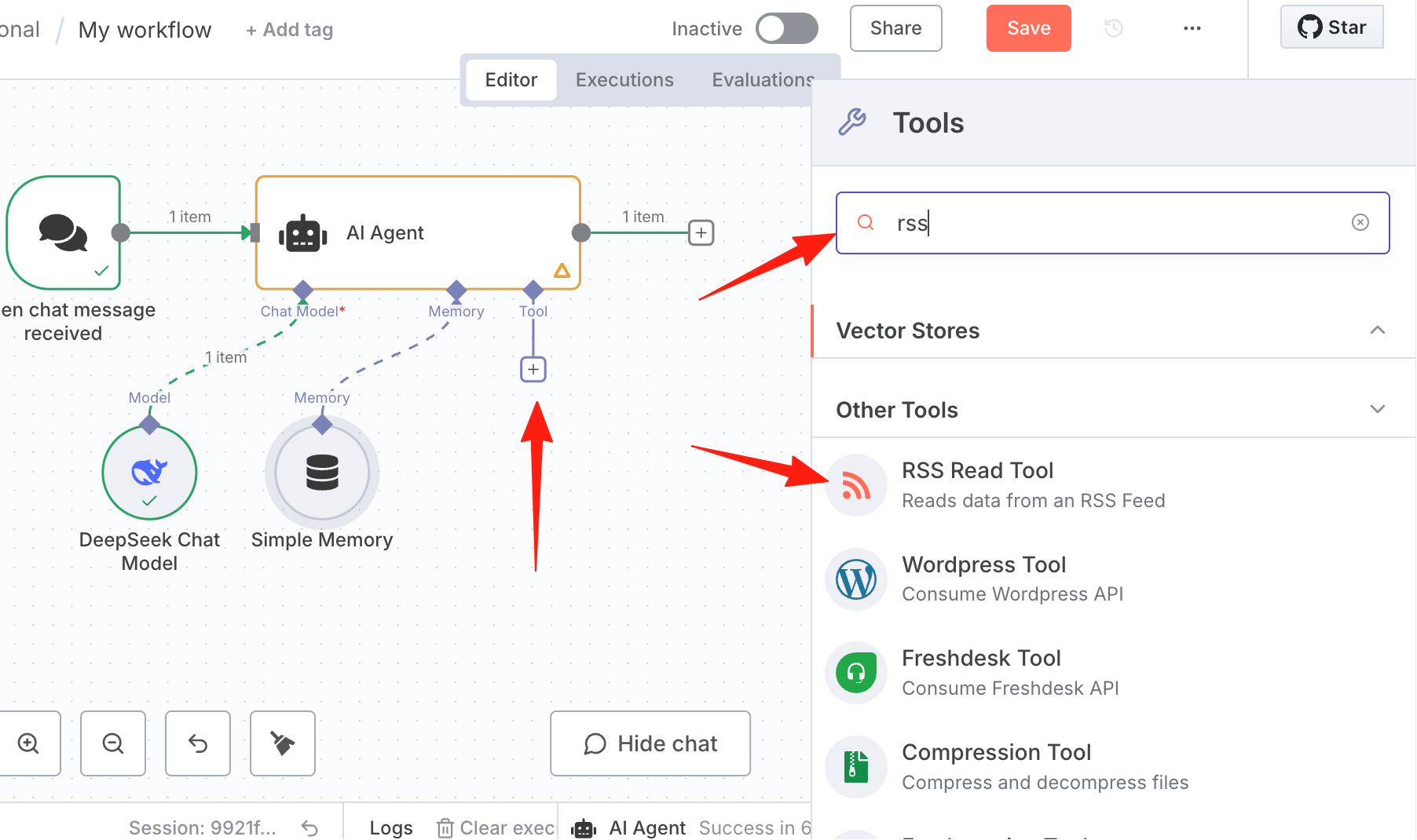
Using Lao Wang's blog as an example: https://manateelazycat.github.io/feed.xml
After all configurations are complete, let's test it by clicking Open Chat below.
I asked this Agent to give me some suggestions on how to use AI. As you can see, it worked perfectly. After calling DeepSeek and connecting to the web via RSS, it output an article.
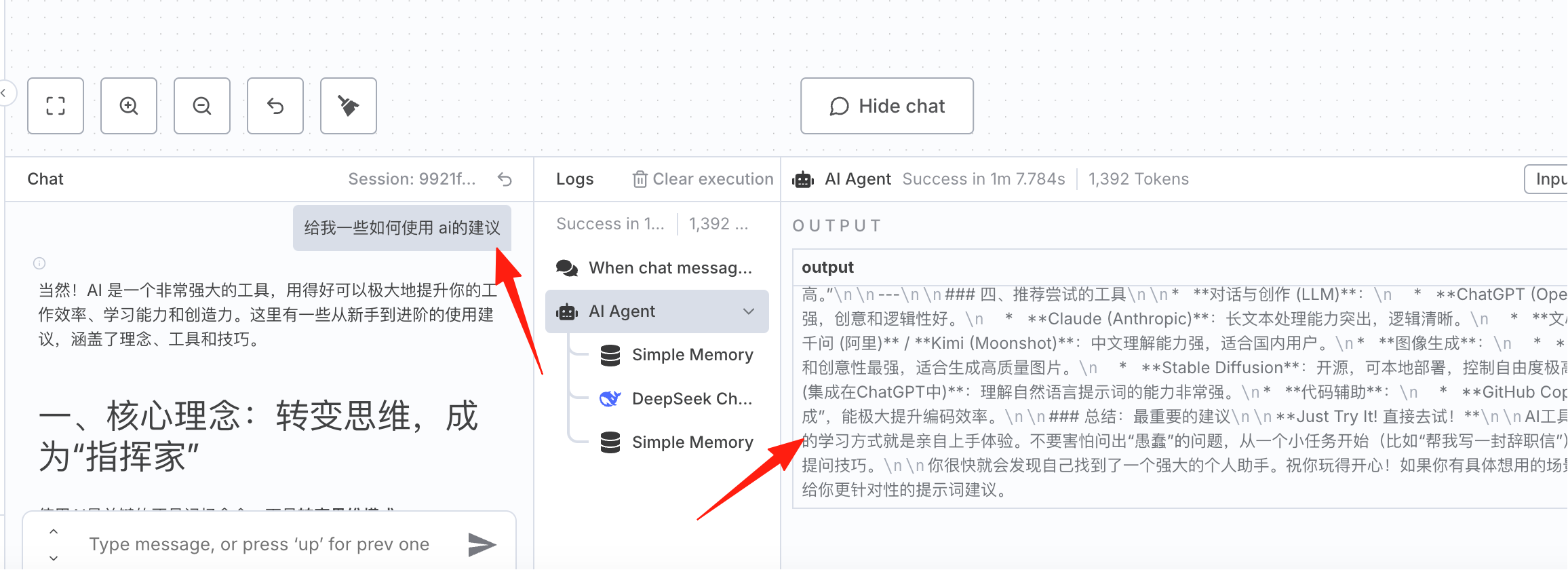
At this point, our first created workflow is successfully running!
Recommended Learning Resources
Official Resources
- Official Documentation: https://docs.n8n.io/
- Workflow Templates: https://n8n.io/workflows/
- GitHub Project: https://github.com/n8n-io/n8n
Summary
The essence of n8n is this: data flows from one node to another, and your job is to control this flow. Understand the data flow, and everything else is detail.
Most importantly, n8n has a gentle learning curve; even those with no programming background can get started quickly. You just need an idea—"I want A and B to connect automatically"—then try it out, and you'll soon be able to create practical automated processes.
Trust me, once you experience the convenience brought by automation, you'll never want to go back to the era of manual operations.