
SuperSonic Practical Guide: Making Data Queries as Simple as Chatting
Recently discovered an incredibly practical open-source project — SuperSonic, a next-generation AI+BI platform open-sourced by Tencent Music, combining both Chat BI (based on large language models) and Headless BI (based on a semantic layer) paradigms.
In simple terms: You can chat with your database using natural language, ask it questions, and it directly provides answers and charts. Imagine not needing to write SQL, just asking "How were sales this month?" and the system gives you a complete analysis report. Pretty cool, right?
Key Features:
- Natural Language Query: Query data by simply speaking
- Intelligent Understanding: Understands your business terminology and context
- Automatic Charting: Automatically selects appropriate visualization methods based on data types
- Permission Control: Supports three-level permission management for datasets, columns, and rows
https://appstore.lazycat.cloud/#/shop/detail/cloud.lazycat.app.supersonic
Practical Usage Guide
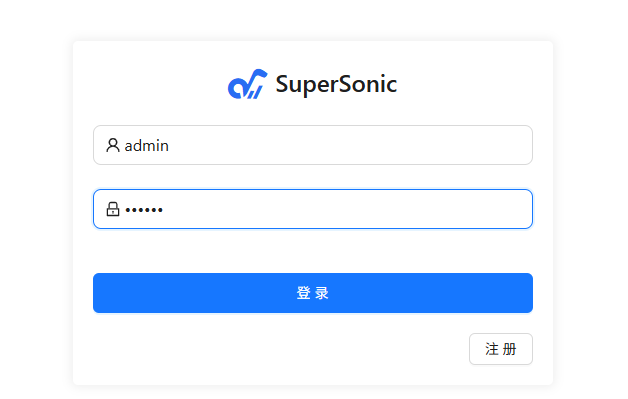
After installing the application, open the login page. Default username/password: admin, 123456
Step 1: Connect Data Source
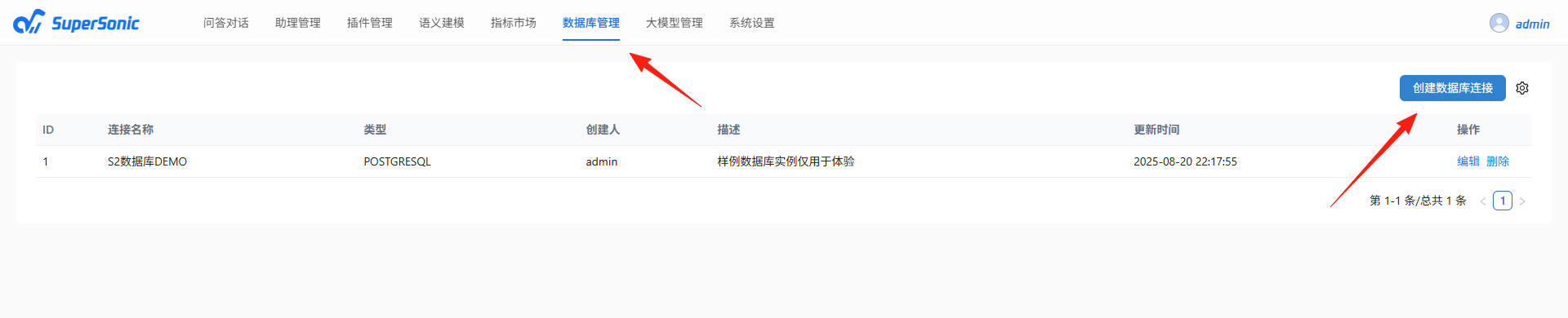
After logging in, first connect your database. SuperSonic supports mainstream databases:
- MySQL
- PostgreSQL
- ClickHouse
- Apache Doris
- And more...
Add connection information in the "Data Source Management" page. Once the connection test succeeds, you can start modeling.
Step 2: Build Semantic Model
This is the most crucial step! The semantic model acts like creating a "business dictionary" for the system, helping it understand your business terminology.
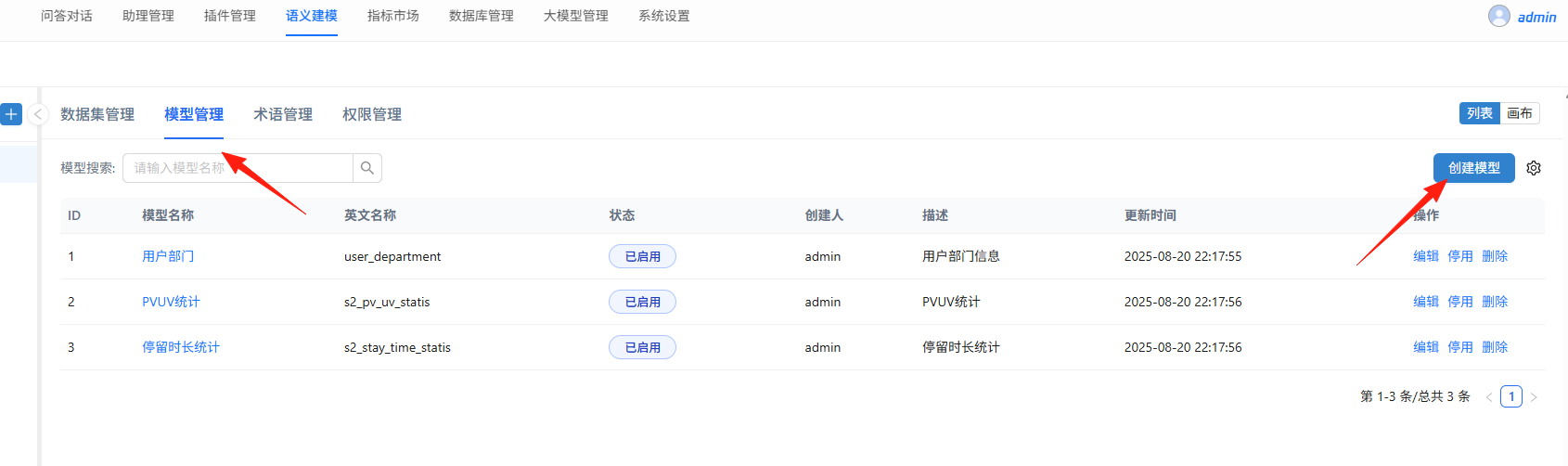
Key Modeling Points:
- Define Subject Areas: Such as "Sales Analysis", "User Behavior", etc.
- Configure Dimensions: Analysis perspectives like time, region, product categories
- Define Metrics: Key indicators like sales revenue, order volume, conversion rate
- Add Tags: Enumeration values like user levels, product status
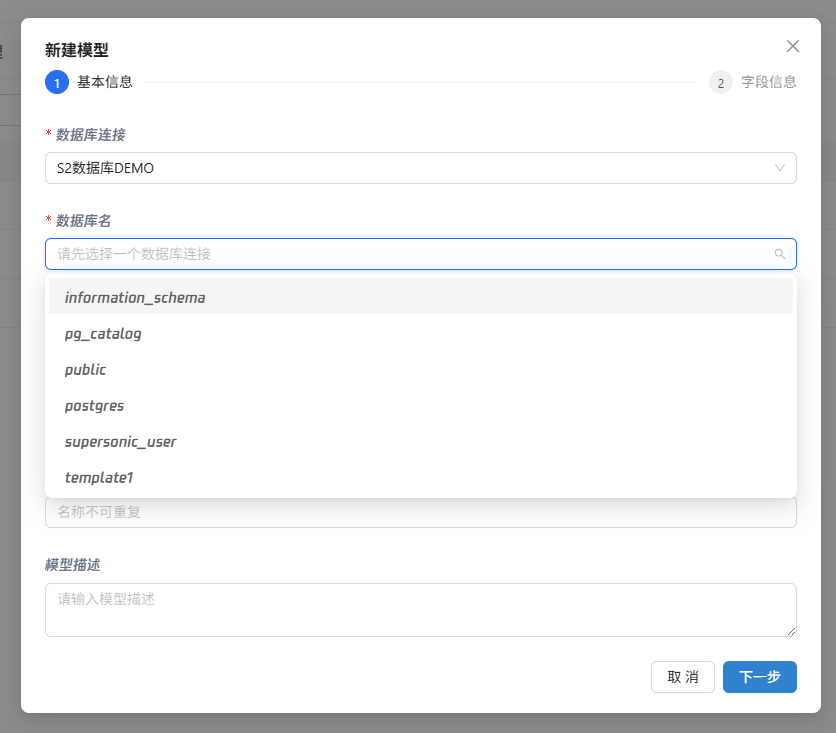
Practical Tips:
- Use business-friendly vocabulary for dimension and metric names
- Add synonyms, e.g., both "revenue" and "sales" point to the same metric
- Add descriptions to important fields to help AI better understand
Step 3: Start Conversational Queries
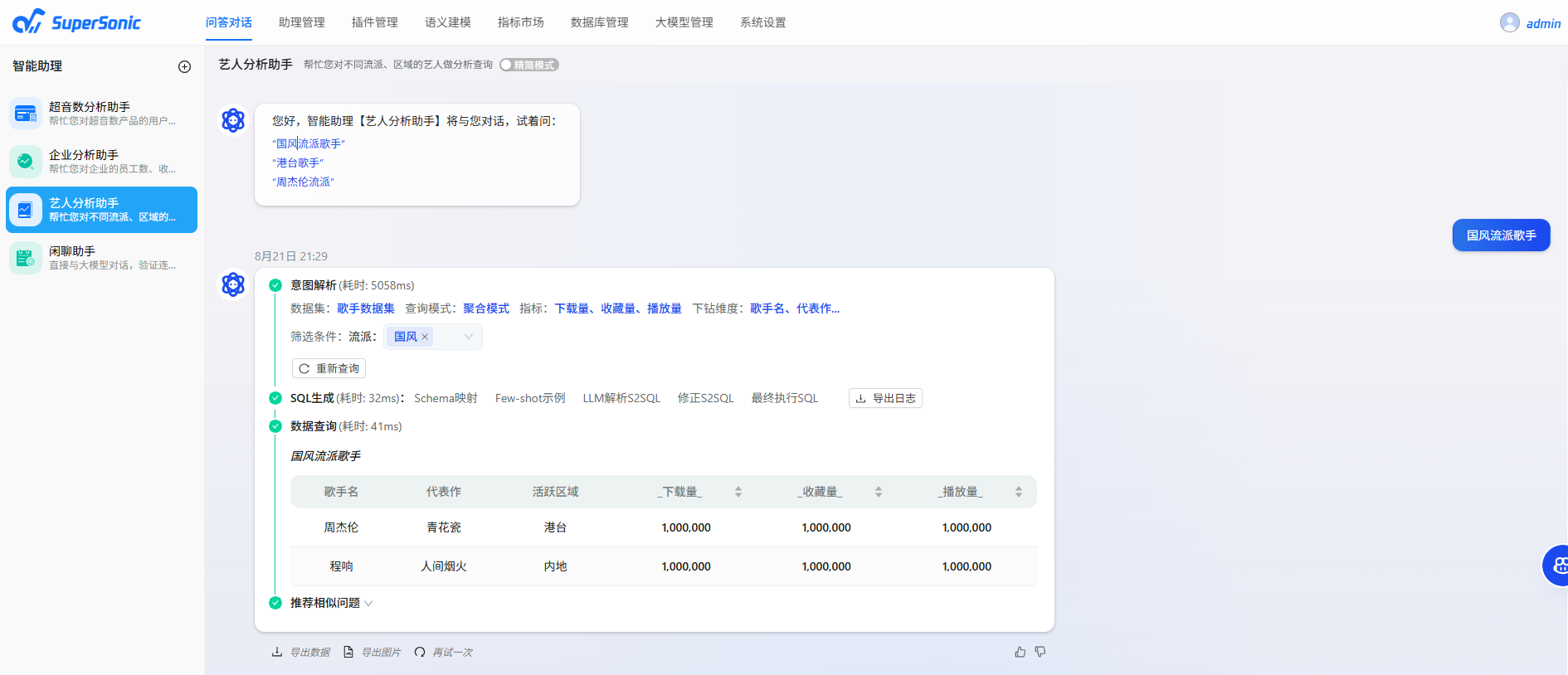
Once the model is built, you can start chatting! Here are some practical query techniques:
Basic Queries:
- "What's this month's sales revenue?"
- "Number of users in Beijing region"
- "Order trends for the last 7 days"
Step 4: Permission Configuration (Essential for Team Use)
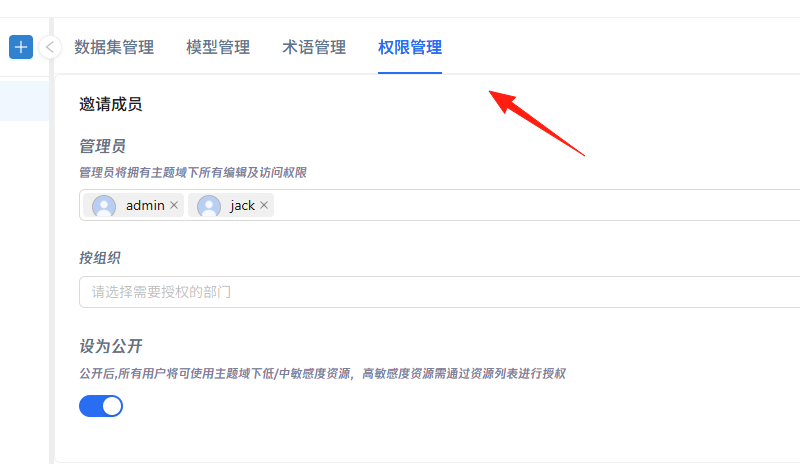
If used by teams, permission management is crucial:
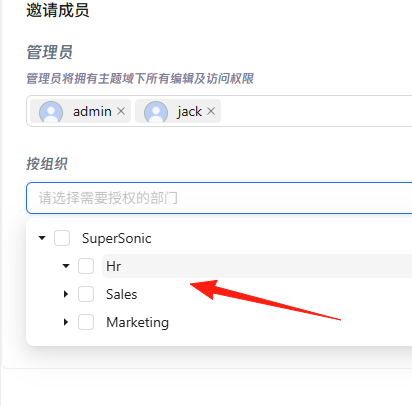
In the "Permission Management" page, you can flexibly configure permissions, supporting multiple authorization methods including users, roles, and departments.
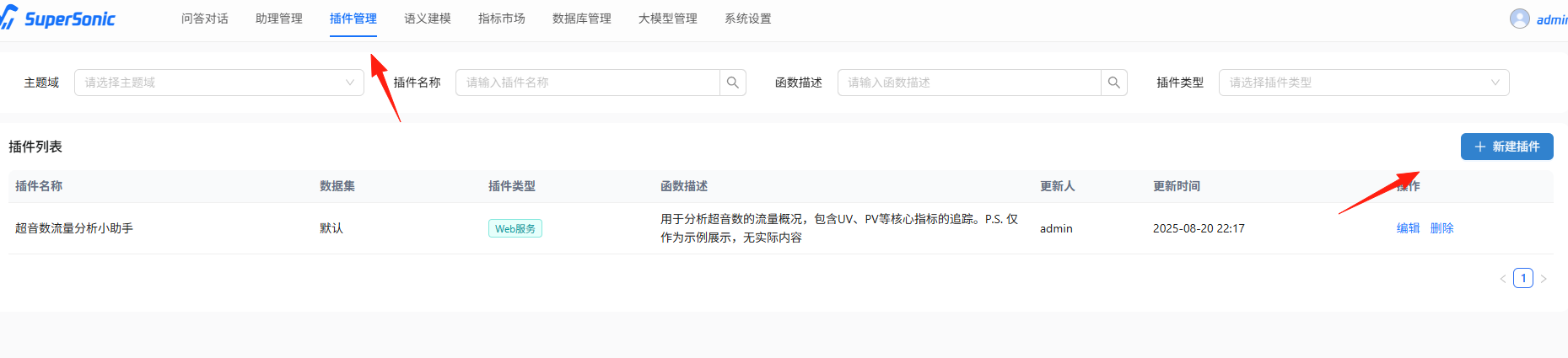
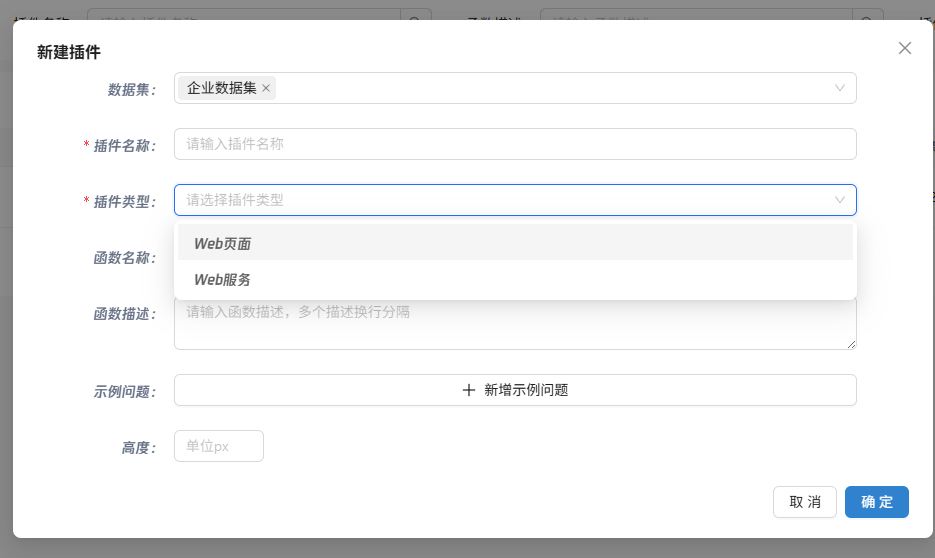
SuperSonic supports plugin extensions, allowing you to:
- Integrate external APIs (e.g., weather, exchange rates)
- Add custom calculation logic
- Connect to other business systems
Summary
SuperSonic is a highly practical tool that democratizes data analysis, enabling business users to query data and perform analyses independently without relying on technical staff.
If your team struggles with complex SQL queries and report generation, consider trying SuperSonic. It might not solve all problems, but it definitely makes data querying simpler and more intuitive.
Project address: https://github.com/tencentmusic/supersonic