
NarratoAI Practical Guide: Create Viral Video Commentary Even as a Beginner
What is NarratoAI?
Don't know how to edit videos? Can't write scripts? Want to create film commentary but feel the barrier is too high?
Don't worry, let me recommend a tool today — NarratoAI. This thing is seriously great; it basically automates the entire film commentary production process, from watching the film, writing the script, to editing and voice-over, providing a one-stop service.
Simply put, you feed it a video, and it spits out a complete commentary video for you.
https://appstore.lazycat.cloud/#/shop/detail/ink.akawa.ety001.narratoai
Practical Guide: From Zero to Finished Video
After installing the app, if you find the interface is entirely in English, don't panic. Open the Basic Settings.
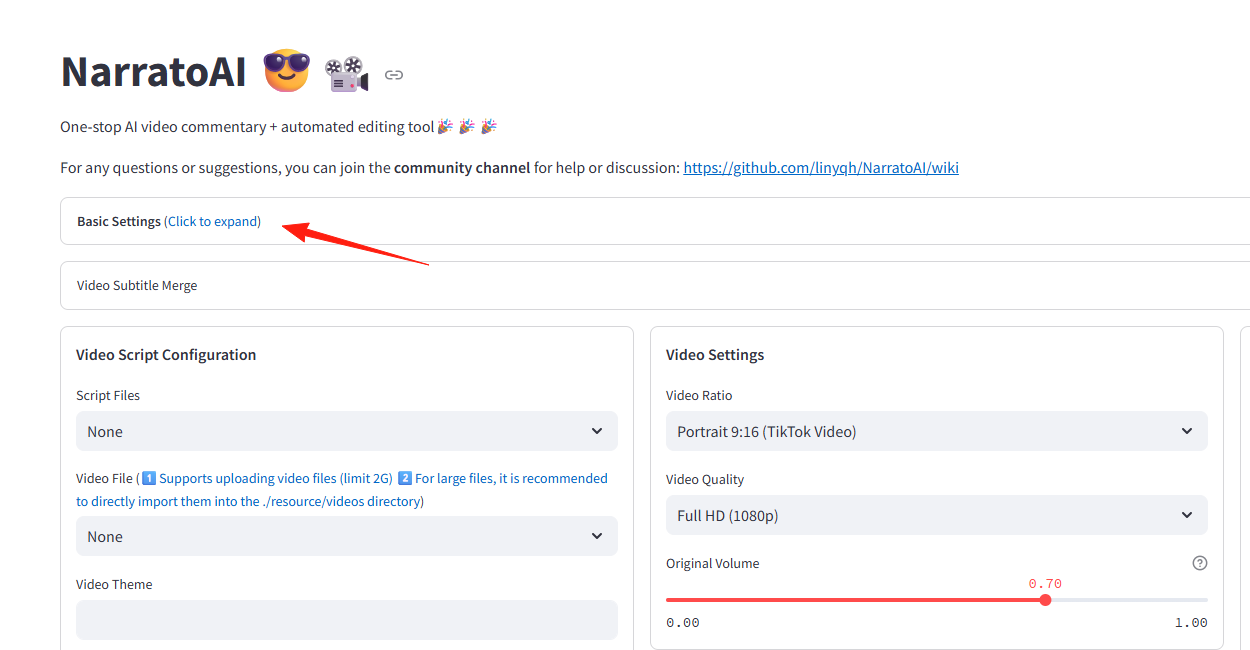
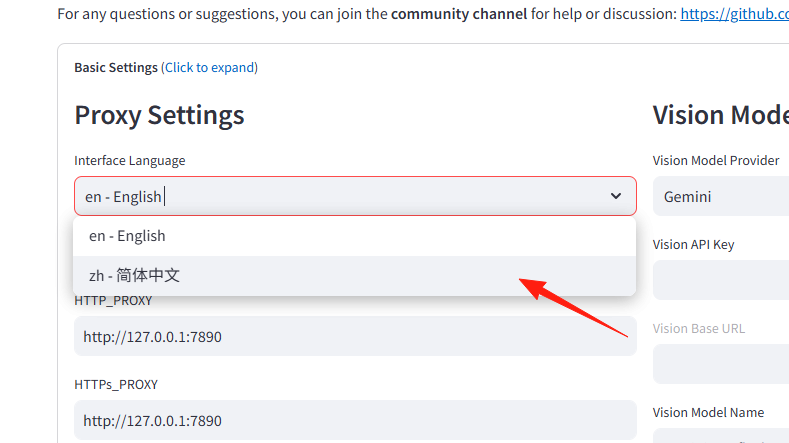
Change the language to Chinese.
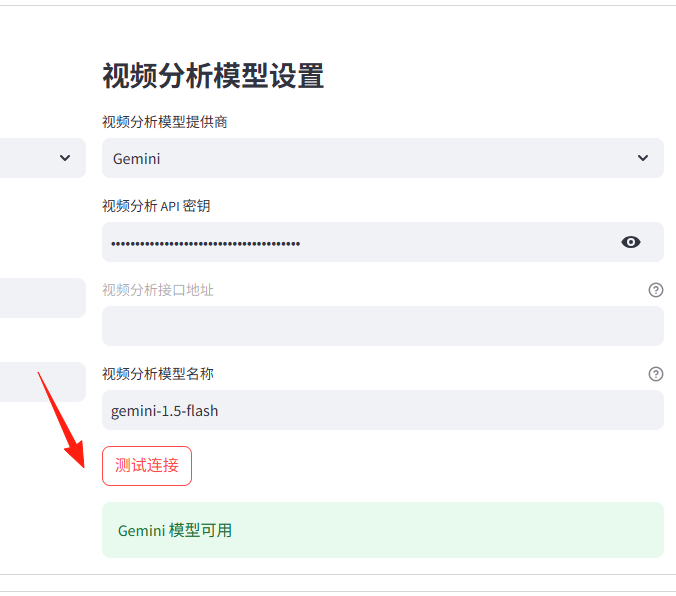
Step 2: API Configuration
This is a crucial step, don't skip it!
I have a Gemini membership. I've written about how to get the API key in a previous article, so I won't go into detail here. Test the connection to see if it's working.
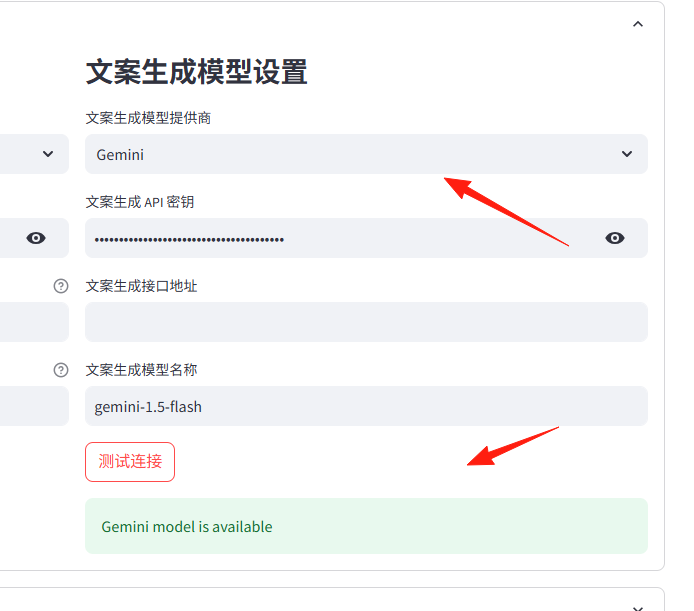
Similarly, configure the copywriting generation model as well.
Step 3: Upload Video and Subtitles
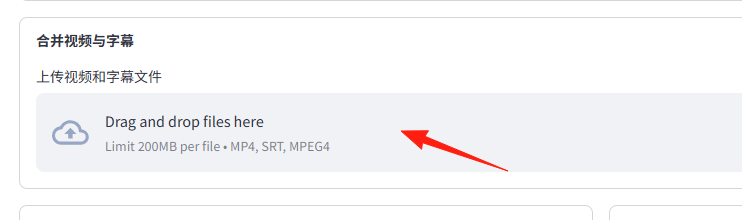
What kind of videos are suitable for commentary?
- Movies with fast-paced plots (suspense, thriller, action genres work well)
- Popular films and TV shows with high discussion value
Please note: Your video file and subtitle file names must be consistent, otherwise the merge will fail and throw an error.
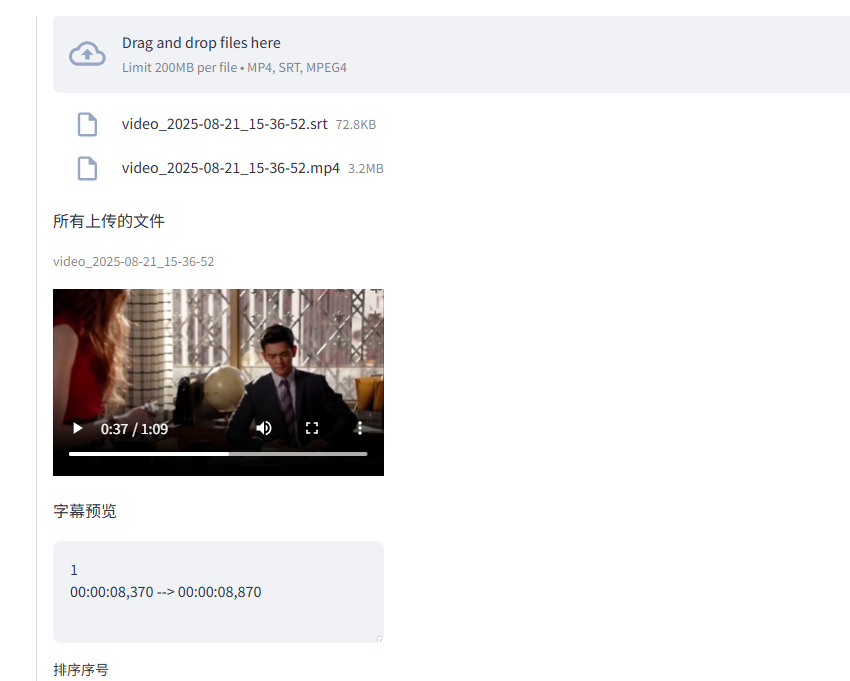
Click "Merge All Files". A preview will appear upon success.
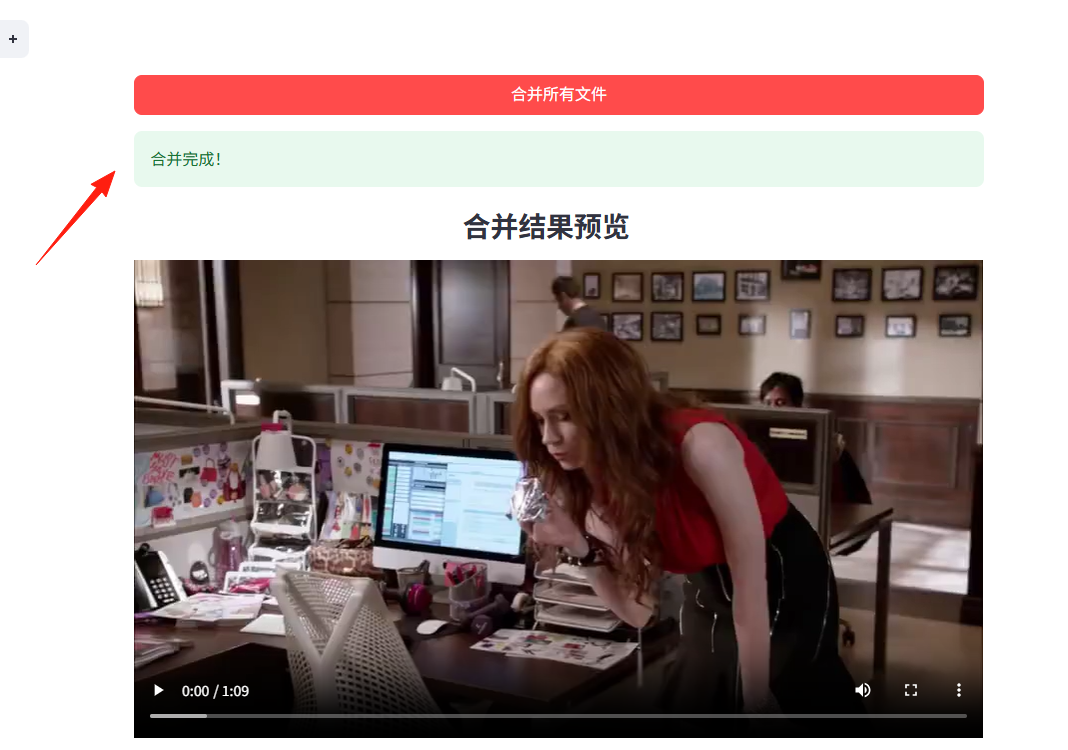
Step 4: Practical Workflow
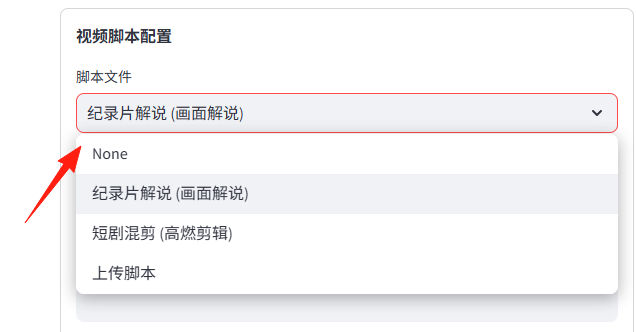
Video Script Configuration: This section is the "soul" of the entire video, meaning the commentary script.
Script File: Here you select a "Copywriting Template". For example, selecting "Documentary Commentary" will make the AI write the script in a documentary style. Selecting "Frame Extraction & Montage" will make the AI cut your video footage more finely, creating that fast-paced montage effect.
Custom Prompt: This is like having a chat with the AI. You can tell the AI your specific requirements here, for example: "Please write an impassioned commentary script for the movie 'The Wandering Earth', about three minutes long." The AI will generate the copy according to your instructions.
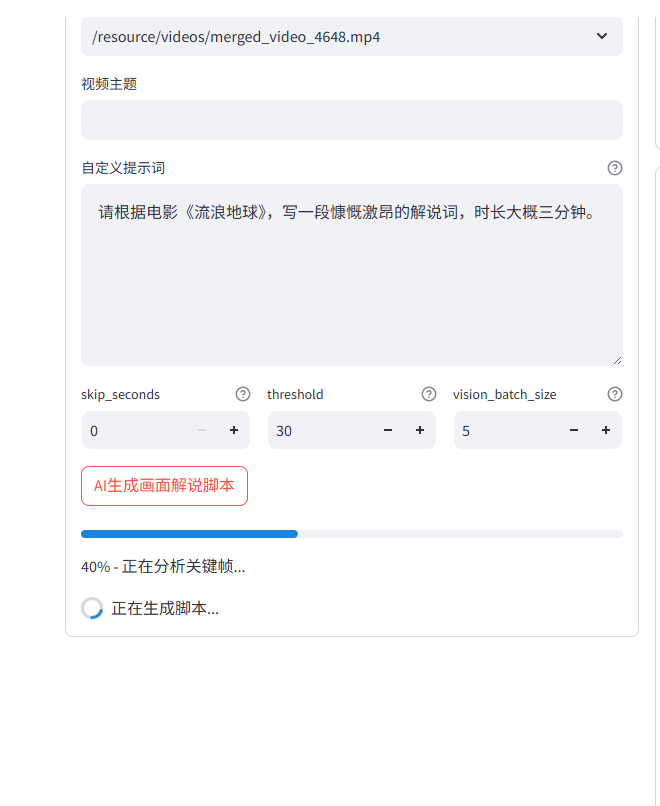
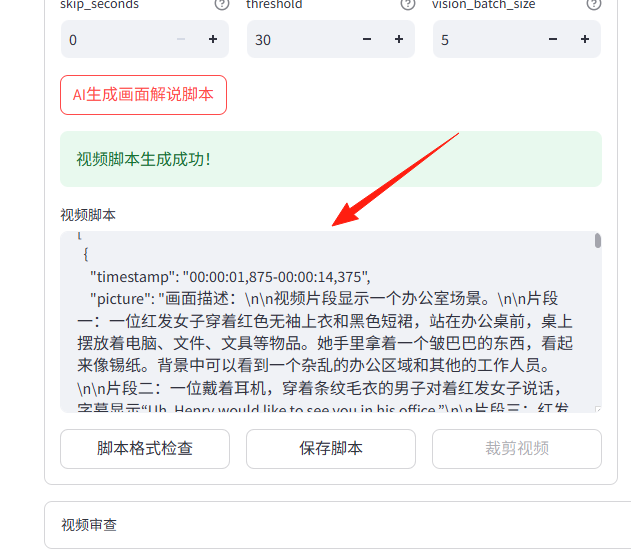
Wait a moment, and you'll see the script has been generated.
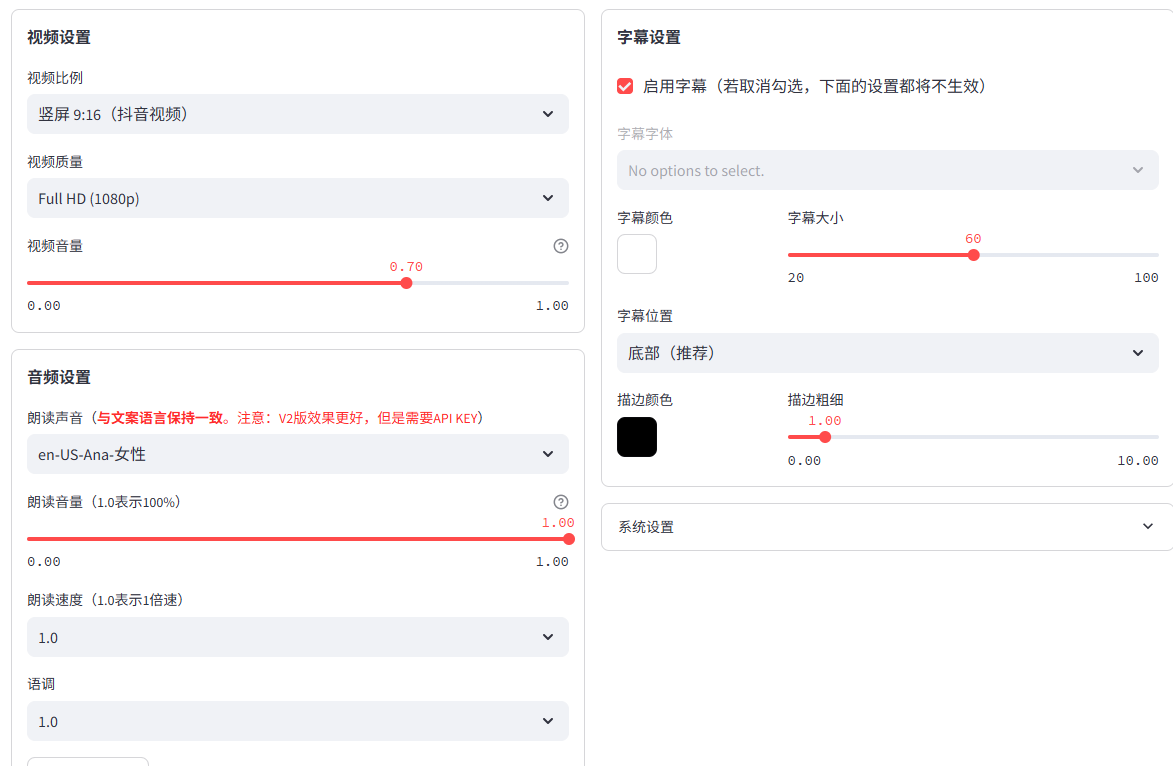
Here you can adjust the video aspect ratio, audio, subtitles, and other information.
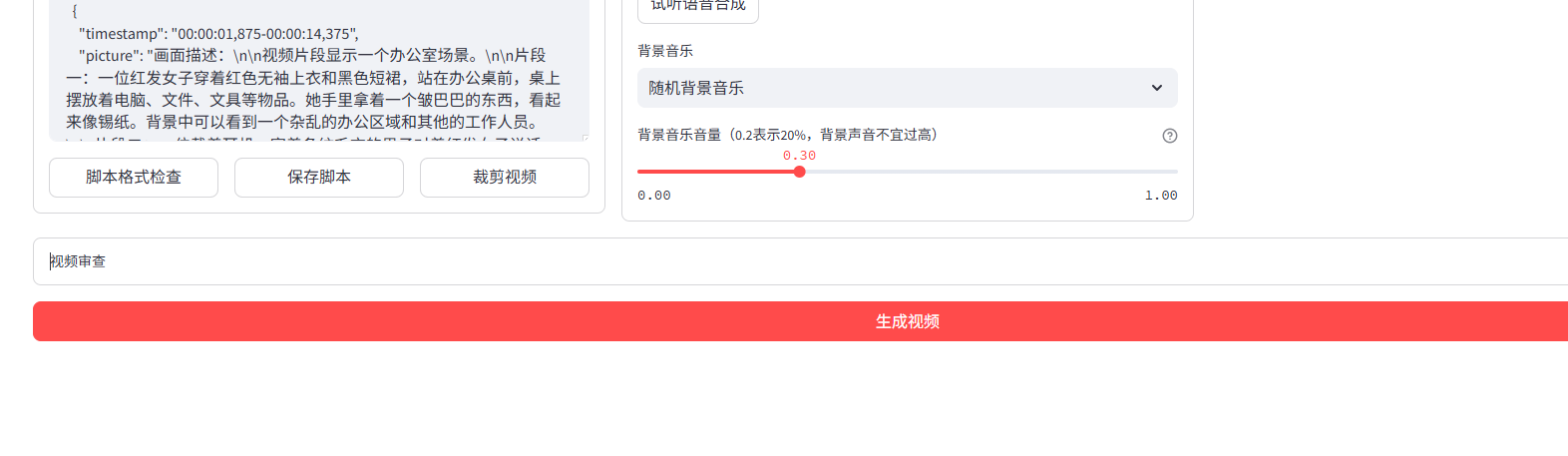
Finally, click the "Generate Video" button at the bottom.
Don't feel bad if you use up the free quota. The cost is minimal compared to the time saved.
Final Thoughts
NarratoAI确实确实 lowers the barrier to creating film commentary, but it doesn't mean you can just throw something together and become an instant hit. Content quality and personal style are still the most important factors.
AI is a tool that helps you improve efficiency, but creativity and aesthetic sense still depend on you. Using this tool well, combined with your own ideas to create distinctive content, is the way to succeed in the long run.