
SQLynx Practical Guide: A Database Management Tool Even Beginners Can Master
What is SQLynx?
SQLynx (formerly SQL Studio) is a database management tool that supports over ten mainstream data sources including MySQL, Oracle, PostgreSQL, Dameng, and Kingbase. It is compatible with various operating systems such as Windows, macOS, and Linux.
In short:
- 🌐 Usable in a browser (Web version)
- 💻 Desktop version available for download
- 💰 Free to use (Personal Edition)
- 🔒 Decent security
https://appstore.lazycat.cloud/#/shop/detail/xyz.youguanxinqing.app.sqlynx
Getting Started Guide
After installing the application, first set a password.
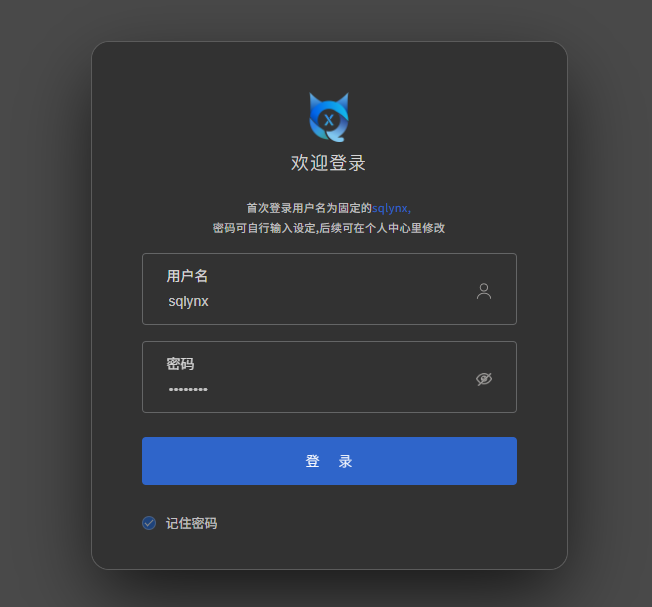
Log in to the home page.

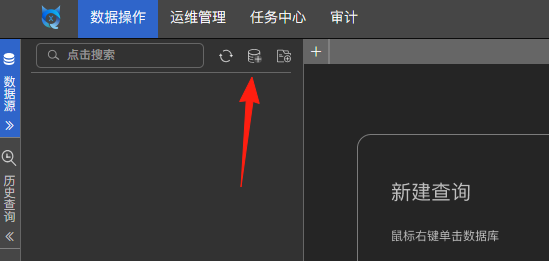
Click to create a new data source.
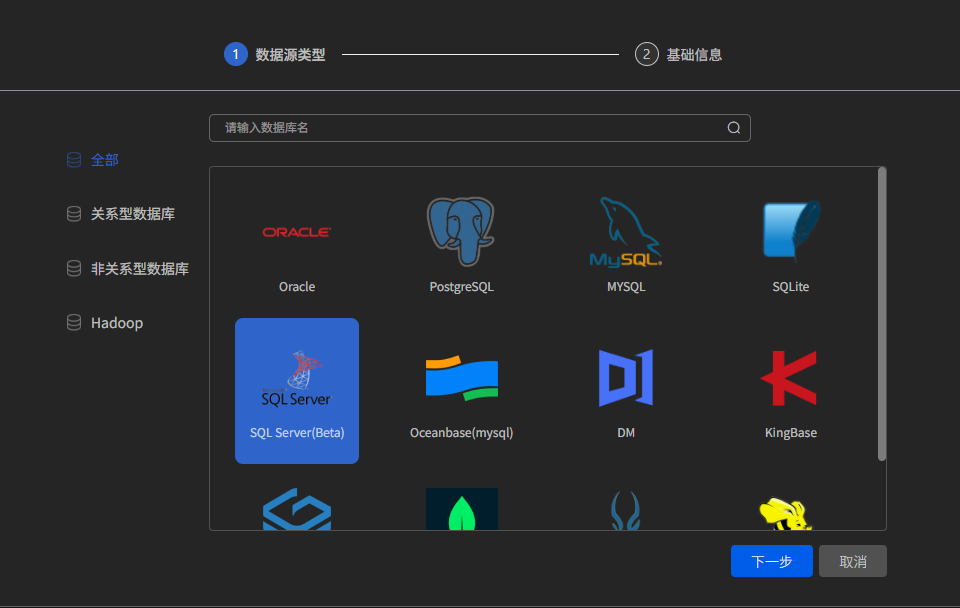
Select a database you are familiar with.
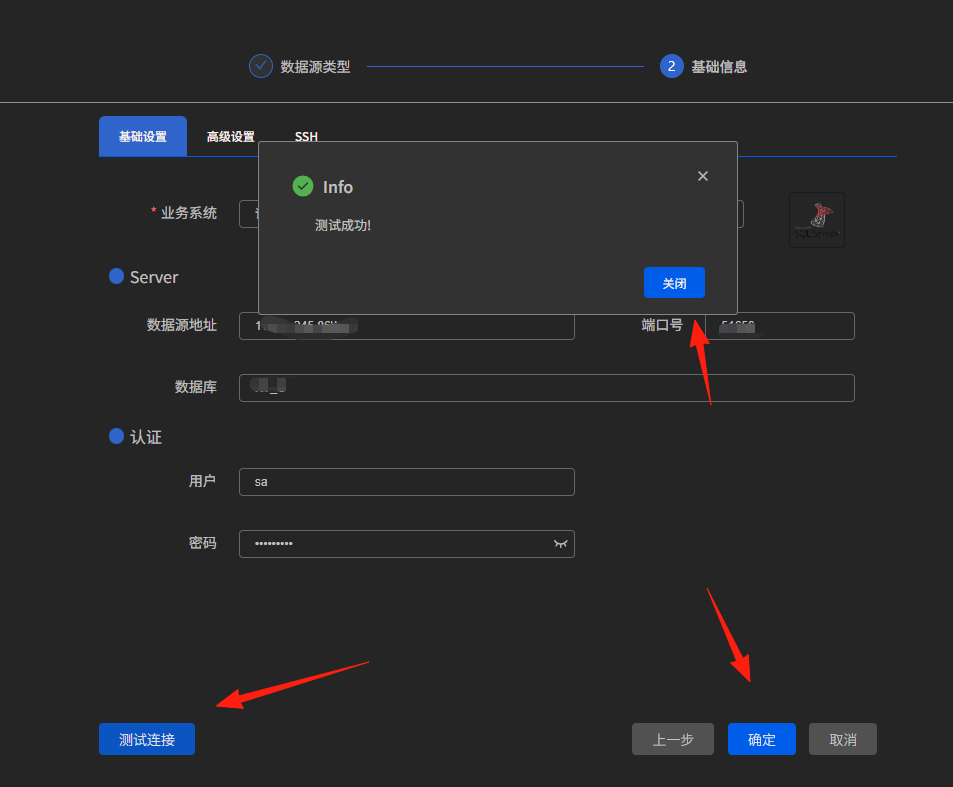
Enter the database information, then click 'Test Connection'. If successful, save it.
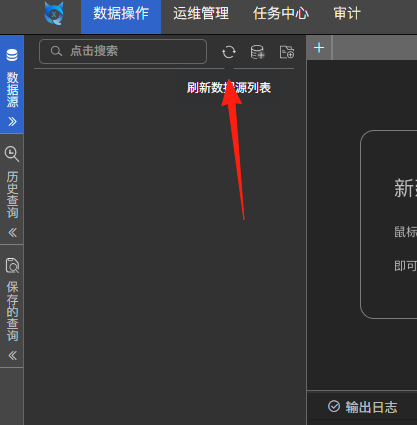
Click the refresh button to see the database.
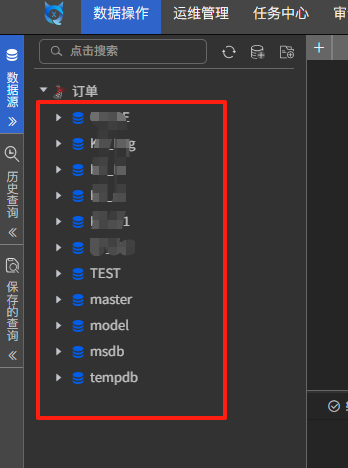
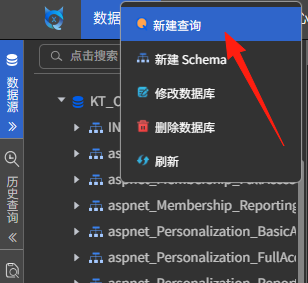
Right-click on the database and create a new query.
It features intelligent code completion.
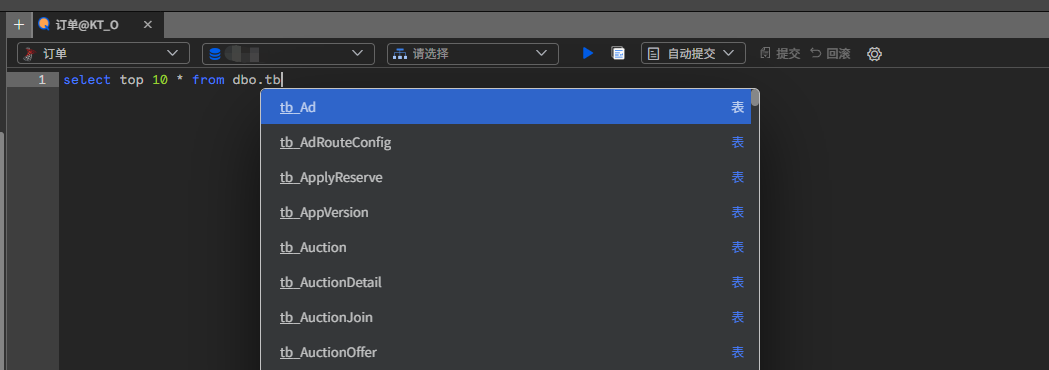
Execute the SQL directly by clicking the Run button or using the following shortcuts:
- Ctrl+Enter: Quickly execute the current SQL
- Ctrl+/: Quickly comment/uncomment
- F5: Refresh the database structure
- Ctrl+S: Save the current SQL to history
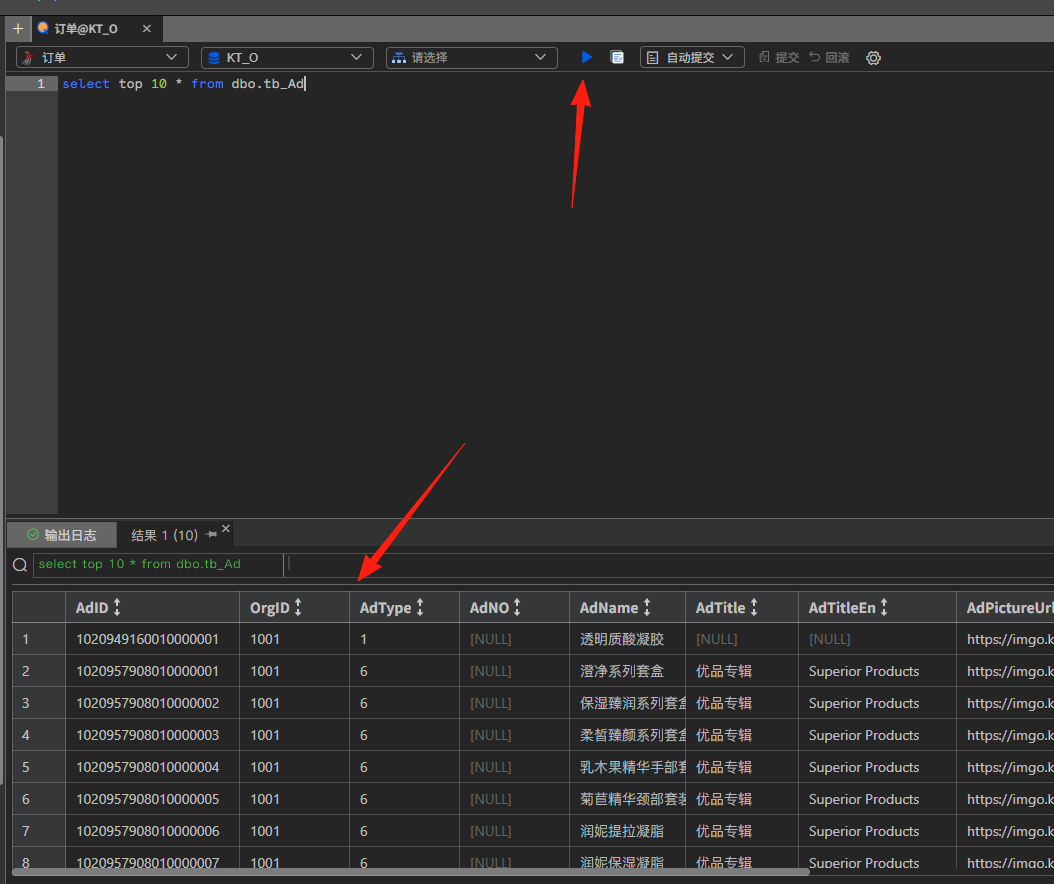
View the search results:
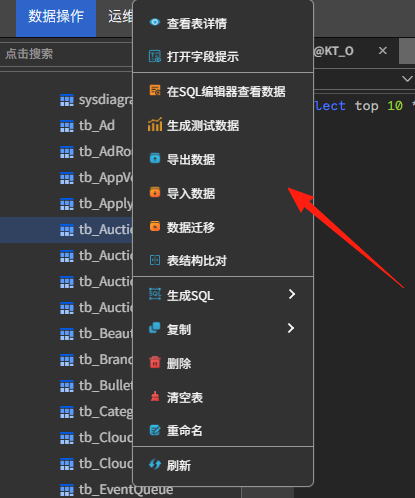
Export Data: Select the table to export, right-click, and choose "Export Data".
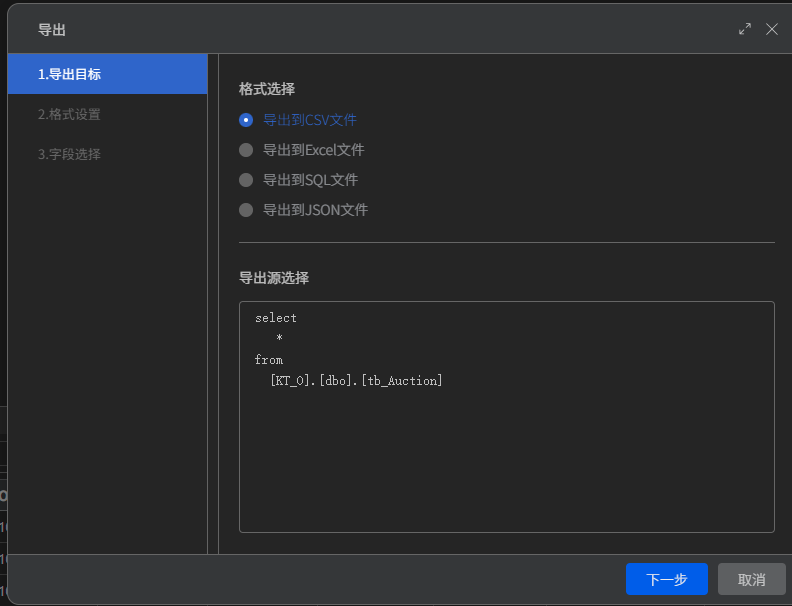
Select the format (CSV recommended for good Excel compatibility), and set export conditions (you can use a WHERE clause to filter).
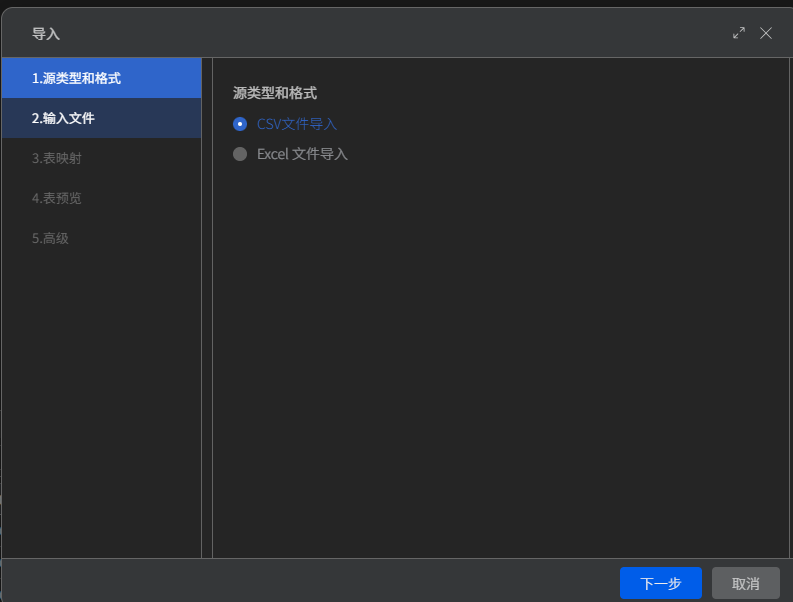
Import Data:
- Prepare a CSV or Excel file.
- Click "Import Data".
- Map the field correspondences.
- Execute the import after previewing and confirming everything is correct.
Test Data Generation Tool
This feature is really practical, especially for development and testing:
- Select the target table.
- Click "Generate Test Data".
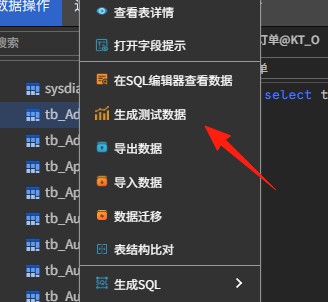
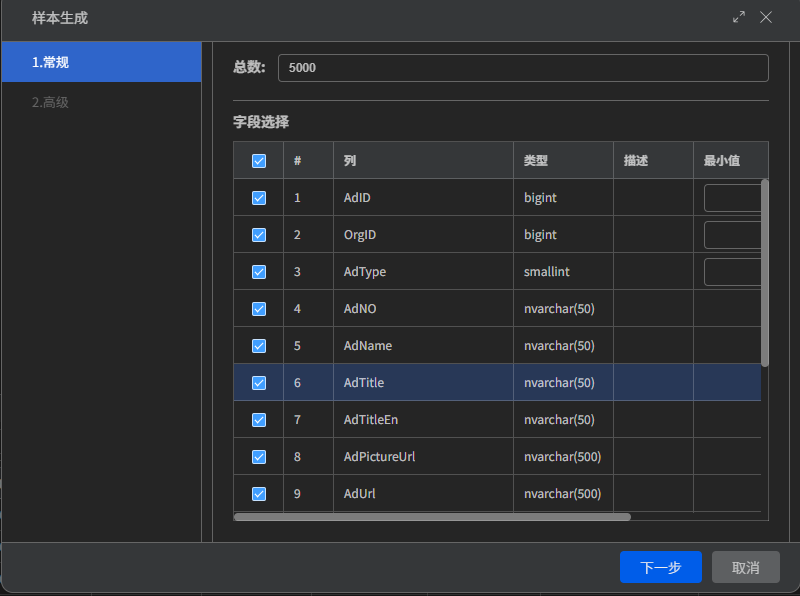
Configure the generation rules:
- Quantity: e.g., 1000 records.
- Field Rules: Names, emails, phone numbers can be intelligently generated.
- Related Data: Foreign key constraints can be maintained.
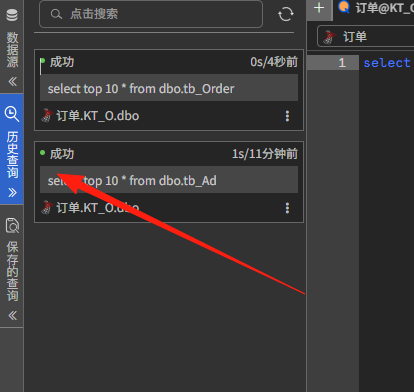
In the left-hand query history, you can see all executed statements and their success status.
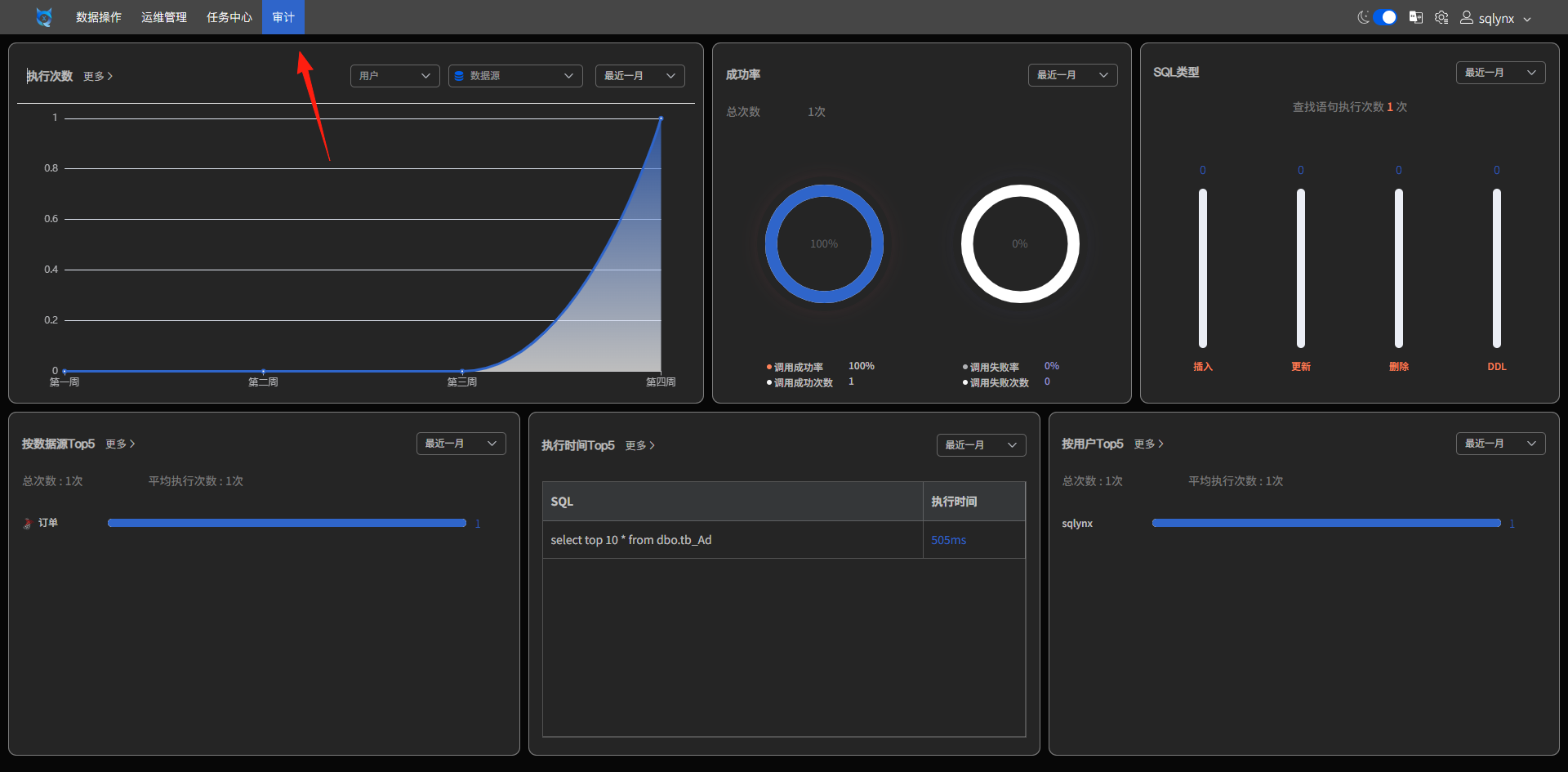
The audit log shows your SQL execution success rate, which can be quite satisfying to see.
Summary
SQLynx is indeed a good choice, especially for:
- Those who don't want the hassle of installation and configuration.
- Scenarios requiring switching between multiple devices.
- Small teams needing a unified tool.
Final reminder: Although it's a free tool, exercise caution when dealing with production environment data. It's recommended to try it in a test environment first and confirm its security before considering formal use.
- [SQLynx Official Website](https://www.sqlynx.com)
- [GitHub Project](https://github.com/ChHsiching/SQLynx)
- [Official Tutorial Video](https://www.bilibili.com/video/BV17p421o7tg/)