
autobrr Practical Guide: Making Automated Downloads a Reality
What is autobrr?
In simple terms, it monitors the IRC announcement channels of various indexers in real-time. Once a new torrent is uploaded, it can automatically grab it based on your predefined rules. Imagine this: once you set up your rules, you can just lean back, and all qualifying resources will be automatically downloaded to your client.
Key Features:
- Real-time Monitoring: Monitors IRC channels, grabbing resources the moment they are uploaded.
- Smart Filtering: Filter by file size, format, keywords, and various other conditions.
- Multi-Client Support: Works with qBittorrent, Transmission, and Deluge.
- Regular Expressions: Advanced users can use regex for more precise filtering.
https://appstore.lazycat.cloud/#/shop/detail/wcloud.gblw.app.autobrr
Usage Guide
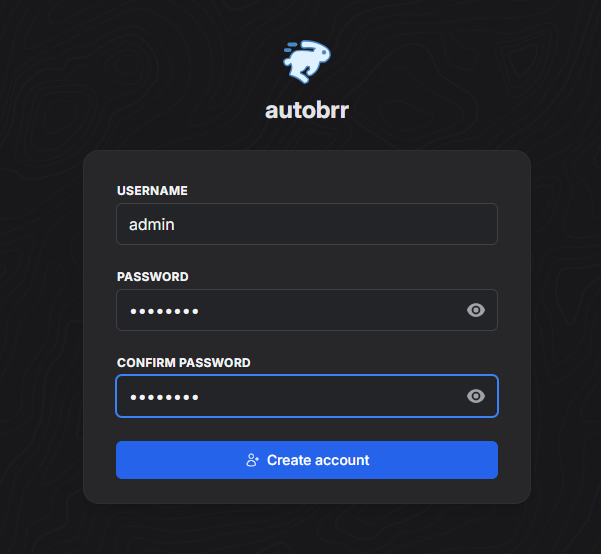
After installing the application, first register a user.
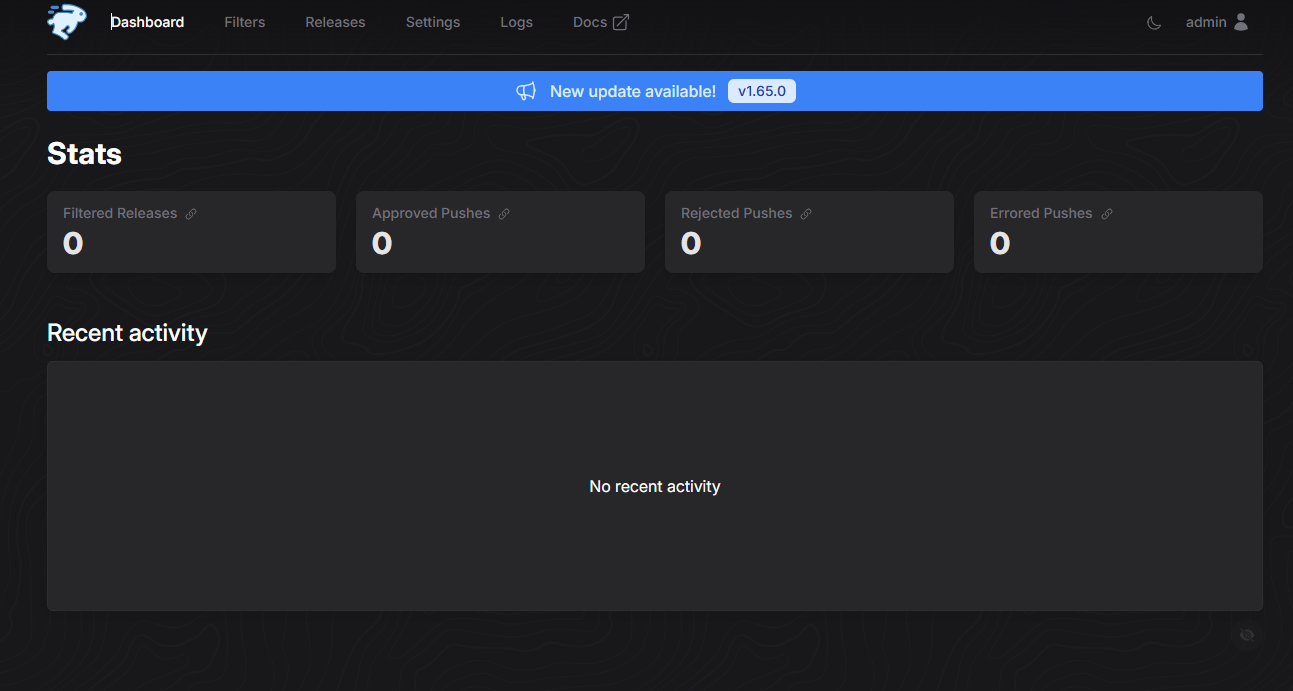
Enter the main page.
Step 1: Add IRC Network
After entering the Web interface, the first step is to configure the IRC connection:
Click Settings → IRC
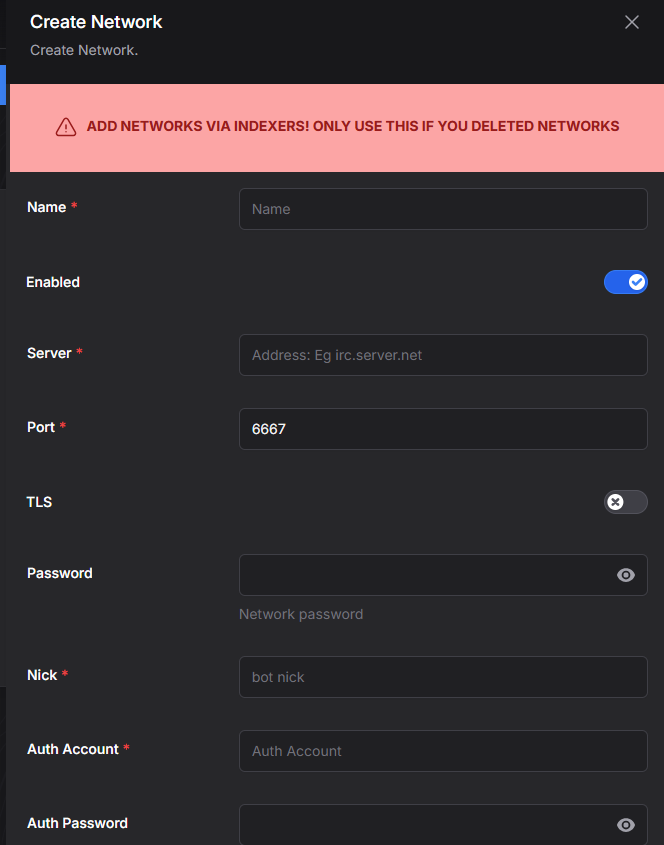
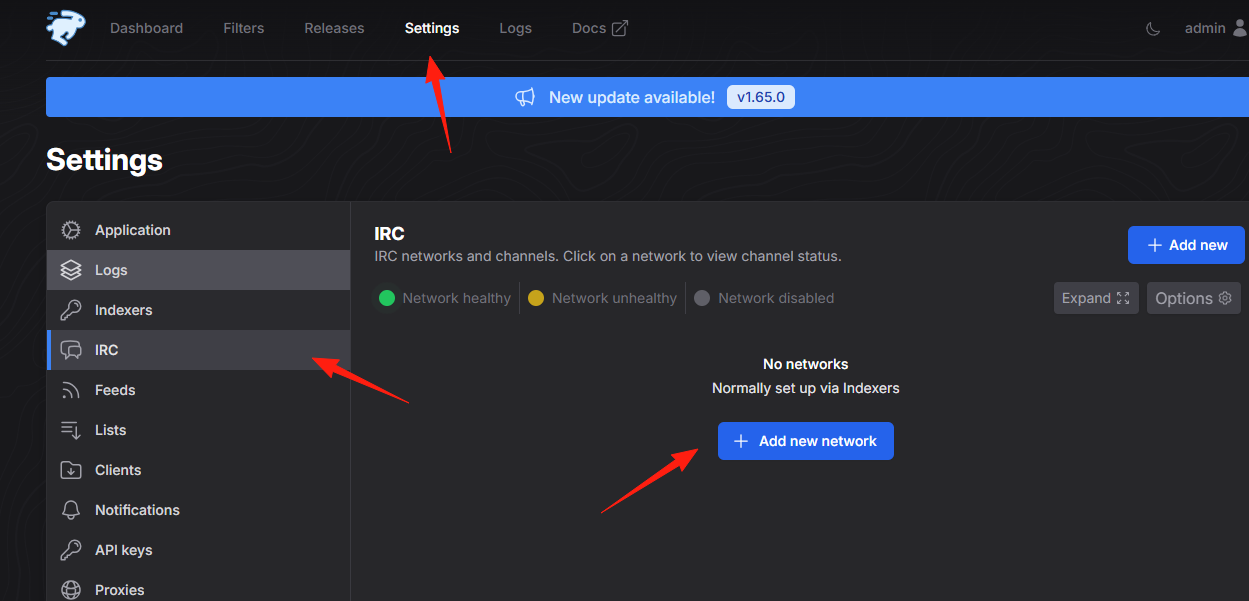 Add the IRC server information for your commonly used PT sites.
Fill in the server address, port, nickname, and other details.
Add the IRC server information for your commonly used PT sites.
Fill in the server address, port, nickname, and other details.
Step 2: Configure Download Client
Add your download tool in Settings → Download clients:
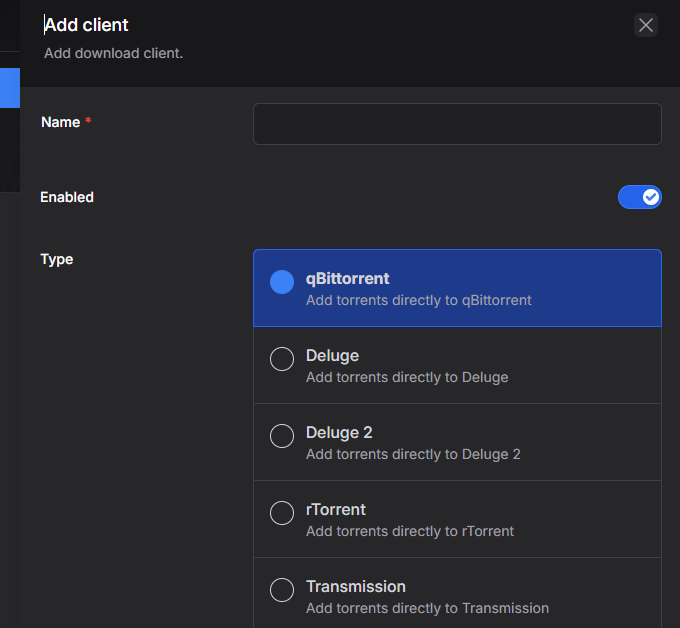
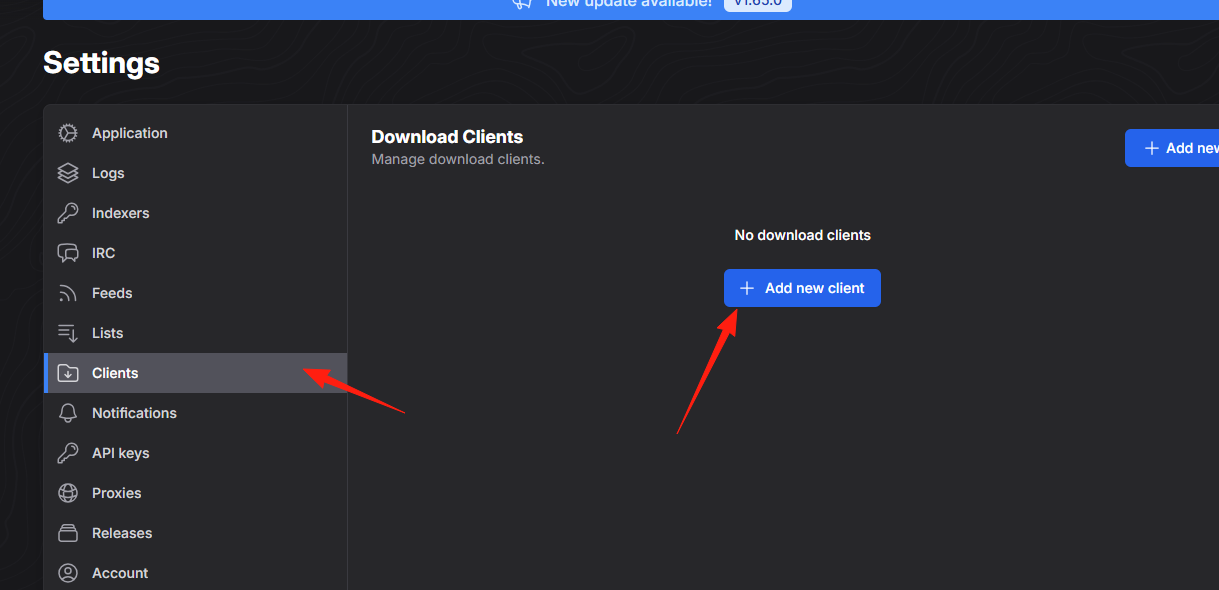 qBittorrent Configuration Example:
- Type: qBittorrent
- Host:
http://localhost:8080(Your qBittorrent Web UI address) - Username/Password: Your login credentials
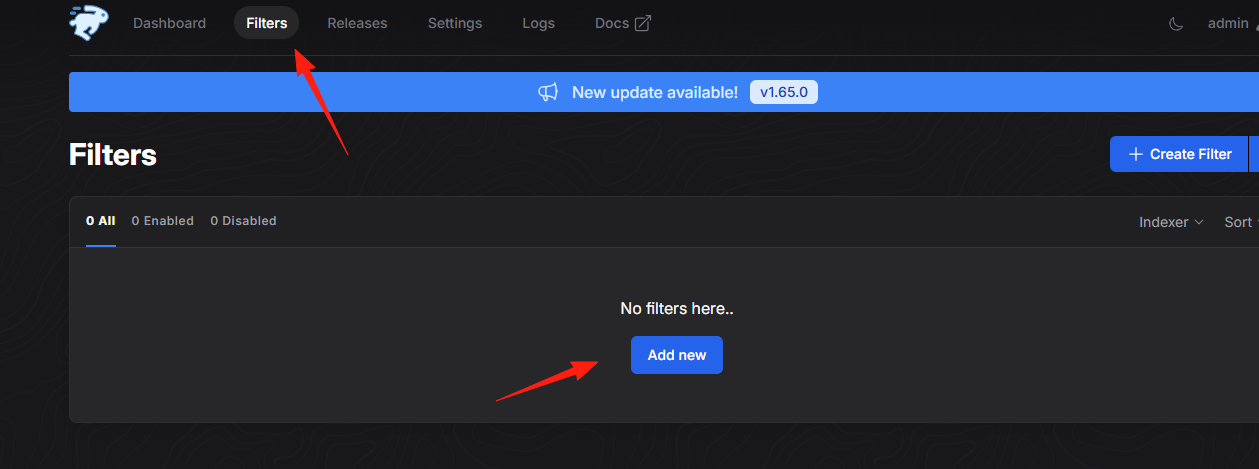
Step 3: Create Filter (Core Functionality)
This is the most crucial step, determining which resources get downloaded automatically:
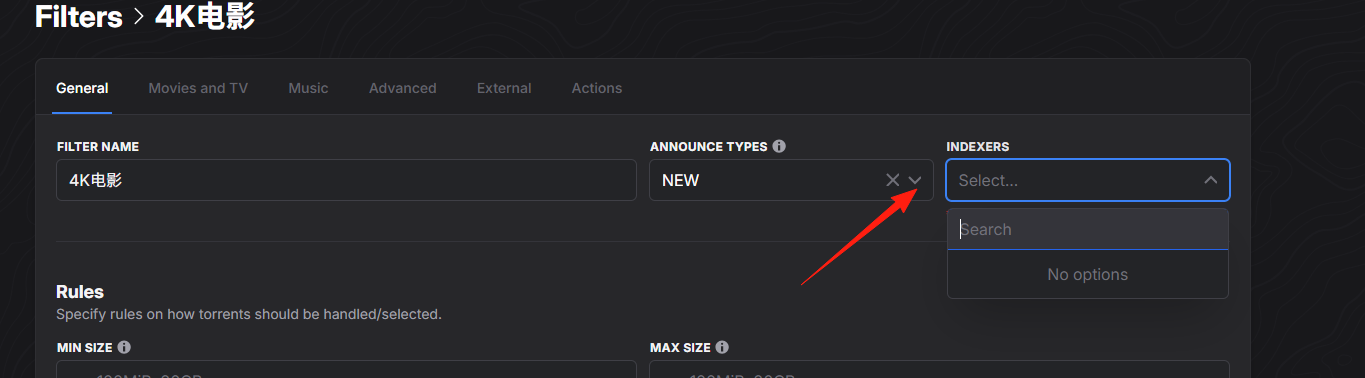
Go to the Filters page, click Add new
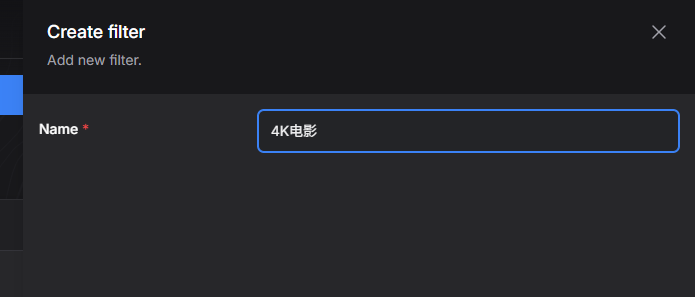
 Configure basic information:
- Name: Give this filter a name, e.g., "4K Movies"
- Indexers: Select the sites to monitor.
- Download client: Select the download tool.
autobrr integrates well with the Servarr suite, pushing grabbed torrents directly to Sonarr or Radarr for processing, enabling fully automated media library management.
Final Words
autobrr is a tool you'll grow fond of. Once configured, you'll find your download efficiency greatly improved, and you'll no longer need to wait in front of your computer for new resources.
Of course, tools are just tools; it's the user who matters. Use it reasonably, abide by the rules of each site, and be a responsible user. After all, our goal is to enjoy the convenience brought by technology, not to disrupt the ecosystem.