
StreamCap Practical Guide: Never Miss a Live Stream Again
Have you ever encountered this situation: your favorite streamer goes live suddenly, but you're busy with other things, and by the time you remember, the stream is already over? Or you know a certain streamer will broadcast at a specific time, but you always forget to watch?
Don't worry, today I'm recommending a fantastic tool – StreamCap, an open-source tool that automatically records live streams. Simply put, it keeps an eye on the live stream room for you and starts recording as soon as the stream begins, so you never have to worry about missing any exciting content again.
- Extensive Platform Support: Douyin, Kuaishou, Bilibili, Douyu, Huya, TikTok, Twitch, YouTube
- Automatic Monitoring: Monitors the stream room 24/7, starts recording immediately when the streamer goes live
- Multiple Formats: Recorded videos can be saved in various formats like MP4, FLV, TS
- Scheduled Recording: Set specific time periods for monitoring, e.g., only monitor from 8 PM to 11 PM
- Batch Processing: Monitor multiple streamers simultaneously, all handled by one software
https://appstore.lazycat.cloud/#/shop/detail/top.j0k3r.streamcap
Practical Guide
Basic Operation: Recording a Single Stream Room
The simplest usage is to record a specific streamer's live broadcast:
-
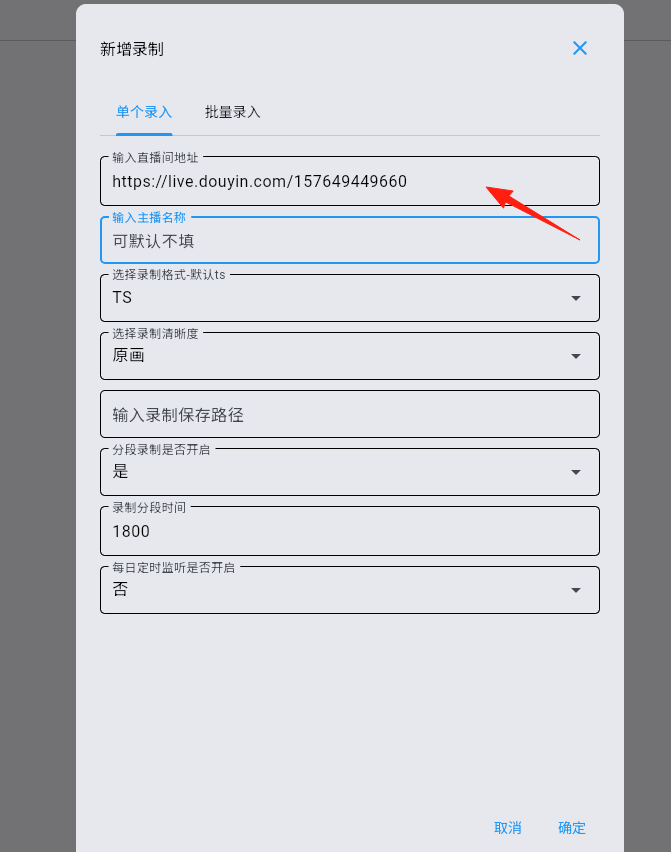
Copy the Stream Room Link
- Douyin:
https://live.douyin.com/157649449660 - Bilibili:
https://live.bilibili.com/320 - Kuaishou:
https://live.kuaishou.com/u/yall1102 - Douyu:
https://www.douyu.com/3637778
- Douyin:
-
Add to Recording List
- Open StreamCap
- Paste the link
- Select the save path and format
- Click Start Recording
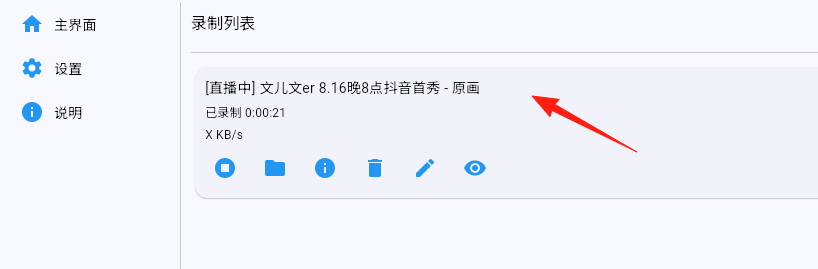
You can see it's now recording:
Advanced Usage: Batch Monitoring Multiple Streamers
This is where StreamCap's true power lies:
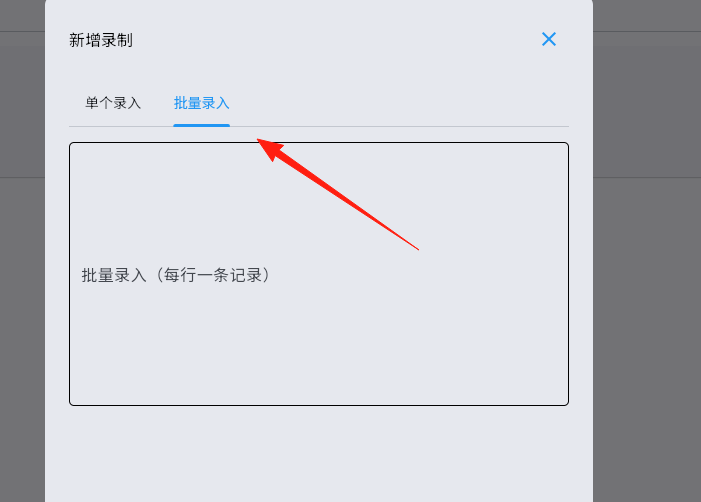
- Create a Monitoring List
- Add links for all your favorite streamers
- Can monitor dozens of streamers simultaneously
 2. Set Up Loop Monitoring
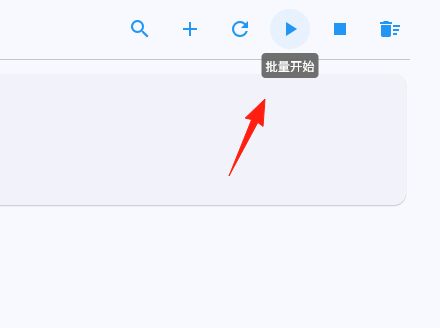
- Enable loop monitoring mode
- The software checks stream status every few minutes
- Automatically starts recording when someone goes live
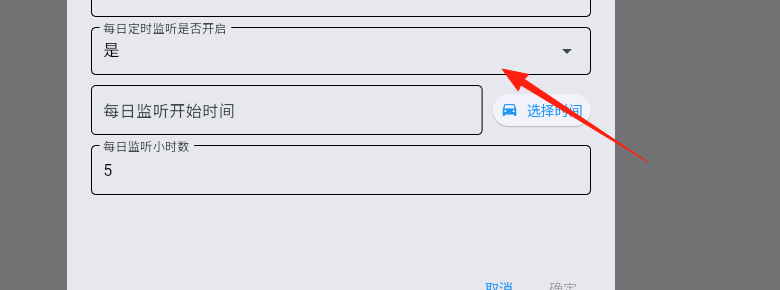
 3. Scheduled Monitoring
- If you only want to record during specific time periods
- For example, set monitoring from 8 PM to 11 PM
- The software rests at other times
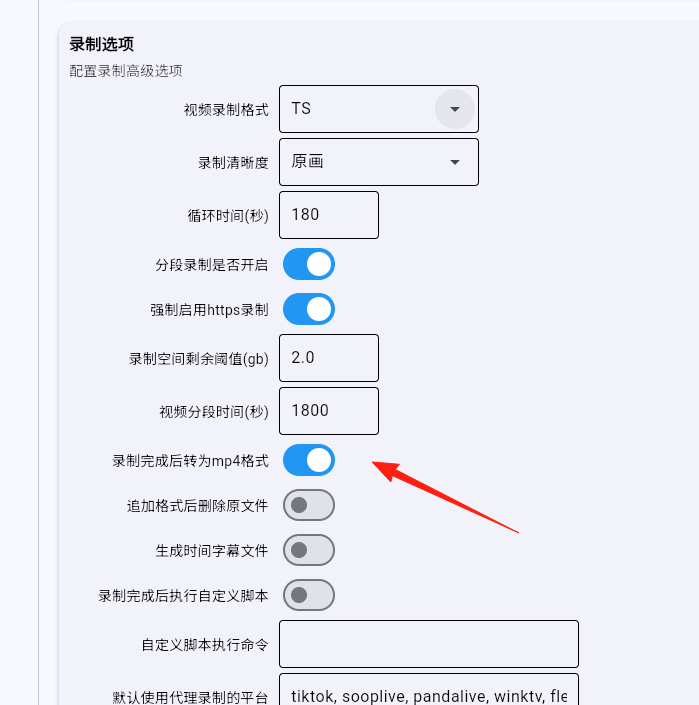
After recording is complete, StreamCap can automatically convert the video to MP4 format for your convenience:
- Enable "Auto Transcode" in settings
- An MP4 file will be automatically generated after recording
- The original file is also preserved
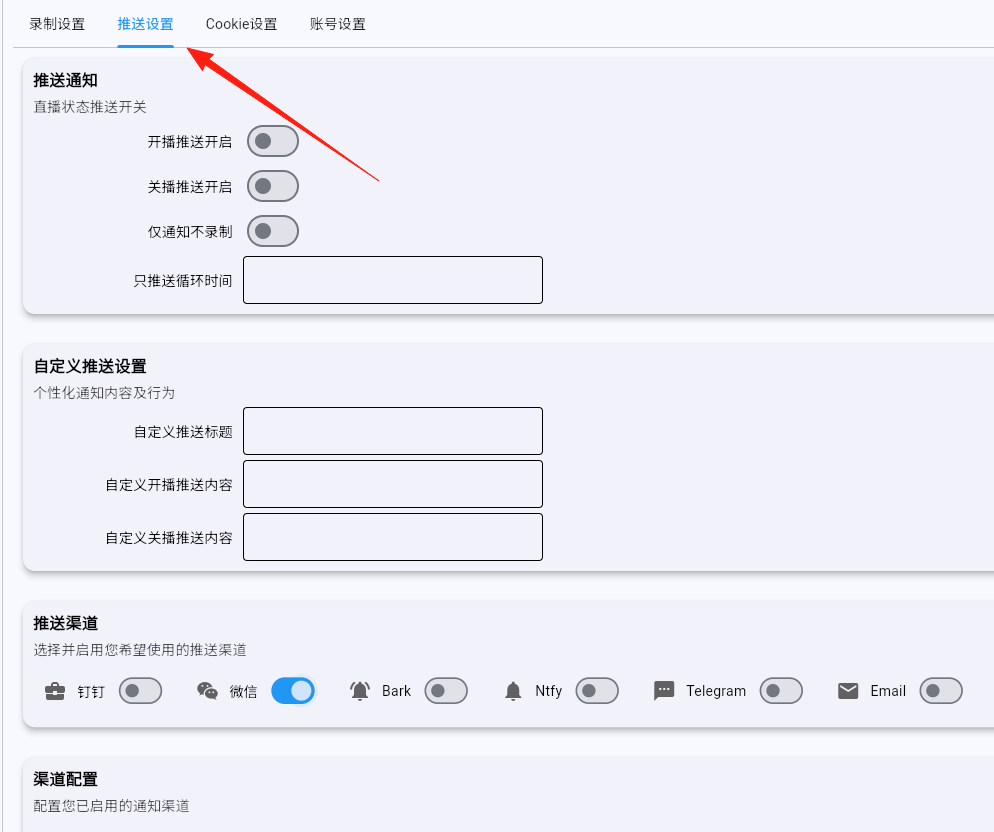
Message Push
Want to know the moment a streamer goes live? You can set up push notifications:
- Supports various push methods
- Receive notifications as soon as the streamer starts broadcasting
- Never miss any live stream again
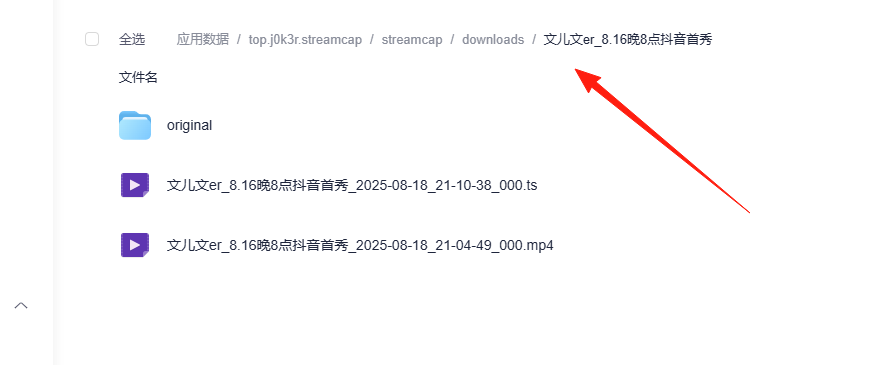
Recorded videos can be viewed under application data
Recommended Use Cases
Many teachers conduct lectures on Bilibili and Douyin, but the timing is irregular:
- Add all the educational streamers you follow to the monitoring list
- Set monitoring only on weekday evenings
- Automatically record and watch when you have time
Gamers: Collecting Highlight Plays
Like a particular game streamer's skills?
- Record them to study slowly later
- Capture highlight clips to create compilations
- Build your own "tutorial video library"
Summary
StreamCap is an extremely practical tool, especially suitable for those who want to systematically collect live stream content. Whether you're a student, gamer, or content creator, you can find a usage pattern that suits your needs.
If you often find yourself frustrated about missing live streams, why not give this tool a try? It might completely change your viewing experience!