
Baidu NetDisk Auto-Save Guide
Introduction
Have you ever encountered this situation: you see a bunch of Baidu Netdisk share links and want to save them all to your own Netdisk, but clicking through them one by one is just too tedious? Or maybe you want to automatically save certain resources on a schedule, but find yourself having to do it manually every time?
In simple terms, this is a tool to help you be lazy:
- Auto-Save: Throw a share link at it, and it automatically saves the content to your specified folder.
- Scheduled Execution: Set a time, and it runs automatically. You can even let it work while you sleep.
- Multi-Account Support: Manage several Baidu Netdisk accounts from one place.
- Smart Deduplication: Files already saved won't be duplicated. Very considerate.
- Message Notification: Get notified when the save operation is complete, no need to constantly check.
- Web Interface: No command line needed, just open your browser to use it.
https://appstore.lazycat.cloud/#/shop/detail/cloud.lazycat.app.baidu-autosave
Usage Guide
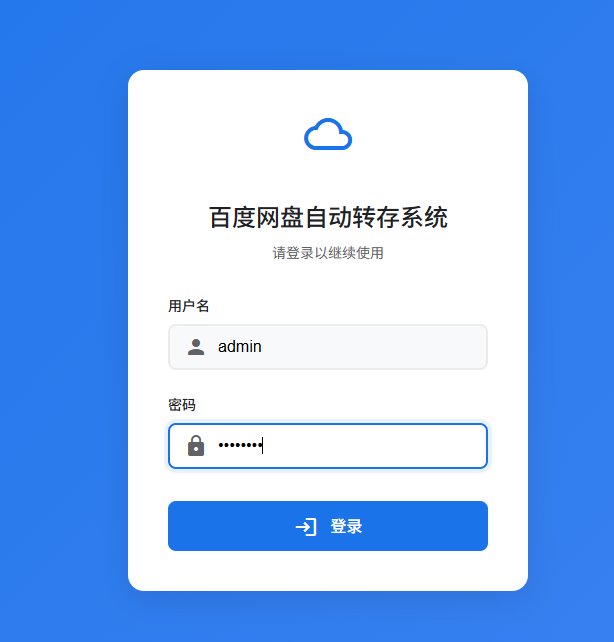
After installing the application, open the login page. The default username is admin, and the password is admin123.
Step 1: Add Baidu Netdisk Account
This step is crucial. You need to obtain your Baidu Netdisk cookies:
- Open the Baidu Netdisk website and log in.
- Press
F12to open the Developer Tools. - Find the
ApplicationorStoragetab. - Copy the cookie information.
- Add a user in the tool's Web Interface and paste the cookies.
If you're unsure how to do this, you can install the Get Cookie browser extension for easier one-click cookie retrieval.
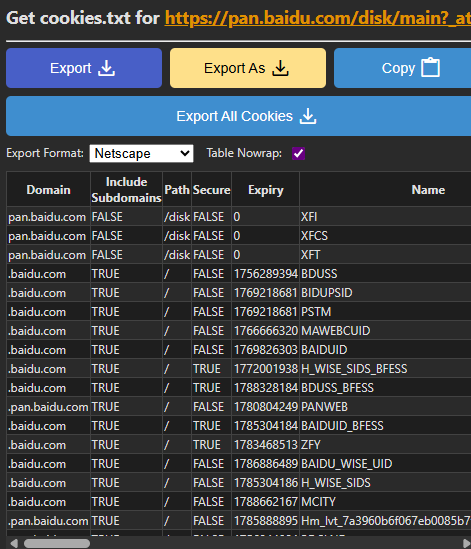
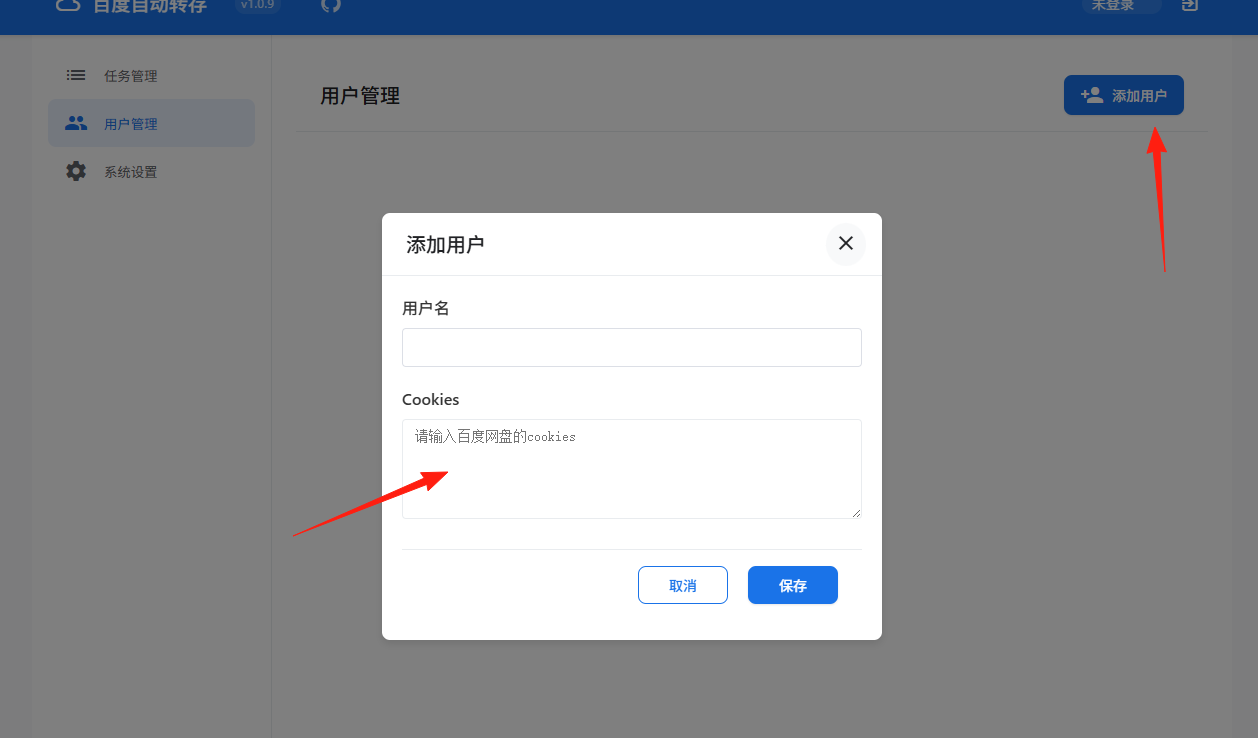
You only need to add these three: BDUSS=xxx; STOKEN=xxx; BAIDUID=xxx
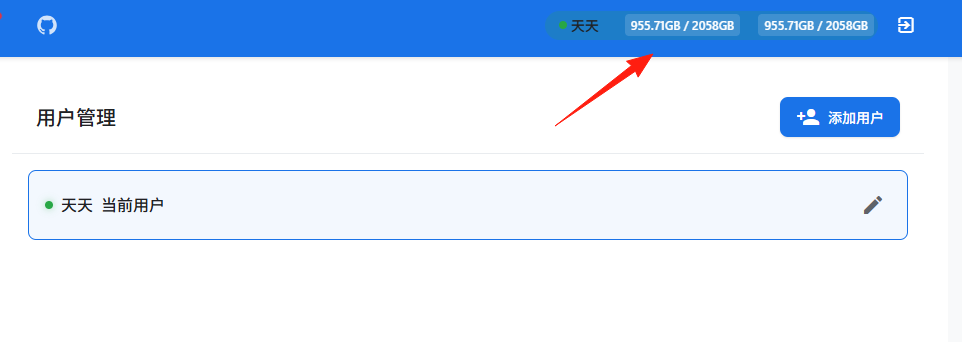
After successful addition, you can see your storage capacity here.
Step 2: Create a Save Task
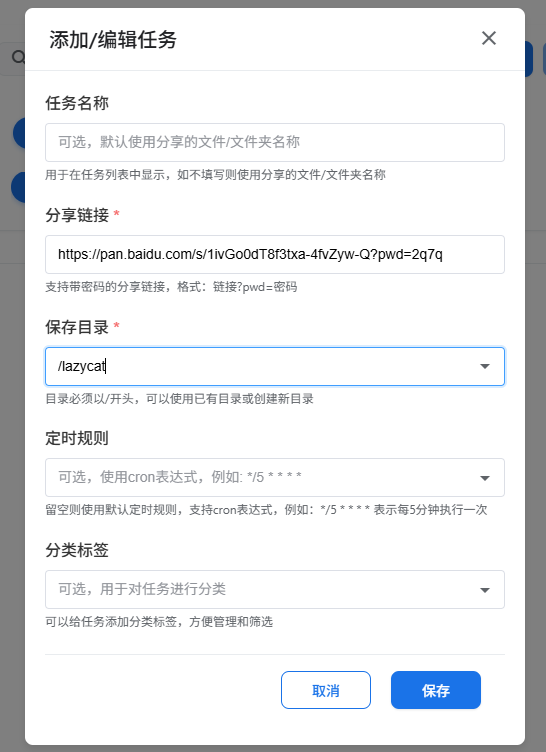
Click "Add Task" and fill in the following information:
- Task Name: Enter any name for easy identification.
- Share Link: Paste the Baidu Netdisk share link here.
- Save Directory: Specify the target folder in your Netdisk.
- Extraction Code: Fill this in if the share link is password-protected.
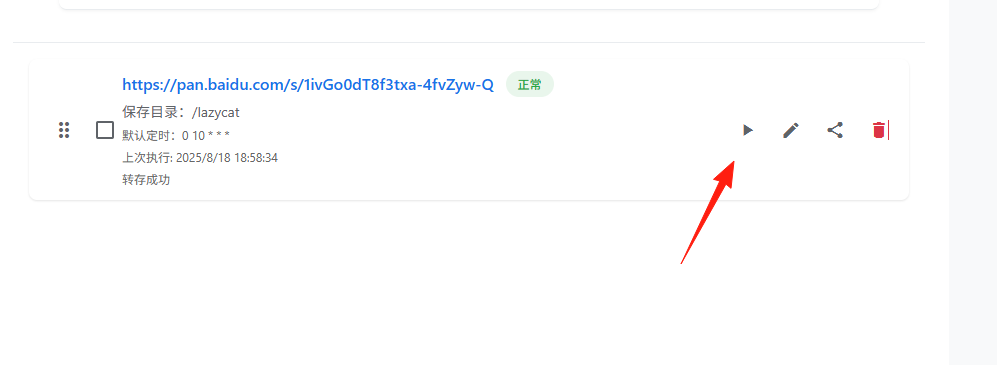
Click the execute button.
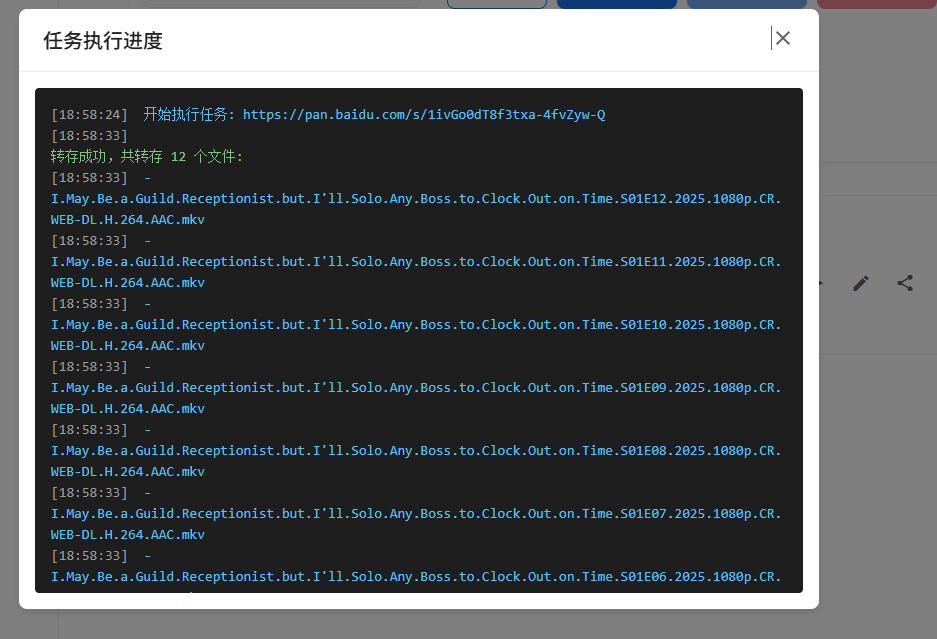
A success prompt will appear upon completion.
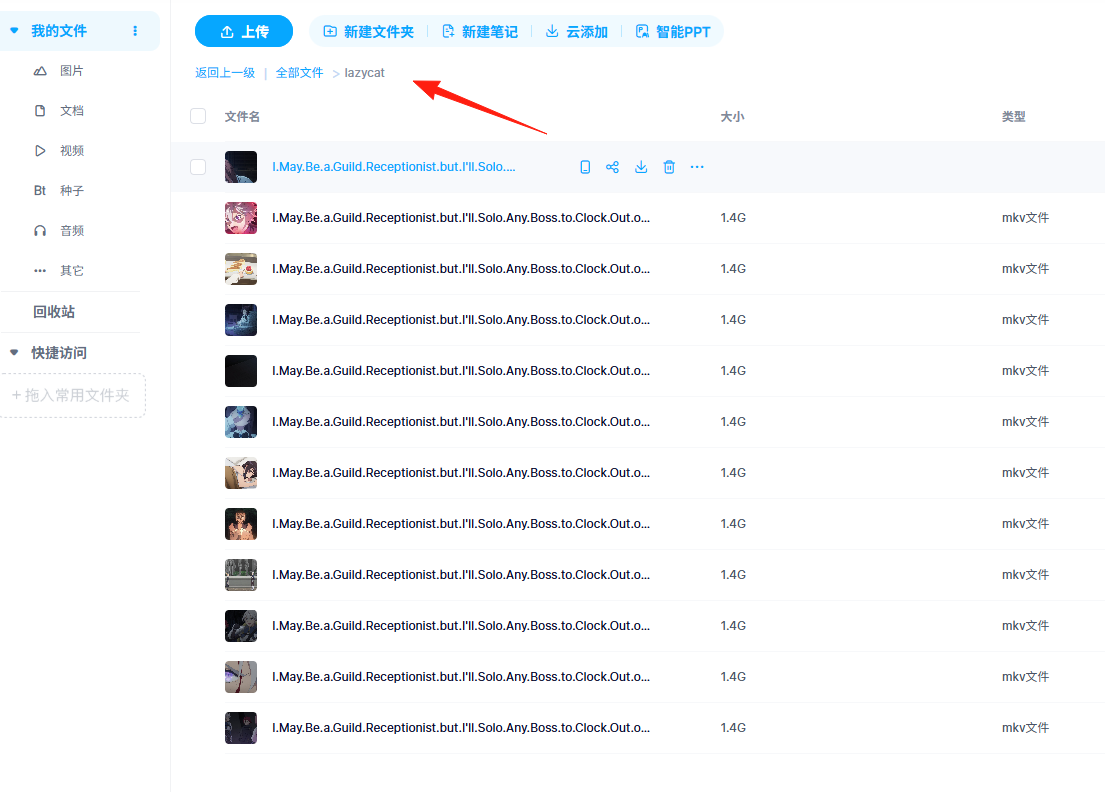
Return to your Baidu Netdisk. You'll find a new lazycat folder has been created, and the files are already inside.
Summary
This tool is genuinely practical, especially for those who frequently need to save resources from Baidu Netdisk shares. While there are other batch-saving tools on the market, the advantages of this project are:
- User-friendly interface, easy for beginners to get started.
- Comprehensive features, it has everything you need.
- Open-source and free, no worries about costs.
- Continuously updated, the author is still maintaining it.
Most importantly, it genuinely solves a real-world need – automating repetitive saving tasks.
If you've also been plagued by manual saving, why not give this tool a try?