
BiliUp: Making Bilibili Video Uploads and Live Streaming Recording Super Easy
What Is This?
In short, BiliUp is your ultimate tool for laziness. Want to record live streams? Automatically upload to Bilibili? Repost videos from YouTube or Twitch? This tool can handle it all for you, and it's fully automated.
Core Advantages
- Streamer went live? Automatically starts recording.
- Uploads directly to Bilibili after recording, even auto-fills titles and descriptions.
- Rapid upload while recording without saving to disk, saving local storage space.
- Supports Bilibili, Douyu, Huya, Douyin, Kuaishou... basically all the live streaming platforms you can think of.
- Also handles reposting from YouTube and Twitch channels.
https://appstore.lazycat.cloud/#/shop/detail/wcloud.gblw.app.biliup
How to Use
After installing the app, open the main page.
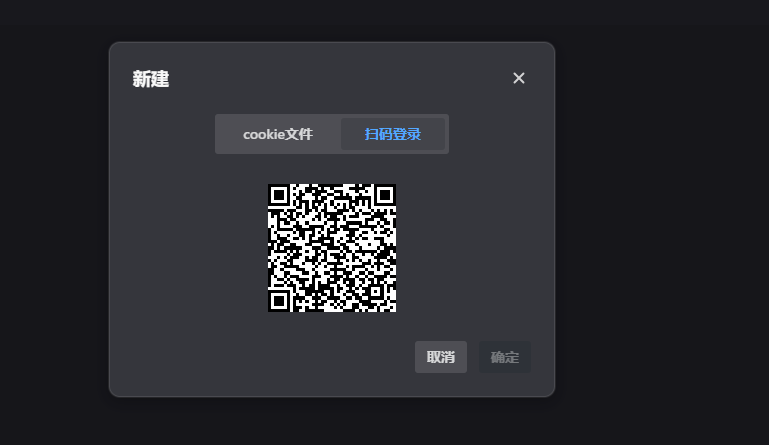
In the User Management section, scan the QR code to log into your Bilibili account.
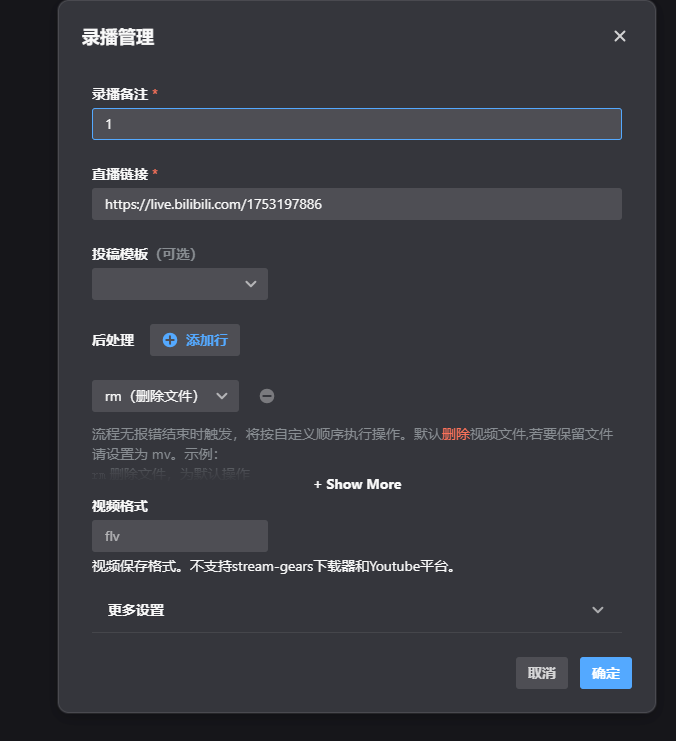
Basic Configuration for Recording Live Streams
Click "New".

Fill in the basic information:
- Stream Room URL: e.g.,
https://live.bilibili.com/12345 - Streamer Name: For your management, can be anything.
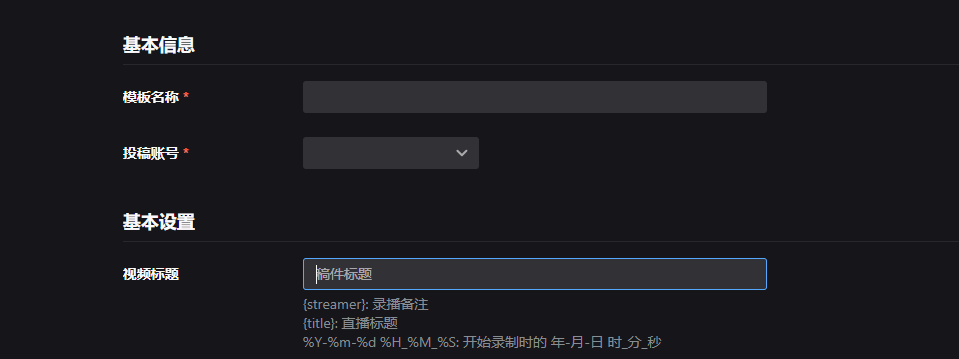
Tips for Setting Upload Parameters
This is the key part; setting it up correctly saves a lot of trouble:
Title Template:
{name}'s Live Stream Recording {date}
{name}is automatically replaced with the streamer's name.{date}is automatically filled with the current date.
Description Template:
Recording Time: {date}
Streamer: {name}
Platform: {platform}

#LiveRecording #{name} #StreamCapture
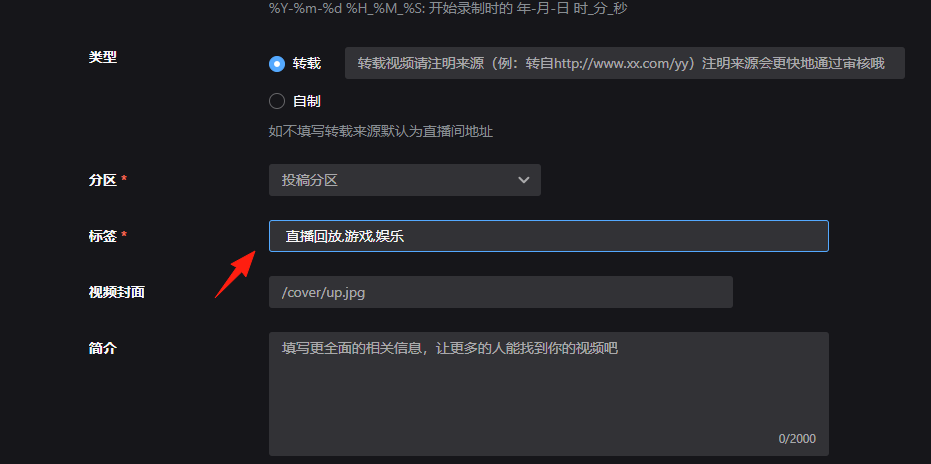
Tag Settings:
- Use fixed tags directly:
Live Recording, Gaming, Entertainment - Or use placeholders:
{name}, Live, Stream Capture
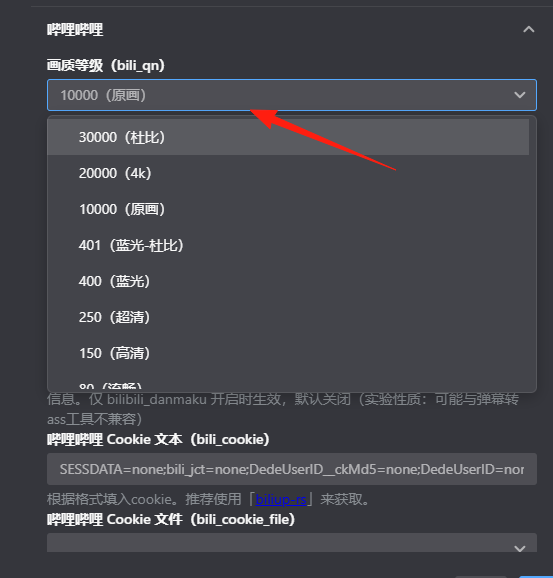
Recording quality can be adjusted.
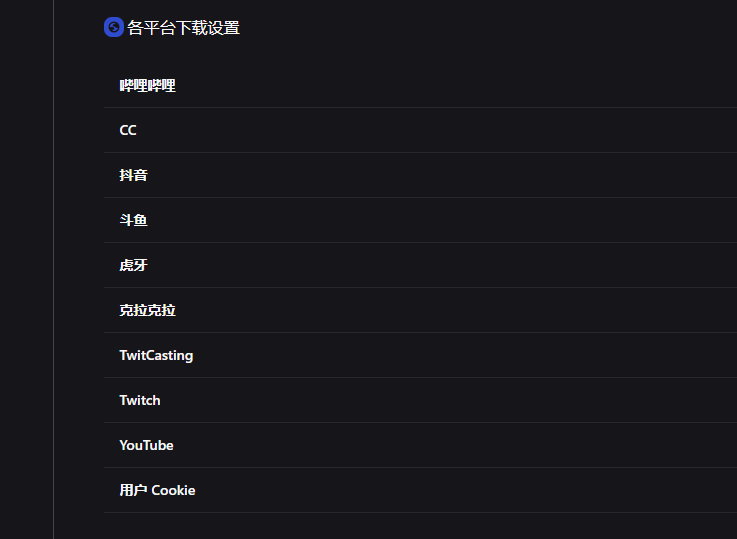
You can simultaneously record content from multiple platforms and upload it all to Bilibili:
- Twitch highlights
- YouTube Premieres
- Live stream recordings from various platforms
Final Notes
BiliUp is quite a practical tool. It not only offers more features than the official Bilibili web and client versions, such as multi-part uploads, line selection, concurrent upload settings, but also supports useful features like live stream recording and video reposting.
However, keep these points in mind when using it:
- Follow Platform Rules: Don't handle prohibited content.
- Respect Copyright: Pay attention to authorization when reposting others' content.
Overall, if you have needs like recording live streams or automatic uploading, BiliUp is a tool worth trying.
Project Address: https://github.com/biliup/biliup
Documentation: https://docs.biliup.rs/
Download: https://github.com/biliup/biliup/releases