
SQL Mother's User Guide: A Beginner-Friendly Introduction to SQL
SQL Mother is a free SQL learning website created by programmer Fish Skin, offering over 30 challenge-based practice levels. You can write and submit SQL code online without needing to install any database software.
Imagine being able to write SQL and see the results directly in your browser – how awesome is that?
https://appstore.lazycat.cloud/#/shop/detail/wcloud.gblw.app.sql-mother
Usage Guide
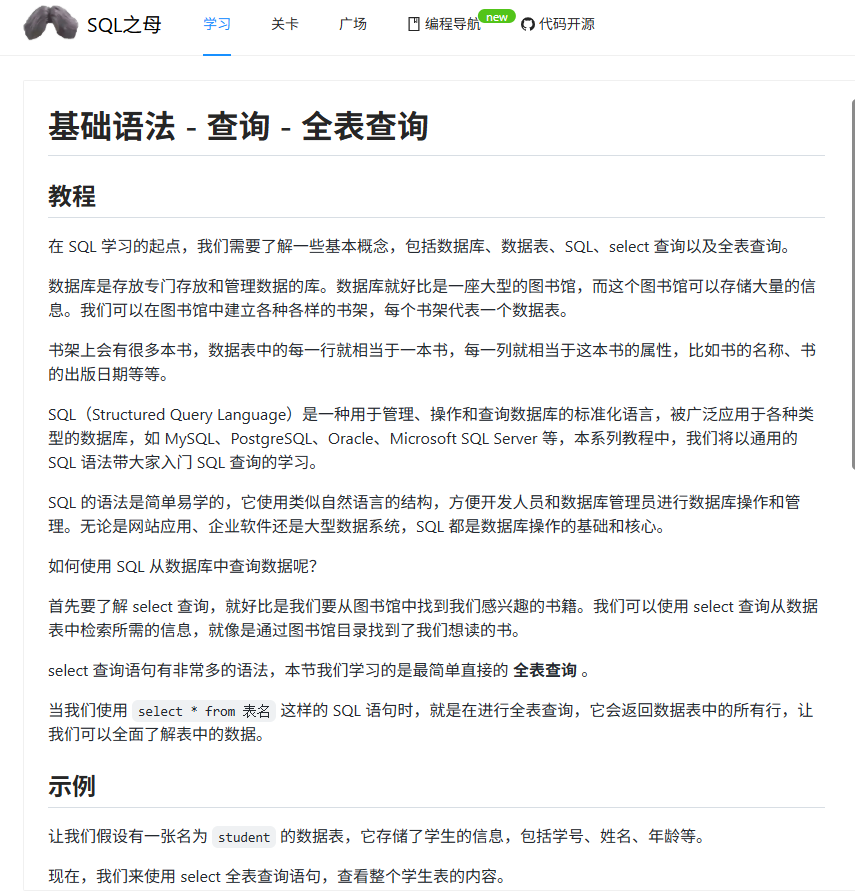
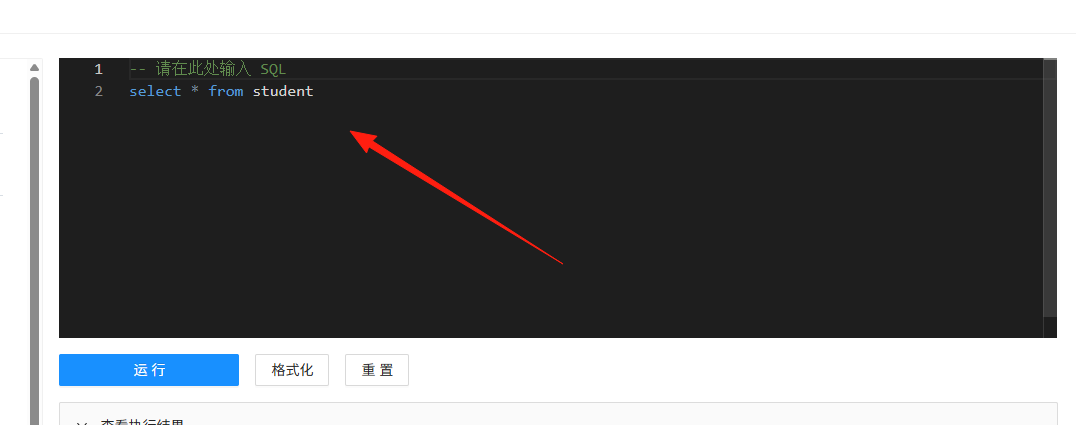
After installing the application and opening the homepage, the interface is divided into three areas:
- Left: Tutorial and problem description
- Top Right: SQL code editor
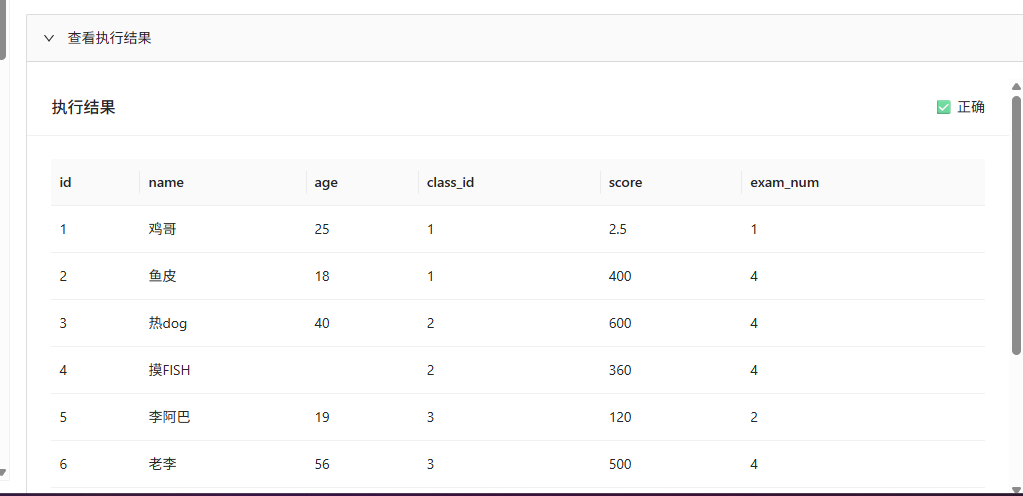
- Bottom Right: Problem Assistant (Hints, Answers, Table Creation Statements)
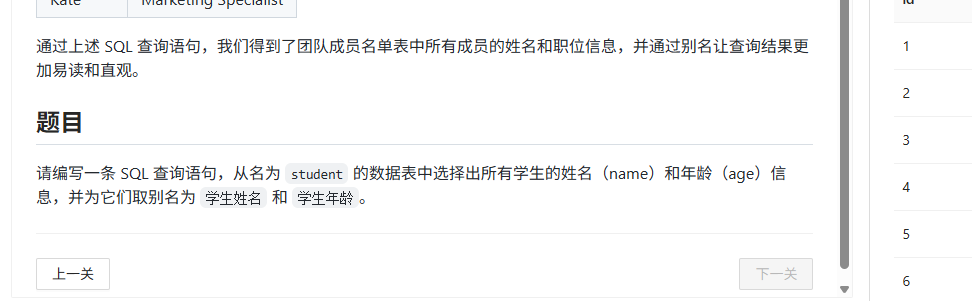
Step 2: Read the Problem, Understand the Requirements Each level has a detailed tutorial on the left side – don't skip it! First, read through the tutorial to understand what this level aims to teach, then review the problem requirements.
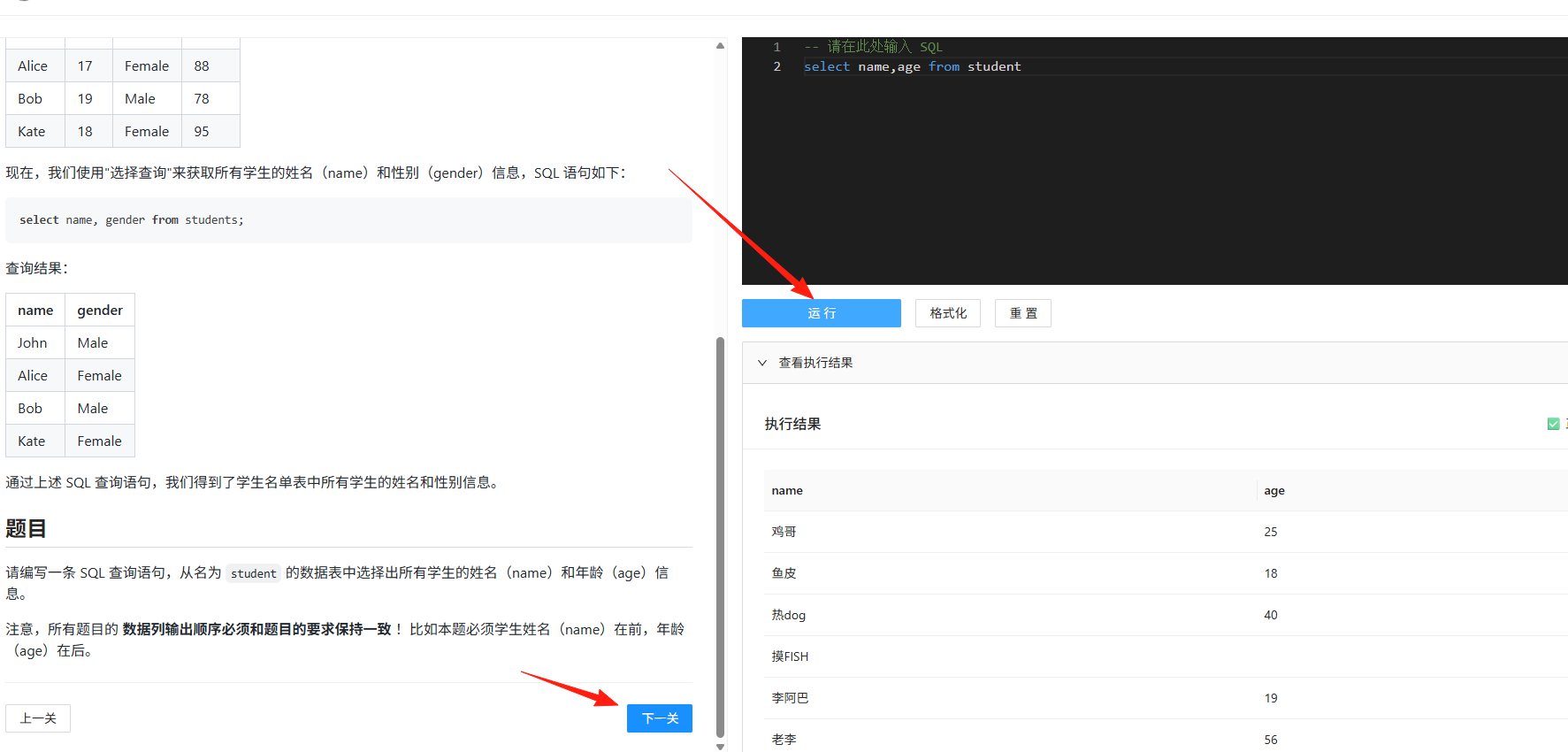
Step 3: Write Code, Submit for Verification Write your SQL in the editor in the top-right corner and click the "Run" button to see the results. The system will automatically compare your results with the standard answer. The 【Next Level】 button only becomes clickable when your answer is correct.
Common Beginner Issues & Solutions
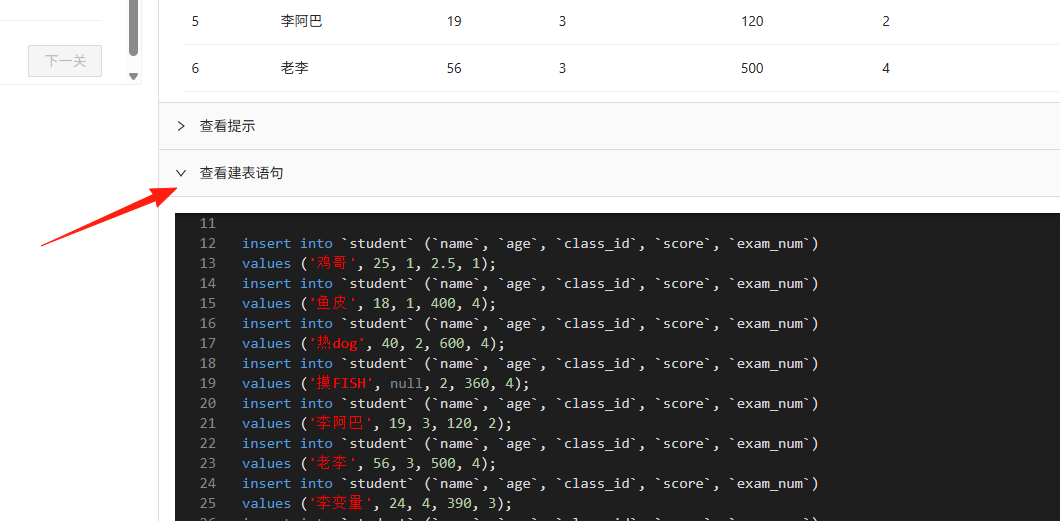
Issue 1: Don't know the table structure? Click "View Table Creation Statement" in the bottom-right corner. This shows the complete table structure information, including all fields and their types, clearly laid out.
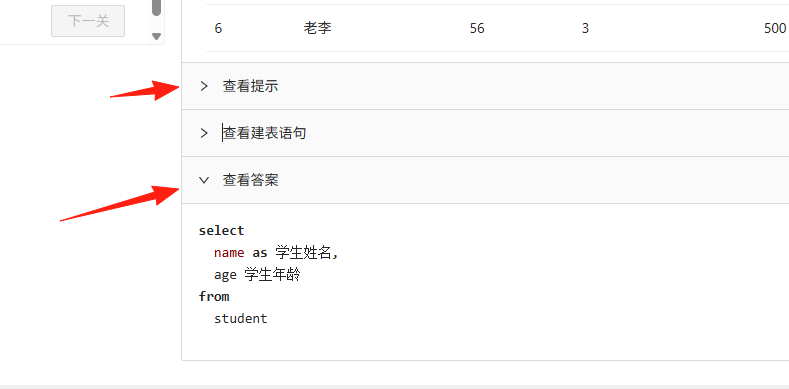
Issue 2: Completely stuck?
- First, click "View Hint" to see tips provided by the author.
- If you're still unsure, click "View Answer," but try solving it yourself first.
- Compare the answer with your own code to identify differences.
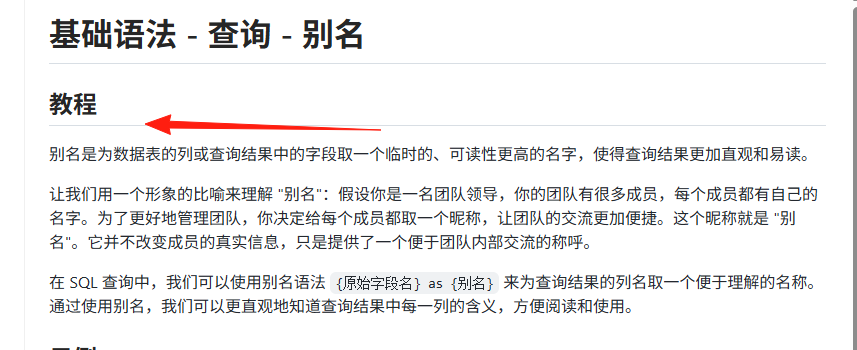
Issue 3: Unfamiliar with SQL syntax? The tutorial section for each level includes explanations of the relevant syntax. For example, the first level provides a detailed explanation of the basic usage of the SELECT statement.
Learning Tips
Tip 1: Practice Makes Perfect In addition to the fixed levels, the website features an "SQL Plaza" for free practice. It's recommended to repeatedly practice the knowledge points you've learned here.
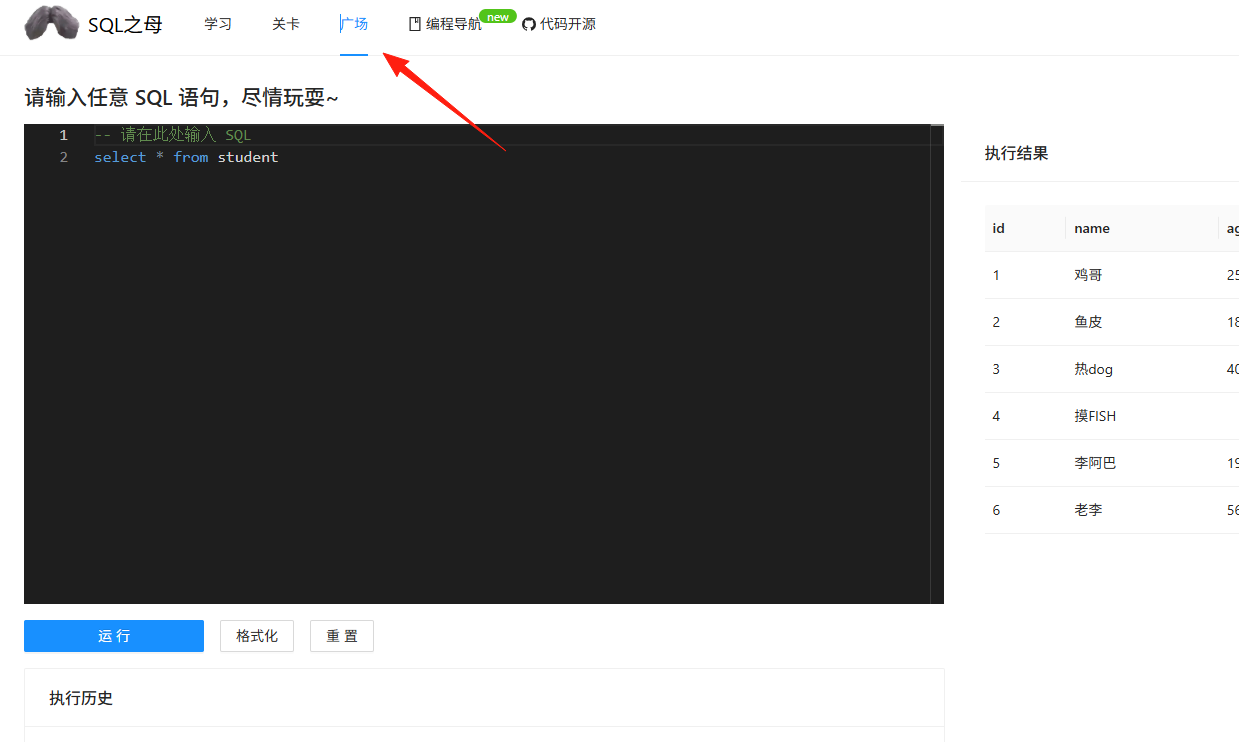
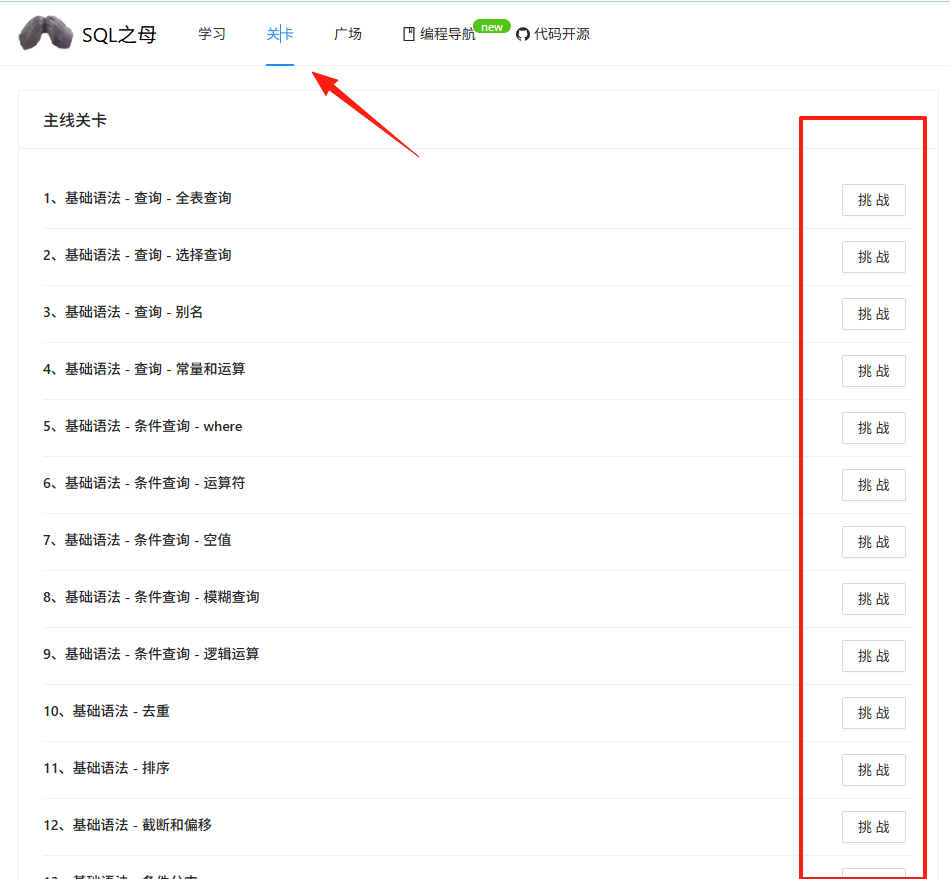
Tip 2: Skip-Level Learning Strategy You can freely choose which level to challenge. There are no restrictions on any levels, so you don't necessarily have to complete them in order. If you've already mastered a particular concept, you can skip directly to later levels.
Custom Levels
If you find the existing levels insufficient, you can also create custom levels. Steps are as follows:
- Copy the
Custom Level Templatedirectory. - Modify the table creation statements and data.
- Set the problem content and answer.
- Import the new level into the system.

Summary
SQL Mother is an excellent tool for learning SQL. It requires no software installation, is free, engaging, and particularly friendly for beginners. While it might not replace systematic database learning, it's definitely a top choice as an introductory tool.
Finally, it's important to remember that learning SQL isn't something achieved overnight; it requires consistent practice and thoughtful analysis. SQL Mother provides a great practice platform, but real improvement ultimately depends on your own persistence and effort.