
One API Practical Guide: Making AI Model Management Super Simple
Ever feel this way? You've collected a bunch of API keys from various AI platforms—OpenAI, Claude, Tongyi Qianwen, Wenxin Yiyan... Every time you want to use one, you have to dig through your notes to find the key. Switching to a different application means going through the configuration all over again. Aren't you just about driven crazy by these keys?
Today, I'm recommending a fantastic tool: One API, an open-source project that will free you from the nightmare of key management.
What is One API?
Simply put, One API is a "universal adapter." It supports mainstream models like OpenAI, Azure, Anthropic Claude, Google Gemini, DeepSeek, ByteDance's Doubao, ChatGLM, Wenxin Yiyan, iFlytek's Spark, Tongyi Qianwen, 360's ZhiNao, and Tencent's Hunyuan. It provides unified API adaptation, which can be used for key management and secondary distribution.
Imagine you have a pile of chargers from different brands. One API is like a universal charging adapter—no matter what device you have, you can charge it using the same interface. All AI models are called through a unified OpenAI-compatible format, so you no longer need to remember so many different API formats.
https://appstore.lazycat.cloud/#/shop/detail/in.zhaoj.oneapi
Quick Start
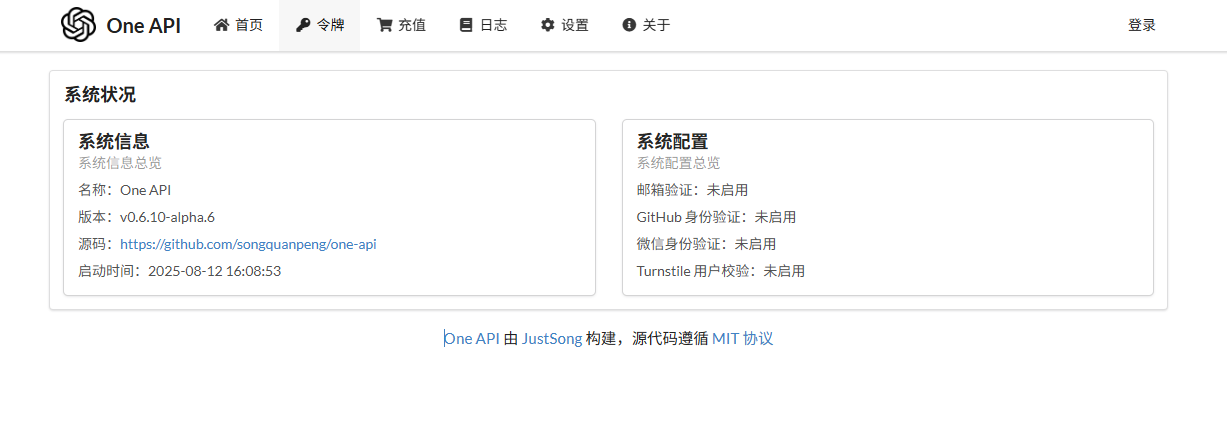
After installing the application, open the home page.
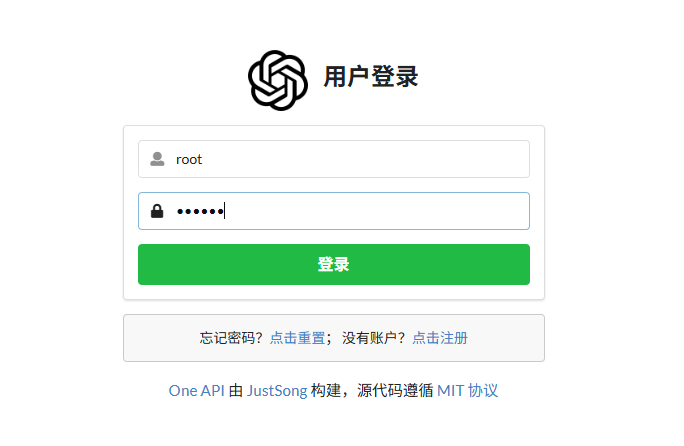
Click login in the upper right corner. Default account: root, Password: 123456
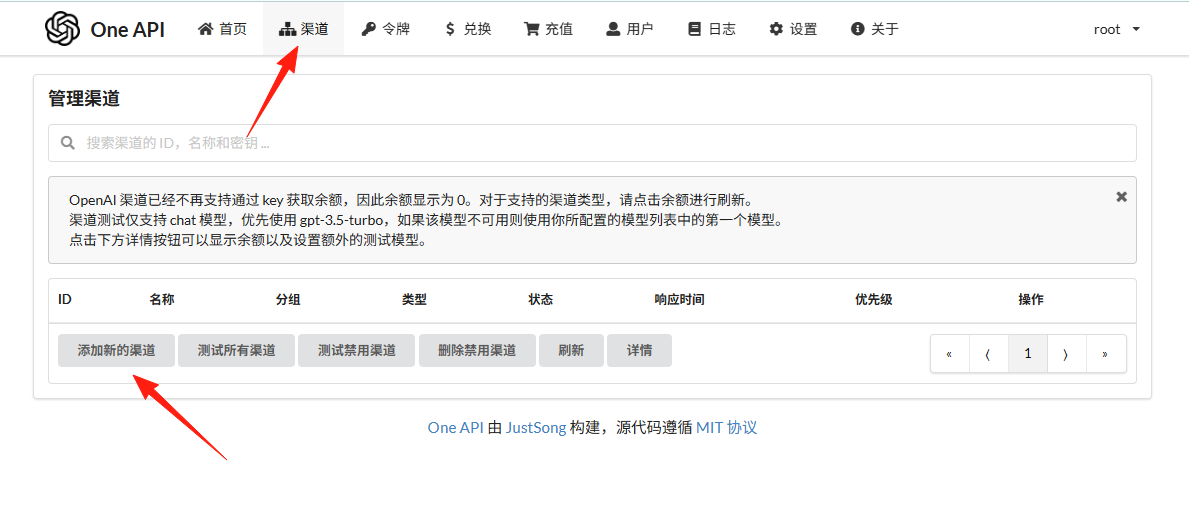
Step 2: Add Channels (i.e., Your Various APIs)
Click the "Channels" menu and add your API keys:
OpenAI Configuration Example:
- Channel Name: OpenAI-GPT4
- Type: OpenAI
- Key: sk-xxx (Your OpenAI Key)
- Proxy: Fill if needed, e.g.,
http://127.0.0.1:7890 - Models: gpt-4,gpt-4-turbo,gpt-3.5-turbo
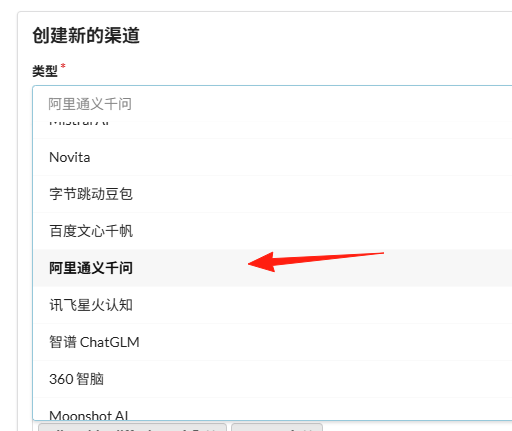
Domestic Model Configuration Example:
- Channel Name: Tongyi Qianwen
- Type: Aliyun (Alibaba Cloud)
- Key: sk-xxx (Your Tongyi Qianwen API Key)
- Models: qwen-turbo,qwen-plus,qwen-max
Step 3: Create a Token
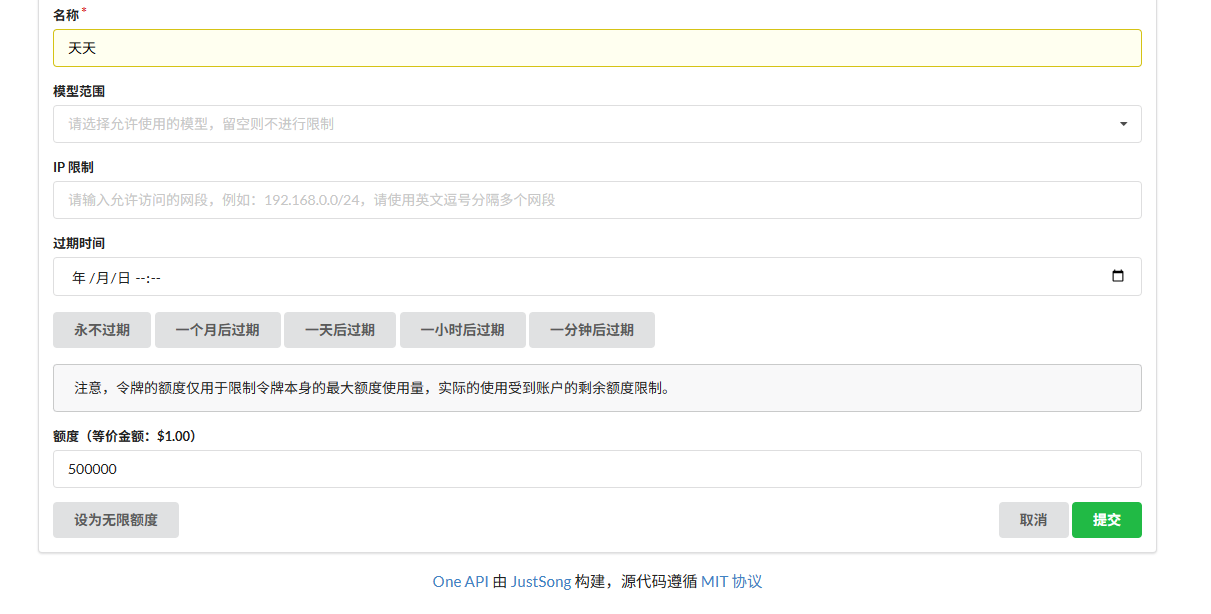
Create a new API key on the "Tokens" page. This key is what you will use to call One API from now on.
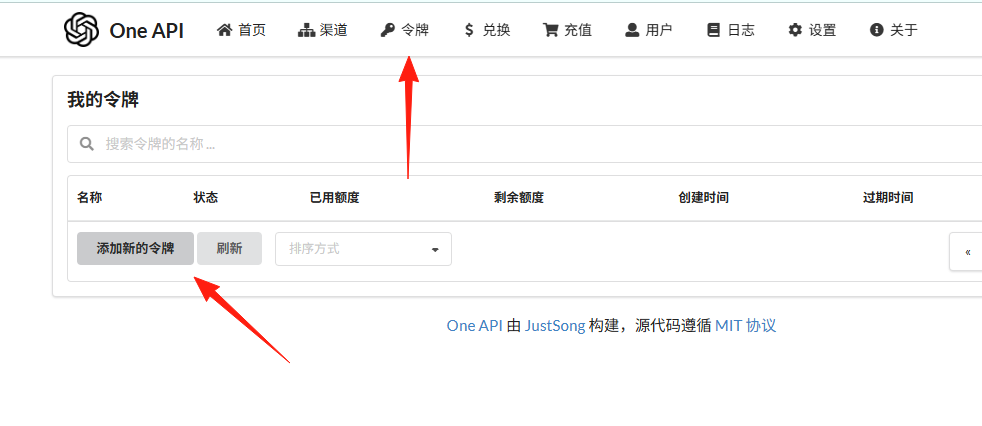
You can set quota limits, for example, a maximum spend of 100 RMB per month.
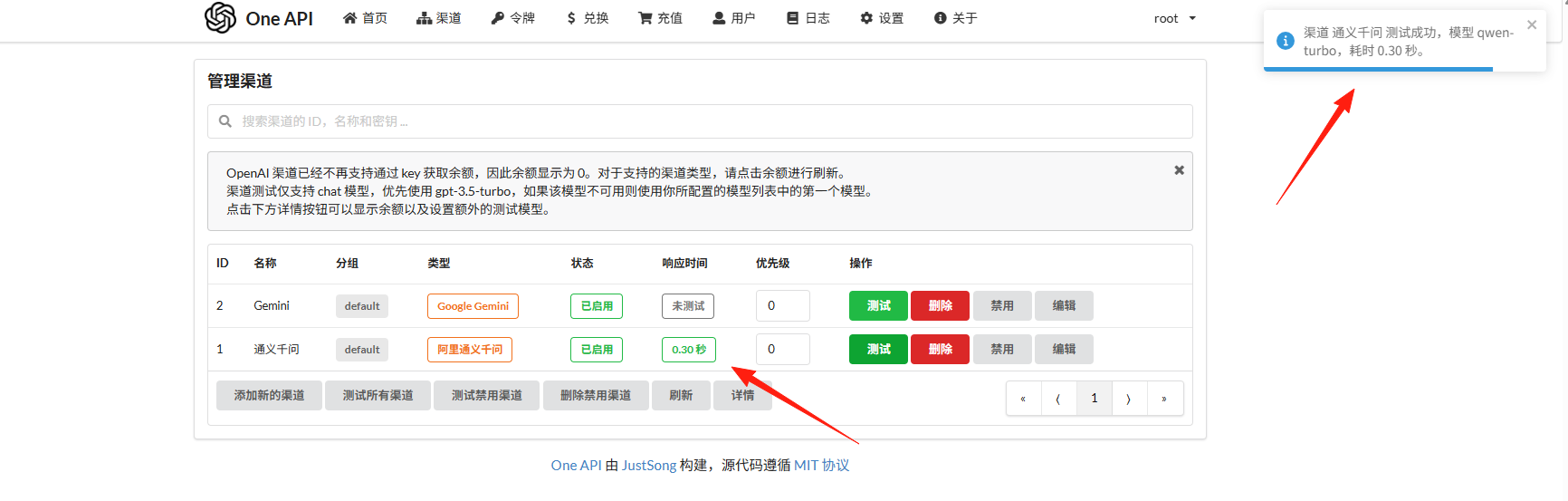
Step 4: Test It
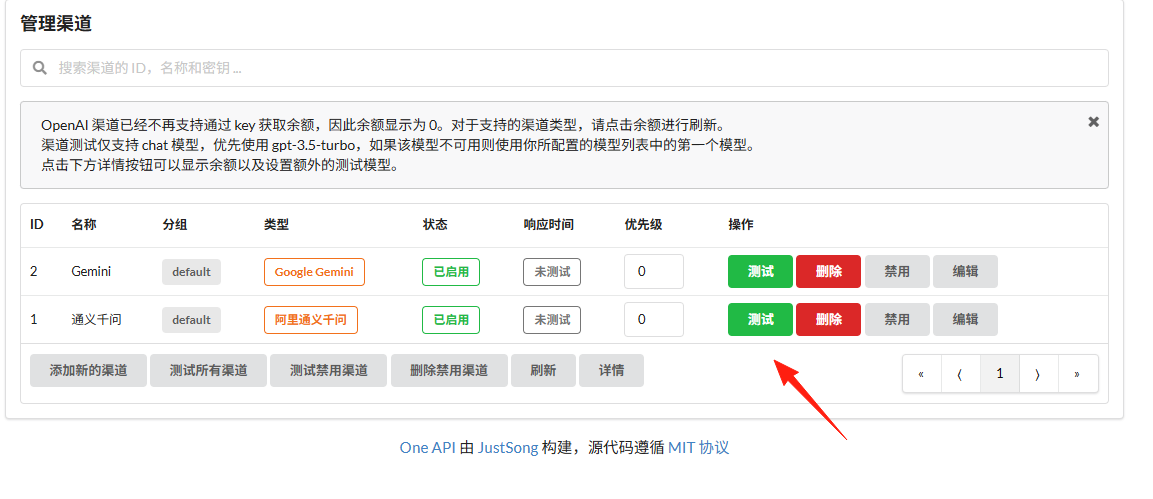
If everything is working, the response time will be displayed here.
Model Renaming and Mapping
Don't like remembering those weird model names? You can define your own:
- Rename
gpt-4-turbotosmart - Rename
gpt-3.5-turbotofast - Rename
claude-3-sonnettoclaude
Then you can call them using "model": "smart"—simple and easy to remember.

Usage Monitoring and Alerts
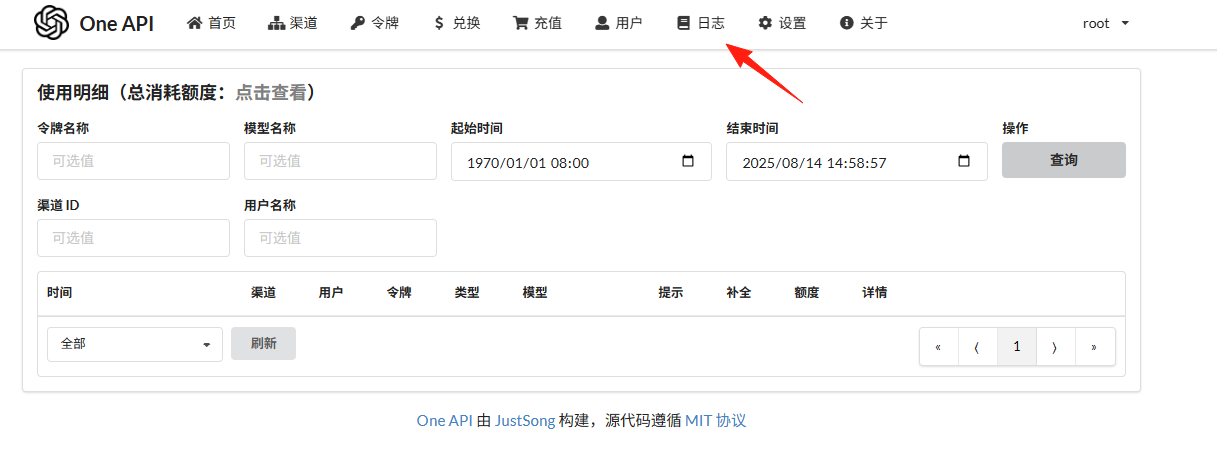
View detailed call logs and spending statistics on the "Logs" page. You can periodically check which applications are using the most.
Multi-User Management
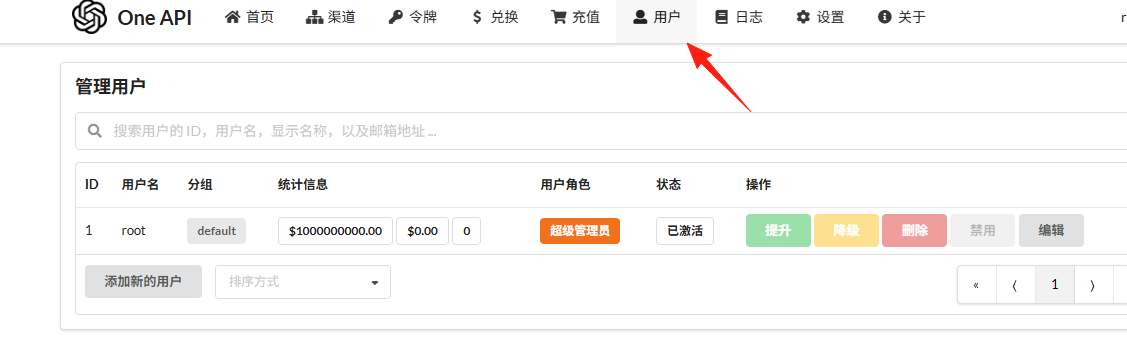
If you want to provide API services to your team or friends:
- Create different user accounts
- Assign different quotas to each user
Summary
The One API project is very practical, especially for developers who need to use multiple AI models simultaneously. It makes managing multiple models—which was originally complex—incredibly simple. It's also easy to deploy and use.
Nowadays, new models are emerging one after another. With One API, you can easily incorporate them all, primarily because it supports switching models on the fly, making it ideal for those of us who love trying out various new models.
Overall, this project solves a genuine pain point. Highly recommended for anyone who needs to manage multiple APIs!