
YTPTube Practical Guide: Simplifying Video Downloads
What is YTPTube?
Simply put, YTPTube is a nice-looking web interface wrapped around yt-dlp. If you don't know what yt-dlp is, just think of it as a "magic tool that can download videos from almost any video website."
Why recommend this? Because originally, using yt-dlp required typing command lines, but now with the web interface, you can get things done with just a few clicks. And it's quite powerful.
Core Features
- Batch Download: Paste a playlist link, and the entire list downloads at once
- Scheduled Tasks: Set times for automatic downloads, e.g., daily downloads of new videos from a specific channel
- Concurrent Downloads: No need to wait for one to finish; download several simultaneously
- Live Stream Recording: Can capture live streams
- Built-in Player: Play downloaded videos directly in the browser
- Preset Configurations: Use different settings for different sites; switch with one click
- Notification Push: Get notified when downloads finish
- File Management: Simple file browser to manage downloaded files
- API Interface: Can be called by other programs
Quick Start
After installing the application, open the homepage.
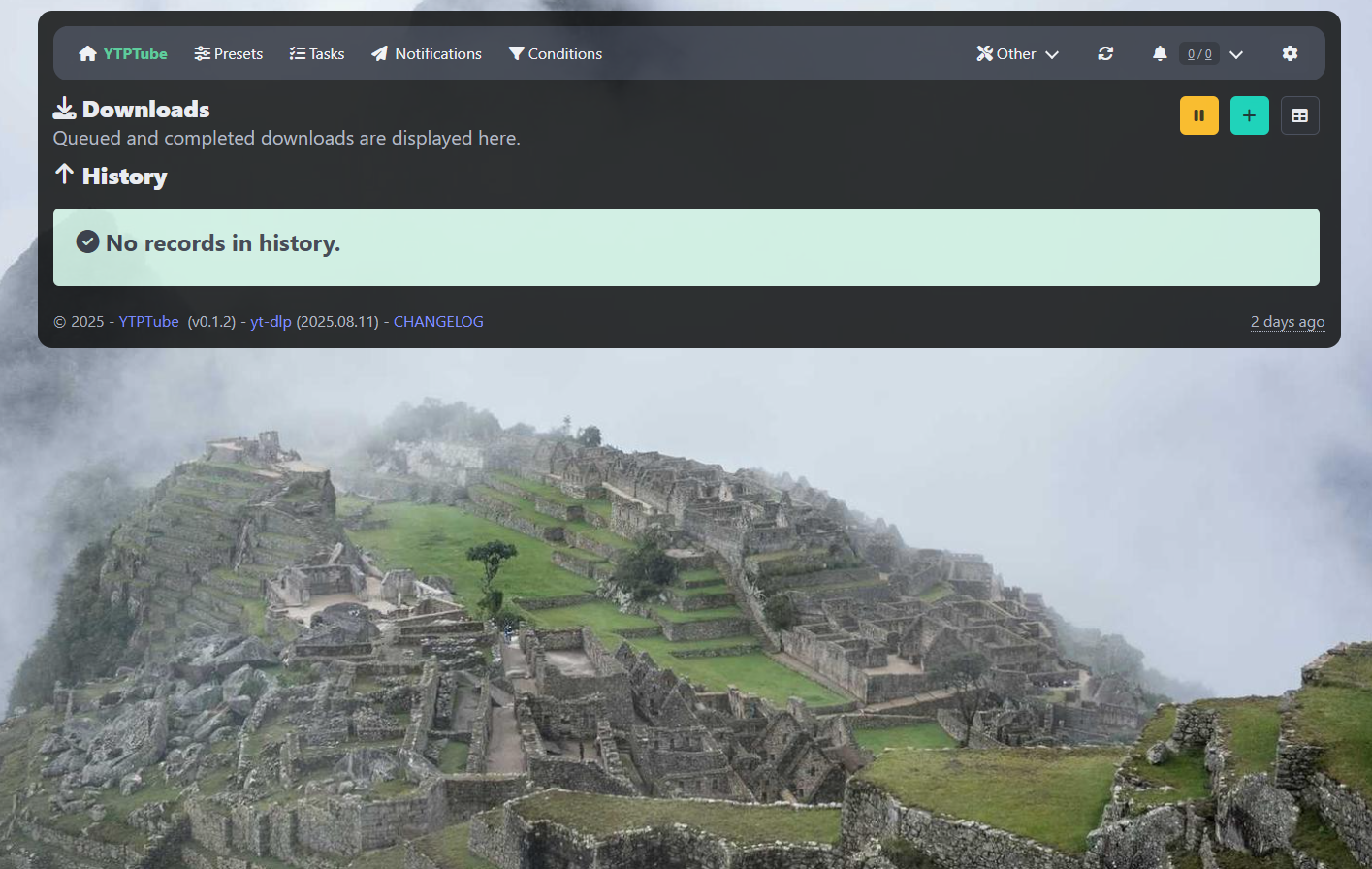
Click the + button.
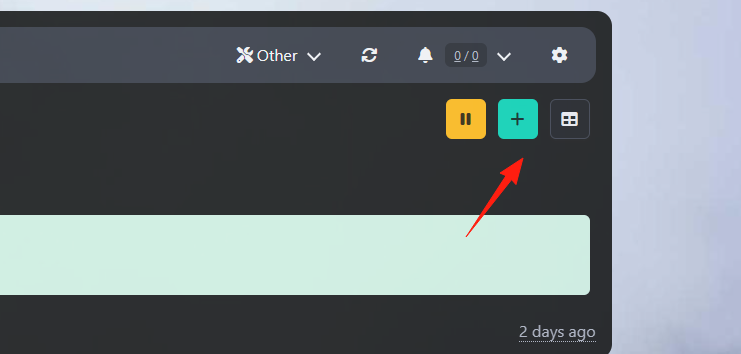 Want to download an entire YouTube channel or playlist? Just paste the link directly:
https://www.youtube.com/playlist?list=xxxxx
https://www.youtube.com/c/channelname/videos
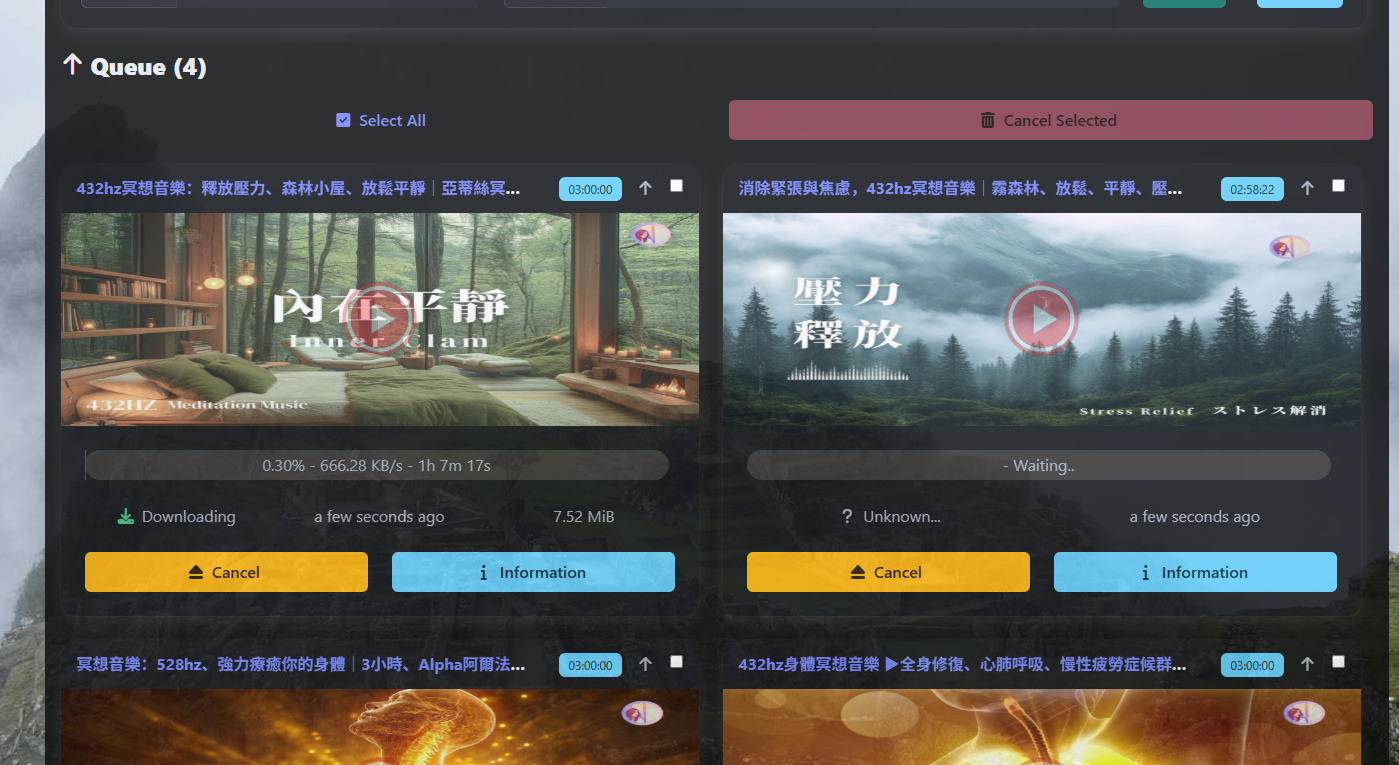 The system will automatically recognize and download all videos. Don't want certain videos? You can set filter conditions in the preset.
Preset Configuration is Key
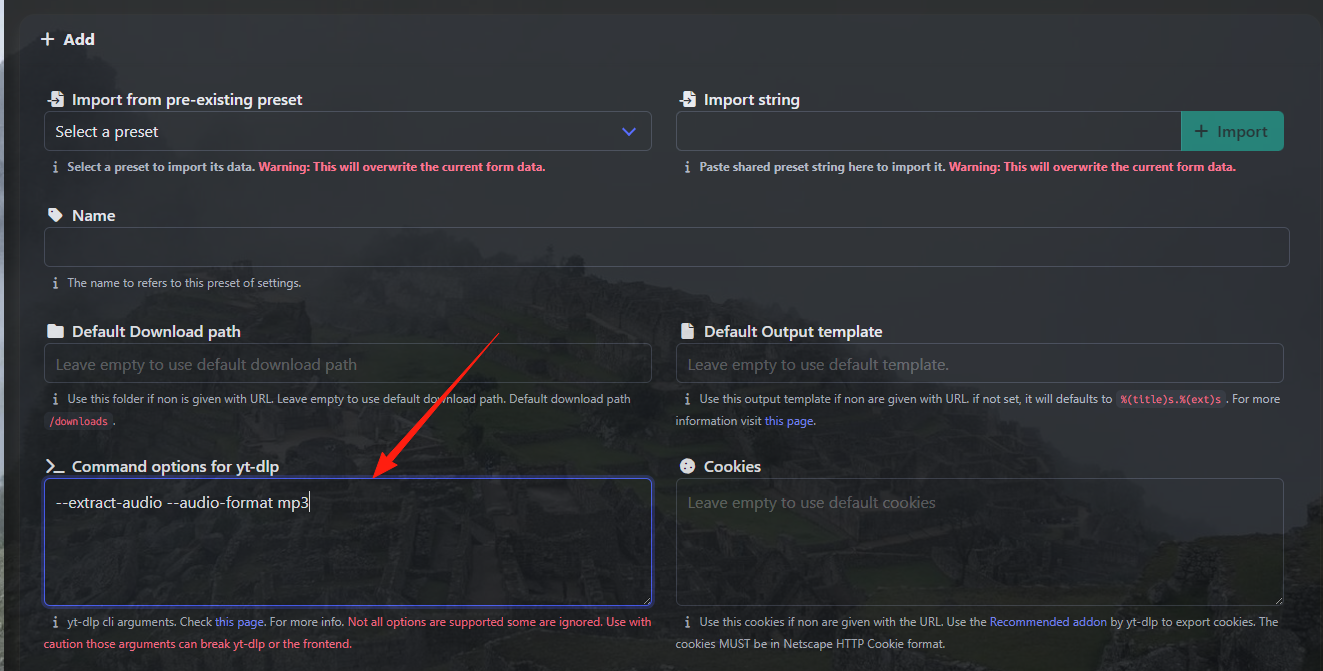
This is YTPTube's most powerful feature. Use different presets for different websites and needs:
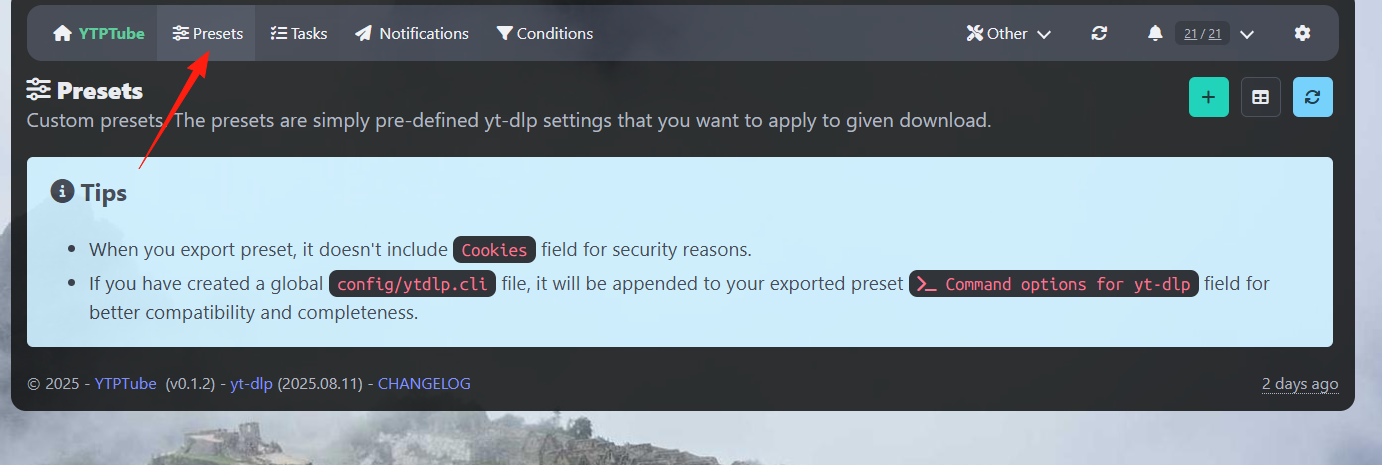 For example:
If you want to download 1080p videos, you can enter --format "bestvideo[height<=1080]+bestaudio/best[height<=1080]".
If you only want to download audio, you can enter --extract-audio --audio-format mp3.
If you want to download subtitles as well, you can enter --write-sub --sub-lang zh-Hans.
Setting Up Scheduled Tasks
Want to automatically download new videos from a channel every day?
- Go to the "Scheduler" page
- Add a new task
- Set the channel link
- Select the execution time (e.g., every day at 11 PM)
- Choose the corresponding preset
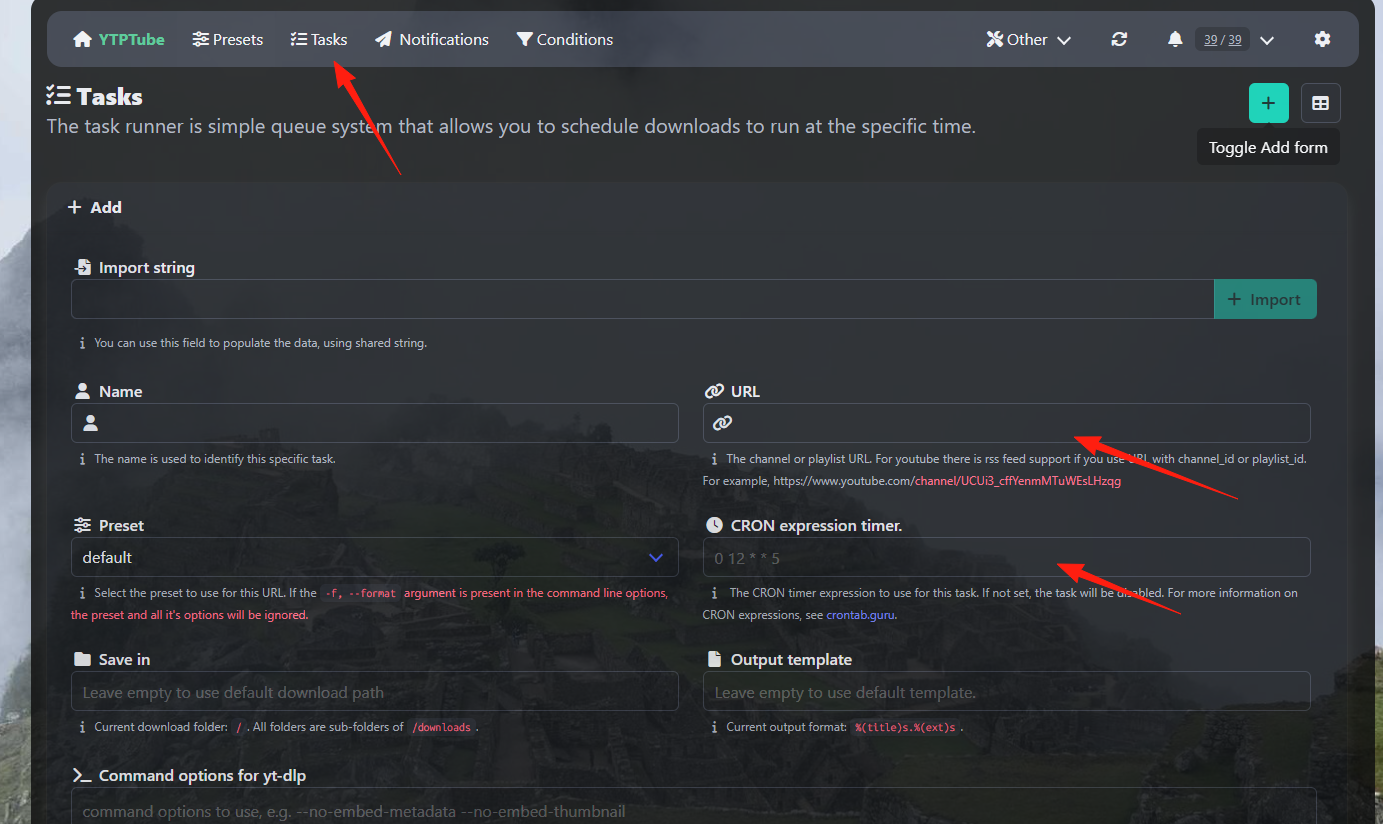 This way, you don't have to manually check for new videos every day.
Browser Extension
Official Chrome and Firefox extensions are available. After installation, right-click on any video page to send it directly to YTPTube for download.
You can also use this bookmarklet (replace the URL with yours):
javascript:(() => {
  const url = "https://ytptube.你的懒猫.heiyu.space/";
  const preset = "default";
  const mUrl = new URL(url);
  mUrl.pathname = "/api/history";
  fetch(mUrl, {
    method: "POST",
    headers: {"Content-Type": "application/json"},
    body: JSON.stringify({url: document.location.href, preset: preset})
  }).then(res => alert(res.ok ? "Sent successfully!" : "Send failed!"));
})()
Summary
YTPTube is a great tool, especially suitable for:
- People who frequently need to download videos
- Those who want to batch download playlists
- Users who need scheduled downloads
Although it has many features, the core concept is "paste the link, click download" – everything else is just icing on the cake.
If you have questions, the project's GitHub page has detailed documentation, and the community is quite active. In short, it's worth a try