
Ocular: An Open Source Budgeting Tool That Makes Accounting Simple
To be honest, most budgeting apps on the market are either overly complex (a real headache to look at) or plagued by annoying ads and notifications. Not to mention those apps that upload your financial data to the cloud—it always feels a bit unsettling.
Ocular is a lightweight budgeting application designed as an alternative to annual budget planners like Google Sheets. Its goal isn't to track personal expenses, handle multiple currencies, or anything of that sort.
It Has All the Essential Features
- Sankey Diagram Dashboard: See where your money goes at a glance
- Multi-Year Budget Tracking: Manage your budget across different years
- Privacy Mode: Protect your privacy when using the app in public
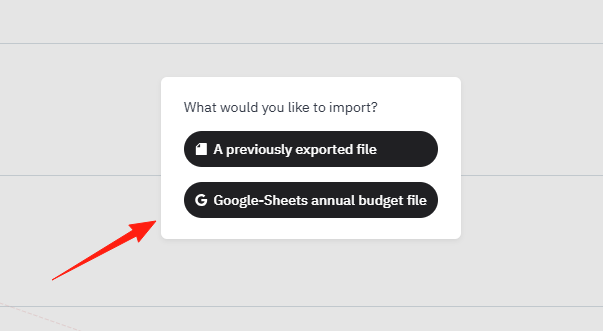
- Data Import & Export: Supports Google Sheets and allows JSON exports
https://appstore.lazycat.cloud/#/shop/detail/xyz.mxue.ocular
Usage Guide
After installing the app, open the home page. You can switch themes from the top-left corner.
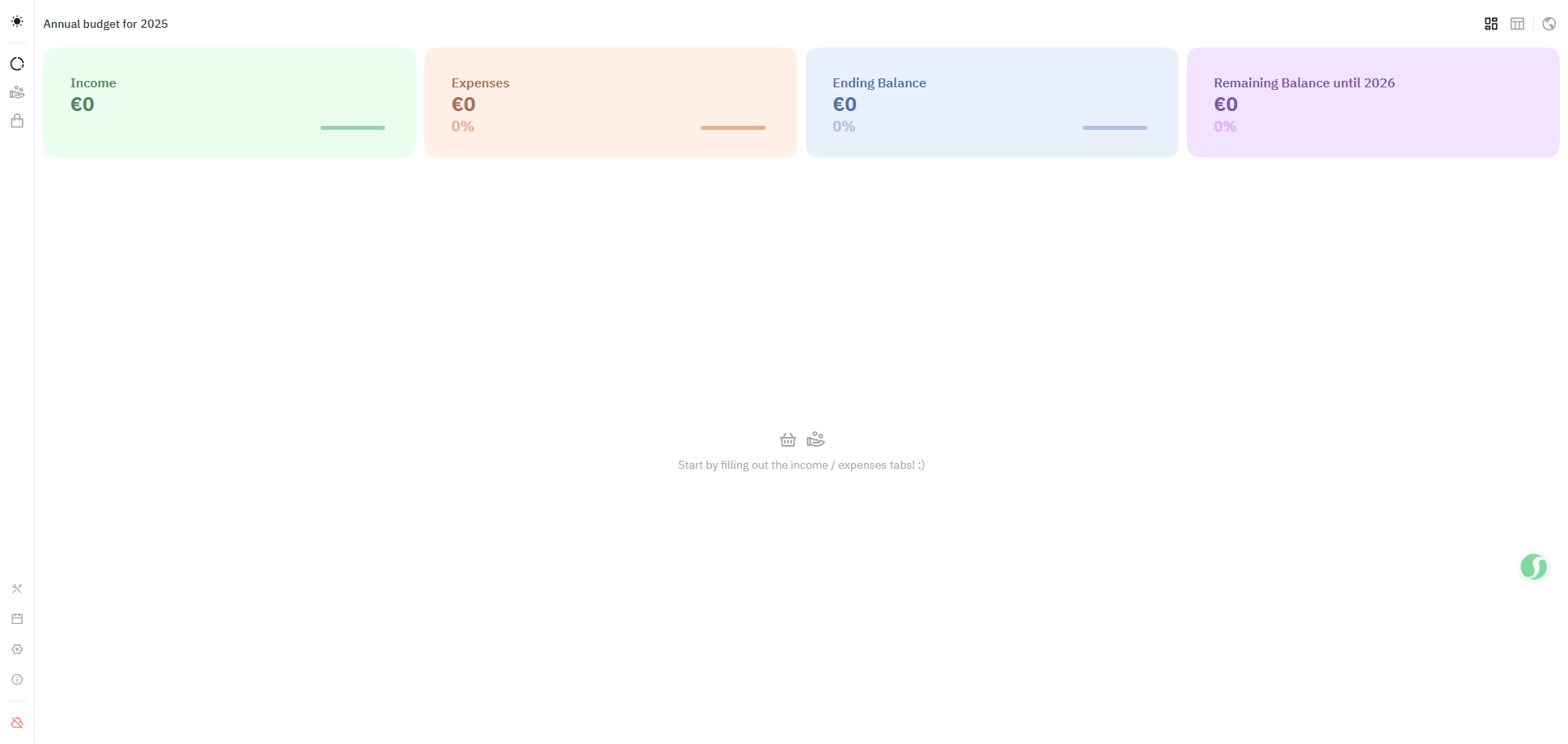
Click the cloud icon in the bottom-left corner to access the login screen.

Default username and password: admin / admin123
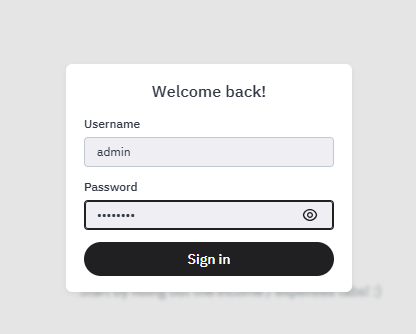
After logging in, the cloud icon will turn green.
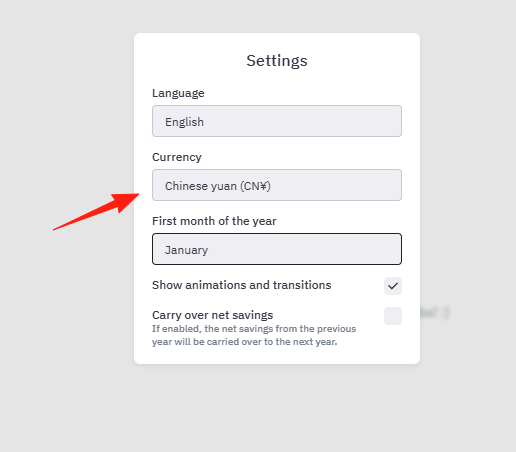
Unfortunately, Chinese is not currently supported, but you can change the currency to Chinese Yuan (CNY).
- Select your currency (CNY)
- Set your budget cycle (recommended: monthly)
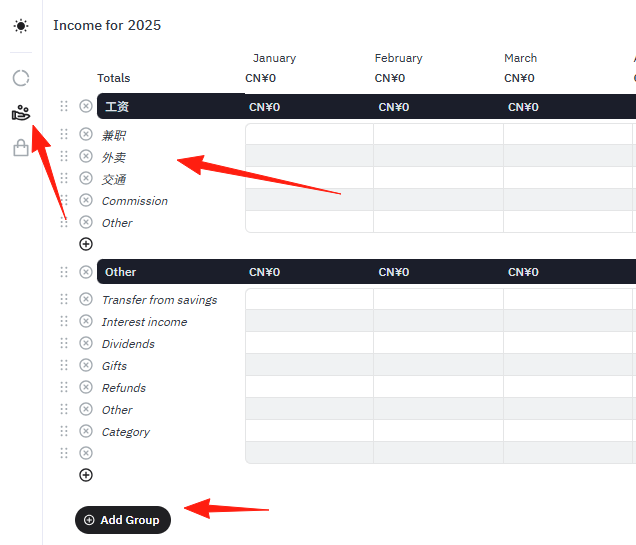
Add Income Sources
- Salary, part-time jobs, investment income, etc.
- Give each income source a memorable name
Set Up Expense Categories
- Essentials: Rent, utilities, groceries
- Entertainment: Takeout, movies, shopping
- Savings & Investments: Fixed deposits, financial products
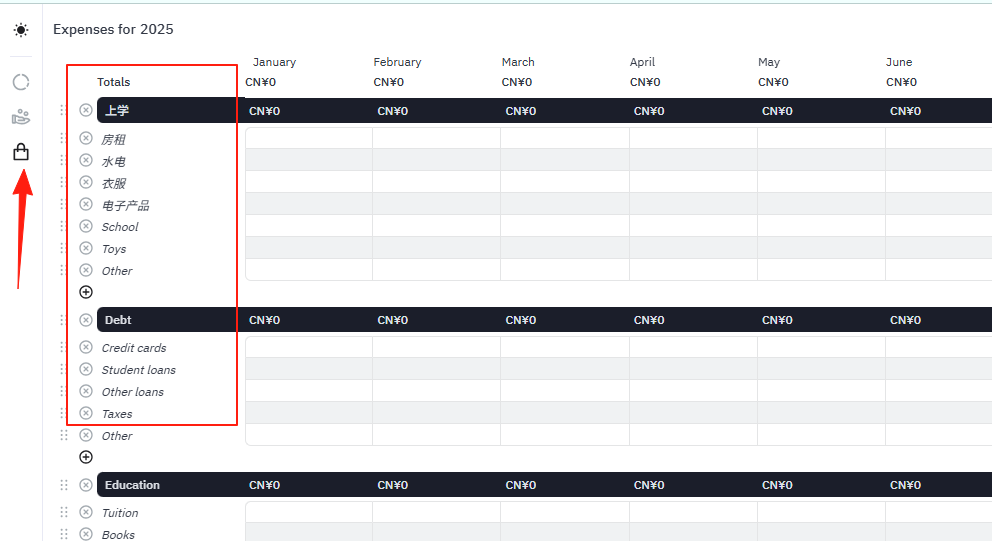
Quick Bookkeeping Method:
- Spend 5 minutes each evening recording the day's expenses
- Enable Privacy Mode for secure use even in the office
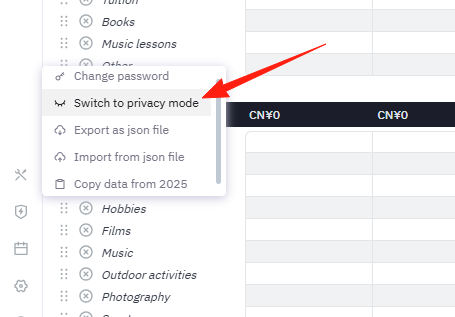
Categorization Tips:
- Don't create too many categories; 5-8 is sufficient
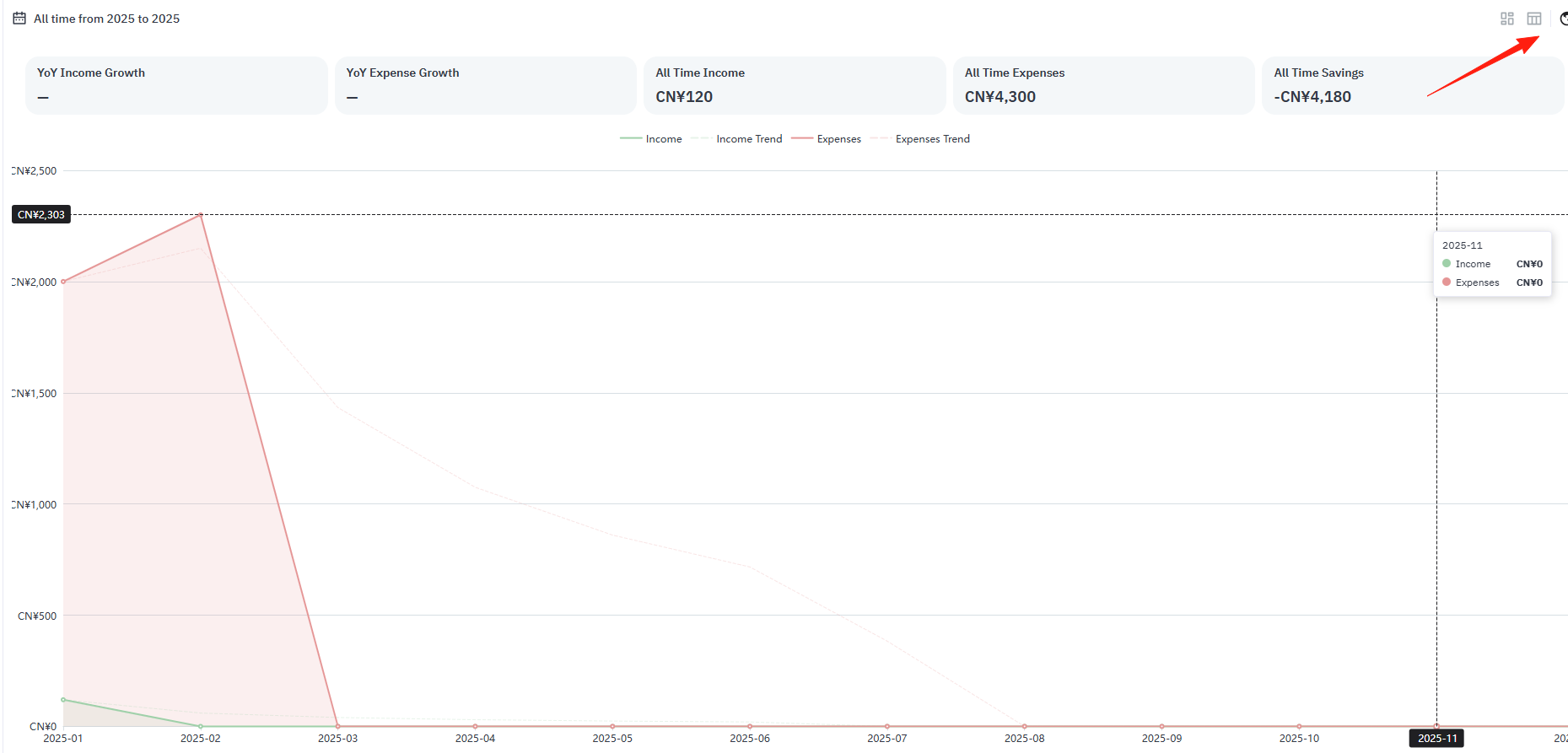
The home page supports three display modes. Normal mode:
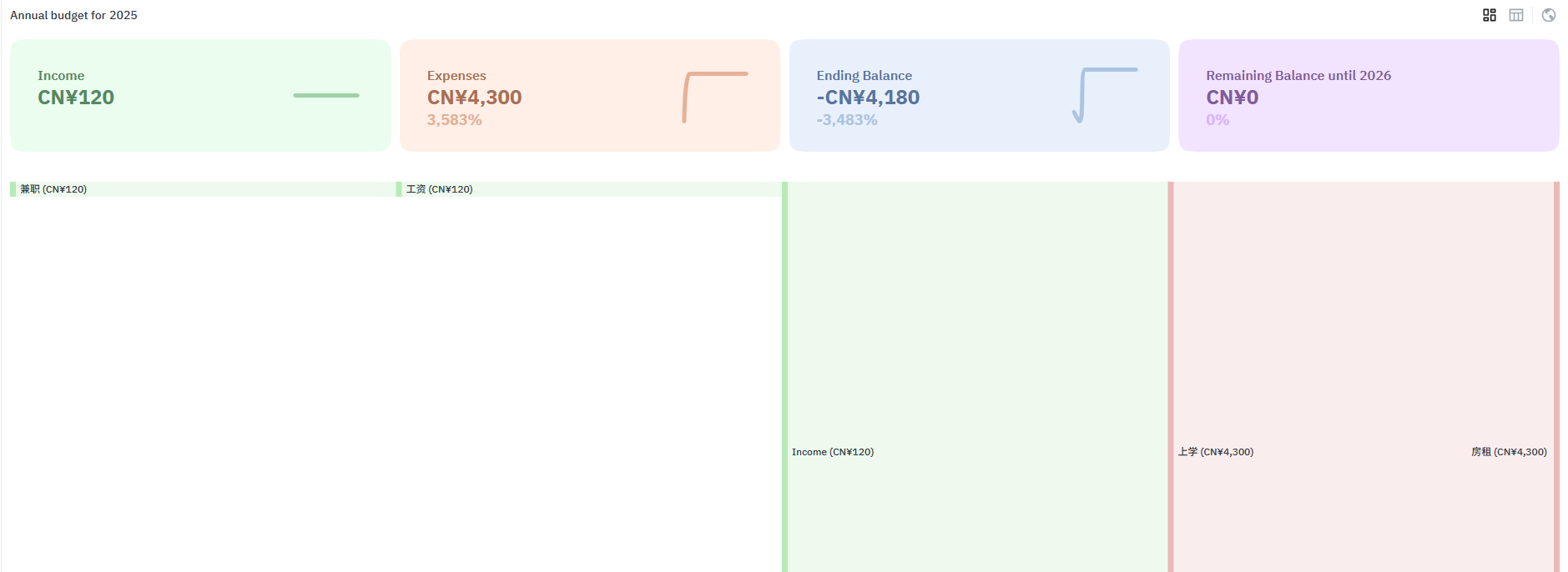
You can view the details:
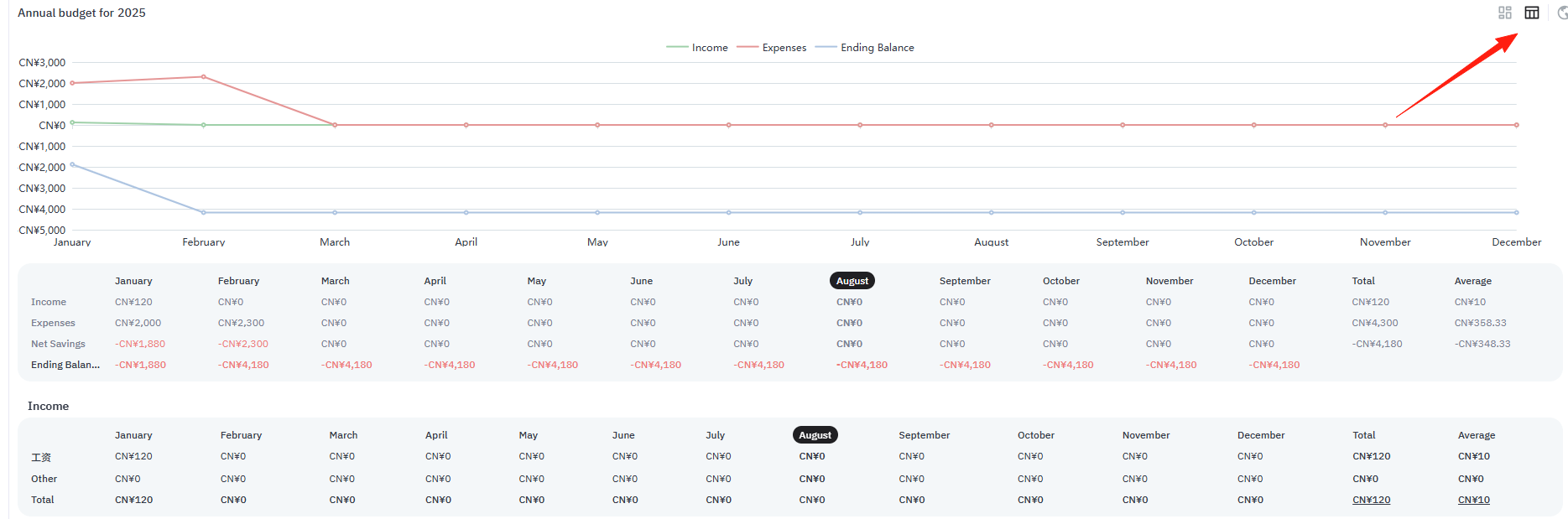
Line chart mode:
Ocular focuses more on budget planning than simple transaction tracking.
If you previously managed your budget with Google Sheets, you can import it directly into Ocular.
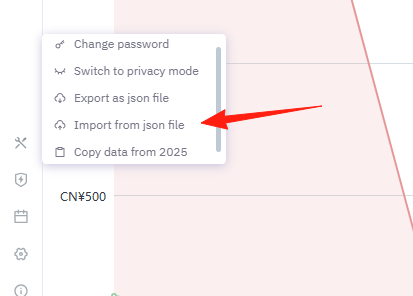
Before importing, remember to check:
- Date formats are consistent
- Category names correspond correctly
- Amounts contain no special characters
Final Thoughts
Ocular isn't the most feature-rich budgeting tool, but it's certainly one of the most pleasant to use. It's like a quiet butler that helps you clearly understand where your money goes without adding any complications.
If you're also tired of complex budgeting apps and want a simple, secure budgeting tool, why not give Ocular a try? After all, the most important aspect of financial management isn't how complex your tools are, but whether you can stick with it.