
MyBili: Rescuing Your Vanishing Bilibili Bookmarks
Why You Need This
Have you ever had this experience: you excitedly open your Bilibili favorites, ready to rewatch those amazing videos, only to find a bunch of grayed-out entries saying "Video no longer available." The title is gone, the thumbnail is gone, you don't even know who the creator was, and there's no way to find it again.
This is precisely why I recommend MyBili — it's an open-source tool specifically designed to back up your Bilibili favorites, so you never have to worry about your beloved videos suddenly disappearing.
What Can It Do For You?
Simply put, MyBili is like buying insurance for your favorites:
- 🕐 Automatic Monitoring: Scans your favorites every 5 minutes, recording video titles, descriptions, and thumbnails.
- 📥 Smart Downloading: Automatically downloads your favorited videos to your local storage in the highest available quality.
- 🎬 Online Playback: Provides a sleek web interface for directly watching your backed-up videos online.
- 💬 Danmaku Backup: Even saves the danmaku (comment overlays) for the complete experience.
- 📂 Media Library Support: The generated file structure can be directly imported into media servers like Emby and Plex.
https://appstore.lazycat.cloud/#/shop/detail/cloud.lazycat.app.mybili
How to Use
After installing the application, open the home page.
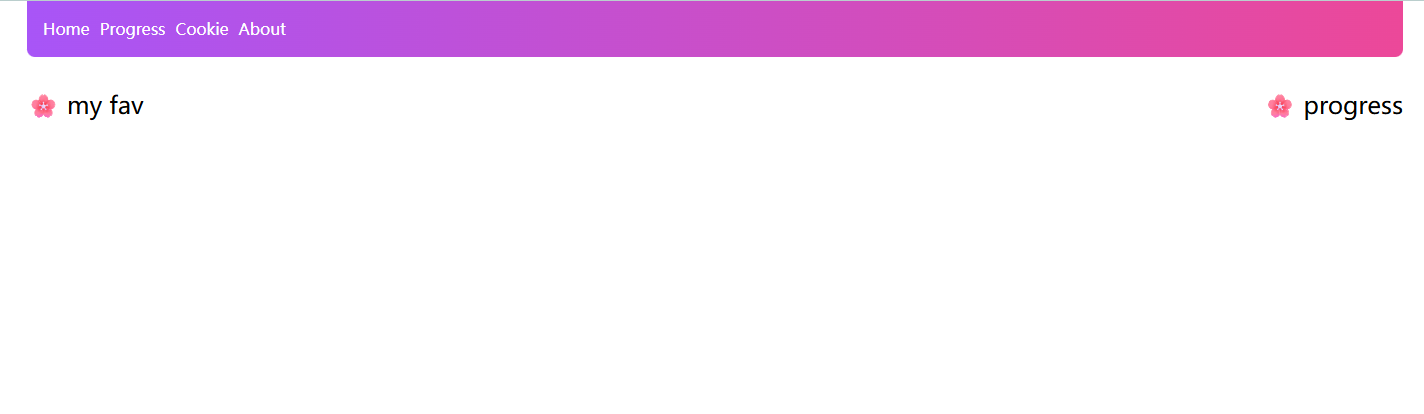
The first step is to upload your cookie, so MyBili knows who you are.
Method 1: Manual Upload (Simple but Temporary)
- Install the Browser Extension:
- Chrome users install Get cookies.txt LOCALLY
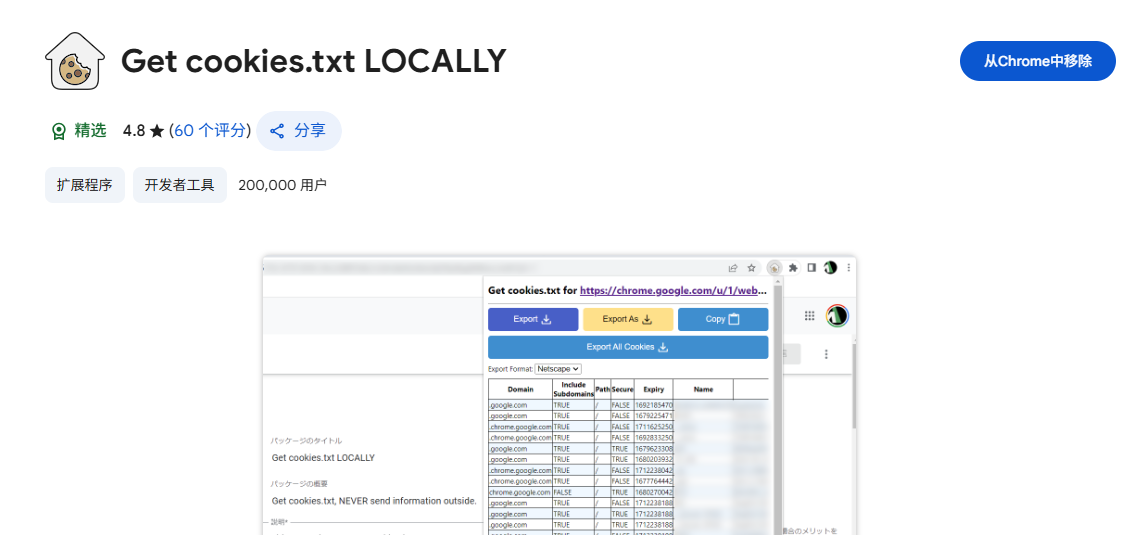 2. Export the Cookie:
- Log in to bilibili.com
- Click the extension icon, select "Export" → "cookies.txt"
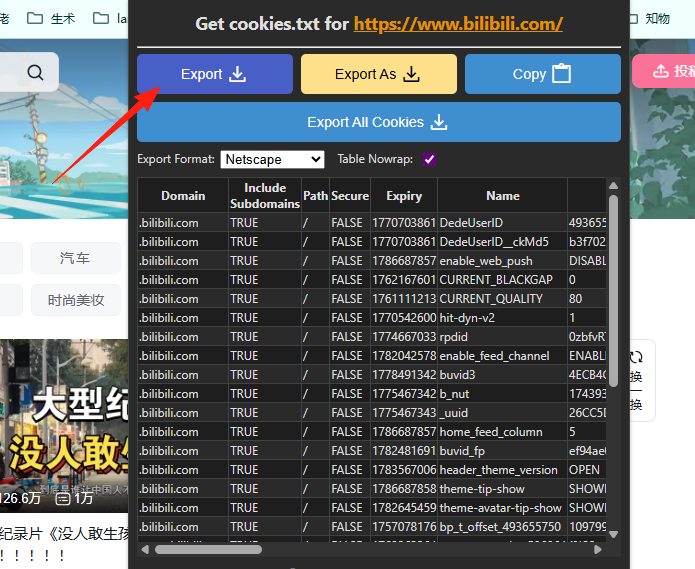 3. Upload to MyBili:
- Upload the
cookies.txtfile you just exported.
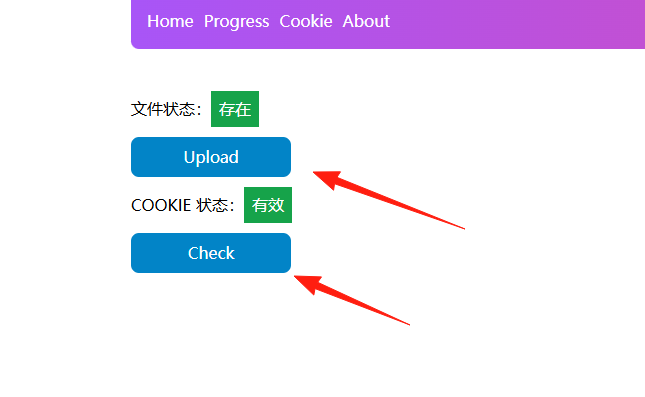 Drawback: Cookies expire, meaning you'll likely need to re-upload them every few days.
Method 2: Automatic Sync (Recommended)
The author specifically created a Chrome extension to solve the cookie expiration problem:
- Download the Extension:
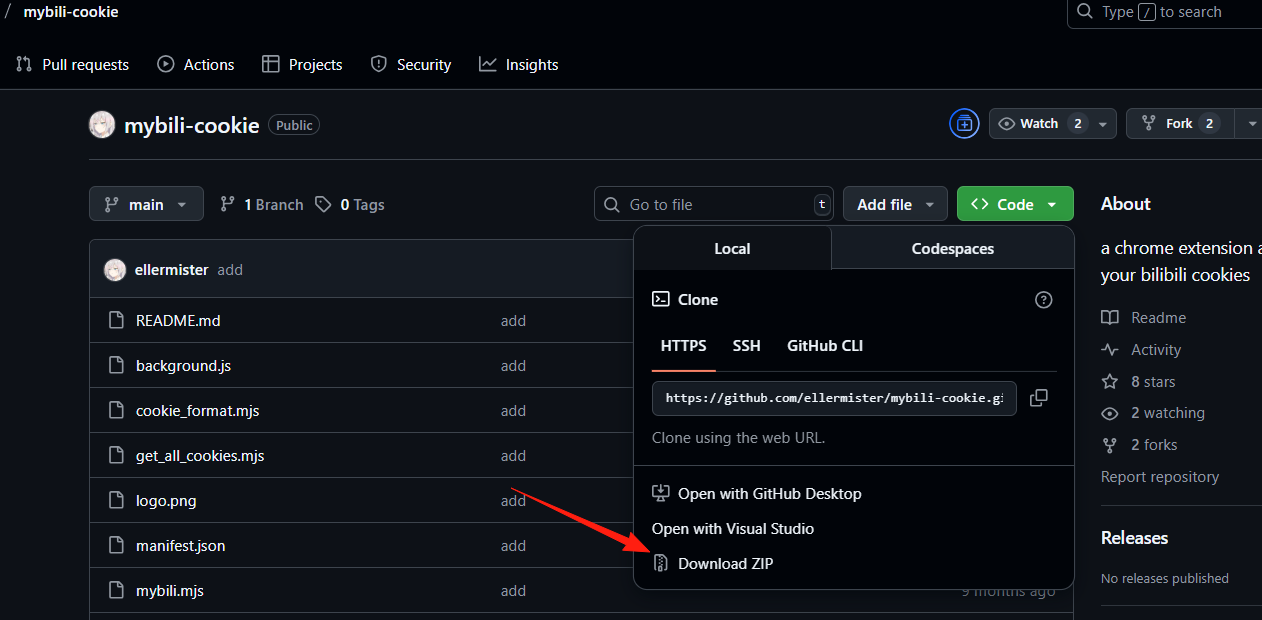
- Go to the mybili-cookie project
- Click "Code" → "Download ZIP"
- Extract it to a fixed location, e.g.,
D:\mybili-cookie
 2. Install in Browser:
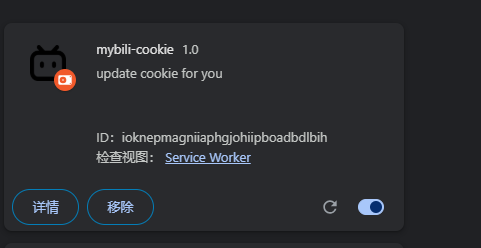
- Open Chrome, go to
chrome://extensions/ - Enable "Developer mode"
- Click "Load unpacked"
- Select the directory you just extracted.
 3. Configure the Extension:
- Click the extension icon
- Enter your MyBili address, e.g.,
https://mybili.懒猫.heiyu.space/
This enables automatic cookie synchronization, so you never have to worry about expiration again.
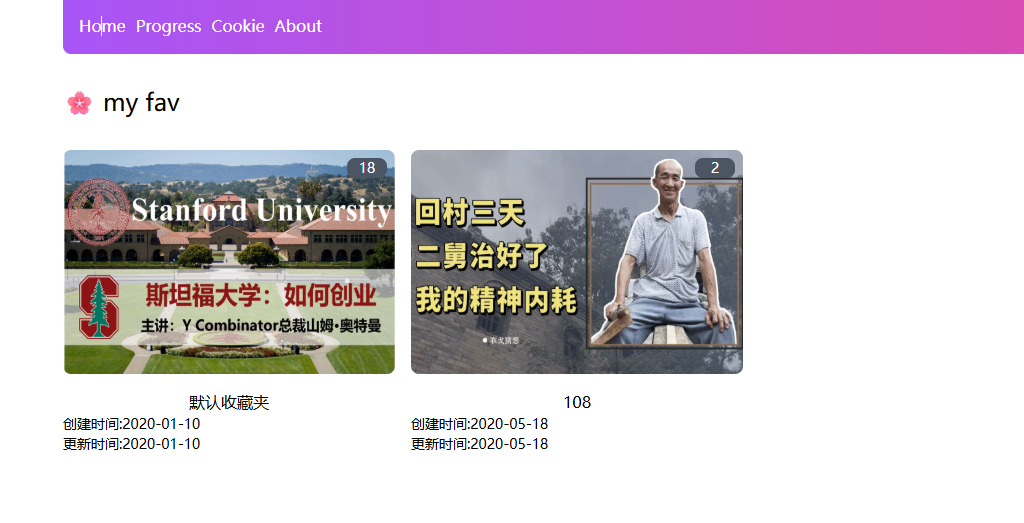
Return to the home page, and you should see your videos.
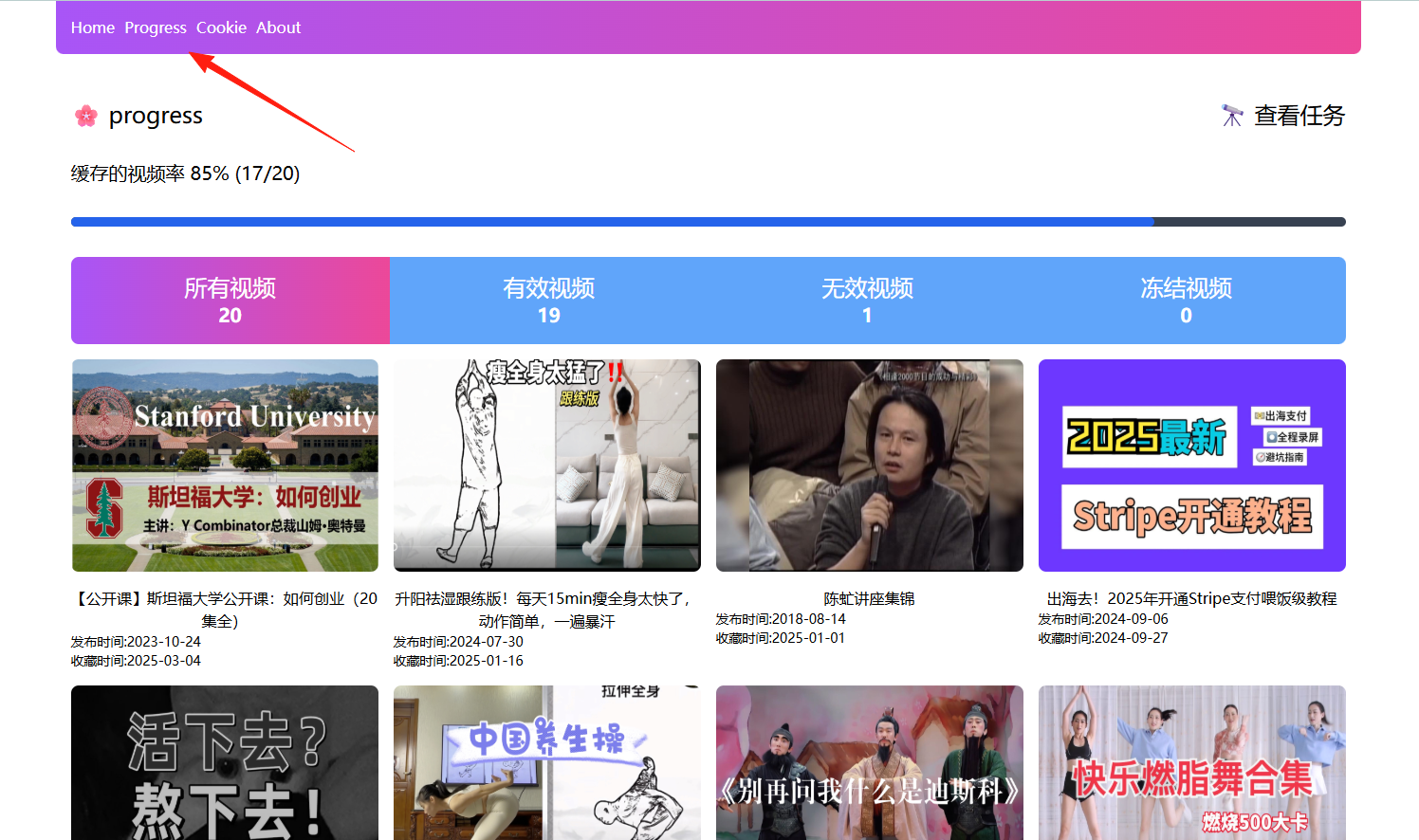
You can check the caching progress in the 'Progress' section.
Click directly on a video to watch it.

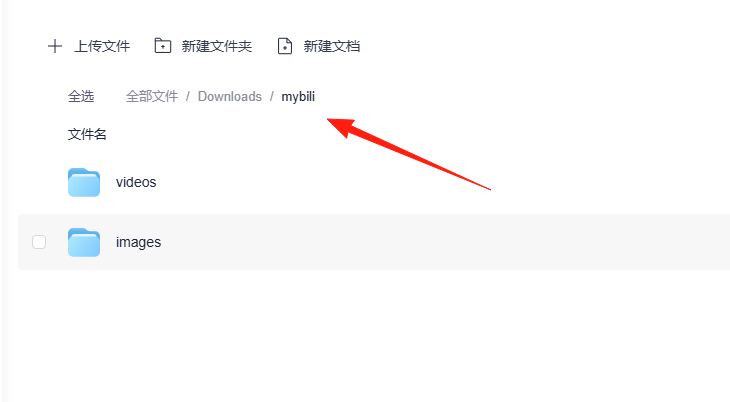
Cached videos can be found in the 懒猫网盘/Downloads directory.
Summary
MyBili is truly a fantastic tool, especially for Bilibili users with a tendency to "hoard" videos. While the initial setup might require a bit of technical know-how, once it's configured, it protects your favorites permanently.
Most importantly, this tool is designed to prevent your favorited videos from being lost or becoming unavailable, so you never have to worry about suddenly discovering that a beloved video has vanished one day.
If you also frequently face the frustration of "video no longer available," give MyBili a try now