
DBER: Discovered a Gem of a Database Design Tool
What is DBER?
Simply put, DBER is an online database design tool. You can drag and drop to create your database table structures and then directly generate SQL scripts. Most importantly—it's completely free, requires no registration, and works right in your browser!
For anyone wanting to quickly sketch out a database diagram, this is incredibly user-friendly.
If you've used online diagramming tools like draw.io or ProcessOn, then getting started with DBER is basically effortless. Drag out a table, double-click to edit fields, and drag to create relationship lines. It's entirely visual, which is much more enjoyable than writing SQL CREATE TABLE statements.
https://appstore.lazycat.cloud/#/shop/detail/cloud.lazycat.app.dber
Usage Guide
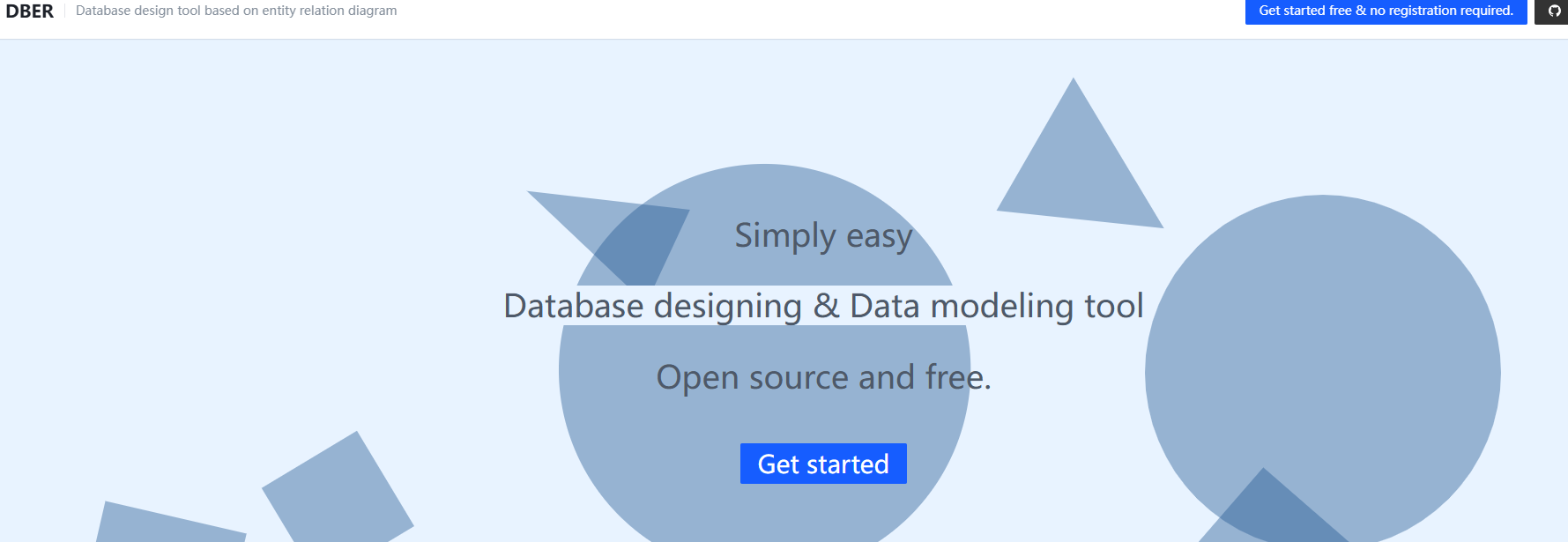
After installing the app, open the home page and click Get Start.
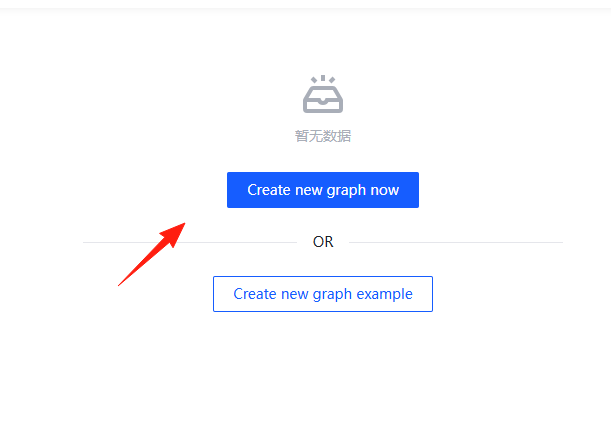
Create a new project.
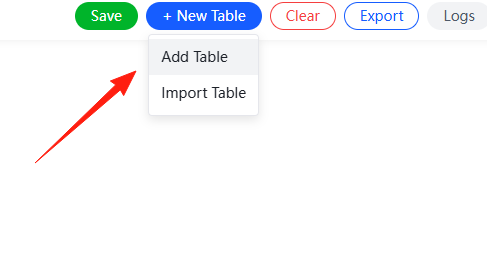
Create Your First Table
- Click the "Add Table" button in the toolbar.
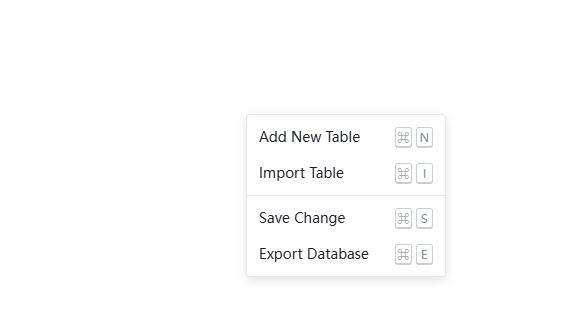
- Or simply right-click on the canvas and select "Add Table".
Enter the table name and fields.
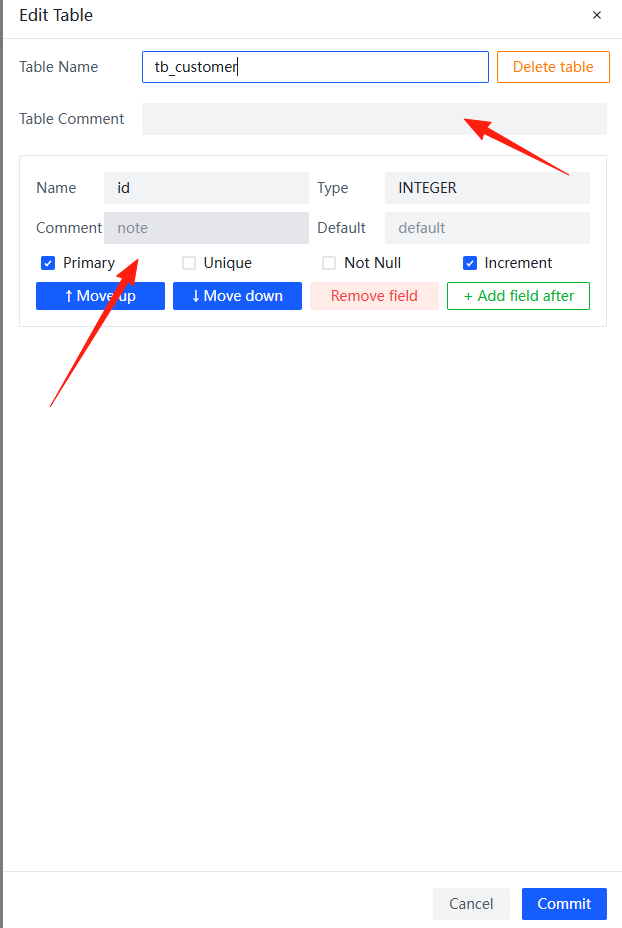
- The table will automatically appear in the center of the canvas.
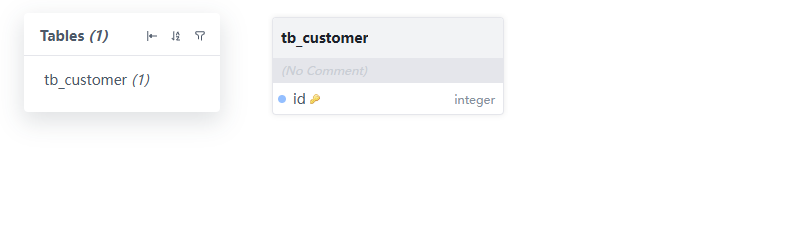
Edit Table Structure
- Double-click the table header to modify the table name.
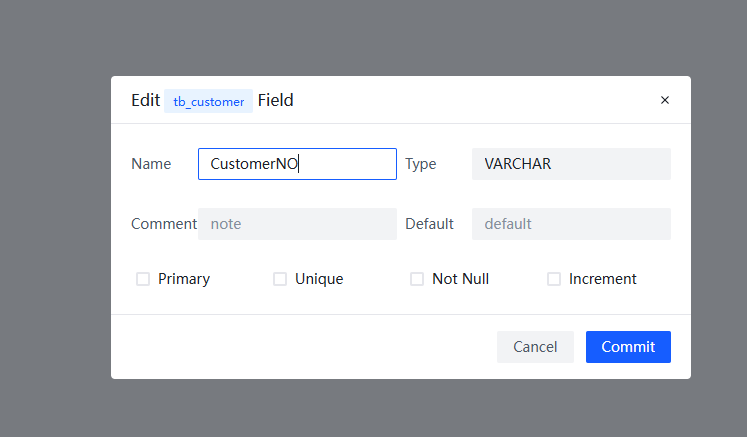
- Click the "+" sign inside the table to add a field.
- For each field, you can configure: field name, data type, primary key status, nullability, etc.
Establish Table Relationships
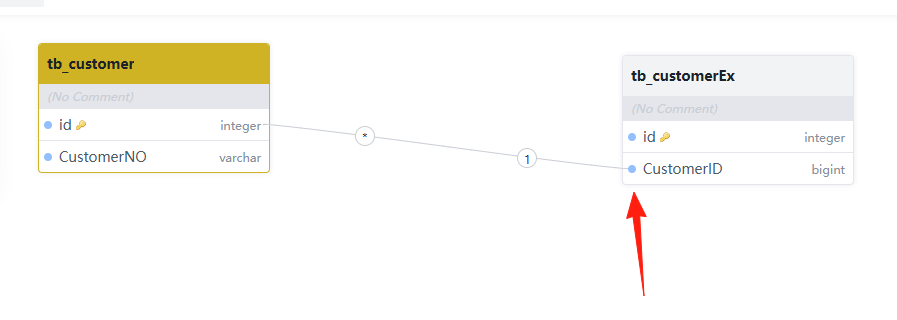
- Select a field in one table and drag it to a field in another table.
- The system will automatically create a relationship line.
- You can set relationship types like one-to-one, one-to-many, many-to-many, etc.
Export SQL
- Click the "Export" button in the top right corner.
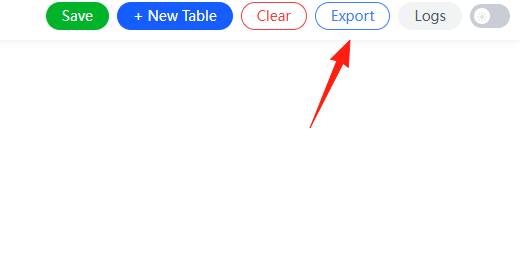
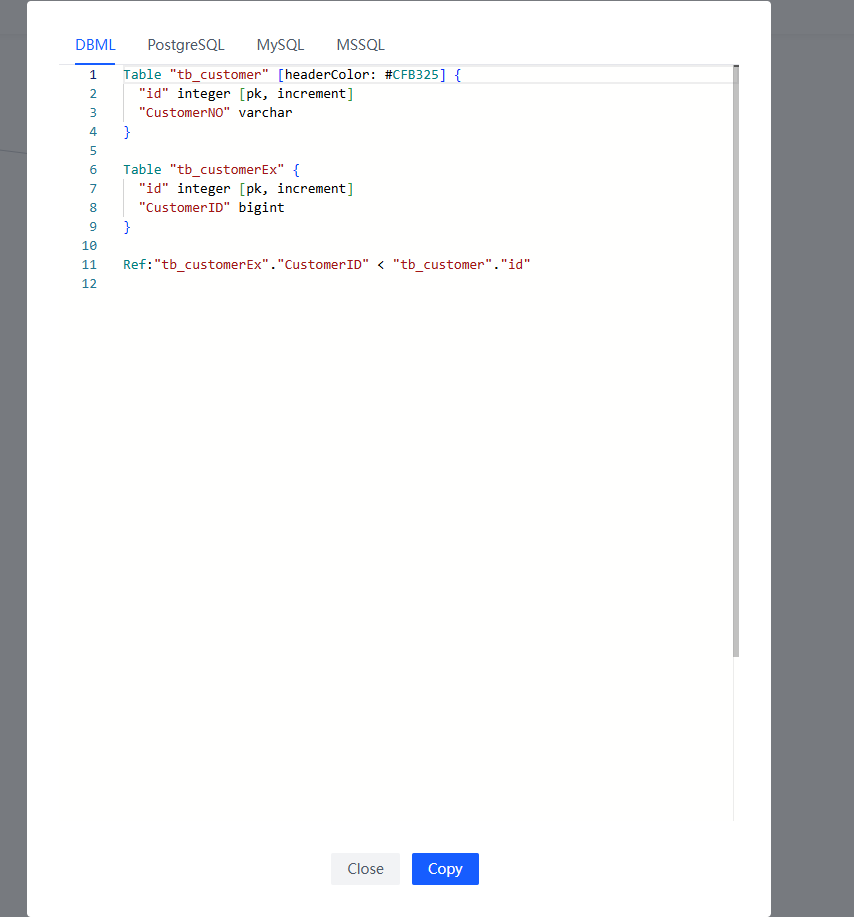
- Select the target database type (MySQL, PostgreSQL, etc.).
- Copy the generated SQL script and execute it in your database.
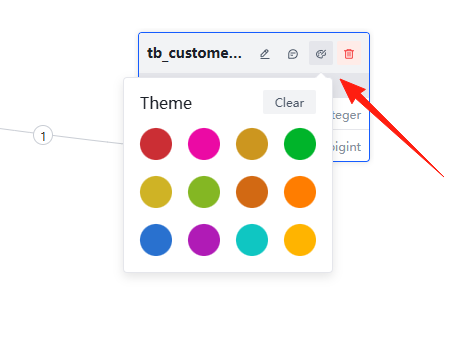
Although DBER currently offers limited color choices, it's still recommended to use different colors for different types of tables. For example, use blue for core business tables, gray for configuration tables, and yellow for log tables.
Since data is stored locally in your browser, clearing the browser cache will erase it. It's recommended to export your design after each session or save the generated SQL script.
Summary
While DBER's features are relatively simple, its strengths lie in being free, easy to use, and lightweight. It's perfectly adequate for database design in small to medium-sized projects.
Of course, if your project is particularly complex and requires advanced features like version control, team collaboration, detailed documentation generation, etc., you might need to consider commercial software. But for most scenarios, DBER is sufficient.